
Creatify Team
SHARE


IN THIS ARTICLE
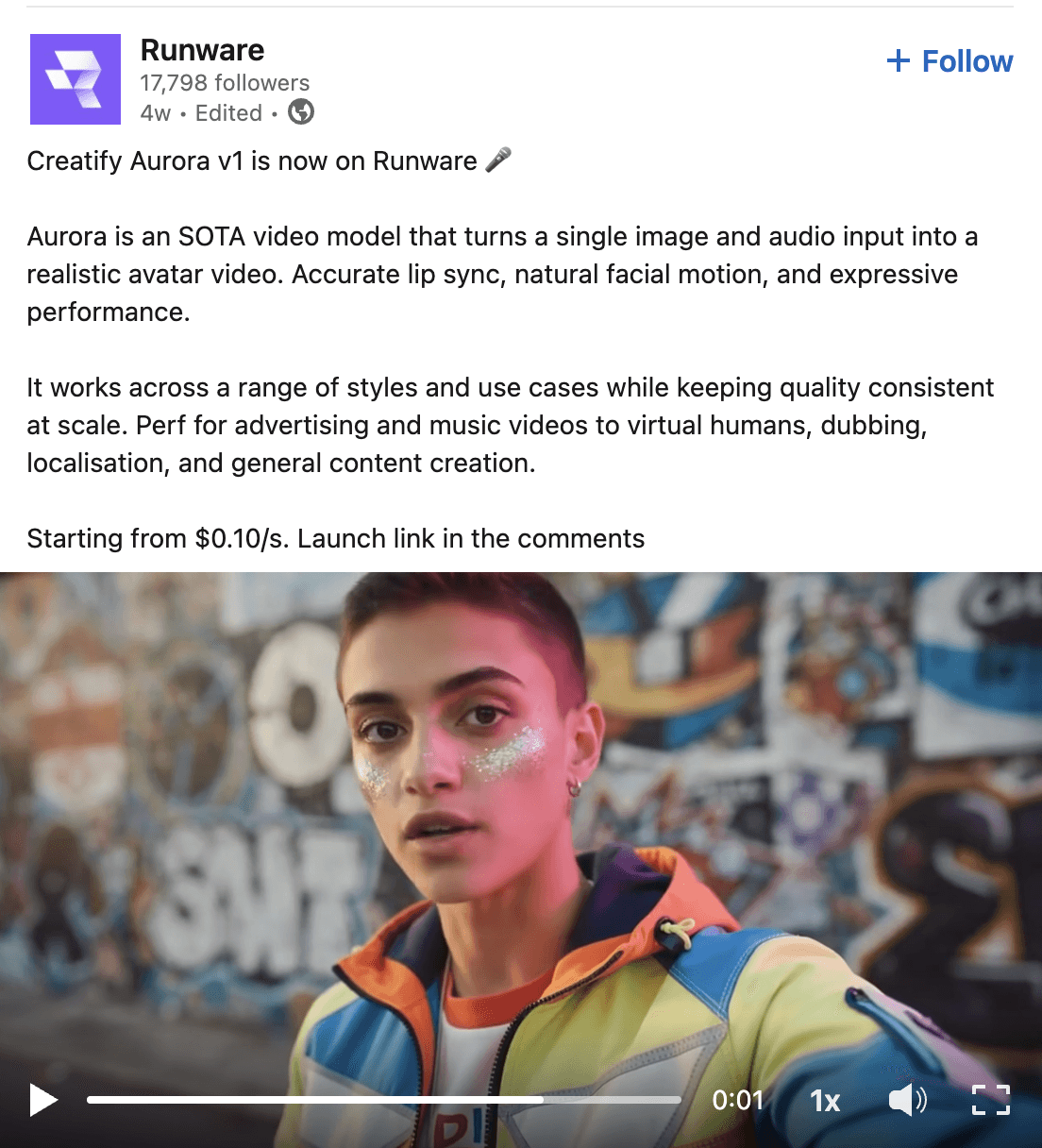
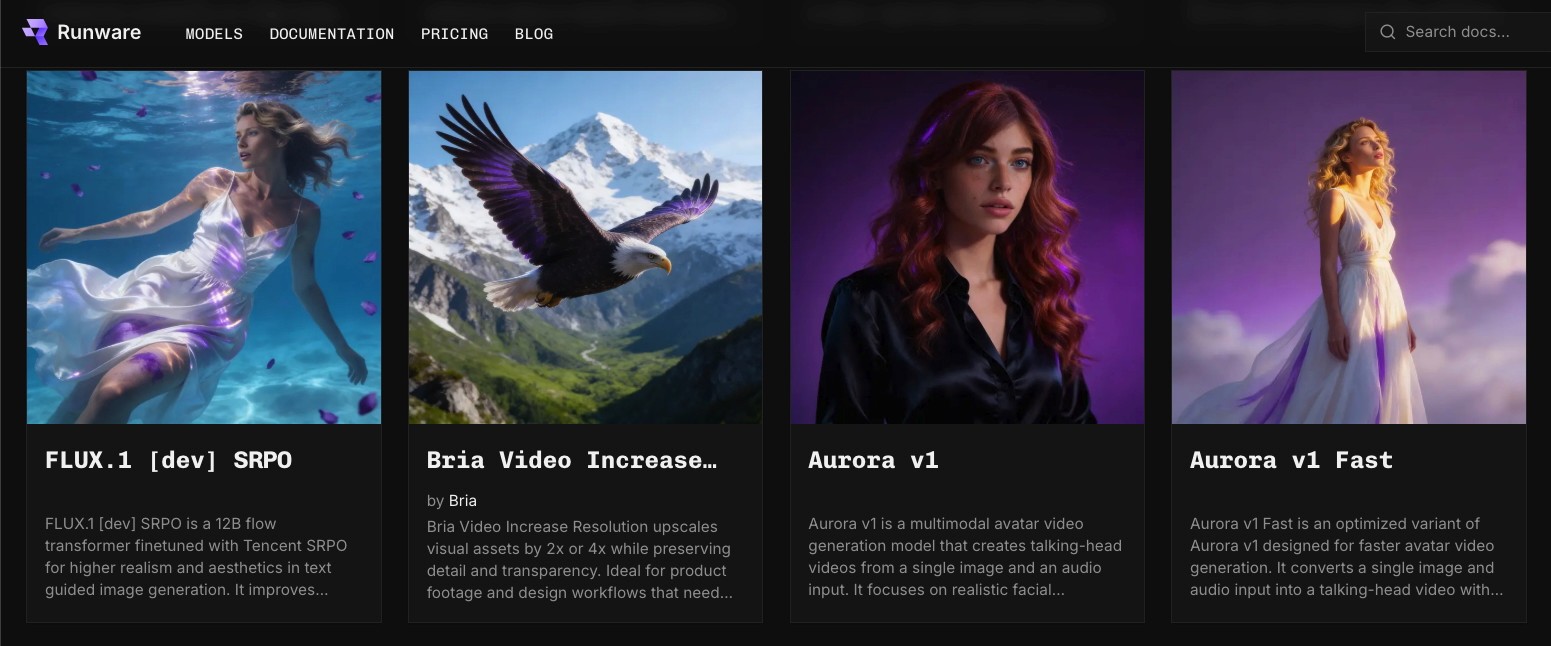
Aurora is live on Runware.
Developers can now access Creatify's avatar model through Runware's inference API - the same Aurora that powers video content for Comcast, Alibaba, and thousands of brands on Creatify.
This is Aurora's third platform integration after ElevenLabs and fal.ai. And the pattern is worth paying attention to.
What Runware brings to the table
Runware built their own inference infrastructure from scratch. Custom servers, custom cooling, custom networking - all designed to run AI models faster and cheaper than standard cloud GPU setups.
Their Sonic Inference Engine has powered over 10 billion generations for 200,000+ developers and 300 million+ end users. Companies like Quora, OpenArt, NightCafe, and Freepik run workloads through it.
The short version: Runware is obsessed with making inference fast and affordable. They raised a $50M Series A led by Dawn Capital (with Comcast Ventures, Insight Partners, and a16z Speedrun participating) specifically to scale that mission across every AI modality - image, video, audio, and beyond.
Aurora on Runware means developers get avatar generation running on purpose-built hardware optimized for exactly this kind of workload.
Why this matters beyond another integration
Three platforms in 2 months. That's the real story here.
Aurora launched inside ElevenLabs as their first avatar model. Fal.ai added it to their catalog for developers who wanted direct API access. Now Runware brings it to a platform serving hundreds of millions of end users with 400,000+ models available.
Each integration reaches a different audience. ElevenLabs connects Aurora to voice-first creators. fal.ai opened the door for developers building custom applications. Runware puts it in front of teams optimizing for inference speed and cost at scale.
Aurora is becoming infrastructure - the default avatar model that platforms choose to offer their users.
How to use Aurora on Runware
Search "Creatify" or "Aurora" in Runware's model catalog. The model takes two inputs: an image and an audio file. You can add an optional prompt for visual direction like lighting, framing, and background style.
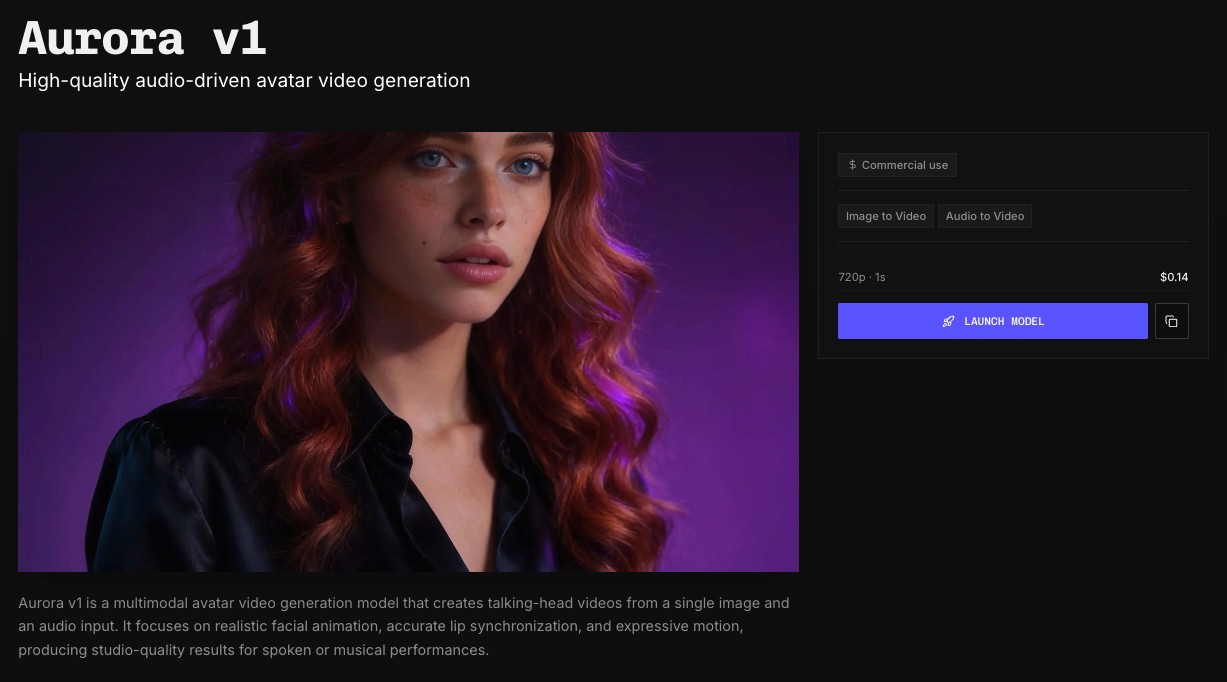
If you've used Aurora on fal.ai, the workflow is familiar. Runware's unified API means the same request pattern works across all their supported models, so there's no new SDK to learn if you're already building on their platform.
One thing to keep in mind: Aurora prompts describe the visual context, not what the avatar says. That comes from your audio file. So instead of "person talking about product features," go with something like "4K studio interview, medium close-up, soft key-light, light grey backdrop."
Read more on how to use Aurora in Runware in their guide to the model.
Who should use what
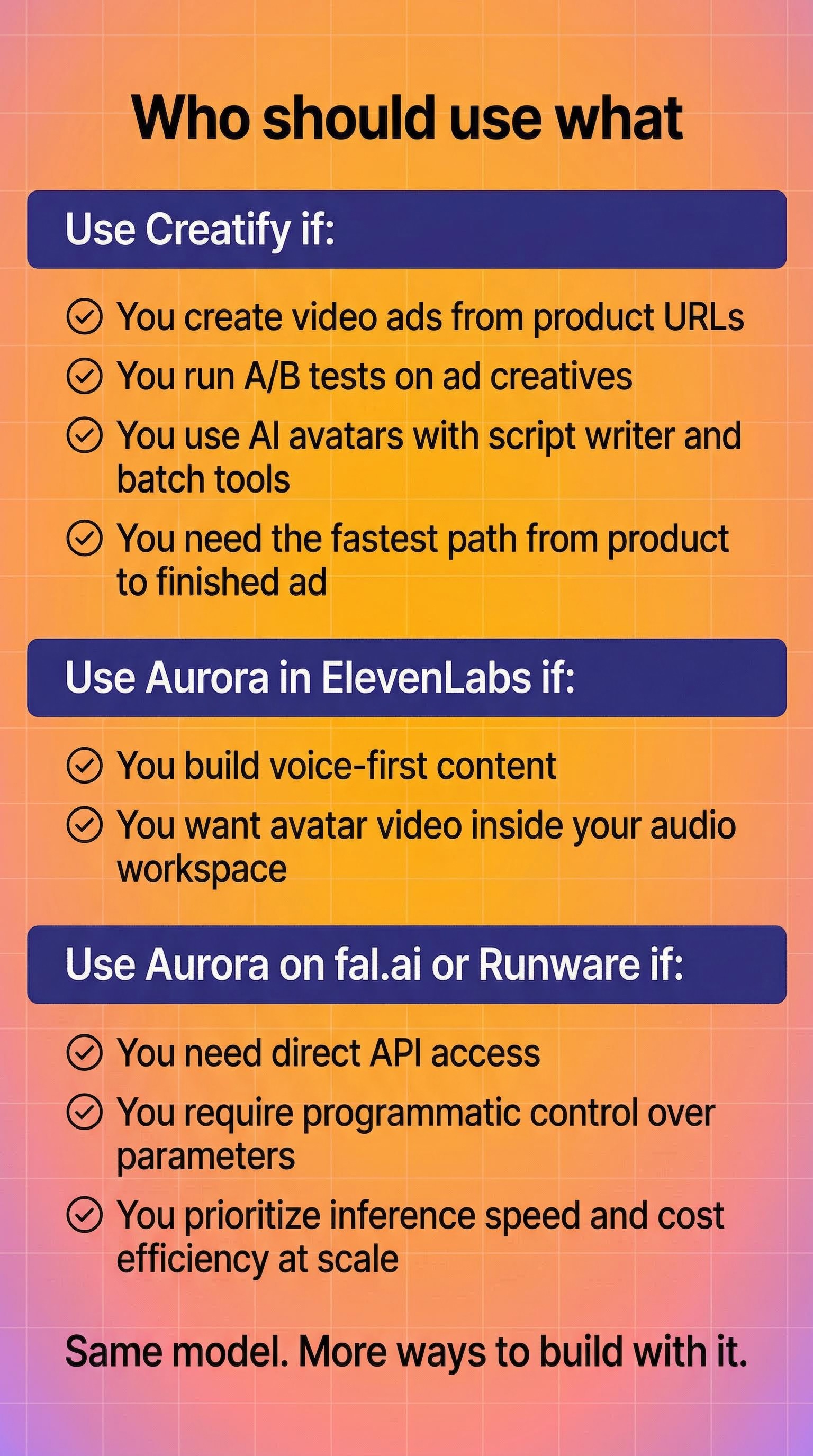
If you're creating video ads from product URLs, running A/B tests on ad creatives, or using AI avatars with Creatify's script writer and batch tools - keep using Creatify. The URL-to-Video workflow and creative suite are still the fastest path from product to finished ad.
If you're building voice-first content and want avatar video without leaving your audio workspace - Aurora in ElevenLabs handles that.
If you need direct API access for custom applications with programmatic control over every parameter - Aurora on fal.ai or Runware gives you that flexibility. Runware is the stronger pick if inference speed and cost efficiency at volume are your priority.
Ready to create your own AI avatar videos? Explore the best AI avatar generators and start turning ideas into content in minutes.
Same model. More ways to build with it.
Find Aurora by searching "Creatify" or "Aurora" in Runware's model catalog to get started
FAQ
What is Aurora?
Aurora is Creatify's proprietary avatar model built on diffusion transformer architecture. It turns a single image and audio input into a realistic talking-head video with accurate lip sync, full-body expressiveness, and natural emotional range.
How do I access Aurora on Runware?
Search for "Creatify" or "Aurora" in Runware's model catalog. You'll need an image file and an audio file as inputs. Visual prompts for lighting and framing are optional but recommended for best results.
Is this the same Aurora model available on Creatify?
Yes. The Aurora model on Runware is the same one powering video ads for brands like Comcast and Alibaba through Creatify's platform. Same architecture, same quality output.
What's the difference between using Aurora on Creatify vs. Runware?
Creatify gives you the full creative suite - URL-to-Video, AI script writer, 1500+ avatars, batch processing, and platform exports. Runware gives developers direct API access to the Aurora model for custom applications, with the benefit of Runware's optimized inference infrastructure.
Can I use Aurora on Runware for commercial projects?
Yes. Aurora on Runware is available for commercial use.
Aurora is live on Runware.
Developers can now access Creatify's avatar model through Runware's inference API - the same Aurora that powers video content for Comcast, Alibaba, and thousands of brands on Creatify.
This is Aurora's third platform integration after ElevenLabs and fal.ai. And the pattern is worth paying attention to.
What Runware brings to the table
Runware built their own inference infrastructure from scratch. Custom servers, custom cooling, custom networking - all designed to run AI models faster and cheaper than standard cloud GPU setups.
Their Sonic Inference Engine has powered over 10 billion generations for 200,000+ developers and 300 million+ end users. Companies like Quora, OpenArt, NightCafe, and Freepik run workloads through it.
The short version: Runware is obsessed with making inference fast and affordable. They raised a $50M Series A led by Dawn Capital (with Comcast Ventures, Insight Partners, and a16z Speedrun participating) specifically to scale that mission across every AI modality - image, video, audio, and beyond.
Aurora on Runware means developers get avatar generation running on purpose-built hardware optimized for exactly this kind of workload.
Why this matters beyond another integration
Three platforms in 2 months. That's the real story here.
Aurora launched inside ElevenLabs as their first avatar model. Fal.ai added it to their catalog for developers who wanted direct API access. Now Runware brings it to a platform serving hundreds of millions of end users with 400,000+ models available.
Each integration reaches a different audience. ElevenLabs connects Aurora to voice-first creators. fal.ai opened the door for developers building custom applications. Runware puts it in front of teams optimizing for inference speed and cost at scale.
Aurora is becoming infrastructure - the default avatar model that platforms choose to offer their users.
How to use Aurora on Runware
Search "Creatify" or "Aurora" in Runware's model catalog. The model takes two inputs: an image and an audio file. You can add an optional prompt for visual direction like lighting, framing, and background style.
If you've used Aurora on fal.ai, the workflow is familiar. Runware's unified API means the same request pattern works across all their supported models, so there's no new SDK to learn if you're already building on their platform.
One thing to keep in mind: Aurora prompts describe the visual context, not what the avatar says. That comes from your audio file. So instead of "person talking about product features," go with something like "4K studio interview, medium close-up, soft key-light, light grey backdrop."
Read more on how to use Aurora in Runware in their guide to the model.
Who should use what
If you're creating video ads from product URLs, running A/B tests on ad creatives, or using AI avatars with Creatify's script writer and batch tools - keep using Creatify. The URL-to-Video workflow and creative suite are still the fastest path from product to finished ad.
If you're building voice-first content and want avatar video without leaving your audio workspace - Aurora in ElevenLabs handles that.
If you need direct API access for custom applications with programmatic control over every parameter - Aurora on fal.ai or Runware gives you that flexibility. Runware is the stronger pick if inference speed and cost efficiency at volume are your priority.
Ready to create your own AI avatar videos? Explore the best AI avatar generators and start turning ideas into content in minutes.
Same model. More ways to build with it.
Find Aurora by searching "Creatify" or "Aurora" in Runware's model catalog to get started
FAQ
What is Aurora?
Aurora is Creatify's proprietary avatar model built on diffusion transformer architecture. It turns a single image and audio input into a realistic talking-head video with accurate lip sync, full-body expressiveness, and natural emotional range.
How do I access Aurora on Runware?
Search for "Creatify" or "Aurora" in Runware's model catalog. You'll need an image file and an audio file as inputs. Visual prompts for lighting and framing are optional but recommended for best results.
Is this the same Aurora model available on Creatify?
Yes. The Aurora model on Runware is the same one powering video ads for brands like Comcast and Alibaba through Creatify's platform. Same architecture, same quality output.
What's the difference between using Aurora on Creatify vs. Runware?
Creatify gives you the full creative suite - URL-to-Video, AI script writer, 1500+ avatars, batch processing, and platform exports. Runware gives developers direct API access to the Aurora model for custom applications, with the benefit of Runware's optimized inference infrastructure.
Can I use Aurora on Runware for commercial projects?
Yes. Aurora on Runware is available for commercial use.