
Creatify Team
SHARE
IN THIS ARTICLE
Wan 2.7 is now live in Creatify — 40% off for a limited time
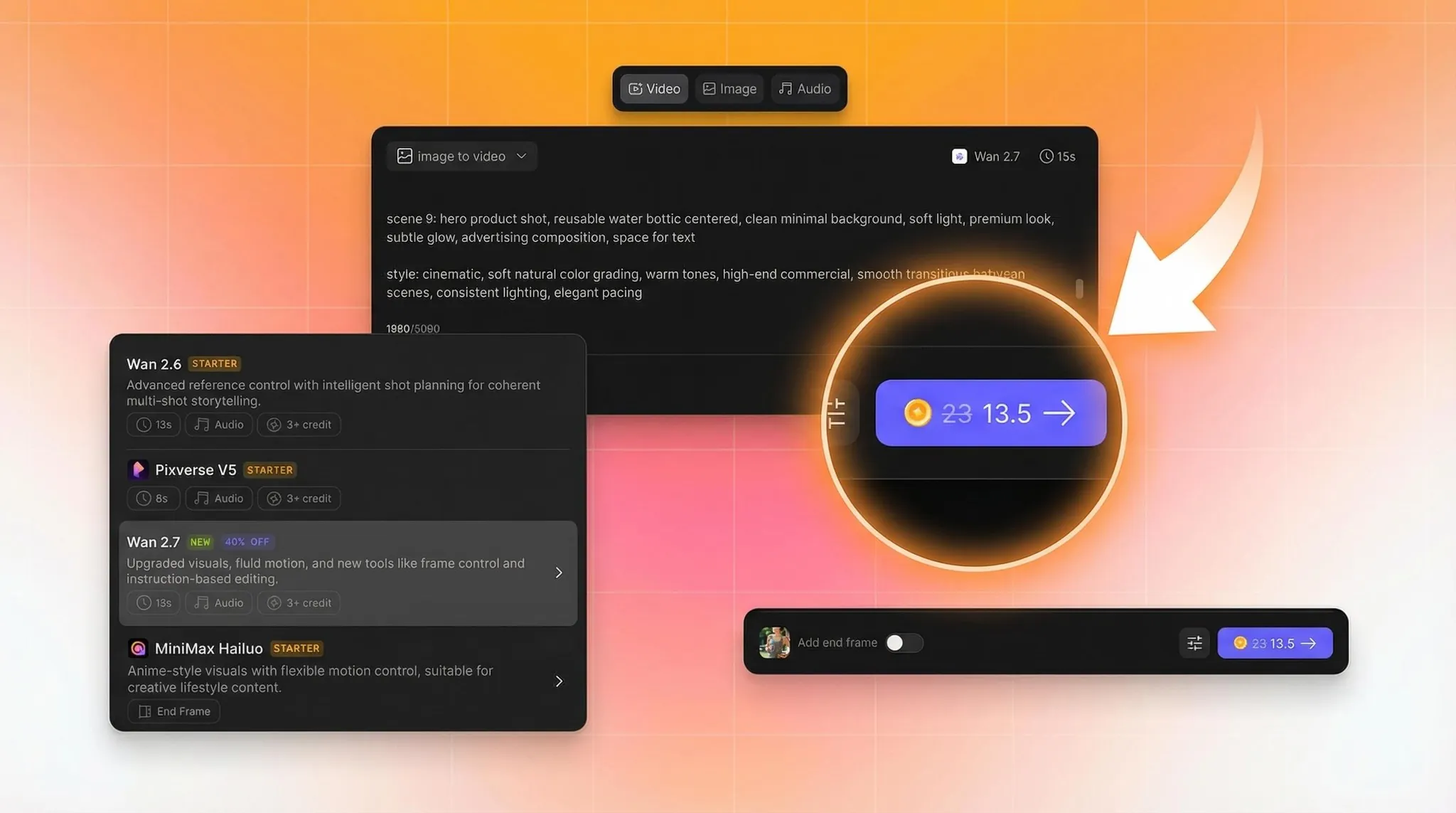
Wan 2.7 is live in Creatify — and for a limited time, it's available at 40% off. This is the lowest price we've offered on a next-gen model. The window closes soon.
Here's what's new, and why it matters for ad creative production.
What Wan 2.7 actually changes
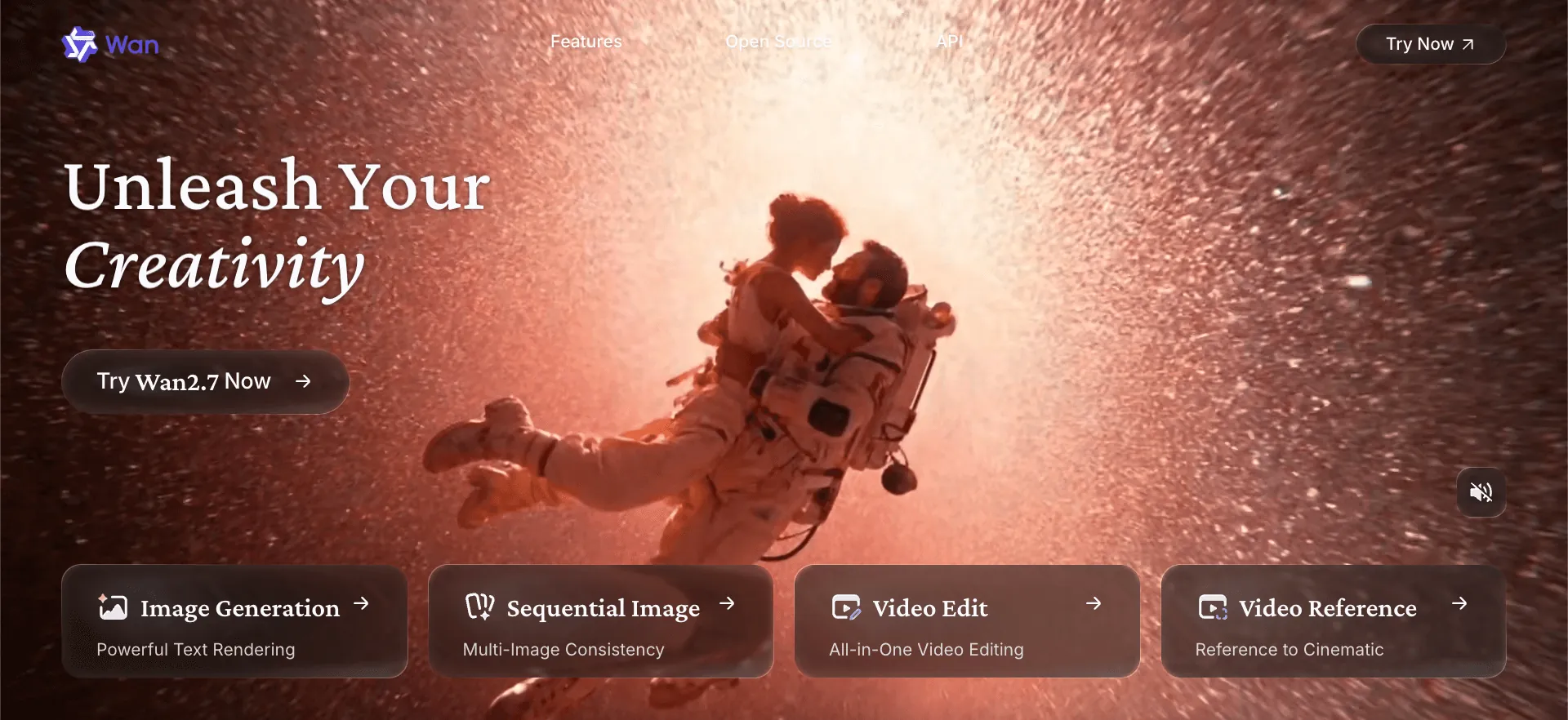
Wan 2.7 is Alibaba's latest video generation model — a full upgrade across visual quality, motion, audio, stylization, and subject consistency. The headline features aren't incremental. A few of them change how the generation workflow runs entirely.
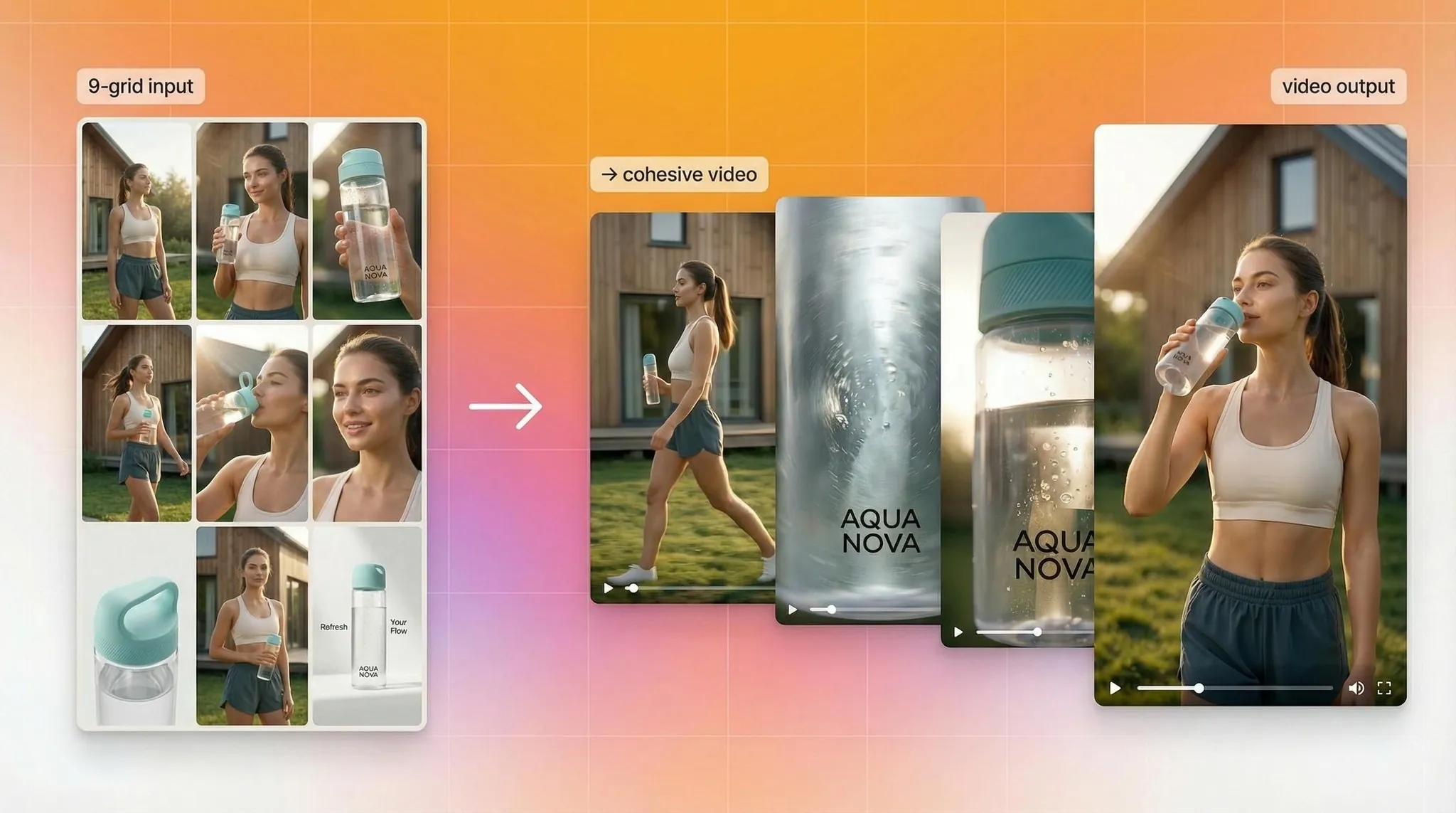
9-grid image-to-video. Feed 9 images arranged in a 3×3 grid. Get one cohesive, high-quality video ad from that structured input. This is multi-reference control that hasn't been available in ad creative tools before — the model uses all nine images to build a more compositionally accurate output rather than extrapolating from a single frame.
First-frame and last-frame control. Define exactly where the video starts and where it ends. The model generates the motion in between. For ad creative, this means you can anchor the opening shot and the closing product reveal, and let the model build the transition — without re-generating until you happen to get an ending you like.
Instruction-based editing built into the model. This is the feature that makes Wan 2.7 feel genuinely different from a generation tool. Pass an existing video clip and a natural language instruction — "change the background to a city street," "swap the jacket to white" — and get an edited output rather than a new generation. Iteration that previously meant starting over now runs as a lightweight edit pass.
Subject plus voice reference. Anchor both a character's visual appearance and voice direction in a single generation call. For teams building consistent brand presenters or character-led content across multiple ads, this reduces the pipeline steps considerably.
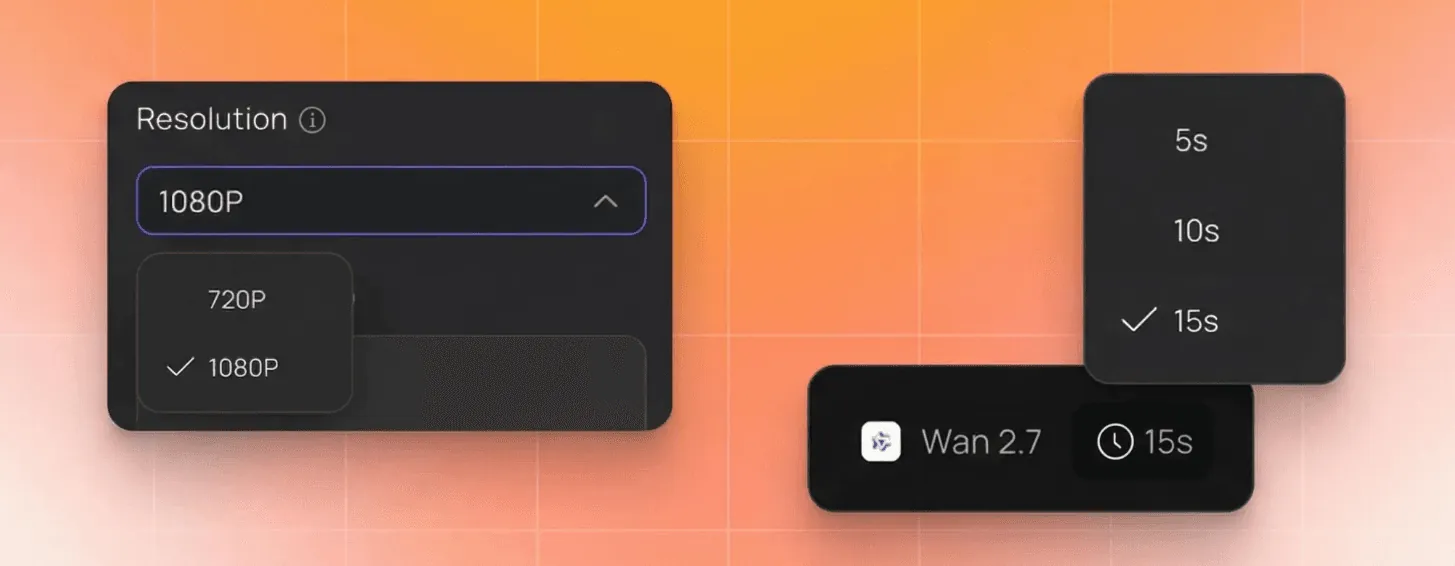
Native 1080p. Output is 1080p natively, with clip durations from 2 to 15 seconds — covering hooks, transitions, full product stories, and short narrative arcs in a single model.
Why this matters for ad creative
The persistent problem with AI video in ad production has been control — or the lack of it. Most generation workflows give you a prompt and a starting image, then ask you to regenerate until the output lands somewhere near your intent.
Wan 2.7's additions — first/last frame anchoring, 9-grid multi-reference input, instruction-based editing — shift that. You're composing outputs, not hoping for them. For teams running high-volume creative testing, that's the difference between generating 50 variations and actually learning something from them versus generating 50 variations and still not knowing why some worked.
The instruction-based editing specifically changes the iteration cycle on winning creative. When a video ad is performing and you want to test a background change, a seasonal variant, or a regional visual swap — you don't rebuild from scratch. You edit. That's a meaningful compression of the production loop.
How to access it
Wan 2.7 is available now inside Creatify's Asset Generator on Pro plan and above. Open Asset Generator, select Wan 2.7 from the model list, and start generating.
The 40% off pricing is live now for a limited time. This is the lowest entry point we've offered on a next-gen model addition. Head to creatify.ai to lock it in before the window closes.
Wan 2.7 is now live in Creatify — 40% off for a limited time
Wan 2.7 is live in Creatify — and for a limited time, it's available at 40% off. This is the lowest price we've offered on a next-gen model. The window closes soon.
Here's what's new, and why it matters for ad creative production.

What Wan 2.7 actually changes
Wan 2.7 is Alibaba's latest video generation model — a full upgrade across visual quality, motion, audio, stylization, and subject consistency. The headline features aren't incremental. A few of them change how the generation workflow runs entirely.

9-grid image-to-video. Feed 9 images arranged in a 3×3 grid. Get one cohesive, high-quality video ad from that structured input. This is multi-reference control that hasn't been available in ad creative tools before — the model uses all nine images to build a more compositionally accurate output rather than extrapolating from a single frame.
First-frame and last-frame control. Define exactly where the video starts and where it ends. The model generates the motion in between. For ad creative, this means you can anchor the opening shot and the closing product reveal, and let the model build the transition — without re-generating until you happen to get an ending you like.
Instruction-based editing built into the model. This is the feature that makes Wan 2.7 feel genuinely different from a generation tool. Pass an existing video clip and a natural language instruction — "change the background to a city street," "swap the jacket to white" — and get an edited output rather than a new generation. Iteration that previously meant starting over now runs as a lightweight edit pass.
Subject plus voice reference. Anchor both a character's visual appearance and voice direction in a single generation call. For teams building consistent brand presenters or character-led content across multiple ads, this reduces the pipeline steps considerably.
Native 1080p. Output is 1080p natively, with clip durations from 2 to 15 seconds — covering hooks, transitions, full product stories, and short narrative arcs in a single model.

Why this matters for ad creative
The persistent problem with AI video in ad production has been control — or the lack of it. Most generation workflows give you a prompt and a starting image, then ask you to regenerate until the output lands somewhere near your intent.
Wan 2.7's additions — first/last frame anchoring, 9-grid multi-reference input, instruction-based editing — shift that. You're composing outputs, not hoping for them. For teams running high-volume creative testing, that's the difference between generating 50 variations and actually learning something from them versus generating 50 variations and still not knowing why some worked.

The instruction-based editing specifically changes the iteration cycle on winning creative. When a video ad is performing and you want to test a background change, a seasonal variant, or a regional visual swap — you don't rebuild from scratch. You edit. That's a meaningful compression of the production loop.
How to access it
Wan 2.7 is available now inside Creatify's Asset Generator on Pro plan and above. Open Asset Generator, select Wan 2.7 from the model list, and start generating.
The 40% off pricing is live now for a limited time. This is the lowest entry point we've offered on a next-gen model addition. Head to creatify.ai to lock it in before the window closes.