
How to create a video from photos using AI

How to create a video from photos using AI

Written by

Creatify Team

How to create a video from photos using AI
Creatify logo

Creatify Team

SHARE

LinkedIn icon
X icon
Facebook icon

IN THIS ARTICLE

You have a product photo, a mood board shot, or a piece of concept art. You want it to move. Five years ago, that meant After Effects, a 3D model, a motion designer, and a few weeks of back-and-forth. Now you can create AI video from photo in under a minute.
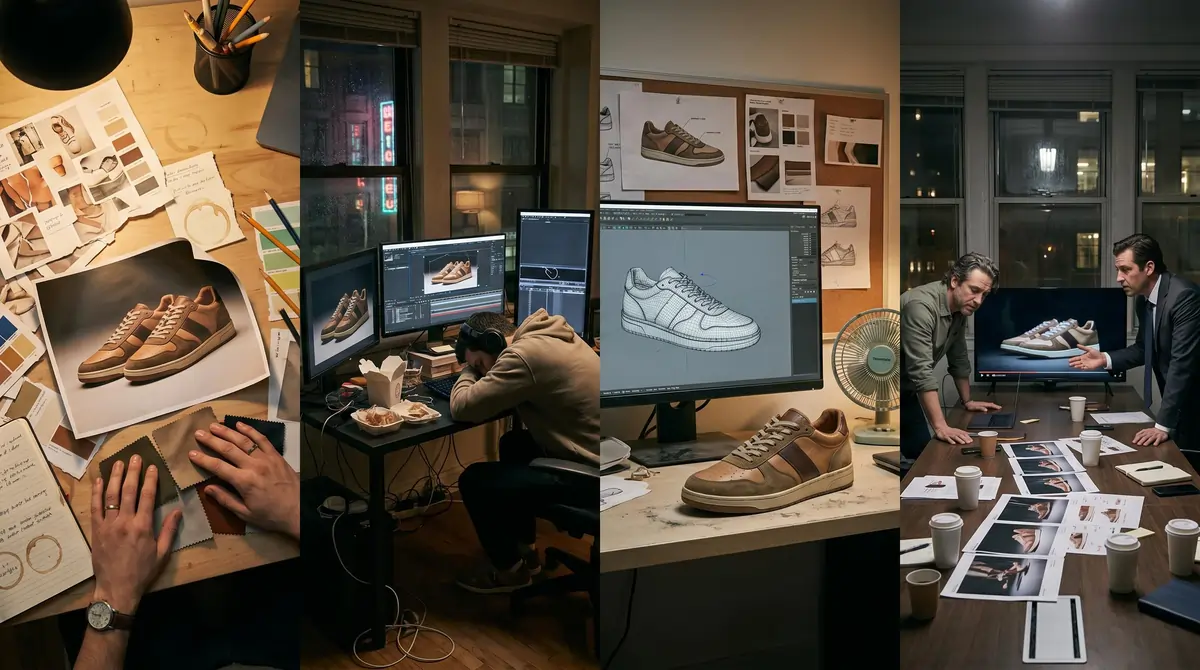
Making video from photos

But "upload image, get video" oversimplifies what's happening. The quality of your output depends on the image you start with, how you prompt the model, and which tool you pick. This guide covers how to create a video with AI end-to-end, so you can generate video from images that hold up in real campaigns, not just look cool in a demo reel.

What AI image-to-video generation is (and how it works)

When you use AI to turn an image into video, the model analyzes your still photo for composition, depth, lighting, and spatial structure. It then predicts plausible motion frame by frame, generating new pixels that didn't exist in the original image.

Think of it like asking a cinematographer to look at a photograph and imagine what would happen if the camera started moving.
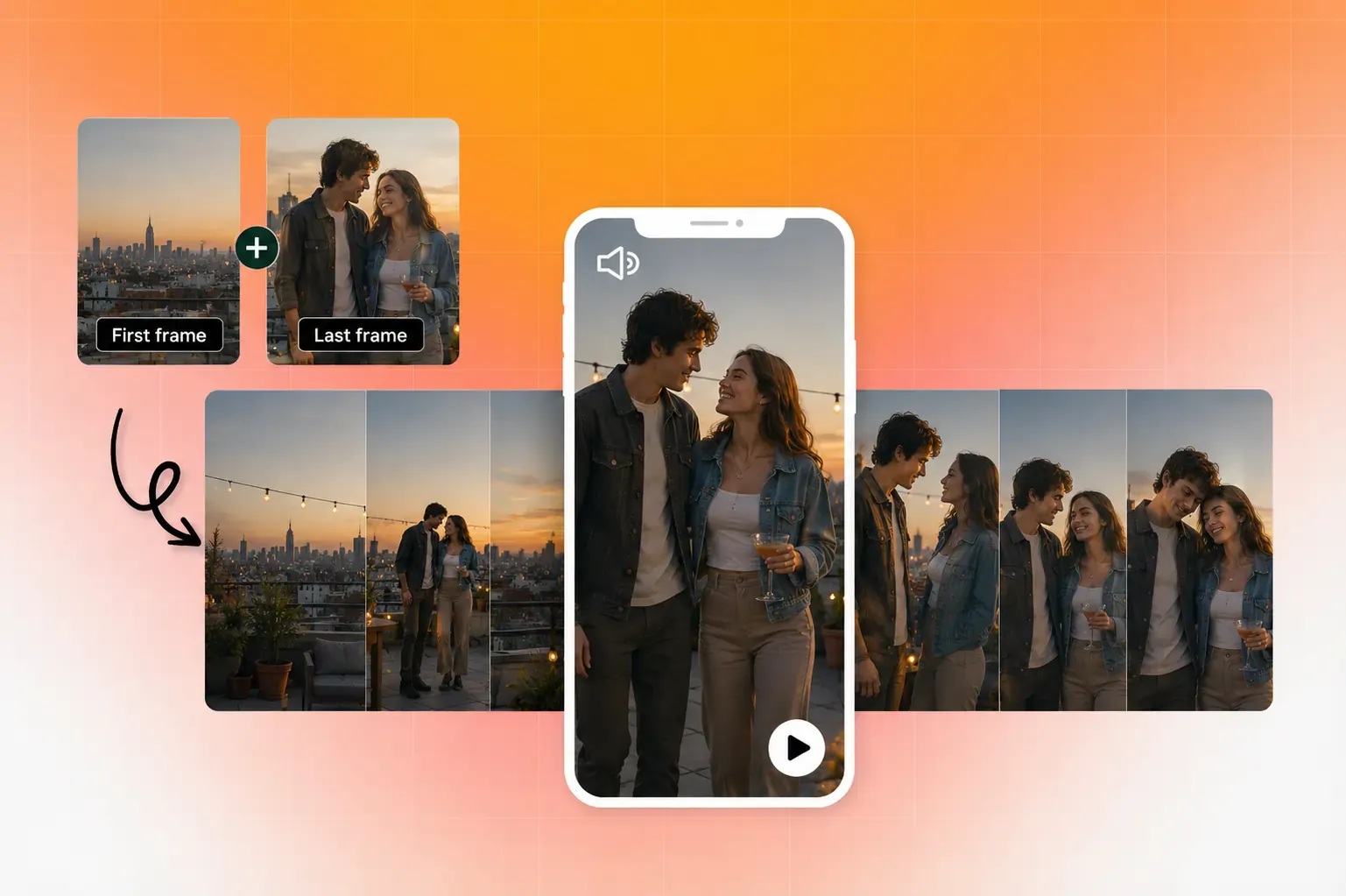
AI Video Frames

The AI estimates depth (what's in front, what's behind), infers physics (how fabric drapes, how water flows), and renders those predictions as sequential frames blended into a short clip.

Most systems use diffusion transformer architectures to handle this. The model starts with noise and iteratively refines it into coherent frames, conditioned on your source image and any text prompt you provide.

The result is typically a 3 to 10 second clip. That's not a limitation of the tools so much as a reflection of how the technology works: the further from the original frame you go, the more the model has to invent, and the higher the risk of visual artifacts.

Why this matters for marketers and creators

Learning how to create a video from photos used to require motion graphics software, stock footage libraries, or a production crew. That made video a bottleneck for anyone without a dedicated creative team.

AI image-to-video removes that bottleneck for specific use cases. Product hero shots can become animated promos. Concept art can turn into storyboard animatics. A single lifestyle photo can generate scroll-stopping social content.

Major platforms have built this capability directly into their ecosystems. Adobe Firefly offers image-to-video as part of its creative suite. Google Vids now includes Veo-powered image-to-video generation for Workspace users. And dedicated AI ad platforms like Creatify give marketers access to 30+ video models (Veo 3, Kling, Seedance, MiniMax Hailuo, Wan, and others) in a single Asset Generator, with the ability to go from a product image to a finished video ad in minutes.
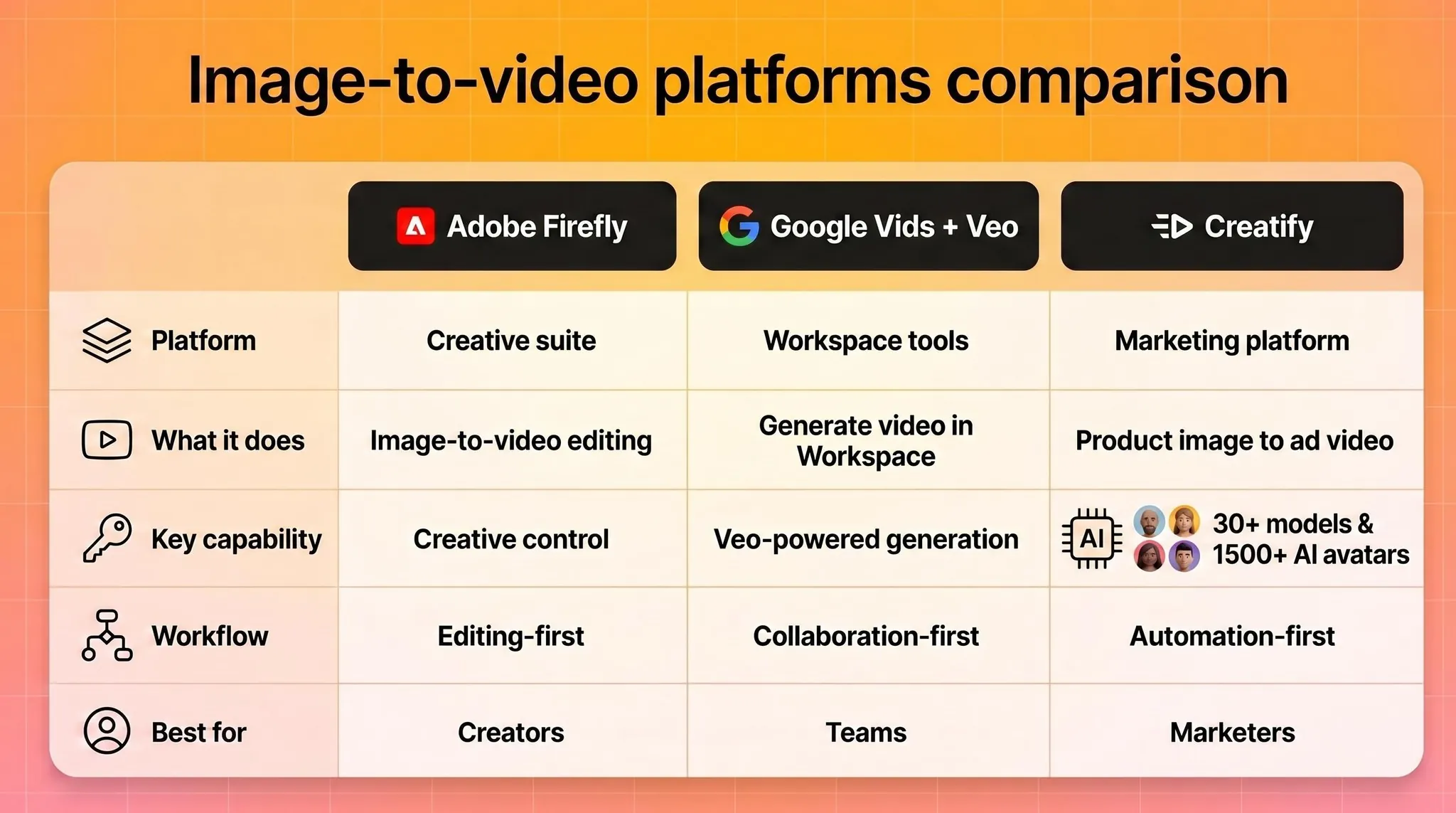
Image to video platforms

The shift is less about novelty and more about production economics. When generating a video from a photo costs pennies and takes seconds instead of $1,000+ and weeks, the math changes for how many creative variations you can afford to test.

How to choose the right photo to generate video from image

The quality of your AI video from a photo depends heavily on what you feed the model. Here's what works best.

Strong composition with a clear subject. The model needs to understand what's in the scene before it can animate it. A clean product shot on a simple background gives the AI much more to work with than a cluttered lifestyle photo with 15 competing elements.

Visible depth cues. Photos with natural foreground, middle ground, and background separation produce more convincing motion. The AI uses these cues to create parallax effects and camera movement that feel three-dimensional.

Good resolution and contrast. Blurry, low-light, or heavily compressed images force the model to guess at details, which often produces muddy or artifacted output. Start with the sharpest version of your image you have.

Implied motion helps. A photo of a model mid-stride, flowing fabric, or splashing water gives the AI a natural starting point for movement. Static, perfectly symmetrical compositions can result in subtle, uninteresting motion.

A practical rule: if a human photographer could look at your image and immediately describe what would happen next, the AI can probably generate convincing motion from it. If the scene is ambiguous or abstract, expect more trial and error.
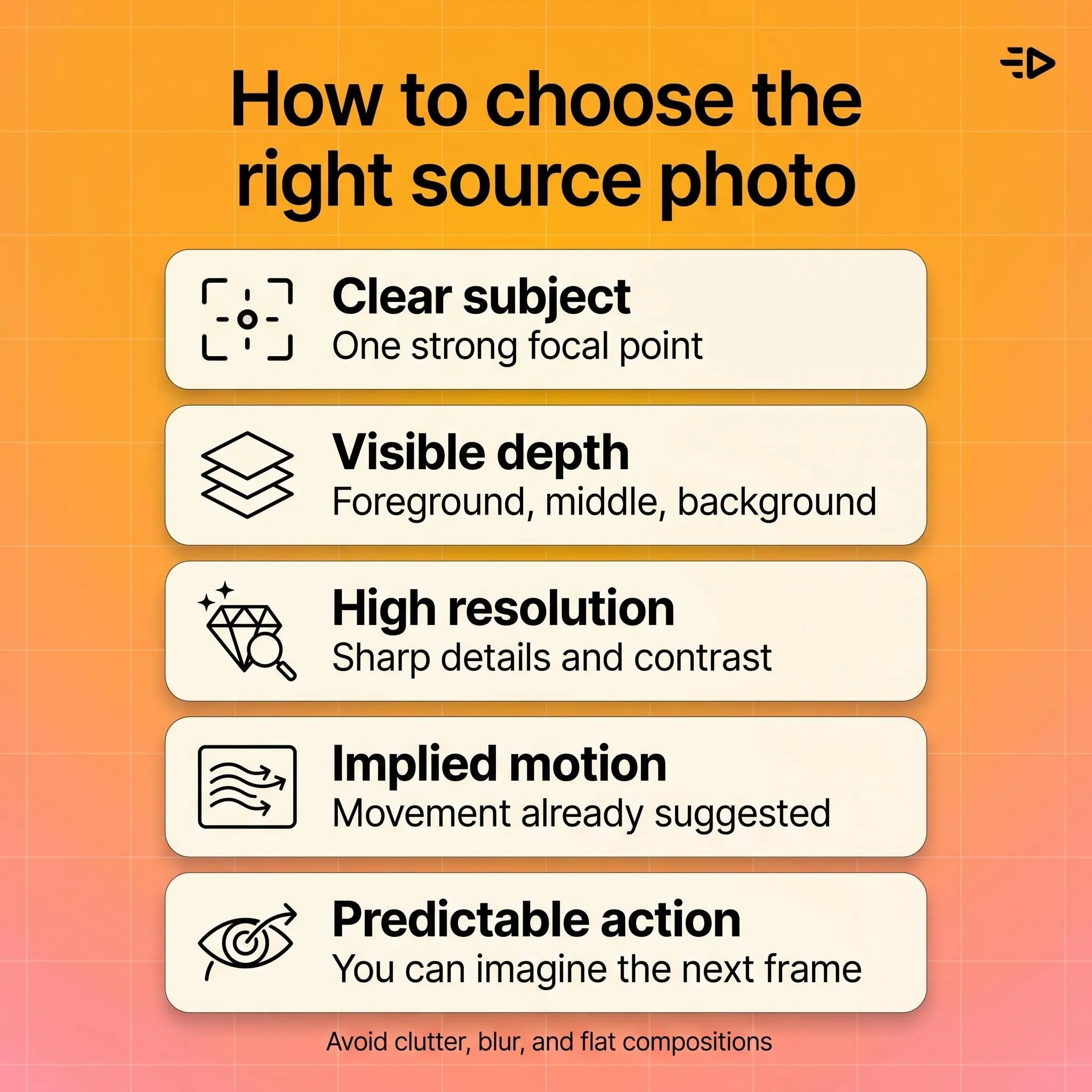
how to choose the right source photo

Step-by-step workflow to create video from images

1. Prepare your source image
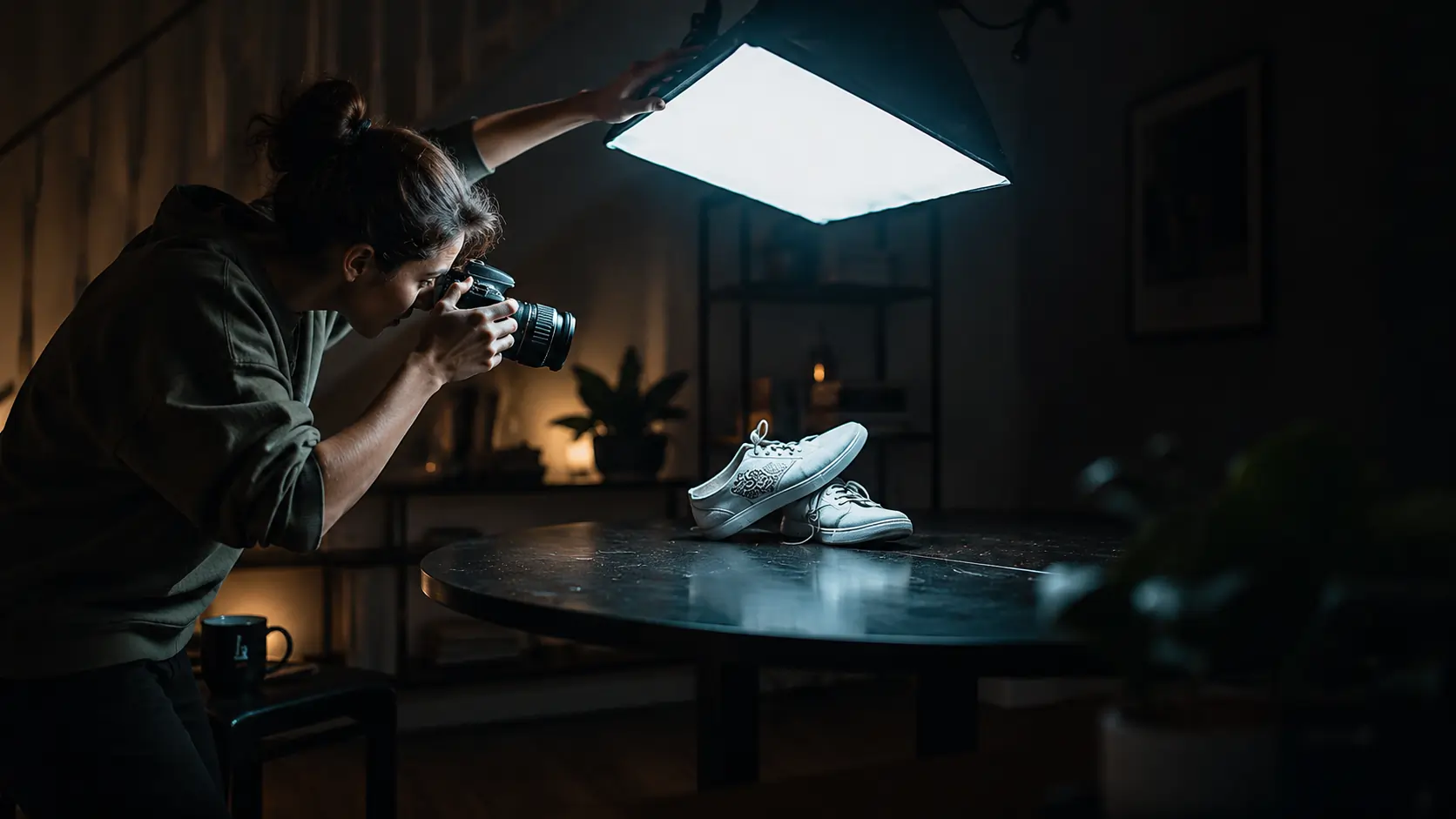
Photoshooting a product

Choose or create an image that meets the criteria above. If you're working with product photos, use the highest-resolution version available. For e-commerce sellers who only have manufacturer-supplied images, tools like Creatify's Asset Generator can first enhance or regenerate product visuals before converting them to video.
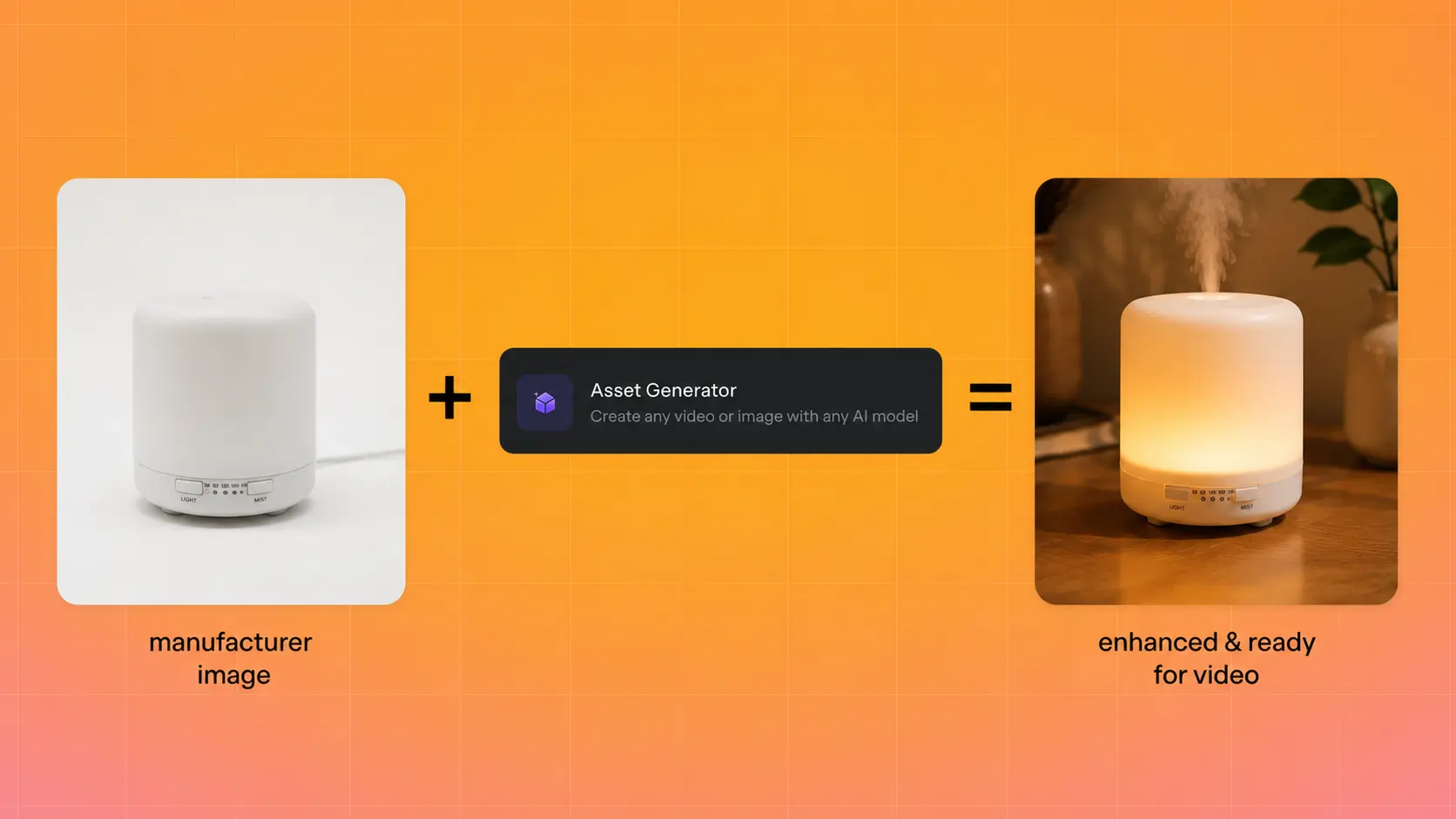
Improving photo with Asset generator

2. Define your final output

Different goals require different approaches:

  • Product motion ad: You want the product to rotate, float, or appear in a styled environment with subtle camera movement.

  • Cinematic b-roll: You want atmospheric motion like clouds drifting, light shifting, or a slow dolly push.

  • AI art animation: You want stylized, creative movement that prioritizes visual interest over realism.

  • Social media clip: You want eye-catching motion optimized for vertical scroll.
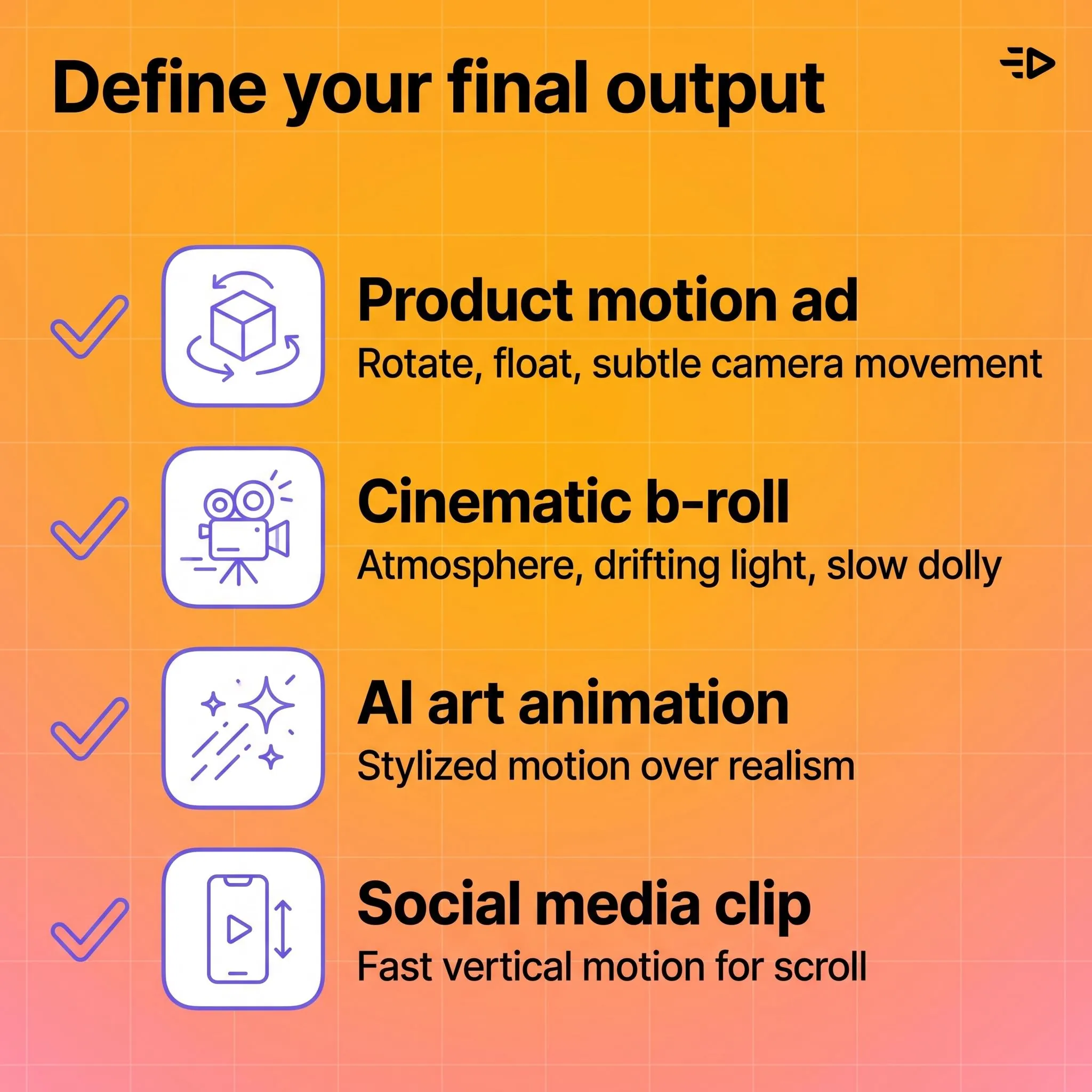
 DefineFinalOutput

3. Write your motion prompt

Most image-to-video tools accept a text prompt describing what motion you want. This is where most people leave quality on the table (more on prompting below).
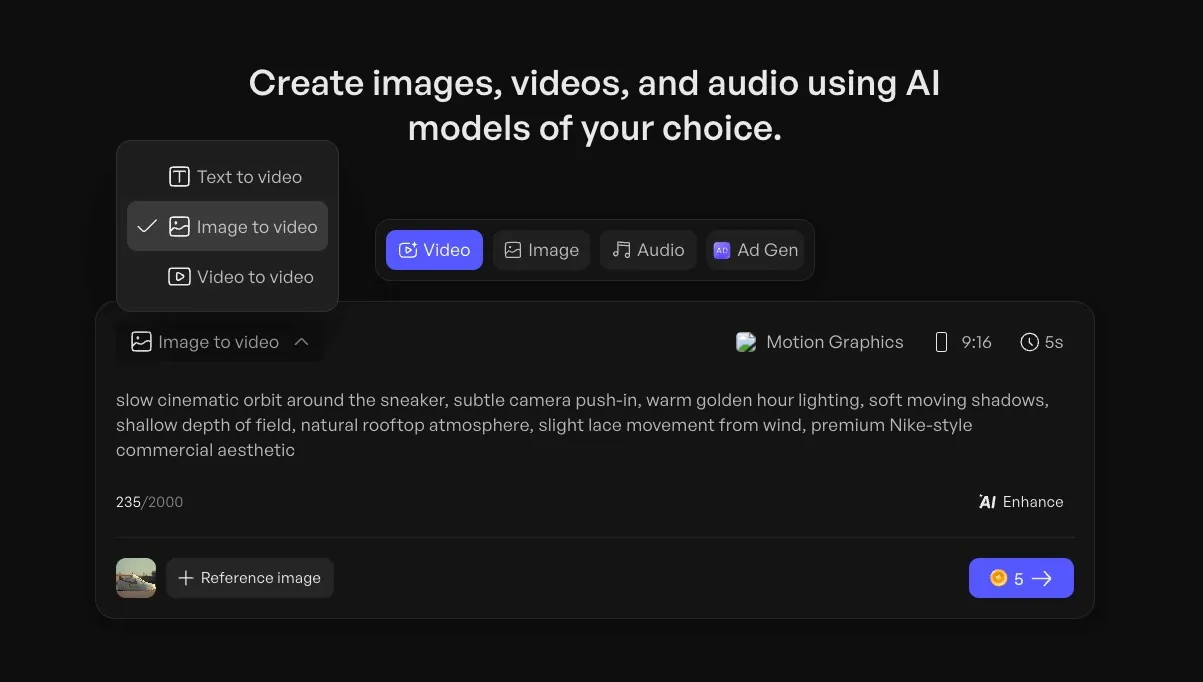
Writing output

4. Select output settings

Set your aspect ratio (9:16 for Stories and Reels, 16:9 for YouTube, 1:1 for feed posts), duration, and resolution before generating. Changing these after the fact usually means regenerating from scratch.
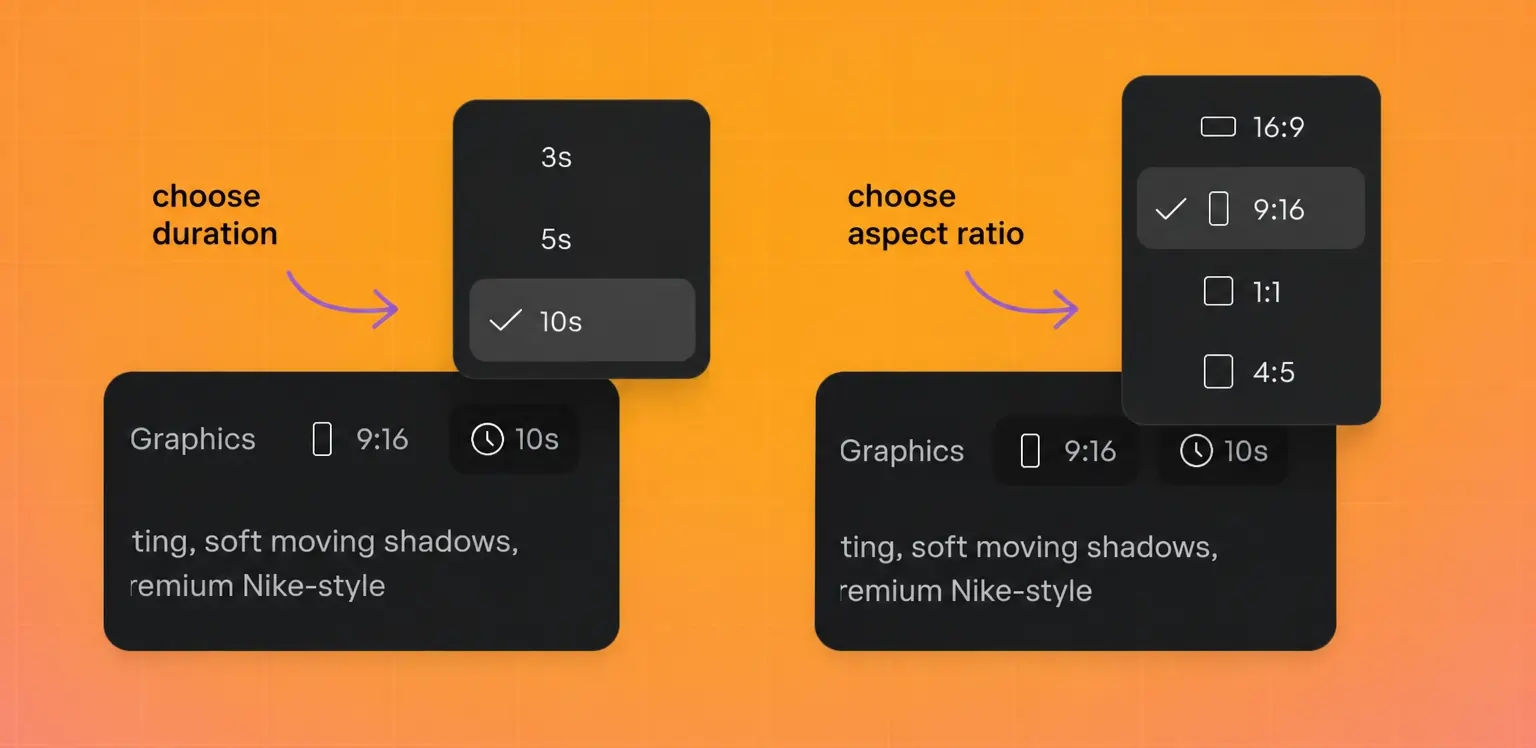
Choose duration and aspect ratio

5. Generate, review, iterate

Generate the clip, watch it at full resolution, and decide if the motion matches your intent. Most workflows require 2 to 4 iterations to land on a version that works. If the motion feels wrong, adjust your prompt before regenerating rather than trying to fix it in post.

6. Export and deploy

Download in your target format (MP4 is the universal standard) and deploy to your ad platform or content channel. If you're running paid campaigns, generate multiple variations with different motion styles to test which performs best.

Read also: How to make a product video in 2026 (no studio needed)

How to write better motion prompts when you create an AI video from photo

Prompting is the highest-leverage skill in AI video generation. A vague prompt produces vague motion. A specific prompt produces intentional, usable output.

Describe camera behavior, not vibes. "Cinematic" tells the model almost nothing. "Slow push-in from medium shot to close-up over 5 seconds" gives it a specific instruction it can execute.

Use spatial and temporal language. Specify direction (left to right, top to bottom, toward camera), speed (slow, steady, gradual), and duration. The more precisely you describe the motion, the closer the output matches your intent.

Limit motion complexity. Asking for a gentle zoom on a product works well. Asking for a person walking while the camera orbits and the background transitions from day to night will probably produce artifacts. One or two motion elements per clip is the sweet spot for current models.

Describe atmosphere, not emotion. "Warm afternoon light with a soft breeze moving through the curtains" is actionable. "Make it feel cozy and inviting" is not.

Here's a comparison:

Weak prompt: "Make this product photo into a cool video"

Strong prompt: "Slow zoom into the product from a slightly elevated angle. Soft studio lighting with a gentle shadow shift from left to right. Background remains static. 5 seconds, 9:16 aspect ratio."

The strong prompt specifies camera movement, lighting behavior, what should and shouldn't move, duration, and format. That level of detail is what separates usable output from wasted generation credits.
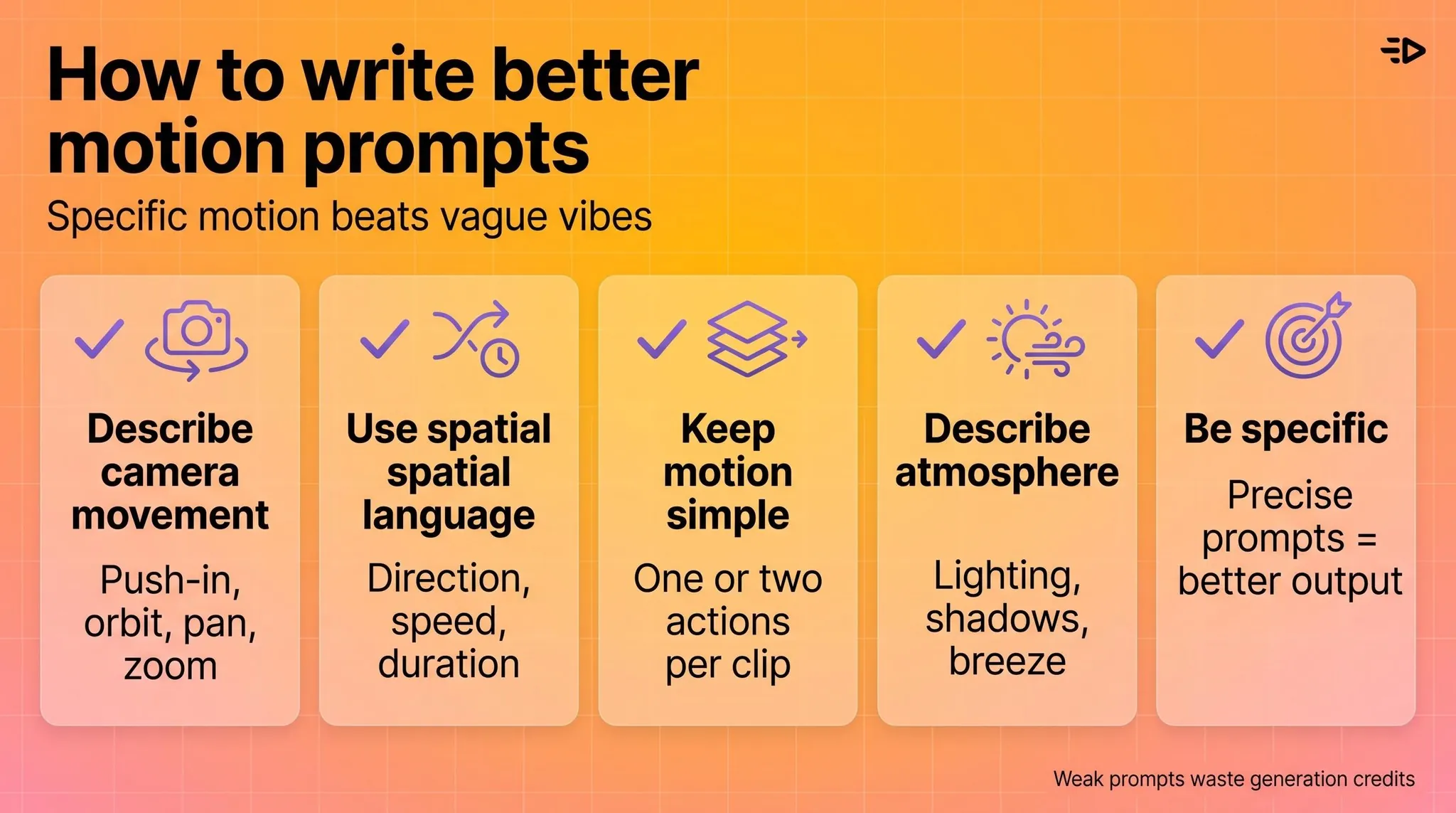
How to write better morion prompts

Creative use cases

E-commerce product ads. Turn static catalog images into animated product showcases without a photoshoot. Especially useful for testing multiple visual approaches at scale. Alibaba sellers using Creatify's platform integration generated 200,000+ video ads in 3 months, most starting from product images.

Social media content. Convert mood board images, behind-the-scenes photos, or brand assets into short clips for Stories, Reels, or TikTok. The motion inherently outperforms static images in scroll-based feeds.

Pre-production and storyboarding. Animate concept art or location photos to create rough animatics before committing to a full production shoot. This is increasingly common in agency workflows where clients need to "see the vision" before approving a budget.

Presentations and pitch decks. Turn product mockups or data visualizations into short motion clips that hold attention better than static slides. Google Vids now supports this workflow natively for Workspace users.

AI art and creative experimentation. For creators learning how to make AI art videos, image-to-video unlocks movement from illustrations, digital paintings, or AI-generated images. The output is often more visually interesting than text-to-video because you're giving the model a richer starting point.
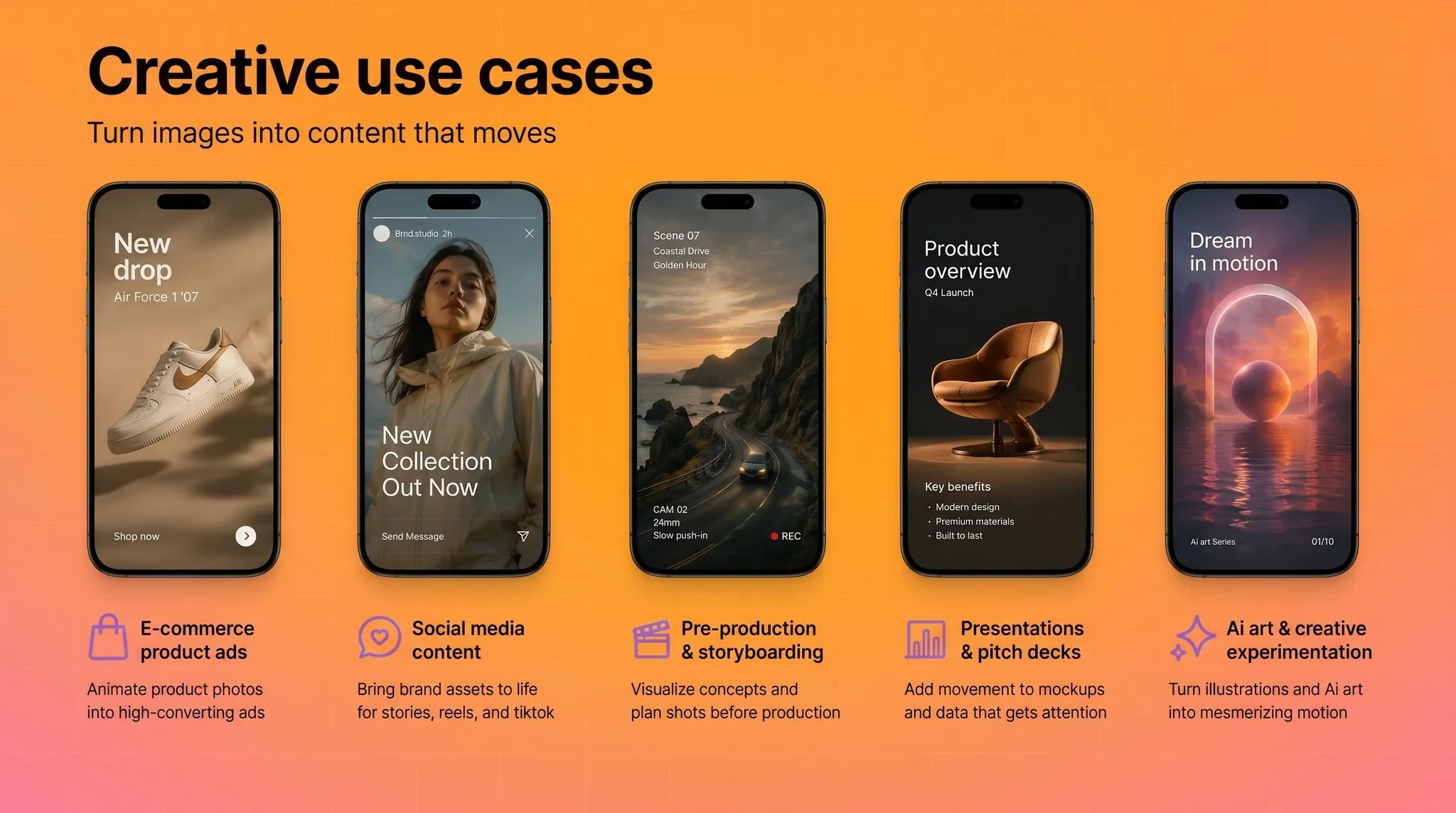
Creative Use Cases

What to expect from output quality (and common mistakes)

Realistic expectations

Current image-to-video models produce short clips, not full scenes. Expect 3 to 10 seconds of motion that works well for inserts, loops, social clips, and ad variations. The technology is strong for product motion, atmospheric b-roll, and stylized movement. It's weaker for complex human motion, multi-person scenes, and precise physics simulation.

Output quality varies by model. For example, in Creatify's Asset Generator, Veo 3 and Kling 3.0 Pro tend to produce more photorealistic results, while Seedance and MiniMax Hailuo lean toward more dynamic, stylized motion. Testing the same image across 2 to 3 models is the fastest way to find what works for your specific use case. Combining a few different footages into a coherent video ad is often a great approach.

Read also: 6 most powerful AI video generation APIs in 2026

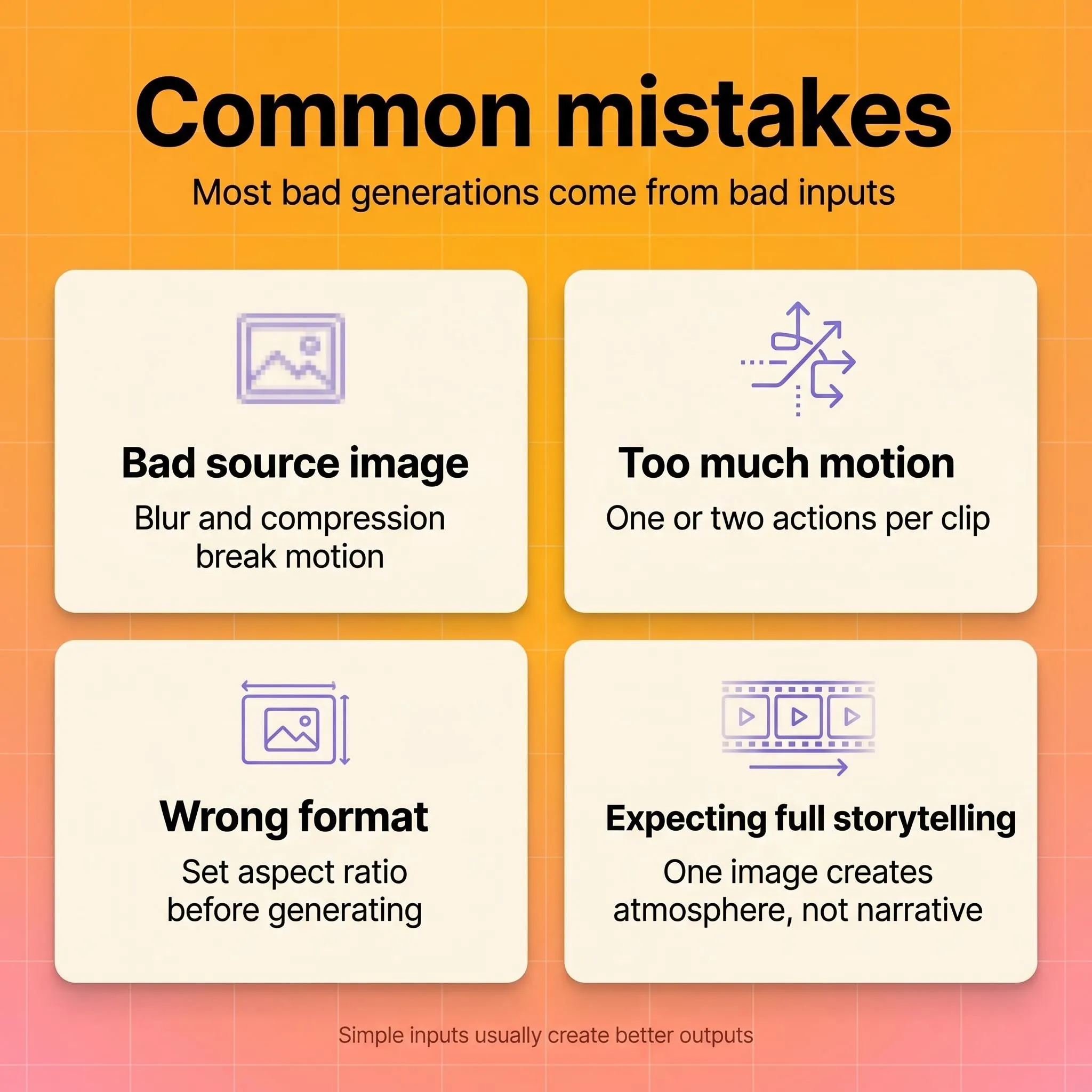
Common mistakes

Starting with a bad image. Low-resolution, blurry, or over-compressed photos produce low-quality video regardless of the model. Garbage in, garbage out.

Overloading the prompt. Requesting five simultaneous motion elements in a single clip overwhelms the model. Keep it to one or two movement types per generation.

Ignoring aspect ratio and format. Generating a 16:9 clip when you need 9:16 for Instagram wastes a generation cycle. Set your output specs before you hit generate.

Expecting narrative video from a single image. Image-to-video excels at motion and atmosphere, not storytelling. If you need a narrative arc, you need a sequence of clips, not one generation from one photo.
Common Mistakes

Ethics, disclosure, and provenance

AI-generated video raises legitimate questions about content authenticity, especially for branded or public-facing content. NIST's guidance on synthetic content emphasizes provenance tracking, metadata, and watermarking as practical risk-reduction measures.

For marketers, the practical takeaway is straightforward: disclose when content is AI-generated if your platform or industry requires it, maintain clear internal records of which assets are AI-produced, and avoid using AI-generated video in contexts where it could mislead (like fake testimonials or fabricated demonstrations).

The FTC has been increasingly active in scrutinizing AI-generated marketing content. Staying ahead of disclosure norms protects your brand, even when specific regulations haven't caught up yet.

How to choose the right tool

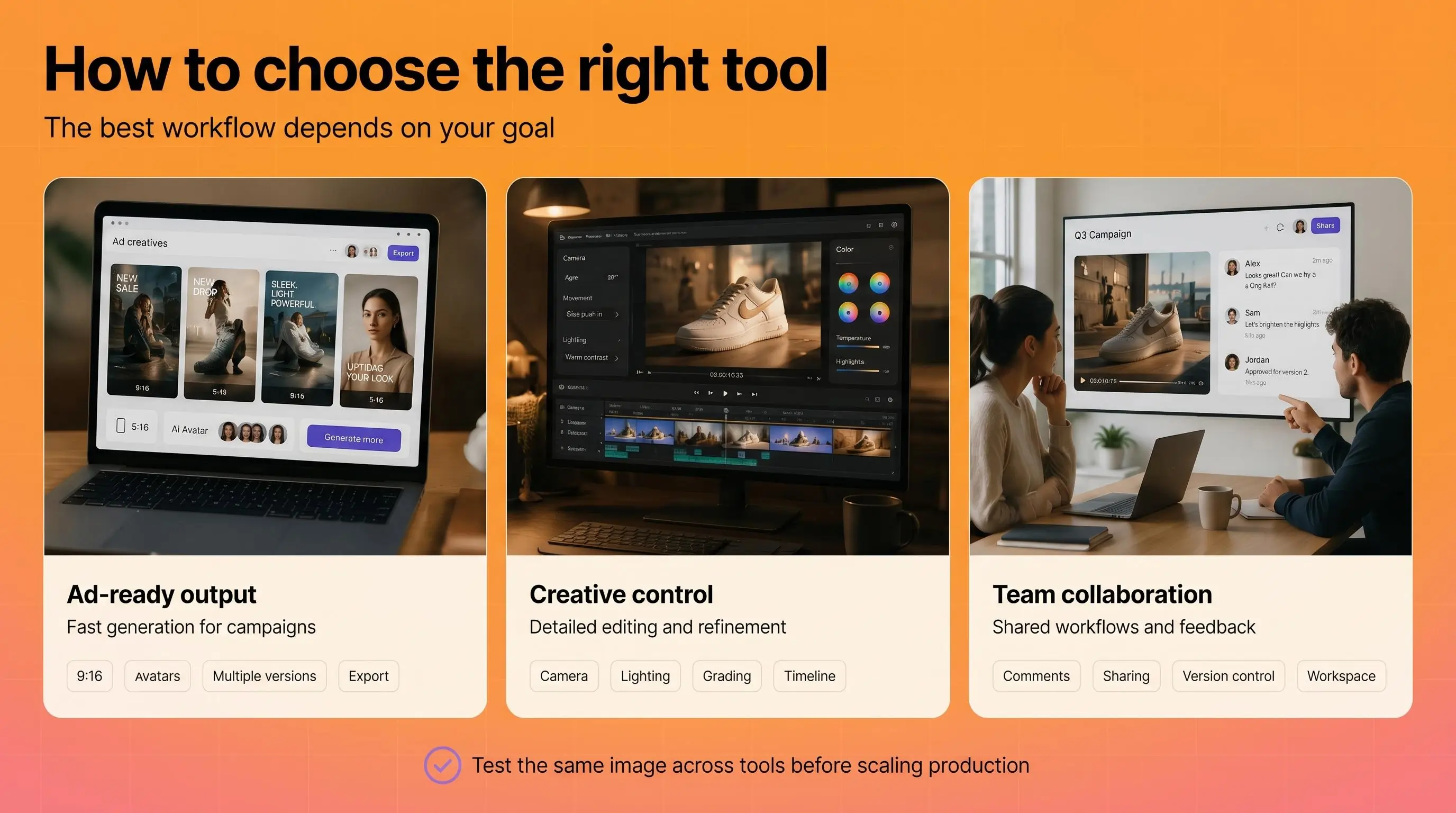
The right tool for creating a video from photos depends on what you're optimizing for.

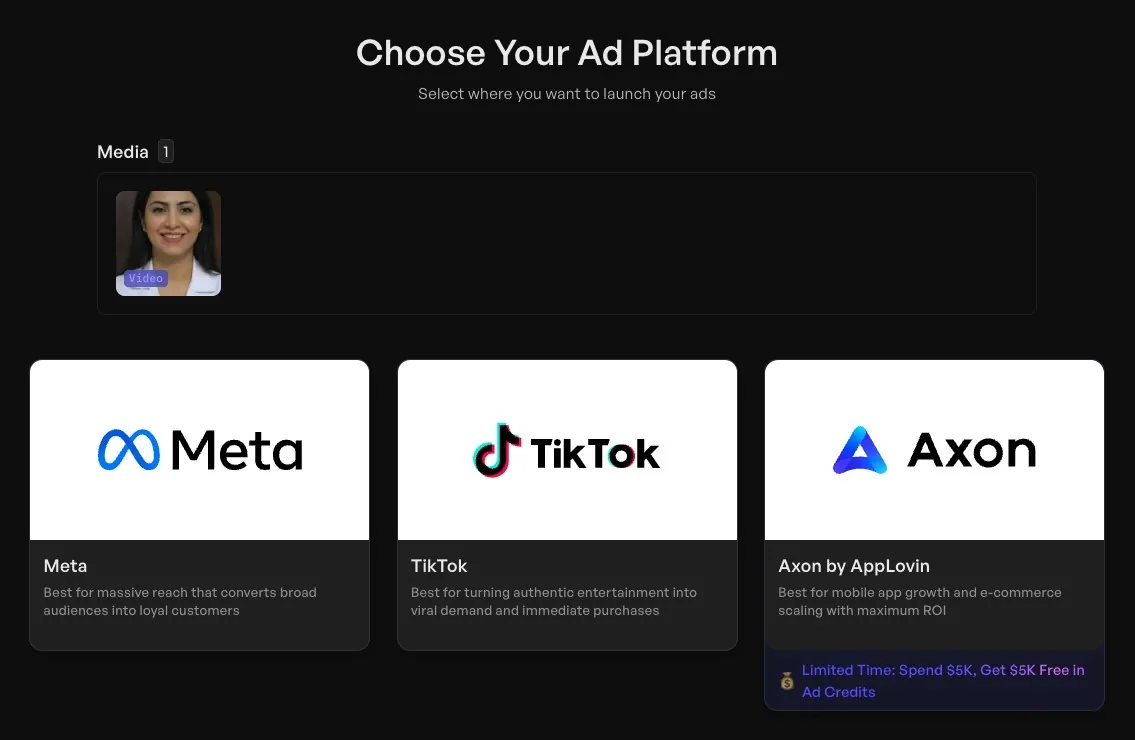
If you need ad-ready output fast, look for platforms that combine image-to-video generation with ad-specific features like script generation, avatar integration, aspect ratio presets, and platform export. Creatify's Asset Generator fits here, with 30+ image and video AI models, one-click conversion from generated images to videos, and the ability to feed output directly into ad campaigns across Meta, TikTok, YouTube, and AppLovin.
 Choose your ad platform

If you need editorial or creative control, Adobe Firefly's image-to-video integrates with the broader Creative Cloud ecosystem, giving you more granular control over camera movement, lighting, and post-production.

If you're working within a team collaboration workflow, Google Vids with Veo brings image-to-video into the Workspace environment where your team already works.

Regardless of which tool you pick, test it with the same image before committing. Generate a clip from your strongest product photo or brand image and evaluate motion consistency, resolution, and how much prompt iteration it takes to get something usable. The best tool is the one that consistently produces output you'd put ad spend behind.
How to choose the right tool

Frequently Asked Questions

How do I create a video with AI from a single photo?

Upload your photo to an AI image-to-video tool, add a text prompt describing the motion you want, set your output format (aspect ratio, duration), and generate. Most tools produce a 3 to 10 second clip in under a minute. Expect 2 to 4 iterations to refine the motion.

What types of photos work best for AI video generation?

High-resolution images with a clear subject, visible depth cues, and good contrast produce the best results. Avoid cluttered compositions, blurry images, or heavily compressed files. Photos with implied motion (flowing fabric, mid-action poses) give the AI a natural starting point.

Can I generate video from images for commercial use?

Yes, most AI video platforms grant commercial usage rights for content you generate. Check the specific terms of the tool you're using. For ad campaigns, platforms like Creatify include commercial rights on all paid plans.

How long are AI-generated videos from photos?

Typically 3 to 10 seconds per generation. Some tools support up to 15 or 20 seconds. For longer content, you'll need to generate multiple clips and edit them together, or use a tool with multi-scene workflow capabilities.

How do I make AI art videos from illustrations or digital art?

The workflow is the same as with photos: upload your illustration, write a motion prompt, and generate. Stylized and illustrated images often produce more visually interesting AI art videos because the model has more creative freedom with non-photorealistic content.

What's the difference between image-to-video and text-to-video AI?

Image-to-video starts from a specific visual and adds motion to it. Text-to-video generates both the visuals and the motion from a text description alone. Image-to-video generally produces more consistent, predictable results because the model has a concrete visual reference to work from.

Do I need to disclose that my video was AI-generated?

Disclosure requirements depend on your platform and industry. The FTC has increased scrutiny of AI-generated marketing content, and NIST recommends provenance tracking for synthetic media. Best practice: disclose when required, and maintain internal records of AI-generated assets regardless.

How many video variations should I generate from one photo?

For ad campaigns, testing 5 to 10 variations with different motion styles, camera angles, and pacing is a strong starting point. The cost per generation on most platforms is low enough that the limiting factor is your testing bandwidth, not production budget.

You have a product photo, a mood board shot, or a piece of concept art. You want it to move. Five years ago, that meant After Effects, a 3D model, a motion designer, and a few weeks of back-and-forth. Now you can create AI video from photo in under a minute.

Making video from photos

But "upload image, get video" oversimplifies what's happening. The quality of your output depends on the image you start with, how you prompt the model, and which tool you pick. This guide covers how to create a video with AI end-to-end, so you can generate video from images that hold up in real campaigns, not just look cool in a demo reel.

What AI image-to-video generation is (and how it works)

When you use AI to turn an image into video, the model analyzes your still photo for composition, depth, lighting, and spatial structure. It then predicts plausible motion frame by frame, generating new pixels that didn't exist in the original image.

Think of it like asking a cinematographer to look at a photograph and imagine what would happen if the camera started moving.

AI Video Frames

The AI estimates depth (what's in front, what's behind), infers physics (how fabric drapes, how water flows), and renders those predictions as sequential frames blended into a short clip.

Most systems use diffusion transformer architectures to handle this. The model starts with noise and iteratively refines it into coherent frames, conditioned on your source image and any text prompt you provide.

The result is typically a 3 to 10 second clip. That's not a limitation of the tools so much as a reflection of how the technology works: the further from the original frame you go, the more the model has to invent, and the higher the risk of visual artifacts.

Why this matters for marketers and creators

Learning how to create a video from photos used to require motion graphics software, stock footage libraries, or a production crew. That made video a bottleneck for anyone without a dedicated creative team.

AI image-to-video removes that bottleneck for specific use cases. Product hero shots can become animated promos. Concept art can turn into storyboard animatics. A single lifestyle photo can generate scroll-stopping social content.

Major platforms have built this capability directly into their ecosystems. Adobe Firefly offers image-to-video as part of its creative suite. Google Vids now includes Veo-powered image-to-video generation for Workspace users. And dedicated AI ad platforms like Creatify give marketers access to 30+ video models (Veo 3, Kling, Seedance, MiniMax Hailuo, Wan, and others) in a single Asset Generator, with the ability to go from a product image to a finished video ad in minutes.

Image to video platforms

The shift is less about novelty and more about production economics. When generating a video from a photo costs pennies and takes seconds instead of $1,000+ and weeks, the math changes for how many creative variations you can afford to test.

How to choose the right photo to generate video from image

The quality of your AI video from a photo depends heavily on what you feed the model. Here's what works best.

Strong composition with a clear subject. The model needs to understand what's in the scene before it can animate it. A clean product shot on a simple background gives the AI much more to work with than a cluttered lifestyle photo with 15 competing elements.

Visible depth cues. Photos with natural foreground, middle ground, and background separation produce more convincing motion. The AI uses these cues to create parallax effects and camera movement that feel three-dimensional.

Good resolution and contrast. Blurry, low-light, or heavily compressed images force the model to guess at details, which often produces muddy or artifacted output. Start with the sharpest version of your image you have.

Implied motion helps. A photo of a model mid-stride, flowing fabric, or splashing water gives the AI a natural starting point for movement. Static, perfectly symmetrical compositions can result in subtle, uninteresting motion.

A practical rule: if a human photographer could look at your image and immediately describe what would happen next, the AI can probably generate convincing motion from it. If the scene is ambiguous or abstract, expect more trial and error.

how to choose the right source photo

Step-by-step workflow to create video from images

1. Prepare your source image

Photoshooting a product

Choose or create an image that meets the criteria above. If you're working with product photos, use the highest-resolution version available. For e-commerce sellers who only have manufacturer-supplied images, tools like Creatify's Asset Generator can first enhance or regenerate product visuals before converting them to video.

Improving photo with Asset generator

2. Define your final output

Different goals require different approaches:

  • Product motion ad: You want the product to rotate, float, or appear in a styled environment with subtle camera movement.

  • Cinematic b-roll: You want atmospheric motion like clouds drifting, light shifting, or a slow dolly push.

  • AI art animation: You want stylized, creative movement that prioritizes visual interest over realism.

  • Social media clip: You want eye-catching motion optimized for vertical scroll.

 DefineFinalOutput

3. Write your motion prompt

Most image-to-video tools accept a text prompt describing what motion you want. This is where most people leave quality on the table (more on prompting below).

Writing output

4. Select output settings

Set your aspect ratio (9:16 for Stories and Reels, 16:9 for YouTube, 1:1 for feed posts), duration, and resolution before generating. Changing these after the fact usually means regenerating from scratch.

Choose duration and aspect ratio

5. Generate, review, iterate

Generate the clip, watch it at full resolution, and decide if the motion matches your intent. Most workflows require 2 to 4 iterations to land on a version that works. If the motion feels wrong, adjust your prompt before regenerating rather than trying to fix it in post.

6. Export and deploy

Download in your target format (MP4 is the universal standard) and deploy to your ad platform or content channel. If you're running paid campaigns, generate multiple variations with different motion styles to test which performs best.

Read also: How to make a product video in 2026 (no studio needed)

How to write better motion prompts when you create an AI video from photo

Prompting is the highest-leverage skill in AI video generation. A vague prompt produces vague motion. A specific prompt produces intentional, usable output.

Describe camera behavior, not vibes. "Cinematic" tells the model almost nothing. "Slow push-in from medium shot to close-up over 5 seconds" gives it a specific instruction it can execute.

Use spatial and temporal language. Specify direction (left to right, top to bottom, toward camera), speed (slow, steady, gradual), and duration. The more precisely you describe the motion, the closer the output matches your intent.

Limit motion complexity. Asking for a gentle zoom on a product works well. Asking for a person walking while the camera orbits and the background transitions from day to night will probably produce artifacts. One or two motion elements per clip is the sweet spot for current models.

Describe atmosphere, not emotion. "Warm afternoon light with a soft breeze moving through the curtains" is actionable. "Make it feel cozy and inviting" is not.

Here's a comparison:

Weak prompt: "Make this product photo into a cool video"

Strong prompt: "Slow zoom into the product from a slightly elevated angle. Soft studio lighting with a gentle shadow shift from left to right. Background remains static. 5 seconds, 9:16 aspect ratio."

The strong prompt specifies camera movement, lighting behavior, what should and shouldn't move, duration, and format. That level of detail is what separates usable output from wasted generation credits.

How to write better morion prompts

Creative use cases

E-commerce product ads. Turn static catalog images into animated product showcases without a photoshoot. Especially useful for testing multiple visual approaches at scale. Alibaba sellers using Creatify's platform integration generated 200,000+ video ads in 3 months, most starting from product images.

Social media content. Convert mood board images, behind-the-scenes photos, or brand assets into short clips for Stories, Reels, or TikTok. The motion inherently outperforms static images in scroll-based feeds.

Pre-production and storyboarding. Animate concept art or location photos to create rough animatics before committing to a full production shoot. This is increasingly common in agency workflows where clients need to "see the vision" before approving a budget.

Presentations and pitch decks. Turn product mockups or data visualizations into short motion clips that hold attention better than static slides. Google Vids now supports this workflow natively for Workspace users.

AI art and creative experimentation. For creators learning how to make AI art videos, image-to-video unlocks movement from illustrations, digital paintings, or AI-generated images. The output is often more visually interesting than text-to-video because you're giving the model a richer starting point.

Creative Use Cases

What to expect from output quality (and common mistakes)

Realistic expectations

Current image-to-video models produce short clips, not full scenes. Expect 3 to 10 seconds of motion that works well for inserts, loops, social clips, and ad variations. The technology is strong for product motion, atmospheric b-roll, and stylized movement. It's weaker for complex human motion, multi-person scenes, and precise physics simulation.

Output quality varies by model. For example, in Creatify's Asset Generator, Veo 3 and Kling 3.0 Pro tend to produce more photorealistic results, while Seedance and MiniMax Hailuo lean toward more dynamic, stylized motion. Testing the same image across 2 to 3 models is the fastest way to find what works for your specific use case. Combining a few different footages into a coherent video ad is often a great approach.

Read also: 6 most powerful AI video generation APIs in 2026

Common mistakes

Starting with a bad image. Low-resolution, blurry, or over-compressed photos produce low-quality video regardless of the model. Garbage in, garbage out.

Overloading the prompt. Requesting five simultaneous motion elements in a single clip overwhelms the model. Keep it to one or two movement types per generation.

Ignoring aspect ratio and format. Generating a 16:9 clip when you need 9:16 for Instagram wastes a generation cycle. Set your output specs before you hit generate.

Expecting narrative video from a single image. Image-to-video excels at motion and atmosphere, not storytelling. If you need a narrative arc, you need a sequence of clips, not one generation from one photo.

Common Mistakes

Ethics, disclosure, and provenance

AI-generated video raises legitimate questions about content authenticity, especially for branded or public-facing content. NIST's guidance on synthetic content emphasizes provenance tracking, metadata, and watermarking as practical risk-reduction measures.

For marketers, the practical takeaway is straightforward: disclose when content is AI-generated if your platform or industry requires it, maintain clear internal records of which assets are AI-produced, and avoid using AI-generated video in contexts where it could mislead (like fake testimonials or fabricated demonstrations).

The FTC has been increasingly active in scrutinizing AI-generated marketing content. Staying ahead of disclosure norms protects your brand, even when specific regulations haven't caught up yet.

How to choose the right tool

The right tool for creating a video from photos depends on what you're optimizing for.

If you need ad-ready output fast, look for platforms that combine image-to-video generation with ad-specific features like script generation, avatar integration, aspect ratio presets, and platform export. Creatify's Asset Generator fits here, with 30+ image and video AI models, one-click conversion from generated images to videos, and the ability to feed output directly into ad campaigns across Meta, TikTok, YouTube, and AppLovin.

 Choose your ad platform

If you need editorial or creative control, Adobe Firefly's image-to-video integrates with the broader Creative Cloud ecosystem, giving you more granular control over camera movement, lighting, and post-production.

If you're working within a team collaboration workflow, Google Vids with Veo brings image-to-video into the Workspace environment where your team already works.

Regardless of which tool you pick, test it with the same image before committing. Generate a clip from your strongest product photo or brand image and evaluate motion consistency, resolution, and how much prompt iteration it takes to get something usable. The best tool is the one that consistently produces output you'd put ad spend behind.

How to choose the right tool

Frequently Asked Questions

How do I create a video with AI from a single photo?

Upload your photo to an AI image-to-video tool, add a text prompt describing the motion you want, set your output format (aspect ratio, duration), and generate. Most tools produce a 3 to 10 second clip in under a minute. Expect 2 to 4 iterations to refine the motion.

What types of photos work best for AI video generation?

High-resolution images with a clear subject, visible depth cues, and good contrast produce the best results. Avoid cluttered compositions, blurry images, or heavily compressed files. Photos with implied motion (flowing fabric, mid-action poses) give the AI a natural starting point.

Can I generate video from images for commercial use?

Yes, most AI video platforms grant commercial usage rights for content you generate. Check the specific terms of the tool you're using. For ad campaigns, platforms like Creatify include commercial rights on all paid plans.

How long are AI-generated videos from photos?

Typically 3 to 10 seconds per generation. Some tools support up to 15 or 20 seconds. For longer content, you'll need to generate multiple clips and edit them together, or use a tool with multi-scene workflow capabilities.

How do I make AI art videos from illustrations or digital art?

The workflow is the same as with photos: upload your illustration, write a motion prompt, and generate. Stylized and illustrated images often produce more visually interesting AI art videos because the model has more creative freedom with non-photorealistic content.

What's the difference between image-to-video and text-to-video AI?

Image-to-video starts from a specific visual and adds motion to it. Text-to-video generates both the visuals and the motion from a text description alone. Image-to-video generally produces more consistent, predictable results because the model has a concrete visual reference to work from.

Do I need to disclose that my video was AI-generated?

Disclosure requirements depend on your platform and industry. The FTC has increased scrutiny of AI-generated marketing content, and NIST recommends provenance tracking for synthetic media. Best practice: disclose when required, and maintain internal records of AI-generated assets regardless.

How many video variations should I generate from one photo?

For ad campaigns, testing 5 to 10 variations with different motion styles, camera angles, and pacing is a strong starting point. The cost per generation on most platforms is low enough that the limiting factor is your testing bandwidth, not production budget.
Icon
Icon

Ready to turn your product into an engaging video?

Ready to speed up your marketing?

Test your new product ideas in minutes with AI-generated video ads

Arrow icon.
Gradient

Ready to speed up your marketing?

Test your new product ideas in minutes with AI-generated video ads

Arrow icon.
Gradient

Ready to speed up your marketing?

Test your new product ideas in minutes with AI-generated video ads

Arrow icon.
Gradient

Ready to speed up your marketing?

Test your new product ideas in minutes with AI-generated video ads

Arrow icon.
Gradient
Gradient