

Creatify Team
January 28, 2026
SHARE
IN THIS ARTICLE
Your product launches tomorrow. You need video ads for Meta, TikTok, and Instagram.
The agency needs 3 weeks. The freelancer ghosted you. Your in-house team is maxed out.
AI avatar generators solve this: paste your product URL, get multiple ad variations in minutes. No actors, no studios, no coordination.
Here's the actual workflow.
What is an AI avatar generator?
An AI avatar generator creates digital humans that talk, move, and express emotions based on text or audio input. You give it a script and choose an avatar - it generates a video of that avatar speaking your words with realistic lip-sync and body language.
The technology uses diffusion models to analyze facial features, map audio to mouth movements, and generate natural expressions. No filming, no actors, no studios required.
Common uses include marketing videos, training content, and social media posts. But for ads specifically, you need more than just a talking head - you need product context, platform optimization, and fast iteration.

Two ways to create avatar video ads
General avatar tools (HeyGen, Synthesia): Upload your own script, pick an avatar, customize backgrounds. Good for generic videos where you already know what to say.
Ad-specific tools (Creatify): Paste a product URL, AI analyzes the product and generates multiple optimized scripts, creates videos with avatars, outputs platform-ready ads.
The difference: one requires you to write and design everything. The other automates the entire ad creation workflow.
How to create a video ad from a product URL
Here's the actual workflow using Creatify's URL-to-video feature with a real example.
Step 1: Paste your product URL
Take any Amazon listing, Shopify product, or app store link. For example: a wireless earbuds product on Amazon.
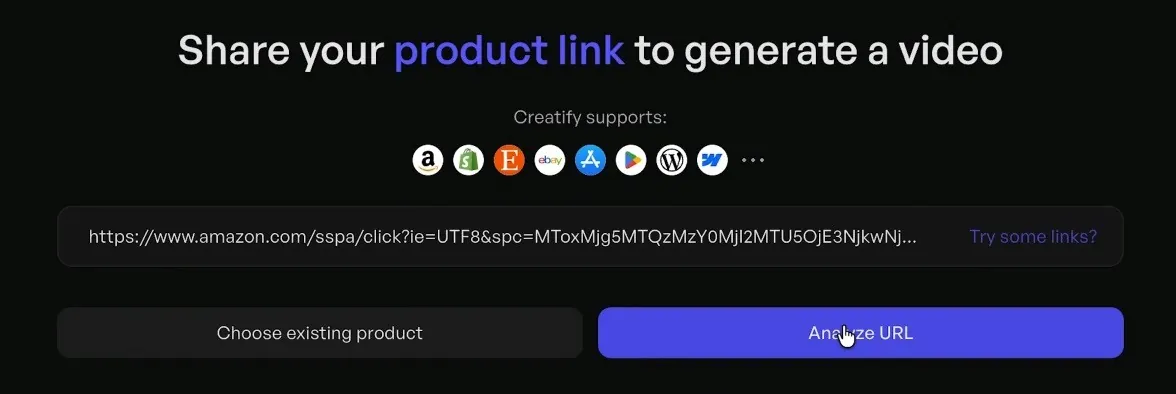
The AI crawler analyzes the page and extracts the product name, description, key features, images, and existing media.
Step 2: Review generated scripts
Creatify's AI Script Writer generates 5-10 variations automatically. Each script is optimized for social media ads - short hooks, benefit-focused, platform-specific phrasing.
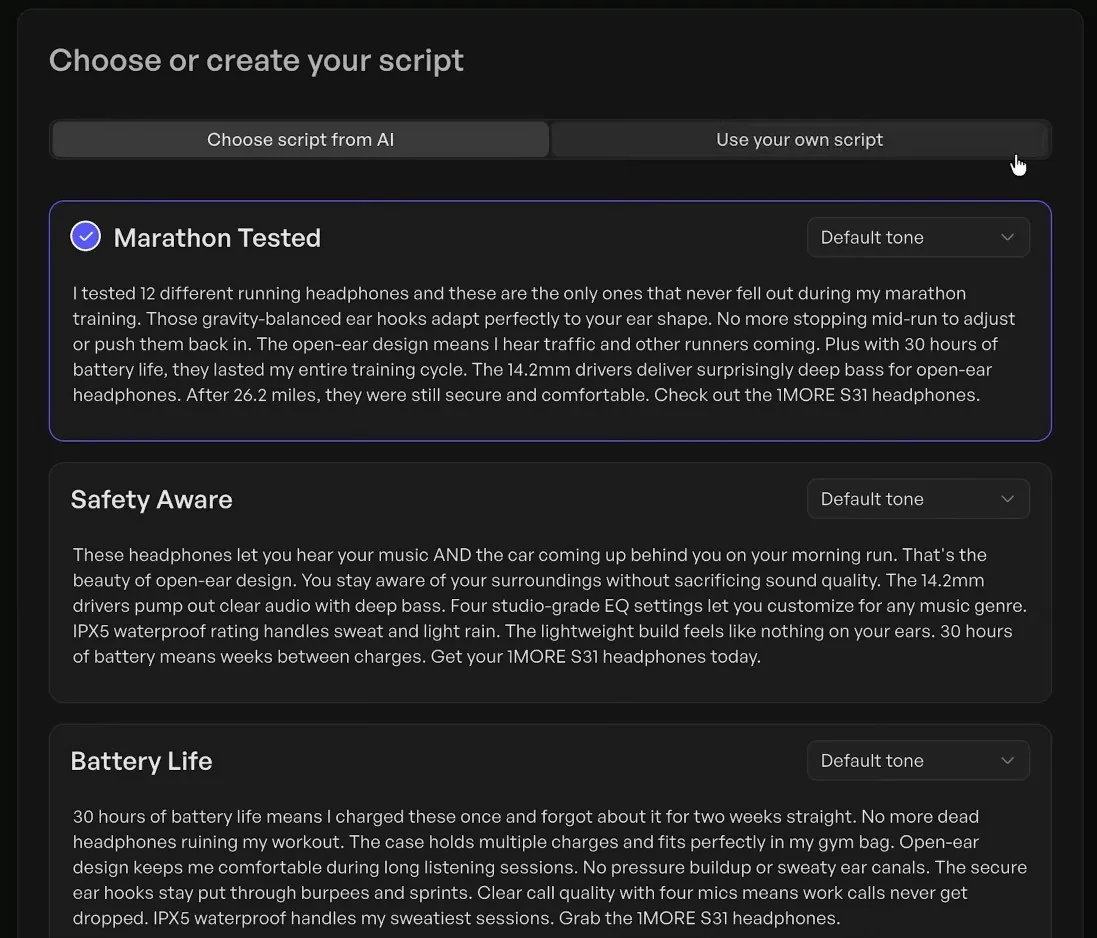
Pick the best one or customize it.
Step 3: Choose your avatar and voice
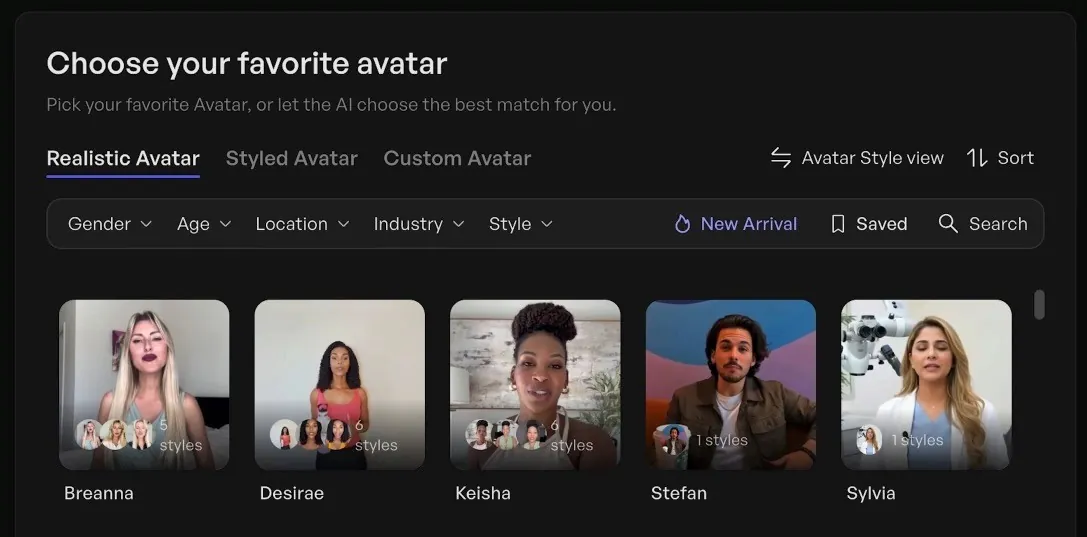
Select from 1500+ AI avatars. For a fitness product, you might choose an athletic-looking avatar. For B2B software, someone in business attire.
Pair it with one of 140+ voices across 75 languages. Match the voice tone to your brand - energetic for consumer products, professional for enterprise.
Step 4: Customize visuals
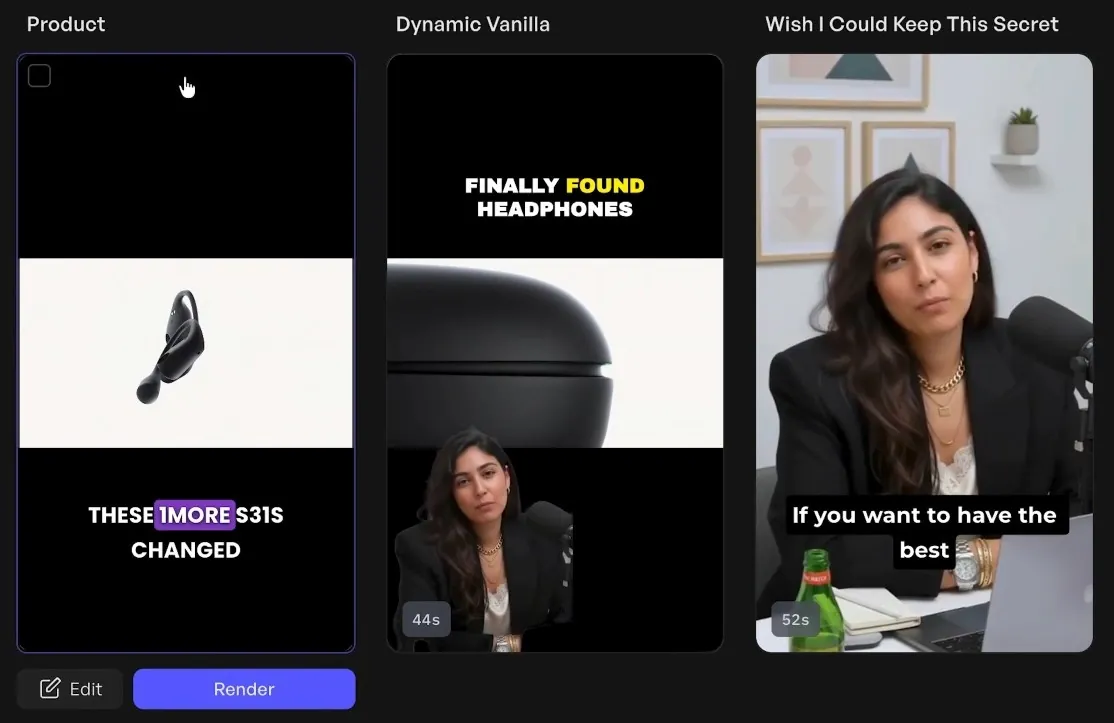
The AI automatically adds relevant product images, b-roll footage from a 10,000+ clip library, captions, and music. You can swap any element.
For the earbuds ad: product shots during feature callouts, workout footage during the "stay put" claim, close-up of the charging case during battery mention.
Step 5: Generate multiple variations
Create different versions in one click - same product, different avatars, different hooks, different visual sequences. Test what performs.
Time from URL paste to finished ads: Under 5 minutes for all variations.
Step 6: Export for your platform
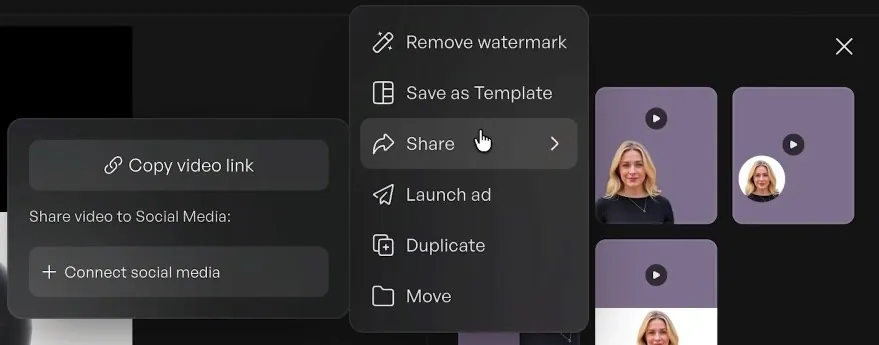
Generate the same ad in 9:16 (TikTok, Reels), 16:9 (YouTube), and 1:1 (feed posts) simultaneously. Download or push directly to Meta and TikTok ad platforms.
Real results from ecommerce brands
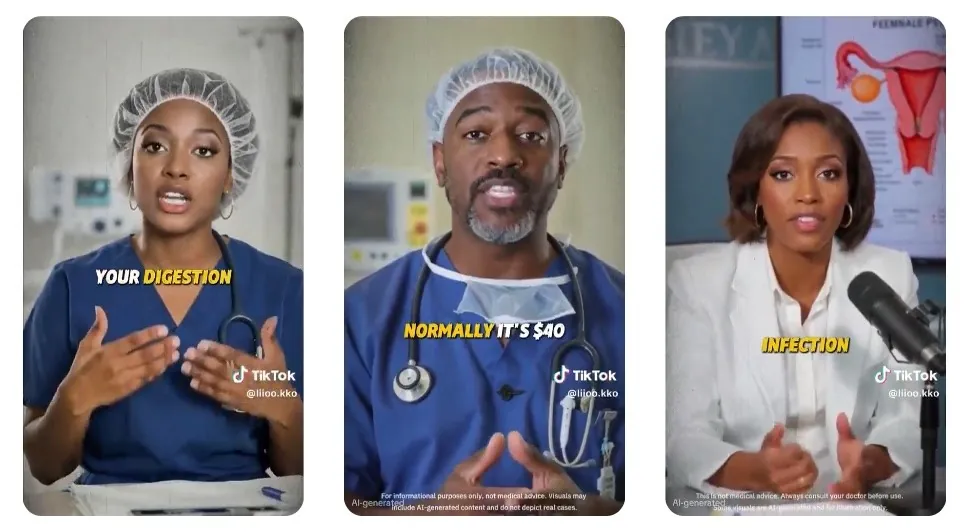
LAIFE (longevity brand) launched TikTok Shop with AI avatars after previous tools produced unrealistic content. Generated 50 videos per week, achieved $3.89 cost per order, successfully passed cold-start phase. Now runs their entire TikTok presence on Creatify-generated content.
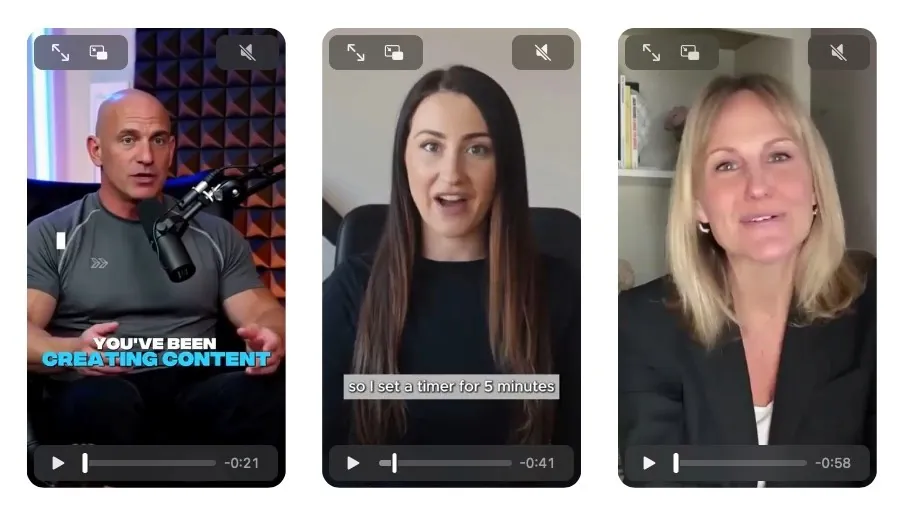
Designrr (ebook software via Unicorn Marketers agency) rescued an underperforming ad account spending $5K daily. Created 150 videos in 2 weeks using Asset Generator. Results: CPA dropped 45% (from $55 to $30), ROAS improved 73% (from 0.77 to 1.33), unlocked 15% budget increase.
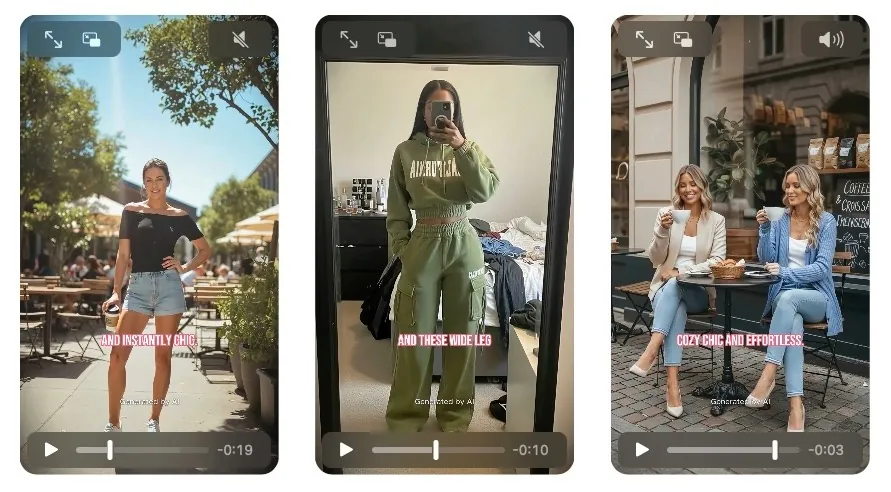
Flamingals Shop (fashion ecommerce) scaled creative testing from 0 to 100+ AI avatar videos per month. Production time dropped 30%. Testing 100 variations now costs a monthly subscription instead of $20K-50K in traditional fashion shoots.
Avatar quality comparison
Not all AI avatar generators produce the same quality. Key differences:x
Creatify Aurora model: Proprietary diffusion transformer with full-body expressiveness, ultra realistic lip-sync, emotional range through tags like [laugh] or [excited], supports product holding and branded clothing. Available to Pro users ($49/month).
Standard AI avatars: Library of 1500+ pre-built AI avatars across ages, ethnicities, and styles. Professional quality, faster generation. Available on all plans including Free.
Custom avatars (BYOA/DYOA): Upload 2-5 minutes of your own video footage or create from photos. Becomes your brand spokesperson. 3 included with Pro plan.
For ads, a real creator with built audience matters less than you think. Unicorn Marketers' data from the Designrr account shows they achieved 45% better CPA and 73% better ROAS with AI-generated creative volume compared to the exhausted traditional creative library.
Batch creation for scale
Most avatar tools generate one video at a time. For ad testing, you need dozens of variations.
Batch Mode in Creatify: Upload multiple product URLs, apply different script templates, assign different avatars, generate everything simultaneously. Create 100 videos in the time it takes to make one.
Use case: Seasonal catalog push. Upload 50 products, generate 5 ad variations per product, output 250 platform-optimized videos. Total time: Under 2 hours.
This is how agencies and large ecommerce brands produce video at scale without expanding headcount.
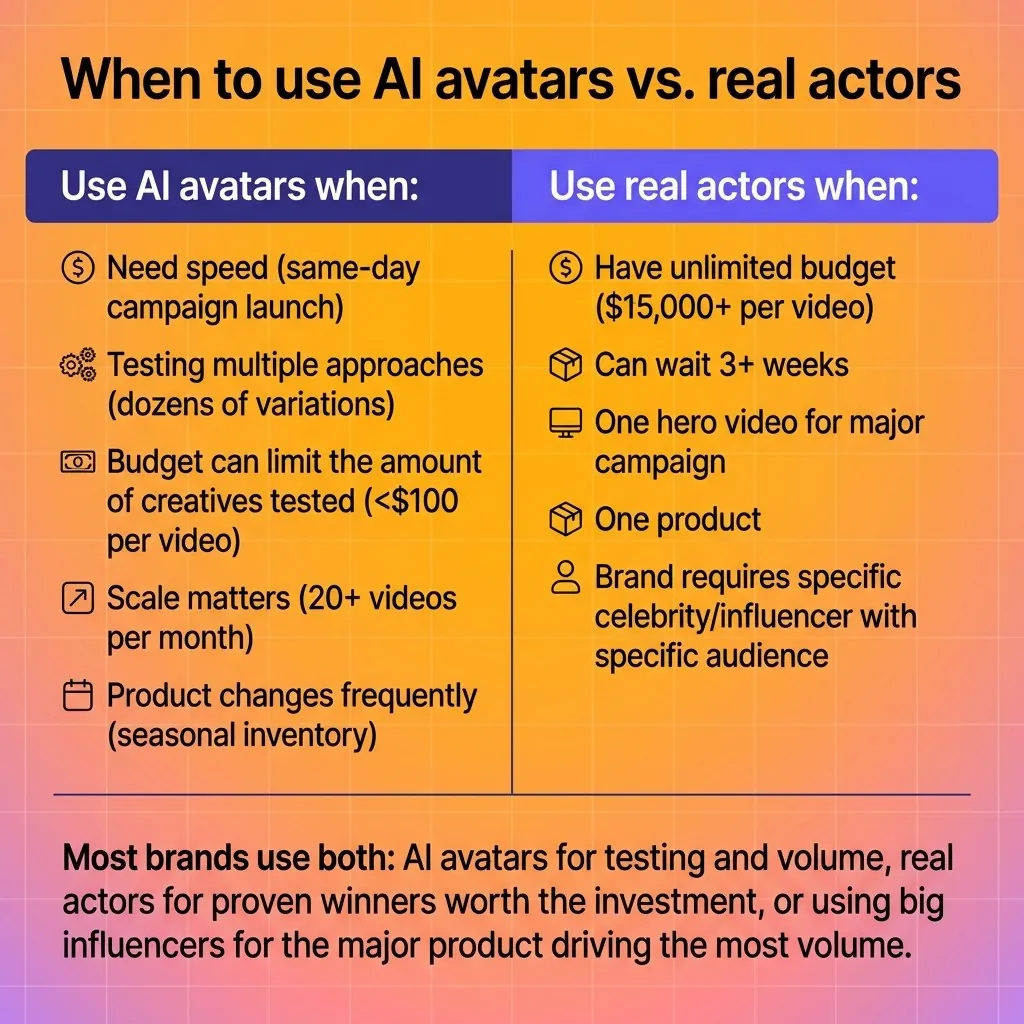
When to use AI avatars vs. real actors
Use AI avatars when:
You need speed (same-day campaign launch)
You're testing multiple approaches (dozens of variations)
Budget can limit the amount of creatives tested (<$100 per video)
Scale matters (20+ videos per month)
Product changes frequently (seasonal inventory)
Use real actors when:
You have unlimited budget ($15,000+ per video)
You can wait 3+ weeks
One hero video for major campaign
One product
Brand requires specific celebrity/influencer with specific audience
Most brands use both: AI avatars for testing and volume, real actors for proven winners worth the investment, or using big influencers for the major product driving the most volume.
Platform-specific optimization
Creating the video is half the process. Making it perform on each platform is the other half.
TikTok ads: 9:16 format, hooks in first 3 seconds, fast cuts, trending music, casual avatar style. Creatify's AI Script Writer optimizes for TikTok's informal tone.
Meta (Facebook/Instagram): Multiple formats (9:16 Stories/Reels, 1:1 feed, 16:9 in-stream), captions required (80% watch without sound), 15-30 second optimal length.
YouTube: 16:9 format, longer acceptable (30-60 seconds), more explanatory content, professional avatar style works better.
The AI handles these variations automatically - same input URL, platform-optimized outputs.
Getting started
Try the workflow:
Sign up with Creatify (free plan includes 10 credits = ~2 videos)
Paste any product URL
Review generated scripts, pick one
Select avatar and voice
Generate and download
Or skip the learning curve: Pro plan ($49/month) includes 200 monthly credits, 1500+ avatars, batch mode, Aurora model, and unlimited edits.
For comparison: HeyGen starts at $89/month for 20 credits (4 minutes of video), Synthesia starts at $89/month for 30 videos.
Seizing the cutting edge tech before it’s the baseline
AI avatars aren't coming - they're here. LAIFE runs their entire TikTok Shop on them. Flamingo produces 100+ videos monthly. Alibaba sellers created 200,000+ in 3 months.
This isn't experimental tech anymore. It's production infrastructure.
The interesting part: we're still early. Current avatars handle product demos and testimonials well. Next year they'll handle complex storytelling, emotional range, and brand personality in ways that feel completely natural.
Customization will expand beyond "pick an avatar and voice." You'll train avatars on your brand's specific communication style, product knowledge, and audience preferences. The avatar becomes an extension of your marketing team that knows your customers as well as you do.
The ethics will evolve too. Disclosure standards, synthetic media labeling, and use case boundaries are forming now. The brands that use AI avatars transparently and strategically will build trust. The ones that try to deceive will get burned.
The window for advantage is open. Your competitors are either already testing this or will be next quarter. The question isn't whether AI avatars work for ads - LAIFE's $3.89 cost per order and Designrr's 73% ROAS improvement answered that.
The question is how fast you move.
FAQ
Can AI avatar generators create realistic videos?
Yes - modern avatar generators use diffusion transformer models that produce ultra realistic lip-sync and natural expressions. Creatify's Aurora model delivers studio-grade quality with full-body movements. The realism is sufficient for ads, as proven by brands like 1MORE achieving 70-80% of real actor performance metrics.
How long does it take to generate an AI avatar video?
Generation time ranges from 2-10 minutes depending on video length and complexity. Creatify's URL-to-video workflow (paste link to finished ad) takes under 5 minutes total. Batch creation can produce 100+ videos simultaneously in the same timeframe.
Do I need video editing skills to use an AI avatar generator?
No editing skills required. Paste a product URL and the AI handles script generation, avatar selection, visual composition, and platform optimization automatically. You can customize elements through a simple editor, but the default output is ready to use.
What's the difference between free and paid AI avatar generators?
Free versions typically include watermarks, limited avatar selection (100 vs 1500+), shorter video length (up to 2 minutes vs 10 minutes), and restricted formats (9:16 only vs all aspect ratios). Paid plans add batch creation, custom avatars, premium features like Aurora model, and direct platform publishing.
Can I use my own face as an AI avatar?
Yes - upload 2-5 minutes of video footage of yourself speaking. The AI creates a digital twin that can say anything you type. This is called BYOA (Bring Your Own Avatar). Creatify Pro includes 3 custom avatars. Alternative: DYOA (Design Your Own Avatar) creates avatars from photos or text descriptions.
Which AI avatar generator is best for marketing videos?
For marketing specifically: Creatify optimizes for ad creation with URL-to-video automation, platform-specific outputs, and batch testing capabilities. For general video content: HeyGen and Synthesia offer simpler avatar-plus-script workflows. Choose based on whether you need full ad production or just talking heads.
How much do AI avatar generators cost?
Pricing ranges from free (watermarked, limited features) to $19-89/month for individual plans. Creatify: $0 free, $19 Starter, $49 Pro. HeyGen: $89/month. Synthesia: $89/month. Calculate cost per video: Creatify Pro = $0.20/video (200 credits), HeyGen = $4.45/video (20 credits), traditional production = $3,000-15,000/video.
Can AI avatars hold products in videos?
Yes - advanced models like Creatify's Aurora support product holding. The avatar can physically display your product in the video, similar to traditional product demos. This feature requires Pro plan or higher and works with product image uploads.
Your product launches tomorrow. You need video ads for Meta, TikTok, and Instagram.
The agency needs 3 weeks. The freelancer ghosted you. Your in-house team is maxed out.
AI avatar generators solve this: paste your product URL, get multiple ad variations in minutes. No actors, no studios, no coordination.
Here's the actual workflow.
What is an AI avatar generator?
An AI avatar generator creates digital humans that talk, move, and express emotions based on text or audio input. You give it a script and choose an avatar - it generates a video of that avatar speaking your words with realistic lip-sync and body language.
The technology uses diffusion models to analyze facial features, map audio to mouth movements, and generate natural expressions. No filming, no actors, no studios required.
Common uses include marketing videos, training content, and social media posts. But for ads specifically, you need more than just a talking head - you need product context, platform optimization, and fast iteration.

Two ways to create avatar video ads
General avatar tools (HeyGen, Synthesia): Upload your own script, pick an avatar, customize backgrounds. Good for generic videos where you already know what to say.
Ad-specific tools (Creatify): Paste a product URL, AI analyzes the product and generates multiple optimized scripts, creates videos with avatars, outputs platform-ready ads.
The difference: one requires you to write and design everything. The other automates the entire ad creation workflow.
How to create a video ad from a product URL
Here's the actual workflow using Creatify's URL-to-video feature with a real example.
Step 1: Paste your product URL
Take any Amazon listing, Shopify product, or app store link. For example: a wireless earbuds product on Amazon.

The AI crawler analyzes the page and extracts the product name, description, key features, images, and existing media.
Step 2: Review generated scripts
Creatify's AI Script Writer generates 5-10 variations automatically. Each script is optimized for social media ads - short hooks, benefit-focused, platform-specific phrasing.

Pick the best one or customize it.
Step 3: Choose your avatar and voice
Select from 1500+ AI avatars. For a fitness product, you might choose an athletic-looking avatar. For B2B software, someone in business attire.
Pair it with one of 140+ voices across 75 languages. Match the voice tone to your brand - energetic for consumer products, professional for enterprise.

Step 4: Customize visuals
The AI automatically adds relevant product images, b-roll footage from a 10,000+ clip library, captions, and music. You can swap any element.
For the earbuds ad: product shots during feature callouts, workout footage during the "stay put" claim, close-up of the charging case during battery mention.
Step 5: Generate multiple variations
Create different versions in one click - same product, different avatars, different hooks, different visual sequences. Test what performs.
Time from URL paste to finished ads: Under 5 minutes for all variations.

Step 6: Export for your platform
Generate the same ad in 9:16 (TikTok, Reels), 16:9 (YouTube), and 1:1 (feed posts) simultaneously. Download or push directly to Meta and TikTok ad platforms.

Real results from ecommerce brands
LAIFE (longevity brand) launched TikTok Shop with AI avatars after previous tools produced unrealistic content. Generated 50 videos per week, achieved $3.89 cost per order, successfully passed cold-start phase. Now runs their entire TikTok presence on Creatify-generated content.

Designrr (ebook software via Unicorn Marketers agency) rescued an underperforming ad account spending $5K daily. Created 150 videos in 2 weeks using Asset Generator. Results: CPA dropped 45% (from $55 to $30), ROAS improved 73% (from 0.77 to 1.33), unlocked 15% budget increase.

Flamingals Shop (fashion ecommerce) scaled creative testing from 0 to 100+ AI avatar videos per month. Production time dropped 30%. Testing 100 variations now costs a monthly subscription instead of $20K-50K in traditional fashion shoots.

Avatar quality comparison
Not all AI avatar generators produce the same quality. Key differences:x
Creatify Aurora model: Proprietary diffusion transformer with full-body expressiveness, ultra realistic lip-sync, emotional range through tags like [laugh] or [excited], supports product holding and branded clothing. Available to Pro users ($49/month).
Standard AI avatars: Library of 1500+ pre-built AI avatars across ages, ethnicities, and styles. Professional quality, faster generation. Available on all plans including Free.
Custom avatars (BYOA/DYOA): Upload 2-5 minutes of your own video footage or create from photos. Becomes your brand spokesperson. 3 included with Pro plan.
For ads, a real creator with built audience matters less than you think. Unicorn Marketers' data from the Designrr account shows they achieved 45% better CPA and 73% better ROAS with AI-generated creative volume compared to the exhausted traditional creative library.
Batch creation for scale
Most avatar tools generate one video at a time. For ad testing, you need dozens of variations.
Batch Mode in Creatify: Upload multiple product URLs, apply different script templates, assign different avatars, generate everything simultaneously. Create 100 videos in the time it takes to make one.
Use case: Seasonal catalog push. Upload 50 products, generate 5 ad variations per product, output 250 platform-optimized videos. Total time: Under 2 hours.
This is how agencies and large ecommerce brands produce video at scale without expanding headcount.
When to use AI avatars vs. real actors
Use AI avatars when:
You need speed (same-day campaign launch)
You're testing multiple approaches (dozens of variations)
Budget can limit the amount of creatives tested (<$100 per video)
Scale matters (20+ videos per month)
Product changes frequently (seasonal inventory)
Use real actors when:
You have unlimited budget ($15,000+ per video)
You can wait 3+ weeks
One hero video for major campaign
One product
Brand requires specific celebrity/influencer with specific audience
Most brands use both: AI avatars for testing and volume, real actors for proven winners worth the investment, or using big influencers for the major product driving the most volume.

Platform-specific optimization
Creating the video is half the process. Making it perform on each platform is the other half.
TikTok ads: 9:16 format, hooks in first 3 seconds, fast cuts, trending music, casual avatar style. Creatify's AI Script Writer optimizes for TikTok's informal tone.
Meta (Facebook/Instagram): Multiple formats (9:16 Stories/Reels, 1:1 feed, 16:9 in-stream), captions required (80% watch without sound), 15-30 second optimal length.
YouTube: 16:9 format, longer acceptable (30-60 seconds), more explanatory content, professional avatar style works better.
The AI handles these variations automatically - same input URL, platform-optimized outputs.
Getting started
Try the workflow:
Sign up with Creatify (free plan includes 10 credits = ~2 videos)
Paste any product URL
Review generated scripts, pick one
Select avatar and voice
Generate and download
Or skip the learning curve: Pro plan ($49/month) includes 200 monthly credits, 1500+ avatars, batch mode, Aurora model, and unlimited edits.
For comparison: HeyGen starts at $89/month for 20 credits (4 minutes of video), Synthesia starts at $89/month for 30 videos.
Seizing the cutting edge tech before it’s the baseline
AI avatars aren't coming - they're here. LAIFE runs their entire TikTok Shop on them. Flamingo produces 100+ videos monthly. Alibaba sellers created 200,000+ in 3 months.
This isn't experimental tech anymore. It's production infrastructure.
The interesting part: we're still early. Current avatars handle product demos and testimonials well. Next year they'll handle complex storytelling, emotional range, and brand personality in ways that feel completely natural.
Customization will expand beyond "pick an avatar and voice." You'll train avatars on your brand's specific communication style, product knowledge, and audience preferences. The avatar becomes an extension of your marketing team that knows your customers as well as you do.
The ethics will evolve too. Disclosure standards, synthetic media labeling, and use case boundaries are forming now. The brands that use AI avatars transparently and strategically will build trust. The ones that try to deceive will get burned.
The window for advantage is open. Your competitors are either already testing this or will be next quarter. The question isn't whether AI avatars work for ads - LAIFE's $3.89 cost per order and Designrr's 73% ROAS improvement answered that.
The question is how fast you move.
FAQ
Can AI avatar generators create realistic videos?
Yes - modern avatar generators use diffusion transformer models that produce ultra realistic lip-sync and natural expressions. Creatify's Aurora model delivers studio-grade quality with full-body movements. The realism is sufficient for ads, as proven by brands like 1MORE achieving 70-80% of real actor performance metrics.
How long does it take to generate an AI avatar video?
Generation time ranges from 2-10 minutes depending on video length and complexity. Creatify's URL-to-video workflow (paste link to finished ad) takes under 5 minutes total. Batch creation can produce 100+ videos simultaneously in the same timeframe.
Do I need video editing skills to use an AI avatar generator?
No editing skills required. Paste a product URL and the AI handles script generation, avatar selection, visual composition, and platform optimization automatically. You can customize elements through a simple editor, but the default output is ready to use.
What's the difference between free and paid AI avatar generators?
Free versions typically include watermarks, limited avatar selection (100 vs 1500+), shorter video length (up to 2 minutes vs 10 minutes), and restricted formats (9:16 only vs all aspect ratios). Paid plans add batch creation, custom avatars, premium features like Aurora model, and direct platform publishing.
Can I use my own face as an AI avatar?
Yes - upload 2-5 minutes of video footage of yourself speaking. The AI creates a digital twin that can say anything you type. This is called BYOA (Bring Your Own Avatar). Creatify Pro includes 3 custom avatars. Alternative: DYOA (Design Your Own Avatar) creates avatars from photos or text descriptions.
Which AI avatar generator is best for marketing videos?
For marketing specifically: Creatify optimizes for ad creation with URL-to-video automation, platform-specific outputs, and batch testing capabilities. For general video content: HeyGen and Synthesia offer simpler avatar-plus-script workflows. Choose based on whether you need full ad production or just talking heads.
How much do AI avatar generators cost?
Pricing ranges from free (watermarked, limited features) to $19-89/month for individual plans. Creatify: $0 free, $19 Starter, $49 Pro. HeyGen: $89/month. Synthesia: $89/month. Calculate cost per video: Creatify Pro = $0.20/video (200 credits), HeyGen = $4.45/video (20 credits), traditional production = $3,000-15,000/video.
Can AI avatars hold products in videos?
Yes - advanced models like Creatify's Aurora support product holding. The avatar can physically display your product in the video, similar to traditional product demos. This feature requires Pro plan or higher and works with product image uploads.