

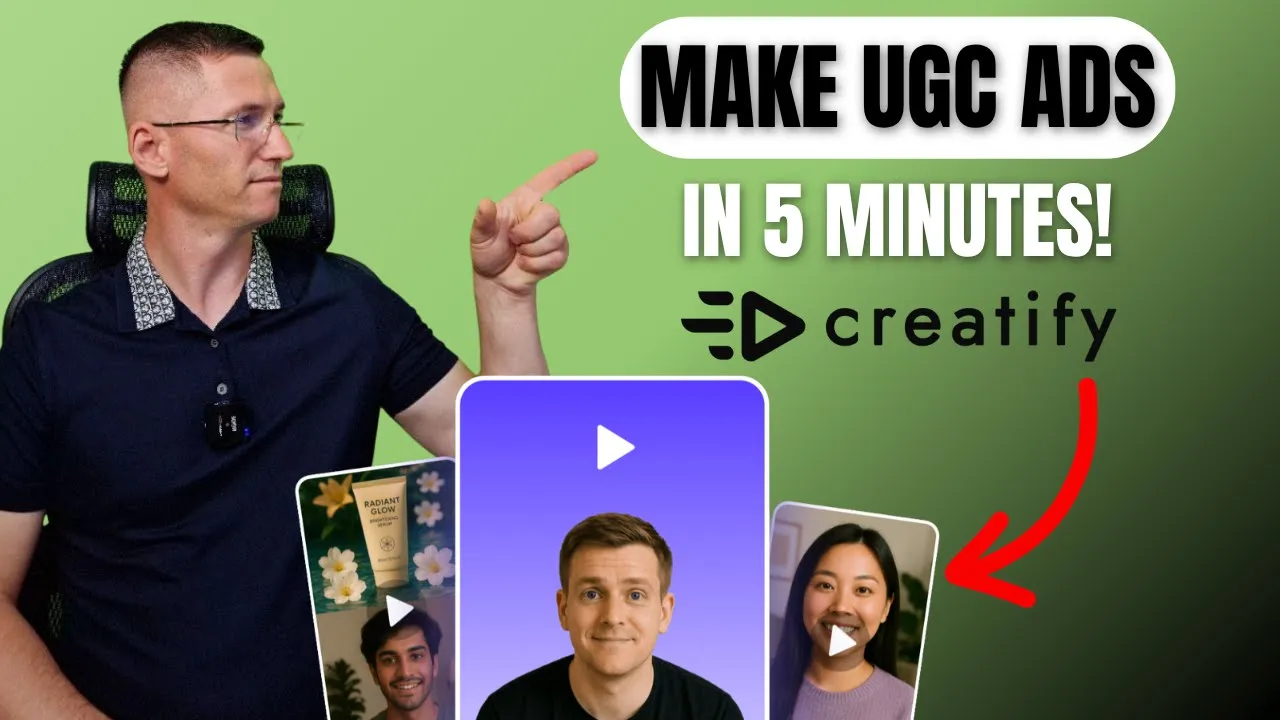
Creatify AI: The Future of Ad Creation (MAKE UGC ADS FAST)
Creatify AI: The Future of Ad Creation (MAKE UGC ADS FAST)

BMF Media
SHARE


IN THIS ARTICLE
How To Create Ads From Proven Templates In Minutes | Creatify
Start with high-performing ad templates instead of guessing. Creatify turns product images into ready-to-publish videos using tested formats that already work.
How to create ads from proven templates instead of guessing
Making ads that actually perform is tricky. You study trends, test a dozen versions, and still feel like you're guessing.
Here's a better approach: Start with formats that already work. Creatify brings together creativity and strategy, helping you find proven ad ideas and turn them into content that fits your brand.
This platform connects the dots between inspiration and execution so you can produce ready-to-publish videos faster than ever.
What is Creatify's AI ad library?
Creatify is the first platform built around helping creators and brands make ads that already work. Instead of starting from scratch, you begin with tested concepts pulled straight from high-performing campaigns.
The service studies what's trending, then turns those patterns into templates ready to customize.
This isn't just another inspiration board. It's a full production environment powered by modern generative tools like Sora, Vio, and Aurora. Each model specializes in a different creative style, making the process far more adaptable.
Who benefits:
Personal brands keep every piece of content consistent and recognizable
Marketing teams test new ideas quickly and adjust tone or visuals without rebuilding everything
Independent creators access professional quality without big budgets or long production cycles
This flexibility makes Creatify practical. It helps anyone move from concept to finished ad faster while keeping the message sharp and the visuals on point.
How it bridges research and creation
Creatify seamlessly connects research with creation. Pick a winning format, add your product shots, and within moments the system generates clean, on-brand results.
It automatically fine-tunes everything—voiceovers, hooks, and calls-to-action—so all elements stay consistent with your style.
What you get isn't just a library of examples, but a living workspace that learns from trends and adapts to your goals. It shortens the distance between finding a great idea and turning it into a video ready for your audience.
How the inspiration section works
The platform starts with the inspiration section, organized into several categories.
Top ads of the week shows trending templates that get updated constantly to stay relevant and match current trends. It's a quick way to stay in tune with what audiences actually respond to without wasting time scrolling through social feeds.
Every template you see is already tested. These are creative structures that prove their performance, ready for you to adapt. You can use them for any kind of product—from cosmetics to tech gadgets—and the system automatically keeps everything relevant.
Creating your first ad: A walkthrough
Let's take an example called "Garden Bloom."
Step 1: Choose your template Click recreate and the system asks you to upload a product image. You can import from your existing catalog, select from smart assets, or upload a file from your computer.
Step 2: Upload your product Upload a simple product shot—nothing fancy, just a plain image. The platform will transform it into something that looks ready for a campaign.
Step 3: Compatibility check Once the image loads, the platform runs a quick compatibility check. If the item doesn't suit the chosen template, it instantly suggests better options that would fit more naturally.
Step 4: Generate Click generate and the video starts rendering right away. The process takes only a few minutes. Once done, you're redirected to the project page where the clip preview appears.
The result: Clean, professional output that keeps your product exactly as you uploaded it. Nothing distorted, no strange filters—it fits into the template smoothly.
Advanced editing options
The generated clip can be edited further with comprehensive options.
Timeline editing There's a clear timeline divided into sections. You can modify any of them—attach a short script to a scene, add an avatar to deliver a line, or tweak the emotional tone.
Caption customization If the scene includes captions, you can select the caption style and adjust how the text appears on screen.
Asset tools In the assets tab, you can create new visuals powered by the built-in AI generator. It provides several modern models like Vio or Sora, so your visuals always look sharp and consistent with your brand style.
Text and typography Text customization feels smooth. Edit the typography, change the tone, and experiment with different layouts.
Background music There's a full library of background music across various genres. If nothing fits your project, you can generate a new track right in the editor without leaving the workspace.
Call-to-action templates If your ad doesn't have a CTA yet, you can add it instantly from a set of ready templates. Choose the one you like and it appears on the timeline automatically. Rewrite the text, replace visuals, or try a new format with a single click.
Switching between call-to-action styles feels effortless, and every version adapts to your video layout perfectly.
Multi-platform formatting
One feature that stands out: How easy it is to adjust the aspect ratio.
Reformat your video for any platform with one click and instantly preview how it would look on Instagram, YouTube, or LinkedIn. The preview even includes interface overlays like buttons and captions, so you can see exactly how your ad will appear once it's live.
You can also change the background to match the mood of your campaign.
Saving and sharing
Once your edits are ready, you can save the project as a personal template. That way, you can reuse it later for similar products or campaigns.
You can also:
Share it with your team
Copy the link
Send it directly to social platforms
Publishing made easy: When you connect your social accounts, you can upload the finished video straight from your workspace. You can even link your advertising accounts and launch a campaign directly.
Simply click "launch ad," select your preferred platform (like TikTok), fill in a few details, and you're ready to go. Everything happens inside one dashboard without jumping between tabs or tools.
Another example: TikTok live promotion
Let's try the TikTok live promotion template with a different product—headphones.
Upload the image. The system verifies whether this item matches the selected template and fits properly. Rendering takes only a couple of minutes.
The result: A dynamic, fresh clip perfectly timed for social media. It's the kind of video you can post immediately to promote your product or event. No edits, no extra steps.
The beauty of this workflow is that you're not guessing what might work. You're starting with formats that already prove successful, then adapting them to your brand.
That combination of proven performance and quick customization is what makes this platform stand out.
Why this approach works
Traditional ad creation is guesswork:
Study trends (time-consuming)
Create multiple versions (expensive)
Test blindly (frustrating)
Hope something works (inefficient)
Creatify flips this model:
Start with proven templates (data-driven)
Customize to your brand (quick)
Generate in minutes (efficient)
Publish immediately (fast)
You don't need to hire an editor, search for freelancers, or waste time scrolling through references that may or may not perform. Everything here starts from what already works.
Who should use Creatify's ad library
This platform works for anyone who needs high-performing ad content fast:
Ecommerce brands testing product launches
Marketing teams producing campaign variations
Content creators building consistent brand presence
Agencies scaling client deliverables
Solo founders competing without big budgets
If you've been looking for a faster way to generate ads that actually convert, this might be it.
Getting started
Try Creatify's AI ad library and see how quickly your output can scale. The platform turns what used to be hours of content creation into minutes, leaving you free to focus on testing and optimizing campaigns.
Do you follow trends or just create based on intuition? The smartest approach might be starting with what's already proven to work, then making it your own.
Final thoughts
Creatify turns a single product image into a ready-to-publish ad in minutes. It eliminates guesswork by starting with tested formats that already prove successful.
The workflow is simple: Choose a proven template, upload your product, customize the details, and publish. No more hiring editors, no more endless scrolling for inspiration, no more wondering if your ad will perform.
Everything starts from what already works. That's the difference.
How To Create Ads From Proven Templates In Minutes | Creatify
Start with high-performing ad templates instead of guessing. Creatify turns product images into ready-to-publish videos using tested formats that already work.
How to create ads from proven templates instead of guessing
Making ads that actually perform is tricky. You study trends, test a dozen versions, and still feel like you're guessing.
Here's a better approach: Start with formats that already work. Creatify brings together creativity and strategy, helping you find proven ad ideas and turn them into content that fits your brand.
This platform connects the dots between inspiration and execution so you can produce ready-to-publish videos faster than ever.
What is Creatify's AI ad library?
Creatify is the first platform built around helping creators and brands make ads that already work. Instead of starting from scratch, you begin with tested concepts pulled straight from high-performing campaigns.
The service studies what's trending, then turns those patterns into templates ready to customize.
This isn't just another inspiration board. It's a full production environment powered by modern generative tools like Sora, Vio, and Aurora. Each model specializes in a different creative style, making the process far more adaptable.
Who benefits:
Personal brands keep every piece of content consistent and recognizable
Marketing teams test new ideas quickly and adjust tone or visuals without rebuilding everything
Independent creators access professional quality without big budgets or long production cycles
This flexibility makes Creatify practical. It helps anyone move from concept to finished ad faster while keeping the message sharp and the visuals on point.
How it bridges research and creation
Creatify seamlessly connects research with creation. Pick a winning format, add your product shots, and within moments the system generates clean, on-brand results.
It automatically fine-tunes everything—voiceovers, hooks, and calls-to-action—so all elements stay consistent with your style.
What you get isn't just a library of examples, but a living workspace that learns from trends and adapts to your goals. It shortens the distance between finding a great idea and turning it into a video ready for your audience.
How the inspiration section works
The platform starts with the inspiration section, organized into several categories.
Top ads of the week shows trending templates that get updated constantly to stay relevant and match current trends. It's a quick way to stay in tune with what audiences actually respond to without wasting time scrolling through social feeds.
Every template you see is already tested. These are creative structures that prove their performance, ready for you to adapt. You can use them for any kind of product—from cosmetics to tech gadgets—and the system automatically keeps everything relevant.
Creating your first ad: A walkthrough
Let's take an example called "Garden Bloom."
Step 1: Choose your template Click recreate and the system asks you to upload a product image. You can import from your existing catalog, select from smart assets, or upload a file from your computer.
Step 2: Upload your product Upload a simple product shot—nothing fancy, just a plain image. The platform will transform it into something that looks ready for a campaign.
Step 3: Compatibility check Once the image loads, the platform runs a quick compatibility check. If the item doesn't suit the chosen template, it instantly suggests better options that would fit more naturally.
Step 4: Generate Click generate and the video starts rendering right away. The process takes only a few minutes. Once done, you're redirected to the project page where the clip preview appears.
The result: Clean, professional output that keeps your product exactly as you uploaded it. Nothing distorted, no strange filters—it fits into the template smoothly.
Advanced editing options
The generated clip can be edited further with comprehensive options.
Timeline editing There's a clear timeline divided into sections. You can modify any of them—attach a short script to a scene, add an avatar to deliver a line, or tweak the emotional tone.
Caption customization If the scene includes captions, you can select the caption style and adjust how the text appears on screen.
Asset tools In the assets tab, you can create new visuals powered by the built-in AI generator. It provides several modern models like Vio or Sora, so your visuals always look sharp and consistent with your brand style.
Text and typography Text customization feels smooth. Edit the typography, change the tone, and experiment with different layouts.
Background music There's a full library of background music across various genres. If nothing fits your project, you can generate a new track right in the editor without leaving the workspace.
Call-to-action templates If your ad doesn't have a CTA yet, you can add it instantly from a set of ready templates. Choose the one you like and it appears on the timeline automatically. Rewrite the text, replace visuals, or try a new format with a single click.
Switching between call-to-action styles feels effortless, and every version adapts to your video layout perfectly.
Multi-platform formatting
One feature that stands out: How easy it is to adjust the aspect ratio.
Reformat your video for any platform with one click and instantly preview how it would look on Instagram, YouTube, or LinkedIn. The preview even includes interface overlays like buttons and captions, so you can see exactly how your ad will appear once it's live.
You can also change the background to match the mood of your campaign.
Saving and sharing
Once your edits are ready, you can save the project as a personal template. That way, you can reuse it later for similar products or campaigns.
You can also:
Share it with your team
Copy the link
Send it directly to social platforms
Publishing made easy: When you connect your social accounts, you can upload the finished video straight from your workspace. You can even link your advertising accounts and launch a campaign directly.
Simply click "launch ad," select your preferred platform (like TikTok), fill in a few details, and you're ready to go. Everything happens inside one dashboard without jumping between tabs or tools.
Another example: TikTok live promotion
Let's try the TikTok live promotion template with a different product—headphones.
Upload the image. The system verifies whether this item matches the selected template and fits properly. Rendering takes only a couple of minutes.
The result: A dynamic, fresh clip perfectly timed for social media. It's the kind of video you can post immediately to promote your product or event. No edits, no extra steps.
The beauty of this workflow is that you're not guessing what might work. You're starting with formats that already prove successful, then adapting them to your brand.
That combination of proven performance and quick customization is what makes this platform stand out.
Why this approach works
Traditional ad creation is guesswork:
Study trends (time-consuming)
Create multiple versions (expensive)
Test blindly (frustrating)
Hope something works (inefficient)
Creatify flips this model:
Start with proven templates (data-driven)
Customize to your brand (quick)
Generate in minutes (efficient)
Publish immediately (fast)
You don't need to hire an editor, search for freelancers, or waste time scrolling through references that may or may not perform. Everything here starts from what already works.
Who should use Creatify's ad library
This platform works for anyone who needs high-performing ad content fast:
Ecommerce brands testing product launches
Marketing teams producing campaign variations
Content creators building consistent brand presence
Agencies scaling client deliverables
Solo founders competing without big budgets
If you've been looking for a faster way to generate ads that actually convert, this might be it.
Getting started
Try Creatify's AI ad library and see how quickly your output can scale. The platform turns what used to be hours of content creation into minutes, leaving you free to focus on testing and optimizing campaigns.
Do you follow trends or just create based on intuition? The smartest approach might be starting with what's already proven to work, then making it your own.
Final thoughts
Creatify turns a single product image into a ready-to-publish ad in minutes. It eliminates guesswork by starting with tested formats that already prove successful.
The workflow is simple: Choose a proven template, upload your product, customize the details, and publish. No more hiring editors, no more endless scrolling for inspiration, no more wondering if your ad will perform.
Everything starts from what already works. That's the difference.

You might also like




Ready to speed up your marketing?
Test your new product ideas in minutes with AI-generated video ads


Ready to speed up your marketing?
Test your new product ideas in minutes with AI-generated video ads
Ready to speed up your marketing?
Test your new product ideas in minutes with AI-generated video ads
Ready to speed up your marketing?
Test your new product ideas in minutes with AI-generated video ads

Generate engaging video ads for your products
from any URL



Creatify Lab • Copyright © 2026
Language
English
Features
Tools
Generate engaging video ads for your products
from any URL
Creatify Lab • Copyright © 2026
Language
English
Features
Tools
Generate engaging video ads for your products
from any URL
Creatify Lab • Copyright © 2026
Language
English
Features
Tools
Use Cases
YouTube
Snapchat
Shopify
Create AI Avatar
OTT & CTV
Lead Generation
Generate engaging video ads for your products
from any URL
Creatify Lab • Copyright © 2026
Language
English
Features
Tools
