Niyah Ali
SHARE


IN THIS ARTICLE
Most AI video tools hand you one generic clip from one prompt and one model, a piece of slop you'd never actually run.
Creatify Agent takes the opposite approach: it's a creative agent built specifically for ads that are ready to perform, and in a single sitting you can take a product link and turn it into a finished, high-converting ad.
An Agent Trained on a Billion Dollars of Ad Spend
Agent is one of the first creative agents built for ads, trained on over 15 million ads and a billion dollars worth of ad spend. That foundation matters because it changes what the output is optimized for. Instead of producing something that merely looks like a video,
Agent is reasoning about what actually drives results, pulling on patterns from real campaigns and even comparing against competitor ads as it builds.
It's also built for people without a creative team behind them. Whether you're a DTC marketer, a solopreneur, or a startup founder pushing creative on your own, Agent is designed to execute on your behalf. And it does that through two distinct modes — Auto and Flow, that map to how much control you want.
Auto Mode: A Creative Director That Executes for You
Auto mode is the fastest path to a finished ad. Think of it as a creative director that can execute end-to-end through prompting. To build a service ad for a local cleaning company, you drop in the product URL and Agent immediately scrapes the website — copy and visual assets included. From there you can attach a Skill (in this case, "Service Ad") so Agent is contextually aware of the kind of ad you want before you even write a prompt.
The prompt itself stays simple: "help me create an ad for my business." Agent then develops a full storyboard, and you can watch its exact thinking process — weighing tone, deciding on cuts, and incorporating that competitor ad data as it goes. It returns five fully built scenes with music, complete with a breakdown of the hook, the personas, and how each shot was structured. You can hover any scene to use it as a reference for later changes, or download scenes individually.
The result is a polished, ready-to-run ad with a clear creative rationale behind every cut.
Flow Mode: A Node-Based Canvas for Creative Control
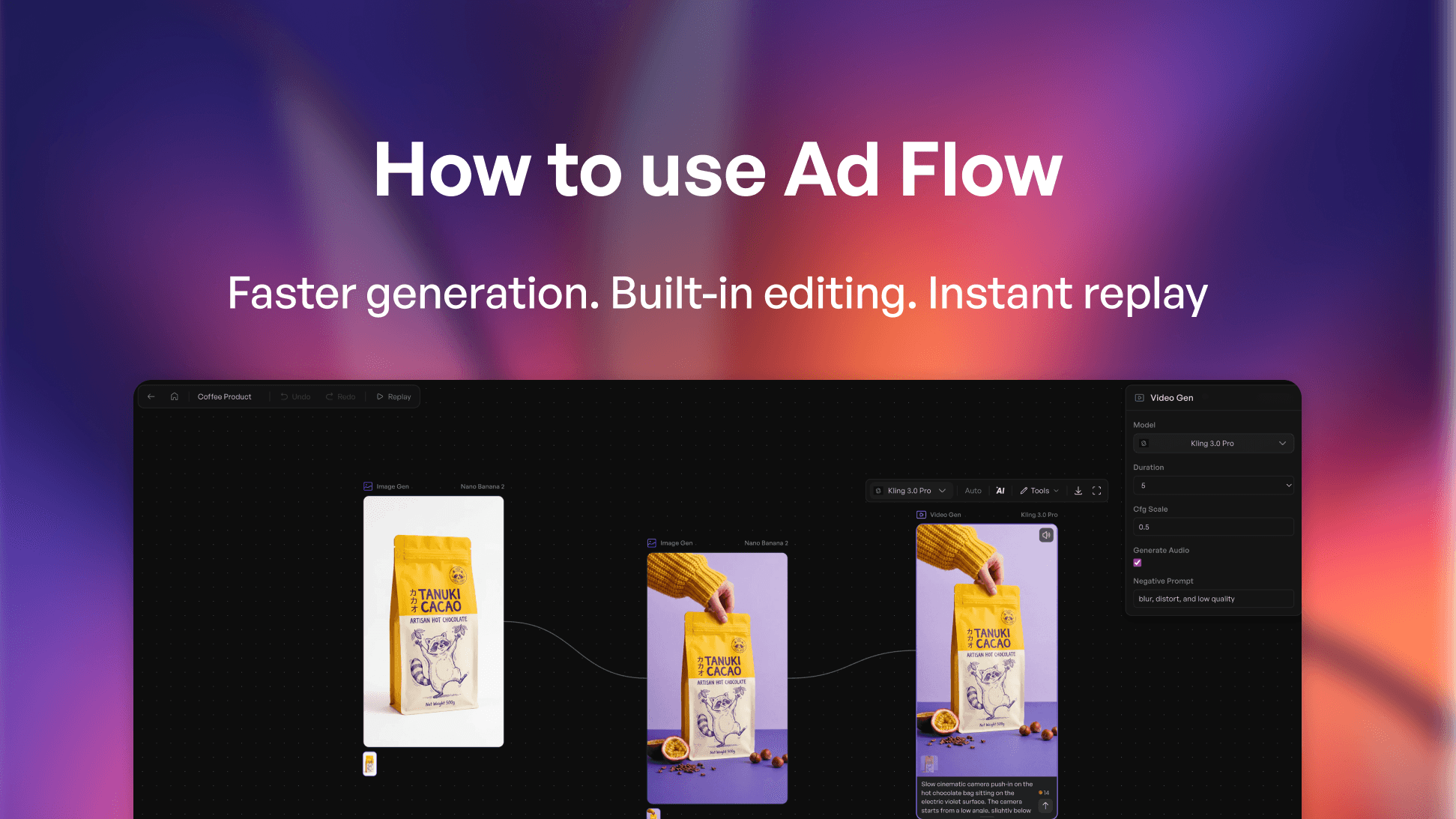
When you want more say in the outcome, Flow mode gives you a visual, node-based canvas — still driven by prompting, but with granular control at every step. To build a UGC-style ad for a hydration drink, you again start from a product link, then write a more specific brief: a person visiting the brand's pop-up store in downtown San Francisco, with a hook that feels dramatic and hype-worthy.
Flow mode audits each scene, shows exactly which assets it will pull, and lays out a full video plan from the hype hook to the CTA.
Before anything builds, you can edit a scene's description or its voiceover directly, or hit revise to reprompt the entire storyline.
Once you confirm and build, the nodes connect across the canvas — image node into video node — and you can click into any individual node to make changes. You also get manual control over which models and aspect ratios each node uses, so you can dial the output in until it's exactly what you want.
The Takeaway
Creatify Agent isn't just another video ad tool — it's built to convert, and more importantly, it meets you wherever you are. Use Auto mode when you want to ship something guaranteed to perform with minimal lift, and reach for Flow mode when you want a more dynamic canvas and granular creative control with the agent still helping you execute.
Try Creatify free → https://app.creatify.ai/auth/login?ut=16
Most AI video tools hand you one generic clip from one prompt and one model, a piece of slop you'd never actually run.
Creatify Agent takes the opposite approach: it's a creative agent built specifically for ads that are ready to perform, and in a single sitting you can take a product link and turn it into a finished, high-converting ad.
An Agent Trained on a Billion Dollars of Ad Spend
Agent is one of the first creative agents built for ads, trained on over 15 million ads and a billion dollars worth of ad spend. That foundation matters because it changes what the output is optimized for. Instead of producing something that merely looks like a video,
Agent is reasoning about what actually drives results, pulling on patterns from real campaigns and even comparing against competitor ads as it builds.
It's also built for people without a creative team behind them. Whether you're a DTC marketer, a solopreneur, or a startup founder pushing creative on your own, Agent is designed to execute on your behalf. And it does that through two distinct modes — Auto and Flow, that map to how much control you want.
Auto Mode: A Creative Director That Executes for You
Auto mode is the fastest path to a finished ad. Think of it as a creative director that can execute end-to-end through prompting. To build a service ad for a local cleaning company, you drop in the product URL and Agent immediately scrapes the website — copy and visual assets included. From there you can attach a Skill (in this case, "Service Ad") so Agent is contextually aware of the kind of ad you want before you even write a prompt.
The prompt itself stays simple: "help me create an ad for my business." Agent then develops a full storyboard, and you can watch its exact thinking process — weighing tone, deciding on cuts, and incorporating that competitor ad data as it goes. It returns five fully built scenes with music, complete with a breakdown of the hook, the personas, and how each shot was structured. You can hover any scene to use it as a reference for later changes, or download scenes individually.
The result is a polished, ready-to-run ad with a clear creative rationale behind every cut.
Flow Mode: A Node-Based Canvas for Creative Control
When you want more say in the outcome, Flow mode gives you a visual, node-based canvas — still driven by prompting, but with granular control at every step. To build a UGC-style ad for a hydration drink, you again start from a product link, then write a more specific brief: a person visiting the brand's pop-up store in downtown San Francisco, with a hook that feels dramatic and hype-worthy.
Flow mode audits each scene, shows exactly which assets it will pull, and lays out a full video plan from the hype hook to the CTA.
Before anything builds, you can edit a scene's description or its voiceover directly, or hit revise to reprompt the entire storyline.
Once you confirm and build, the nodes connect across the canvas — image node into video node — and you can click into any individual node to make changes. You also get manual control over which models and aspect ratios each node uses, so you can dial the output in until it's exactly what you want.
The Takeaway
Creatify Agent isn't just another video ad tool — it's built to convert, and more importantly, it meets you wherever you are. Use Auto mode when you want to ship something guaranteed to perform with minimal lift, and reach for Flow mode when you want a more dynamic canvas and granular creative control with the agent still helping you execute.
Try Creatify free → https://app.creatify.ai/auth/login?ut=16