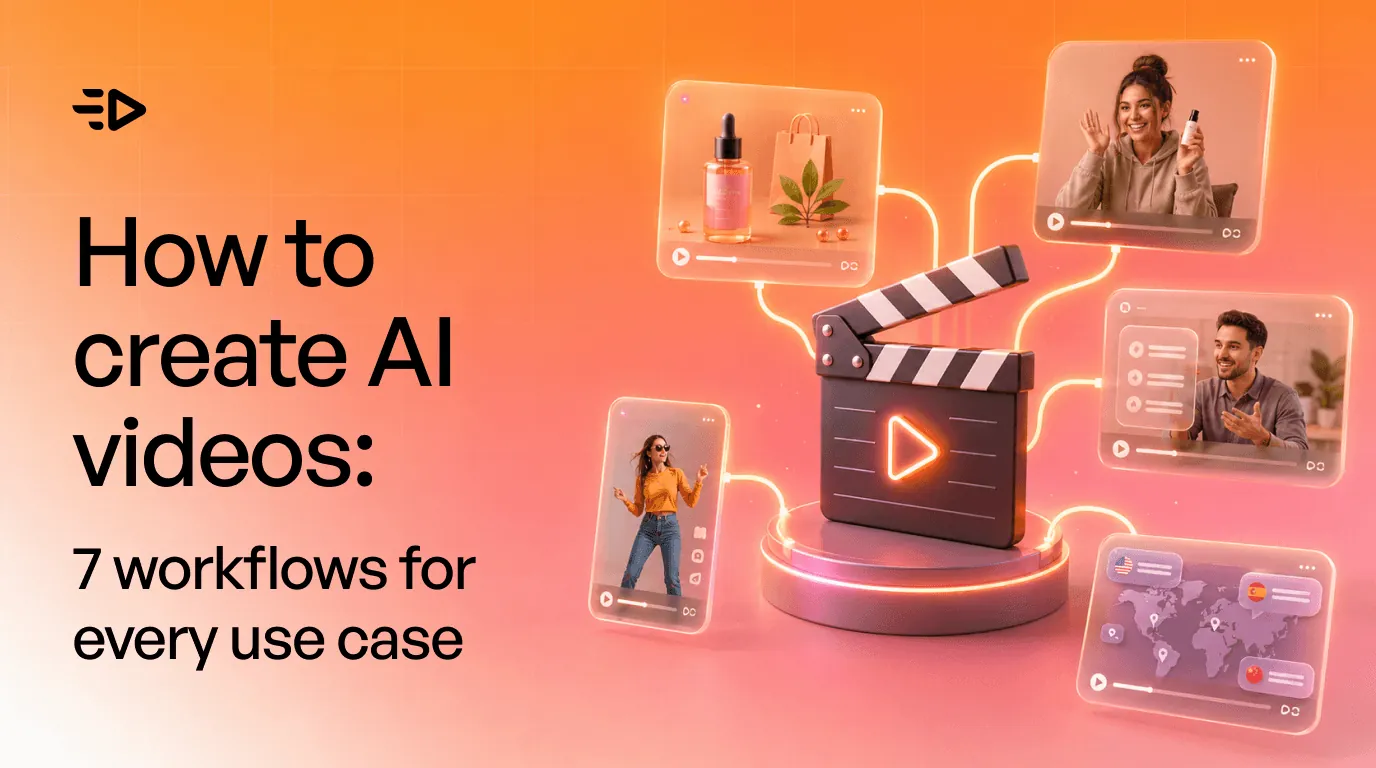

Vous pouvez désormais générer une vidéo IA en une minute environ. En générer une qui remplit une mission, vend un produit, enseigne une leçon ou alimente le calendrier de contenu de la semaine prochaine est une compétence bien différente, qui repose sur l'utilisation du bon workflow pour chaque tâche.
La plupart des guides répondent à la mauvaise question. Ils listent 40 générateurs et les comparent. Pourtant, la question de l'outil est aujourd'hui résolue : il en existe d'excellents, et les écarts se réduisent de mois en mois. La vraie question qui bloque les créateurs n'est pas de savoir quel outil choisir, mais comment créer des vidéos IA pour un cas d'usage précis. Ce guide présente sept workflows de vidéo IA, un pour chaque besoin courant, ainsi que des conseils pour améliorer vos rendus et rester en conformité avec la réglementation.
Ce que la vidéo IA fait bien et moins bien en 2026
Ajustez d'abord vos attentes, car c'est ce qui déterminera si votre expérience sera fluide ou frustrante. La vidéo générative a progressé rapidement ; elle est redoutablement efficace sur certains aspects et encore perfectible sur d'autres.
Elle excelle sur les clips courts et autonomes : un plan esthétique de produit, un présentateur face caméra, un plan de coupe (B-roll) stylisé, une publicité pour les réseaux sociaux. Elle est également performante pour décliner de nombreuses variations d'une même idée, localiser une vidéo dans d'autres langues et transformer un script en vidéo de qualité sans caméra.
Certains aspects restent en revanche complexes. Les textes incrustés à l'écran sont souvent illisibles ou déformés. Les mains, les foules et les lois physiques complexes peuvent présenter des bugs visuels. Garantir la cohérence d'un même personnage d'un plan à l'autre reste difficile. Enfin, les longs récits parfaitement cohérents dépassent le cadre d'une génération directe en un seul clic. La clé est de capitaliser sur les points forts : gardez des clips courts et montez vos plans pour contourner les faiblesses de l'IA plutôt que de lutter contre elles.
Le cycle commun à chaque workflow : comment concevoir des vidéos IA performantes
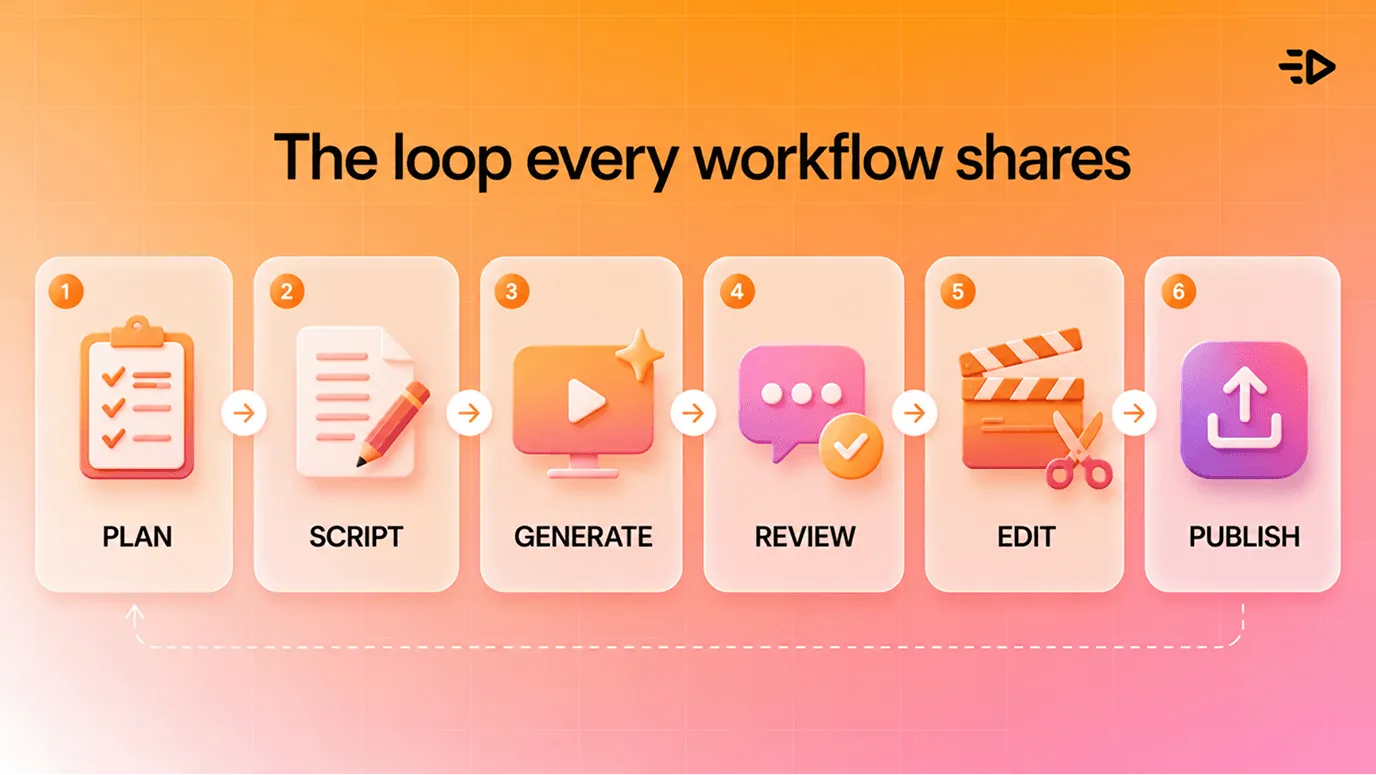
Avant de détailler chaque workflow, penchons-nous sur le processus partagé. Tout bon projet de vidéo IA suit le même cycle : planifier le plan et le script, générer, analyser et régénérer, assembler et peaufiner, puis publier. La seule habitude qui distingue un rendu professionnel d'un résultat approximatif est de considérer la génération comme un processus itératif. Attendez-vous à régénérer un clip à plusieurs reprises, et conservez les images de référence ainsi que les prompts qui ont fonctionné pour pouvoir les réutiliser. En gardant cela en tête, voici les sept cas d'usage et leurs workflows associés.
1. Vidéos de produits et d'e-commerce
Idéal pour les marques DTC et e-commerce ayant besoin de publicités vidéo pour un catalogue.
La méthode la plus rapide s'appuie sur ce que vous possédez déjà : une page produit. Copiez son URL dans un outil comme Creatify. L'outil analyse les informations du produit, extrait les visuels et détails clés, rédige plusieurs options de script et génère des déclinaisons de publicités vidéo prêtes à l'emploi en moins d'une minute. Si vous ne disposez que d'une simple photo de produit, l'option vidéo de produit transforme cette image unique en une série de clips au rendu studio.
Le workflow : soumettez l'URL ou la photo, sélectionnez l'angle de script adapté à votre campagne, choisissez un avatar ou un style, puis générez quelques variantes pour vos tests. C'est le moyen le plus simple de créer une vidéo IA pour l'e-commerce, car cela remplace une session de tournage par un simple copier-coller.
2. Publicités sociales de style UGC
Idéal pour les media buyers et experts en performance marketing qui gèrent des campagnes social ads payantes.
Les publicités de style UGC, où une personne au look naturel s'adresse à la caméra pour parler du produit, sont le format roi sur TikTok, Reels et Shorts car elles s'intègrent de manière organique dans le flux des utilisateurs. L'IA vous permet de les produire sans filmer ni recruter de créateurs. Choisissez un avatar IA, soumettez-lui une accroche (hook) et un script, puis générez un clip vertical digne d'un témoignage client.
Le workflow : rédigez deux ou trois variantes d'accroches, sélectionnez des avatars qui correspondent à votre cible, générez chaque vidéo au format 9:16 et lancez-les en phase de test. Soignez particulièrement les deux premières secondes, car c'est le moment crucial où l'utilisateur choisit de s'arrêter ou de continuer à scroller.
3. Contenus courts pour les réseaux sociaux
Idéal pour les équipes cherchant à alimenter leur calendrier de contenu en continu.
Chaque publication n'exige pas une production lourde. Si vous cherchez comment créer rapidement une vidéo IA, un workflow de texte-à-vidéo courte convertit instantanément un sujet ou un script en une courte vidéo verticale enrichie de visuels, de sous-titres et d'une voix off. C'est ce qui fait la différence entre publier trois fois par semaine et publier tous les jours.
Le workflow : préparez vos sujets par lots pour la semaine, générez un format court pour chacun d'eux en une seule session, puis éditez rapidement ceux qui méritent d'être peaufinés. Ici, le volume est la clé : veillez à ce que le coût de production de chaque clip reste minime.
4. Vidéos explicatives et tutoriels
Idéal pour l'onboarding, les guides pratiques et le contenu éducatif.
Auparavant, un tutoriel exigeait un concepteur-rédacteur, une voix off et un animateur. Désormais, un outil d'écriture rédige le déroulé, un présentateur IA s'occupe de la présentation, et vous n'avez plus qu'à intégrer vos captures d'écran ou des visuels générés pour illustrer les étapes. Le résultat est une leçon claire et captivante, sans avoir besoin de studio. Des outils comme Synthesia sont parfaits pour ce type d'exercice.
Le workflow : structurez le concept, générez le script, sélectionnez un présentateur et une voix, puis alternez les plans du présentateur avec les visuels illustrant chaque étape. Ce format se prête d'ailleurs particulièrement bien à la traduction dans d'autres langues, ce qui nous amène au workflow suivant.
5. Vidéo localisée et personnalisée à grande échelle
Idéal pour les marques qui vendent sur plusieurs marchés ou segments de clientèle.
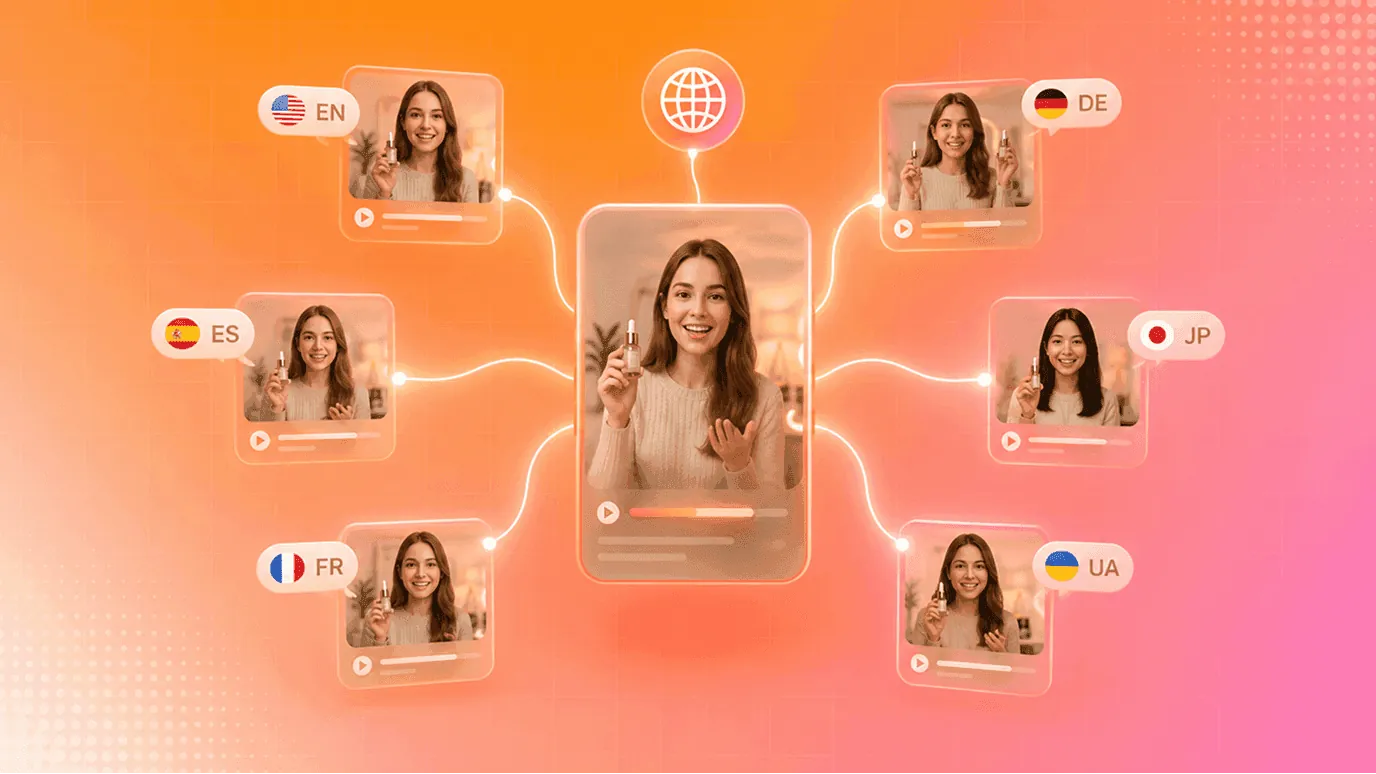
C'est là que l'IA réalise ce qu'une caméra traditionnelle ne pourra jamais faire. À partir d'une seule vidéo de référence, vous pouvez générer des déclinaisons dans des dizaines de langues, et y insérer différents prénoms, offres ou messages spécifiques à chaque segment. Un seul enregistrement se décline en une centaine de versions ultra-ciblées.
Le workflow : créez la vidéo de référence, puis générez des variantes localisées et personnalisées au lieu de tout retourner. Pour un lancement mondial ou une campagne e-mailing segmentée, cela transforme un mois complet de production en une simple après-midi de travail.
6. Tests intensifs de créas publicitaires
Idéal pour les équipes paid dont le facteur limitant est la création de contenu, et non le budget.
Les plateformes publicitaires actuelles récompensent ceux qui leur fournissent le plus de variantes solides, et la création est généralement le facteur limitant. Ce workflow repose sur le volume : partez d'un concept de base et déclinez-le en de nombreuses versions, en changeant à chaque fois l'accroche, le CTA, l'avatar ou le format, puis laissez les performances désigner les gagnantes. Un outil de type canevas comme AdFlow est conçu pour cela, puisque vous remplacez un composant par branche sans reconstruire toute la publicité.
Le workflow : validez une première publicité de référence, déclinez-la en une douzaine de variantes en ne modifiant qu'un élément à chaque fois, lancez vos tests et allouez plus de budget aux deux ou trois versions gagnantes.
7. Recyclage de contenus longs en clips courts
Idéal pour tous ceux qui disposent de podcasts, de webinaires ou de longues vidéos de formation.
Le contenu existe déjà, ce workflow consiste simplement à l'exploiter. Importez une vidéo longue et un outil de montage IA se chargera d'isoler les moments forts, de les découper en clips courts et d'ajouter des sous-titres ainsi que des visuels, transformant ainsi un seul webinaire en une semaine complète de publications sociales.
Le workflow : téléchargez la source, laissez l'outil identifier les passages les plus pertinents, puis ajustez et sous-titrez les meilleurs clips pour chaque plateforme. C'est le contenu le plus rentable que vous puissiez produire, car l'essentiel de la création a déjà été financé au départ.
À lire aussi : Comment concevoir une publicité qui génère de vrais résultats
Comment obtenir de meilleurs résultats lors de la création de vos vidéos IA
Quel que soit le workflow choisi parmi les sept présentés, quelques bonnes habitudes vous permettront d'augmenter votre taux de réussite.
Soyez précis dans vos prompts. Un prompt comme « Une personne qui cuisine » donnera un résultat générique et sans âme. Préférez plutôt : « Gros plan sur les mains d'un chef dressant une assiette, vapeur qui s'élève, lumière chaude de cuisine filtrant à travers une fenêtre, faible profondeur de champ, rendu cinéma ». Décrivez précisément le sujet, l'action, l'angle de caméra, la lumière et le style recherché.
Adaptez le format à la plateforme. Générez du 9:16 pour TikTok, Reels et Shorts, du 16:9 pour YouTube et du 1:1 ou 4:5 pour les flux d'actualités classiques, tout en veillant à ce que vos vidéos sociales restent courtes. Une vidéo conçue dans le mauvais format donne immédiatement l'impression d'un contenu recyclé à la hâte.
Restez cohérent. Utilisez systématiquement les mêmes images de référence et un kit de marque enregistré pour garantir que vos couleurs, logos et personnages restent identiques d'un clip à l'autre, et privilégiez les formats courts pour limiter les dérives visuelles.
Testez sans réserve. Générez plusieurs versions et laissez les performances chiffrées guider vos choix. Le premier essai est rarement le meilleur, et le coût de génération de cinq variantes supplémentaires est quasiment nul.
La réglementation : transparence, droits d'auteur et consentement
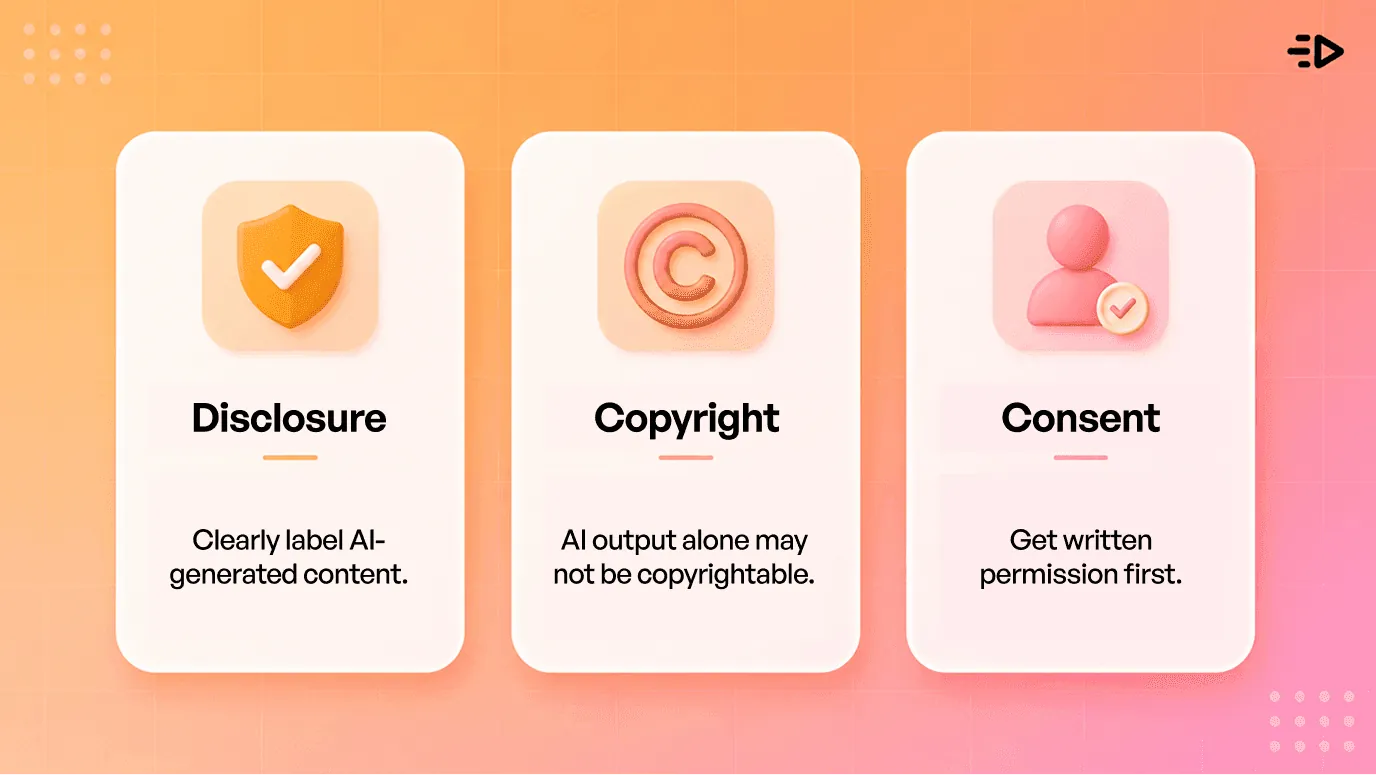
La vidéo IA implique certaines obligations légales à connaître avant toute publication.
Déclarez l'usage de contenus générés par IA. La réglementation évolue vite : les règles de transparence de l'article 50 de l'IA Act européen s'appliqueront dès le 2 août 2026. Elles imposent que les vidéos, audios, images et textes générés par IA soient identifiés comme tels, et que les deepfakes soient clairement signalés. La plupart des réseaux sociaux imposent également leurs propres règles d'étiquetage IA. Cette transparence est par ailleurs une excellente pratique marketing, les audiences réagissant plus favorablement aux marques qui jouent la carte de la clarté.
Attention aux droits d'auteur. Selon les directives actuelles de l'office américain des droits d'auteur (US Copyright Office), un contenu purement généré par IA ne peut généralement pas faire l'objet de droits d'auteur, la protection juridique exigeant une contribution humaine significative. Apportez une réelle touche de montage humain et des choix créatifs, et protégez vos actifs de marque (comme les logos ou mascottes) via le droit des marques plutôt que de vous reposer uniquement sur le droit d'auteur. Le cadre légal évoluant rapidement, n'hésitez pas à solliciter un conseil juridique professionnel pour tout projet à fort enjeu.
Obtenez le consentement des personnes réelles. Si vous utilisez le visage ou la voix d'une personne réelle, demandez impérativement son autorisation écrite explicite au préalable, et ne simulez jamais une recommandation ou des propos qu'elle n'aurait pas tenus.
Par où commencer
Nul besoin de déployer les sept workflows d'un coup. Identifiez celui qui répond à votre besoin le plus urgent, sélectionnez un produit ou un sujet unique, rédigez un prompt ultra-précis et générez quelques courtes variantes. Retouchez la meilleure option, publiez-la et analysez ses performances.
Vous pouvez également tester ces solutions à moindre coût. La majorité des outils de vidéo IA (y compris Creatify) proposent des essais gratuits ou à faible coût, ce qui reste la meilleure façon de vous familiariser avec le workflow avant d'y consacrer un véritable budget publicitaire. Créez une première vidéo de bout en bout : toute cette théorie deviendra immédiatement concrète.
À lire aussi : Comment créer un personnage IA pour vos publicités et réseaux sociaux
Foire Aux Questions
Comment concevoir des vidéos IA ?
Sélectionnez le workflow adapté à vos objectifs, puis suivez ces étapes simples : planifiez le script et le plan, générez le clip avec un prompt détaillé, ajustez jusqu'à obtenir le bon rendu, assemblez et peaufinez, puis publiez. Pour de la vidéo marketing, la méthode la plus rapide consiste à coller l'URL d'un produit pour en faire une publicité ou à donner un script à un avatar IA pour un clip de style UGC.
Comment créer des vidéos IA gratuitement ?
Plusieurs outils de vidéo IA proposent une formule gratuite qui vous permet de générer quelques vidéos sans frais. Ces versions gratuites limitent généralement la durée, la résolution ou le nombre de rendus et appliquent un filigrane, mais elles s'avèrent parfaites pour tester un workflow avant de passer à un abonnement payant.
Quelle est la meilleure approche pour créer des vidéos IA destinées aux publicités et aux réseaux sociaux ?
Pour vos campagnes social ads payantes, les deux workflows les plus rentables sont les vidéos de produits générées à partir d'une simple URL et les publicités basées sur des avatars UGC, toutes deux conçues au format vertical 9:16. Préparez plusieurs variantes d'accroches, lancez vos tests et capitalisez sur les créas gagnantes plutôt que de miser sur un seul et unique rendu.
Quelle est la durée idéale pour une vidéo IA ?
Privilégiez les formats courts : d'une part, car les contenus courts performent mieux sur les réseaux sociaux, d'autre part, car la qualité de génération IA est beaucoup plus fiable sur quelques secondes que sur plusieurs minutes. Pour des publicités sociales, visez une durée de 15 à 30 secondes et construisez vos contenus plus longs en assemblant plusieurs clips courts plutôt qu'en tentant de générer une longue séquence d'un seul coup.
Les vidéos IA sont-elles d'assez bonne qualité pour de vraies campagnes ?
Oui, tout à fait, pour les formats que l'IA maîtrise parfaitement : publicités produits, vidéos sociales de style UGC, tutoriels et contenus localisés. De nombreuses marques les utilisent déjà à grande échelle. La clé du succès consiste à capitaliser sur les points forts de l'outil, à privilégier les clips courts et à appliquer une validation humaine au montage avant toute diffusion.
Dois-je obligatoirement mentionner qu'une vidéo a été générée par IA ?
De plus en plus, oui. L'IA Act européen impose l'étiquetage et la détectabilité des contenus générés par IA à compter d'août 2026. De nombreuses plateformes appliquent déjà leurs propres règles de transparence, et la clarté envers vos utilisateurs s'avère bien plus payante pour instaurer la confiance que de tenter de le masquer. En cas de doute, signalez-le.