
Niyah Ali
SHARE


IN THIS ARTICLE
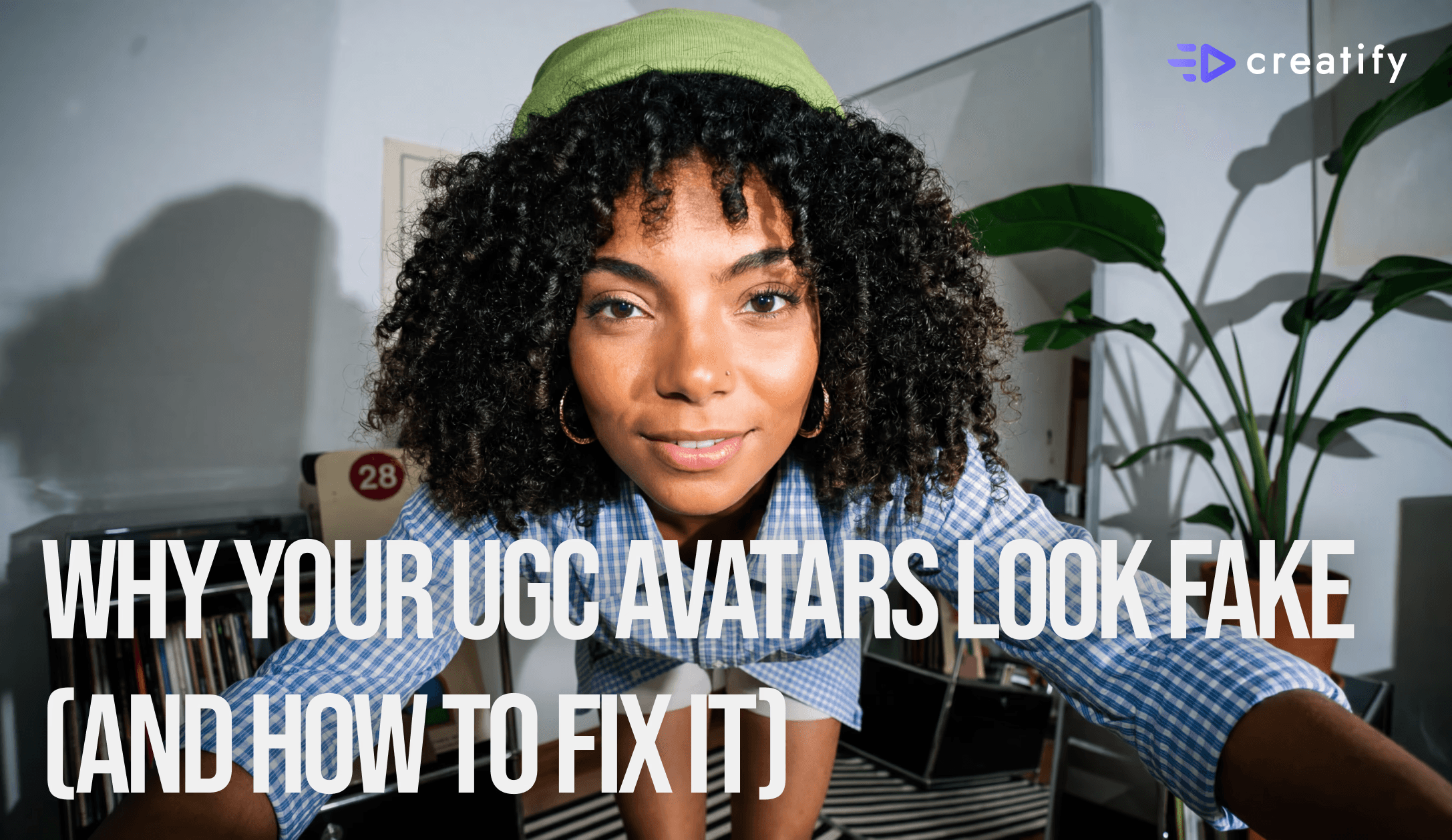
Why AI UGC Ads Look Fake — And the 4-Part Fix | Creatify
The gap between AI UGC that converts and AI UGC that just fills a feed comes down to one thing: believability. Here's the framework for building personas that actually work.

The Real Reason Your AI UGC Isn't Converting
Most people blame the technology. The avatar looks slightly off, the voice sounds robotic, the ad feels fake. But the tech isn't the problem. Creatify has over 1,500 pre-built avatars, a custom Aurora model, voice cloning via ElevenLabs, and creator templates that handle environment and style automatically. The problem is how people are using it.
UGC works because of a simple psychological mechanic. When someone sees what looks like a real person talking about a product, their brain skips the skepticism filter and pays attention — that's why UGC ads consistently deliver 4x higher click-through rates and 50% lower cost per click compared to traditional creative. The second something feels off — too polished, too perfect, too uncanny — that mechanism breaks and the viewer doesn't convert.
Before you think about hooks or scripts, you have to get the persona right.
3 Ways to Build UGC Avatars in Creatify
Creatify gives you three entry points depending on how much control you want.
The avatar library is the fastest path — over 1,500 pre-built avatars across different ethnicities, ages, and styles. Pick one that looks like your actual buyer (not the most polished option), write a script, and generate. The key isn't perfection — it's fit.
The Aurora custom model lets you upload any image — AI-generated or real — and combine it with audio from Creatify's ElevenLabs voice library. You can also use avatar prompting to control expressions, gestures, and delivery style, giving you far more customization and letting you build multiple distinct UGC-style talking heads from a single model.
UGC creator templates are pre-built packs where the environment and visual style are already done for you. Drop in a script and a product photo, hit generate, and you get an avatar with built-in believability — because the environments are designed to signal authenticity automatically.
The 4-Part Believability Framework
Once you've picked your avatar pathway, these four elements determine whether your persona actually converts.
Product-persona fit. Your avatar has to visually make sense for what they're selling. If you're targeting college students, your avatar should look like a college student describing a problem college students actually have. The fit has to be obvious at a glance.
Natural imperfection in delivery. The best-performing UGC voices aren't polished — they have slight pauses before key phrases, casual framing, and delivery that signals "real person." Don't chase perfection; chase authenticity. Creatify's voice tools let you tune for exactly this.
Voice consistency. Your avatar is a character, and their voice is part of their identity. Whether you're cloning a voice, picking from the accent library, or using a preset, keep it locked in across every single ad. Switching voices breaks the character and the trust it's built.
Same face, different context. Consistency doesn't mean every ad looks identical — it means the person looks recognizable. Creatify lets you take one avatar and change the visual context entirely: selfie mode, sitting on a couch, different environments, different activities. When your audience sees that same face again, familiarity builds trust before the script has even started.
The Workflow That Makes It Scale
Start with two or three personas max. For each one, keep your avatar prompting consistent — same gestures, same expressions, same delivery style — and use that brief every time you generate. If you're using Aurora, lock in all your generation settings: prompting, captions, voice.
Once you find a persona plus script-and-voice combination that performs, save it as a template. You can reuse it across your entire product catalog without rebuilding from scratch. This is where AI creative compounds — the same avatars scaling across more products, more ads, more placements, without losing consistency or quality.
Volume Without Believability Doesn't Convert
Most people running UGC ads optimize for volume — more hooks, more variations, more output. Volume matters, but it only works if the foundation is right. A hundred ads with an unbelievable persona is just a hundred ads that don't convert.
Make your persona consistent, fit them to the product, and make them believable. That's the difference between AI creative that performs and AI creative that just fills a feed.
👉 Try Creatify free → https://app.creatify.ai/auth/login
Why AI UGC Ads Look Fake — And the 4-Part Fix | Creatify
The gap between AI UGC that converts and AI UGC that just fills a feed comes down to one thing: believability. Here's the framework for building personas that actually work.
The Real Reason Your AI UGC Isn't Converting
Most people blame the technology. The avatar looks slightly off, the voice sounds robotic, the ad feels fake. But the tech isn't the problem. Creatify has over 1,500 pre-built avatars, a custom Aurora model, voice cloning via ElevenLabs, and creator templates that handle environment and style automatically. The problem is how people are using it.
UGC works because of a simple psychological mechanic. When someone sees what looks like a real person talking about a product, their brain skips the skepticism filter and pays attention — that's why UGC ads consistently deliver 4x higher click-through rates and 50% lower cost per click compared to traditional creative. The second something feels off — too polished, too perfect, too uncanny — that mechanism breaks and the viewer doesn't convert.
Before you think about hooks or scripts, you have to get the persona right.
3 Ways to Build UGC Avatars in Creatify
Creatify gives you three entry points depending on how much control you want.
The avatar library is the fastest path — over 1,500 pre-built avatars across different ethnicities, ages, and styles. Pick one that looks like your actual buyer (not the most polished option), write a script, and generate. The key isn't perfection — it's fit.
The Aurora custom model lets you upload any image — AI-generated or real — and combine it with audio from Creatify's ElevenLabs voice library. You can also use avatar prompting to control expressions, gestures, and delivery style, giving you far more customization and letting you build multiple distinct UGC-style talking heads from a single model.
UGC creator templates are pre-built packs where the environment and visual style are already done for you. Drop in a script and a product photo, hit generate, and you get an avatar with built-in believability — because the environments are designed to signal authenticity automatically.
The 4-Part Believability Framework
Once you've picked your avatar pathway, these four elements determine whether your persona actually converts.
Product-persona fit. Your avatar has to visually make sense for what they're selling. If you're targeting college students, your avatar should look like a college student describing a problem college students actually have. The fit has to be obvious at a glance.
Natural imperfection in delivery. The best-performing UGC voices aren't polished — they have slight pauses before key phrases, casual framing, and delivery that signals "real person." Don't chase perfection; chase authenticity. Creatify's voice tools let you tune for exactly this.
Voice consistency. Your avatar is a character, and their voice is part of their identity. Whether you're cloning a voice, picking from the accent library, or using a preset, keep it locked in across every single ad. Switching voices breaks the character and the trust it's built.
Same face, different context. Consistency doesn't mean every ad looks identical — it means the person looks recognizable. Creatify lets you take one avatar and change the visual context entirely: selfie mode, sitting on a couch, different environments, different activities. When your audience sees that same face again, familiarity builds trust before the script has even started.
The Workflow That Makes It Scale
Start with two or three personas max. For each one, keep your avatar prompting consistent — same gestures, same expressions, same delivery style — and use that brief every time you generate. If you're using Aurora, lock in all your generation settings: prompting, captions, voice.
Once you find a persona plus script-and-voice combination that performs, save it as a template. You can reuse it across your entire product catalog without rebuilding from scratch. This is where AI creative compounds — the same avatars scaling across more products, more ads, more placements, without losing consistency or quality.
Volume Without Believability Doesn't Convert
Most people running UGC ads optimize for volume — more hooks, more variations, more output. Volume matters, but it only works if the foundation is right. A hundred ads with an unbelievable persona is just a hundred ads that don't convert.
Make your persona consistent, fit them to the product, and make them believable. That's the difference between AI creative that performs and AI creative that just fills a feed.
👉 Try Creatify free → https://app.creatify.ai/auth/login