
Veo 3: Cinematic video ads from product descriptions

Veo 3: Cinematic video ads from product descriptions

Written by

Creatify Team

cinematic ads with veo3.
Creatify logo

Creatify Team

SHARE

LinkedIn icon
X icon
Facebook icon

IN THIS ARTICLE

Forget about expensive location shoots. Veo 3 recreates million-dollar sets from text descriptions.

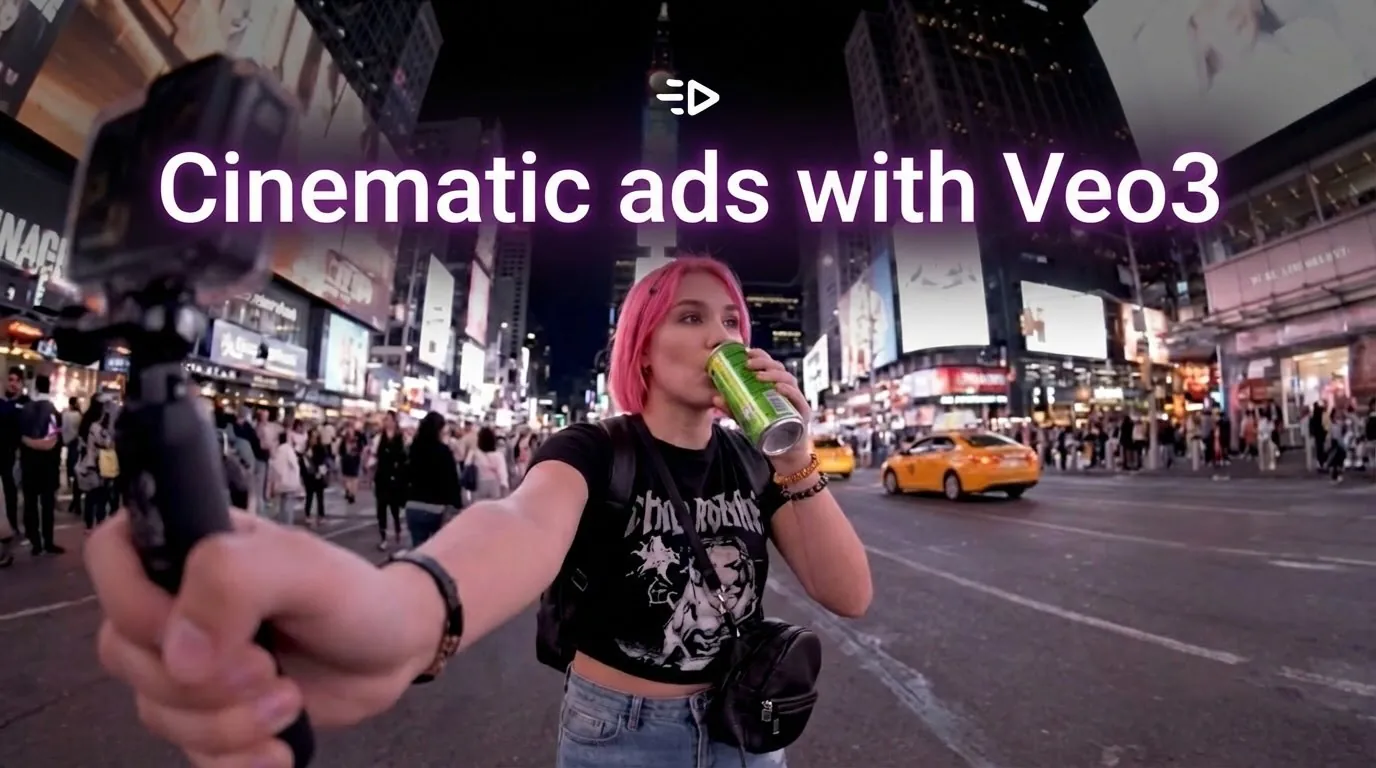
Want your product shown in Times Square at night with neon reflections? A rooftop parkour sequence at sunset? A busy restaurant kitchen during dinner rush? Just describe it. Veo 3 generates movie-quality footage that would normally cost $10,000-$100,000 to film with crews, permits, and travel budgets.

This is genuinely mindblowing. Combined with Creatify's avatar and script capabilities, you can now create Hollywood-budget video ads entirely from your desk. No location permits. No crew coordination. No travel. Just cinematic scenes that look professionally shot on location.

This changes the game for AI video ads. The scenes that perform best - dramatic urban environments, adventure sports, luxury locations - were previously accessible only to brands with massive production budgets. Now they're available to everyone.

What Veo 3 generates

Cinematic scenarios that would cost $10K-$50K to film: woman running through Times Square at night with neon reflections, athlete doing parkour across rooftops at sunset, chef working in bustling restaurant kitchen, aerial drone shots circling surfer at sunrise, slow-motion friends around beach bonfire.

Reality show-style drama, movie-quality product placement, Hollywood camera work - all generated from text descriptions.

How it works in Creatify

Access Veo 3 through Asset Generator's video tab.

Text-to-video: Describe the scene like directing a movie - "Overhead shot following cyclist racing through narrow European streets during early morning fog, product mounted on handlebars."

Image-to-video: Upload a product photo, describe cinematic camera work - "Camera circles around product while city traffic blurs in background."

Generated videos save to Smart Assets. Combine with AI avatars for complete ads mixing cinematic b-roll with spokesperson delivery.

Why this changes the game for AI video ads

The expensive scenes that stop the scroll on TikTok ads and YouTube ads - Times Square, mountain highways, beach bonfires, urban rooftops - are now accessible without production budgets. Generate in 9:16 for TikTok, 16:9 for YouTube, or 1:1 for feeds.

Test 10 different expensive concepts - rooftop parties, subway platforms, forest trails, city nightlife - before committing to actual production. Create seasonal content (beach in December, snow in summer) on demand. Film impossible locations you could never afford with permits and crews.


Frequently Asked Questions

Can I use Veo 3 videos in commercial ads?

Yes. All Veo 3-generated videos are cleared for commercial use across TikTok ads, YouTube ads, Instagram, Facebook, and mobile advertising.


How realistic are Veo 3 videos?

Veo 3 produces cinematic-quality video that matches expensive location shoots with professional crews. The output looks like it was filmed on location in Times Square, mountain highways, or busy restaurants - not generated by AI.


What's the difference between Veo 3 and Veo 3.1?

Veo 3 provides high-quality cinematic video. Veo 3.1 offers even higher fidelity with improved motion consistency. Both available in Creatify's Asset Generator.


Can I generate videos from existing product photos?

Yes. Use image-to-video mode. Upload your product photo and describe the camera movement - Veo 3 animates it into cinematic footage.


Do Veo 3 videos save to Smart Assets?

Yes. All generated videos can be saved to your Smart Assets library for reuse across campaigns.
Forget about expensive location shoots. Veo 3 recreates million-dollar sets from text descriptions.

Want your product shown in Times Square at night with neon reflections? A rooftop parkour sequence at sunset? A busy restaurant kitchen during dinner rush? Just describe it. Veo 3 generates movie-quality footage that would normally cost $10,000-$100,000 to film with crews, permits, and travel budgets.

This is genuinely mindblowing. Combined with Creatify's avatar and script capabilities, you can now create Hollywood-budget video ads entirely from your desk. No location permits. No crew coordination. No travel. Just cinematic scenes that look professionally shot on location.

This changes the game for AI video ads. The scenes that perform best - dramatic urban environments, adventure sports, luxury locations - were previously accessible only to brands with massive production budgets. Now they're available to everyone.

What Veo 3 generates

Cinematic scenarios that would cost $10K-$50K to film: woman running through Times Square at night with neon reflections, athlete doing parkour across rooftops at sunset, chef working in bustling restaurant kitchen, aerial drone shots circling surfer at sunrise, slow-motion friends around beach bonfire.

Reality show-style drama, movie-quality product placement, Hollywood camera work - all generated from text descriptions.

How it works in Creatify

Access Veo 3 through Asset Generator's video tab.

Text-to-video: Describe the scene like directing a movie - "Overhead shot following cyclist racing through narrow European streets during early morning fog, product mounted on handlebars."

Image-to-video: Upload a product photo, describe cinematic camera work - "Camera circles around product while city traffic blurs in background."

Generated videos save to Smart Assets. Combine with AI avatars for complete ads mixing cinematic b-roll with spokesperson delivery.

Why this changes the game for AI video ads

The expensive scenes that stop the scroll on TikTok ads and YouTube ads - Times Square, mountain highways, beach bonfires, urban rooftops - are now accessible without production budgets. Generate in 9:16 for TikTok, 16:9 for YouTube, or 1:1 for feeds.

Test 10 different expensive concepts - rooftop parties, subway platforms, forest trails, city nightlife - before committing to actual production. Create seasonal content (beach in December, snow in summer) on demand. Film impossible locations you could never afford with permits and crews.


Frequently Asked Questions

Can I use Veo 3 videos in commercial ads?

Yes. All Veo 3-generated videos are cleared for commercial use across TikTok ads, YouTube ads, Instagram, Facebook, and mobile advertising.


How realistic are Veo 3 videos?

Veo 3 produces cinematic-quality video that matches expensive location shoots with professional crews. The output looks like it was filmed on location in Times Square, mountain highways, or busy restaurants - not generated by AI.


What's the difference between Veo 3 and Veo 3.1?

Veo 3 provides high-quality cinematic video. Veo 3.1 offers even higher fidelity with improved motion consistency. Both available in Creatify's Asset Generator.


Can I generate videos from existing product photos?

Yes. Use image-to-video mode. Upload your product photo and describe the camera movement - Veo 3 animates it into cinematic footage.


Do Veo 3 videos save to Smart Assets?

Yes. All generated videos can be saved to your Smart Assets library for reuse across campaigns.

Icon
Icon

Ready to turn your product into an engaging video?

Ready to speed up your marketing?

Test your new product ideas in minutes with AI-generated video ads

Arrow icon.
Gradient

Ready to speed up your marketing?

Test your new product ideas in minutes with AI-generated video ads

Arrow icon.
Gradient

Ready to speed up your marketing?

Test your new product ideas in minutes with AI-generated video ads

Arrow icon.
Gradient

Ready to speed up your marketing?

Test your new product ideas in minutes with AI-generated video ads

Arrow icon.
Gradient
Gradient