

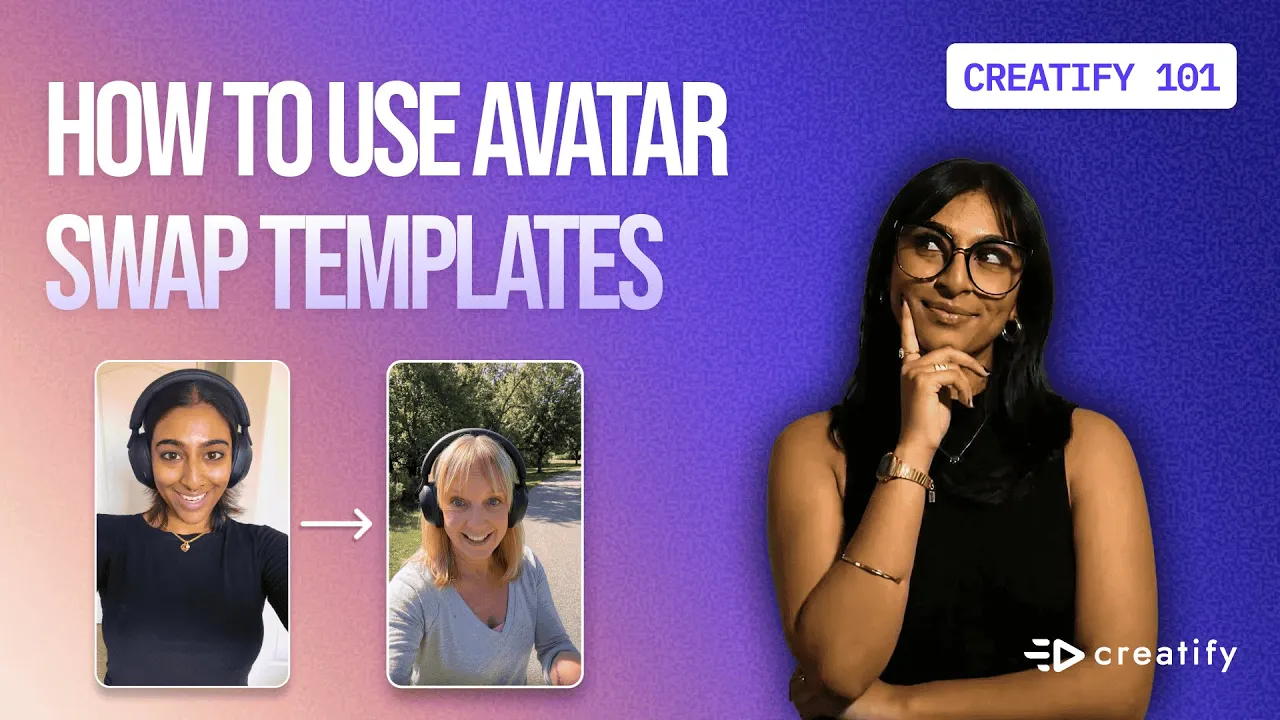
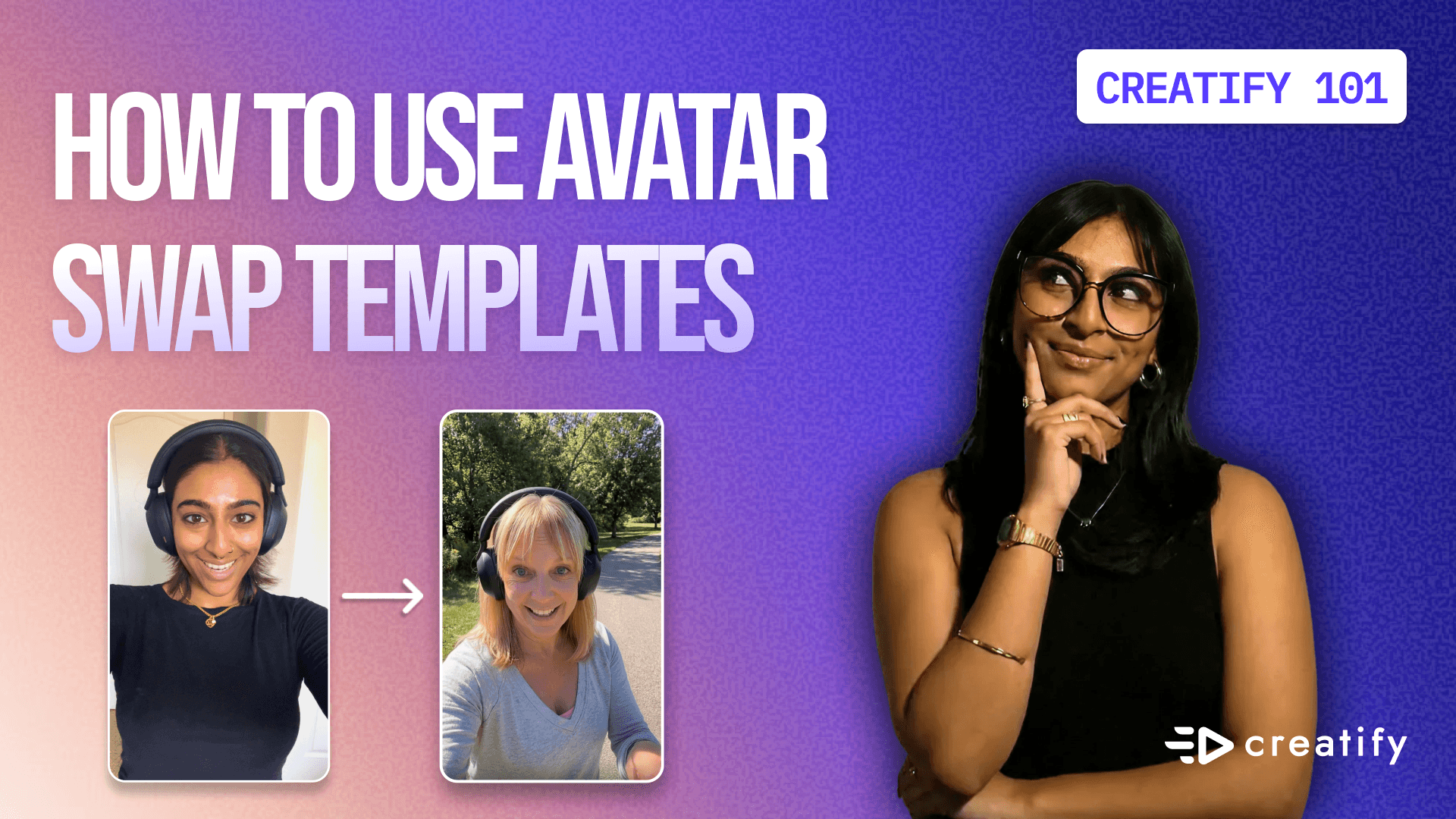
How to use Avatar Swap Templates (more coming soon!)
How to use Avatar Swap Templates (more coming soon!)

Creatify Team
SHARE


IN THIS ARTICLE
How To Use Avatar Swap Templates For Product Videos | Creatify
Create AI versions of yourself from a 10-second video. Avatar Swap preserves your movements, voice, and gestures while swapping you into professional templates.
How to create professional product videos without showing your face
Want to promote your products with professional-looking videos but don't want to appear on camera yourself?
Avatar Swap templates solve this problem. Film yourself once with your real voice and gestures, then let AI swap you into polished, professional avatar templates.
Your movements, pacing, and presence stay exactly the same. Only the appearance changes.
Here's how to create high-quality AI versions of yourself or others from a quick 10-second video upload—complete with your real voice, gestures, and product interactions.
What are Avatar Swap templates?
Avatar Swap is a feature that preserves your exact movements, pacing, and presence to generate content exactly the way you imagine it.
How it works:
Film yourself promoting a product (10 seconds)
Upload to an Avatar Swap template
AI swaps your appearance with a professional avatar
Your voice, gestures, and timing stay identical
Download your polished promotional video
The result: Professional-looking content that sounds and moves like you, without requiring you to be on camera.
Why this matters for small businesses
Say you're a small business owner with products or merch to sell. You have a very specific way you want to promote them, but you don't want yourself on camera necessarily.
Traditional options:
Hire a model or spokesperson (expensive)
Film yourself anyway (uncomfortable)
Skip video entirely (missed opportunity)
Avatar Swap solution: Film yourself promoting the product, then use one of Creatify's avatars to carry the rest of the promotional material and professionalism.
You get the authenticity of your own voice and gestures with the polish of professional talent.
Finding Avatar Swap templates
Start on Creatify's product homepage. Instead of navigating to the tools at the top, scroll down to "Social and UGC Ads."
This is where Avatar Swap currently lives, along with any UGC or influencer-styled content.
Click into "Avatar Swap" and you'll see multiple templates to choose from. Each template represents a different setting, style, or vibe:
Outdoor walking
Indoor product showcase
Casual lifestyle scenes
Professional settings
Pick the template that best matches your product and brand message.
Creating your first Avatar Swap video
For this example, we'll promote Sony headphones using an outdoor template to capture the right vibe.
Step 1: Select your template
Click on the outdoor avatar template and hit "Recreate."
Step 2: Review filming instructions
A popup appears with clear, specific directions on how to film your 10-second video for best results.
Example instructions: "Please upload a video featuring a person walking outdoors within 10 seconds."
Each template includes specific guidance tailored to that scene.
Step 3: Choose your type selection
This is a critical setting that shapes how you're selling your products.
Two options:
Replace character only: Swaps just the person while keeping your original background and environment.
Replace character and background: Swaps both the person AND the environment, fully contextualizing your video within the template's setting.
When to use each:
Character only: When your location is already perfect
Character + background: When you want a completely different setting or don't have ideal filming conditions
This flexibility allows you to test different personas or different ways to communicate certain messages.
Important filming requirements
Gender matching: The gender of the person in your video must match the gender of the avatar in the template you choose. This ensures consistent results.
Voice changes: If you wish to change the voice to a different voice, upload a video with the audio muted to get the best results.
Video length: Keep it to 10 seconds or less for optimal performance.
Uploading your video
You have two upload options:
File browser: Upload directly from your computer.
Smart Assets: Choose from videos you've already saved to Creatify.
Why Smart Assets matters: Creatify understands what it means to have unity with all your content. Smart Assets is accessible from many different spaces within Creatify, unifying everything for faster content creation.
If you've already filmed promotional videos, save them to Smart Assets and reuse them across different templates without re-uploading.
Example walkthrough: Sony headphones promo
Here's what the original 10-second video looks like:
"Hi guys, I want to show you my new headphones I just bought, now retailing for $100 with a 20% off promo in the link in bio. All right, I'll talk to you soon. Bye."
What happened in the video:
Walked around outdoors
Wore the product (headphones)
Spoke naturally about the offer
Maintained eye contact with camera
Used natural hand gestures
Step-by-step process:
Upload the video via file browser
Select type: Replace character and background
Click generate
Wait 5-10 minutes for rendering
The result: Side-by-side comparison
Once generation completes, compare your original video to the Avatar Swap output.
What stays the same:
Your exact voice (tone, pacing, inflection)
Your gestures and hand movements
Your facial expressions timing
Your walking pace and body language
Your script and messaging
What changes:
Your physical appearance (swapped to professional avatar)
The background environment (if you selected that option)
The overall polish and production quality
The outcome: A professional-looking promotional video that sounds and moves exactly like you, but with a polished avatar appearance and ideal setting.
Key advantages of Avatar Swap
1. No filming anxiety You never have to worry about how you look on camera. Your voice and personality shine through without visual self-consciousness.
2. Perfect locations every time Don't have access to ideal filming locations? Swap your background into professional settings without leaving your home.
3. Consistent branding Use the same avatar across multiple products to build brand recognition and consistency.
4. Test different personas Try different avatar styles to see which resonates best with your audience—all from the same original video.
5. Unlimited variations Film once, then swap into multiple templates to create different versions for different platforms or campaigns.
6. No lighting concerns Your original video doesn't need perfect lighting. The Avatar Swap template handles the visual quality.
Best practices for Avatar Swap success
Script naturally: Don't read from a script robotically. Speak conversationally like you're talking to a friend.
Use product interactions: Hold, wear, or demonstrate the product physically. These gestures transfer to the avatar.
Maintain energy: Your pacing and enthusiasm carry through. If you're energetic, the avatar will be too.
Film in good lighting (for your original): While the final output replaces your appearance, clear original footage helps the AI track your movements better.
Match template requirements: If the template says "walking outdoors," actually walk outdoors in your original video for best results.
Keep it under 10 seconds: Longer videos can lose sync accuracy. Stick to the recommended length.
Use cases beyond product promos
Avatar Swap isn't just for selling physical products.
Service businesses: Create explainer videos for your services without appearing on camera.
Course creators: Generate promotional content for courses using professional avatars.
Social media content: Create consistent branded content across platforms.
Testimonials and reviews: Have customers film authentic reviews, then polish them with Avatar Swap.
Multilingual marketing: Film once in your language, then swap avatars for different regional markets.
Brand storytelling: Tell your brand story through consistent avatar characters.
Saving and reusing templates
After generating your Avatar Swap video, you have the option to turn it into a template.
Why create templates? Reusable assets are incredibly important with video and image ad generation. Having this option is a great way to produce content even faster.
How to save: Click "Save as Template" after generation. Now you can use this exact setup for future products without starting from scratch.
The production advantage
Traditional video production:
Hire talent ($$$)
Book location (logistics nightmare)
Set up lighting (technical expertise)
Multiple takes (time-consuming)
Edit footage (hours of work)
Avatar Swap workflow:
Film yourself once (10 seconds)
Upload to template (1 minute)
Generate (5-10 minutes)
Download (instant)
Total time: About 15 minutes from filming to finished video.
Who should use Avatar Swap
Solopreneurs who need professional content without showing their face
Small businesses promoting products on limited budgets
Content creators maintaining consistent brand presence
Marketers testing different personas and messaging angles
Ecommerce brands scaling video production without hiring talent
Anyone camera-shy who wants to create video content without the anxiety
Getting started with Avatar Swap
Ready to create your first Avatar Swap video?
The workflow:
Navigate to Social and UGC Ads
Click Avatar Swap
Choose a template that matches your vibe
Film your 10-second video following the instructions
Upload and select your type (character only or character + background)
Generate and wait 5-10 minutes
Download your professional promotional video
How To Use Avatar Swap Templates For Product Videos | Creatify
Create AI versions of yourself from a 10-second video. Avatar Swap preserves your movements, voice, and gestures while swapping you into professional templates.
How to create professional product videos without showing your face
Want to promote your products with professional-looking videos but don't want to appear on camera yourself?
Avatar Swap templates solve this problem. Film yourself once with your real voice and gestures, then let AI swap you into polished, professional avatar templates.
Your movements, pacing, and presence stay exactly the same. Only the appearance changes.
Here's how to create high-quality AI versions of yourself or others from a quick 10-second video upload—complete with your real voice, gestures, and product interactions.
What are Avatar Swap templates?
Avatar Swap is a feature that preserves your exact movements, pacing, and presence to generate content exactly the way you imagine it.
How it works:
Film yourself promoting a product (10 seconds)
Upload to an Avatar Swap template
AI swaps your appearance with a professional avatar
Your voice, gestures, and timing stay identical
Download your polished promotional video
The result: Professional-looking content that sounds and moves like you, without requiring you to be on camera.
Why this matters for small businesses
Say you're a small business owner with products or merch to sell. You have a very specific way you want to promote them, but you don't want yourself on camera necessarily.
Traditional options:
Hire a model or spokesperson (expensive)
Film yourself anyway (uncomfortable)
Skip video entirely (missed opportunity)
Avatar Swap solution: Film yourself promoting the product, then use one of Creatify's avatars to carry the rest of the promotional material and professionalism.
You get the authenticity of your own voice and gestures with the polish of professional talent.
Finding Avatar Swap templates
Start on Creatify's product homepage. Instead of navigating to the tools at the top, scroll down to "Social and UGC Ads."
This is where Avatar Swap currently lives, along with any UGC or influencer-styled content.
Click into "Avatar Swap" and you'll see multiple templates to choose from. Each template represents a different setting, style, or vibe:
Outdoor walking
Indoor product showcase
Casual lifestyle scenes
Professional settings
Pick the template that best matches your product and brand message.
Creating your first Avatar Swap video
For this example, we'll promote Sony headphones using an outdoor template to capture the right vibe.
Step 1: Select your template
Click on the outdoor avatar template and hit "Recreate."
Step 2: Review filming instructions
A popup appears with clear, specific directions on how to film your 10-second video for best results.
Example instructions: "Please upload a video featuring a person walking outdoors within 10 seconds."
Each template includes specific guidance tailored to that scene.
Step 3: Choose your type selection
This is a critical setting that shapes how you're selling your products.
Two options:
Replace character only: Swaps just the person while keeping your original background and environment.
Replace character and background: Swaps both the person AND the environment, fully contextualizing your video within the template's setting.
When to use each:
Character only: When your location is already perfect
Character + background: When you want a completely different setting or don't have ideal filming conditions
This flexibility allows you to test different personas or different ways to communicate certain messages.
Important filming requirements
Gender matching: The gender of the person in your video must match the gender of the avatar in the template you choose. This ensures consistent results.
Voice changes: If you wish to change the voice to a different voice, upload a video with the audio muted to get the best results.
Video length: Keep it to 10 seconds or less for optimal performance.
Uploading your video
You have two upload options:
File browser: Upload directly from your computer.
Smart Assets: Choose from videos you've already saved to Creatify.
Why Smart Assets matters: Creatify understands what it means to have unity with all your content. Smart Assets is accessible from many different spaces within Creatify, unifying everything for faster content creation.
If you've already filmed promotional videos, save them to Smart Assets and reuse them across different templates without re-uploading.
Example walkthrough: Sony headphones promo
Here's what the original 10-second video looks like:
"Hi guys, I want to show you my new headphones I just bought, now retailing for $100 with a 20% off promo in the link in bio. All right, I'll talk to you soon. Bye."
What happened in the video:
Walked around outdoors
Wore the product (headphones)
Spoke naturally about the offer
Maintained eye contact with camera
Used natural hand gestures
Step-by-step process:
Upload the video via file browser
Select type: Replace character and background
Click generate
Wait 5-10 minutes for rendering
The result: Side-by-side comparison
Once generation completes, compare your original video to the Avatar Swap output.
What stays the same:
Your exact voice (tone, pacing, inflection)
Your gestures and hand movements
Your facial expressions timing
Your walking pace and body language
Your script and messaging
What changes:
Your physical appearance (swapped to professional avatar)
The background environment (if you selected that option)
The overall polish and production quality
The outcome: A professional-looking promotional video that sounds and moves exactly like you, but with a polished avatar appearance and ideal setting.
Key advantages of Avatar Swap
1. No filming anxiety You never have to worry about how you look on camera. Your voice and personality shine through without visual self-consciousness.
2. Perfect locations every time Don't have access to ideal filming locations? Swap your background into professional settings without leaving your home.
3. Consistent branding Use the same avatar across multiple products to build brand recognition and consistency.
4. Test different personas Try different avatar styles to see which resonates best with your audience—all from the same original video.
5. Unlimited variations Film once, then swap into multiple templates to create different versions for different platforms or campaigns.
6. No lighting concerns Your original video doesn't need perfect lighting. The Avatar Swap template handles the visual quality.
Best practices for Avatar Swap success
Script naturally: Don't read from a script robotically. Speak conversationally like you're talking to a friend.
Use product interactions: Hold, wear, or demonstrate the product physically. These gestures transfer to the avatar.
Maintain energy: Your pacing and enthusiasm carry through. If you're energetic, the avatar will be too.
Film in good lighting (for your original): While the final output replaces your appearance, clear original footage helps the AI track your movements better.
Match template requirements: If the template says "walking outdoors," actually walk outdoors in your original video for best results.
Keep it under 10 seconds: Longer videos can lose sync accuracy. Stick to the recommended length.
Use cases beyond product promos
Avatar Swap isn't just for selling physical products.
Service businesses: Create explainer videos for your services without appearing on camera.
Course creators: Generate promotional content for courses using professional avatars.
Social media content: Create consistent branded content across platforms.
Testimonials and reviews: Have customers film authentic reviews, then polish them with Avatar Swap.
Multilingual marketing: Film once in your language, then swap avatars for different regional markets.
Brand storytelling: Tell your brand story through consistent avatar characters.
Saving and reusing templates
After generating your Avatar Swap video, you have the option to turn it into a template.
Why create templates? Reusable assets are incredibly important with video and image ad generation. Having this option is a great way to produce content even faster.
How to save: Click "Save as Template" after generation. Now you can use this exact setup for future products without starting from scratch.
The production advantage
Traditional video production:
Hire talent ($$$)
Book location (logistics nightmare)
Set up lighting (technical expertise)
Multiple takes (time-consuming)
Edit footage (hours of work)
Avatar Swap workflow:
Film yourself once (10 seconds)
Upload to template (1 minute)
Generate (5-10 minutes)
Download (instant)
Total time: About 15 minutes from filming to finished video.
Who should use Avatar Swap
Solopreneurs who need professional content without showing their face
Small businesses promoting products on limited budgets
Content creators maintaining consistent brand presence
Marketers testing different personas and messaging angles
Ecommerce brands scaling video production without hiring talent
Anyone camera-shy who wants to create video content without the anxiety
Getting started with Avatar Swap
Ready to create your first Avatar Swap video?
The workflow:
Navigate to Social and UGC Ads
Click Avatar Swap
Choose a template that matches your vibe
Film your 10-second video following the instructions
Upload and select your type (character only or character + background)
Generate and wait 5-10 minutes
Download your professional promotional video

You might also like




Ready to speed up your marketing?
Test your new product ideas in minutes with AI-generated video ads


Ready to speed up your marketing?
Test your new product ideas in minutes with AI-generated video ads
Ready to speed up your marketing?
Test your new product ideas in minutes with AI-generated video ads
Ready to speed up your marketing?
Test your new product ideas in minutes with AI-generated video ads

Generate engaging video ads for your products
from any URL



Creatify Lab • Copyright © 2026
Language
English
Features
Tools
Generate engaging video ads for your products
from any URL
Creatify Lab • Copyright © 2026
Language
English
Features
Tools
Generate engaging video ads for your products
from any URL
Creatify Lab • Copyright © 2026
Language
English
Features
Tools
Use Cases
YouTube
Snapchat
Shopify
Create AI Avatar
OTT & CTV
Lead Generation
Generate engaging video ads for your products
from any URL
Creatify Lab • Copyright © 2026
Language
English
Features
Tools

