
Niyah Ali
SHARE


IN THIS ARTICLE
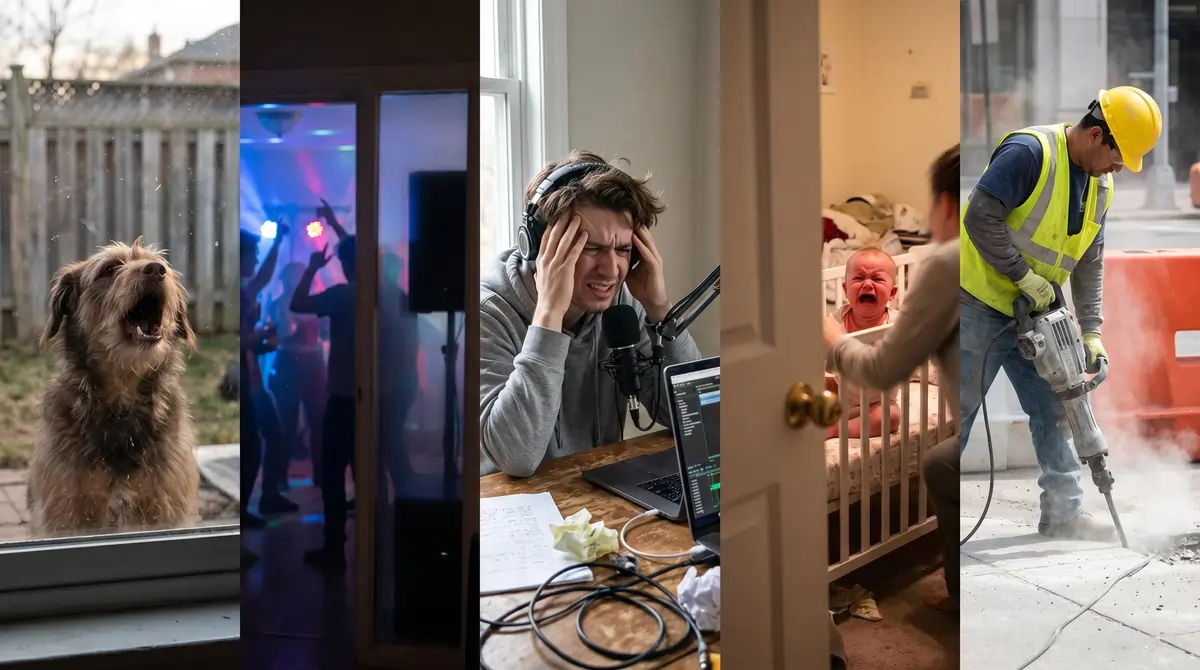
Your mic picked up the neighbor's dog. Take 14. The room sounds like a bathroom. You've been recording for two hours and have 90 seconds of usable audio.
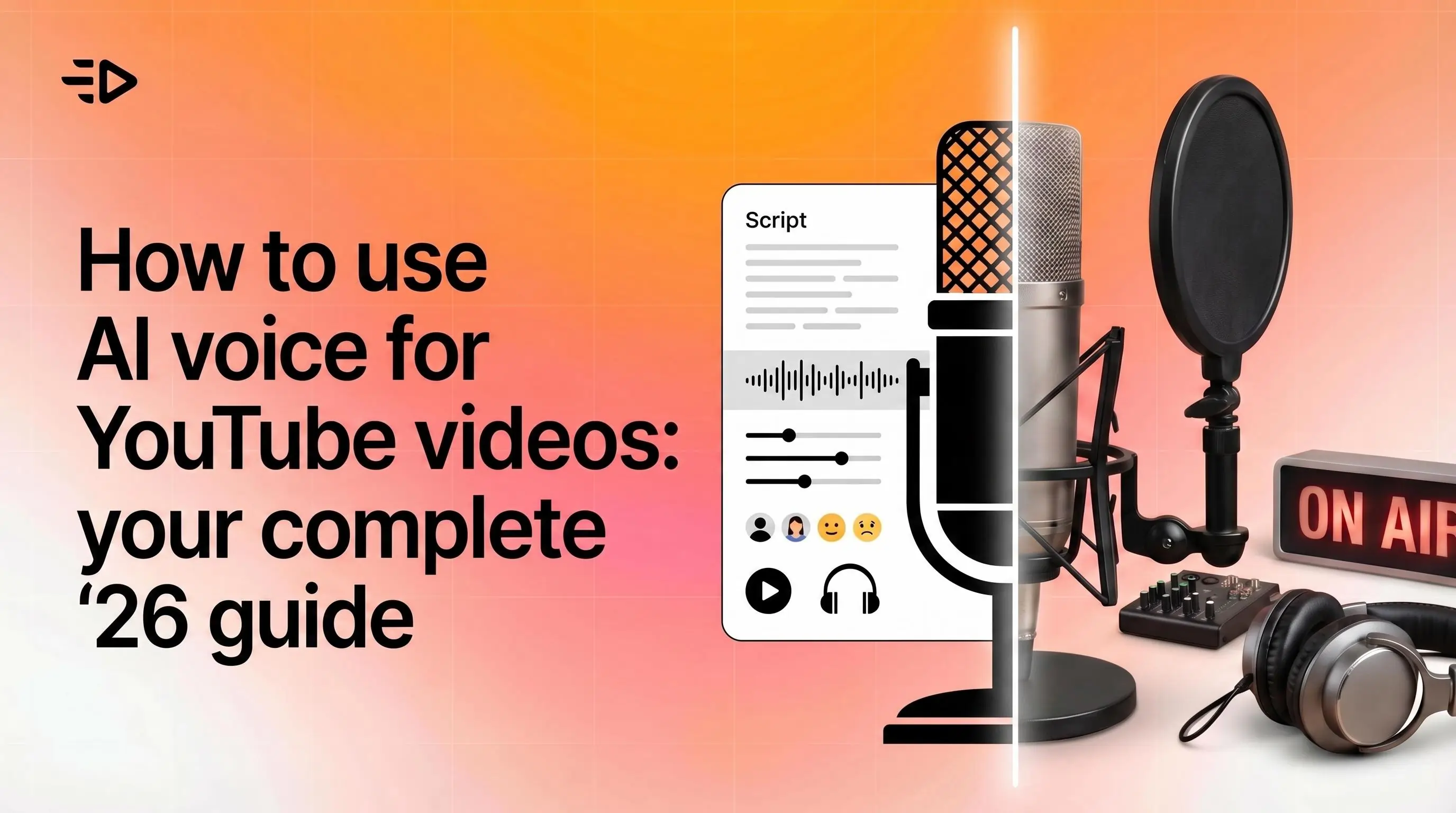
There's a faster way. AI voice generators turn a finished script into clean, professional voiceover in minutes. This guide covers how to use AI voice for YouTube videos end-to-end: tool selection, workflow, avatar integration, and everything in between.
What you're getting with AI voice
AI voice generators use text-to-speech models to convert written scripts into spoken audio. The output quality has improved dramatically in the last two years. Modern tools like ElevenLabs produce voices that are hard to distinguish from real recordings in many contexts, with natural pacing, accurate pronunciation, and consistent tone across long scripts.
In long-form or emotionally nuanced content the difference is still noticeable, but for most YouTube formats the quality is more than sufficient. If you're figuring out how to use an AI voice for the first time, this is the format range to start with.
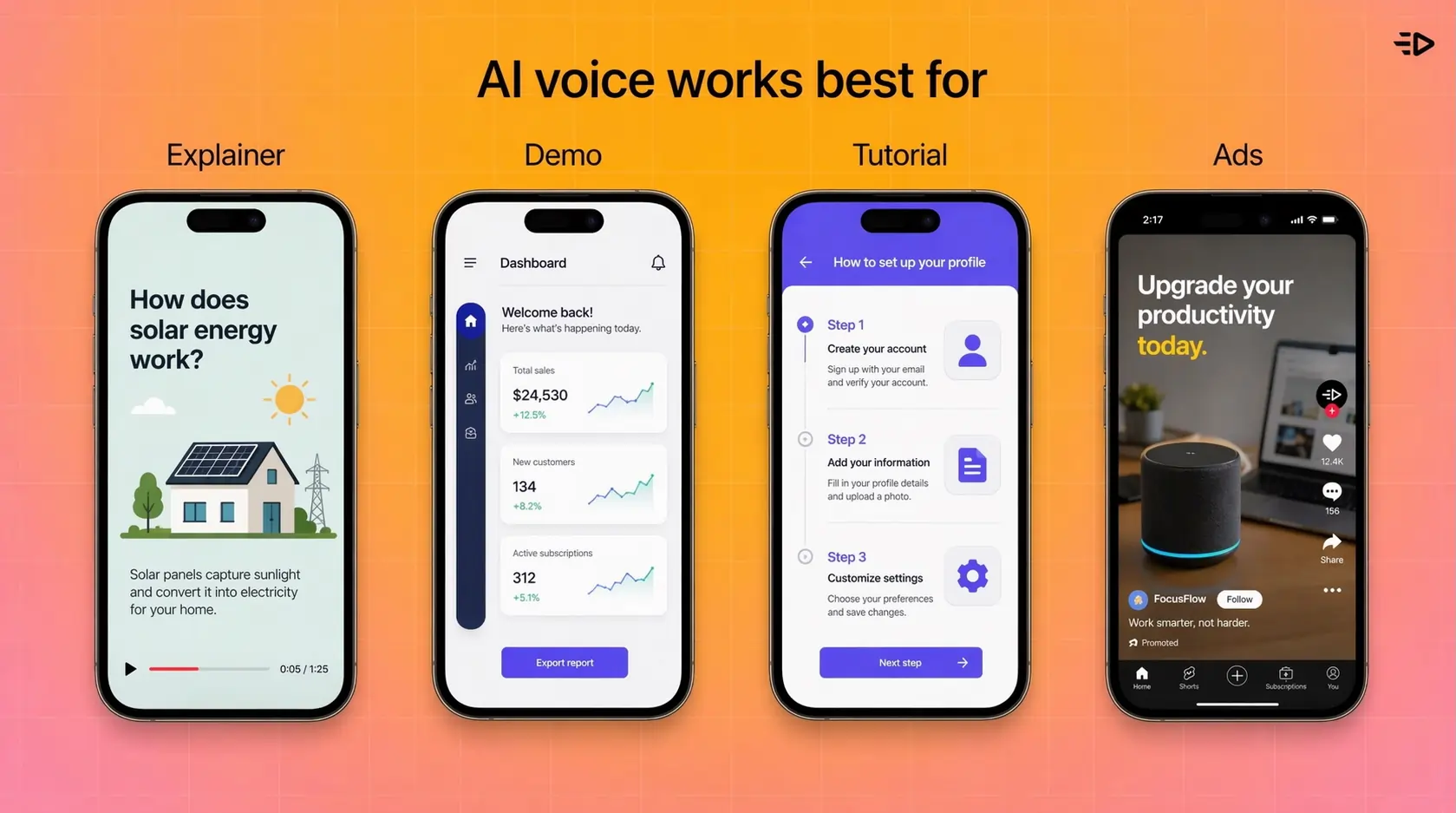
For YouTube specifically, AI voice works well for explainer videos, product demos, tutorials, narrated slideshows, ads, and any format where the voiceover carries the content rather than a visible on-camera presenter. If your format requires an on-screen speaker, you'll want to pair AI voice with an AI avatar (more on that below).
How to create an AI voiceover: step by step
Here's how to make an AI voice over from scratch, broken into the five steps that matter most.
1. Write and finalize your script first
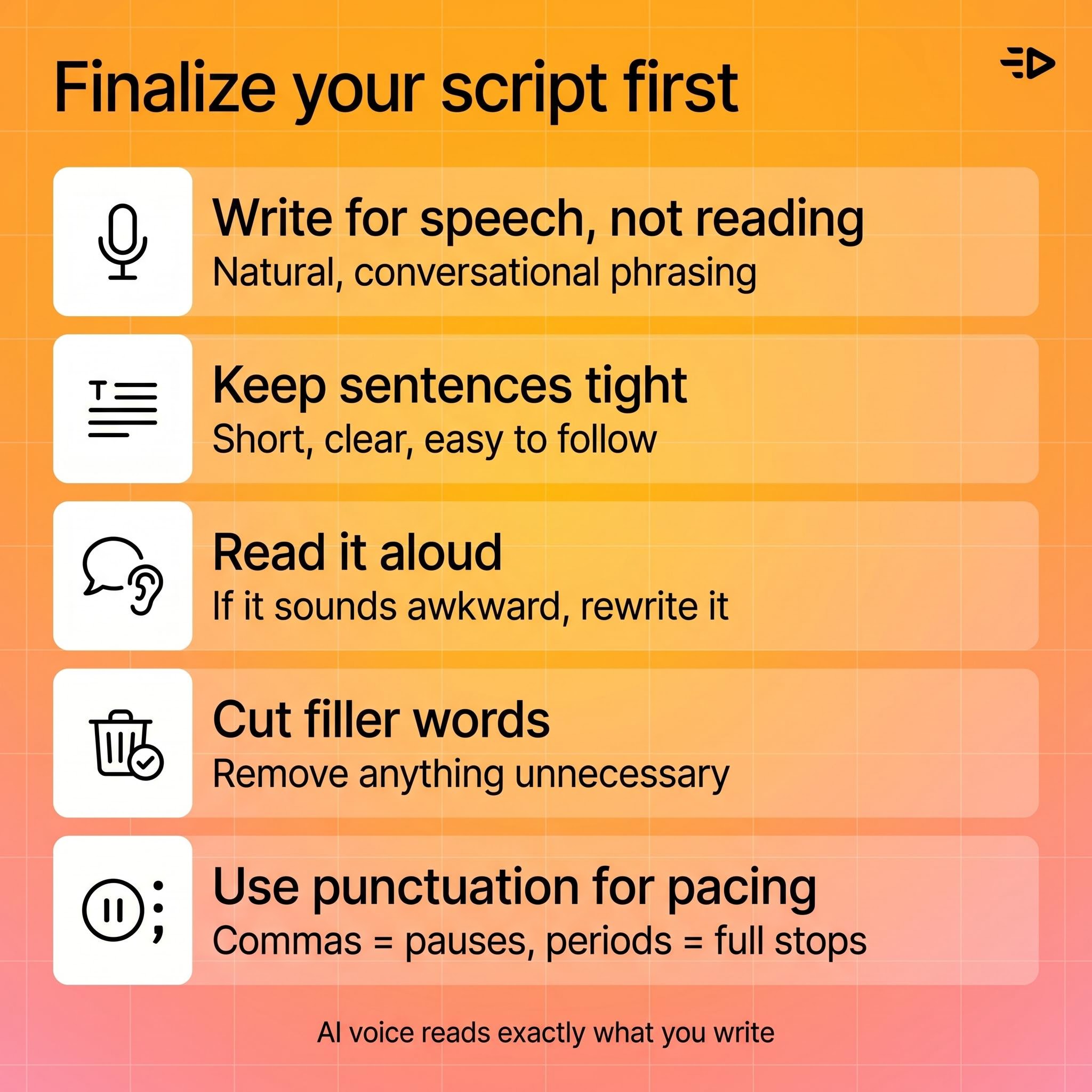
AI voice tools convert exactly what you give them. Sloppy scripts produce sloppy voiceover. Before you generate anything, finalize the script: tight sentences, natural speech patterns, clear pacing.
Read it aloud before generating. If it sounds awkward when you say it, the AI will make it sound awkward too. Cut filler, shorten sentences, and write the way people talk rather than the way people write.
Punctuation matters more than most people expect. Commas create pauses. Periods create longer pauses. If a line needs a breath in a specific place, put a comma there. Most AI voice tools read punctuation as pacing signals.
2. Choose your AI voice tool
When you're working out how to use an AI voice generator that fits YouTube, ElevenLabs is one of the top options for voiceover quality. The voice library covers hundreds of options across accents, ages, genders, and tones. The model handles emotional range well, which matters for scripts that shift between informational and persuasive. You can also clone your own voice or create a custom voice profile.
The platform supports 70+ languages, which makes it practical for creators targeting non-English audiences or running multilingual versions of the same video.
Other strong options worth knowing: PlayHT for realistic voices with a solid API, Descript if you want voice generation built into an editing workflow, and Google Cloud TTS or Microsoft Azure TTS for enterprise-grade stability and multilingual coverage.
If you're making YouTube ads or product videos rather than organic content, Creatify covers voiceover as part of a fuller workflow. The AI Script Writer generates the voiceover script, the Asset Generator and AdFlow (a node-based visual pipeline editor) handle creative production, and the output includes AI voice across 75+ languages and 210+ voices. You get script, voice, and video in one place rather than stitching tools together.
For most independent YouTube creators prioritizing output quality, ElevenLabs is the most commonly recommended starting point, therefore we’ll focus on it in this guide.
3. Select and configure the voice
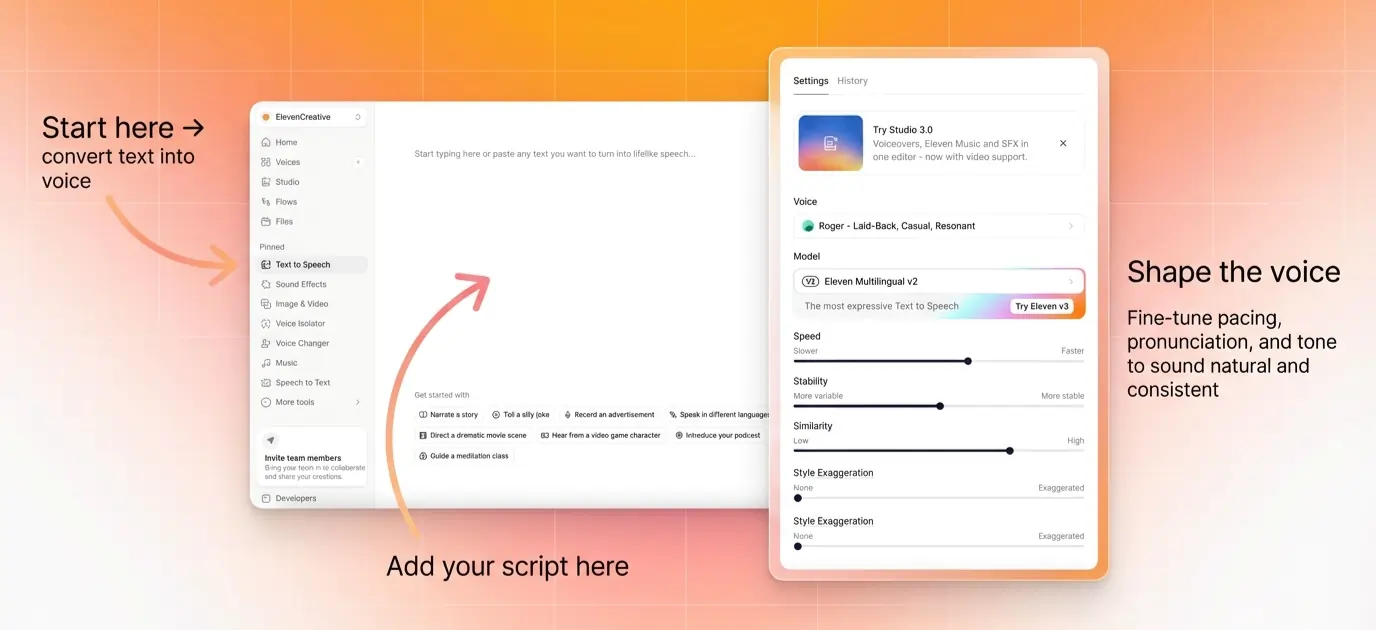
Within ElevenLabs, browse the voice library by filtering on characteristics: age, accent, gender, use case (narration, conversational, news). Listen to samples before committing.
Once you've selected a voice, you can adjust stability and clarity settings. Higher stability produces more consistent delivery across long scripts. Lower stability introduces more natural variation, which works better for conversational content. This is where most people learning how to use AI voice settings get the biggest quality jump - for YouTube narration, a middle setting tends to produce the most natural results.
4. Generate and review
Paste your script, generate the audio, and listen back in full before downloading. Check for:
Mispronounced proper nouns, brand names, or technical terms
Pacing that feels rushed or too slow at specific lines
Emphasis landing on the wrong word
If something sounds off, the fastest fix is adjusting the script rather than hunting for tool settings. Splitting a sentence into two, adding a comma, or rephrasing for natural emphasis usually resolves pacing issues faster than tweaking parameters.
5. Export and sync to your video
Download the audio file (MP3 or WAV) and import it into your video editor. Most editors (Premiere, Final Cut, DaVinci Resolve, CapCut) handle AI-generated audio the same as recorded audio.
Sync the voiceover to your visuals, then adjust your cut to match the audio rather than the other way around. AI voiceover tends to have consistent pacing, which makes it easier to edit to than variable recorded audio.
Add music underneath at a lower volume level. AI voice is clear enough that heavy background music isn't needed to cover imperfections the way it sometimes is with recorded voiceover.
How to do AI voices: tips for better output
Once you've nailed the basics of how to do AI voice over content, these tips push the output from passable to professional.
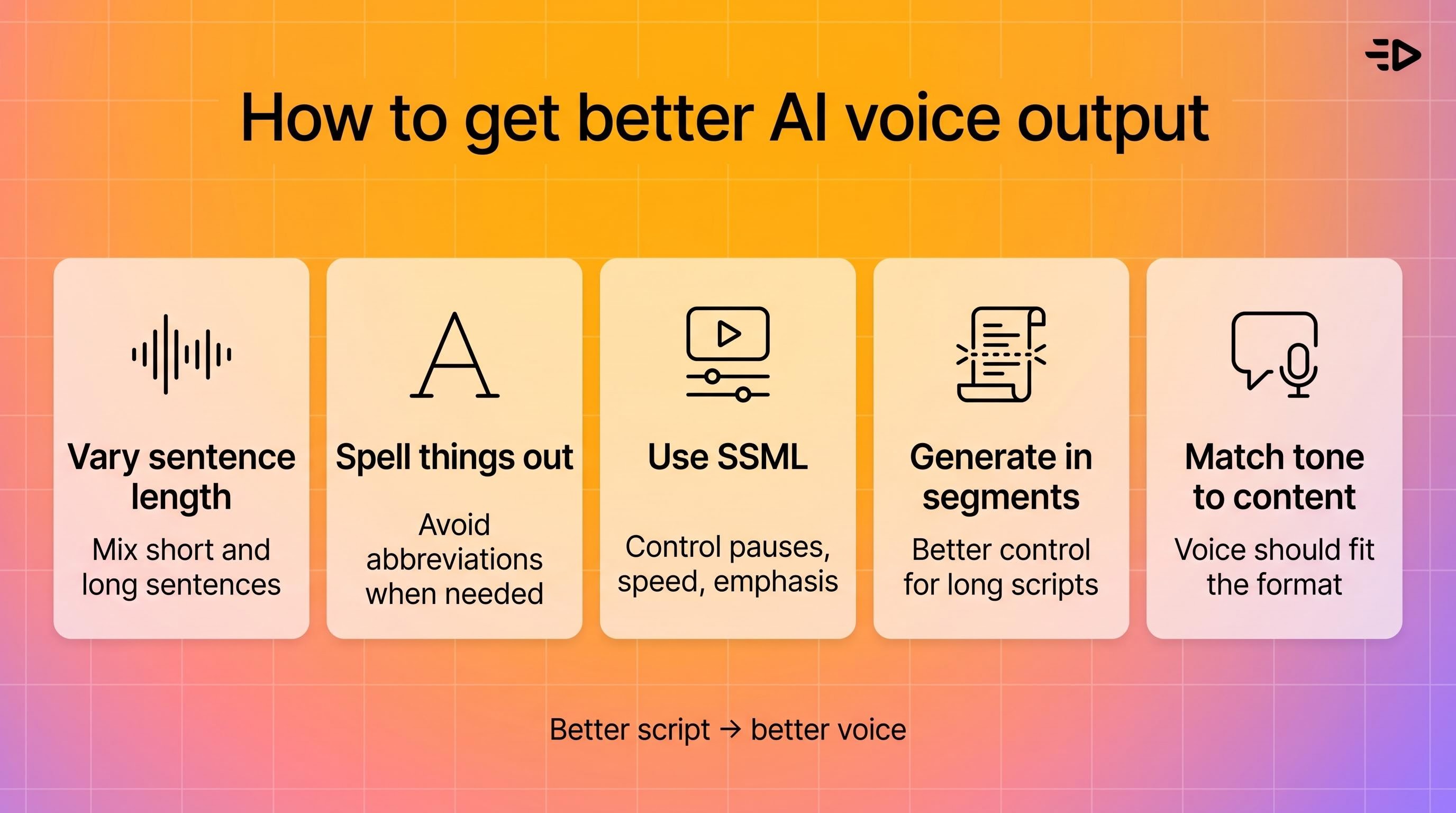
Vary sentence length in your script. Long sentences read evenly but feel monotonous. Mixing short punchy sentences with longer ones gives the AI voice more natural rhythm to work with.
Spell out abbreviations and acronyms. AI voices handle written words well but sometimes stumble on abbreviations. Write "for example" instead of "e.g." and "artificial intelligence" instead of "AI" if the full term sounds better in context.
Use SSML tags for advanced control. Most professional AI voice platforms support Speech Synthesis Markup Language (SSML), which lets you control pauses, speed, pitch, and emphasis at a granular level. For YouTube narration, adding explicit pause lengths at section transitions makes a noticeable difference.
Generate in segments for long scripts. For videos over 5-10 minutes, generate voiceover in segments rather than one long block. This gives you more control over pacing and makes re-generation faster when you need to change a section.
Match voice tone to content type. A conversational voice that works for a lifestyle vlog will sound off in a technical tutorial. Match the voice characteristics to what your audience expects from the content category.
Using an AI avatar with AI voice
If your YouTube format requires an on-screen speaker rather than just narration, AI avatars let you pair the voice with a visual presenter without filming anything.
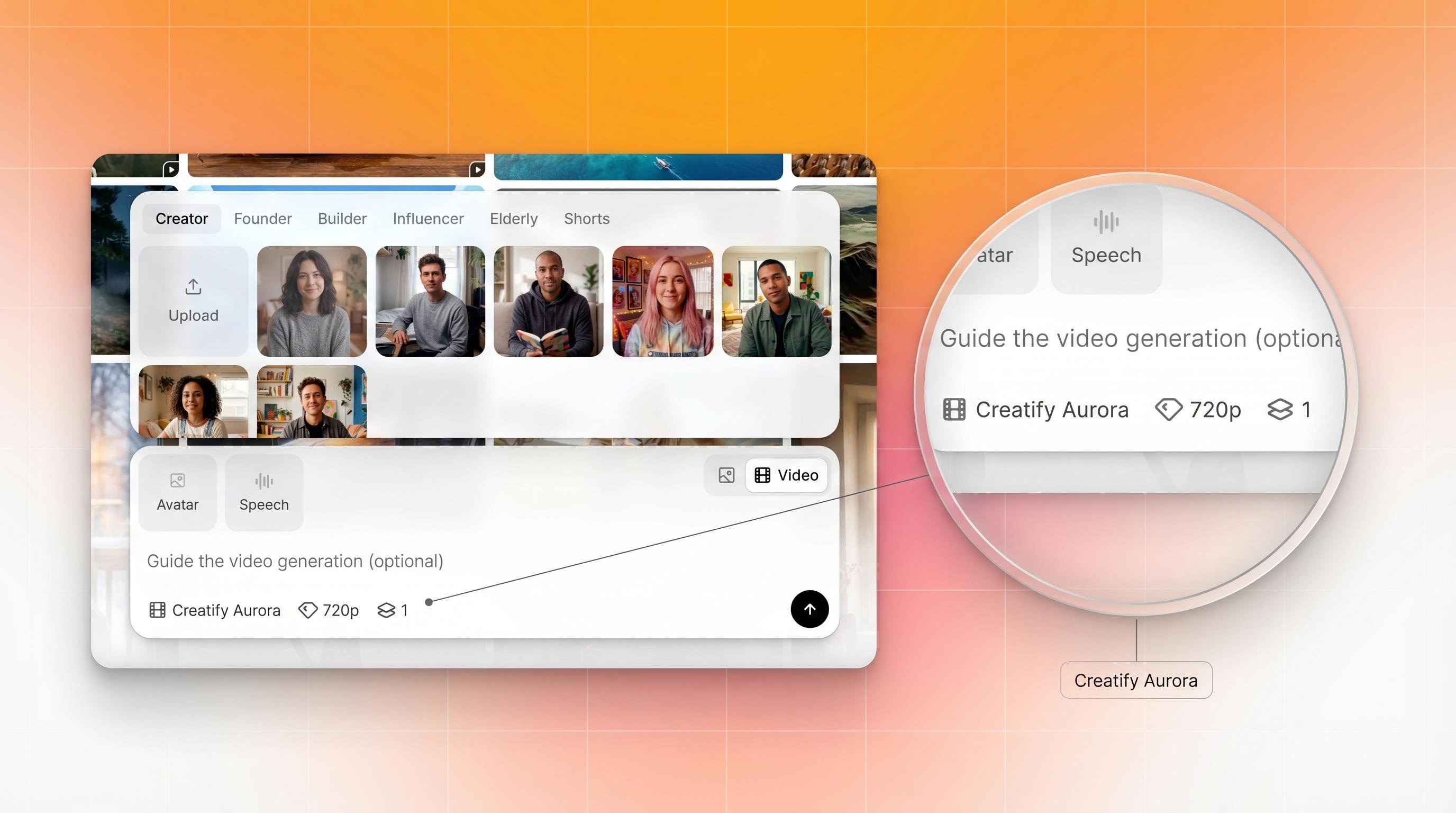
ElevenLabs now has this built in. When you create a voice in ElevenLabs, you can turn it into a talking head video using the Aurora avatar model, which was built by Creatify and launched as the first avatar model in ElevenLabs' catalog.
The workflow: create or select your ElevenLabs voice, choose an AI avatar, and generate a talking head video. Aurora handles the image-to-video conversion and syncs your voice automatically to avatar movements. The output includes realistic lip-sync, full-body expressiveness (facial, head, hands, eyes), and natural emotional range from a single image.
This is the same Aurora model powering video content for Comcast, Alibaba, and thousands of brands through Creatify. The ElevenLabs integration means you don't have to export audio files and rebuild everything in a separate video tool. You stay in one place.
Search "Creatify" or "Aurora" in the ElevenLabs model search, or filter by "Realistic" and "Lip syncing" tags to find it.
AI voice for YouTube ads specifically
If you're making YouTube ads rather than organic content, the workflow is slightly different. Ads are shorter, the hook needs to land in the first 5 seconds, and you're typically generating multiple creative variants to test rather than one final video.
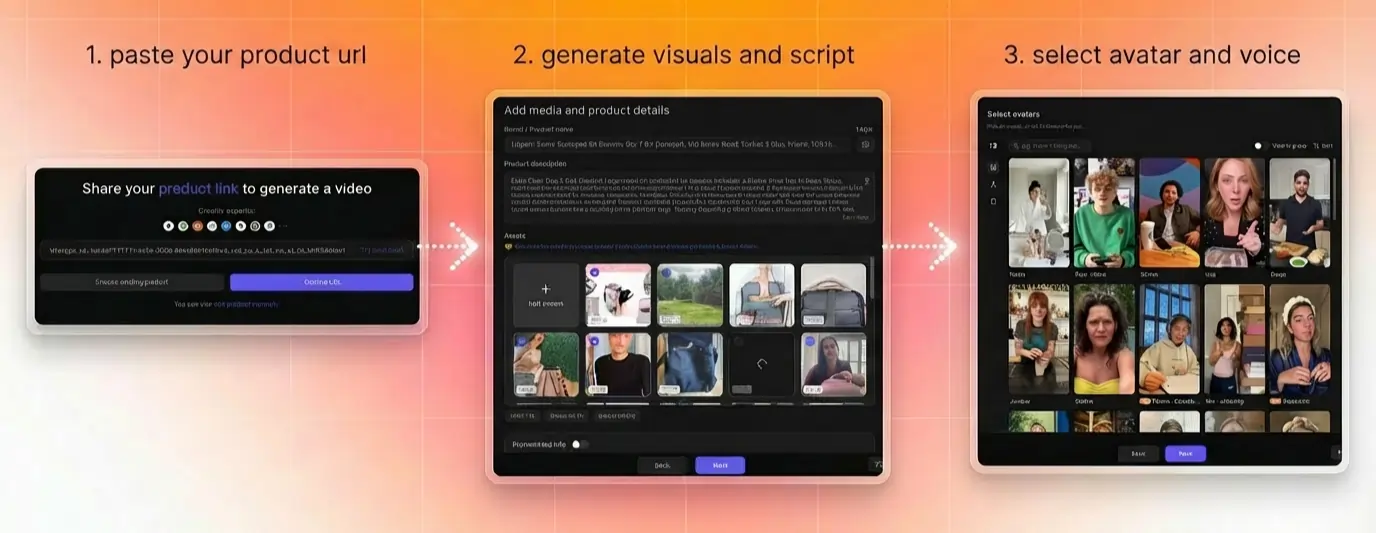
For ad production at volume, Creatify handles the full workflow: paste a product URL, select an AI avatar, choose from 75+ languages and 210+ voices, and generate multiple script and video variations automatically. The voiceover and avatar are both included in the output, which is ready to run as an ad without additional editing.
This matters most when you need 20-30 creative variants for testing rather than a single polished video. Generating that volume through a manual workflow (record, edit, sync, export, repeat) isn't practical. Automated generation is.
YouTube policy and AI voice: what to know
YouTube allows AI-generated voiceover, but a few platform rules are worth knowing before you publish.
Disclosure for altered or synthetic content. YouTube requires creators to disclose when content uses realistic AI-generated voices or faces, particularly in news, politics, or any context where the viewer might reasonably believe the content is real. YouTube provides a disclosure label in Creator Studio that marks content as altered or synthetic. For most tutorial and explainer content this isn't a compliance issue, but if your video touches sensitive topics or uses a voice that could be mistaken for a real person, disclosure is required.
Voice cloning and impersonation. Cloning another person's voice without consent can violate YouTube's policies on impersonation and harassment, as well as potentially raising legal issues depending on jurisdiction. Use licensed voice libraries or clone your own voice.
Monetization. AI-voiced channels can qualify for the YouTube Partner Program, but YouTube has tightened its criteria around low-effort or repetitive content. A channel that publishes AI-generated audio over static images or slideshows at high volume is more likely to be flagged than one that uses AI voice as part of a well-produced video. The content itself still needs to provide genuine value to viewers.
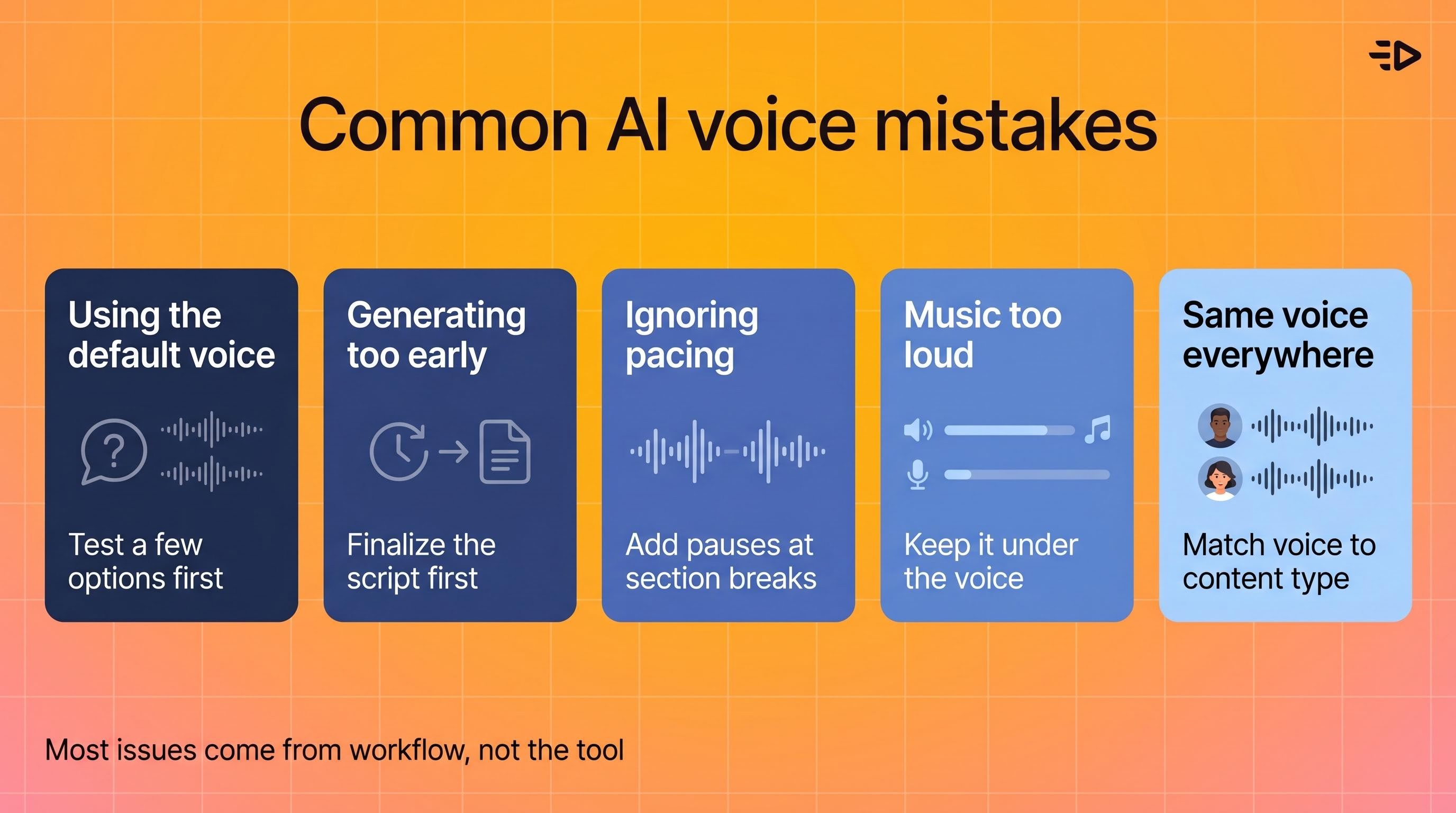
Common mistakes when using AI voiceover for YouTube
Using the default voice without listening to alternatives. The first voice in the library is rarely the best one for your content. Spend 10-15 minutes auditioning options before committing.
Generating before the script is final. Every script change means re-generating audio. Finalize the script completely before touching the voice tool.
Ignoring pacing at section transitions. AI voices move from one sentence to the next quickly. Add explicit pauses at major section breaks or the video will feel rushed even if individual sentences sound fine.
Setting background music too loud. AI voice doesn't need to compete with music the way rough recorded audio sometimes does. Keep music at 10-20% of the voiceover volume level.
Using the same voice for every video. If you produce multiple channels or content types, varying the voice by content category helps with brand differentiation and audience association.
Frequently Asked Questions
How do I use AI voice for YouTube videos?
Write and finalize your script, choose an AI voice generator (ElevenLabs is a strong option for quality), select a voice that matches your content tone, generate the audio, and sync it to your video in your editor. For short, simple videos the process from script to finished audio can take under 30 minutes. Longer or more polished content usually takes more time due to script tweaks and regeneration cycles.
How do I make an AI voiceover?
Use a text-to-speech platform like ElevenLabs. Paste your script, select a voice, adjust stability settings if needed, generate the audio, and download it as an MP3 or WAV file. Review the output before downloading and adjust the script if pacing or pronunciation sounds off.
How do I do an AI voice over without recording anything?
AI voice generators convert text to speech without any recording. You write the script, the tool generates the audio. No microphone, no room setup, no retakes. Tools like ElevenLabs produce output that sounds like a professional voice recording in most contexts.
How do I use an AI voice generator?
Sign up for a text-to-speech platform, browse the voice library and select a voice, paste your script into the text field, adjust any settings (stability, speed, tone), and generate. Most platforms let you preview before downloading. ElevenLabs, for example, supports custom voice creation, 75+ languages, and SSML for advanced pacing control.
Can I use AI voice with an AI avatar for YouTube?
Yes. ElevenLabs now includes Creatify's Aurora avatar model, which lets you turn an ElevenLabs voice into a talking head video without leaving the platform. Search "Aurora" or "Creatify" in the ElevenLabs model library. For full ad production including scripts, avatars, and multiple creative variants, Creatify handles the complete workflow.
How do I get the AI voice that sounds realistic?
ElevenLabs is widely considered the benchmark for realistic AI voice quality. Key factors: choosing a voice that matches your content tone, writing scripts with natural sentence structure and punctuation, and generating in segments for long-form content. Avoid rushing the voice selection step — audition several options before committing.
How do I do AI voices in multiple languages?
ElevenLabs supports 75+ languages. Generate your script in the target language, select a voice appropriate for that language, and generate. Creatify's platform also supports 75+ languages and 210+ voices for video ad production, which is useful when producing multilingual creative variants at scale.
What is the best AI voice tool for YouTube?
ElevenLabs leads on voice quality and realism for most YouTube use cases. It supports custom voice creation, a large voice library, SSML controls, and the Aurora avatar integration for creators who need an on-screen presenter. For YouTube ad production specifically, Creatify combines AI voice, avatars, and script generation in a single workflow built for performance marketing.
Your mic picked up the neighbor's dog. Take 14. The room sounds like a bathroom. You've been recording for two hours and have 90 seconds of usable audio.
There's a faster way. AI voice generators turn a finished script into clean, professional voiceover in minutes. This guide covers how to use AI voice for YouTube videos end-to-end: tool selection, workflow, avatar integration, and everything in between.
What you're getting with AI voice
AI voice generators use text-to-speech models to convert written scripts into spoken audio. The output quality has improved dramatically in the last two years. Modern tools like ElevenLabs produce voices that are hard to distinguish from real recordings in many contexts, with natural pacing, accurate pronunciation, and consistent tone across long scripts.
In long-form or emotionally nuanced content the difference is still noticeable, but for most YouTube formats the quality is more than sufficient. If you're figuring out how to use an AI voice for the first time, this is the format range to start with.
For YouTube specifically, AI voice works well for explainer videos, product demos, tutorials, narrated slideshows, ads, and any format where the voiceover carries the content rather than a visible on-camera presenter. If your format requires an on-screen speaker, you'll want to pair AI voice with an AI avatar (more on that below).
How to create an AI voiceover: step by step
Here's how to make an AI voice over from scratch, broken into the five steps that matter most.
1. Write and finalize your script first
AI voice tools convert exactly what you give them. Sloppy scripts produce sloppy voiceover. Before you generate anything, finalize the script: tight sentences, natural speech patterns, clear pacing.
Read it aloud before generating. If it sounds awkward when you say it, the AI will make it sound awkward too. Cut filler, shorten sentences, and write the way people talk rather than the way people write.
Punctuation matters more than most people expect. Commas create pauses. Periods create longer pauses. If a line needs a breath in a specific place, put a comma there. Most AI voice tools read punctuation as pacing signals.
2. Choose your AI voice tool
When you're working out how to use an AI voice generator that fits YouTube, ElevenLabs is one of the top options for voiceover quality. The voice library covers hundreds of options across accents, ages, genders, and tones. The model handles emotional range well, which matters for scripts that shift between informational and persuasive. You can also clone your own voice or create a custom voice profile.
The platform supports 70+ languages, which makes it practical for creators targeting non-English audiences or running multilingual versions of the same video.
Other strong options worth knowing: PlayHT for realistic voices with a solid API, Descript if you want voice generation built into an editing workflow, and Google Cloud TTS or Microsoft Azure TTS for enterprise-grade stability and multilingual coverage.
If you're making YouTube ads or product videos rather than organic content, Creatify covers voiceover as part of a fuller workflow. The AI Script Writer generates the voiceover script, the Asset Generator and AdFlow (a node-based visual pipeline editor) handle creative production, and the output includes AI voice across 75+ languages and 210+ voices. You get script, voice, and video in one place rather than stitching tools together.
For most independent YouTube creators prioritizing output quality, ElevenLabs is the most commonly recommended starting point, therefore we’ll focus on it in this guide.
3. Select and configure the voice
Within ElevenLabs, browse the voice library by filtering on characteristics: age, accent, gender, use case (narration, conversational, news). Listen to samples before committing.
Once you've selected a voice, you can adjust stability and clarity settings. Higher stability produces more consistent delivery across long scripts. Lower stability introduces more natural variation, which works better for conversational content. This is where most people learning how to use AI voice settings get the biggest quality jump - for YouTube narration, a middle setting tends to produce the most natural results.
4. Generate and review
Paste your script, generate the audio, and listen back in full before downloading. Check for:
Mispronounced proper nouns, brand names, or technical terms
Pacing that feels rushed or too slow at specific lines
Emphasis landing on the wrong word
If something sounds off, the fastest fix is adjusting the script rather than hunting for tool settings. Splitting a sentence into two, adding a comma, or rephrasing for natural emphasis usually resolves pacing issues faster than tweaking parameters.
5. Export and sync to your video
Download the audio file (MP3 or WAV) and import it into your video editor. Most editors (Premiere, Final Cut, DaVinci Resolve, CapCut) handle AI-generated audio the same as recorded audio.
Sync the voiceover to your visuals, then adjust your cut to match the audio rather than the other way around. AI voiceover tends to have consistent pacing, which makes it easier to edit to than variable recorded audio.
Add music underneath at a lower volume level. AI voice is clear enough that heavy background music isn't needed to cover imperfections the way it sometimes is with recorded voiceover.
How to do AI voices: tips for better output
Once you've nailed the basics of how to do AI voice over content, these tips push the output from passable to professional.
Vary sentence length in your script. Long sentences read evenly but feel monotonous. Mixing short punchy sentences with longer ones gives the AI voice more natural rhythm to work with.
Spell out abbreviations and acronyms. AI voices handle written words well but sometimes stumble on abbreviations. Write "for example" instead of "e.g." and "artificial intelligence" instead of "AI" if the full term sounds better in context.
Use SSML tags for advanced control. Most professional AI voice platforms support Speech Synthesis Markup Language (SSML), which lets you control pauses, speed, pitch, and emphasis at a granular level. For YouTube narration, adding explicit pause lengths at section transitions makes a noticeable difference.
Generate in segments for long scripts. For videos over 5-10 minutes, generate voiceover in segments rather than one long block. This gives you more control over pacing and makes re-generation faster when you need to change a section.
Match voice tone to content type. A conversational voice that works for a lifestyle vlog will sound off in a technical tutorial. Match the voice characteristics to what your audience expects from the content category.
Using an AI avatar with AI voice
If your YouTube format requires an on-screen speaker rather than just narration, AI avatars let you pair the voice with a visual presenter without filming anything.
ElevenLabs now has this built in. When you create a voice in ElevenLabs, you can turn it into a talking head video using the Aurora avatar model, which was built by Creatify and launched as the first avatar model in ElevenLabs' catalog.
The workflow: create or select your ElevenLabs voice, choose an AI avatar, and generate a talking head video. Aurora handles the image-to-video conversion and syncs your voice automatically to avatar movements. The output includes realistic lip-sync, full-body expressiveness (facial, head, hands, eyes), and natural emotional range from a single image.
This is the same Aurora model powering video content for Comcast, Alibaba, and thousands of brands through Creatify. The ElevenLabs integration means you don't have to export audio files and rebuild everything in a separate video tool. You stay in one place.
Search "Creatify" or "Aurora" in the ElevenLabs model search, or filter by "Realistic" and "Lip syncing" tags to find it.
AI voice for YouTube ads specifically
If you're making YouTube ads rather than organic content, the workflow is slightly different. Ads are shorter, the hook needs to land in the first 5 seconds, and you're typically generating multiple creative variants to test rather than one final video.
For ad production at volume, Creatify handles the full workflow: paste a product URL, select an AI avatar, choose from 75+ languages and 210+ voices, and generate multiple script and video variations automatically. The voiceover and avatar are both included in the output, which is ready to run as an ad without additional editing.
This matters most when you need 20-30 creative variants for testing rather than a single polished video. Generating that volume through a manual workflow (record, edit, sync, export, repeat) isn't practical. Automated generation is.
YouTube policy and AI voice: what to know
YouTube allows AI-generated voiceover, but a few platform rules are worth knowing before you publish.
Disclosure for altered or synthetic content. YouTube requires creators to disclose when content uses realistic AI-generated voices or faces, particularly in news, politics, or any context where the viewer might reasonably believe the content is real. YouTube provides a disclosure label in Creator Studio that marks content as altered or synthetic. For most tutorial and explainer content this isn't a compliance issue, but if your video touches sensitive topics or uses a voice that could be mistaken for a real person, disclosure is required.
Voice cloning and impersonation. Cloning another person's voice without consent can violate YouTube's policies on impersonation and harassment, as well as potentially raising legal issues depending on jurisdiction. Use licensed voice libraries or clone your own voice.
Monetization. AI-voiced channels can qualify for the YouTube Partner Program, but YouTube has tightened its criteria around low-effort or repetitive content. A channel that publishes AI-generated audio over static images or slideshows at high volume is more likely to be flagged than one that uses AI voice as part of a well-produced video. The content itself still needs to provide genuine value to viewers.
Common mistakes when using AI voiceover for YouTube
Using the default voice without listening to alternatives. The first voice in the library is rarely the best one for your content. Spend 10-15 minutes auditioning options before committing.
Generating before the script is final. Every script change means re-generating audio. Finalize the script completely before touching the voice tool.
Ignoring pacing at section transitions. AI voices move from one sentence to the next quickly. Add explicit pauses at major section breaks or the video will feel rushed even if individual sentences sound fine.
Setting background music too loud. AI voice doesn't need to compete with music the way rough recorded audio sometimes does. Keep music at 10-20% of the voiceover volume level.
Using the same voice for every video. If you produce multiple channels or content types, varying the voice by content category helps with brand differentiation and audience association.
Frequently Asked Questions
How do I use AI voice for YouTube videos?
Write and finalize your script, choose an AI voice generator (ElevenLabs is a strong option for quality), select a voice that matches your content tone, generate the audio, and sync it to your video in your editor. For short, simple videos the process from script to finished audio can take under 30 minutes. Longer or more polished content usually takes more time due to script tweaks and regeneration cycles.
How do I make an AI voiceover?
Use a text-to-speech platform like ElevenLabs. Paste your script, select a voice, adjust stability settings if needed, generate the audio, and download it as an MP3 or WAV file. Review the output before downloading and adjust the script if pacing or pronunciation sounds off.
How do I do an AI voice over without recording anything?
AI voice generators convert text to speech without any recording. You write the script, the tool generates the audio. No microphone, no room setup, no retakes. Tools like ElevenLabs produce output that sounds like a professional voice recording in most contexts.
How do I use an AI voice generator?
Sign up for a text-to-speech platform, browse the voice library and select a voice, paste your script into the text field, adjust any settings (stability, speed, tone), and generate. Most platforms let you preview before downloading. ElevenLabs, for example, supports custom voice creation, 75+ languages, and SSML for advanced pacing control.
Can I use AI voice with an AI avatar for YouTube?
Yes. ElevenLabs now includes Creatify's Aurora avatar model, which lets you turn an ElevenLabs voice into a talking head video without leaving the platform. Search "Aurora" or "Creatify" in the ElevenLabs model library. For full ad production including scripts, avatars, and multiple creative variants, Creatify handles the complete workflow.
How do I get the AI voice that sounds realistic?
ElevenLabs is widely considered the benchmark for realistic AI voice quality. Key factors: choosing a voice that matches your content tone, writing scripts with natural sentence structure and punctuation, and generating in segments for long-form content. Avoid rushing the voice selection step — audition several options before committing.
How do I do AI voices in multiple languages?
ElevenLabs supports 75+ languages. Generate your script in the target language, select a voice appropriate for that language, and generate. Creatify's platform also supports 75+ languages and 210+ voices for video ad production, which is useful when producing multilingual creative variants at scale.
What is the best AI voice tool for YouTube?
ElevenLabs leads on voice quality and realism for most YouTube use cases. It supports custom voice creation, a large voice library, SSML controls, and the Aurora avatar integration for creators who need an on-screen presenter. For YouTube ad production specifically, Creatify combines AI voice, avatars, and script generation in a single workflow built for performance marketing.