
Creatify Team
SHARE


IN THIS ARTICLE
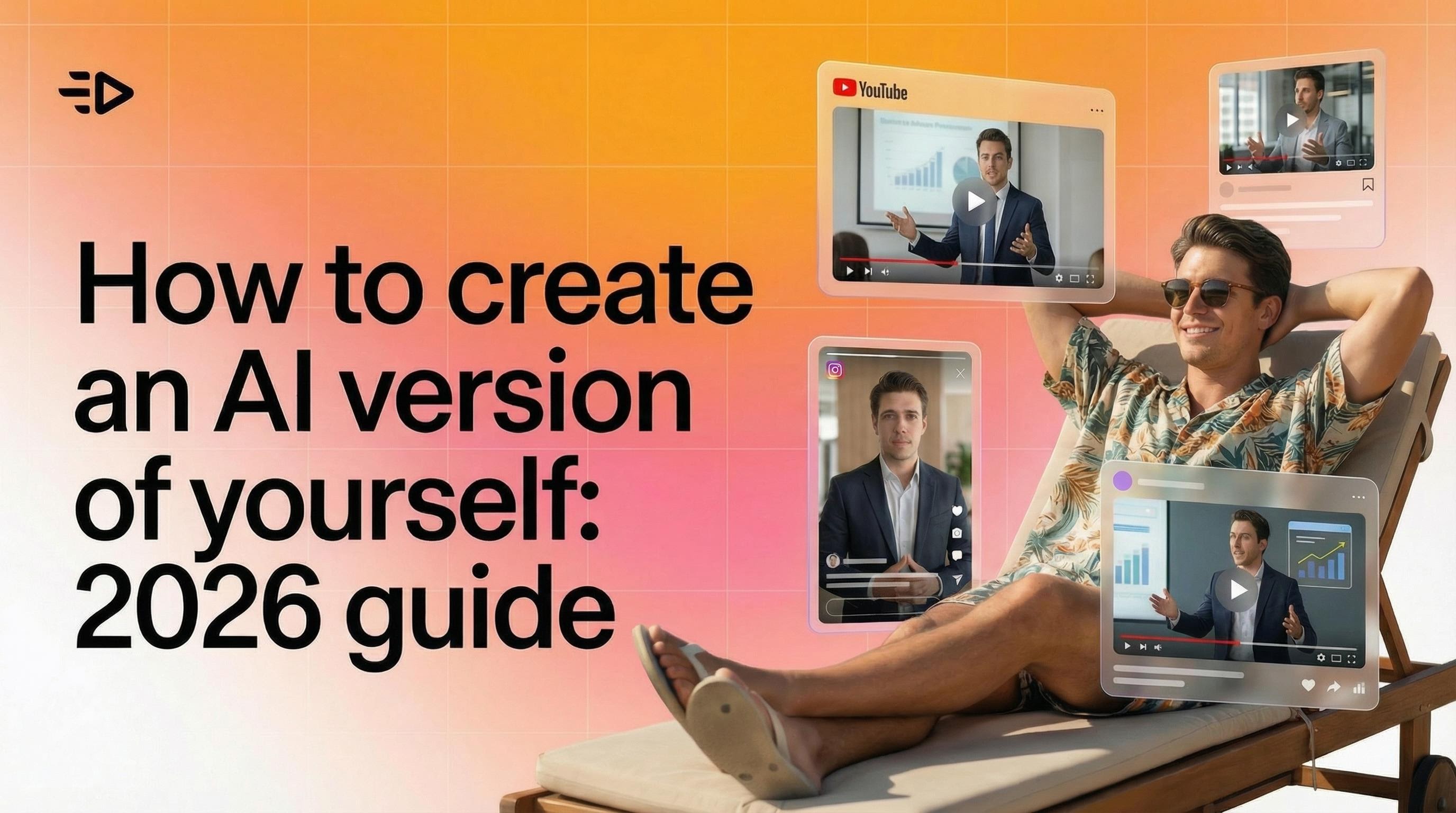
You can now create an AI version of yourself from a single photo. It talks, presents, demos products, and shows up in video after video - while you do something else entirely.
This is a practical guide to how it works, why people are doing it, and how to set yours up in Creatify.
Why create an AI clone of yourself?
The honest reason: video content works, and filming yourself is a pain.
You need good lighting. You need a quiet room. You need to nail the delivery, or sit through 12 retakes. Then you edit. Then you realize you mispronounced something on take 7 and it made the final cut.
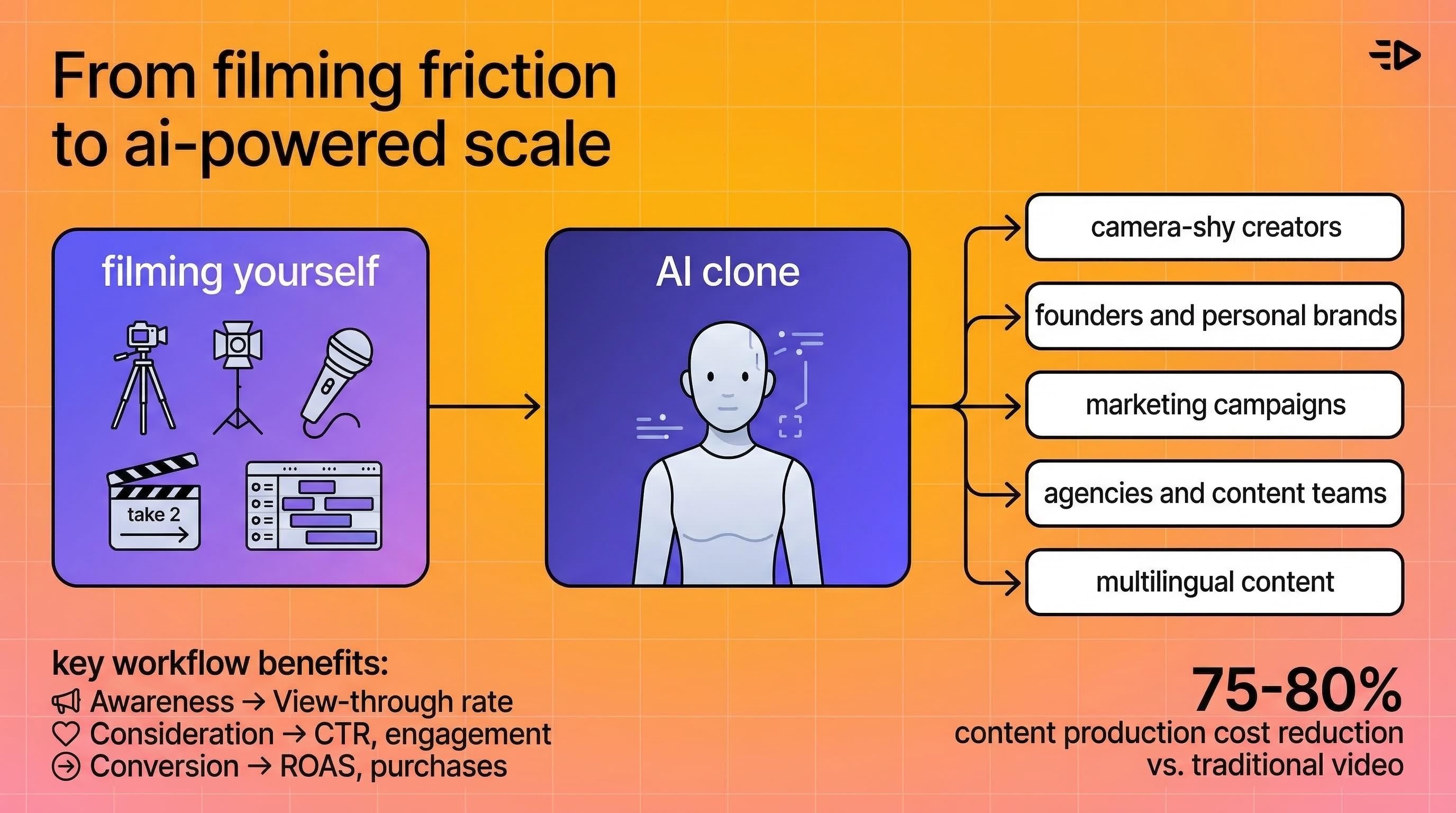
When you make an AI version of yourself, you sidestep all of that. You film once (or upload one photo), and from that point on your AI clone handles the on-camera work.
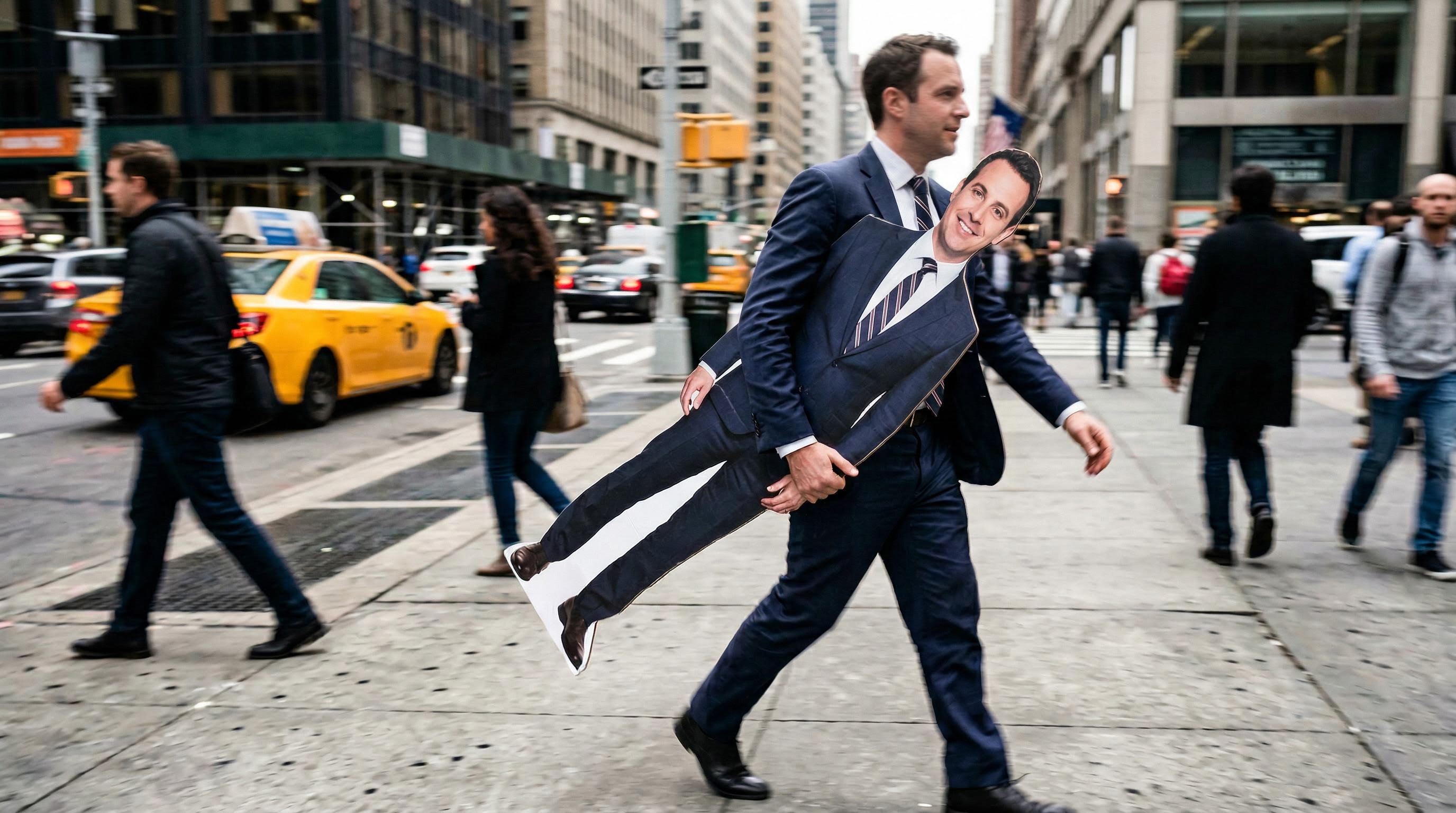
That said, there are some specific situations where it makes a lot of sense:
Creators who are camera-shy. You have ideas worth sharing. You don't necessarily want your face all over the internet. Creating an AI of yourself lets you build a presence without becoming a public figure.
Founders and personal brands. Viewers want to see you - the actual person behind the product. But filming yourself for every product demo, ad, and tutorial isn't sustainable. Your AI version of you maintains that personal connection at scale.
Marketers running multiple campaigns. Same message, different formats, different platforms. Instead of reshooting for every variation, you generate them.
Agencies and content teams. One client approves their avatar once. After that, production is just script and submit.
Multilingual content. Your AI clone speaks 75+ languages with natural lip-sync. You don't need to learn Portuguese to sell in Brazil.
How to create an AI version of yourself in Creatify
Here's the exact flow.
Step 1: Go to Avatar Video
Open Creatify and click "Avatar Video" at the top of the dashboard. You'll see two options: choose from the avatar library, or upload an image.
Click "Upload an image."
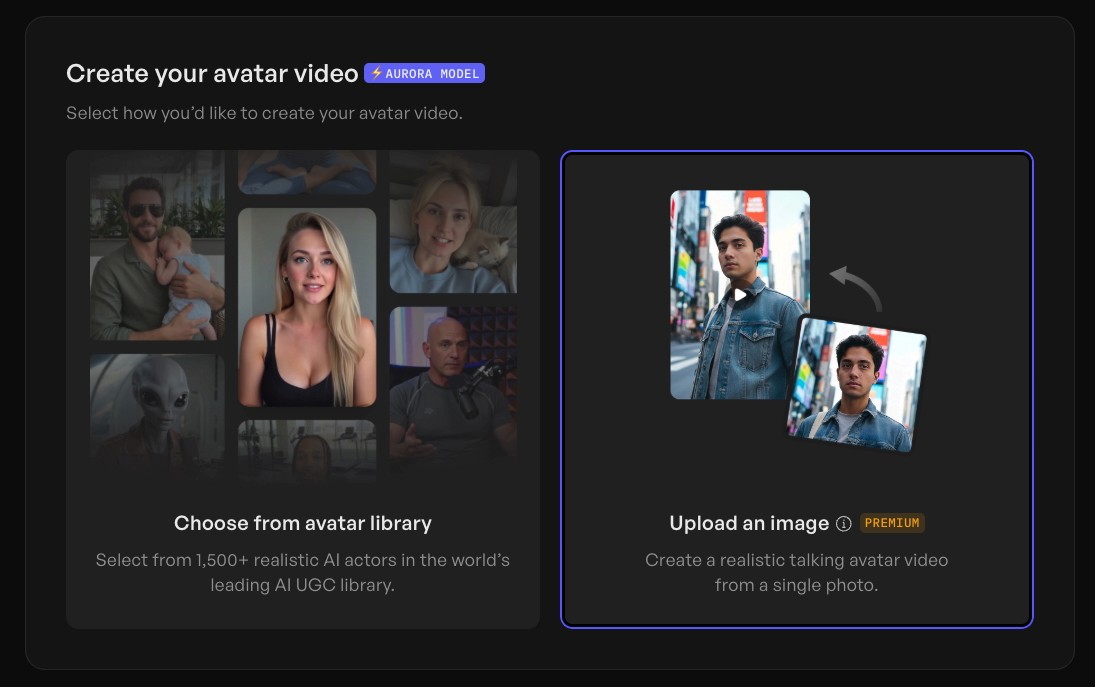
Step 2: Upload your photo
Select a clear, well-lit, front-facing photo of yourself. Photo quality matters here - good lighting and a clean background will produce noticeably better results than a blurry selfie.
One photo is all it takes.
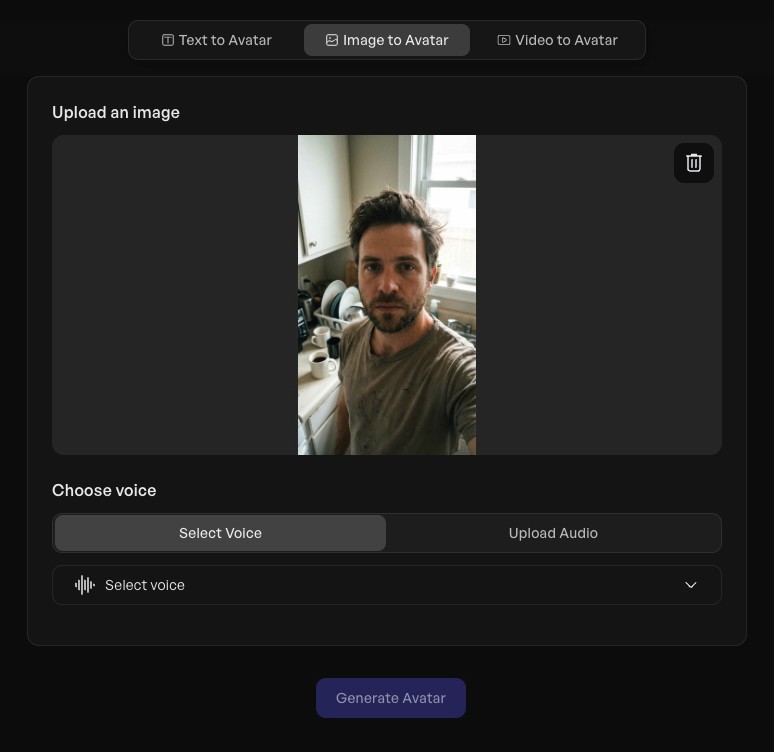
Step 3: Write or generate your script
Type your script directly, or use Creatify's AI script writer to generate one. If you have specific phrasing you want the avatar to use, type it in manually.
You can also upload or record audio if you want your AI version of yourself to match your exact voice and accent.
Step 4: Fine-tune with avatar prompts (optional)
This step is optional but worth doing. There's an "Avatar prompt" field where you can describe how you want your digital twin to behave - posture, gesture frequency, facial tone.
Something like: "Professional, calm delivery. Minimal hand gestures. Direct eye contact. Friendly but focused."
The more specific you are, the closer the output will match what you're picturing. Adjust the prompt guidance scale toward the middle — too high and it looks stiff, too low and it wanders.
Step 5: Add captions and choose quality
Pick a caption style that fits your content. Set export quality to 1080p for anything going into ads or polished content.
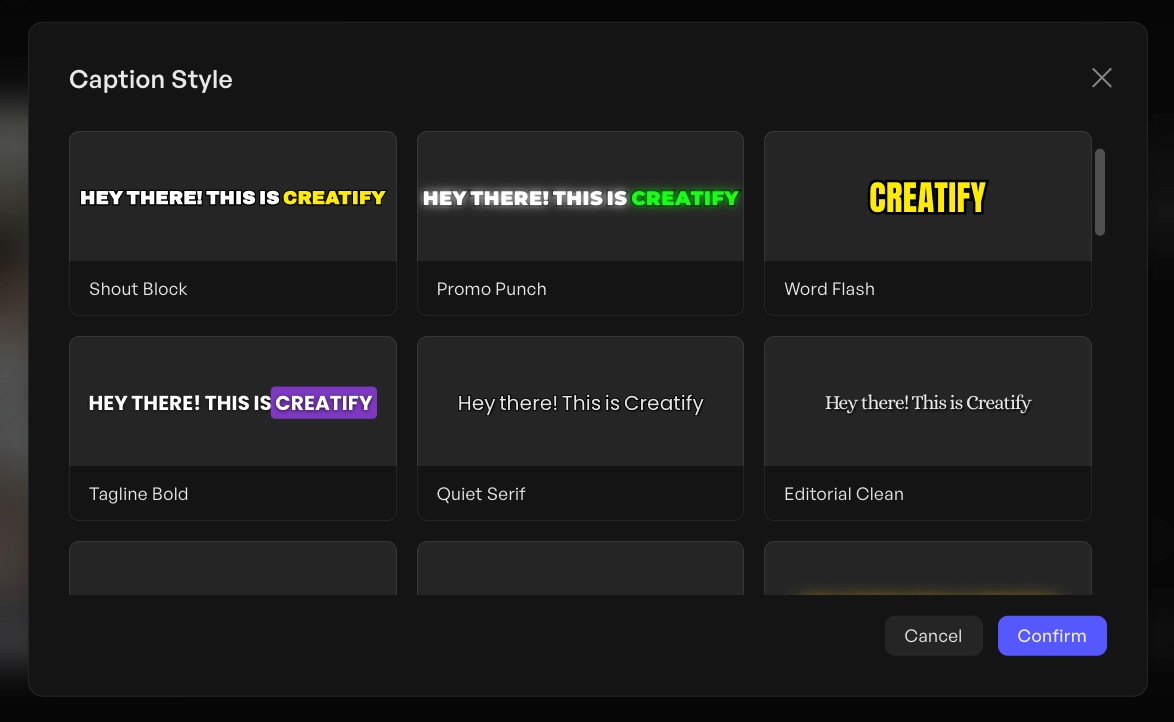
Step 6: Generate and review
Hit generate. Processing takes around 5–10 minutes. When it's ready, preview the lip-sync, check the gestures, and make sure the overall output looks right.
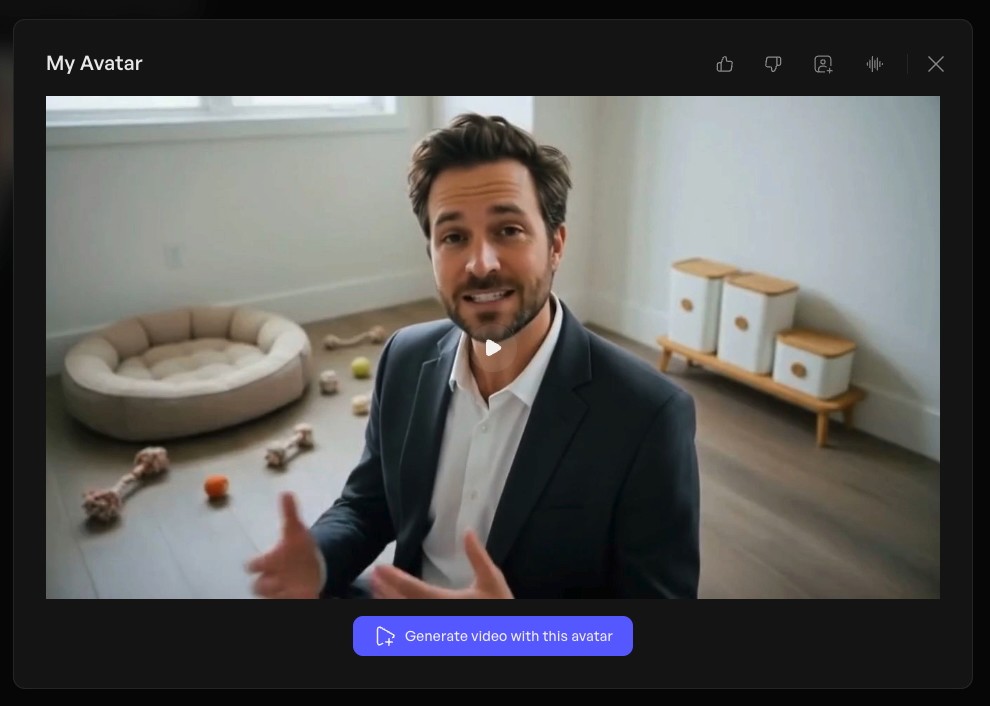
If something's off, adjust your avatar prompt and regenerate. You're not charged credits until you're happy and submit.
Step 7: Save as a template
Once you've dialed in a configuration you like, save it as a template. Every future video using your digital twin starts from that same setup —no rebuilding from scratch each time.
What's the difference between a digital twin and a regular AI avatar?
Creatify has 1,500+ ready-made AI avatars you can use right now - diverse, realistic, and available without any setup. Those work great for most use cases.
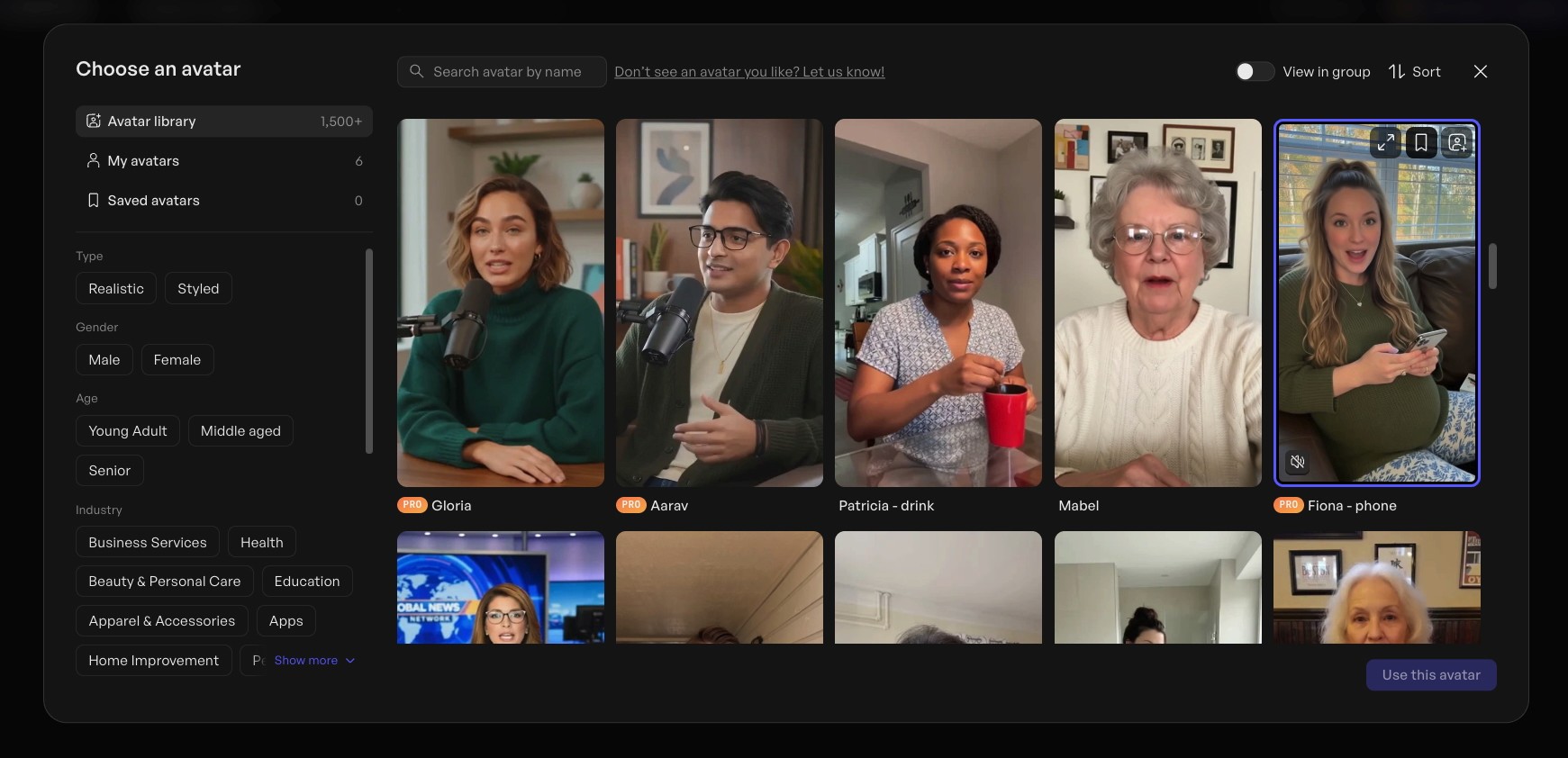
A digital twin is different. It's you. Your face, your likeness, your personal brand - turned into an AI persona that delivers your scripts consistently across unlimited videos.
Read also: What is an AI avatar? Definition, types, and uses
If you're building a personal brand, representing yourself as a founder, or your audience already knows your face, learning how to clone yourself with AI is worth the extra setup step.
What can you actually do with an AI version of yourself?
Think of it as an AI version of you that shows up whenever content needs to go out. Once your digital twin is set up, the use cases open up fast.
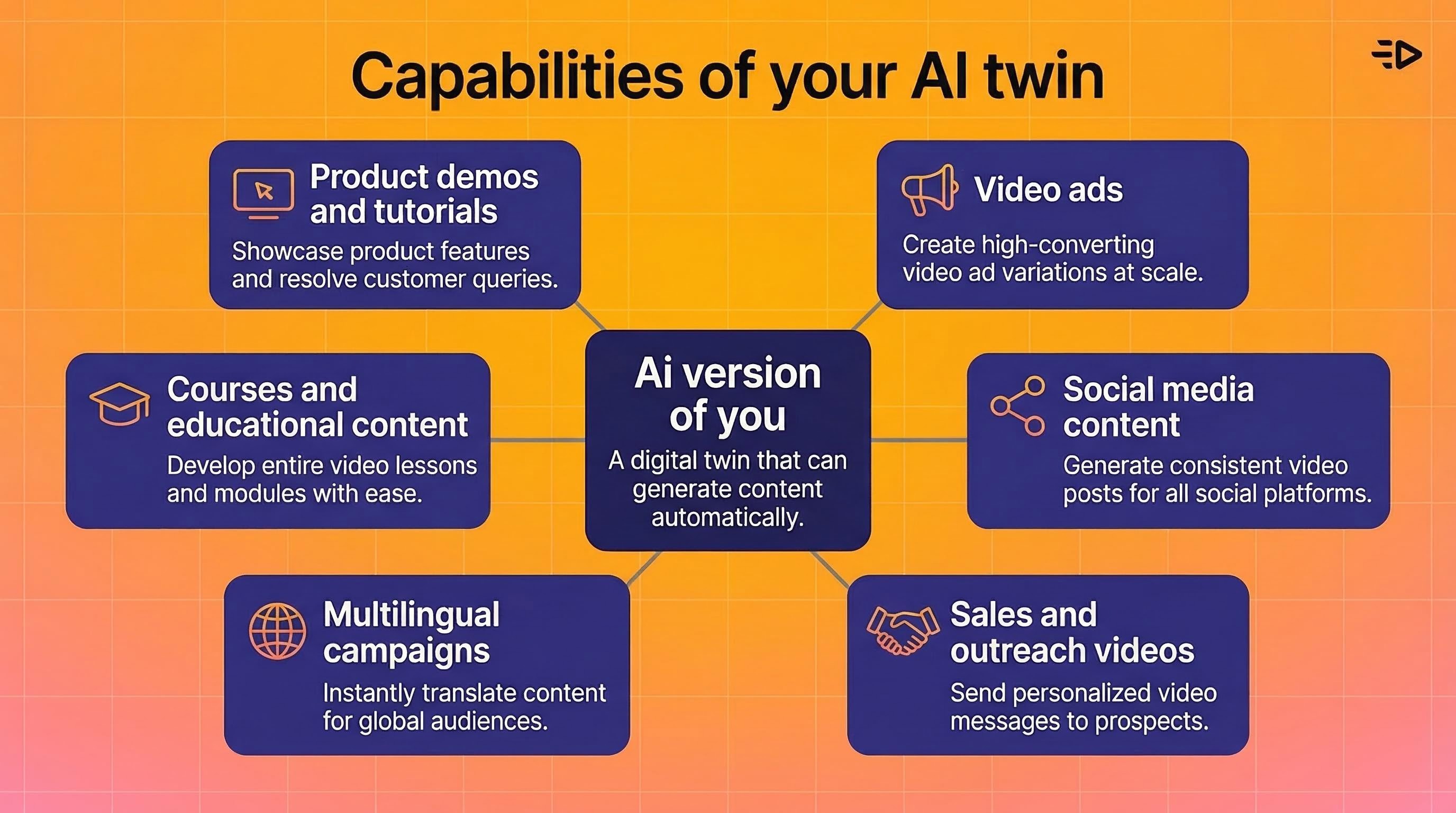
Product demos and tutorials. The most obvious one. Record yourself once, then let your clone handle every product walkthrough, how-to, and feature explainer going forward.
Video ads. Run your face in paid campaigns across Meta, TikTok, and YouTube without stepping in front of a camera for each one. Generate variations with different hooks, different CTAs, different lengths.
Social media content. Post consistently without the filming overhead. Your digital twin can carry a posting schedule that would be exhausting to maintain yourself.
Sales and outreach videos. Personalized video messages at scale - same face, same voice, different scripts.
Multilingual campaigns. Launch the same content in multiple languages without reshooting. Your AI clone handles the lip-sync in each language natively.
Courses and educational content. Record your curriculum once. Update specific lessons by regenerating just those sections with a new script.
A note on authenticity
Being upfront about AI is worth doing. Audiences are getting smarter about this, and disclosure builds more trust than trying to hide it.
The technology is good enough that most viewers won't clock it in short-form content — but that doesn't mean you shouldn't tell them. Creatify encourages clear AI disclosure, and it's increasingly standard practice on most platforms anyway.
Your AI clone isn't a replacement for your actual presence when it matters. It's for the volume work — the content that needs to exist but doesn't need to be a live performance.
Read also: How to create an AI influencer in 2026: Step-by-step guide
Wrapping up
Creating an AI version of yourself used to require a full production setup and hours of footage. Now it's one photo and a few minutes of setup.
The practical upside: you can make an AI of yourself and maintain a consistent on-camera presence across platforms, languages, and campaign types - without the time sink of actually filming every piece.
One thing worth keeping in mind: a digital twin works best when paired with a clear content strategy. The technology makes production fast; you still need to decide what to say.
Try it free in Creatify - no credit card required.
Frequently Asked Questions
How do I make an AI version of myself?
Upload a single photo of yourself in Creatify's Avatar Video feature. The platform generates a digital twin that delivers your scripts with natural lip-sync and consistent appearance. From there, you write a script, adjust settings, and generate your video — the whole process takes under 10 minutes.
Can I create an AI clone of myself for free?
Creatify has a free plan that lets you test the platform with 10 credits. Creating a custom avatar from your own photo ("Upload an image") is a premium feature available on paid plans starting at $19/month.
How realistic does an AI version of yourself look?
Creatify's Aurora model renders full-body expressiveness at 24 fps — natural facial movements, accurate lip-sync, hand gestures, and eye contact. In short-form marketing content, most viewers can't distinguish it from real footage.
What's the difference between a digital twin and an AI avatar?
A digital twin is built from your own photo or likeness — it looks like you. A stock AI avatar is a pre-built digital human from Creatify's library of 1,500+ options. Both produce realistic video, but a digital twin is tied to your personal identity and brand.
How do I make an AI of myself that speaks another language?
Once your digital twin is created, you can generate scripts and audio in any of Creatify's 75+ supported languages. The avatar's lip-sync adjusts to match each language naturally - no dubbing, no separate shoots.
What photo do I need to create an AI version of myself?
A clear, well-lit, front-facing photo works best. Avoid heavy shadows, extreme angles, or low resolution. You don't need professional photography - a decent phone photo in good lighting is enough.
Is content made with my AI clone licensed for commercial use?
Yes. All content generated on Creatify paid plans is licensed for commercial use, including ads, social media campaigns, and ecommerce. Check your specific plan terms for platform distribution details.
How is cloning yourself with AI different from deepfakes?
You're creating a digital version of yourself, using your own photo, for your own content. Creatify reviews all custom avatar submissions and prohibits impersonation of others. The platform's content moderation policy is designed to prevent misuse.
You can now create an AI version of yourself from a single photo. It talks, presents, demos products, and shows up in video after video - while you do something else entirely.
This is a practical guide to how it works, why people are doing it, and how to set yours up in Creatify.
Why create an AI clone of yourself?
The honest reason: video content works, and filming yourself is a pain.
You need good lighting. You need a quiet room. You need to nail the delivery, or sit through 12 retakes. Then you edit. Then you realize you mispronounced something on take 7 and it made the final cut.
When you make an AI version of yourself, you sidestep all of that. You film once (or upload one photo), and from that point on your AI clone handles the on-camera work.
That said, there are some specific situations where it makes a lot of sense:
Creators who are camera-shy. You have ideas worth sharing. You don't necessarily want your face all over the internet. Creating an AI of yourself lets you build a presence without becoming a public figure.
Founders and personal brands. Viewers want to see you - the actual person behind the product. But filming yourself for every product demo, ad, and tutorial isn't sustainable. Your AI version of you maintains that personal connection at scale.
Marketers running multiple campaigns. Same message, different formats, different platforms. Instead of reshooting for every variation, you generate them.
Agencies and content teams. One client approves their avatar once. After that, production is just script and submit.
Multilingual content. Your AI clone speaks 75+ languages with natural lip-sync. You don't need to learn Portuguese to sell in Brazil.
How to create an AI version of yourself in Creatify
Here's the exact flow.
Step 1: Go to Avatar Video
Open Creatify and click "Avatar Video" at the top of the dashboard. You'll see two options: choose from the avatar library, or upload an image.
Click "Upload an image."
Step 2: Upload your photo
Select a clear, well-lit, front-facing photo of yourself. Photo quality matters here - good lighting and a clean background will produce noticeably better results than a blurry selfie.
One photo is all it takes.
Step 3: Write or generate your script
Type your script directly, or use Creatify's AI script writer to generate one. If you have specific phrasing you want the avatar to use, type it in manually.
You can also upload or record audio if you want your AI version of yourself to match your exact voice and accent.
Step 4: Fine-tune with avatar prompts (optional)
This step is optional but worth doing. There's an "Avatar prompt" field where you can describe how you want your digital twin to behave - posture, gesture frequency, facial tone.
Something like: "Professional, calm delivery. Minimal hand gestures. Direct eye contact. Friendly but focused."
The more specific you are, the closer the output will match what you're picturing. Adjust the prompt guidance scale toward the middle — too high and it looks stiff, too low and it wanders.
Step 5: Add captions and choose quality
Pick a caption style that fits your content. Set export quality to 1080p for anything going into ads or polished content.
Step 6: Generate and review
Hit generate. Processing takes around 5–10 minutes. When it's ready, preview the lip-sync, check the gestures, and make sure the overall output looks right.
If something's off, adjust your avatar prompt and regenerate. You're not charged credits until you're happy and submit.
Step 7: Save as a template
Once you've dialed in a configuration you like, save it as a template. Every future video using your digital twin starts from that same setup —no rebuilding from scratch each time.
What's the difference between a digital twin and a regular AI avatar?
Creatify has 1,500+ ready-made AI avatars you can use right now - diverse, realistic, and available without any setup. Those work great for most use cases.
A digital twin is different. It's you. Your face, your likeness, your personal brand - turned into an AI persona that delivers your scripts consistently across unlimited videos.
Read also: What is an AI avatar? Definition, types, and uses
If you're building a personal brand, representing yourself as a founder, or your audience already knows your face, learning how to clone yourself with AI is worth the extra setup step.
What can you actually do with an AI version of yourself?
Think of it as an AI version of you that shows up whenever content needs to go out. Once your digital twin is set up, the use cases open up fast.
Product demos and tutorials. The most obvious one. Record yourself once, then let your clone handle every product walkthrough, how-to, and feature explainer going forward.
Video ads. Run your face in paid campaigns across Meta, TikTok, and YouTube without stepping in front of a camera for each one. Generate variations with different hooks, different CTAs, different lengths.
Social media content. Post consistently without the filming overhead. Your digital twin can carry a posting schedule that would be exhausting to maintain yourself.
Sales and outreach videos. Personalized video messages at scale - same face, same voice, different scripts.
Multilingual campaigns. Launch the same content in multiple languages without reshooting. Your AI clone handles the lip-sync in each language natively.
Courses and educational content. Record your curriculum once. Update specific lessons by regenerating just those sections with a new script.
A note on authenticity
Being upfront about AI is worth doing. Audiences are getting smarter about this, and disclosure builds more trust than trying to hide it.
The technology is good enough that most viewers won't clock it in short-form content — but that doesn't mean you shouldn't tell them. Creatify encourages clear AI disclosure, and it's increasingly standard practice on most platforms anyway.
Your AI clone isn't a replacement for your actual presence when it matters. It's for the volume work — the content that needs to exist but doesn't need to be a live performance.
Read also: How to create an AI influencer in 2026: Step-by-step guide
Wrapping up
Creating an AI version of yourself used to require a full production setup and hours of footage. Now it's one photo and a few minutes of setup.
The practical upside: you can make an AI of yourself and maintain a consistent on-camera presence across platforms, languages, and campaign types - without the time sink of actually filming every piece.
One thing worth keeping in mind: a digital twin works best when paired with a clear content strategy. The technology makes production fast; you still need to decide what to say.
Try it free in Creatify - no credit card required.
Frequently Asked Questions
How do I make an AI version of myself?
Upload a single photo of yourself in Creatify's Avatar Video feature. The platform generates a digital twin that delivers your scripts with natural lip-sync and consistent appearance. From there, you write a script, adjust settings, and generate your video — the whole process takes under 10 minutes.
Can I create an AI clone of myself for free?
Creatify has a free plan that lets you test the platform with 10 credits. Creating a custom avatar from your own photo ("Upload an image") is a premium feature available on paid plans starting at $19/month.
How realistic does an AI version of yourself look?
Creatify's Aurora model renders full-body expressiveness at 24 fps — natural facial movements, accurate lip-sync, hand gestures, and eye contact. In short-form marketing content, most viewers can't distinguish it from real footage.
What's the difference between a digital twin and an AI avatar?
A digital twin is built from your own photo or likeness — it looks like you. A stock AI avatar is a pre-built digital human from Creatify's library of 1,500+ options. Both produce realistic video, but a digital twin is tied to your personal identity and brand.
How do I make an AI of myself that speaks another language?
Once your digital twin is created, you can generate scripts and audio in any of Creatify's 75+ supported languages. The avatar's lip-sync adjusts to match each language naturally - no dubbing, no separate shoots.
What photo do I need to create an AI version of myself?
A clear, well-lit, front-facing photo works best. Avoid heavy shadows, extreme angles, or low resolution. You don't need professional photography - a decent phone photo in good lighting is enough.
Is content made with my AI clone licensed for commercial use?
Yes. All content generated on Creatify paid plans is licensed for commercial use, including ads, social media campaigns, and ecommerce. Check your specific plan terms for platform distribution details.
How is cloning yourself with AI different from deepfakes?
You're creating a digital version of yourself, using your own photo, for your own content. Creatify reviews all custom avatar submissions and prohibits impersonation of others. The platform's content moderation policy is designed to prevent misuse.