

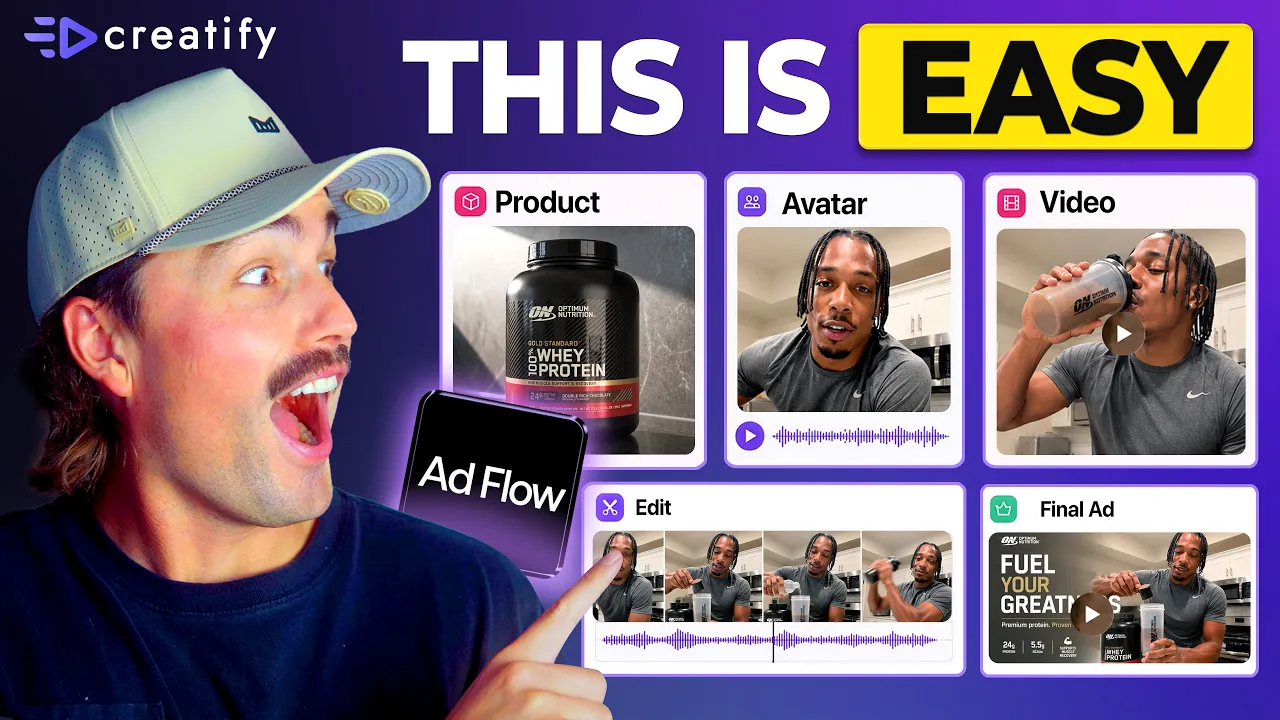
Every Brand Is Switching to Node-Based AI Tools. Here's Why (Full Beginner's Workflow)
Every Brand Is Switching to Node-Based AI Tools. Here's Why (Full Beginner's Workflow)


Creatify Team
SHARE


IN THIS ARTICLE
👉🏻 Try Creatify for free: https://creatify.ai/?utm_source=yt&utm_medium=sm_organic&utm_campaign=vs&utm_content=41
How to build and test ad creatives using a node-based AI workflow — without coding and without rebuilding from scratch every time.
If you're running ads and wasting hours rebuilding your creative every time you want to test a new hook or angle, this workflow removes that bottleneck entirely. I break down what a node actually is in plain terms, how each part of your ad — script, avatar, product, CTA — becomes its own swappable Lego block, and how a tool lets you describe the ad you want and automatically assembles the full pipeline for you. You review and approve the full creative plan before anything gets built.
The tool I use is Creatify — specifically AdFlow Copilot, which takes a one-line description, generates a complete creative direction with a proposed hook, scene structure, and copy, then builds out the entire node canvas the moment you confirm. No manual wiring, no node placement, no technical setup required.
I went from spending 2–3 hours rebuilding an ad every time I wanted to test a new angle, to swapping one node and running a new version in under 10 minutes — without touching the rest of the structure. That's a fraction of the production time, and it means I can test 10 to 15 variations in a week instead of two or three. If you're dealing with ad fatigue and need a creative automation workflow that scales with your testing volume, this is the fastest path I've found.
The approach:
1. Use Copilot to generate your first pipeline: describe the ad, approve the plan, let it build
2. Identify the single node you want to test: hook, avatar, or CTA — and change only that
3. Run iterations on a single canvas to find what converts without starting over
This workflow works for e-commerce brands, DTC marketers, dropshipping stores, media buyers — any advertiser running paid traffic who needs more creative output without more production time.
Thank you for watching!
-- Eric
Time-stamps:
0:00 – Intro
0:42 – What Is a Node in AI Ad Creation?
1:30 – Why Node-Based AI Ad Tools Are Taking Over
1:45 – How Node-Based Ad Creation Works
2:57 – Building an Ad With Creatify AdFlow Copilot
4:06 – Creating an AI Ad Step by Step
6:30 – Choosing the Right AI Video Model
8:06 – How to Scale Ad Creative Testing
9:24 – Outro
#CreatifyAdFlow #NodeBasedAI #AIWorkflow
👉🏻 Try Creatify for free: https://creatify.ai/?utm_source=yt&utm_medium=sm_organic&utm_campaign=vs&utm_content=41
How to build and test ad creatives using a node-based AI workflow — without coding and without rebuilding from scratch every time.
If you're running ads and wasting hours rebuilding your creative every time you want to test a new hook or angle, this workflow removes that bottleneck entirely. I break down what a node actually is in plain terms, how each part of your ad — script, avatar, product, CTA — becomes its own swappable Lego block, and how a tool lets you describe the ad you want and automatically assembles the full pipeline for you. You review and approve the full creative plan before anything gets built.
The tool I use is Creatify — specifically AdFlow Copilot, which takes a one-line description, generates a complete creative direction with a proposed hook, scene structure, and copy, then builds out the entire node canvas the moment you confirm. No manual wiring, no node placement, no technical setup required.
I went from spending 2–3 hours rebuilding an ad every time I wanted to test a new angle, to swapping one node and running a new version in under 10 minutes — without touching the rest of the structure. That's a fraction of the production time, and it means I can test 10 to 15 variations in a week instead of two or three. If you're dealing with ad fatigue and need a creative automation workflow that scales with your testing volume, this is the fastest path I've found.
The approach:
1. Use Copilot to generate your first pipeline: describe the ad, approve the plan, let it build
2. Identify the single node you want to test: hook, avatar, or CTA — and change only that
3. Run iterations on a single canvas to find what converts without starting over
This workflow works for e-commerce brands, DTC marketers, dropshipping stores, media buyers — any advertiser running paid traffic who needs more creative output without more production time.
Thank you for watching!
-- Eric
Time-stamps:
0:00 – Intro
0:42 – What Is a Node in AI Ad Creation?
1:30 – Why Node-Based AI Ad Tools Are Taking Over
1:45 – How Node-Based Ad Creation Works
2:57 – Building an Ad With Creatify AdFlow Copilot
4:06 – Creating an AI Ad Step by Step
6:30 – Choosing the Right AI Video Model
8:06 – How to Scale Ad Creative Testing
9:24 – Outro
#CreatifyAdFlow #NodeBasedAI #AIWorkflow

You might also like




Ready to speed up your marketing?
Test your new product ideas in minutes with AI-generated video ads

Ready to speed up your marketing?
Test your new product ideas in minutes with AI-generated video ads
Ready to speed up your marketing?
Test your new product ideas in minutes with AI-generated video ads
Ready to speed up your marketing?
Test your new product ideas in minutes with AI-generated video ads

Generate engaging video ads for your products
from any URL



Creatify Lab • Copyright © 2026
Language
English
Features
Tools
Generate engaging video ads for your products
from any URL
Creatify Lab • Copyright © 2026
Language
English
Features
Tools
Generate engaging video ads for your products
from any URL
Creatify Lab • Copyright © 2026
Language
English
Features
Tools
Use Cases
YouTube
Snapchat
Shopify
Create AI Avatar
OTT & CTV
Lead Generation
Generate engaging video ads for your products
from any URL
Creatify Lab • Copyright © 2026
Language
English
Features
Tools

