
Creatify Team
SHARE


IN THIS ARTICLE
AI video generation made video ads fast. HTML interactive ads stayed pretty much manually built - still requiring a developer, a designer to lay it out, and a QA cycle before anything went live.
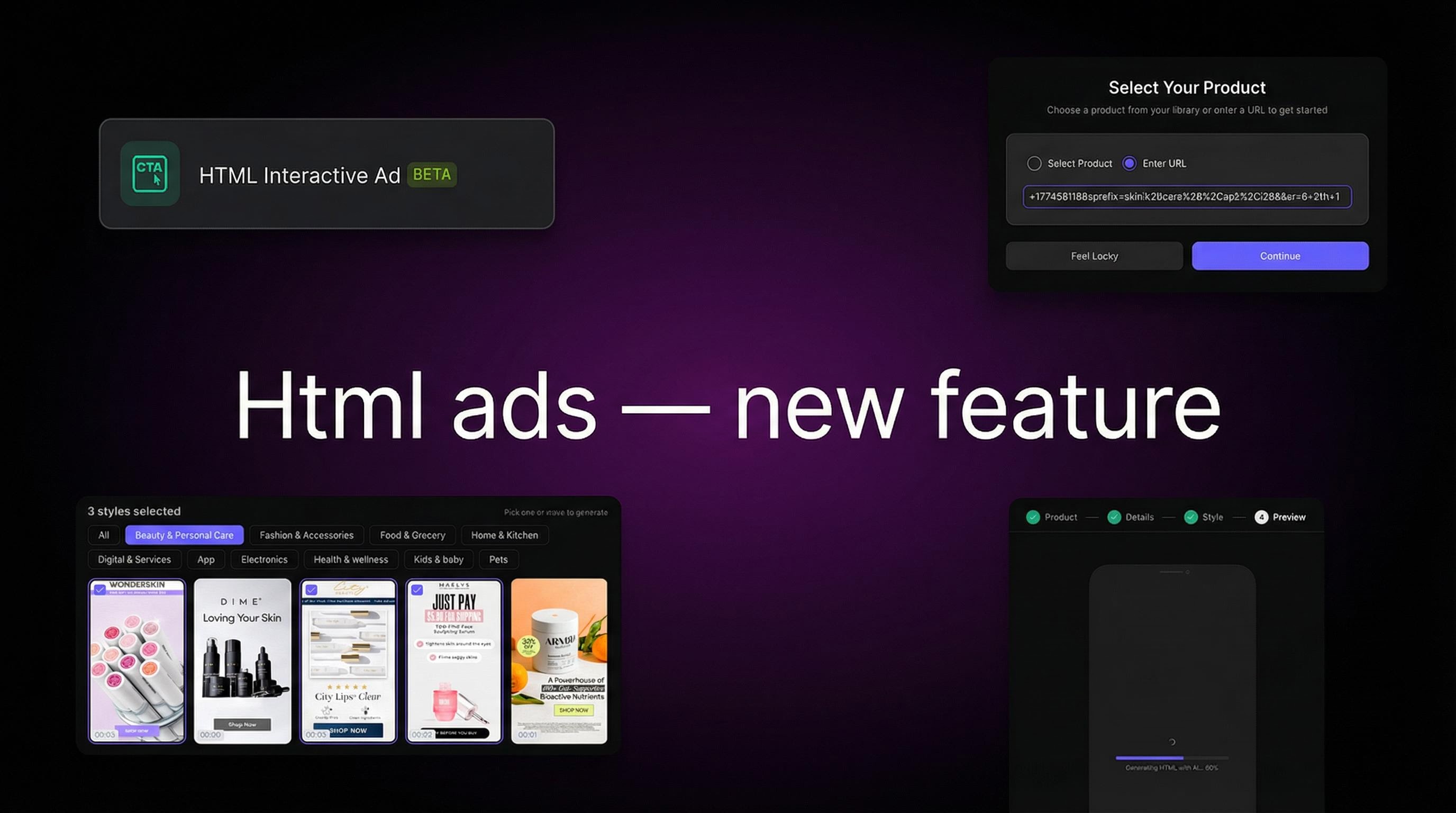
Creatify now generates HTML interactive ads directly from a product URL or your asset library. No code, no design handoff, no waiting.
How to create one
Four steps inside the Creatify dashboard:
Product - select from your library or paste a URL. Creatify pulls product details automatically.
Details - configure the messaging and CTA.
Style - choose the visual layout and design style.
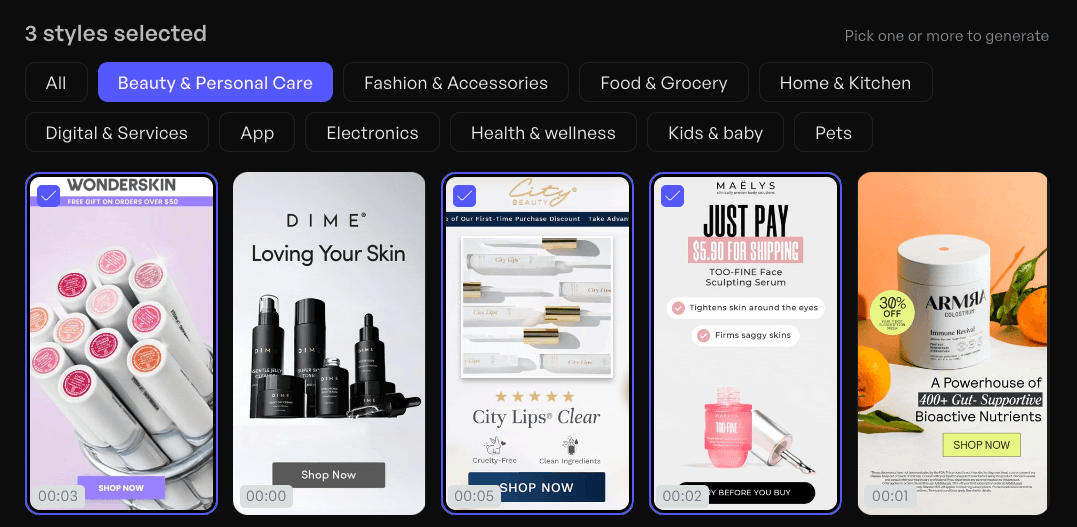
Preview - review and export the HTML file.
No developer handoff required at any step.
Where you can run these ads
HTML interactive ads are compatible with AppLovin (Axon), Meta, Google Display Network, and Unity Ads. Check your specific network's HTML5 ad specs for size and format requirements before uploading.
Who it's for
App developers and game studios are the natural fit - interactive formats are already popular in mobile UA, and being able to generate them without a developer changes the economics of creative testing significantly.
Ecommerce and DTC brands running on AppLovin's Axon channel can now test a format that was previously out of reach. Agencies can add HTML interactive ads to client deliverables without adding production time.
HTML Interactive Ad feature is currently in beta. Find it in your Creatify dashboard under AI Tools.
Frequently asked questions
What is an HTML interactive ad?
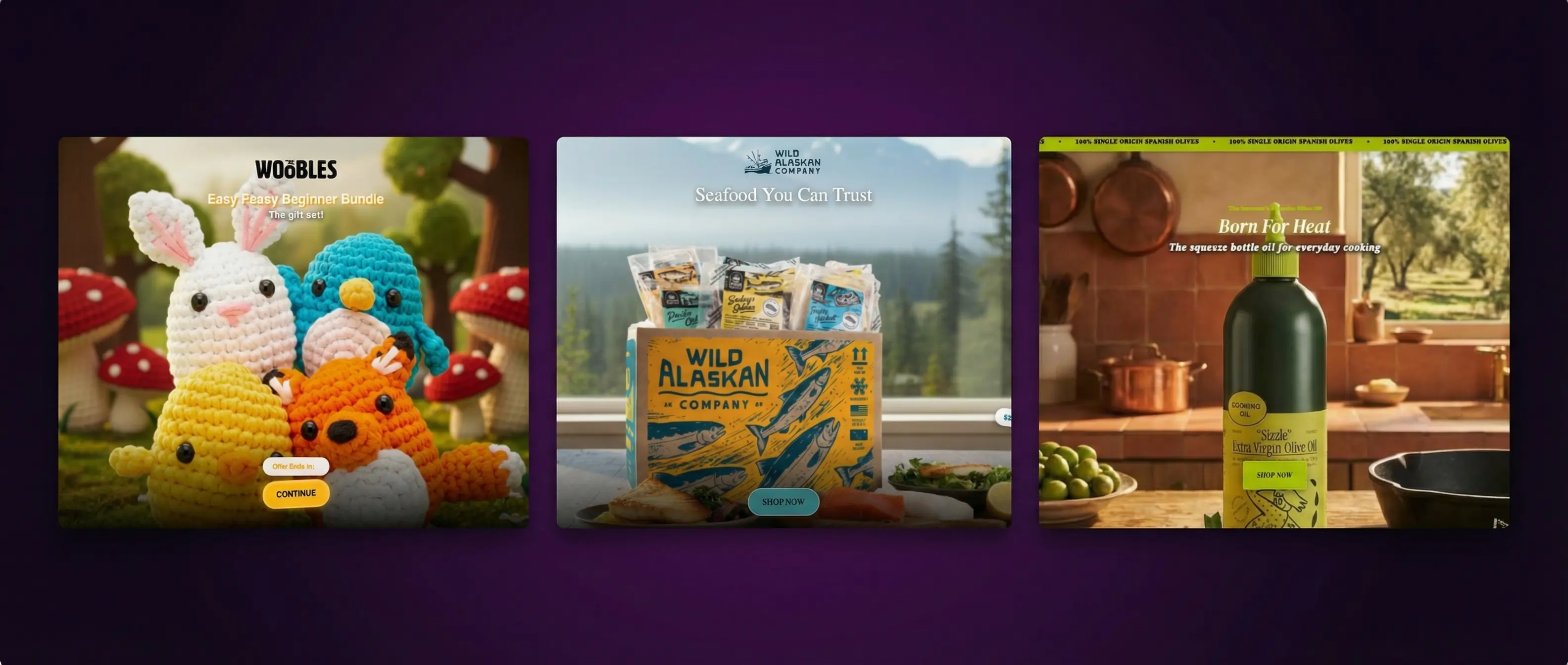
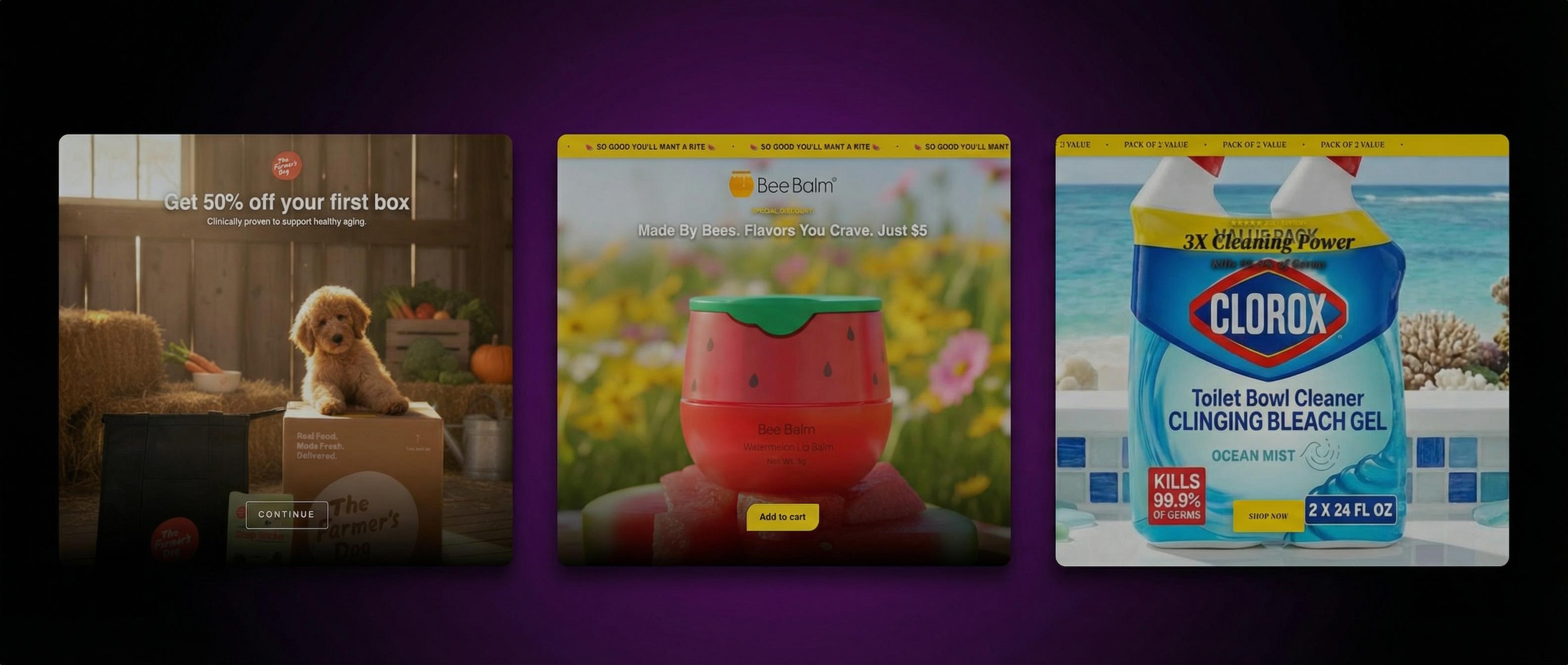
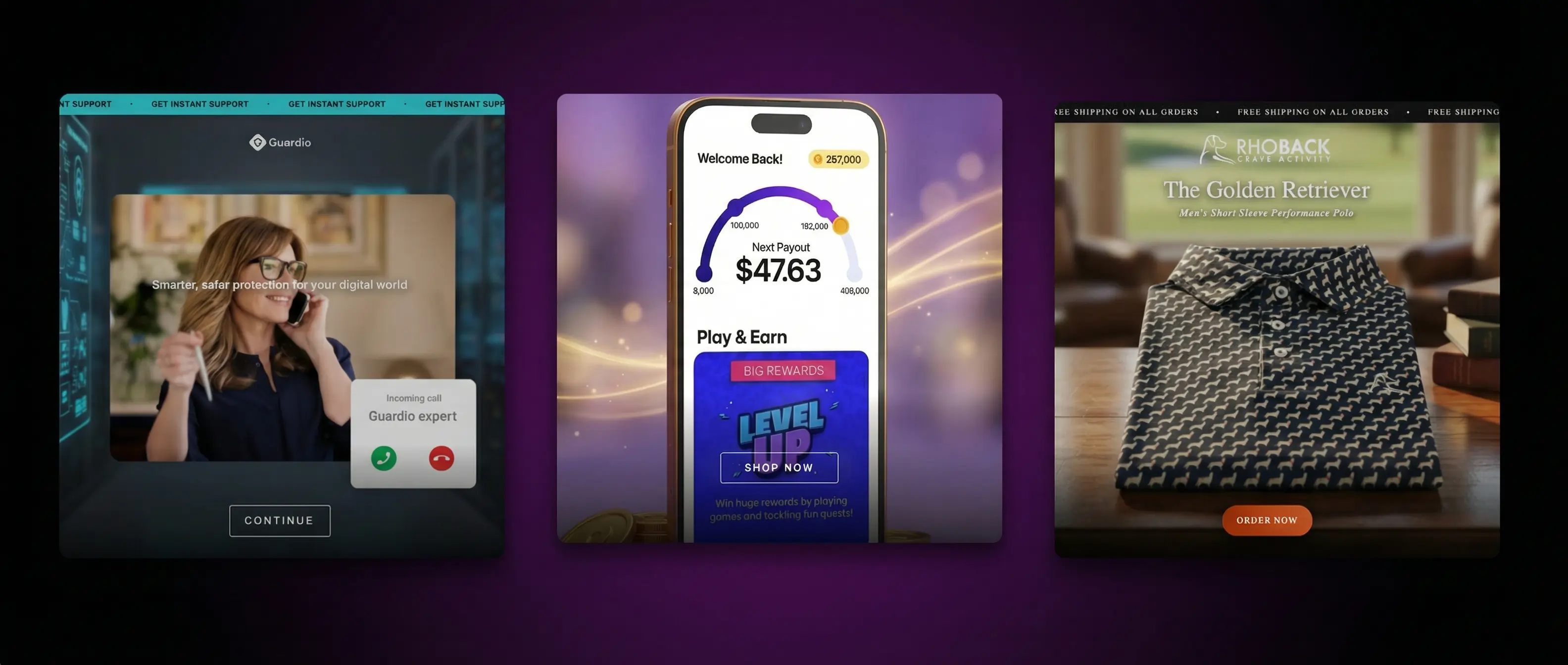
An HTML interactive ad is a self-contained HTML file that combines video, animated graphic elements, and interactive CTA buttons into a single ad unit. Unlike passive video ads, viewers can engage with the ad directly — tapping buttons or interacting with elements — before clicking through.
How do I create HTML interactive ads with AI?
In Creatify, select HTML Interactive Ad from the AI Tools section. Enter your product via URL or library, configure the details and style, preview, and export the HTML file. The whole process takes a few minutes with no coding required.
What ad networks support HTML interactive ads?
AppLovin (Axon), Meta, Google Display Network, and Unity Ads all support HTML5 interactive ad formats. Check each network's specs for file size limits and format requirements.
Do I need a developer to create HTML interactive ads?
No. Creatify generates the complete HTML file automatically. You configure the ad through the dashboard and export a file that's ready to upload directly to supported networks.
Are HTML interactive ads only for gaming or app advertisers?
No. While the format is common in mobile gaming UA, it works for any advertiser running on networks that support HTML5 formats. Ecommerce brands on AppLovin and DTC advertisers on Meta can use this format to test interactive creatives alongside standard video.
AI video generation made video ads fast. HTML interactive ads stayed pretty much manually built - still requiring a developer, a designer to lay it out, and a QA cycle before anything went live.
Creatify now generates HTML interactive ads directly from a product URL or your asset library. No code, no design handoff, no waiting.
How to create one
Four steps inside the Creatify dashboard:
Product - select from your library or paste a URL. Creatify pulls product details automatically.
Details - configure the messaging and CTA.
Style - choose the visual layout and design style.
Preview - review and export the HTML file.
No developer handoff required at any step.
Where you can run these ads
HTML interactive ads are compatible with AppLovin (Axon), Meta, Google Display Network, and Unity Ads. Check your specific network's HTML5 ad specs for size and format requirements before uploading.
Who it's for
App developers and game studios are the natural fit - interactive formats are already popular in mobile UA, and being able to generate them without a developer changes the economics of creative testing significantly.
Ecommerce and DTC brands running on AppLovin's Axon channel can now test a format that was previously out of reach. Agencies can add HTML interactive ads to client deliverables without adding production time.
HTML Interactive Ad feature is currently in beta. Find it in your Creatify dashboard under AI Tools.
Frequently asked questions
What is an HTML interactive ad?
An HTML interactive ad is a self-contained HTML file that combines video, animated graphic elements, and interactive CTA buttons into a single ad unit. Unlike passive video ads, viewers can engage with the ad directly — tapping buttons or interacting with elements — before clicking through.
How do I create HTML interactive ads with AI?
In Creatify, select HTML Interactive Ad from the AI Tools section. Enter your product via URL or library, configure the details and style, preview, and export the HTML file. The whole process takes a few minutes with no coding required.
What ad networks support HTML interactive ads?
AppLovin (Axon), Meta, Google Display Network, and Unity Ads all support HTML5 interactive ad formats. Check each network's specs for file size limits and format requirements.
Do I need a developer to create HTML interactive ads?
No. Creatify generates the complete HTML file automatically. You configure the ad through the dashboard and export a file that's ready to upload directly to supported networks.
Are HTML interactive ads only for gaming or app advertisers?
No. While the format is common in mobile gaming UA, it works for any advertiser running on networks that support HTML5 formats. Ecommerce brands on AppLovin and DTC advertisers on Meta can use this format to test interactive creatives alongside standard video.