
Creatify Team
SHARE


IN THIS ARTICLE
Most AI video generators give you the uncanny valley - mouths that move, eyes that don't, bodies that stay frozen like a cardboard cutout. Aurora is built to fix that.
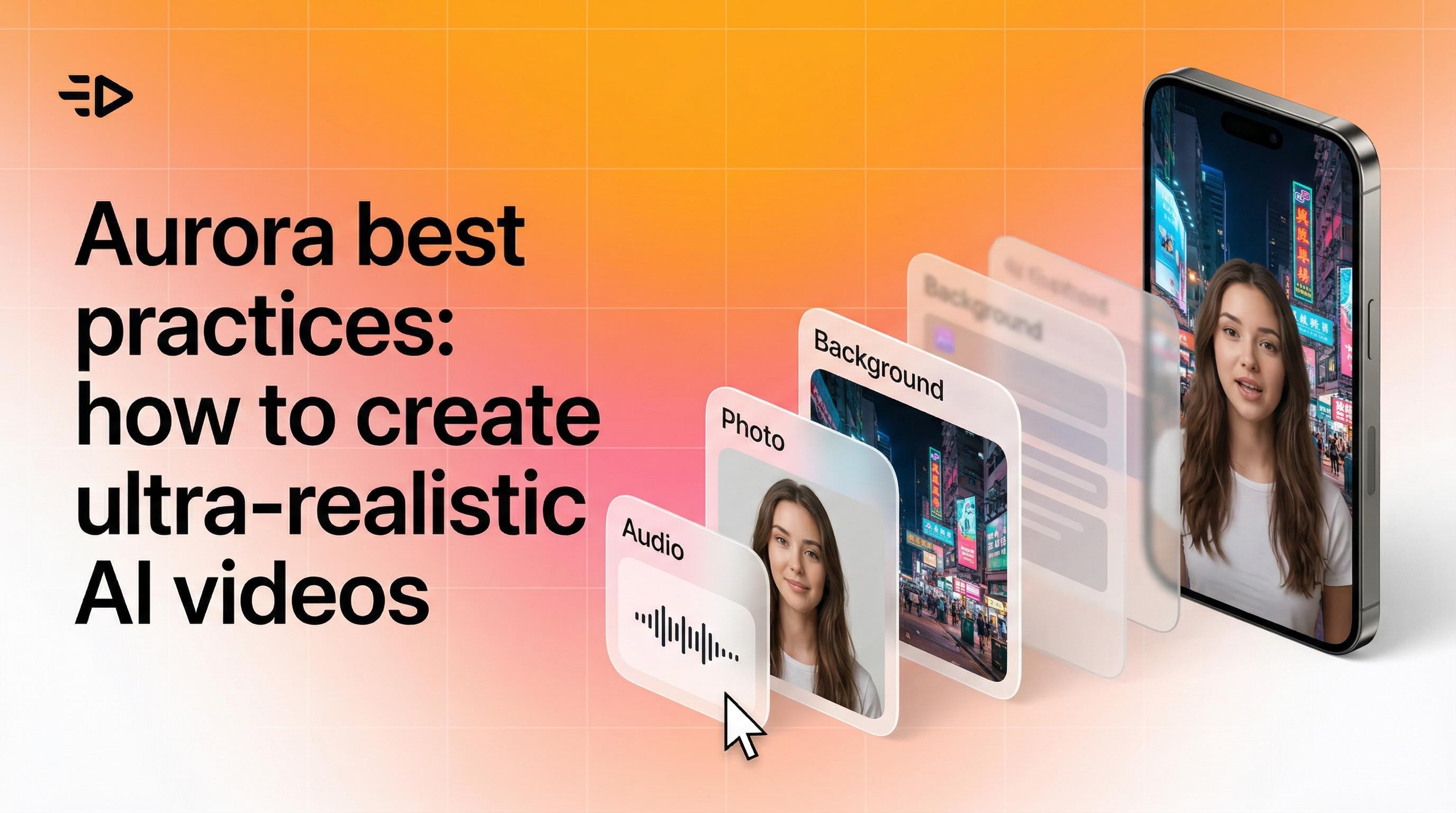
Aurora is Creatify's proprietary diffusion transformer (DiT) model for audio-driven avatar synthesis. Give it one photo and an audio clip, and it generates a studio-quality video of that person speaking, presenting, or singing - with synchronized facial expressions, natural eye movements, breathing, and full upper-body gestures. It's not just lip sync. It's a full performance.
The model has already been integrated into ElevenLabs, Runware and fal.ai as one of the first video generation models - a signal of where AI video generation is heading.
This guide covers how to get the best results out of it.
What makes Aurora different
Most talking-head tools animate the mouth and call it a day. Aurora treats the avatar as a whole person, setting a new benchmark for realistic AI video generation.
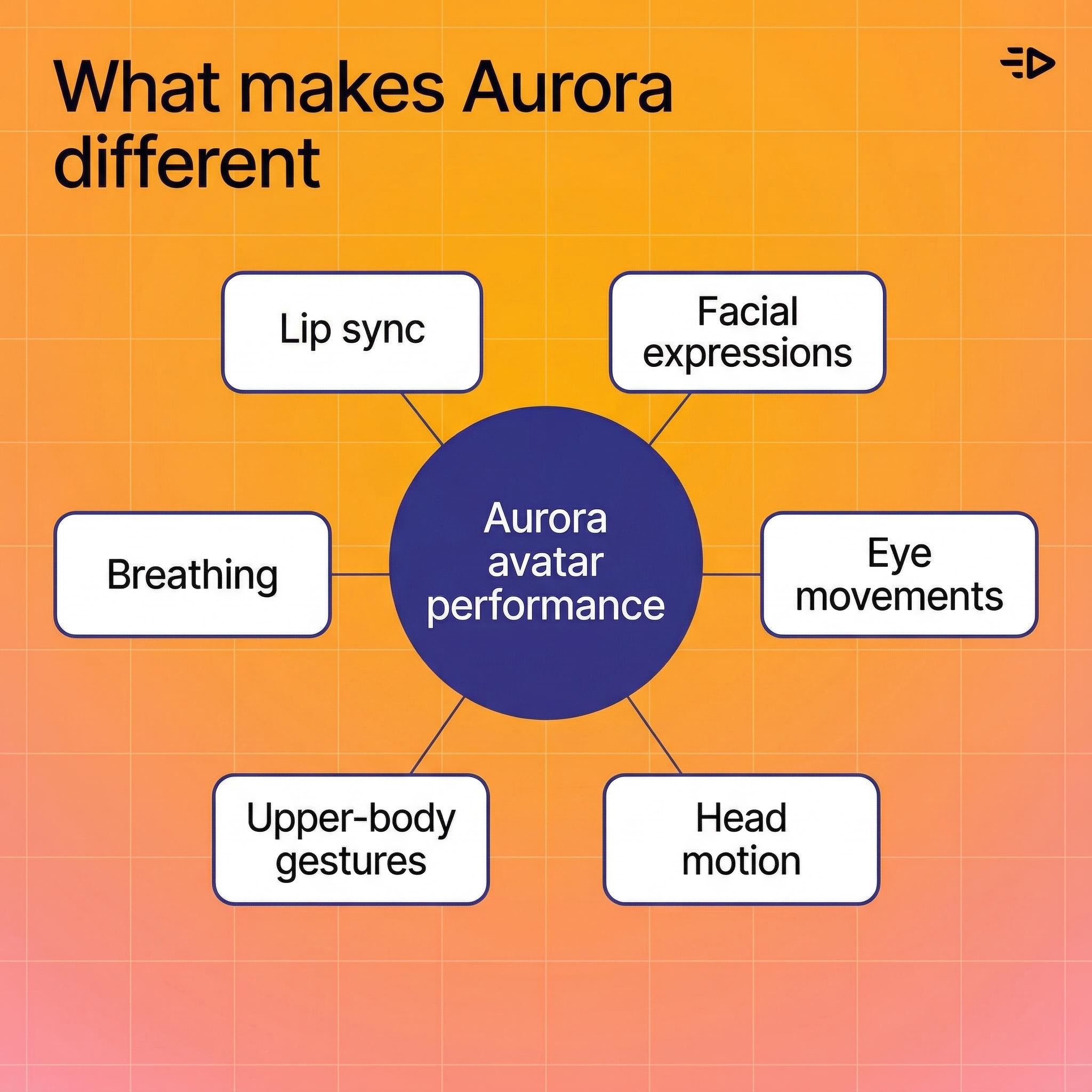
Here's what the model actually produces:
Lip sync that tracks the audio accurately, including subtle mouth shapes for different phonemes
Facial expressions that match vocal tone and emotional delivery
Eye movements - blinking, gaze shifts, natural focus
Head movement - nods, tilts, subtle position changes
Upper-body gestures - hand movements, shoulder shifts, the kind of natural motion that makes a talking head feel real rather than robotic
Breathing - chest movement between sentences
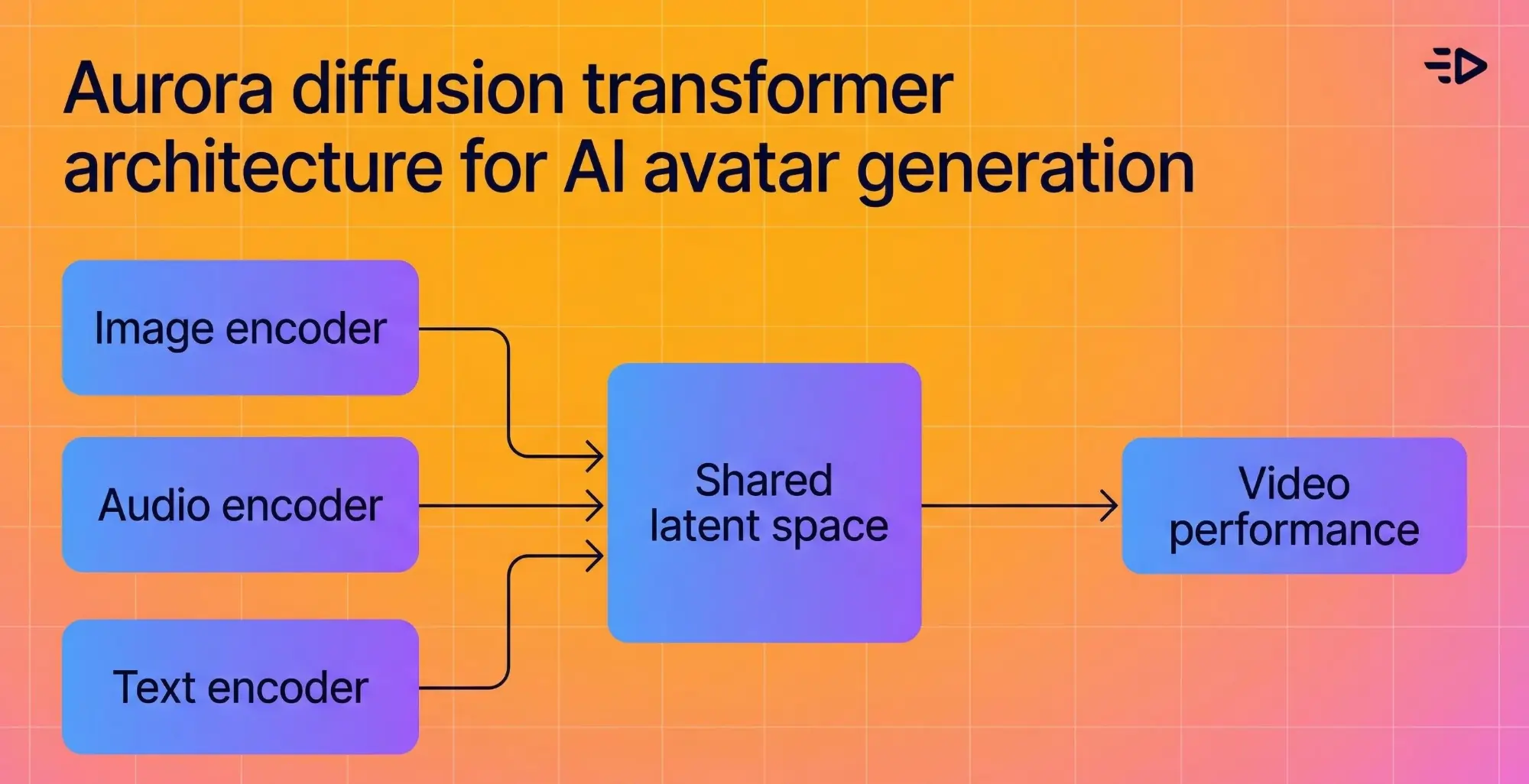
The underlying architecture fuses an image encoder, text encoder, and audio encoder into a shared latent space, so the model understands the emotional context of what's being said and reflects it visually. If the audio sounds enthusiastic, the avatar looks enthusiastic.
What you can build with it
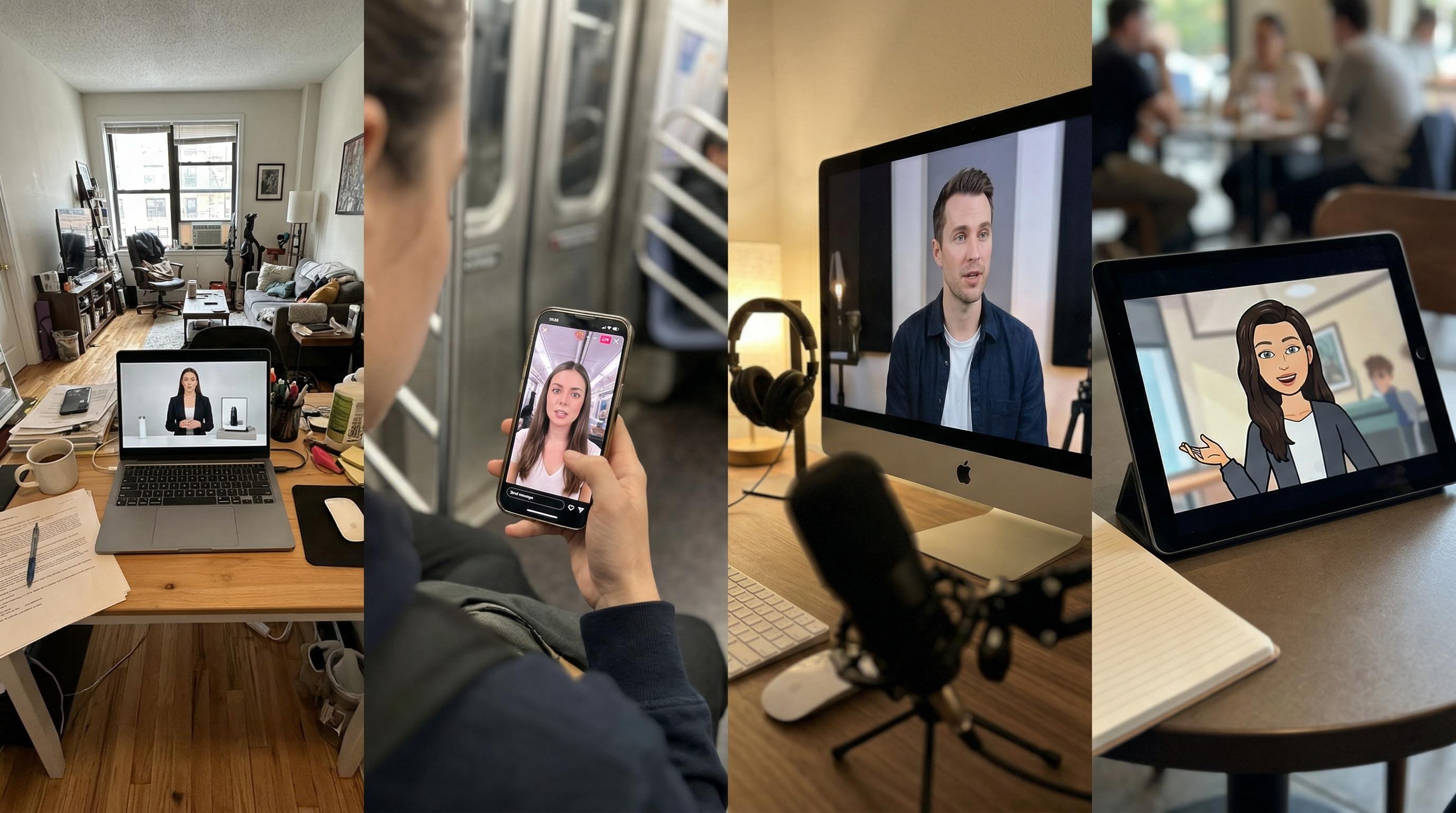
Aurora supports a wide range of content types beyond simple talking heads, making it a powerful tool for ai video gen workflows:
Product demos - Show a spokesperson holding a product, pointing at it, and explaining its benefits. Works for skincare, tech, consumer goods, anything.
UGC-style ads - Selfie format, slight handheld camera shake, casual delivery. Hard to distinguish from real creator content.
Podcast clips - Avatar faces slightly to the side as if talking to a co-host, with an engaged, conversational expression.
Multilingual content - Generate the same video in any language without re-filming. Aurora keeps the avatar's lip movements in sync with the new audio.
Singing avatars - Give it album art and a song, and the avatar performs it. Useful for music marketing or entertainment content.
Animated characters - Works with illustrated characters and stylized art, not just realistic photos.
Getting the best results with AI video gen
1. Start with the right image
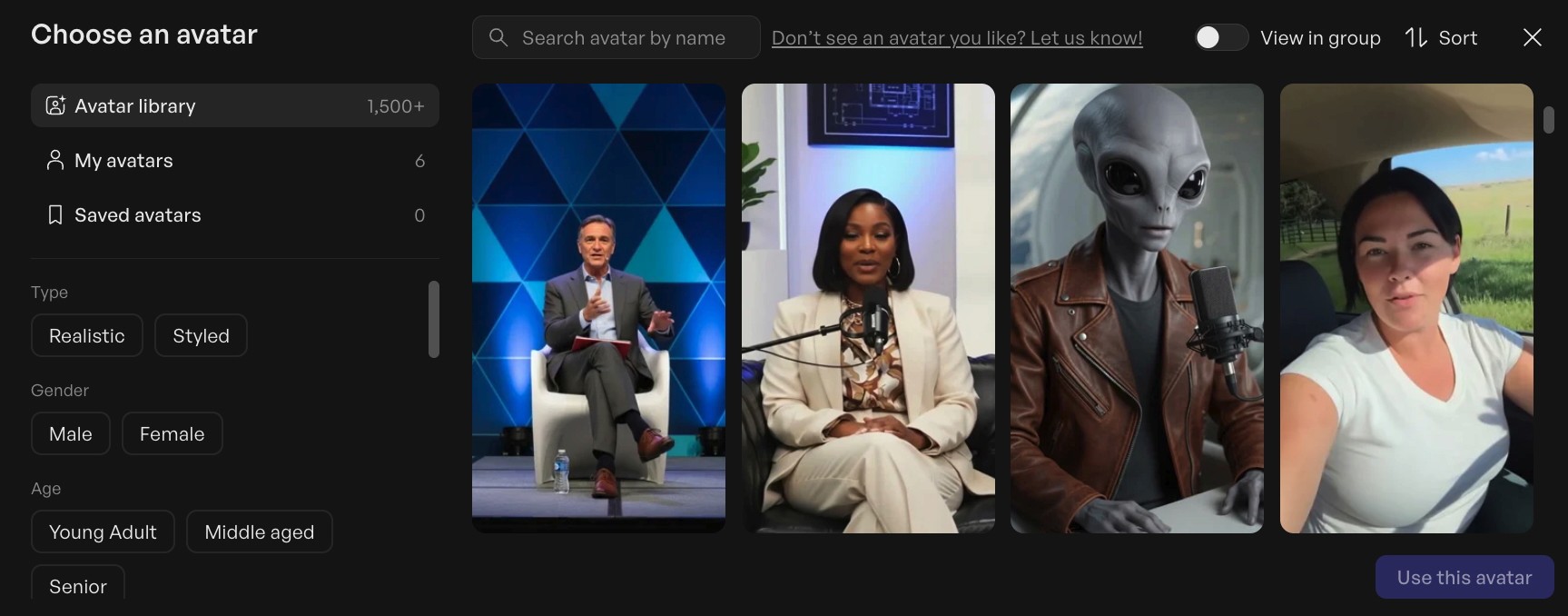
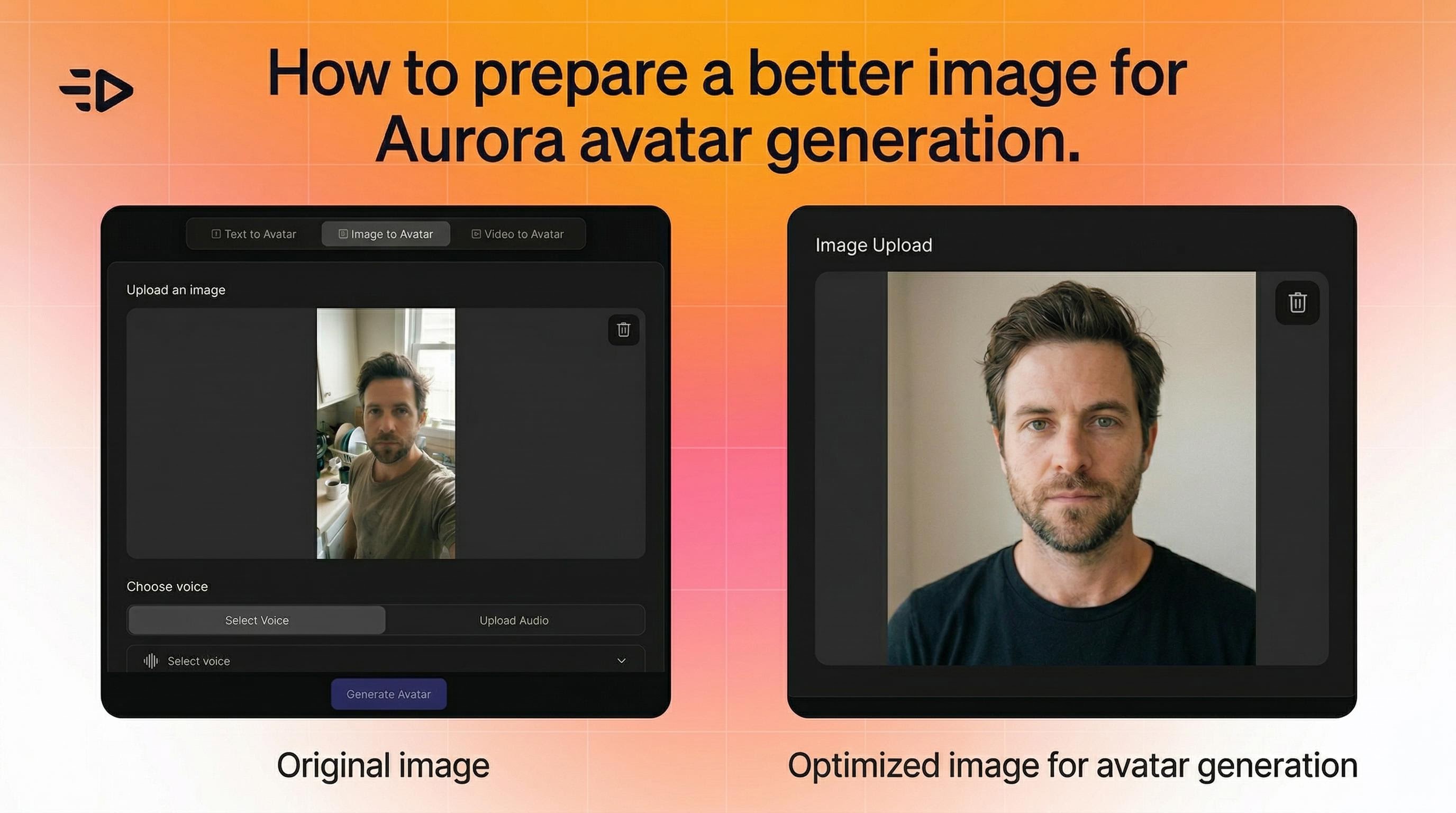
Aurora is flexible - it works with photos, renders, and character art. But a few things help:
The subject should be clearly visible and distinguishable in the frame
For consistent multi-scene videos, keep similar framing across all images (e.g., all portrait shots)
If movement looks unnatural, try an image with a cleaner, more neutral pose
There are no strict limitations on angle, lighting, or composition. Aurora adjusts dynamically.
2. Use Voice Model V3
This is non-negotiable for quality results. Voice Model V3 delivers the most accurate lip sync and the widest expressive range. Older voice models produce noticeably worse output.
Keep speech speed moderate and clear. If sync feels slightly off, slowing the voice down slightly usually fixes it. Add natural pauses between sentences - they give the avatar room to breathe and make the performance feel more human.
3. Master your prompt
This is where most people leave results on the table. The prompt tells Aurora how the avatar should behave - not just what it looks like, but how it moves, what emotion it conveys, and how it interacts with the scene.
Use this as your base prompt for any standard talking-head video:
4K studio interview, medium close-up (shoulders-up crop). Solid light-grey seamless backdrop, uniform soft key-light - no lighting change. Presenter faces lens, steady eye-contact. Hands remain below frame, body perfectly still. Ultra-sharp.
From there, layer in behavioral cues specific to your use case.
Prompt examples by format:
Use Case | Behavioral Prompt to Add |
|---|---|
Product demo | The person holding the product is showing the label face to the camera while explaining, pointing at it from time to time. |
Natural talking head | The person is talking and facing the camera directly and naturally with breathing chest movement. Natural explaining gestures and eye movements. |
Podcast | The person is looking and facing to the side as if talking to someone in that direction, with engaging expression showing interest in the topic. |
UGC selfie | The person is talking in front of the camera with one hand not visible. The camera has a slight shake as if handheld. |
Enthusiastic product review | The person's hands move enthusiastically trying to explain the benefit of the product. |
The more specific you get with emotional tone and physical behavior, the better the output. Vague prompts produce generic results.
Pro tip: Use GPT to combine the base cinematic setup with your specific use case. Prompt it: "Generate an optimized Aurora prompt for a [X] product demo" and it'll blend the technical framing with the right behavioral cues automatically.
4. Dial in prompt_guidance
Aurora has a prompt_guidance parameter ranging from 0 to 4. It controls how strictly the model follows your prompt versus allowing natural variation.
Start at 1 for most scenes. It gives the model room to perform naturally while still following direction.
Increase it if the avatar drifts off-prompt or doesn't follow the behavioral cues you set.
Decrease it if the performance feels stiff or mechanical.
5. Match audio, image, and prompt emotionally
The most common mistake: using an energetic, upbeat audio track with a neutral-faced image and a calm behavioral prompt. The model fuses all three inputs. If they're pulling in different directions, the output feels inconsistent.
If your audio is enthusiastic, your prompt should call for energetic, expressive behavior. If it's calm and informational, your prompt should reflect that. The more aligned these three inputs are, the more convincing the result.
Quick troubleshooting
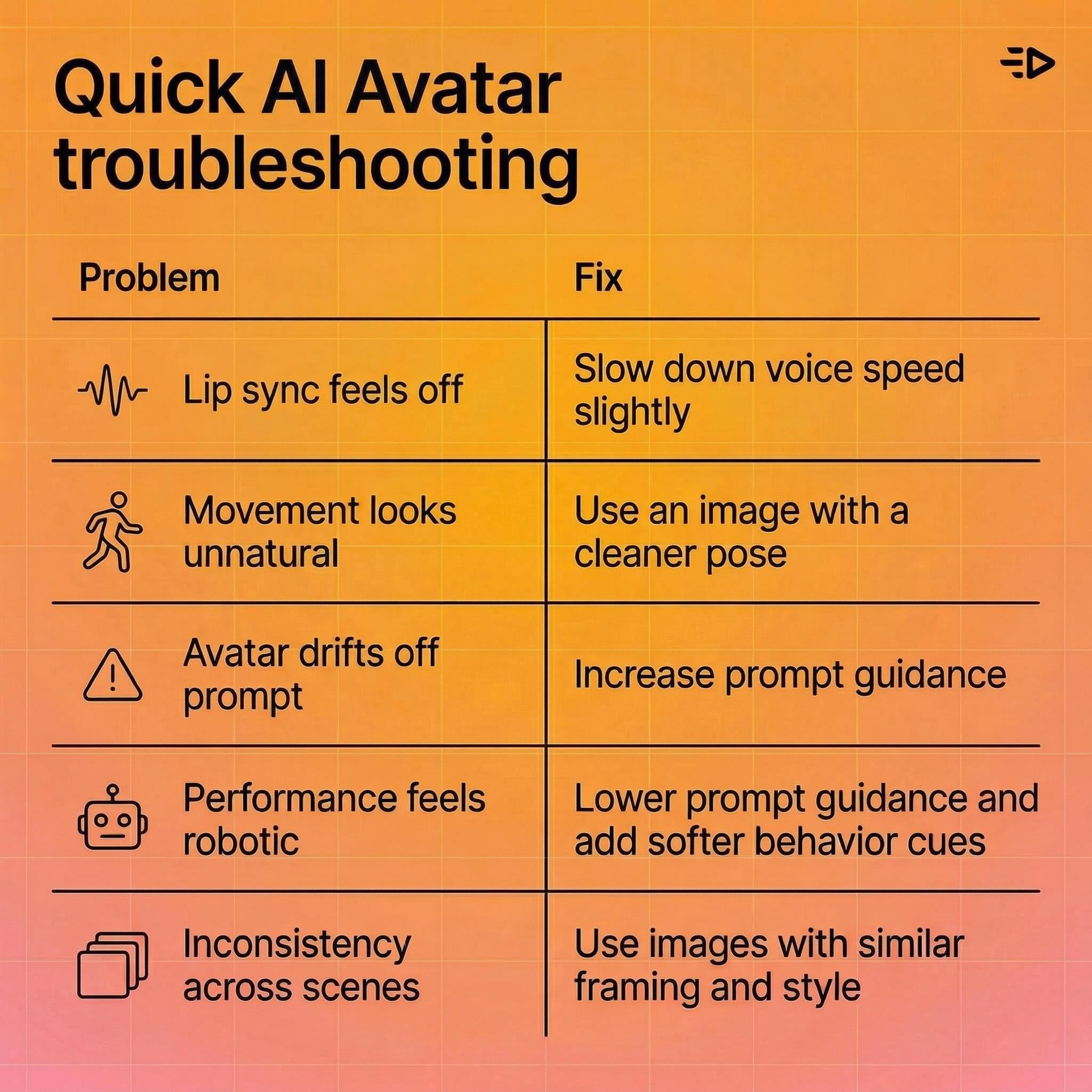
Problem | Fix |
|---|---|
Lip sync feels off | Slow down voice speed slightly |
Movement looks unnatural | Try a different image with a cleaner pose |
Avatar drifts off-prompt | Increase prompt_guidance |
Performance feels too robotic | Lower prompt_guidance; add softer behavioral cues |
Inconsistency across scenes | Use images with similar framing and style |
The bigger picture
Aurora represents a meaningful step forward in AI video generation — not because it's a novelty, but because it solves a real production problem. Creating high-quality avatar video used to require a camera, a studio, a performer, and a post-production workflow. Now it requires a photo and a script.
For performance marketers running paid campaigns, that changes the math on creative testing. For agencies managing multiple clients, it changes the economics of video production. For anyone who's ever passed on video ads because of cost or complexity, it removes the barrier entirely.
The model is live on Creatify, and integrations with ElevenLabs, Runware and fal.ai mean it's increasingly accessible as a standalone capability for developers and creators building on top of AI infrastructure.
One photo. One audio clip. A video that looks like you shot it in a studio.
Most AI video generators give you the uncanny valley - mouths that move, eyes that don't, bodies that stay frozen like a cardboard cutout. Aurora is built to fix that.
Aurora is Creatify's proprietary diffusion transformer (DiT) model for audio-driven avatar synthesis. Give it one photo and an audio clip, and it generates a studio-quality video of that person speaking, presenting, or singing - with synchronized facial expressions, natural eye movements, breathing, and full upper-body gestures. It's not just lip sync. It's a full performance.
The model has already been integrated into ElevenLabs, Runware and fal.ai as one of the first video generation models - a signal of where AI video generation is heading.
This guide covers how to get the best results out of it.
What makes Aurora different
Most talking-head tools animate the mouth and call it a day. Aurora treats the avatar as a whole person, setting a new benchmark for realistic AI video generation.
Here's what the model actually produces:
Lip sync that tracks the audio accurately, including subtle mouth shapes for different phonemes
Facial expressions that match vocal tone and emotional delivery
Eye movements - blinking, gaze shifts, natural focus
Head movement - nods, tilts, subtle position changes
Upper-body gestures - hand movements, shoulder shifts, the kind of natural motion that makes a talking head feel real rather than robotic
Breathing - chest movement between sentences
The underlying architecture fuses an image encoder, text encoder, and audio encoder into a shared latent space, so the model understands the emotional context of what's being said and reflects it visually. If the audio sounds enthusiastic, the avatar looks enthusiastic.
What you can build with it
Aurora supports a wide range of content types beyond simple talking heads, making it a powerful tool for ai video gen workflows:
Product demos - Show a spokesperson holding a product, pointing at it, and explaining its benefits. Works for skincare, tech, consumer goods, anything.
UGC-style ads - Selfie format, slight handheld camera shake, casual delivery. Hard to distinguish from real creator content.
Podcast clips - Avatar faces slightly to the side as if talking to a co-host, with an engaged, conversational expression.
Multilingual content - Generate the same video in any language without re-filming. Aurora keeps the avatar's lip movements in sync with the new audio.
Singing avatars - Give it album art and a song, and the avatar performs it. Useful for music marketing or entertainment content.
Animated characters - Works with illustrated characters and stylized art, not just realistic photos.
Getting the best results with AI video gen
1. Start with the right image
Aurora is flexible - it works with photos, renders, and character art. But a few things help:
The subject should be clearly visible and distinguishable in the frame
For consistent multi-scene videos, keep similar framing across all images (e.g., all portrait shots)
If movement looks unnatural, try an image with a cleaner, more neutral pose
There are no strict limitations on angle, lighting, or composition. Aurora adjusts dynamically.
2. Use Voice Model V3
This is non-negotiable for quality results. Voice Model V3 delivers the most accurate lip sync and the widest expressive range. Older voice models produce noticeably worse output.
Keep speech speed moderate and clear. If sync feels slightly off, slowing the voice down slightly usually fixes it. Add natural pauses between sentences - they give the avatar room to breathe and make the performance feel more human.
3. Master your prompt
This is where most people leave results on the table. The prompt tells Aurora how the avatar should behave - not just what it looks like, but how it moves, what emotion it conveys, and how it interacts with the scene.
Use this as your base prompt for any standard talking-head video:
4K studio interview, medium close-up (shoulders-up crop). Solid light-grey seamless backdrop, uniform soft key-light - no lighting change. Presenter faces lens, steady eye-contact. Hands remain below frame, body perfectly still. Ultra-sharp.
From there, layer in behavioral cues specific to your use case.
Prompt examples by format:
Use Case | Behavioral Prompt to Add |
|---|---|
Product demo | The person holding the product is showing the label face to the camera while explaining, pointing at it from time to time. |
Natural talking head | The person is talking and facing the camera directly and naturally with breathing chest movement. Natural explaining gestures and eye movements. |
Podcast | The person is looking and facing to the side as if talking to someone in that direction, with engaging expression showing interest in the topic. |
UGC selfie | The person is talking in front of the camera with one hand not visible. The camera has a slight shake as if handheld. |
Enthusiastic product review | The person's hands move enthusiastically trying to explain the benefit of the product. |
The more specific you get with emotional tone and physical behavior, the better the output. Vague prompts produce generic results.
Pro tip: Use GPT to combine the base cinematic setup with your specific use case. Prompt it: "Generate an optimized Aurora prompt for a [X] product demo" and it'll blend the technical framing with the right behavioral cues automatically.
4. Dial in prompt_guidance
Aurora has a prompt_guidance parameter ranging from 0 to 4. It controls how strictly the model follows your prompt versus allowing natural variation.
Start at 1 for most scenes. It gives the model room to perform naturally while still following direction.
Increase it if the avatar drifts off-prompt or doesn't follow the behavioral cues you set.
Decrease it if the performance feels stiff or mechanical.
5. Match audio, image, and prompt emotionally
The most common mistake: using an energetic, upbeat audio track with a neutral-faced image and a calm behavioral prompt. The model fuses all three inputs. If they're pulling in different directions, the output feels inconsistent.
If your audio is enthusiastic, your prompt should call for energetic, expressive behavior. If it's calm and informational, your prompt should reflect that. The more aligned these three inputs are, the more convincing the result.
Quick troubleshooting
Problem | Fix |
|---|---|
Lip sync feels off | Slow down voice speed slightly |
Movement looks unnatural | Try a different image with a cleaner pose |
Avatar drifts off-prompt | Increase prompt_guidance |
Performance feels too robotic | Lower prompt_guidance; add softer behavioral cues |
Inconsistency across scenes | Use images with similar framing and style |
The bigger picture
Aurora represents a meaningful step forward in AI video generation — not because it's a novelty, but because it solves a real production problem. Creating high-quality avatar video used to require a camera, a studio, a performer, and a post-production workflow. Now it requires a photo and a script.
For performance marketers running paid campaigns, that changes the math on creative testing. For agencies managing multiple clients, it changes the economics of video production. For anyone who's ever passed on video ads because of cost or complexity, it removes the barrier entirely.
The model is live on Creatify, and integrations with ElevenLabs, Runware and fal.ai mean it's increasingly accessible as a standalone capability for developers and creators building on top of AI infrastructure.
One photo. One audio clip. A video that looks like you shot it in a studio.