
Creatify Team
SHARE
IN THIS ARTICLE
We're releasing Asset Generator - a unified workspace where you can create images and videos using any AI model without switching between platforms.
Pick from Sora 2, Nano Banana Pro, Flux Ultra, Veo 3.1, and 20+ other models. Generate assets, preview results side-by-side, and reuse them across projects instantly.
What Asset Generator does
Asset Generator is a single interface for generating images and videos using the best AI models available. You're not locked into one model's strengths and weaknesses - you choose the right tool for each job.
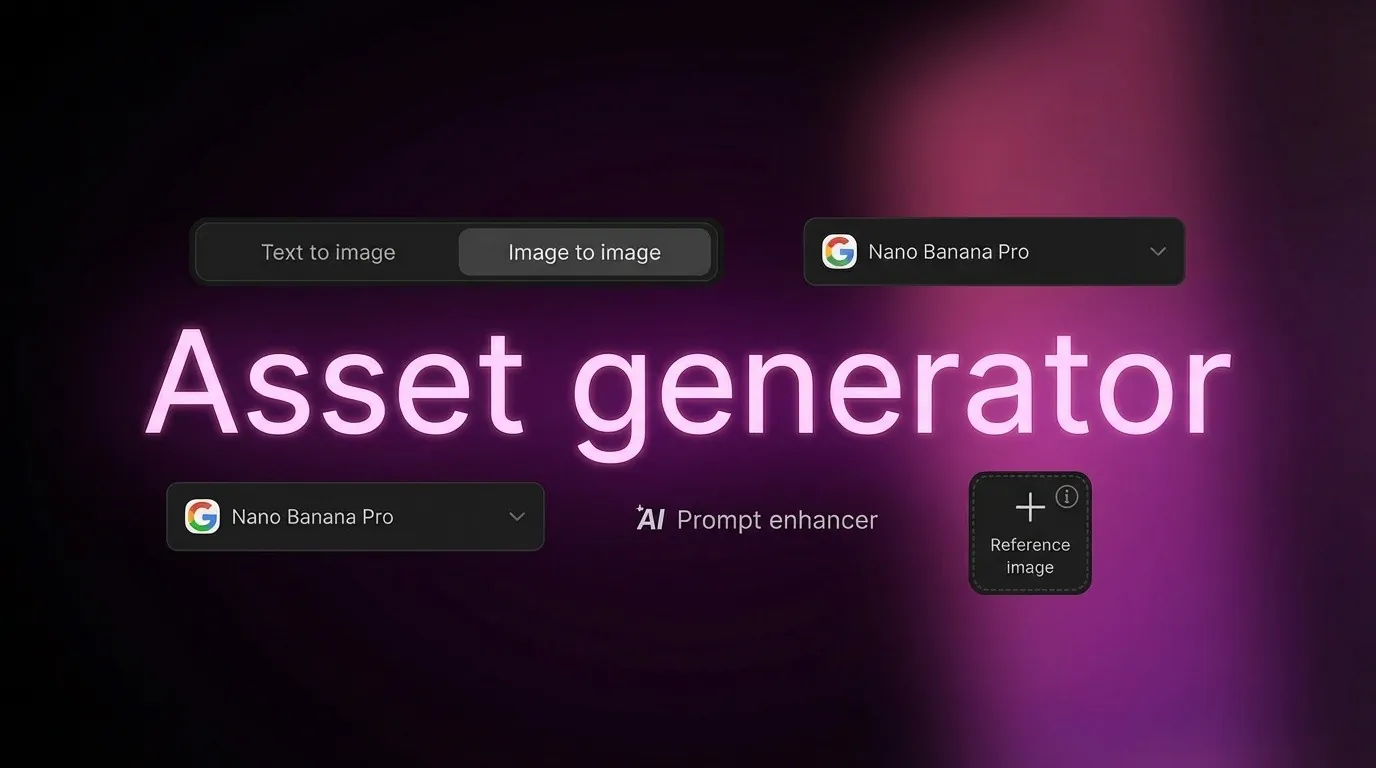
Text to image - Describe what you need and pick a model. Nano Banana Pro for precision product shots. Flux Ultra for ultra-high-res lifestyle images. Veo 3.1 for cinematic video ads.
Image to image - Upload reference images to guide the AI. This is how you maintain brand consistency across assets. Show the AI your product, your color palette, your design style - and it generates variations that match.
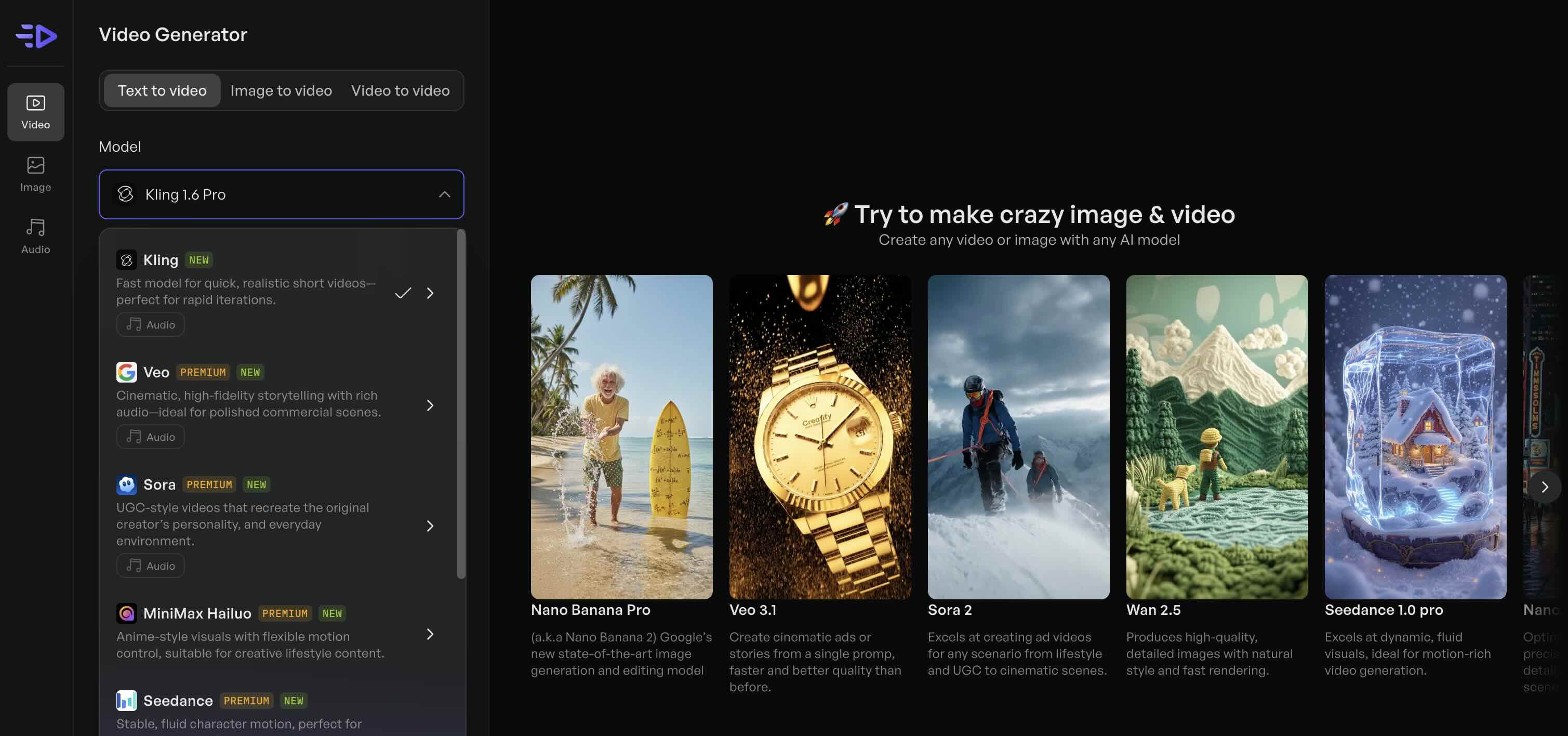
The models handle different tasks better than others. Sora 2 excels at creating ad videos for any scenario from lifestyle to UGC. Wan 2.5 produces high-quality, natural images with sharp details. You're not guessing which platform to sign up for - they're all here.
Why this changes how you make ad creatives
Most AI ad generators lock you into one model. If that model struggles with your product category or creative style, you're stuck.
Asset Generator solves this by giving you 20+ models to test. Generate the same concept across multiple models in minutes, compare results, and pick winners.
For ecommerce brands: Create product images for your listings, lifestyle shots for ads, and infographics for email campaigns - all from one prompt with different models.
For agencies: Stop managing subscriptions to 5 different AI tools. Generate client assets from Creatify, preview multiple model outputs, and deliver the best results.
For marketing teams: Need a hero image for a blog post? Generate 4 variations with different models in 2 minutes. Need a product video ad? Switch to Sora 2 or Veo 3.1 without leaving the platform.
Use cases beyond video ads
Asset Generator isn't just an AI video ad generator - it's a complete visual production toolkit.
Product listing visuals - Generate lifestyle shots, detail close-ups, and comparison graphics for Amazon, Shopify, or Etsy listings. Upload your product photo as a reference and prompt variations: "product on marble countertop with morning light" or "product being used outdoors at sunset."
Blog and content visuals - Create custom images for blog headers, social posts, and email campaigns. No more generic stock photos that 50 other brands are using.
Infographics and diagrams - Generate visual explainers, comparison charts, and step-by-step diagrams. Upload a rough sketch as reference and let the AI polish it.
Social media content - Create carousel images, Instagram story backgrounds, and Pinterest pins that match your brand aesthetic.
The reference image feature is critical here. You can upload your brand's design elements - color schemes, typography samples, product photos - and the AI uses them as guidelines. Your assets stay on-brand without manual editing in Photoshop.
How to use Asset Generator
Log into Creatify and navigate to Asset Generator from the main dashboard.
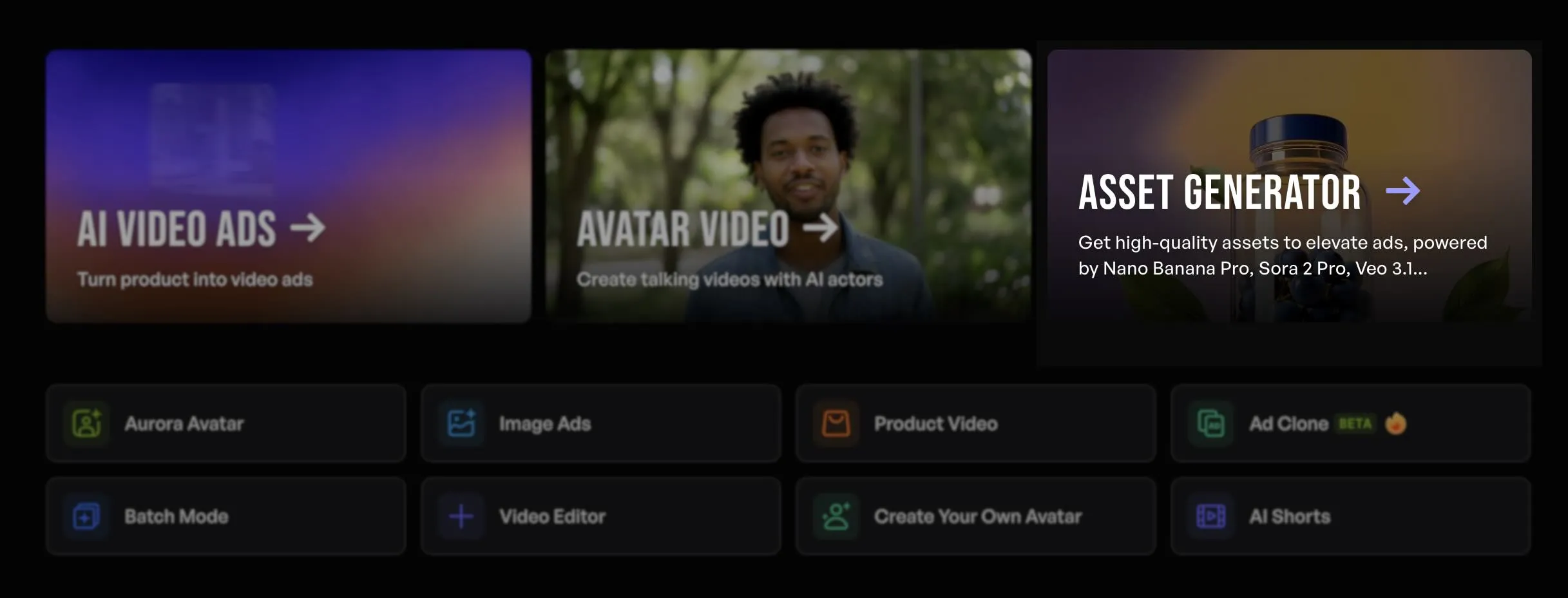
Choose Text to image for generating from scratch, or Image to image to work from references.
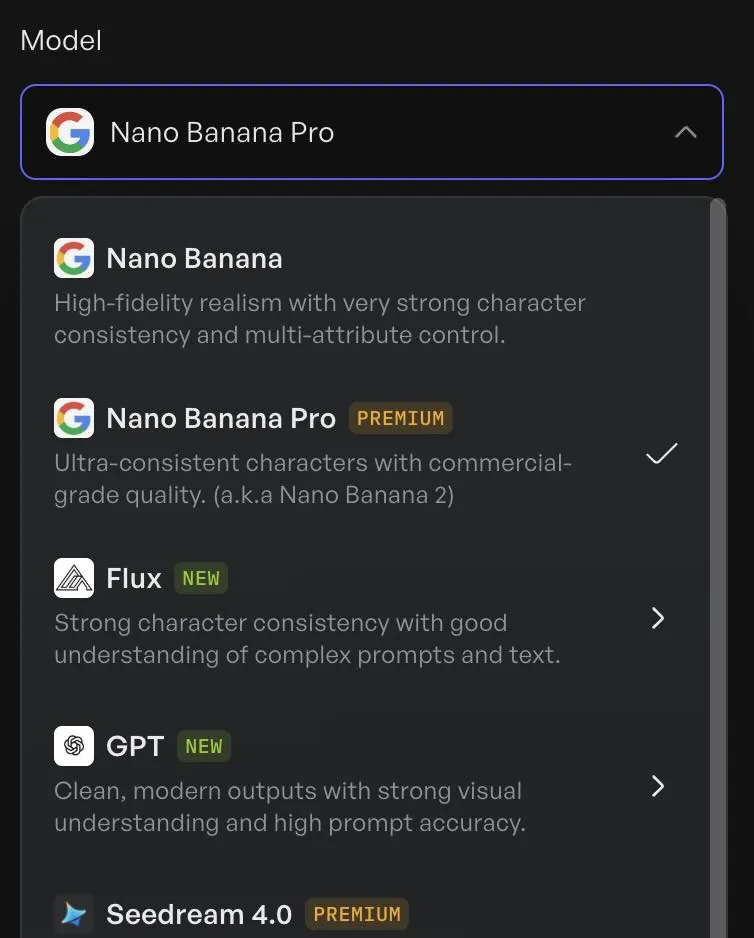
Select your model. If you're not sure, start with Nano Banana Pro for product-focused assets or Veo 3.1 for video ads.
Write your prompt. Be specific: "professional product photo of wireless headphones on wooden desk, warm lighting, 4K quality" works better than "headphones photo."
For reference-based generation, upload your brand assets in the Image to image tab. The AI will analyze your images and maintain that visual style.
Click Generate. Results appear in seconds. Preview outputs from multiple models side-by-side if you've queued multiple generations.
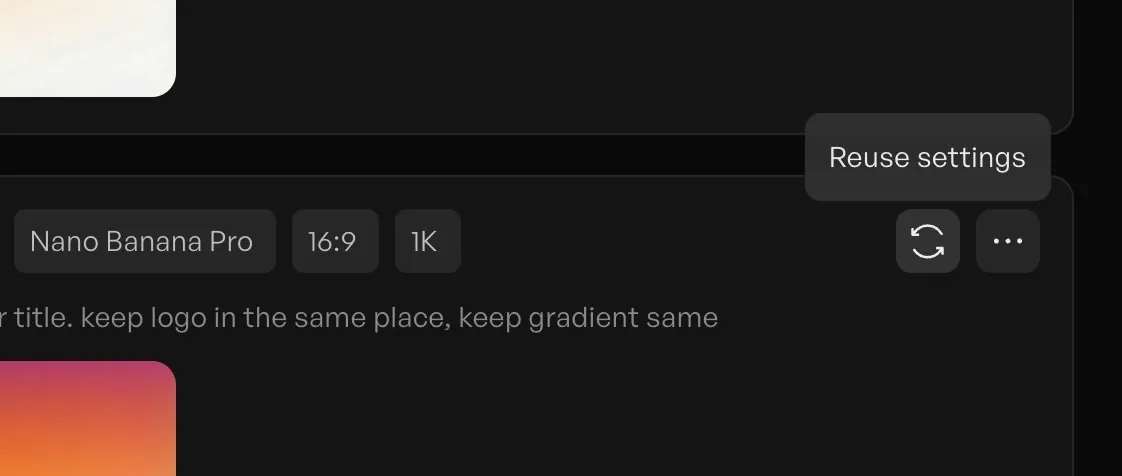
Reuse assets across projects. Every generated asset lives in your Creatify library and can be dropped into video ads, product videos, or batch campaigns instantly.
Model selection guide
Nano Banana Pro - Perfect precision for product photography and seamless editing. Use this for ecommerce listing images and detailed product shots.
Veo 3.1 - Cinematic video ads and story-based content. Creates high-quality branded storytelling visuals from product info.
Sora 2 - Top choice for lifestyle and UGC-style ad videos. Excels at creating videos for any scenario from product demos to testimonial-style content.
Flux Ultra - Ultra-fast, ultra-high-res image generation. When you need hero images or large-format visuals quickly.
Wan 2.5 - High-quality, natural images with sharp detail. Strong general-purpose model for marketing visuals.
You're not limited to one. Generate with 3 different models, compare results, and pick the winner. Total time: under 5 minutes.
What this means for your ad creative workflow
Before Asset Generator, creating high-quality ad creatives meant:
Hiring and managing freelancers
Paying for multiple AI tool subscriptions ($50-200/month each)
Jumping between platforms for images vs. videos
Manually ensuring brand consistency across assets
Waiting days for revisions
Now you can generate ad-ready images and videos in minutes, test multiple creative directions with different AI models, and maintain brand consistency through reference images - all from one workspace.
The reference image system is the unlock here. Upload your brand guide, product photos, and past winning ads. Every new asset the AI generates will match that aesthetic. No more off-brand AI outputs that need manual correction.
Integration with Creatify's ad creation tools
Assets generated here flow directly into Creatify's other features.
Create a product image in Asset Generator, then drop it into URL-to-Video to build a complete ad with AI avatars and scripting. Or use it as B-roll in your avatar videos. Or add it to a Batch Mode campaign to generate hundreds of ad variations.
This is why having all models in one platform matters. You're not downloading files from Midjourney, uploading them to another tool, then exporting again. Generate → preview → use in ads. One workspace, zero friction.
Frequently Asked Questions
What AI models are available in Asset Generator?
Asset Generator includes 20+ models: Sora 2, Sora 2 Pro, Nano Banana Pro, Flux Ultra, Flux 2 Pro, Veo 3.1, Wan 2.5, Kling Pro, Minimax Hailuo, and more. Each model has different strengths - Sora for video ads, Nano Banana for product precision, Veo for cinematic content. You can switch between models instantly.
Can I use Asset Generator for non-ad content?
Absolutely. Asset Generator works for any visual content: product listing photos, blog images, infographics, social media graphics, email headers, presentation visuals, and more. The reference image feature lets you maintain brand consistency across all content types.
How do reference images work?
Upload any image in the Image to image tab - product photos, brand guidelines, past designs, color palettes. The AI analyzes your reference and generates new assets that match that style, color scheme, and aesthetic. This keeps all your generated assets on-brand without manual editing.
Do I need separate subscriptions for each AI model?
No. All 20+ models are included in your Creatify subscription. You don't pay extra to access Sora, Flux, Nano Banana, or any other model. Generate with any model and compare results without additional costs.
How long does it take to generate assets?
Image generation: 10-30 seconds depending on model and complexity. Video generation: 2-5 minutes depending on length and model. You can queue multiple generations and preview results side-by-side.
Can I use generated assets in video ads?
Yes. Assets generated in Asset Generator automatically save to your Creatify media library. Drop them directly into URL-to-Video, AI Avatar videos, Product Videos, or Batch Mode campaigns. No exporting and re-uploading needed.
We're releasing Asset Generator - a unified workspace where you can create images and videos using any AI model without switching between platforms.
Pick from Sora 2, Nano Banana Pro, Flux Ultra, Veo 3.1, and 20+ other models. Generate assets, preview results side-by-side, and reuse them across projects instantly.
What Asset Generator does
Asset Generator is a single interface for generating images and videos using the best AI models available. You're not locked into one model's strengths and weaknesses - you choose the right tool for each job.
Text to image - Describe what you need and pick a model. Nano Banana Pro for precision product shots. Flux Ultra for ultra-high-res lifestyle images. Veo 3.1 for cinematic video ads.
Image to image - Upload reference images to guide the AI. This is how you maintain brand consistency across assets. Show the AI your product, your color palette, your design style - and it generates variations that match.
The models handle different tasks better than others. Sora 2 excels at creating ad videos for any scenario from lifestyle to UGC. Wan 2.5 produces high-quality, natural images with sharp details. You're not guessing which platform to sign up for - they're all here.
Why this changes how you make ad creatives
Most AI ad generators lock you into one model. If that model struggles with your product category or creative style, you're stuck.
Asset Generator solves this by giving you 20+ models to test. Generate the same concept across multiple models in minutes, compare results, and pick winners.
For ecommerce brands: Create product images for your listings, lifestyle shots for ads, and infographics for email campaigns - all from one prompt with different models.
For agencies: Stop managing subscriptions to 5 different AI tools. Generate client assets from Creatify, preview multiple model outputs, and deliver the best results.
For marketing teams: Need a hero image for a blog post? Generate 4 variations with different models in 2 minutes. Need a product video ad? Switch to Sora 2 or Veo 3.1 without leaving the platform.

Use cases beyond video ads
Asset Generator isn't just an AI video ad generator - it's a complete visual production toolkit.
Product listing visuals - Generate lifestyle shots, detail close-ups, and comparison graphics for Amazon, Shopify, or Etsy listings. Upload your product photo as a reference and prompt variations: "product on marble countertop with morning light" or "product being used outdoors at sunset."
Blog and content visuals - Create custom images for blog headers, social posts, and email campaigns. No more generic stock photos that 50 other brands are using.
Infographics and diagrams - Generate visual explainers, comparison charts, and step-by-step diagrams. Upload a rough sketch as reference and let the AI polish it.
Social media content - Create carousel images, Instagram story backgrounds, and Pinterest pins that match your brand aesthetic.
The reference image feature is critical here. You can upload your brand's design elements - color schemes, typography samples, product photos - and the AI uses them as guidelines. Your assets stay on-brand without manual editing in Photoshop.
How to use Asset Generator
Log into Creatify and navigate to Asset Generator from the main dashboard.

Choose Text to image for generating from scratch, or Image to image to work from references.
Select your model. If you're not sure, start with Nano Banana Pro for product-focused assets or Veo 3.1 for video ads.
Write your prompt. Be specific: "professional product photo of wireless headphones on wooden desk, warm lighting, 4K quality" works better than "headphones photo."
For reference-based generation, upload your brand assets in the Image to image tab. The AI will analyze your images and maintain that visual style.
Click Generate. Results appear in seconds. Preview outputs from multiple models side-by-side if you've queued multiple generations.

Reuse assets across projects. Every generated asset lives in your Creatify library and can be dropped into video ads, product videos, or batch campaigns instantly.
Model selection guide
Nano Banana Pro - Perfect precision for product photography and seamless editing. Use this for ecommerce listing images and detailed product shots.
Veo 3.1 - Cinematic video ads and story-based content. Creates high-quality branded storytelling visuals from product info.
Sora 2 - Top choice for lifestyle and UGC-style ad videos. Excels at creating videos for any scenario from product demos to testimonial-style content.
Flux Ultra - Ultra-fast, ultra-high-res image generation. When you need hero images or large-format visuals quickly.
Wan 2.5 - High-quality, natural images with sharp detail. Strong general-purpose model for marketing visuals.
You're not limited to one. Generate with 3 different models, compare results, and pick the winner. Total time: under 5 minutes.

What this means for your ad creative workflow
Before Asset Generator, creating high-quality ad creatives meant:
Hiring and managing freelancers
Paying for multiple AI tool subscriptions ($50-200/month each)
Jumping between platforms for images vs. videos
Manually ensuring brand consistency across assets
Waiting days for revisions
Now you can generate ad-ready images and videos in minutes, test multiple creative directions with different AI models, and maintain brand consistency through reference images - all from one workspace.
The reference image system is the unlock here. Upload your brand guide, product photos, and past winning ads. Every new asset the AI generates will match that aesthetic. No more off-brand AI outputs that need manual correction.
Integration with Creatify's ad creation tools
Assets generated here flow directly into Creatify's other features.
Create a product image in Asset Generator, then drop it into URL-to-Video to build a complete ad with AI avatars and scripting. Or use it as B-roll in your avatar videos. Or add it to a Batch Mode campaign to generate hundreds of ad variations.
This is why having all models in one platform matters. You're not downloading files from Midjourney, uploading them to another tool, then exporting again. Generate → preview → use in ads. One workspace, zero friction.
Frequently Asked Questions
What AI models are available in Asset Generator?
Asset Generator includes 20+ models: Sora 2, Sora 2 Pro, Nano Banana Pro, Flux Ultra, Flux 2 Pro, Veo 3.1, Wan 2.5, Kling Pro, Minimax Hailuo, and more. Each model has different strengths - Sora for video ads, Nano Banana for product precision, Veo for cinematic content. You can switch between models instantly.
Can I use Asset Generator for non-ad content?
Absolutely. Asset Generator works for any visual content: product listing photos, blog images, infographics, social media graphics, email headers, presentation visuals, and more. The reference image feature lets you maintain brand consistency across all content types.
How do reference images work?
Upload any image in the Image to image tab - product photos, brand guidelines, past designs, color palettes. The AI analyzes your reference and generates new assets that match that style, color scheme, and aesthetic. This keeps all your generated assets on-brand without manual editing.
Do I need separate subscriptions for each AI model?
No. All 20+ models are included in your Creatify subscription. You don't pay extra to access Sora, Flux, Nano Banana, or any other model. Generate with any model and compare results without additional costs.
How long does it take to generate assets?
Image generation: 10-30 seconds depending on model and complexity. Video generation: 2-5 minutes depending on length and model. You can queue multiple generations and preview results side-by-side.
Can I use generated assets in video ads?
Yes. Assets generated in Asset Generator automatically save to your Creatify media library. Drop them directly into URL-to-Video, AI Avatar videos, Product Videos, or Batch Mode campaigns. No exporting and re-uploading needed.