
Les générateurs d'images IA sont devenus assez bons pour que l'écart de qualité entre les outils se réduise. L'écart qui compte désormais, c'est l'adéquation au workflow : la vitesse à laquelle vous passez du prompt à un asset exploitable, le degré de contrôle sur le résultat et la capacité de l'outil à se connecter à ce que vous faites ensuite (design, édition, création de publicités, publication de contenu).
Nous avons testé 10 des outils de génération d'images IA les plus populaires sur la photoréalité, le rendu du texte, les visuels de produits et l'art stylisé. La liste inclut à la fois des plateformes premium et des générateurs d'images IA gratuits, car les contraintes de budget ne devraient pas vous exclure de cette catégorie. Voici où chacun se situe.
Ce que font les générateurs d'images IA
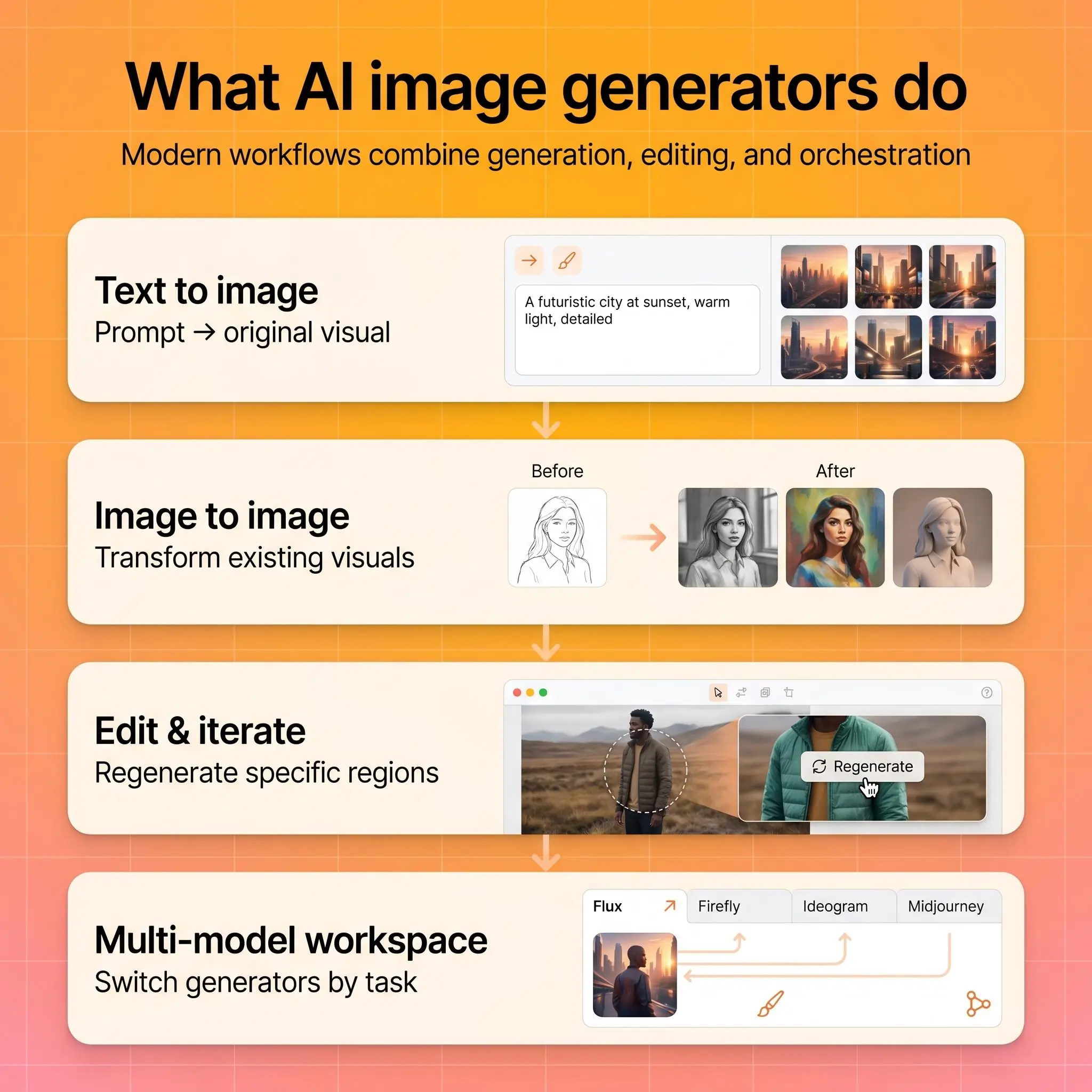
Les générateurs d'images IA transforment des prompts textuels (et parfois des images de référence) en visuels originaux. Les principaux workflows sont :
Texte vers image. Décrivez ce que vous voulez, obtenez une image. C'est le workflow standard dans tous les outils de cette liste.
Image vers image. Importez une photo ou une illustration de référence et transformez-la : changez le style, remplacez des éléments, ajustez la composition ou réinventez entièrement la scène.
Éditer et itérer. Sélectionnez des zones précises d'une image générée (ou importée) et régénérez uniquement cette région. La plupart des outils modernes combinent désormais génération et édition dans une seule interface, ce qui vous permet de formuler un prompt, générer, affiner et exporter sans changer d'application.
Certaines plateformes vont plus loin en regroupant plusieurs modèles d'IA dans un seul espace de travail, ce qui vous permet de passer d'un générateur à l'autre pour trouver le meilleur résultat selon la tâche. Plus d'infos ci-dessous.
Comment nous avons testé
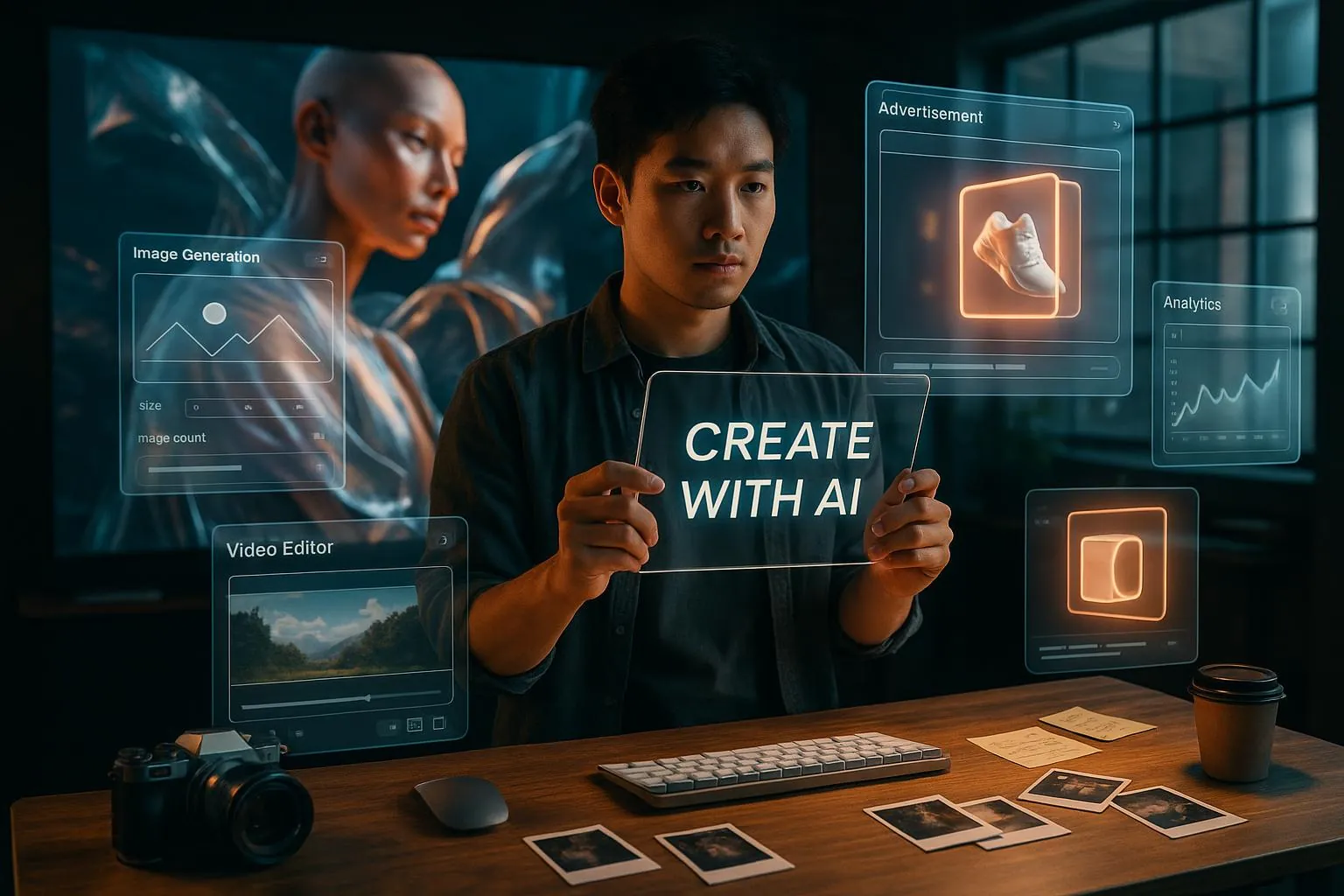
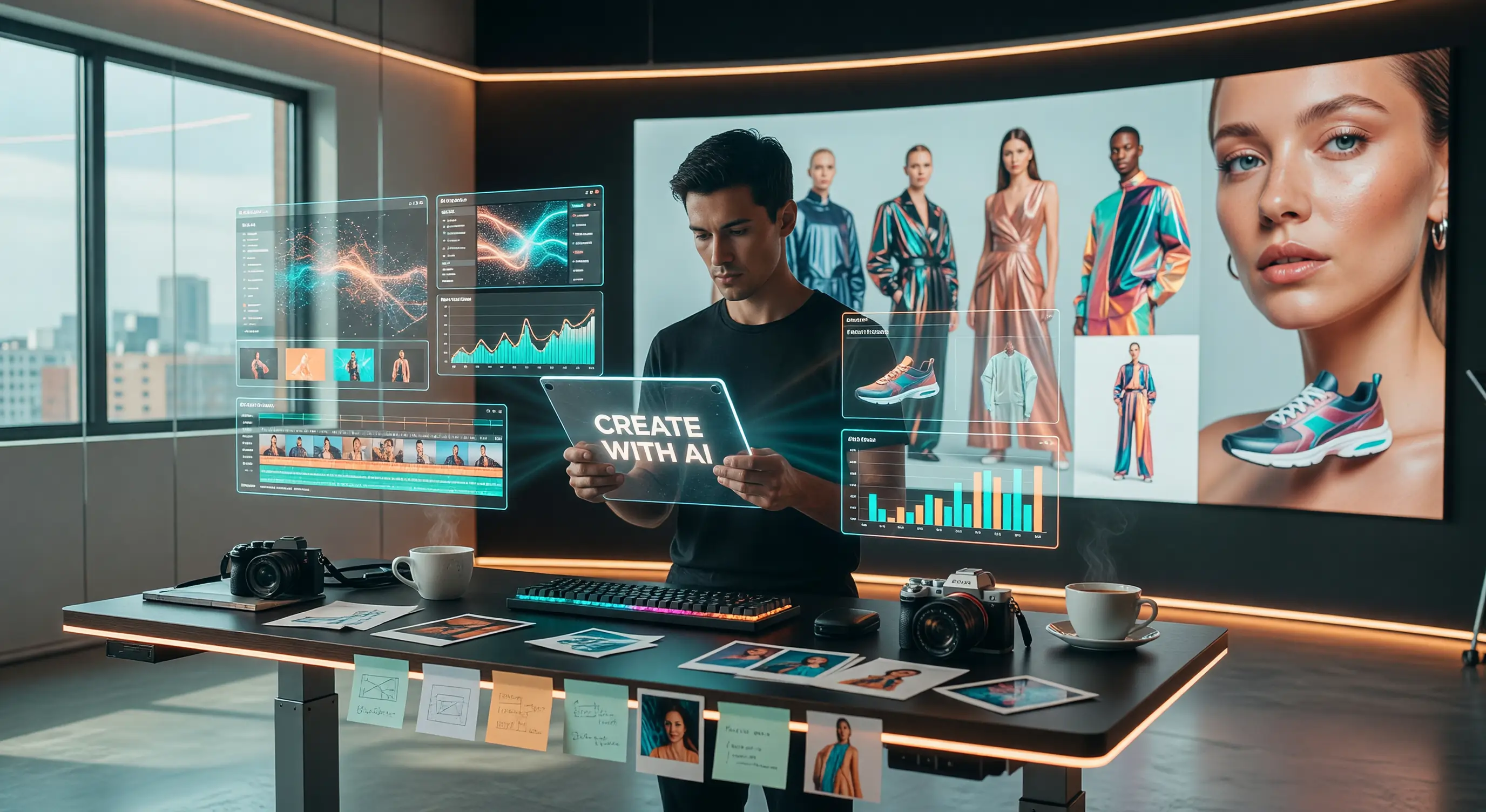
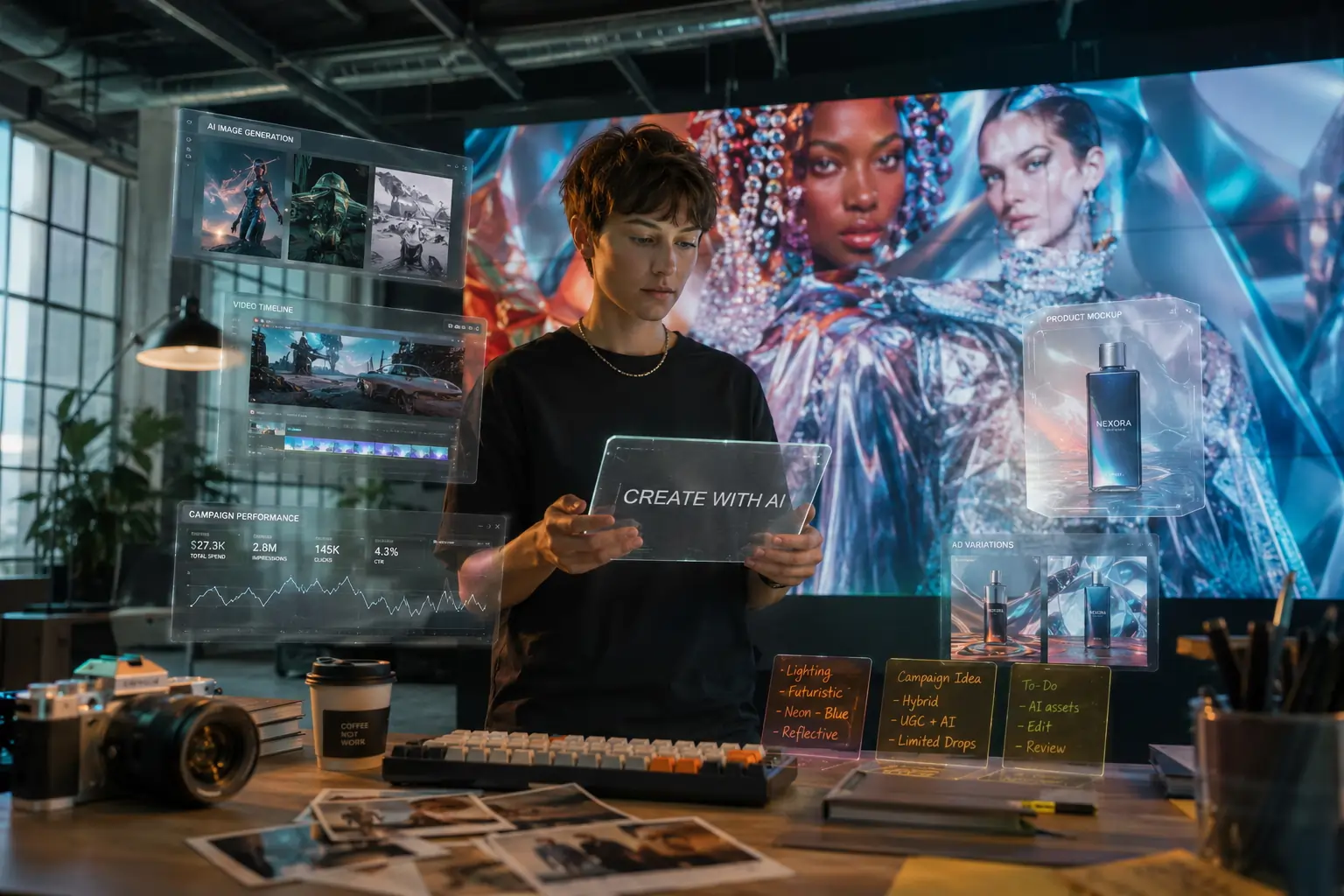
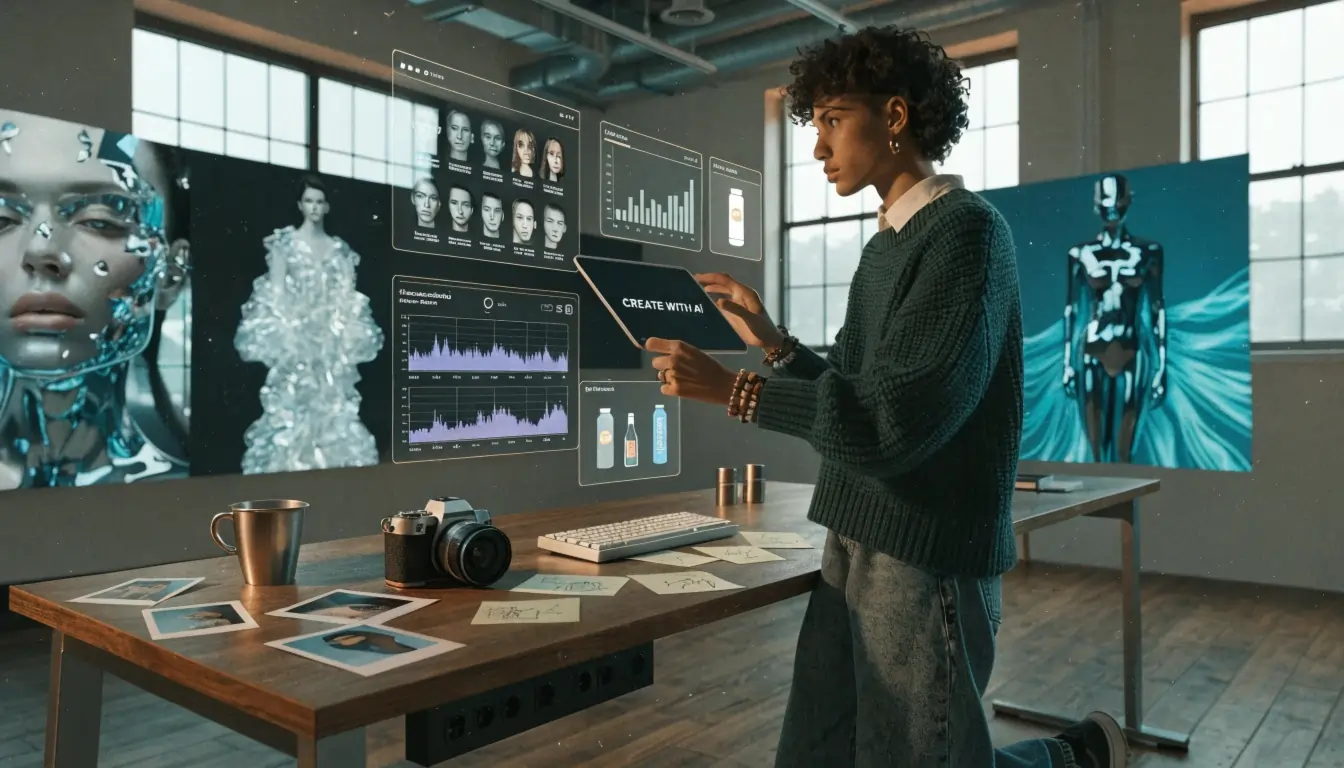
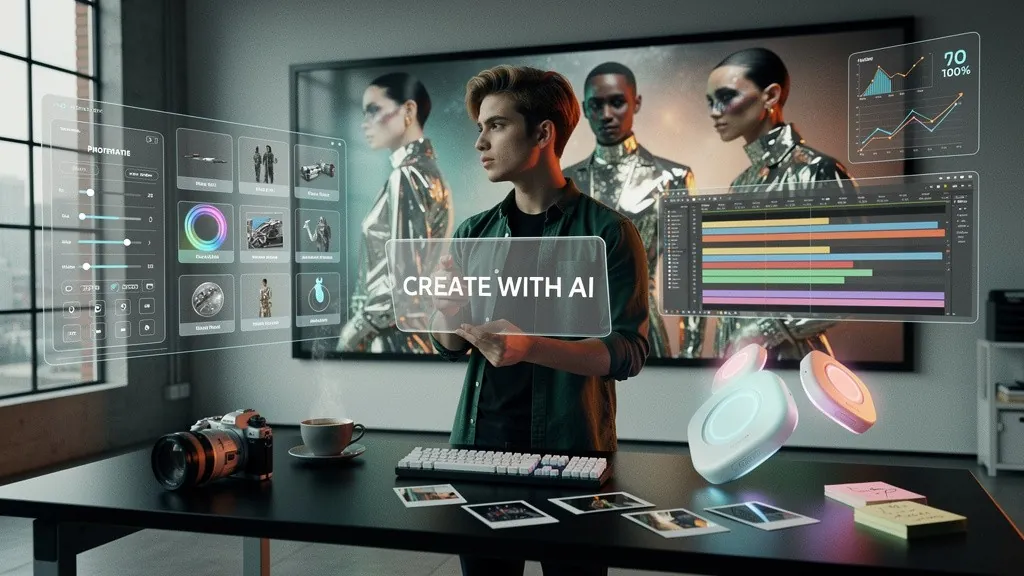
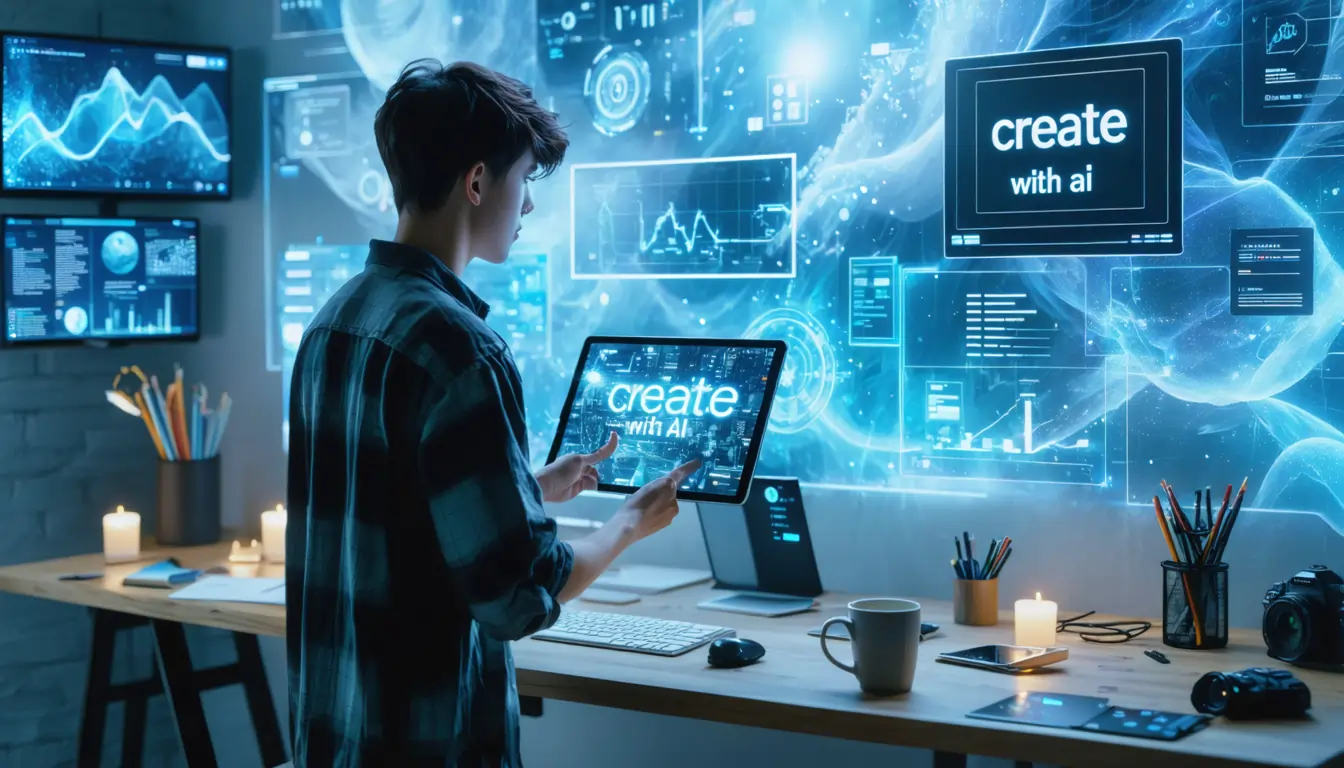
Nous avons soumis chaque outil au même prompt, conçu pour mettre sous pression les zones qui comptent le plus dans le travail réel. Nous avons utilisé ce prompt :
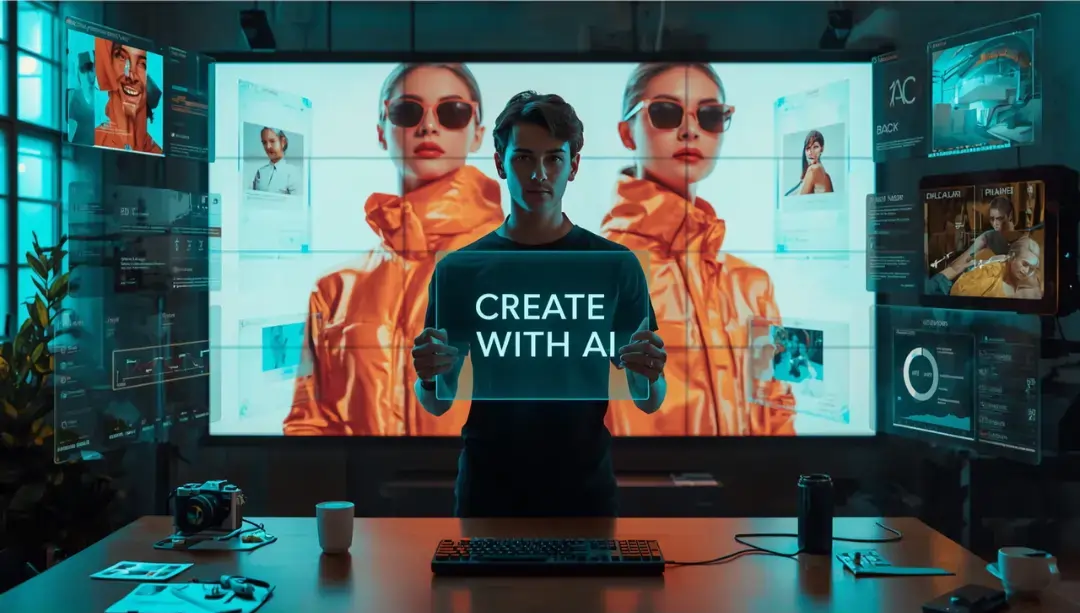
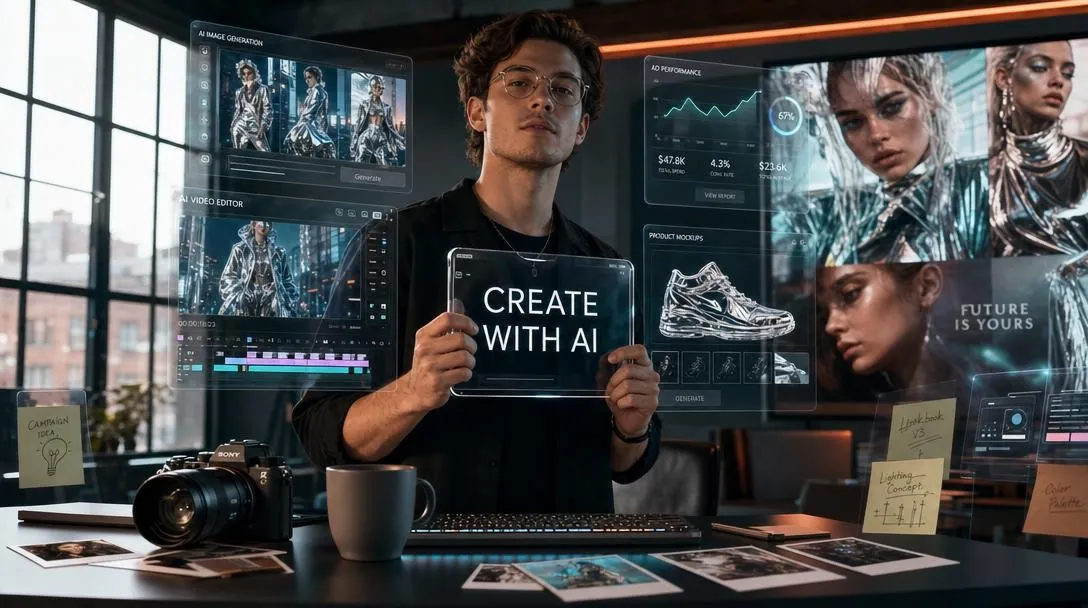
Photo cinématographique ultra-réaliste d'un espace de travail de studio créatif moderne. Un jeune professionnel debout à un bureau debout, tenant une tablette transparente affichant les mots « CRÉEZ AVEC L'IA » dans une typographie sans-serif épurée.
Autour de lui flottent des hologrammes UI superposés : panneaux de génération d'images, timelines vidéo, tableaux de performance publicitaire et maquettes produits lumineuses.
Sur le bureau : un appareil photo hybride argenté, une tasse de café, un clavier mécanique, des photos polaroid éparpillées et des post-its translucides avec des croquis manuscrits. Arrière-plan : un grand mur LED montrant une campagne de mode surréaliste avec des tissus réfléchissants impossibles et des textures de peau hyper détaillées.
Éclairage : un éclairage cinématographique en liseré teal-orange mêlé à une lumière naturelle douce venant de grandes fenêtres industrielles.
Prise de vue avec Sony A7R IV, objectif 35 mm, faible profondeur de champ, grain de film subtil. Mains extrêmement détaillées, anatomie naturelle, reflets réalistes, typographie exacte, ombres crédibles, qualité commerciale premium.
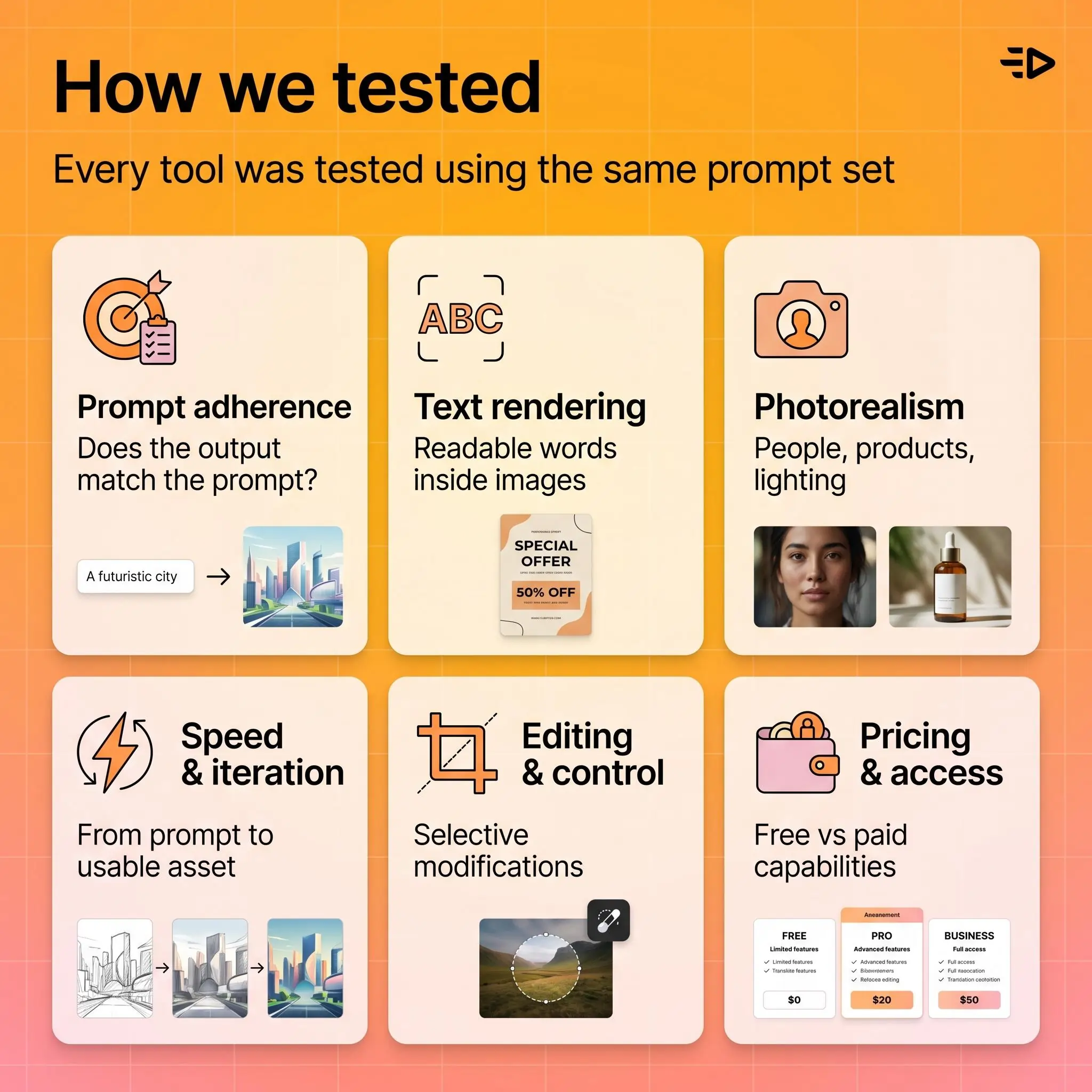
Ce que nous avons évalué :
Respect du prompt. Le résultat correspond-il à ce que vous avez demandé ? C'est le principal critère de différenciation qualité entre les outils en 2026. Une belle image qui ignore la moitié de votre prompt est inutile pour un travail de production.
Rendu du texte. L'outil peut-il restituer correctement des mots à l'intérieur des images ? C'est crucial pour les visuels sociaux, les vignettes, les créations publicitaires et tout visuel nécessitant un texte lisible.
Photoréalisme. À quel point les résultats sont-ils convaincants quand vous demandez des photos réalistes ? Nous avons testé des personnes, des produits, des environnements et des scénarios d'éclairage.
Vitesse et itération. À quelle vitesse pouvez-vous passer du prompt à un résultat exploitable, y compris les retouches et variantes ?
Édition et contrôle. Pouvez-vous modifier sélectivement des parties d'une image, ajuster la composition ou effectuer des changements ciblés sans tout régénérer de zéro ?
Tarification et accessibilité. Qu'obtenez-vous gratuitement, et que débloque la formule payante ?
En un coup d'œil : 10 meilleurs outils par cas d'usage
Idéal pour | Outil |
|---|---|
Simplicité d'utilisation globale | ChatGPT (GPT-image-1) |
Utilisateurs de l'écosystème Google | Gemini / Imagen |
Visuels artistiques et stylisés | Midjourney |
Travail commercial sûr pour la marque | Adobe Firefly |
Texte dans les images | Ideogram |
Workflows de design graphique | Recraft |
Flexibilité et contrôle de l'image | FLUX |
Non-designers | Canva AI |
Création d'assets marketing et publicitaires | Générateur d'assets IA de Creatify |
Expérimentation open source | Stable Diffusion |
Les détails de tarification et de formule gratuite reflètent ce qui était disponible au moment des tests. Vérifiez la page tarifaire actuelle de chaque outil avant d'acheter.
1. ChatGPT (GPT-image-1)
Idéal pour : simplicité d'utilisation globale et prompt conversationnel
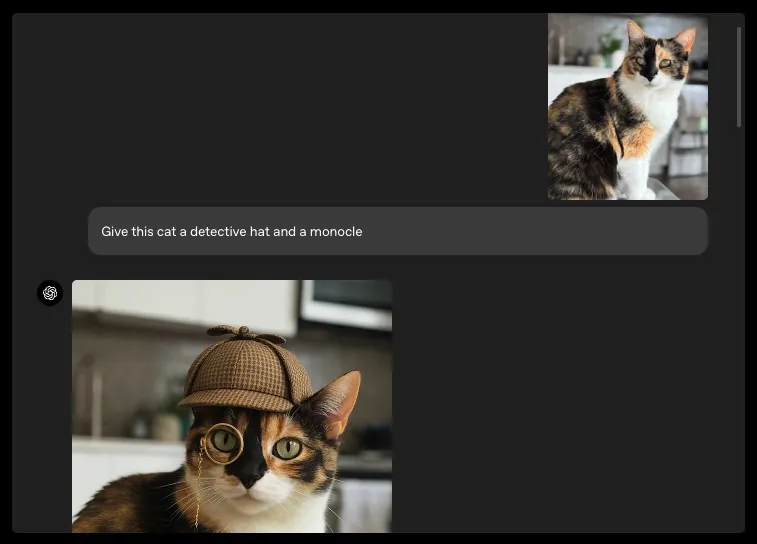
Le modèle GPT-image-1 d'OpenAI a intégré la génération d'images directement dans l'interface de conversation de ChatGPT. Au lieu de rédiger un prompt autonome en espérant le meilleur, vous décrivez ce que vous voulez en langage naturel, vous examinez le résultat et vous l'affinez via des messages de suivi.
La plus grande force du modèle, c'est le respect du prompt. Lors de nos tests, il a suivi de manière plus fiable des prompts complexes à éléments multiples que la plupart des concurrents. Le rendu du texte s'est nettement amélioré depuis le lancement, ce qui le rend viable pour des visuels contenant des mots lisibles.
Le workflow conversationnel est réellement utile. Vous pouvez dire « assombris l'arrière-plan », « déplace le texte en haut à gauche » ou « garde tout, mais remplace le produit par celui-ci » et obtenir des itérations cohérentes sans repartir de zéro.
Limites. La gamme stylistique est plus restreinte que celle de Midjourney. Les résultats photoréalistes ont parfois une légère finition retouchée à l'examen rapproché. La formule gratuite impose des limites de génération réinitialisées chaque jour.
Tarification. Gratuit avec ChatGPT (générations limitées). ChatGPT Plus (20 $/mois) et Pro (200 $/mois) augmentent fortement les limites. Accès API disponible pour la génération programmatique.
Utilisateur idéal. Toute personne qui veut une génération d'images rapide et précise sans apprendre une nouvelle interface.
2. Gemini / Imagen
Idéal pour : utilisateurs de l'écosystème Google et expérimentation gratuite
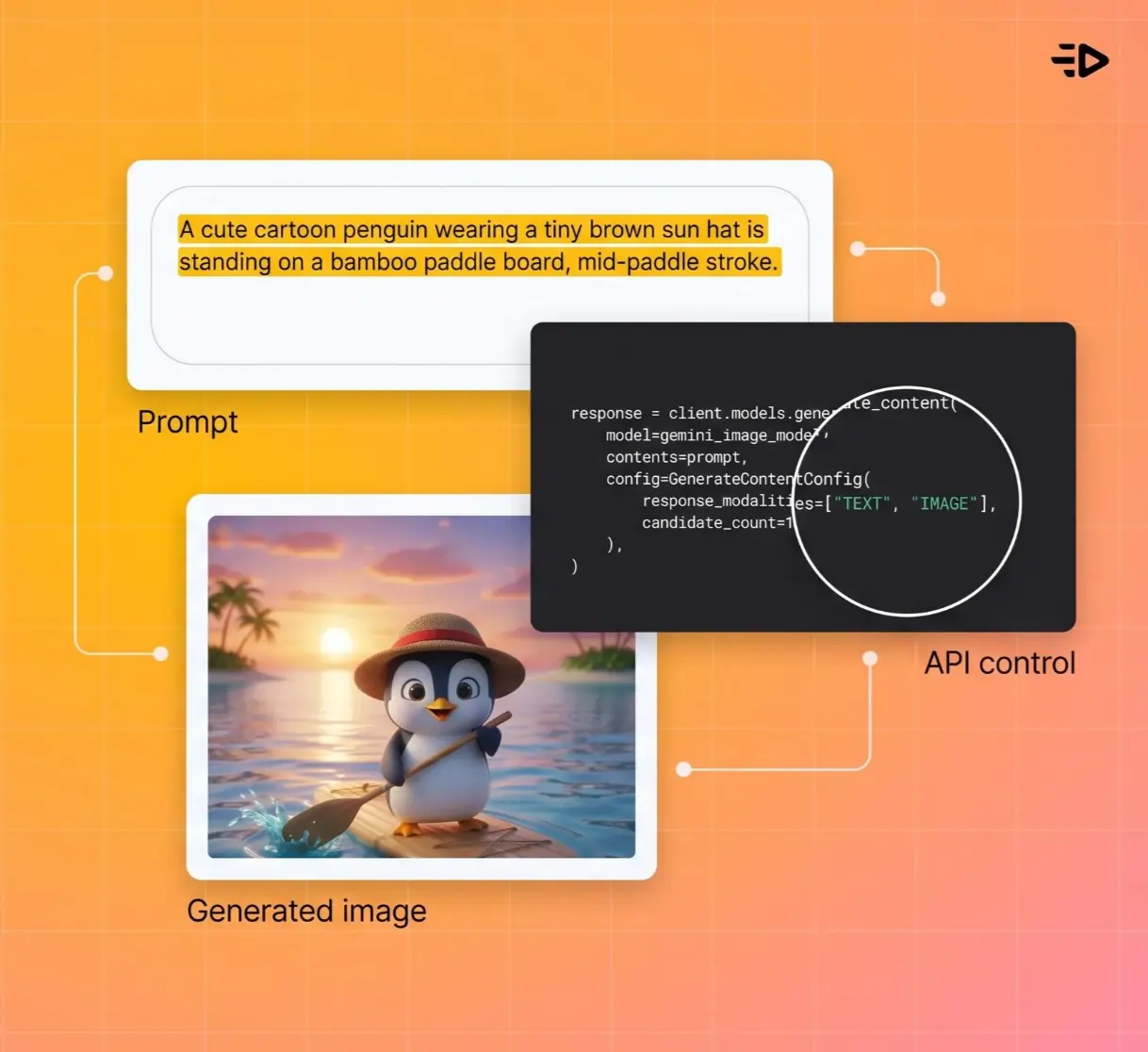
Gemini de Google intègre la génération d'images, alimentée par sa famille de modèles Imagen, directement dans l'application Gemini et les outils Workspace. Pour les équipes déjà dans l'écosystème Google, cela supprime carrément le besoin d'un outil séparé.
Le modèle gère bien le photoréalisme, et les mises à jour récentes ont amélioré le respect du prompt ainsi que les capacités d'édition. Vous pouvez générer des images, puis les retoucher via une conversation de suivi, à la manière de ChatGPT.
Pour les développeurs, Vertex AI de Google fournit un accès API aux mêmes modèles sous-jacents, avec un contrôle plus granulaire sur les paramètres de génération.
Limites. Google applique des filtres de contenu conservateurs qui peuvent bloquer des prompts créatifs pourtant légitimes. Les résultats stylisés ou artistiques restent derrière Midjourney. Les contrôles d'édition fine sont moins matures que ceux d'Adobe Firefly.
Tarification. Gratuit dans l'application Gemini avec des limites d'utilisation. Vertex AI facture à la génération pour l'accès API.
Utilisateur idéal. Équipes Google Workspace, développeurs qui construisent sur Google Cloud et toute personne recherchant un générateur d'images IA gratuit et capable.
3. Midjourney
Idéal pour : qualité artistique et visuels à forte esthétique
Midjourney reste l'outil de référence pour des résultats qui donnent l'impression d'avoir été dirigés par un directeur artistique. Quand vous avez besoin d'une ambiance, d'un mood ou d'une atmosphère visuelle précise, il produit régulièrement des résultats avec une composition et une cohérence esthétique plus fortes que la plupart des concurrents.
Les créatifs l'utilisent pour le concept art, les illustrations éditoriales, les mood boards et le développement visuel. Le modèle possède une signature stylistique distinctive, avec des résultats soignés, cinématographiques et riches visuellement, même avec un prompt minimal.
Limites. Le rendu du texte à l'intérieur des images est plus faible que celui de ChatGPT ou Ideogram. Le workflow basé sur Discord (désormais complété par une interface web) comporte une courbe d'apprentissage. Il est moins prévisible pour des mises en page strictes de marque ou des compositions au pixel près.
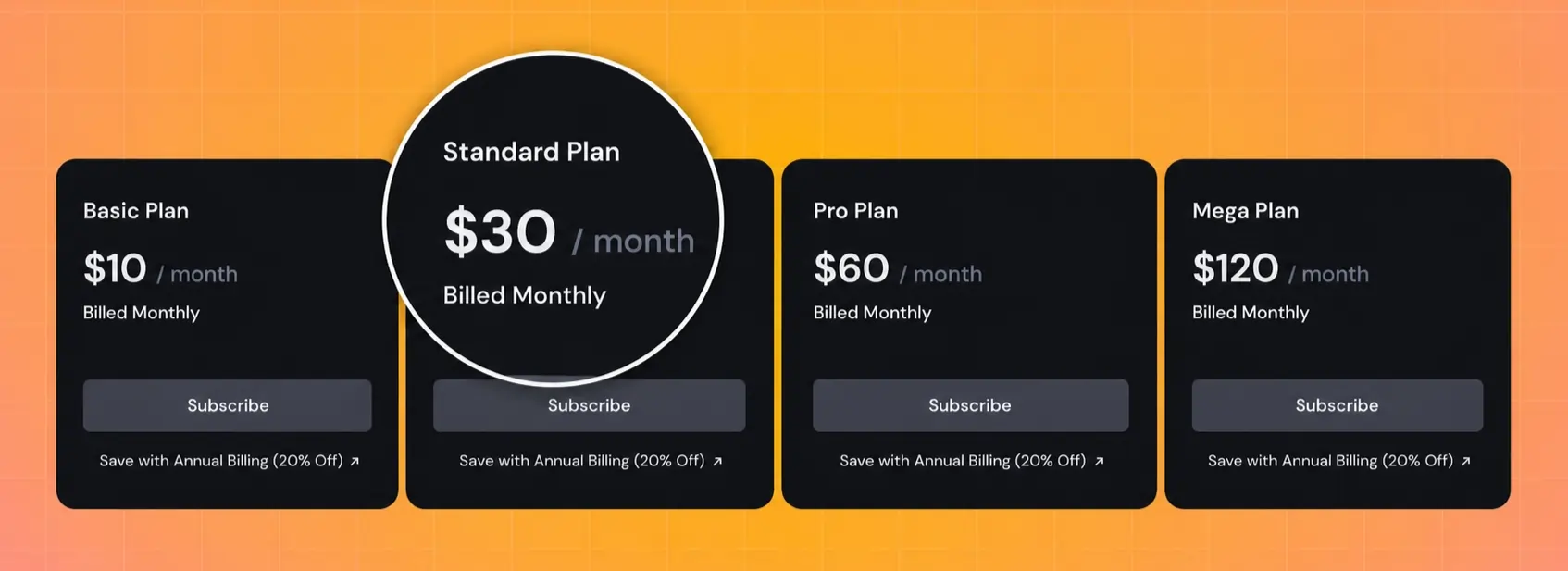
Tarification. À partir de 10 $/mois (Basic) avec des générations limitées. Standard (30 $/mois) et Pro (60 $/mois) augmentent les limites et ajoutent des fonctionnalités comme le mode furtif.
Utilisateur idéal. Illustrateurs, directeurs créatifs, créateurs de contenu et toute personne qui privilégie la qualité visuelle à la précision technique.
4. Adobe Firefly
Idéal pour : travail commercial sûr pour la marque et workflows de design
Adobe Firefly est conçu pour les designers qui ont besoin de résultats commercialement sûrs, utilisables pour des clients sans anxiété liée aux licences. Adobe indique que les modèles de génération d'images de Firefly sont entraînés sur du contenu sous licence et du domaine public, ce qui lui donne une position IP plus claire que celle de la plupart des concurrents.
L'intégration avec Photoshop, Illustrator et l'ensemble de l'écosystème Creative Cloud est le vrai différenciateur. Vous pouvez générer une image dans Firefly, puis l'ouvrir directement dans Photoshop pour du compositing, de la retouche ou des modifications détaillées. Generative Fill et Generative Expand fonctionnent dans les workflows Adobe existants.
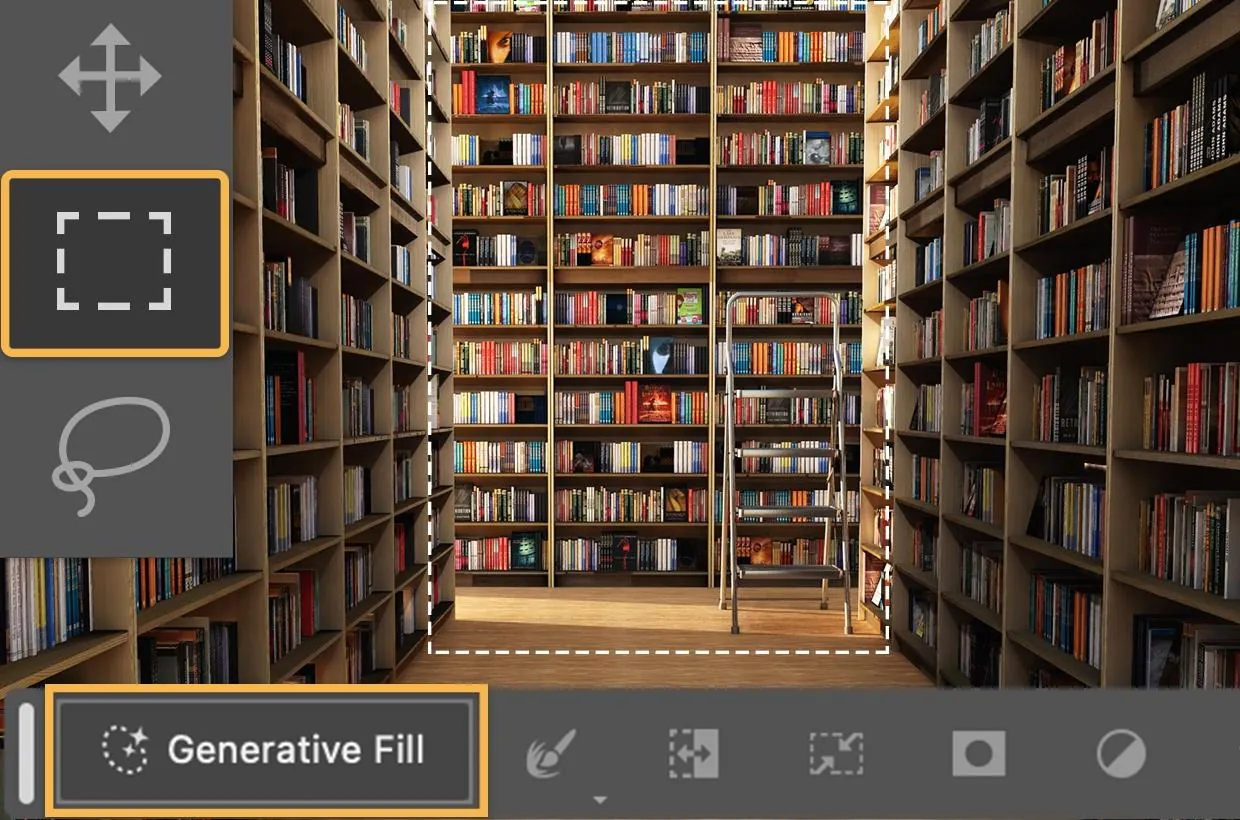
Limites. La qualité brute des images et le respect du prompt restent derrière ChatGPT et Midjourney dans nos tests. Les résultats ont tendance à adopter une esthétique de banque d'images qui peut sembler générique pour un travail créatif. La vitesse de génération est plus lente que celle de plusieurs concurrents. Le texte généré reste encore un point faible.
Tarification. Formule gratuite avec crédits mensuels limités. Les offres payantes commencent à 9,99 $/mois. Inclus dans la plupart des abonnements Creative Cloud.
Utilisateur idéal. Designers, agences et marques qui ont besoin de sécurité juridique sur les licences commerciales et d'une intégration avec les outils Adobe.
5. Ideogram
Idéal pour : texte précis à l'intérieur des images
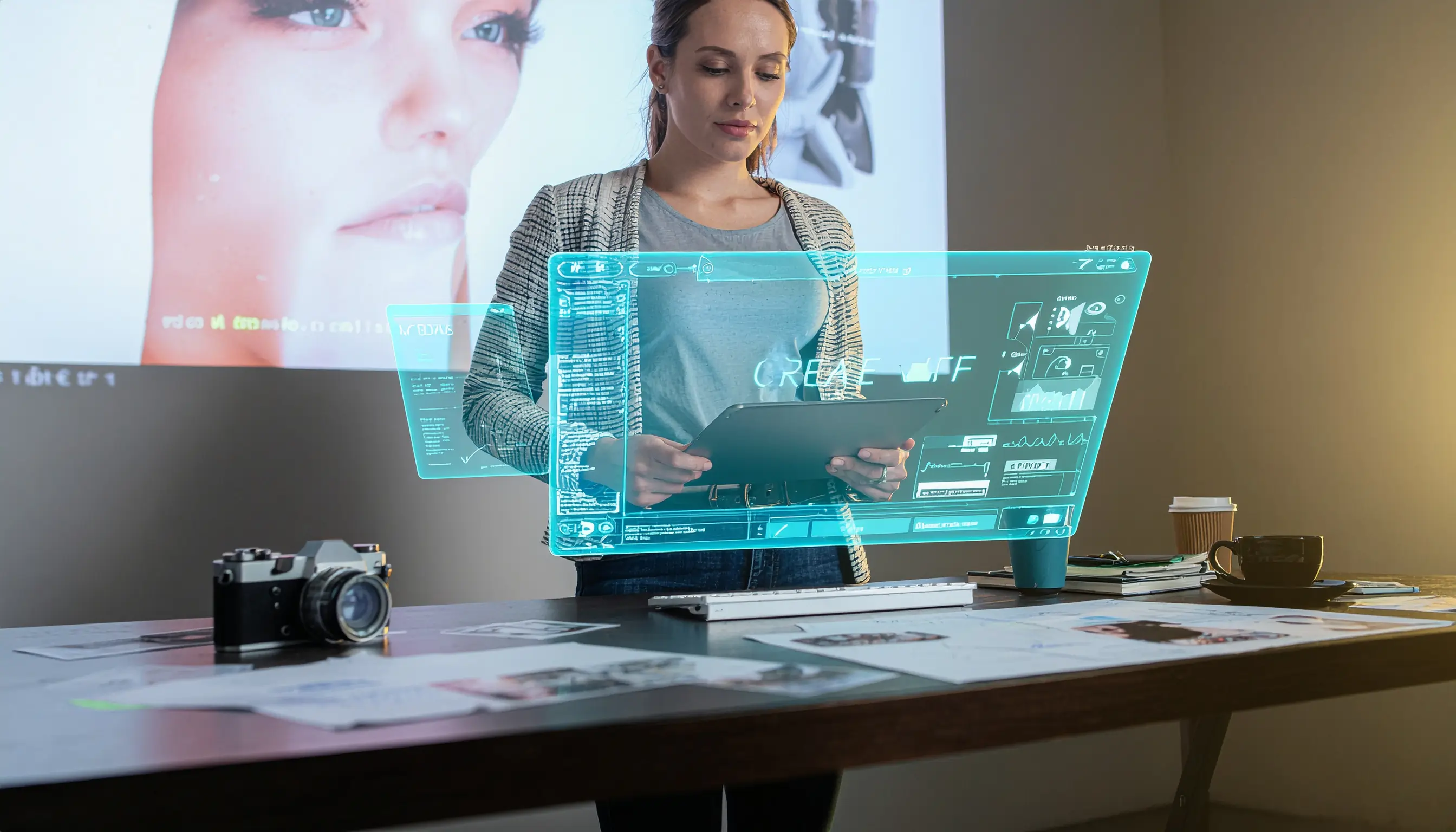
Si vos images doivent inclure du texte lisible (visuels sociaux, vignettes, posters, bannières publicitaires, présentations), Ideogram est en tête de la catégorie dans nos tests. Le rendu du texte est son différenciateur principal, et il gère le texte sur plusieurs mots et plusieurs lignes avec un niveau de précision que les autres générateurs peinent encore à atteindre.
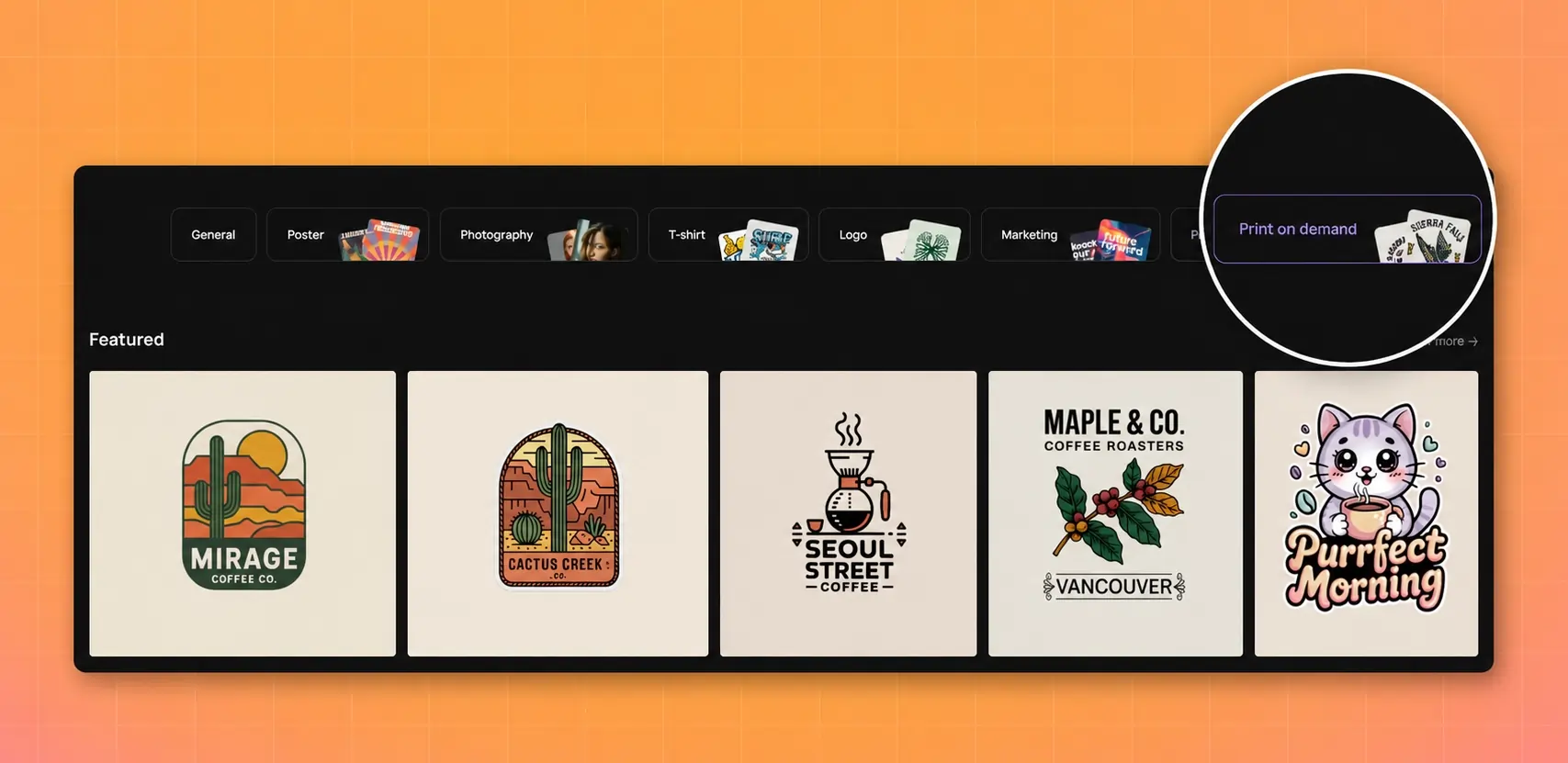
Au-delà du texte, le modèle produit des résultats photoréalistes et illustratifs solides. L'interface est claire et simple, ce qui la rend accessible aux utilisateurs qui veulent des résultats rapides sans forte courbe d'apprentissage.
Limites. La gamme stylistique est plus restreinte que celle de Midjourney. Le workflow d'édition et d'itération est moins abouti que l'approche conversationnelle de ChatGPT. Moins d'options d'intégration avec d'autres outils créatifs.
Tarification. Formule gratuite avec limites quotidiennes de génération. Les offres payantes commencent à 7 $/mois pour des limites plus élevées et un accès prioritaire.
Utilisateur idéal. Social media managers, content marketers et toute personne créant des visuels où le texte est un élément central du design.
6. Recraft
Idéal pour : design graphique et création d'assets de marque
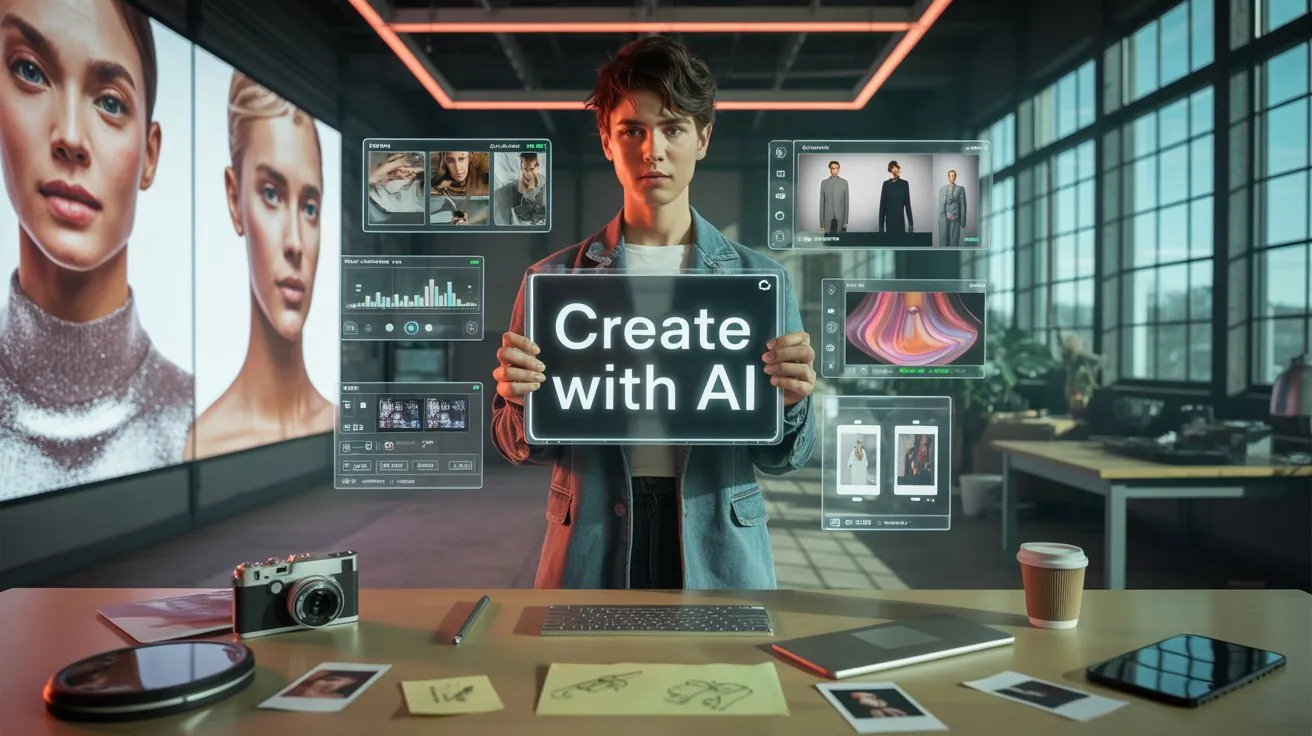
Recraft aborde la génération d'images sous l'angle du design plutôt que sous celui de l'art. L'outil excelle dans la production de mises en page structurées, d'assets de style vectoriel, d'icônes et de visuels de marque qui donnent l'impression de sortir d'un outil de design plutôt que d'un générateur d'art IA.
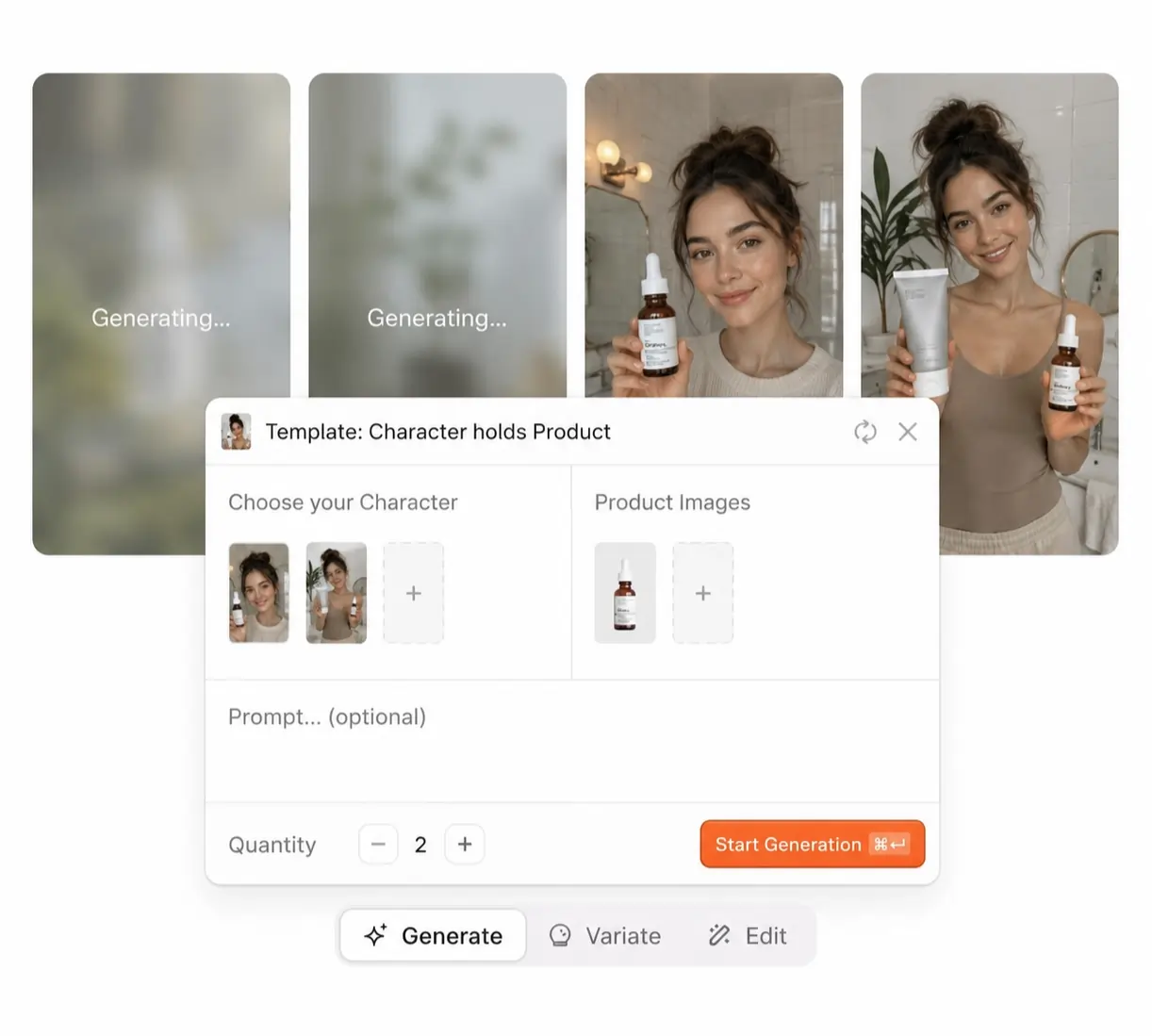
Pour les équipes qui créent des supports marketing, des chartes de marque, des templates sociaux et des visuels de présentation, les résultats de Recraft nécessitent moins de nettoyage en post-production que la plupart des générateurs généralistes. Le modèle comprend des principes de design comme l'alignement sur grille, l'espace blanc et la hiérarchie visuelle d'une manière que les générateurs d'images purs ne maîtrisent pas.
Limites. Moins performant que Midjourney pour le travail artistique ou photoréaliste. L'outil est plus spécialisé, ce qui signifie qu'il n'est pas le bon choix pour une génération d'images généraliste sur des styles variés.
Tarification. Formule gratuite disponible. Les offres payantes commencent à 25 $/mois pour les équipes, avec des limites de génération plus élevées et des options d'export supplémentaires.
Utilisateur idéal. Designers de marque, équipes marketing et agences produisant de gros volumes d'assets visuels structurés.
7. FLUX
Idéal pour : flexibilité et contrôle fin de l'image
FLUX (de Black Forest Labs) s'est forgé une solide réputation dans les workflows créatifs et professionnels grâce à son équilibre entre réalisme, stylisation et contrôle. Le modèle gère bien les styles artistiques variés et donne aux utilisateurs une influence plus granulaire sur le processus de génération que la plupart des concurrents.
FLUX 2 Pro offre un meilleur respect du prompt et davantage de détails, tandis que Flux Schnell propose une génération plus rapide pour les workflows itératifs. Le modèle est disponible via plusieurs plateformes d'hébergement et API, ce qui le rend accessible aux développeurs qui construisent des pipelines de génération d'images sur mesure.
Limites. Pas d'application grand public native avec le niveau de finition de ChatGPT ou Midjourney. Accéder à FLUX signifie généralement l'utiliser via une plateforme tierce (comme Creatify, qui propose Flux 2 Pro, Flux 1.1 Pro Ultra et Flux Schnell dans son Générateur d'assets) ou l'exécuter localement.
Tarification. Variable selon la plateforme d'hébergement. Les modèles open-weight sont disponibles pour l'auto-hébergement. La tarification API via des fournisseurs comme Replicate ou fal.ai se fait par génération.
Utilisateur idéal. Développeurs, créateurs pros et équipes qui veulent un contrôle au niveau du modèle et la flexibilité d'exécuter la même architecture sur différentes plateformes.
8. Canva AI
Idéal pour : non-designers qui ont besoin rapidement de visuels sociaux et de présentation
Le générateur d'images IA de Canva vit à l'intérieur de la plateforme de design Canva, ce qui signifie que les images générées s'intègrent directement dans les templates, présentations, posts sociaux et supports marketing. Pour les utilisateurs qui travaillent déjà dans Canva, la génération d'images est une extension naturelle de leur workflow existant.
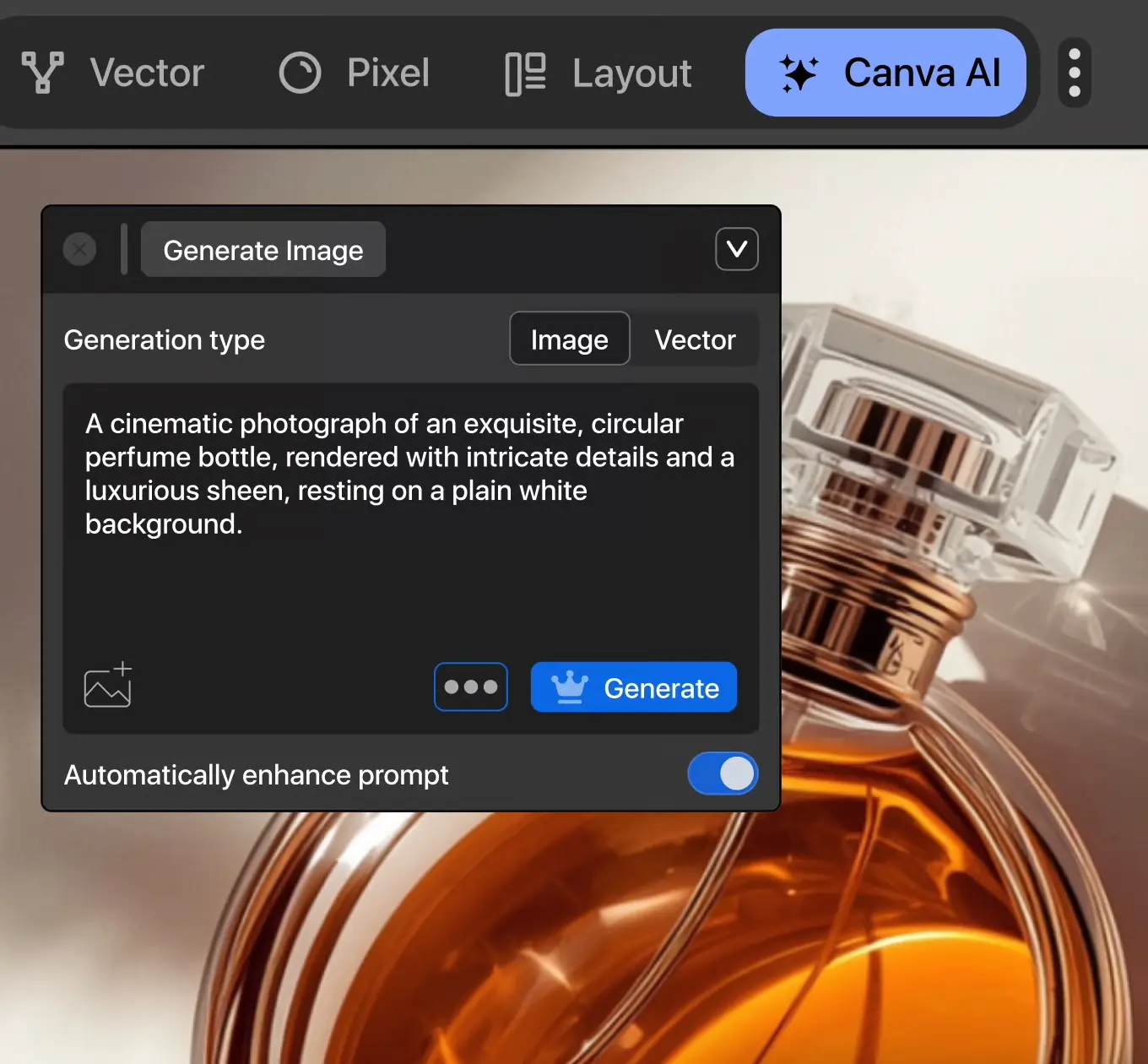
L'outil est simple à utiliser et ne nécessite aucune connaissance en prompt engineering. Rédigez une description, choisissez un style, et le modèle génère des options que vous pouvez immédiatement intégrer dans un design.
Limites. La qualité d'image et le respect du prompt sont inférieurs à ChatGPT, Midjourney et FLUX. La formule gratuite limite les générations quotidiennes. Les résultats penchent vers des graphismes simples et épurés plutôt que des visuels complexes ou photoréalistes.
Tarification. Formule gratuite avec générations limitées. Canva Pro (15 $/mois) débloque davantage de générations et des fonctionnalités premium.
Utilisateur idéal. Propriétaires de petites entreprises, social media managers et non-designers qui ont besoin de visuels « assez bons » rapidement, dans un outil qu'ils utilisent déjà.
9. Générateur d'assets IA de Creatify
Idéal pour : création d'assets marketing et publicitaires via plusieurs modèles d'IA
Le Générateur d'assets de Creatify adopte une approche différente des générateurs d'images autonomes. Au lieu de construire un seul modèle propriétaire, il vous donne accès à plus de 40 modèles d'IA dans un seul espace de travail.
Variété de modèles. La sélection comprend GPT-image-1, DALL-E 3, Flux 2 Pro, Flux 1.1 Pro Ultra, Recraft v3, Seedream 5.0, Imagen4, Nano Banana et d'autres. Vous pouvez générer la même photo produit sur plusieurs modèles, comparer les résultats côte à côte et choisir le meilleur résultat pour chaque cas d'usage. Besoin de photoréalisme ? Essayez Imagen4 ou GPT-image-1. Besoin d'assets de design structurés ? Passez à Recraft v3. Besoin d'une création stylisée ? Essayez Flux ou Seedream.
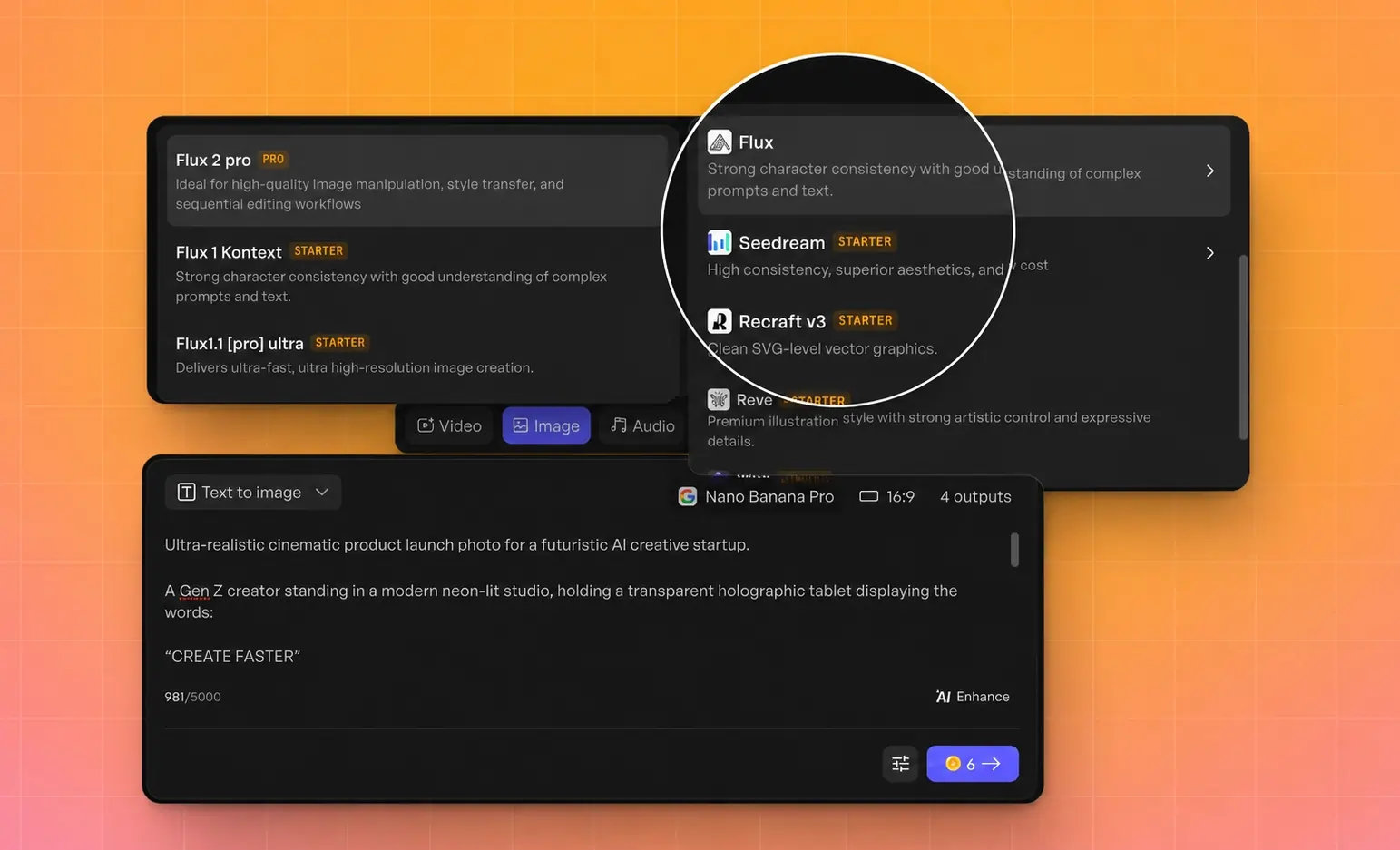
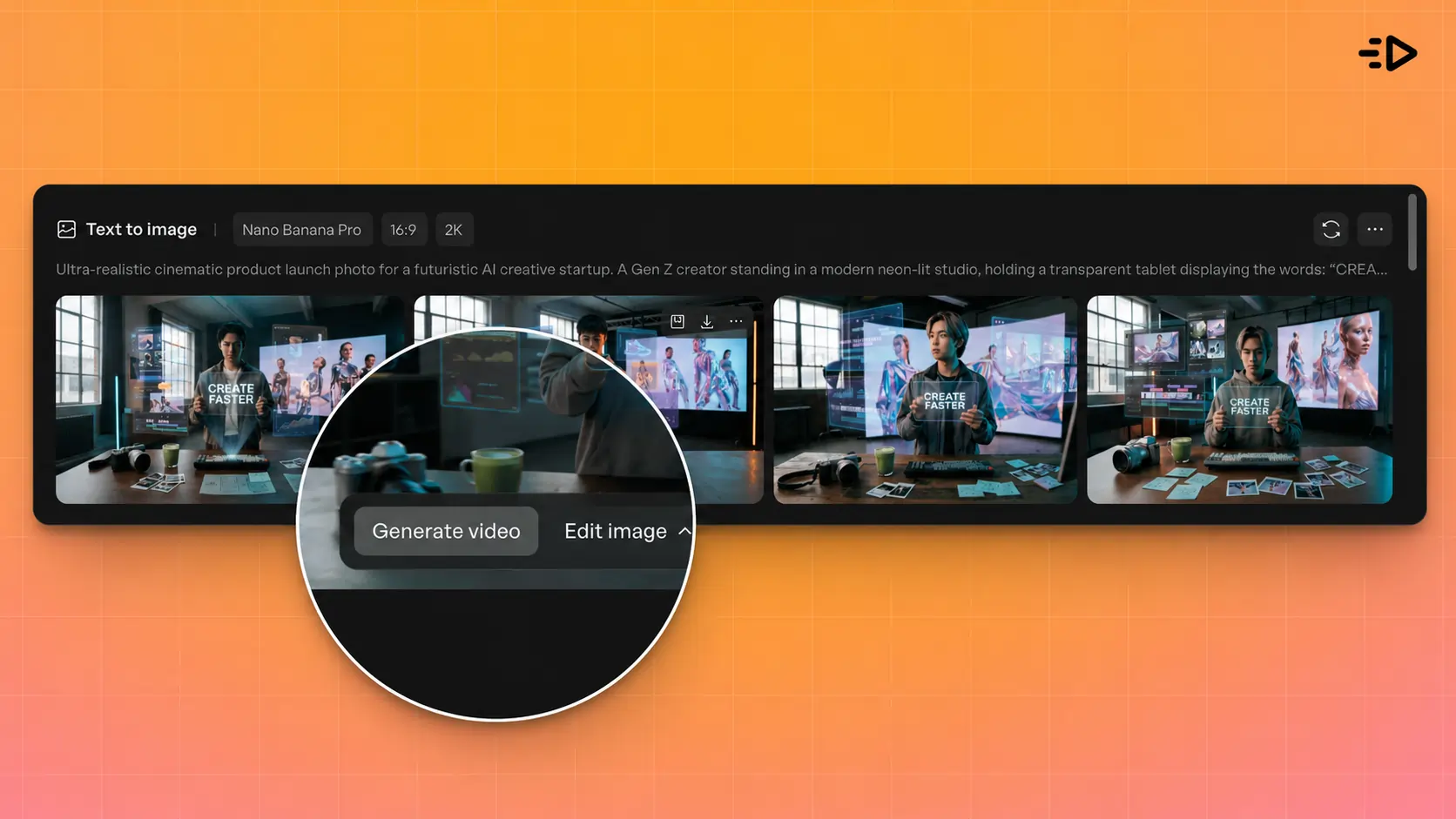
Génération d'images. L'outil génère 4 variantes d'image par prompt et prend en charge le lot jusqu'à 10 générations à la fois. Les workflows texte vers image et image vers image sont tous deux pris en charge, avec un changement de modèle instantané entre les générations. Vous n'êtes pas enfermé dans les forces et faiblesses d'un seul modèle.
Intégration au workflow publicitaire. C'est le vrai différenciateur. Creatify est une plateforme publicitaire IA, donc les images s'intègrent directement à la création vidéo, à l'intégration d'avatars, à la génération de scripts et au déploiement publicitaire sur Meta, TikTok, YouTube et AppLovin. Vous pouvez transformer vos meilleures images en publicités vidéo en un clic.
Pour les vendeurs e-commerce et les performance marketers, cela condense ce qui est normalement un workflow à plusieurs outils (générer l'image dans un outil, l'éditer dans un autre, créer la vidéo dans un troisième, déployer dans un quatrième) en une seule plateforme.
Limites. Creatify n'est pas conçu pour le travail de beaux-arts ou d'illustration. L'interface est optimisée pour les workflows publicitaires et marketing, donc les cas d'usage purement orientés génération d'images (concept art, illustration éditoriale) sont mieux servis par Midjourney ou FLUX. Certains modèles premium (Flux 2 Pro, Imagen4, GPT-image-1.5) nécessitent le plan Pro.
Tarification. Le plan gratuit inclut 10 crédits/mois avec accès à 10 modèles IA. Starter (33 $/mois) ajoute plus de 50 modèles et 100 crédits. Pro (49 $/mois) débloque plus de 100 modèles, 200 crédits et des fonctionnalités comme Ad Clone et les analyses créatives. Les utilisateurs de G2 mettent en avant la rapidité du passage d'une image produit à une publicité finalisée comme la valeur principale.
Utilisateur idéal. Marques e-commerce, performance marketers, agences qui gèrent des campagnes payantes et toute personne qui a besoin d'images générées par IA comme partie d'un pipeline de production publicitaire plus large.
10. Stable Diffusion
Idéal pour : expérimentation open source et personnalisation complète
Stable Diffusion reste l'option la plus flexible pour les utilisateurs prêts à exécuter des modèles localement ou via des déploiements personnalisés. Son architecture open source signifie que vous pouvez affiner des modèles sur vos propres données, créer des LoRA personnalisés pour des styles spécifiques et contrôler chaque paramètre du processus de génération.
L'écosystème communautaire autour de Stable Diffusion (extensions, modèles personnalisés, scripts d'entraînement, interfaces comme ComfyUI et Automatic1111) est inégalé. Si vous avez un style visuel précis à reproduire de manière cohérente, affiner un modèle Stable Diffusion sur des images de référence est l'approche la plus fiable.
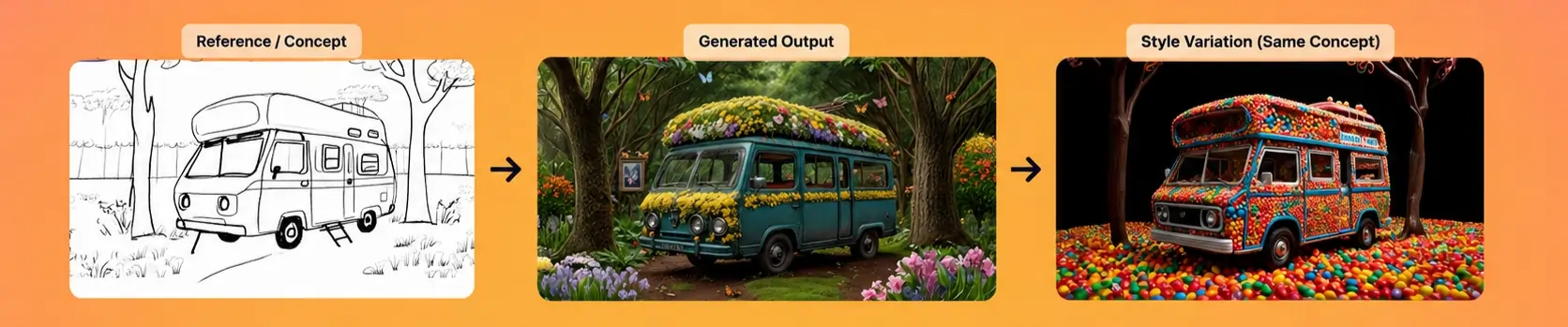
Limites. La courbe d'apprentissage est raide. Démarrer nécessite une aisance technique avec les téléchargements de modèles, les besoins GPU et la configuration de l'interface. Les résultats du modèle de base restent derrière les options propriétaires les plus récentes en qualité brute, même si des modèles affinés peuvent les égaler ou les dépasser sur des tâches spécifiques.
Tarification. Gratuit (open source). L'exécution locale nécessite un GPU capable. L'hébergement cloud via des fournisseurs comme RunPod ou Vast.ai commence à quelques centimes par heure.
Utilisateur idéal. Développeurs, chercheurs en IA, hobbyistes et équipes construisant des pipelines de génération sur mesure où le contrôle total du modèle compte plus que la commodité.
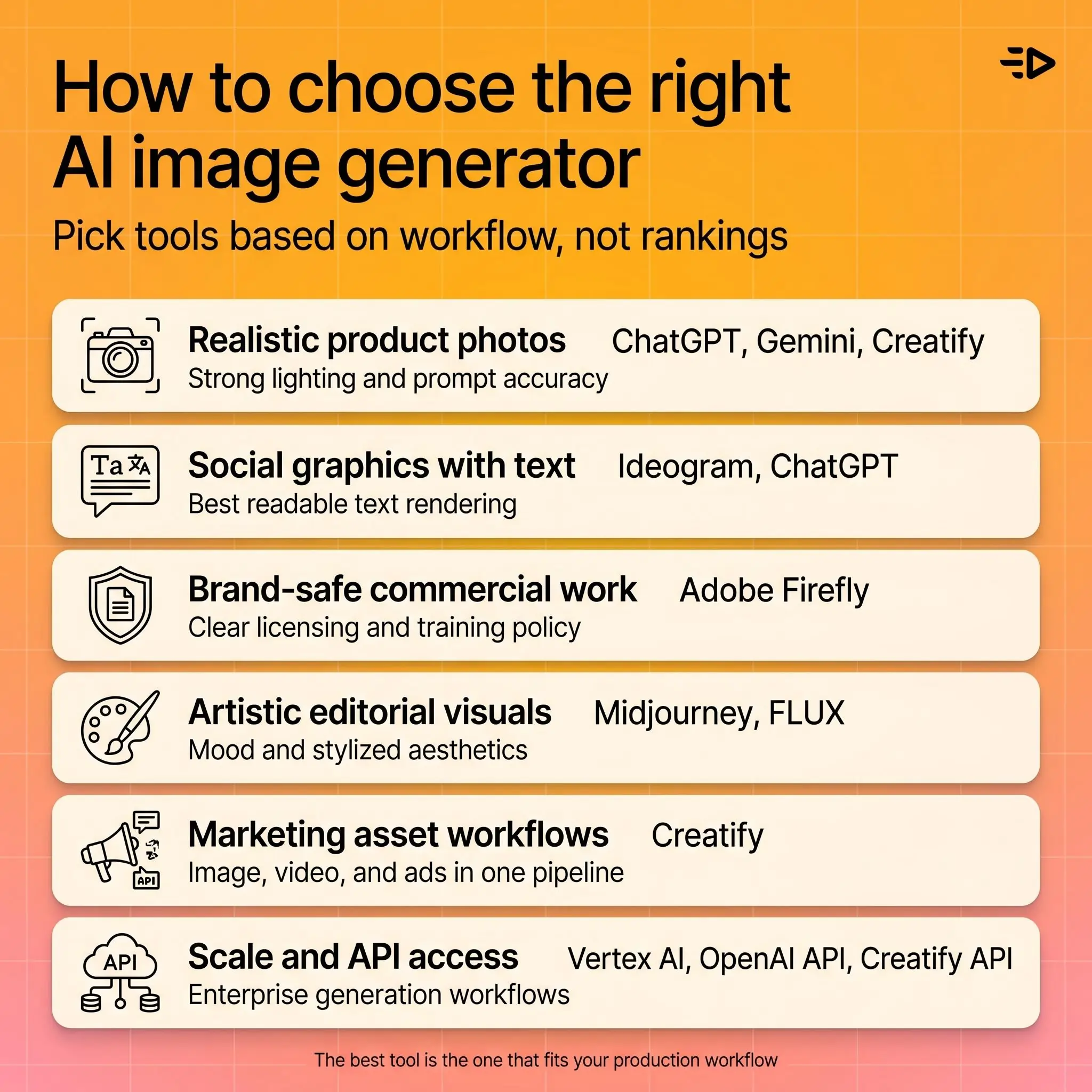
Comment choisir le bon générateur d'images IA
Votre cas d'usage doit guider la décision, pas un numéro de classement.
Vous avez besoin de photos produit réalistes ou de lifestyle shots. Commencez avec ChatGPT (GPT-image-1) ou Gemini/Imagen pour un bon respect du prompt et un éclairage naturel. Testez plusieurs modèles via le Générateur d'assets de Creatify si vous produisez à grande échelle pour des campagnes publicitaires.
Vous avez besoin de visuels sociaux avec du texte lisible. Ideogram en premier, ChatGPT en second. Le rendu du texte reste toujours le plus gros écart entre les outils, et ces deux-là dominent largement le classement.
Vous avez besoin de résultats sûrs pour la marque et sous licence commerciale. Adobe Firefly offre l'histoire de licence la plus claire. Sa politique de données d'entraînement donne aux agences et aux marques la position la plus défendable pour le travail client.
Vous avez besoin de visuels artistiques ou éditoriaux. Midjourney pour un travail créatif guidé par l'ambiance. FLUX pour une stylisation plus contrôlée.
Vous avez besoin d'assets marketing qui s'intègrent dans un workflow publicitaire. Creatify regroupe la génération d'images, la création vidéo et le déploiement publicitaire dans une seule plateforme. Si vos images sont destinées à devenir des publicités, commencer ici vous évite les frictions de changement d'outil.
Vous avez besoin d'échelle et d'accès API. Google Vertex AI pour des API de génération d'images de niveau entreprise. L'API de génération d'images d'OpenAI pour des résultats de qualité ChatGPT de manière programmatique. L'API de Creatify pour la génération combinée d'images et de vidéos à grande échelle.
Gratuit vs payant : ce que vous obtenez
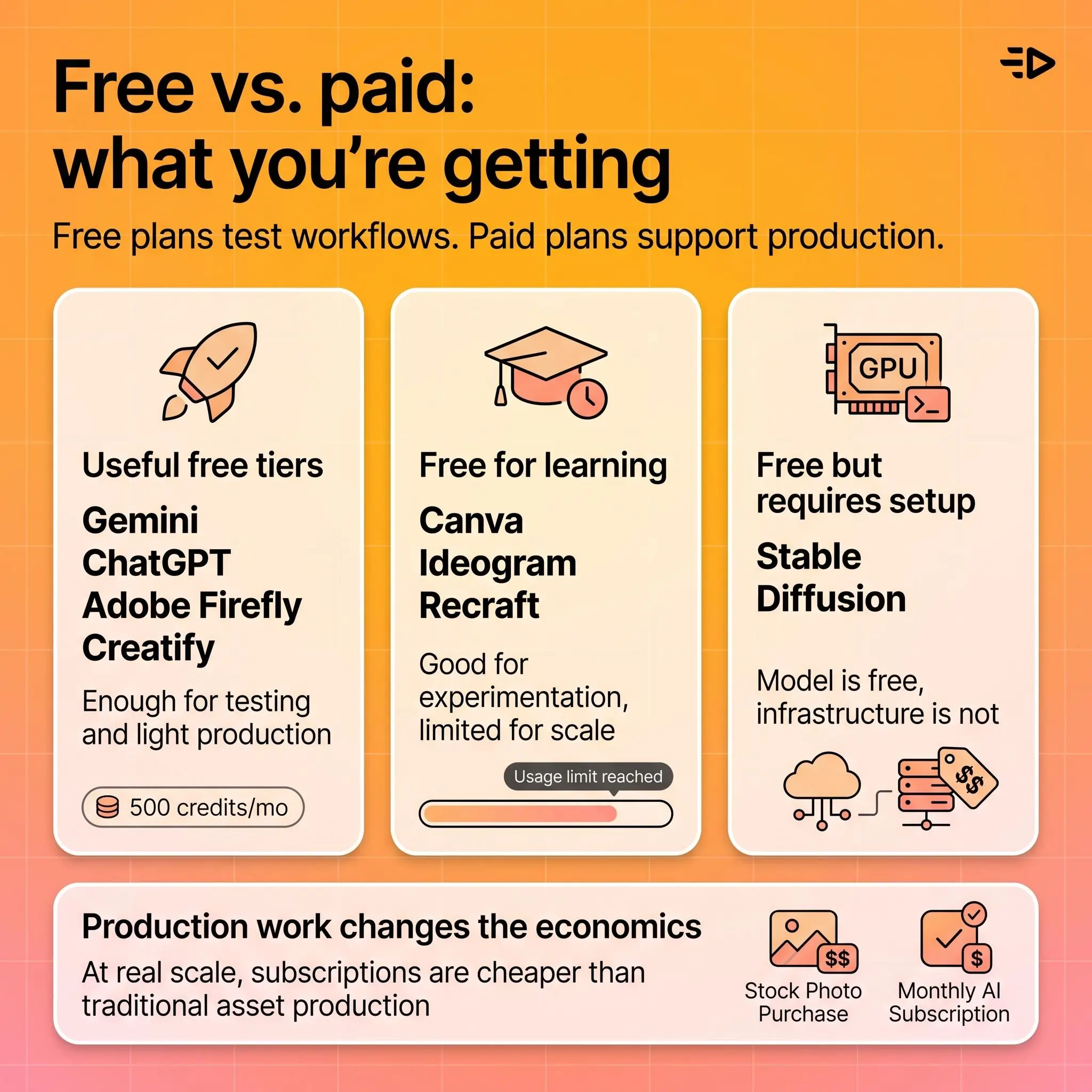
Chaque outil de cette liste propose une forme d'accès gratuit, mais la plage réellement exploitable varie énormément.
Formules gratuites réellement utiles : Gemini, ChatGPT (avec limites), Adobe Firefly et le plan gratuit de Creatify (10 crédits, accès à 10 modèles) vous donnent assez pour tester des workflows et produire des résultats occasionnels.
Gratuit pour apprendre, payant pour produire : Canva, Ideogram et Recraft offrent des générations gratuites utiles pour l'expérimentation, mais elles s'épuisent vite en conditions réelles. Attendez-vous à passer à une offre payante dès la première semaine si vous les utilisez pour des projets concrets.
Gratuit mais nécessite une configuration : Stable Diffusion est gratuit au niveau du modèle, mais vous payez le calcul (votre propre GPU ou un hébergement cloud).
La tendance dans toute la catégorie est la même : les formules gratuites servent à tester. Si vous produisez des images générées par IA pour des campagnes, du travail client ou du contenu à cadence réelle, c'est la formule payante qui apporte la valeur. L'écart de coût entre un abonnement de 20 à 50 $/mois et même un seul achat de photo de stock rend le calcul évident.
Ce qui compte dans la génération d'images IA pour 2026
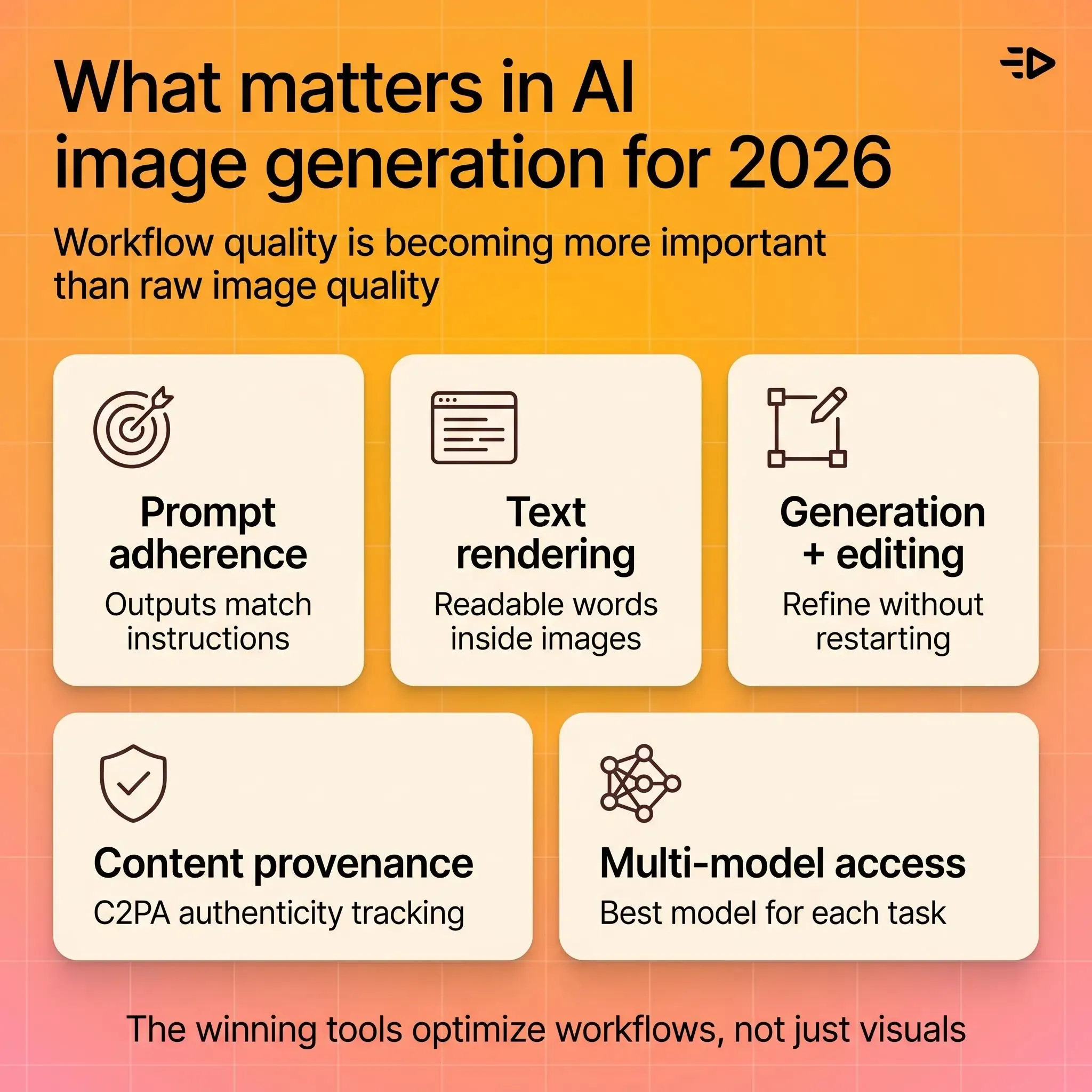
Le respect du prompt est l'indicateur qualité le plus important. Un outil qui produit de superbes images mais ignore vos spécifications n'est pas utile pour un travail de production. Les améliorations d'OpenAI en génération d'images ont tiré toute la catégorie vers le haut sur ce point, et la précision du prompt est désormais la première chose à évaluer.
Le rendu du texte reste une ligne de partage. Générer un texte lisible et exact à l'intérieur des images sépare l'élite du reste. Cette capacité est essentielle pour tout cas d'usage marketing, social ou publicitaire.
Génération plus édition est désormais le standard. La génération autonome est devenue le minimum vital. Les outils qui gagnent en 2026 combinent génération, édition sélective, inpainting, outpainting et affinage itératif dans un seul workflow.
La provenance et les credentials de contenu gagnent du terrain. La norme ouverte C2PA pour l'authenticité du contenu est adoptée par Adobe, Microsoft, Google et d'autres. À mesure que les images générées par IA deviennent indiscernables des photos, les métadonnées de provenance aident à maintenir la confiance. La Federation of American Scientists et la NTIA ont toutes deux souligné l'importance de l'identification des contenus synthétiques.
L'accès multi-modèles devient un avantage concurrentiel. Plutôt que de parier sur un seul modèle, les plateformes qui offrent l'accès à plusieurs générateurs permettent aux utilisateurs de choisir le meilleur outil pour chaque tâche spécifique. Cette approche réduit le risque d'être enfermé dans les faiblesses d'un seul modèle.
Nos choix finaux
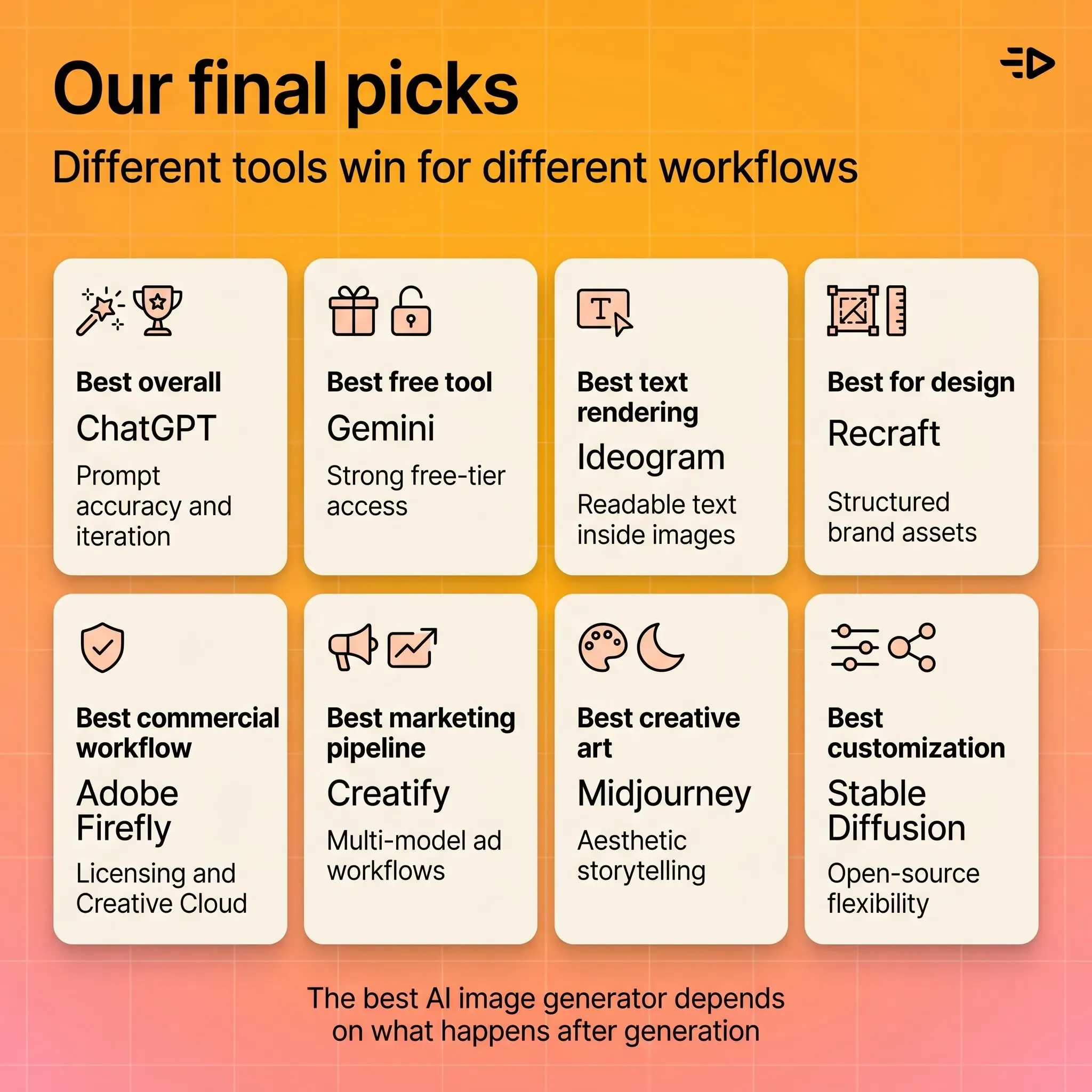
Meilleur choix global : ChatGPT (GPT-image-1) pour le respect du prompt, la simplicité d'utilisation et l'itération conversationnelle.
Meilleur générateur d'images IA gratuit : Gemini pour la formule gratuite la plus capable, sans carte bancaire requise.
Meilleur pour le texte dans les images : Ideogram pour le rendu de texte le plus précis de la catégorie.
Meilleur pour le design : Recraft pour les assets de marque structurés et les supports marketing.
Meilleur pour le travail commercial sûr pour la marque : Adobe Firefly pour la clarté des licences et l'intégration à Creative Cloud.
Meilleur pour les pipelines d'assets marketing : Générateur d'assets IA de Creatify pour l'accès multi-modèles et l'intégration directe à la création de publicités vidéo.
Meilleur pour l'art créatif : Midjourney pour la qualité esthétique et le storytelling visuel.
Meilleur pour la personnalisation : Stable Diffusion pour le contrôle complet du modèle, l'affinage et la flexibilité open source.
Questions fréquentes
Quel est le meilleur générateur d'images IA en 2026 ?
Le modèle GPT-image-1 de ChatGPT est le meilleur choix global pour la précision du prompt et la facilité d'utilisation. Mais le meilleur choix dépend de votre cas d'usage : Midjourney domine pour le travail artistique, Ideogram pour le rendu du texte, Adobe Firefly pour les licences commerciales, et Creatify pour les workflows d'assets marketing qui relient la génération d'images à la création de publicités vidéo.
Existe-t-il un générateur d'images IA gratuit qui soit assez bon pour du vrai travail ?
Gemini propose le générateur d'images IA gratuit le plus capable pour un usage général. ChatGPT, Adobe Firefly et Creatify offrent également des formules gratuites. Les plans gratuits fonctionnent bien pour les tests et l'usage occasionnel, mais les charges de production (campagnes, livrables clients, contenu à volume) nécessitent généralement une formule payante pour des limites de génération plus élevées et un accès aux modèles premium.
Comment fonctionnent les générateurs d'images IA ?
Les outils de génération d'images IA utilisent des réseaux neuronaux entraînés sur de vastes jeux de données d'images et de descriptions textuelles. Lorsque vous saisissez un prompt, le modèle génère de nouveaux pixels qui correspondent à votre description. La plupart des outils modernes utilisent des modèles de diffusion qui commencent par du bruit aléatoire et le raffinent progressivement en une image cohérente, guidée par votre saisie textuelle.
Puis-je utiliser commercialement des images générées par IA ?
La plupart des outils payants de génération d'images IA accordent des droits d'usage commercial sur leurs offres payantes. Adobe Firefly offre la position de licence commerciale la plus solide grâce à sa politique de données d'entraînement. Vérifiez toujours les conditions d'utilisation spécifiques de l'outil que vous utilisez, en particulier pour du travail client où la propriété intellectuelle compte.
Quel générateur d'images IA est le meilleur pour le marketing et les publicités ?
Pour les équipes marketing qui génèrent des images dans le cadre d'un workflow publicitaire, le Générateur d'assets de Creatify offre la solution la plus intégrée. Il combine plus de 40 modèles IA d'images et de vidéos avec des fonctionnalités dédiées à la publicité, comme la conversion image vers vidéo en un clic, l'intégration d'avatars et le déploiement direct vers Meta, TikTok et YouTube. Pour la création d'images autonomes, ChatGPT et Ideogram sont très bons pour les visuels sociaux et publicitaires.
Quelle est la différence entre générateurs d'images IA et générateurs d'art IA ?
Les termes se chevauchent beaucoup. « Générateur d'images IA » est la catégorie la plus large, couvrant le photoréalisme, les photos produit, les assets de design et les illustrations. « Générateur d'art IA » désigne généralement des outils optimisés pour des résultats stylisés, créatifs ou esthétiques. Midjourney est le meilleur exemple d'un générateur orienté art, tandis que ChatGPT et Gemini sont des outils de génération d'images plus polyvalents.
Comment générer de meilleures images avec l'IA ?
Rédigez des prompts spécifiques et détaillés qui décrivent clairement la composition, l'éclairage, le style, la perspective et le sujet. Incluez des détails techniques comme l'angle de caméra, la palette de couleurs et l'ambiance. Commencez avec des prompts simples, puis ajoutez de la complexité au fil des itérations. Testez le même prompt sur plusieurs outils ou modèles pour voir lequel produit le meilleur résultat pour votre style visuel spécifique.
Les images générées par IA sont-elles protégées par le droit d'auteur ?
Le droit d'auteur autour des images générées par IA continue d'évoluer. Aux États-Unis, les résultats purement générés par IA (sans apport créatif humain au-delà du prompt) n'ont généralement pas obtenu de protection par copyright. En revanche, des images comportant une direction créative humaine significative, de l'édition ou de la composition peuvent être éligibles. Consultez un conseil juridique lorsque la propriété du copyright est critique.