

Quso AI (formerly Vidyo AI): a complete review for 2026
Quso AI turns a long podcast, webinar, or YouTube upload into a batch of short clips: it finds the strongest moments, reframes them for vertical video, captions them automatically, and can publish straight to TikTok, Reels, and Shorts. It's built for creators and coaches who already have long-form footage and need it repurposed fast.
 Rated 4.8/5 on G2
What is Quso AI (previously Vidyo.ai)?
Quso AI is a video repurposing platform that turns long-form content into short-form clips for social media, handling clip selection, reframing, and captioning automatically. $Vidyo.ai rebranded to Quso.ai/$ in late 2024; the platform, features, and team stayed the same, only the name changed.
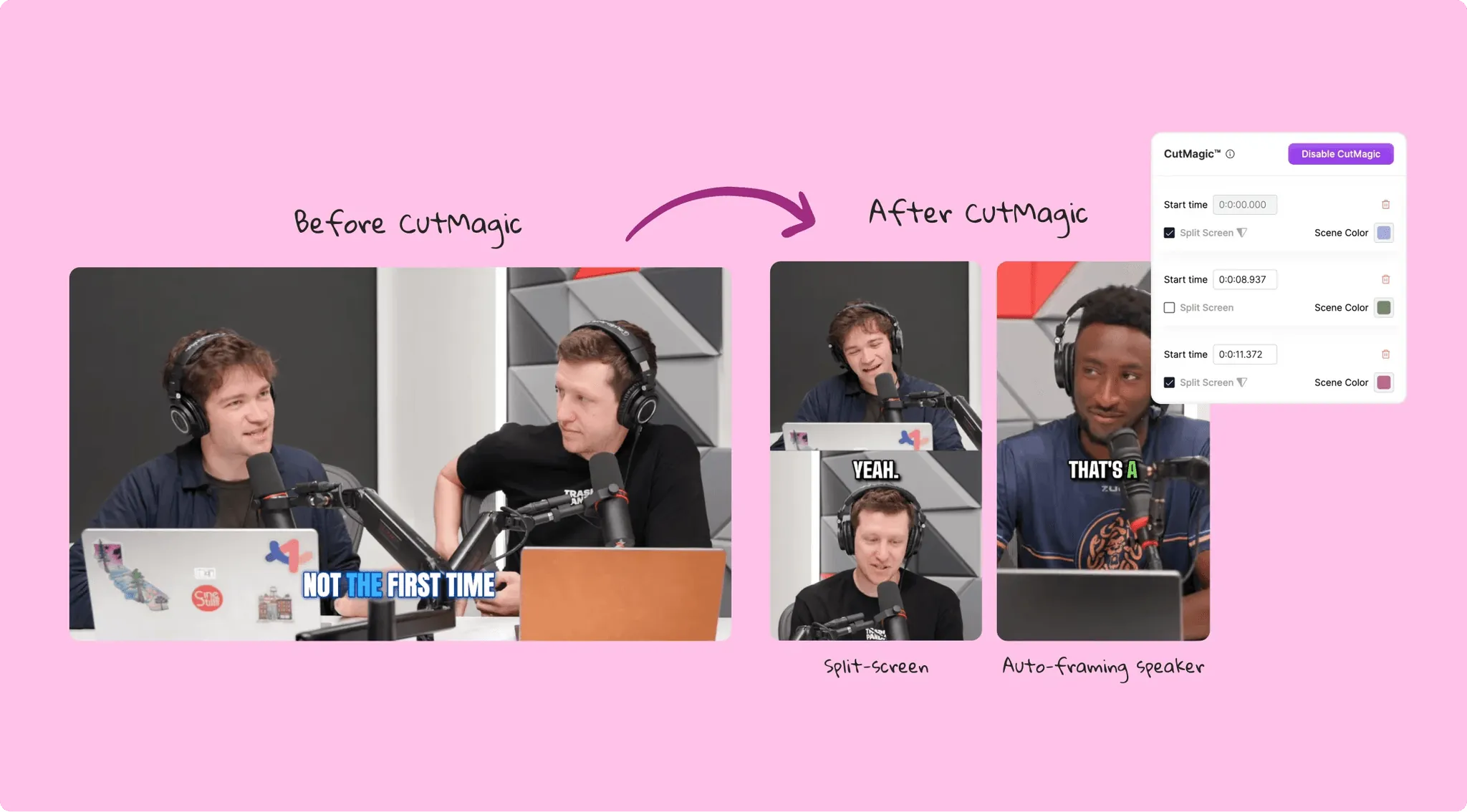
How does Quso AI work?
Users write a text prompt describing a scene, upload a static image to animate, or combine both. RunwayML's generation models produce a short video clip based on the input. From there, users apply AI editing tools, work in the timeline editor, and export.
Credits are consumed per second of generated video. Retries from unsatisfactory generations also use credits, which means iterating through options adds up faster than the plan price suggests.
What can you make with Quso AI?
Short-form clips from podcasts, webinars, and long-form YouTube videos, exported in 16:9, 9:16, and 1:1 with animated captions, ready to post to TikTok, Instagram, YouTube Shorts, LinkedIn, Pinterest, and X.
Key features
Auto-captions & subtitles
Animated, word-by-word captions in 30+ languages with customizable fonts, colors, and positioning. Accuracy is strong on clear English audio and weaker on heavy accents.
Social media scheduler & publishing
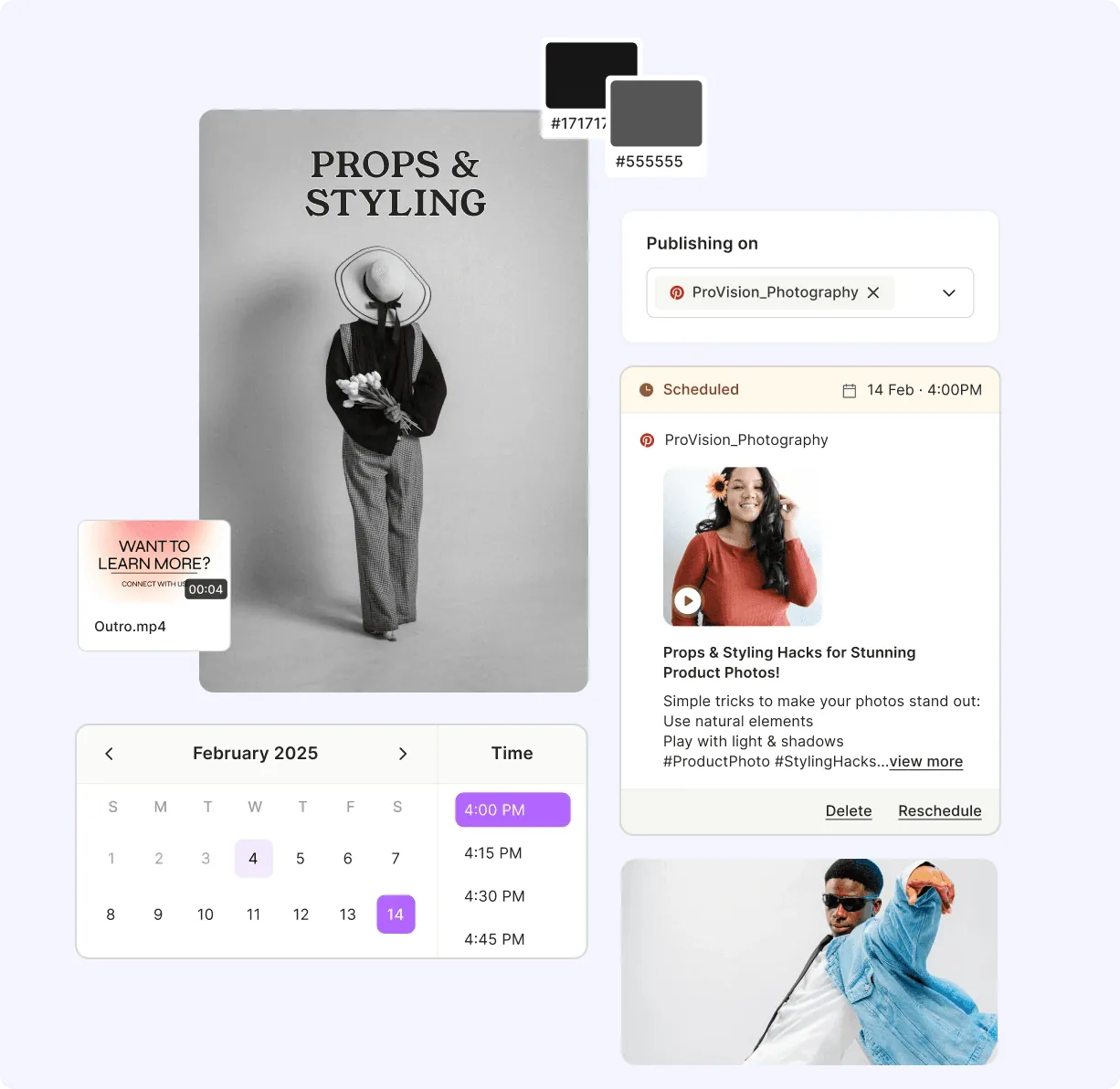
Publish and schedule directly to up to 6 platforms on paid plans, with native integrations for Facebook, Instagram, LinkedIn, Pinterest, TikTok, X, and YouTube.
AI clip selection
Intelliclips scores every moment in a video for virality, based on hook strength, narrative arc, and trend alignment, then surfaces the clips most likely to perform instead of leaving selection to manual scrubbing.
AI translation & dubbing
Captions localize into 30+ languages, and AI dubbing covers 29 languages, letting one long-form source produce short clips for multiple markets without re-recording.
Trending audio library
A royalty-free music and B-roll library rounds out clips that need a soundtrack or cutaway, pulled in automatically during editing rather than sourced separately.
Pros and cons of Quso AI
PROS
- Intelliclips' virality scoring gives a real, data-driven starting point instead of manually scrubbing a 90-minute podcast for good moments
- CutMagic's automatic scene detection keeps the active speaker framed across multi-cam footage without manual reframing
- Publishing and scheduling to 6 platforms removes a separate tool from the repurposing workflow
- Credits double on annual billing across every paid tier, a real discount beyond the ~33% price cut
- 4 million users and a Product Hunt #1 Product of the Week placement back up the core clipping product
- Free plan includes CutMagic and TikTok publishing, not just a stripped-down trial
CONS
- Built entirely around existing footage; there's no way to generate a video from a product URL or a brief with zero source material
- Virality Score is a directional signal, not a guarantee; real performance still depends on thumbnail, caption, and posting time
- Caption accuracy drops on heavy accents or noisy audio
- Built-in editor is lighter than dedicated tools like Descript or CapCut for frame-level control
- No ad-specific tooling: ad templates, competitor tracking, and direct ad launching aren't part of the platform
- Free plan caps at 75 credits a month and 7-day data retention, tight for anyone testing seriously before upgrading
Who should use Quso AI?
Podcasters and long-form YouTubers who need a fast path from a full episode to daily short-form clips, content creators repurposing existing video across multiple platforms, coaches turning webinars into marketing content, and webinar hosts who want highlight reels without manual editing.
Not recommended for
Paid social advertisers who need to build ad creative on a strategy and a message, not just clip existing footage, and creators without existing video footage to repurpose in the first place, since Quso AI has no path from a blank brief to a finished video.
Quso AI vs Creatify AI
Price comparison
Quso AI's entry pricing is lower and includes a genuinely useful free tier, but every tier is priced around repurposing volume, not ad production. Creatify includes video ad creation from the entry plan, built around a different unit of value: finished ads, not clips.
Output comparison
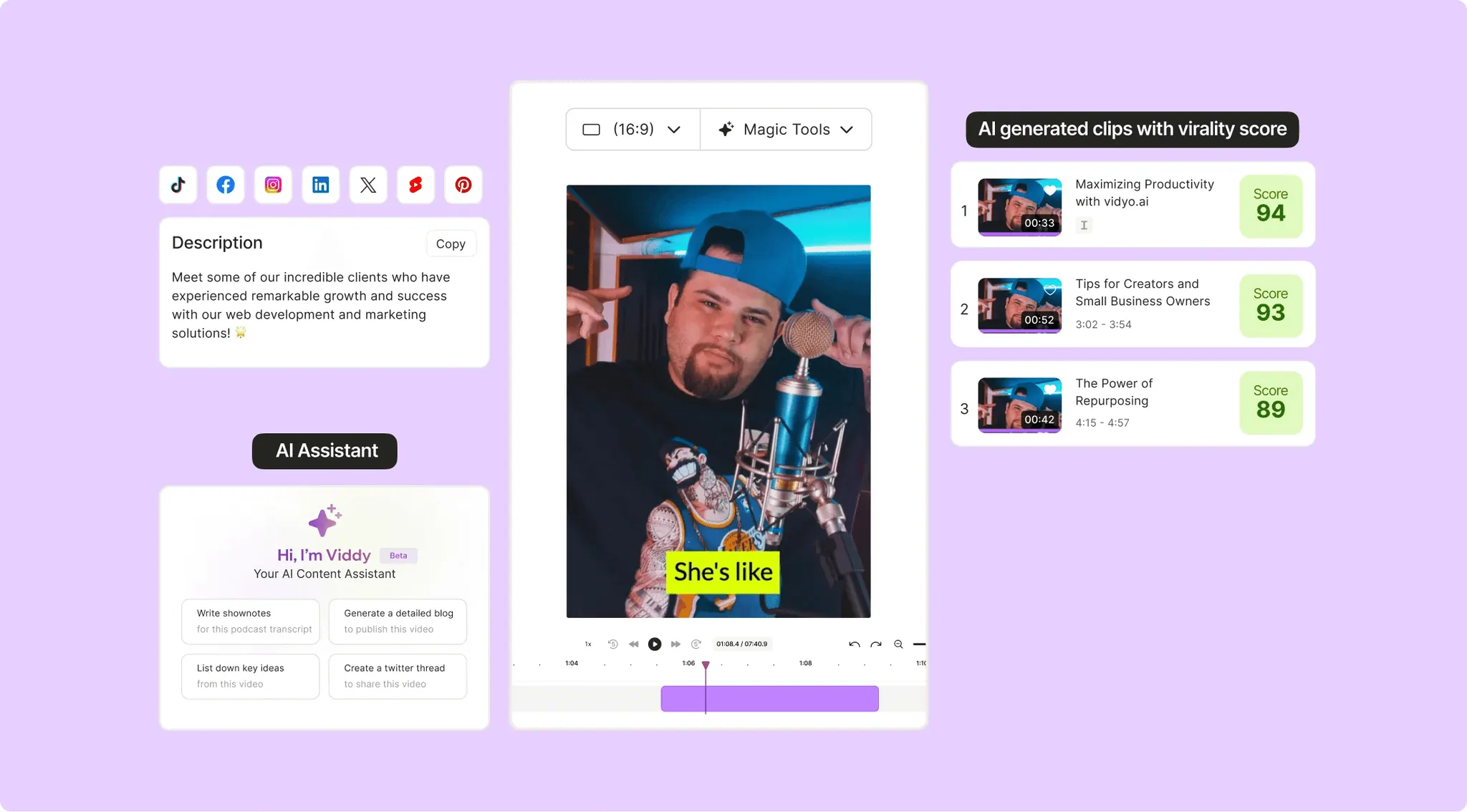
Quso AI's output is only as strong as the source footage. Intelliclips reliably finds the best moments in a long video, and CutMagic keeps framing clean across cuts, but the final clip is still built from whatever was recorded originally.
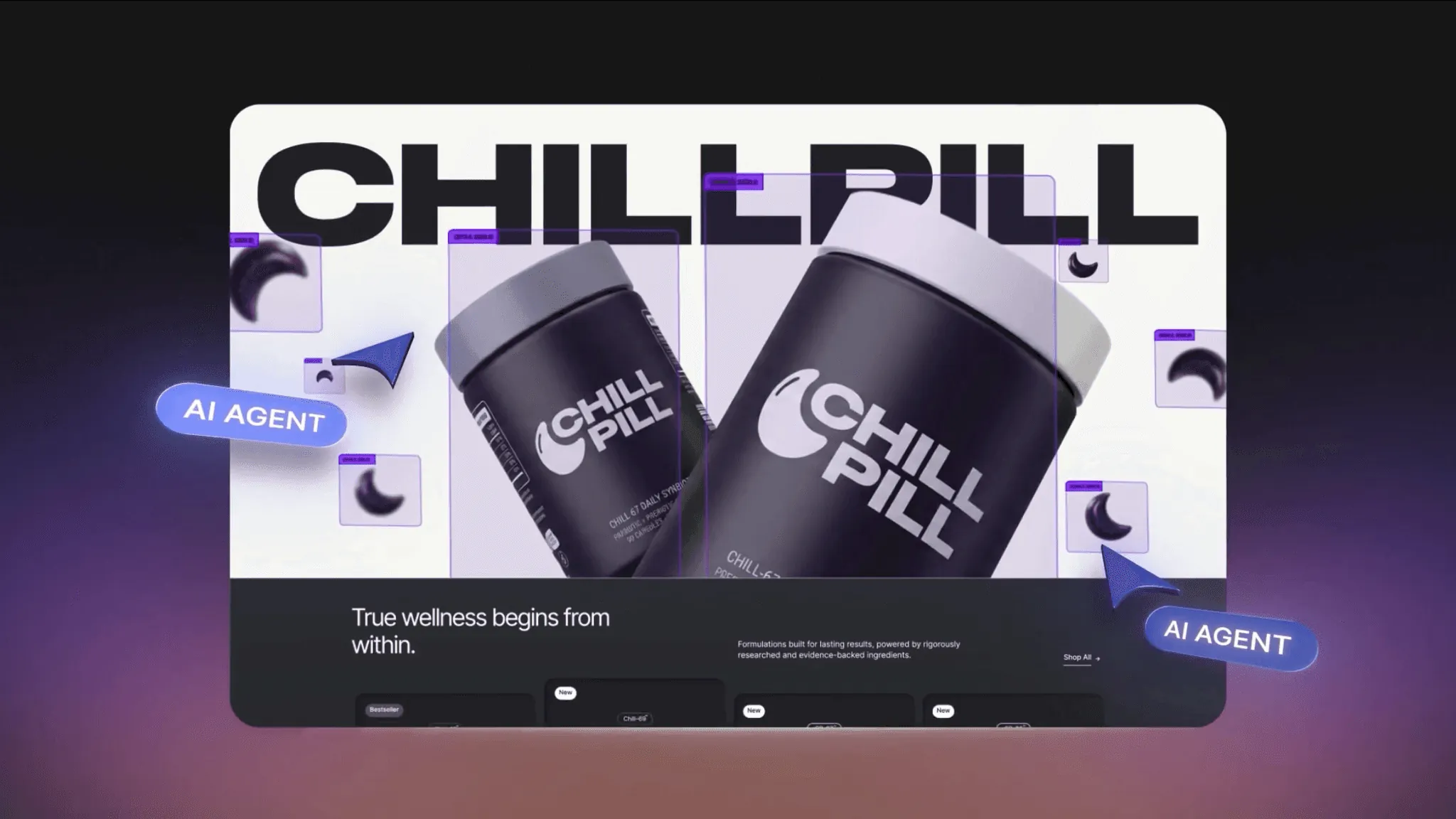
Creatify's output starts from nothing but a product URL or brief: Creatify Agent researches the brand, writes the script, casts an avatar, and produces a finished ad, benchmarked at a 94% win rate against competing AI ad agents on VideoAdAgent Bench v1. The two tools solve different problems: one repurposes what exists, the other creates what doesn't.
Final verdict: is Quso AI the right tool for you?
Quso AI is worth it if the job is turning existing long-form video into short-form clips at volume. Intelliclips' virality scoring and CutMagic's auto-reframing are real time-savers for podcasters, YouTubers, and coaches sitting on hours of raw footage.
It's the wrong tool if there's no source footage to start from, or if the goal is paid ad creative rather than organic social clips. Ad templates, competitor tracking, and a path to launch and manage a campaign are all missing. If the job is producing ad creative from a product URL with a plan to launch and measure it, Creatify is built for that workflow end to end.