
Ask Claude how your ads are doing. Then make the next ones.

Add the Creatify connector to Claude. It reads live results from Meta, Google, TikTok and four more ad platforms, read-only, and makes the next video ads in the same chat.

Which ads should I keep spending on this week?

Claude Keep Cracked screen: lowest cost per result and still climbing. Drop test is wearing out, so refresh it before cutting it. Price drop never found buyers. Want a new cut on the winning hook?

Make a new cutSplit by platform
Claude · Creatify · last 7 days
AdHook rateCost / resultVerdict
Cracked screenMeta · Video 9:16Winner

In handTikTok · Image 4:5Winner

Drop testMeta · Video 9:16Fatigue

Café knockTikTok · Video 9:16Testing

Price dropMeta · Image 1:1Cut

From connector to first answer in four steps

No API keys and no exports. Connect your ad accounts in Creatify once; Claude reads them from then on.

  1. 1 · In ClaudeAdd the connector“Customize → Connectors → Add custom connector, named Creatify Ad Agent, with the Creatify URL”
  2. 2 · Sign inConnect and allow“Click Connect and sign in to Creatify. A Free account works.”
  3. 3 · In CreatifyLink your ad accounts“Meta, Google Ads, TikTok, Snapchat, Reddit, AppLovin or OpenAI Ads, on the web, once.”
  4. 4 · In any chatAsk, then make the next ad“How did my Meta ads do this week? Make a new hook on the winner.”

Ad reporting in Claude without it

  • ✕Export a CSV from each ads manager and paste it in
  • ✕The numbers are only as fresh as the export
  • ✕One file per platform, compared by hand
  • ✕The next ad gets made somewhere else

With the Creatify connector

  • ✓Claude reads Meta, Google, TikTok and four more platforms live
  • ✓Any date range, breakdown or campaign, pulled when you ask
  • ✓Every connected account in one answer
  • ✓The next video ad is made in the same chat

Connect once. Approve changes on the web.

Creatify Agent on the web is where you link the ad accounts Claude reads and approve the changes Claude can’t make. It answers the same questions; run one on your account.

This week against last, in one answer

Ask in Claude or here. The agent reads your connected accounts live and names the campaign that moved the total.

Ad Agent /Weekly check

How did my ads do this week vs last?

Worked for 1m 12s
  1. Listed the connected Meta, Google Ads and TikTok accounts
  2. Read 7 days of spend and conversions for the top 5 campaigns
  3. Compared them with the 7 days before
  4. Found Meta Prospecting – Broad behind most of the drop
  5. Done

$9,840 spent at a 2.4x ROAS, down from 2.8x. Prospecting – Broad’s CPA rose 34%; Google and TikTok held.

Spend$9,840+3% vs prior 7 days
Conversions312−9% vs prior 7 days
CPA$31.54+13% vs prior 7 days
ROAS2.4x−0.4 vs prior 7 days

One campaign did most of it. Prospecting – Broad is the one to look at.

Suggested follow-ups

Read only: nothing in your account changes.

Claude reads. You decide what changes.

In Claude the connector is read-only on every platform. Pausing, budgets and launches happen in Creatify Agent, on approval cards like the one above.

What the agent sticks to

  • ✓Read-only, enforced by CreatifyRequests that would change a campaign (status, budget, bids, new ads) are refused by our server, not just discouraged in a prompt.
  • ✓Your logins never reach ClaudeCreatify attaches each platform login on its side and strips tokens from every reply.
  • ✓Only the accounts you connectedEvery read is pinned to an ad account connected in your Creatify workspace.
  • ✓Changes wait for your OKAsk Creatify Agent on the web to pause, shift budget or launch: each change shows on an approval card, and nothing runs until you approve.

Creatify connector in Claude

Meta AdsRead
Google AdsRead
TikTok AdsRead
Snapchat · RedditRead
AppLovin · OpenAI AdsRead
Pause, budget, launchCreatify Agent, after you approve
Reading your accounts0 credits

Then make the next ads, in the same chat

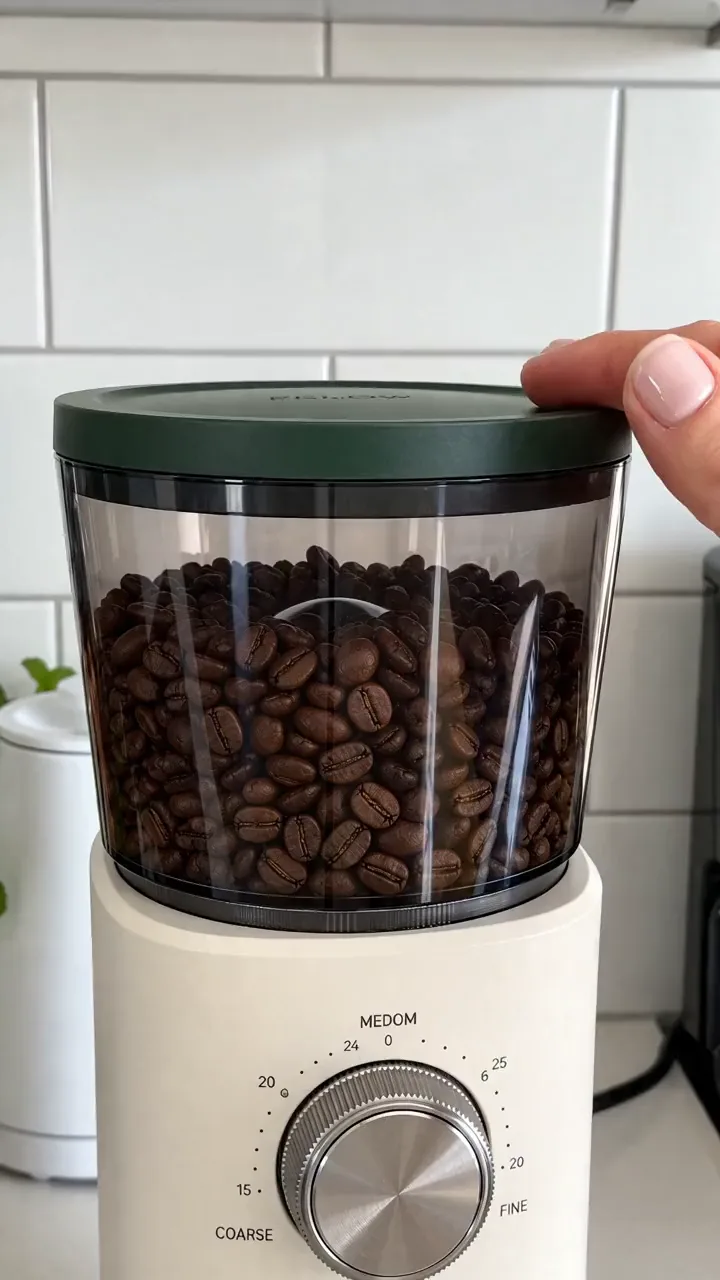
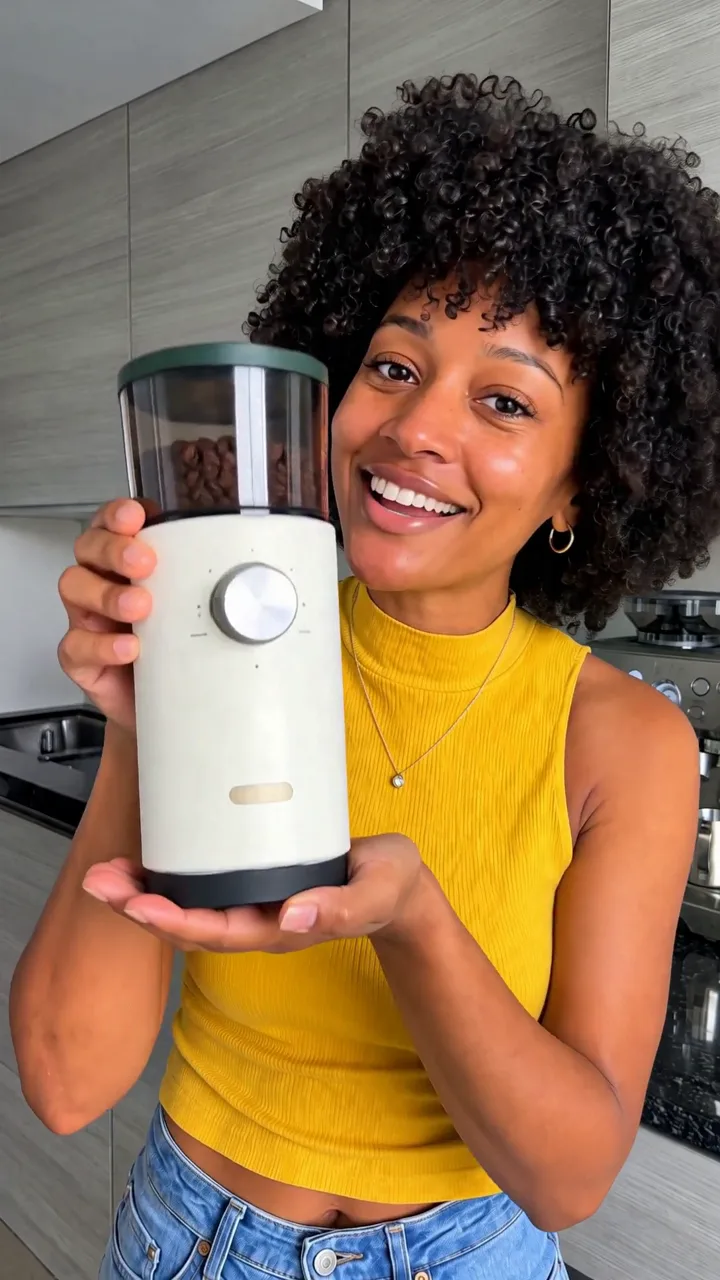
Every style below came out of one Claude chat with the connector, for one coffee grinder, from one prompt: “Now make 6 more in totally different styles.”

UGC
Spokesperson

Real people, real kitchens

A hands-on UGC clip and a creator talking to camera, with the product in hand.

Seasonal
Labor Day Sale

Seasons and sales

A seasonal story and a price-led promo for the next date on the calendar.

Miniature World
Cinematic

Fresh looks for tired ads

A miniature world and a cinematic close-up, when the old creative has worn out.

Frequently asked questions

Click Add to Claude, or in Claude open Customize → Connectors → + Add → Add custom connector, name it Creatify Ad Agent and paste https://api.creatify.ai/ad_agent/mcp. Click Connect and sign in to Creatify. In a chat, turn it on under + → Connectors.

Add Creatify to Claude

One connector: your ad results and your next ads, in the chat you already use.