

InVideo AI: A Complete Review for 2026
InVideo AI turns a prompt into a full video: script, scenes, stock footage, voiceover, and captions, generated together and editable through a chat interface. It bundles access to 200+ generative models, including Veo 3.1 and, for now, Sora 2, under one subscription rather than gating them behind separate deals. OpenAI's Sora 2 API is deprecated and set to shut down entirely on September 24, 2026, so that particular access won't last. It's built for broad content: YouTube, faceless channels, tutorials, and social clips.
 Rated 4.8/5 on G2
What is InVideo AI?
InVideo AI is a prompt-to-video platform that generates full videos, script, scenes, voiceover, and captions, from a single prompt, then lets creators refine the result through a conversational chat interface or a manual drag-and-drop editor.
The Details
InVideo was founded in 2017 by Harsh Vakharia, Sanket Shah, Pankit Chheda, and Anshul Khandelwal. The company has raised three funding rounds and reports over 50 million users across its free and paid tiers.
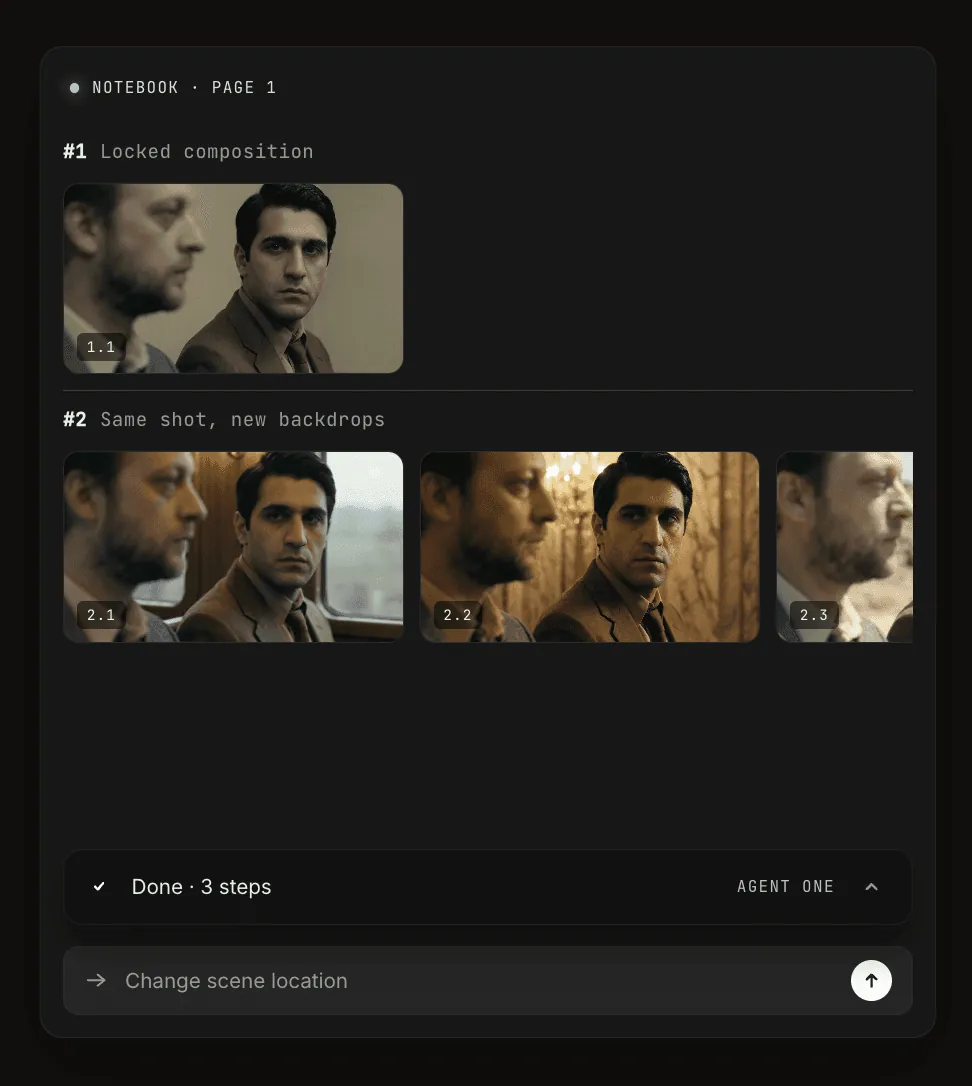
Type a prompt or paste a topic, and InVideo AI generates a script, selects scenes and stock footage, adds voiceover and captions, and assembles a draft video. From there, chat commands like "replace scene 3" or "change voice to British-sounding female" edit the draft directly, alongside a full manual editor for frame-level control.
What can you make with InVideo AI?
Long-form YouTube videos, faceless explainer and commentary channels, short-form social clips for TikTok and Reels, tutorials and courses, and marketing or promotional videos, exported in multiple aspect ratios from the same generation.
Key features
Sora 2 & Veo 3.1 model access
All paid plans include access to 200+ generative models, including Veo 3.1, Kling 3.0, Seedance 2.0, and Nano Banana Pro, bundled into one subscription starting at the entry paid tier. Sora 2 is included too, but OpenAI has deprecated the Sora 2 API and scheduled it to shut down September 24, 2026, so that access is temporary regardless of which platform offers it.
Multi-format export (16:9, 9:16, 1:1 simultaneously)
One generation exports in landscape, vertical, and square simultaneously, avoiding a separate production pass per platform.
AI voiceover & voice cloning
30+ stock AI voices across 50+ languages, plus voice cloning from a short sample. Cloned voice slots scale by plan, from a handful on Plus up to 200 combined avatar and voice-clone slots on Elite.
AI script generator
The same conversational agent that builds full videos can generate a script alone from a topic, audience, and runtime, iterated through chat before any footage gets attached.
Prompt-to-video generation
A single prompt produces a full draft: script, scene selection, stock or generated footage, voiceover, and captions, assembled together rather than one piece at a time.
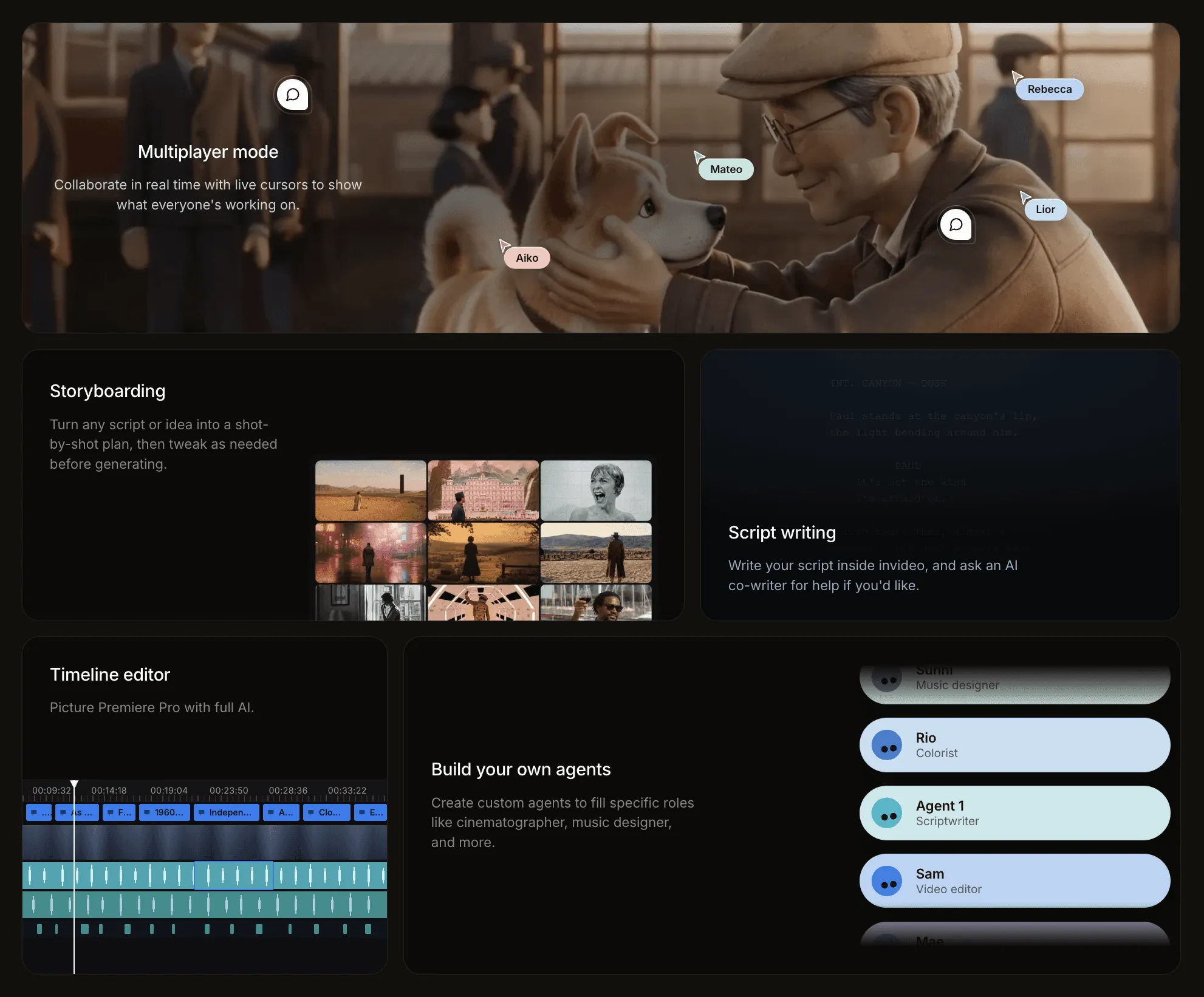
Conversational AI editor
Chat-based edits ("swap this scene," "shorten the intro") apply directly to the draft, correctly on the first try roughly 75% of the time per independent testing, backed by a full manual editor for anything the chat misses.
Brand kit & customization
Save colors, fonts, and logo assets to apply consistently across generated videos without resetting brand details on every project.
iStock premium stock library integration
Every paid plan connects to iStock and Storyblocks for premium stock footage and images, with the monthly asset allowance scaling from 100 on Plus to 5,000 on Elite.
Template library (thousands of templates)
10,000+ templates spanning YouTube intros, Instagram Stories, product promos, and more, giving most projects a starting point instead of a blank canvas.
InVideo Studio (drag-and-drop editor)
A traditional timeline editor sits alongside the AI generator, with trimming, compression, and collage tools for anyone who wants manual control over the final cut.
InVideo AI output quality
Output quality varies by content type. Straightforward talking-point or tutorial videos assemble cleanly from stock footage; more specific or niche topics can pull generic or mismatched clips that need manual swapping.
Sora 2 and Veo 3.1 generations look meaningfully more polished than InVideo's standard stock-assembly output, closer to a custom shoot than a template video, but they draw down credits faster and add render time.
Voiceover quality is strong and among the more natural-sounding stock TTS libraries available, and cloned voices hold up well for narration-style delivery.
Stock footage matching is serviceable but not exact: the AI picks clips based on keywords and themes, not a literal reading of the script, so mismatches happen on specific or unusual subject matter.
Multi-format exports stay visually consistent across aspect ratios, though vertical crops occasionally cut off elements framed for landscape.
Render speed is fast for standard generation, seconds to a couple of minutes per video; Sora 2 and Veo 3.1 renders take noticeably longer and consume credits at a steeper rate than the standard model.
Pros and cons of InVideo AI
PROS
- Bundles Veo 3.1 (and, until its September 2026 API shutdown, Sora 2) access into one subscription rather than requiring separate deals with each model provider
- Conversational editing lets creators fix a draft with a chat command instead of a full manual re-edit
- 10,000+ templates give most projects a usable starting point
- Multi-format export handles landscape, vertical, and square from a single generation
- iStock and Storyblocks integration removes the need for a separate stock media subscription
- Strong fit for long-form and faceless YouTube content, a use case many AI video tools don't prioritize
CONS
- Credits don't roll over; unused allowance resets to zero each cycle
- Steep price jump across tiers, from $20/mo on Plus to $1,000/mo on Elite
- Stock footage matching can miss on specific or unusual subject matter, requiring manual cleanup
- No dedicated AI avatar library or UGC-style actor system built for ad delivery
- Ad-specific tooling is missing entirely: no templates, competitor tracking, or direct launch to Meta or TikTok
- Free plan is limited to about 10 minutes of AI generation a week, watermarked, not viable for real output
InVideo AI use cases
YouTube videos & long-form content
Full-length videos assembled from a prompt, with chat-based revision for pacing, scenes, and voiceover before final export.
Social media content (TikTok, Reels, Shorts)
Short-form clips generated directly in vertical format, or repurposed from longer content through multi-format export.

Marketing & promotional videos
$Template-backed promotional cuts for product launches or campaigns, though without ad-specific scoring, targeting, or launch tools./$

Faceless YouTube channels
Stock footage, voiceover, and captions stand in for on-camera talent, suited to commentary, explainer, and list-style channels.

Educational & tutorial videos
Script-first generation suits structured, explanatory content where the voiceover carries the video.
Multi-format content repurposing
One generation exports across aspect ratios, cutting the production passes needed to cover YouTube, Instagram, and TikTok from the same source.
Who should use InVideo AI?
YouTube creators, faceless content channels, solo marketers who need broad video output across formats, educators, social media managers covering multiple platforms, and creators who want Veo 3.1 access, plus Sora 2 while it's still available, at a flat rate instead of separate subscriptions.
Not recommended for
Performance marketers running high-volume paid ads, DTC brands needing UGC-style ad creatives, teams that need ad-specific tooling like a Meta Ads Library and competitor tracking, and users who need credits to roll over month to month.
InVideo AI vs Creatify AI
Price comparison
InVideo AI's credits don't roll over between billing cycles; unused allowance resets to zero. Creatify's plans are flat per-tier pricing rather than a credit pool that expires. InVideo's entry price is lower, but reaching its higher-volume, higher-concurrency tiers costs considerably more than Creatify's equivalent range.
Why advertisers choose Creatify over InVideo AI
Built for ads, not adapted for them
InVideo AI produces broad video content that can be repurposed into ads. Creatify is purpose-built for paid social: 500+ ad templates, a Meta Top Ads Library with 10M+ ads, competitor tracking, and AdClone.
Manages the ads, not just the footage
AI Media Buyer connects Meta, Google, TikTok, and AppLovin and runs the create-launch-analyze loop autonomously. InVideo AI has no launch path or spend-tied performance data behind its output.
Predictable cost, no expiring credits
InVideo's credits reset unused each month regardless of plan. Creatify's plans price by tier rather than a decaying credit pool, and video ad creation is included from the entry plan at $39/mo.
Final verdict: is InVideo AI worth it in 2026?
InVideo AI is worth it for creators who need broad video output across YouTube, social, and educational formats, and want Veo 3.1 access, plus Sora 2 while OpenAI still supports it, without separate subscriptions to each. The conversational editor, template library, and stock integration make it a strong general-purpose production tool.
It's the wrong tool for paid social. Ad templates, competitor tracking, and a launch path to Meta or TikTok are all missing, and credits reset unused every cycle regardless of plan. If the job is producing ad creative at scale with a plan to launch and measure it, Creatify is built for that workflow end to end.