
27 ChatGPT prompts for social media marketing in 2026

27 ChatGPT prompts for social media marketing in 2026

執筆者

Creatify チーム

ChatGPT prompts for social media marketing
Creatify logo

Creatify チーム

シェア

LinkedInアイコン
X アイコン
Facebookアイコン

この記事では

Two years ago, using ChatGPT for social media meant typing "write me an Instagram caption" and hoping the output wasn't embarrassing. The bar was low, the results were mediocre, and most marketers treated AI prompts as a novelty rather than a workflow.

That's changed. AI is now a common part of social media workflows across the industry. Nielsen's 2025 marketing report found that a large share of marketing organizations already use AI for content creation, personalization, segmentation, and measurement. Hootsuite's 2026 Social Trends report reinforces the shift: social teams are under pressure to produce more content across more platforms with the same (or smaller) headcount, and AI prompting has become the primary lever for scaling output without scaling cost.

But most "ChatGPT prompts for social media" articles give you the same generic templates: "Write me an Instagram caption about [topic]." That's not useful. The output is likely to sound like every other AI-generated post on the platform, and it won't connect to your actual performance data, audience behavior, or business goals.

These ChatGPT prompts for social media marketing are built to use real performance, audience, and brand data rather than generic topic-only inputs. Each one tells you what data to pull, from which tool, and how to feed it to the model so the output is grounded in your reality, not marketing boilerplate. If you've never exported a query report from Google Search Console or pulled a creative performance breakdown from Meta Ads Manager, you'll learn that here too.

What makes a strong social media prompt

Before the prompt library, here's the framework that separates useful social media prompts from generic ones.

Both OpenAI's prompt engineering guide and Anthropic's prompting documentation for Claude converge on the same core principle: clear, specific instructions with relevant context produce dramatically better output than vague requests. The framework below applies that principle to social media content specifically.

The formula: Role + Context data + Platform + Audience + Objective + Voice + Format + Constraints

Notice the addition: context data. This is what most prompt lists skip. Feeding the model your actual performance data, audience research, or competitive analysis transforms the output from "plausible marketing content" to "content informed by what's actually happening in your business."

Here's the practical version. Instead of:

Write a LinkedIn post about our product launch.

Try:

You are a B2B content marketer. Here is our product launch brief: [paste brief]. Here are the top 5 performing LinkedIn posts from our account in the last 90 days with their engagement rates: [paste data]. Write a launch announcement post that matches the structural patterns of our best-performing content. Audience: marketing directors at mid-market SaaS companies. Tone: confident and specific, never promotional. Under 200 words. End with a question that invites professional experience, not a generic CTA.

The second prompt produces output you can actually edit and publish. The first produces output you'll delete. This is the difference between weak and strong ChatGPT prompts for content creation: the context you supply.

One more principle worth noting: Pew Research's 2025 data on teens and chatbots found that younger audiences are more familiar with AI-generated content than older demographics, which raises the bar for specificity and authenticity. If your prompts produce output that sounds like every other AI post on the platform, you've saved time and lost credibility. The goal is drafts that sound like your brand, not like a language model.

Data driven prompt

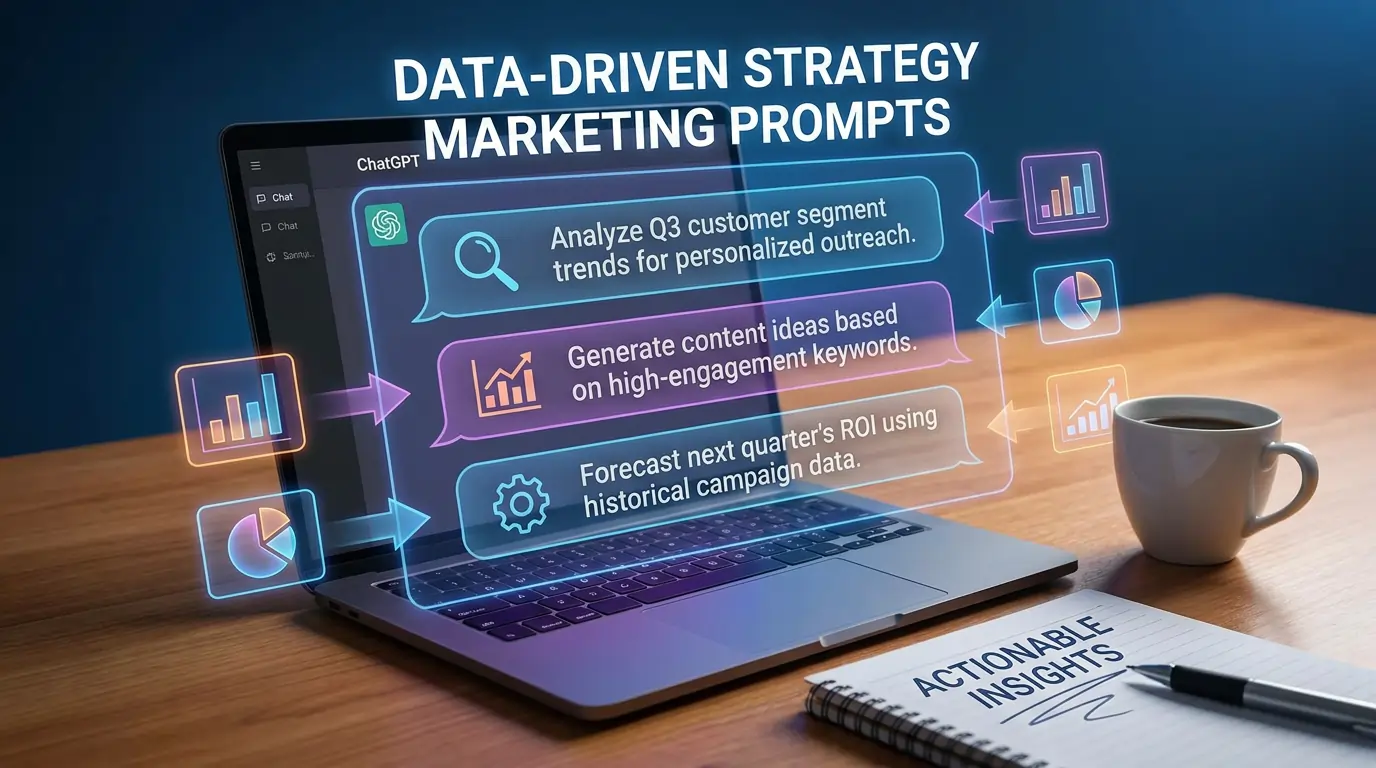
Data-driven strategy prompts

These prompts use real data exports to build social media strategies grounded in performance, not guesses. Each one specifies what to pull and from where.

1. Find social content gaps from search data

Data to pull: Google Search Console → Performance → export queries for the last 90 days. Filter to queries with high impressions but low CTR (below 3%). These often indicate topics your audience searches for that you're not capturing effectively in organic search.

Prompt: "Here are search queries from Google Search Console where our site gets impressions but low click-through rates: [upload the exported CSV or paste the top 20 queries]. These often represent topics our audience cares about but we're not winning on in search. For each query, suggest a social media content angle that addresses the underlying question or pain point. Specify the platform (LinkedIn, Instagram, TikTok, YouTube, or Reddit) and format (text post, carousel, short video, article) best suited for each. Our brand is [describe]. Our audience is [describe]."

Why this works: Instead of brainstorming content topics from scratch, you're starting from proven demand. These are real questions your audience is already asking.

2. Identify which blog content to promote on social

Data to pull: GA4 → Reports → Landing page report (not "Pages and screens," which tracks page paths rather than session entry points). Export the top 50 landing pages by sessions for the last 90 days. Include engagement rate, average engagement time, and conversions (or key events) columns. Note: GA4 social traffic attribution depends on clean UTM tagging. If your social links don't use UTMs, some social traffic may appear as "Direct" or "Unassigned," which means your social data could be underreported.

Prompt: "Here's our top-performing website content from GA4 for the past 90 days: [paste data]. Identify the 10 pages that have the highest combination of engagement time and conversion rate. For each, write a social media distribution plan: which platform to promote it on, what angle to use in the post (not just the blog title), and whether it should be organic, paid-boosted, or repurposed into a native social format (carousel, video, thread). Our audience is [describe]."

Why this works: Most teams promote blog posts randomly on social. This prompt uses engagement and conversion data to prioritize the content that's already proven to resonate.

3. Build a content pillar strategy from ad performance data

Data to pull: Meta Ads Manager → Ads tab → customize columns to include: ad name, hook/primary text, CTR, cost per result, ThruPlay rate (for video), and relevance score. Export the last 60 days. Alternatively, use Google Ads → Ads & assets → export performance by ad copy.

Prompt: "Here's performance data from our last 60 days of paid social ads: [paste data]. Analyze which messaging themes, hooks, pain points, and value propositions drove the best CTR and lowest cost per result. Group the top performers into 3-5 thematic clusters. These clusters will become our organic social content pillars. For each cluster, suggest 5 organic post ideas that expand on the same messaging angle without being ads. Platforms: [list platforms]."

Why this works: Your paid data is the most expensive audience research you already own. Winning ad hooks tell you exactly what messaging resonates. This prompt turns that investment into an organic content strategy.

4. Audit your AI search visibility to inform social content priorities

Data to pull: If you use an LLM brand monitoring tool like Peec AI or Scrunch, export your brand mention data, visibility scores, and the topics/prompts where your brand appears (or doesn't) in AI-generated answers. If you don't have a monitoring tool, manually search 10 to 15 industry questions in ChatGPT, Gemini, and Perplexity, and note where your brand, competitors, or content gets cited.

Prompt: "Here are the topics and AI-generated prompts where our brand currently appears in LLM responses, and topics where competitors appear but we don't: [paste data or manual findings]. For the topics where we're absent, suggest social media content that could improve our visibility. Focus on formats that AI models can index: LinkedIn articles, YouTube videos with detailed descriptions, Reddit answers in relevant subreddits, and long-form posts on Substack or Medium. For each topic gap, provide a specific content angle and the platform where it should be published."

Why this works: AI-assisted discovery is becoming a more significant part of how people find brands and content. This prompt connects your LLM visibility data to actionable social content that's designed to be cited by AI models, not just seen by human followers.

5. Reverse-engineer competitor social performance

Data to pull: No tool export needed for this one. Manually review a competitor's social profiles for the last 30 days. Note their top 5 posts by engagement (visible likes, comments, shares). Screenshot or copy the content, format, and hook of each.

Prompt: "Here are the 5 highest-engagement social media posts from [competitor] in the last 30 days: [paste content and approximate metrics]. Analyze what made each one work: hook structure, content format, topic angle, emotional trigger, and CTA style. Then identify 5 content opportunities where we can cover a similar topic but from our differentiated perspective. Our differentiator is [describe]. Our audience is [describe]. Avoid copying their approach. Find gaps in their positioning."

6. Map social content to the buyer journey using CRM data

Data to pull: CRM (HubSpot, Salesforce, etc.) → pull a list of recent closed-won deals and note which content touchpoints appeared in the contact timeline before conversion. If your CRM doesn't track social touches, use GA4 → Advertising → Conversion paths → filter to social channels.

Prompt: "Here are the content touchpoints that appeared in our recent customer journeys before conversion: [paste data]. Identify which stages of the buyer journey (awareness, consideration, decision) have the most social media touchpoints and which stages have gaps. For the gaps, suggest social content types and topics that would fill them. Our sales cycle is [length]. Our primary social platforms are [list]. Our product is [describe]."

Team meeting

Content creation prompts

These ChatGPT prompts for content creation go beyond "write me a post." Each solves a specific production problem, and unlike generic chatgpt content creation prompts, they're built around your own data.

7. Turn a recurring support question into educational content

Data to pull: Customer support tool (Zendesk, Intercom, HelpScout, etc.) → export top 10 most frequently asked questions or ticket categories from the last 90 days. Include the actual customer language, not your internal category labels.

Prompt: "Here are the 10 most common questions our customers ask support: [paste questions with the exact language customers use]. For each question, create a social media post that answers it proactively. Use the customer's language in the hook (this is how real people phrase the problem, so it will resonate with others who have the same question). For each post, specify: platform, format (text, carousel, short video), and whether it should link to a help article or be self-contained. Our brand voice is [describe]."

Why this works: Support tickets are the most underused content source in marketing. The questions are already phrased in customer language, which makes hooks more authentic than anything you'd brainstorm internally.

8. Write a LinkedIn article from raw expertise

Prompt: "I'm going to share my perspective on [topic] as someone who [your relevant experience/expertise]. Here's my rough thinking: [dump your unstructured thoughts, observations, data points, and opinions, even if messy]. Turn this into a LinkedIn article of 800 to 1,200 words. Structure it with a strong opening that states the core argument in the first two sentences, 3 to 5 sections that build the case with specific examples, and a conclusion with one clear takeaway. Tone: educated practitioner writing for peers, not a brand writing for leads. No promotional language. No generic advice. Every paragraph should contain something specific, like a number, an example, or a named pattern."

Why this works: LinkedIn articles perform best when they reflect genuine expertise, not polished marketing copy. This prompt takes your raw thinking and structures it while preserving the specific, opinionated quality that makes articles worth reading and that AI models are more likely to cite.

9. Create video ad scripts with tested hook variations

Data to pull: If you have previous video ad data, pull the top 5 hooks (first 3 seconds of text/dialogue) that drove the best ThruPlay rate or watch-through rate from Meta Ads Manager or TikTok Ads Manager.

Prompt: "Here are the 5 best-performing video ad hooks from our recent campaigns: [paste hooks with their performance metrics]. Analyze what structural pattern made each one work (question, bold claim, pattern interrupt, pain point, social proof). Then write a new 30-second video ad script for [product/offer] targeting [audience] on [platform]. Write 5 different opening hooks for this script, each using one of the structural patterns identified above. Keep the body and CTA consistent across all 5 versions. Write as spoken dialogue, not written text."

For teams that need to test each hook as a finished video rather than picking one and guessing, AI video tools like Creatify Agent can produce the variations from a script or product URL in minutes, which means all five hooks can run as actual ads instead of staying in a document.

10. Build a "myth vs. reality" post from industry misconceptions

Prompt: "You are a [your role] in [your industry]. Here are common misconceptions that our target audience ([describe audience]) holds about [topic]: [list 3-5 misconceptions you encounter regularly, with context on why they're wrong]. Create a social media post for [platform] that tackles [one specific misconception]. Structure: state the myth clearly, explain why it seems reasonable, then break it down with specific evidence or experience. Tone: respectful and authoritative, not condescending. Under [word count]. End with a reframe that gives the audience a better way to think about the topic."

11. Turn a case study into a multi-platform social campaign

Data to pull: Your case study document, including the specific metrics, customer quotes, and before/after data.

Prompt: "Here's our case study: [paste full case study or key sections with metrics]. Create a 5-post social campaign from this material. Post 1: LinkedIn text post leading with the most impressive result number. Post 2: Instagram carousel (7 slides) telling the before/after story. Post 3: TikTok/Reels script (30 seconds) structured as 'this brand had [problem], here's what they did, here's what happened.' Post 4: X thread (5 tweets) breaking down the methodology. Post 5: Reddit-style educational answer for r/[relevant subreddit] that shares the learnings without being promotional. Make the customer the hero in every version, not our product."

12. Write platform-native posts from a single briefing document

Prompt: "Here's a product update brief: [paste internal brief with feature details, user benefits, and context]. Write 4 social posts announcing this, each native to its platform. LinkedIn: 300-500 word thought leadership angle on why this matters to the industry, from [person's name/title] perspective. Instagram: visual-first caption under 100 words with a hook that works for Reels or feed, plus 5 hashtags. TikTok: 20-second spoken script that explains the benefit without jargon. X: single tweet under 280 characters that captures the core value, no thread. Each post should feel like it was written by someone who posts on that platform daily, not cross-posted from one source."

13. Generate educational content from proprietary data

Prompt: "Here's internal data from our business that would be interesting to our audience: [paste data, such as aggregate customer metrics, usage patterns, industry benchmarks you've collected, survey results, or trends you've observed]. Turn this into an educational social media post for [platform]. Lead with the most surprising or counterintuitive finding. Explain what it means practically for [audience]. Don't reference our product. This should read as a market insight, not a sales piece. Format: [specify]. Under [word count]."

Developer prompting

Performance diagnosis prompts

These prompts help you figure out what's working, what's broken, and what to change, using your actual metrics.

14. Diagnose creative fatigue from ad performance data

Data to pull: Meta Ads Manager → Breakdown → By time (day). Export the last 30 days for your top 3 ad sets. Include: frequency, CTR, CPC, and cost per result columns.

Prompt: "Here's daily performance data for our top 3 ad sets over the last 30 days: [paste data]. For each ad set, identify whether creative fatigue is occurring by looking for these patterns: CTR declining while frequency increases, CPC rising over time, or cost per result increasing steadily after an initial strong period. For any ad set showing fatigue, recommend: when to rotate creative (based on the data pattern), what type of new creative to test (based on what the fatigued creative was), and whether the audience needs refreshing or just the creative."

Why this works: Most teams replace creative on a gut feeling or a fixed schedule. This prompt reads the actual fatigue signals in your data and recommends action based on what the numbers show.

15. Find your highest-value social content from GA4

Data to pull: GA4 → Reports → Traffic acquisition → filter the "Session default channel group" to social channels only. Export sessions, engagement rate, key events (conversions), and revenue (if applicable) by landing page. For deeper analysis, build an Exploration with "Landing page" as the dimension and "Session source/medium" as a filter for social platforms. Same UTM caveat applies: social traffic without clean UTM tags may be underattributed in GA4.

Prompt: "Here's our website performance data filtered to traffic from social media channels: [paste data]. Identify which landing pages receiving social traffic have the highest conversion rates and engagement. Then identify pages that get high social traffic but poor engagement (high bounce, low time on page). For the high-converting pages, suggest how to increase social promotion. For the poor-engagement pages, diagnose likely causes (content mismatch with social messaging, slow load time, unclear CTA) and suggest fixes."

16. Analyze organic vs. paid performance on the same content

Data to pull: For a post you've both published organically and boosted with paid: pull organic metrics from the platform's native analytics (reach, engagement, clicks) and paid metrics from Ads Manager (reach, CTR, CPC, cost per result).

Prompt: "Here's the organic and paid performance for the same piece of content: [paste both data sets]. Compare performance across both distribution methods. Did the paid promotion reach a meaningfully different audience or mostly the same followers? Was the engagement quality different (comments vs. likes vs. shares)? Based on this, recommend: should we continue boosting this type of content, should we only run it organically, or should we create a paid-specific version with a different hook or CTA?"

17. Interpret a sudden performance drop

Prompt: "Our [platform] account experienced a significant drop in [metric: reach/engagement/followers/traffic] starting [date]. Here's the data for the 2 weeks before and 2 weeks after the drop: [paste metrics]. Here's what we changed during that period: [list any changes: posting frequency, content type, hashtag strategy, algorithm updates you're aware of, team changes]. And here's what we didn't change: [list constants]. Analyze the most likely causes. Separate platform-level explanations (algorithm changes, seasonal patterns) from account-level explanations (content quality, audience mismatch, posting cadence). Recommend 3 specific actions to test for recovery."

18. Prioritize which content to scale with paid budget

Data to pull: Last 30 days of organic post performance from your primary platform's analytics. Export post-level data: reach, engagement rate, saves, shares, link clicks, and comments.

Prompt: "Here's our organic social performance for the last 30 days, post by post: [paste data]. We have [budget] to put behind the best performers this month. Rank the posts by 'amplification potential,' defined as: high engagement rate (especially saves and shares, which signal the content has value beyond the feed), strong link clicks (if the goal is traffic), or high comment quality (if the goal is community). Select the top [3-5] posts to boost and for each one, recommend the paid objective (traffic, engagement, reach, or conversions), target audience (broad, lookalike, or retargeting), and any modifications to make the post perform better as an ad."

Brand voice and competitive intelligence prompts

19. Build a brand voice guide from your best-performing content

Data to pull: Your top 20 social media posts by engagement from the last 6 months, across all platforms. Copy the actual text of each post.

Prompt: "Here are our 20 highest-performing social media posts from the last 6 months: [paste all 20 posts]. Analyze them for voice patterns: vocabulary choices, sentence structure, tone, humor usage, level of formality, how we open posts, how we close them, and what emotional register we tend to hit. Identify the 5 most consistent voice patterns across our best content. Then write a brand voice guide based on these patterns that includes: 3 'we are' descriptors, 3 'we are not' descriptors, 5 example phrases that sound like us, 5 phrases that violate our voice, and platform-specific adaptations for LinkedIn, Instagram, TikTok, and X."

Why this works: Most brand voice guides are aspirational (written about how the brand wants to sound). This one is empirical, built from what your audience has already validated through engagement.

20. Detect and fix AI-sounding language

Prompt: "Review this social media draft: [paste draft]. Flag every word, phrase, or structural choice that signals AI-generated content. Specifically catch: vague superlatives ('incredible,' 'amazing,' 'powerful'), hollow transitions ('in today's fast-paced world,' 'it's no secret that'), list-formatted insights that could apply to any brand, sentences that state the obvious, and any phrase where swapping our brand name for a competitor's would still make the sentence work. For each flag, rewrite the line to be specific to our brand, our audience, or our actual experience. If a flagged line can't be saved, delete it."

For this prompts you may want to refer to Wikipedia’s signs of AI writing, and include this as a context.

21. Competitive messaging analysis

Data to pull: Manually collect 15 to 20 recent social media posts from 3 key competitors. Include posts across platforms.

Prompt: "Here are recent social media posts from three competitors: [paste competitor posts, labeled by competitor]. For each competitor, analyze: their primary messaging themes, the pain points they address, the value propositions they emphasize, their tone and voice characteristics, and the content formats they favor. Then identify: messaging gaps none of them are covering, audiences they're underserving, and positioning angles we could own. Our brand's differentiator is [describe]. Our audience is [describe]. Recommend 5 content themes that exploit their gaps."

22. Localize content without losing voice

Prompt: "Here are 3 social media posts written for our U.S. audience: [paste posts]. Adapt each for [target market: UK, DACH, LATAM, APAC, etc.]. Go beyond translation. Adjust cultural references, humor, business norms, and examples so they resonate locally. Flag anything in the originals that wouldn't translate well or could be misunderstood. Maintain our brand voice: [describe voice]. Output in [language]. For each adapted post, note what you changed and why."

Repurposing and workflow prompts

23. Turn a webinar or podcast into a week of social content

Data to pull: Full transcript from a recorded webinar, podcast episode, or internal presentation. Most recording tools (Zoom, Riverside, Descript) can export transcripts.

Prompt: "Here's the transcript from our recent [webinar/podcast/talk]: [paste transcript]. Extract the 7 most insightful, specific, or surprising points made during this conversation. Not generic takeaways, but moments where the speaker said something that would make an audience member stop scrolling. For each point, create a social media post: 2 for LinkedIn (text posts with the speaker's perspective), 2 for Instagram (carousel outlines or caption + hook), 2 for X (tweet or short thread), and 1 for TikTok/Reels (15-30 second spoken script). Attribute the insight to the speaker by name."

24. Build a brief for video content from a high-performing static post

Data to pull: Your top-performing static posts (image or text) from the last 90 days with engagement metrics.

Prompt: "This static social media post performed exceptionally well: [paste post and metrics]. Analyze why it worked: the hook, the insight, the emotional trigger, and the audience response (check comments for themes). Now write a 30-second video script that communicates the same core message in video format for [TikTok/Reels/YouTube Shorts]. The video should expand on the original insight with an example, demonstration, or story that a static post couldn't deliver. Write as spoken dialogue with on-screen text suggestions. Include 3 alternative opening hooks."

25. Create an A/B test plan from underperforming content

Data to pull: Your 10 lowest-performing posts from the last 60 days, with metrics. Also pull 5 high-performing posts from the same period for comparison.

Prompt: "Here are our 10 worst-performing and 5 best-performing social media posts from the last 60 days: [paste both sets with metrics]. Compare the two groups across: hook style, content format, topic category, posting time, content length, CTA type, and visual approach. Identify the 3 most significant differences between what works and what doesn't. For each difference, design a specific A/B test: what variable we're testing, the control version, the variant, the success metric, and how long to run it before drawing conclusions."

Read also: How to create a social media marketing plan that works

26. Build a monthly content calendar from performance data

Data to pull: Last 90 days of post-level analytics from your primary platform. Also pull your editorial calendar or marketing calendar for upcoming launches, events, or campaigns.

Prompt: "Here's our social media performance data for the last 90 days: [paste post-level metrics]. And here's our marketing calendar for next month: [paste upcoming launches, events, promotions]. Build a 4-week content calendar for [platform] that: posts [X times per week], maps each post to one of our content pillars [list pillars], prioritizes the content formats and topics that performed best in the data, includes specific posts supporting the marketing calendar events, and leaves 20% of slots open for reactive content. For each post, include: topic, format, which pillar it maps to, the angle or hook idea, and whether it should be organic only or a candidate for paid amplification."

27. Audit and clean up your content strategy quarterly

Data to pull: Full 90-day export of post-level analytics from each platform. GA4 social traffic report. CRM data on which social-sourced leads converted (if available). Your current content pillar framework.

Prompt: "Here's our complete social media performance data for last quarter: [paste platform analytics]. Here's our social-to-website traffic data from GA4: [paste]. Here's our current content pillar framework: [list pillars with descriptions]. Run a quarterly audit: Which pillars generated the most engagement? Which drove the most website traffic? Which (if any) contributed to conversions? Are there high-performing posts that don't fit any current pillar (signals a missing pillar)? Are there pillars with consistently low performance (signals a pillar to retire or reframe)? Recommend specific changes to the pillar framework, posting cadence, and platform prioritization for next quarter."

How to get the most from these prompts

The prompts above are templates, not magic words. The quality of the output depends on the quality of the data and context you feed in. A few principles:

Export real data, don't describe it from memory. "Our CTR is around 2%" is less useful than uploading the actual CSV with 30 days of daily CTR values. Models can identify patterns in data that you might summarize away. When working with larger exports, upload the .csv or .xlsx file directly using the attachment button rather than pasting raw spreadsheet text into the chat, which can break formatting or hit input limits.

Chain prompts instead of asking for everything at once. Ask for the analysis first, then the content strategy, then the individual posts. Breaking the task into steps produces better output at each stage because the model can focus on one job at a time.

Ask the model to critique its own work. After generating a draft, prompt: "Review this draft. What's weak? What's generic? What would you change to make it more specific and useful?" The self-critique often catches issues you'd spend time fixing manually.

Build a prompt library for your team. Save the prompts that produce the best results for your specific brand. Customize them with your voice guidelines, audience descriptions, and platform rules. Over time, this library becomes one of your most valuable operational assets.

Go deeper on prompting fundamentals. The prompts in this article are social-media-specific, but the underlying principles come from broader prompt engineering research. OpenAI's official guide covers six core strategies for getting better output, and Anthropic's Claude documentation provides a step-by-step tutorial on structuring prompts for clarity, specificity, and consistency. Both are worth reading if you want to build your own prompts beyond the templates here.

Frequently Asked Questions

What are the best ChatGPT prompts for social media marketing?

The most effective ChatGPT prompts for social media marketing include real performance data as context, not just a topic and a platform. Before prompting, export data from your analytics tools (GA4, Google Search Console, Meta Ads Manager) and paste it directly into the prompt. This grounds the output in your actual audience behavior and business performance rather than generic marketing advice.

How do I use ChatGPT for content creation?

Start by gathering context: your brand voice guidelines, top-performing content examples, audience data, and the specific platform you're creating for. Feed all of this into the prompt alongside the content request. The best ChatGPT prompts for content creation treat the model as a drafting partner that works from your data, not as a replacement for strategy. Always edit the output for accuracy, voice, and specificity before publishing.

What data should I feed ChatGPT for better social media prompts?

The most useful data sources include: Google Search Console query reports (to find content gaps from real search demand), GA4 traffic and conversion data by landing page (to identify what resonates), Meta or Google Ads creative performance reports (to find winning hooks and messaging themes), platform-native analytics exports (to understand which formats and topics perform best), CRM contact timelines (to map social touchpoints in the buyer journey), and LLM brand monitoring data from tools like Peec AI or Scrunch (to identify AI search visibility gaps).

What's the difference between ChatGPT and Claude for social media prompts?

Both are large language models capable of generating social media content. The prompts in this article work with either tool. In practice, the quality difference comes from your prompt and context, not the model choice. For platform-specific prompting techniques, review OpenAI's prompt engineering guide and Anthropic's Claude prompting documentation.

Can ChatGPT analyze my social media performance data?

Yes. Both ChatGPT and Claude can process exported CSV data, ad performance reports, and analytics summaries to identify patterns, diagnose issues, and recommend optimizations. The key is pasting the actual data rather than summarizing it. For example, pasting 30 days of daily ad metrics lets the model spot creative fatigue patterns that a verbal summary like "performance has been declining" would miss.

How do I make AI-generated social media content sound authentic?

Three approaches: First, feed the model your top 20 posts by engagement and ask it to extract voice patterns from content your audience has already validated. Second, use the anti-AI-voice filter prompt from this article to flag and rewrite generic language. Third, always add specific details during editing, such as real numbers, named examples, and genuine opinions that only someone in your role would have. The more concrete the content, the less it sounds like it was generated.

How often should I update my social media prompts?

Revisit your prompt library quarterly, alongside your content strategy review. As your performance data changes, your best-performing content evolves, and platform algorithms shift, the context you feed into prompts should update too. A prompt built around last quarter's top-performing hooks may need new data to stay relevant. The prompts themselves are reusable frameworks, but the data you plug into them should always be current.

Two years ago, using ChatGPT for social media meant typing "write me an Instagram caption" and hoping the output wasn't embarrassing. The bar was low, the results were mediocre, and most marketers treated AI prompts as a novelty rather than a workflow.

That's changed. AI is now a common part of social media workflows across the industry. Nielsen's 2025 marketing report found that a large share of marketing organizations already use AI for content creation, personalization, segmentation, and measurement. Hootsuite's 2026 Social Trends report reinforces the shift: social teams are under pressure to produce more content across more platforms with the same (or smaller) headcount, and AI prompting has become the primary lever for scaling output without scaling cost.

But most "ChatGPT prompts for social media" articles give you the same generic templates: "Write me an Instagram caption about [topic]." That's not useful. The output is likely to sound like every other AI-generated post on the platform, and it won't connect to your actual performance data, audience behavior, or business goals.

These ChatGPT prompts for social media marketing are built to use real performance, audience, and brand data rather than generic topic-only inputs. Each one tells you what data to pull, from which tool, and how to feed it to the model so the output is grounded in your reality, not marketing boilerplate. If you've never exported a query report from Google Search Console or pulled a creative performance breakdown from Meta Ads Manager, you'll learn that here too.

What makes a strong social media prompt

Before the prompt library, here's the framework that separates useful social media prompts from generic ones.

Both OpenAI's prompt engineering guide and Anthropic's prompting documentation for Claude converge on the same core principle: clear, specific instructions with relevant context produce dramatically better output than vague requests. The framework below applies that principle to social media content specifically.

The formula: Role + Context data + Platform + Audience + Objective + Voice + Format + Constraints

Notice the addition: context data. This is what most prompt lists skip. Feeding the model your actual performance data, audience research, or competitive analysis transforms the output from "plausible marketing content" to "content informed by what's actually happening in your business."

Here's the practical version. Instead of:

Write a LinkedIn post about our product launch.

Try:

You are a B2B content marketer. Here is our product launch brief: [paste brief]. Here are the top 5 performing LinkedIn posts from our account in the last 90 days with their engagement rates: [paste data]. Write a launch announcement post that matches the structural patterns of our best-performing content. Audience: marketing directors at mid-market SaaS companies. Tone: confident and specific, never promotional. Under 200 words. End with a question that invites professional experience, not a generic CTA.

The second prompt produces output you can actually edit and publish. The first produces output you'll delete. This is the difference between weak and strong ChatGPT prompts for content creation: the context you supply.

One more principle worth noting: Pew Research's 2025 data on teens and chatbots found that younger audiences are more familiar with AI-generated content than older demographics, which raises the bar for specificity and authenticity. If your prompts produce output that sounds like every other AI post on the platform, you've saved time and lost credibility. The goal is drafts that sound like your brand, not like a language model.

Data driven prompt

Data-driven strategy prompts

These prompts use real data exports to build social media strategies grounded in performance, not guesses. Each one specifies what to pull and from where.

1. Find social content gaps from search data

Data to pull: Google Search Console → Performance → export queries for the last 90 days. Filter to queries with high impressions but low CTR (below 3%). These often indicate topics your audience searches for that you're not capturing effectively in organic search.

Prompt: "Here are search queries from Google Search Console where our site gets impressions but low click-through rates: [upload the exported CSV or paste the top 20 queries]. These often represent topics our audience cares about but we're not winning on in search. For each query, suggest a social media content angle that addresses the underlying question or pain point. Specify the platform (LinkedIn, Instagram, TikTok, YouTube, or Reddit) and format (text post, carousel, short video, article) best suited for each. Our brand is [describe]. Our audience is [describe]."

Why this works: Instead of brainstorming content topics from scratch, you're starting from proven demand. These are real questions your audience is already asking.

2. Identify which blog content to promote on social

Data to pull: GA4 → Reports → Landing page report (not "Pages and screens," which tracks page paths rather than session entry points). Export the top 50 landing pages by sessions for the last 90 days. Include engagement rate, average engagement time, and conversions (or key events) columns. Note: GA4 social traffic attribution depends on clean UTM tagging. If your social links don't use UTMs, some social traffic may appear as "Direct" or "Unassigned," which means your social data could be underreported.

Prompt: "Here's our top-performing website content from GA4 for the past 90 days: [paste data]. Identify the 10 pages that have the highest combination of engagement time and conversion rate. For each, write a social media distribution plan: which platform to promote it on, what angle to use in the post (not just the blog title), and whether it should be organic, paid-boosted, or repurposed into a native social format (carousel, video, thread). Our audience is [describe]."

Why this works: Most teams promote blog posts randomly on social. This prompt uses engagement and conversion data to prioritize the content that's already proven to resonate.

3. Build a content pillar strategy from ad performance data

Data to pull: Meta Ads Manager → Ads tab → customize columns to include: ad name, hook/primary text, CTR, cost per result, ThruPlay rate (for video), and relevance score. Export the last 60 days. Alternatively, use Google Ads → Ads & assets → export performance by ad copy.

Prompt: "Here's performance data from our last 60 days of paid social ads: [paste data]. Analyze which messaging themes, hooks, pain points, and value propositions drove the best CTR and lowest cost per result. Group the top performers into 3-5 thematic clusters. These clusters will become our organic social content pillars. For each cluster, suggest 5 organic post ideas that expand on the same messaging angle without being ads. Platforms: [list platforms]."

Why this works: Your paid data is the most expensive audience research you already own. Winning ad hooks tell you exactly what messaging resonates. This prompt turns that investment into an organic content strategy.

4. Audit your AI search visibility to inform social content priorities

Data to pull: If you use an LLM brand monitoring tool like Peec AI or Scrunch, export your brand mention data, visibility scores, and the topics/prompts where your brand appears (or doesn't) in AI-generated answers. If you don't have a monitoring tool, manually search 10 to 15 industry questions in ChatGPT, Gemini, and Perplexity, and note where your brand, competitors, or content gets cited.

Prompt: "Here are the topics and AI-generated prompts where our brand currently appears in LLM responses, and topics where competitors appear but we don't: [paste data or manual findings]. For the topics where we're absent, suggest social media content that could improve our visibility. Focus on formats that AI models can index: LinkedIn articles, YouTube videos with detailed descriptions, Reddit answers in relevant subreddits, and long-form posts on Substack or Medium. For each topic gap, provide a specific content angle and the platform where it should be published."

Why this works: AI-assisted discovery is becoming a more significant part of how people find brands and content. This prompt connects your LLM visibility data to actionable social content that's designed to be cited by AI models, not just seen by human followers.

5. Reverse-engineer competitor social performance

Data to pull: No tool export needed for this one. Manually review a competitor's social profiles for the last 30 days. Note their top 5 posts by engagement (visible likes, comments, shares). Screenshot or copy the content, format, and hook of each.

Prompt: "Here are the 5 highest-engagement social media posts from [competitor] in the last 30 days: [paste content and approximate metrics]. Analyze what made each one work: hook structure, content format, topic angle, emotional trigger, and CTA style. Then identify 5 content opportunities where we can cover a similar topic but from our differentiated perspective. Our differentiator is [describe]. Our audience is [describe]. Avoid copying their approach. Find gaps in their positioning."

6. Map social content to the buyer journey using CRM data

Data to pull: CRM (HubSpot, Salesforce, etc.) → pull a list of recent closed-won deals and note which content touchpoints appeared in the contact timeline before conversion. If your CRM doesn't track social touches, use GA4 → Advertising → Conversion paths → filter to social channels.

Prompt: "Here are the content touchpoints that appeared in our recent customer journeys before conversion: [paste data]. Identify which stages of the buyer journey (awareness, consideration, decision) have the most social media touchpoints and which stages have gaps. For the gaps, suggest social content types and topics that would fill them. Our sales cycle is [length]. Our primary social platforms are [list]. Our product is [describe]."

Team meeting

Content creation prompts

These ChatGPT prompts for content creation go beyond "write me a post." Each solves a specific production problem, and unlike generic chatgpt content creation prompts, they're built around your own data.

7. Turn a recurring support question into educational content

Data to pull: Customer support tool (Zendesk, Intercom, HelpScout, etc.) → export top 10 most frequently asked questions or ticket categories from the last 90 days. Include the actual customer language, not your internal category labels.

Prompt: "Here are the 10 most common questions our customers ask support: [paste questions with the exact language customers use]. For each question, create a social media post that answers it proactively. Use the customer's language in the hook (this is how real people phrase the problem, so it will resonate with others who have the same question). For each post, specify: platform, format (text, carousel, short video), and whether it should link to a help article or be self-contained. Our brand voice is [describe]."

Why this works: Support tickets are the most underused content source in marketing. The questions are already phrased in customer language, which makes hooks more authentic than anything you'd brainstorm internally.

8. Write a LinkedIn article from raw expertise

Prompt: "I'm going to share my perspective on [topic] as someone who [your relevant experience/expertise]. Here's my rough thinking: [dump your unstructured thoughts, observations, data points, and opinions, even if messy]. Turn this into a LinkedIn article of 800 to 1,200 words. Structure it with a strong opening that states the core argument in the first two sentences, 3 to 5 sections that build the case with specific examples, and a conclusion with one clear takeaway. Tone: educated practitioner writing for peers, not a brand writing for leads. No promotional language. No generic advice. Every paragraph should contain something specific, like a number, an example, or a named pattern."

Why this works: LinkedIn articles perform best when they reflect genuine expertise, not polished marketing copy. This prompt takes your raw thinking and structures it while preserving the specific, opinionated quality that makes articles worth reading and that AI models are more likely to cite.

9. Create video ad scripts with tested hook variations

Data to pull: If you have previous video ad data, pull the top 5 hooks (first 3 seconds of text/dialogue) that drove the best ThruPlay rate or watch-through rate from Meta Ads Manager or TikTok Ads Manager.

Prompt: "Here are the 5 best-performing video ad hooks from our recent campaigns: [paste hooks with their performance metrics]. Analyze what structural pattern made each one work (question, bold claim, pattern interrupt, pain point, social proof). Then write a new 30-second video ad script for [product/offer] targeting [audience] on [platform]. Write 5 different opening hooks for this script, each using one of the structural patterns identified above. Keep the body and CTA consistent across all 5 versions. Write as spoken dialogue, not written text."

For teams that need to test each hook as a finished video rather than picking one and guessing, AI video tools like Creatify Agent can produce the variations from a script or product URL in minutes, which means all five hooks can run as actual ads instead of staying in a document.

10. Build a "myth vs. reality" post from industry misconceptions

Prompt: "You are a [your role] in [your industry]. Here are common misconceptions that our target audience ([describe audience]) holds about [topic]: [list 3-5 misconceptions you encounter regularly, with context on why they're wrong]. Create a social media post for [platform] that tackles [one specific misconception]. Structure: state the myth clearly, explain why it seems reasonable, then break it down with specific evidence or experience. Tone: respectful and authoritative, not condescending. Under [word count]. End with a reframe that gives the audience a better way to think about the topic."

11. Turn a case study into a multi-platform social campaign

Data to pull: Your case study document, including the specific metrics, customer quotes, and before/after data.

Prompt: "Here's our case study: [paste full case study or key sections with metrics]. Create a 5-post social campaign from this material. Post 1: LinkedIn text post leading with the most impressive result number. Post 2: Instagram carousel (7 slides) telling the before/after story. Post 3: TikTok/Reels script (30 seconds) structured as 'this brand had [problem], here's what they did, here's what happened.' Post 4: X thread (5 tweets) breaking down the methodology. Post 5: Reddit-style educational answer for r/[relevant subreddit] that shares the learnings without being promotional. Make the customer the hero in every version, not our product."

12. Write platform-native posts from a single briefing document

Prompt: "Here's a product update brief: [paste internal brief with feature details, user benefits, and context]. Write 4 social posts announcing this, each native to its platform. LinkedIn: 300-500 word thought leadership angle on why this matters to the industry, from [person's name/title] perspective. Instagram: visual-first caption under 100 words with a hook that works for Reels or feed, plus 5 hashtags. TikTok: 20-second spoken script that explains the benefit without jargon. X: single tweet under 280 characters that captures the core value, no thread. Each post should feel like it was written by someone who posts on that platform daily, not cross-posted from one source."

13. Generate educational content from proprietary data

Prompt: "Here's internal data from our business that would be interesting to our audience: [paste data, such as aggregate customer metrics, usage patterns, industry benchmarks you've collected, survey results, or trends you've observed]. Turn this into an educational social media post for [platform]. Lead with the most surprising or counterintuitive finding. Explain what it means practically for [audience]. Don't reference our product. This should read as a market insight, not a sales piece. Format: [specify]. Under [word count]."

Developer prompting

Performance diagnosis prompts

These prompts help you figure out what's working, what's broken, and what to change, using your actual metrics.

14. Diagnose creative fatigue from ad performance data

Data to pull: Meta Ads Manager → Breakdown → By time (day). Export the last 30 days for your top 3 ad sets. Include: frequency, CTR, CPC, and cost per result columns.

Prompt: "Here's daily performance data for our top 3 ad sets over the last 30 days: [paste data]. For each ad set, identify whether creative fatigue is occurring by looking for these patterns: CTR declining while frequency increases, CPC rising over time, or cost per result increasing steadily after an initial strong period. For any ad set showing fatigue, recommend: when to rotate creative (based on the data pattern), what type of new creative to test (based on what the fatigued creative was), and whether the audience needs refreshing or just the creative."

Why this works: Most teams replace creative on a gut feeling or a fixed schedule. This prompt reads the actual fatigue signals in your data and recommends action based on what the numbers show.

15. Find your highest-value social content from GA4

Data to pull: GA4 → Reports → Traffic acquisition → filter the "Session default channel group" to social channels only. Export sessions, engagement rate, key events (conversions), and revenue (if applicable) by landing page. For deeper analysis, build an Exploration with "Landing page" as the dimension and "Session source/medium" as a filter for social platforms. Same UTM caveat applies: social traffic without clean UTM tags may be underattributed in GA4.

Prompt: "Here's our website performance data filtered to traffic from social media channels: [paste data]. Identify which landing pages receiving social traffic have the highest conversion rates and engagement. Then identify pages that get high social traffic but poor engagement (high bounce, low time on page). For the high-converting pages, suggest how to increase social promotion. For the poor-engagement pages, diagnose likely causes (content mismatch with social messaging, slow load time, unclear CTA) and suggest fixes."

16. Analyze organic vs. paid performance on the same content

Data to pull: For a post you've both published organically and boosted with paid: pull organic metrics from the platform's native analytics (reach, engagement, clicks) and paid metrics from Ads Manager (reach, CTR, CPC, cost per result).

Prompt: "Here's the organic and paid performance for the same piece of content: [paste both data sets]. Compare performance across both distribution methods. Did the paid promotion reach a meaningfully different audience or mostly the same followers? Was the engagement quality different (comments vs. likes vs. shares)? Based on this, recommend: should we continue boosting this type of content, should we only run it organically, or should we create a paid-specific version with a different hook or CTA?"

17. Interpret a sudden performance drop

Prompt: "Our [platform] account experienced a significant drop in [metric: reach/engagement/followers/traffic] starting [date]. Here's the data for the 2 weeks before and 2 weeks after the drop: [paste metrics]. Here's what we changed during that period: [list any changes: posting frequency, content type, hashtag strategy, algorithm updates you're aware of, team changes]. And here's what we didn't change: [list constants]. Analyze the most likely causes. Separate platform-level explanations (algorithm changes, seasonal patterns) from account-level explanations (content quality, audience mismatch, posting cadence). Recommend 3 specific actions to test for recovery."

18. Prioritize which content to scale with paid budget

Data to pull: Last 30 days of organic post performance from your primary platform's analytics. Export post-level data: reach, engagement rate, saves, shares, link clicks, and comments.

Prompt: "Here's our organic social performance for the last 30 days, post by post: [paste data]. We have [budget] to put behind the best performers this month. Rank the posts by 'amplification potential,' defined as: high engagement rate (especially saves and shares, which signal the content has value beyond the feed), strong link clicks (if the goal is traffic), or high comment quality (if the goal is community). Select the top [3-5] posts to boost and for each one, recommend the paid objective (traffic, engagement, reach, or conversions), target audience (broad, lookalike, or retargeting), and any modifications to make the post perform better as an ad."

Brand voice and competitive intelligence prompts

19. Build a brand voice guide from your best-performing content

Data to pull: Your top 20 social media posts by engagement from the last 6 months, across all platforms. Copy the actual text of each post.

Prompt: "Here are our 20 highest-performing social media posts from the last 6 months: [paste all 20 posts]. Analyze them for voice patterns: vocabulary choices, sentence structure, tone, humor usage, level of formality, how we open posts, how we close them, and what emotional register we tend to hit. Identify the 5 most consistent voice patterns across our best content. Then write a brand voice guide based on these patterns that includes: 3 'we are' descriptors, 3 'we are not' descriptors, 5 example phrases that sound like us, 5 phrases that violate our voice, and platform-specific adaptations for LinkedIn, Instagram, TikTok, and X."

Why this works: Most brand voice guides are aspirational (written about how the brand wants to sound). This one is empirical, built from what your audience has already validated through engagement.

20. Detect and fix AI-sounding language

Prompt: "Review this social media draft: [paste draft]. Flag every word, phrase, or structural choice that signals AI-generated content. Specifically catch: vague superlatives ('incredible,' 'amazing,' 'powerful'), hollow transitions ('in today's fast-paced world,' 'it's no secret that'), list-formatted insights that could apply to any brand, sentences that state the obvious, and any phrase where swapping our brand name for a competitor's would still make the sentence work. For each flag, rewrite the line to be specific to our brand, our audience, or our actual experience. If a flagged line can't be saved, delete it."

For this prompts you may want to refer to Wikipedia’s signs of AI writing, and include this as a context.

21. Competitive messaging analysis

Data to pull: Manually collect 15 to 20 recent social media posts from 3 key competitors. Include posts across platforms.

Prompt: "Here are recent social media posts from three competitors: [paste competitor posts, labeled by competitor]. For each competitor, analyze: their primary messaging themes, the pain points they address, the value propositions they emphasize, their tone and voice characteristics, and the content formats they favor. Then identify: messaging gaps none of them are covering, audiences they're underserving, and positioning angles we could own. Our brand's differentiator is [describe]. Our audience is [describe]. Recommend 5 content themes that exploit their gaps."

22. Localize content without losing voice

Prompt: "Here are 3 social media posts written for our U.S. audience: [paste posts]. Adapt each for [target market: UK, DACH, LATAM, APAC, etc.]. Go beyond translation. Adjust cultural references, humor, business norms, and examples so they resonate locally. Flag anything in the originals that wouldn't translate well or could be misunderstood. Maintain our brand voice: [describe voice]. Output in [language]. For each adapted post, note what you changed and why."

Repurposing and workflow prompts

23. Turn a webinar or podcast into a week of social content

Data to pull: Full transcript from a recorded webinar, podcast episode, or internal presentation. Most recording tools (Zoom, Riverside, Descript) can export transcripts.

Prompt: "Here's the transcript from our recent [webinar/podcast/talk]: [paste transcript]. Extract the 7 most insightful, specific, or surprising points made during this conversation. Not generic takeaways, but moments where the speaker said something that would make an audience member stop scrolling. For each point, create a social media post: 2 for LinkedIn (text posts with the speaker's perspective), 2 for Instagram (carousel outlines or caption + hook), 2 for X (tweet or short thread), and 1 for TikTok/Reels (15-30 second spoken script). Attribute the insight to the speaker by name."

24. Build a brief for video content from a high-performing static post

Data to pull: Your top-performing static posts (image or text) from the last 90 days with engagement metrics.

Prompt: "This static social media post performed exceptionally well: [paste post and metrics]. Analyze why it worked: the hook, the insight, the emotional trigger, and the audience response (check comments for themes). Now write a 30-second video script that communicates the same core message in video format for [TikTok/Reels/YouTube Shorts]. The video should expand on the original insight with an example, demonstration, or story that a static post couldn't deliver. Write as spoken dialogue with on-screen text suggestions. Include 3 alternative opening hooks."

25. Create an A/B test plan from underperforming content

Data to pull: Your 10 lowest-performing posts from the last 60 days, with metrics. Also pull 5 high-performing posts from the same period for comparison.

Prompt: "Here are our 10 worst-performing and 5 best-performing social media posts from the last 60 days: [paste both sets with metrics]. Compare the two groups across: hook style, content format, topic category, posting time, content length, CTA type, and visual approach. Identify the 3 most significant differences between what works and what doesn't. For each difference, design a specific A/B test: what variable we're testing, the control version, the variant, the success metric, and how long to run it before drawing conclusions."

Read also: How to create a social media marketing plan that works

26. Build a monthly content calendar from performance data

Data to pull: Last 90 days of post-level analytics from your primary platform. Also pull your editorial calendar or marketing calendar for upcoming launches, events, or campaigns.

Prompt: "Here's our social media performance data for the last 90 days: [paste post-level metrics]. And here's our marketing calendar for next month: [paste upcoming launches, events, promotions]. Build a 4-week content calendar for [platform] that: posts [X times per week], maps each post to one of our content pillars [list pillars], prioritizes the content formats and topics that performed best in the data, includes specific posts supporting the marketing calendar events, and leaves 20% of slots open for reactive content. For each post, include: topic, format, which pillar it maps to, the angle or hook idea, and whether it should be organic only or a candidate for paid amplification."

27. Audit and clean up your content strategy quarterly

Data to pull: Full 90-day export of post-level analytics from each platform. GA4 social traffic report. CRM data on which social-sourced leads converted (if available). Your current content pillar framework.

Prompt: "Here's our complete social media performance data for last quarter: [paste platform analytics]. Here's our social-to-website traffic data from GA4: [paste]. Here's our current content pillar framework: [list pillars with descriptions]. Run a quarterly audit: Which pillars generated the most engagement? Which drove the most website traffic? Which (if any) contributed to conversions? Are there high-performing posts that don't fit any current pillar (signals a missing pillar)? Are there pillars with consistently low performance (signals a pillar to retire or reframe)? Recommend specific changes to the pillar framework, posting cadence, and platform prioritization for next quarter."

How to get the most from these prompts

The prompts above are templates, not magic words. The quality of the output depends on the quality of the data and context you feed in. A few principles:

Export real data, don't describe it from memory. "Our CTR is around 2%" is less useful than uploading the actual CSV with 30 days of daily CTR values. Models can identify patterns in data that you might summarize away. When working with larger exports, upload the .csv or .xlsx file directly using the attachment button rather than pasting raw spreadsheet text into the chat, which can break formatting or hit input limits.

Chain prompts instead of asking for everything at once. Ask for the analysis first, then the content strategy, then the individual posts. Breaking the task into steps produces better output at each stage because the model can focus on one job at a time.

Ask the model to critique its own work. After generating a draft, prompt: "Review this draft. What's weak? What's generic? What would you change to make it more specific and useful?" The self-critique often catches issues you'd spend time fixing manually.

Build a prompt library for your team. Save the prompts that produce the best results for your specific brand. Customize them with your voice guidelines, audience descriptions, and platform rules. Over time, this library becomes one of your most valuable operational assets.

Go deeper on prompting fundamentals. The prompts in this article are social-media-specific, but the underlying principles come from broader prompt engineering research. OpenAI's official guide covers six core strategies for getting better output, and Anthropic's Claude documentation provides a step-by-step tutorial on structuring prompts for clarity, specificity, and consistency. Both are worth reading if you want to build your own prompts beyond the templates here.

Frequently Asked Questions

What are the best ChatGPT prompts for social media marketing?

The most effective ChatGPT prompts for social media marketing include real performance data as context, not just a topic and a platform. Before prompting, export data from your analytics tools (GA4, Google Search Console, Meta Ads Manager) and paste it directly into the prompt. This grounds the output in your actual audience behavior and business performance rather than generic marketing advice.

How do I use ChatGPT for content creation?

Start by gathering context: your brand voice guidelines, top-performing content examples, audience data, and the specific platform you're creating for. Feed all of this into the prompt alongside the content request. The best ChatGPT prompts for content creation treat the model as a drafting partner that works from your data, not as a replacement for strategy. Always edit the output for accuracy, voice, and specificity before publishing.

What data should I feed ChatGPT for better social media prompts?

The most useful data sources include: Google Search Console query reports (to find content gaps from real search demand), GA4 traffic and conversion data by landing page (to identify what resonates), Meta or Google Ads creative performance reports (to find winning hooks and messaging themes), platform-native analytics exports (to understand which formats and topics perform best), CRM contact timelines (to map social touchpoints in the buyer journey), and LLM brand monitoring data from tools like Peec AI or Scrunch (to identify AI search visibility gaps).

What's the difference between ChatGPT and Claude for social media prompts?

Both are large language models capable of generating social media content. The prompts in this article work with either tool. In practice, the quality difference comes from your prompt and context, not the model choice. For platform-specific prompting techniques, review OpenAI's prompt engineering guide and Anthropic's Claude prompting documentation.

Can ChatGPT analyze my social media performance data?

Yes. Both ChatGPT and Claude can process exported CSV data, ad performance reports, and analytics summaries to identify patterns, diagnose issues, and recommend optimizations. The key is pasting the actual data rather than summarizing it. For example, pasting 30 days of daily ad metrics lets the model spot creative fatigue patterns that a verbal summary like "performance has been declining" would miss.

How do I make AI-generated social media content sound authentic?

Three approaches: First, feed the model your top 20 posts by engagement and ask it to extract voice patterns from content your audience has already validated. Second, use the anti-AI-voice filter prompt from this article to flag and rewrite generic language. Third, always add specific details during editing, such as real numbers, named examples, and genuine opinions that only someone in your role would have. The more concrete the content, the less it sounds like it was generated.

How often should I update my social media prompts?

Revisit your prompt library quarterly, alongside your content strategy review. As your performance data changes, your best-performing content evolves, and platform algorithms shift, the context you feed into prompts should update too. A prompt built around last quarter's top-performing hooks may need new data to stay relevant. The prompts themselves are reusable frameworks, but the data you plug into them should always be current.

アイコン
アイコン

あなたの製品を魅力的なビデオに変える準備はできましたか?

マーケティングを加速する準備はできましたか?

AIが生成した動画広告で新製品のアイデアを数分でテストしましょう

矢印アイコン。
Gradient

マーケティングを加速する準備はできましたか?

AIが生成した動画広告で新製品のアイデアを数分でテストしましょう

矢印アイコン。
Gradient

マーケティングを加速する準備はできましたか?

AIが生成した動画広告で新製品のアイデアを数分でテストしましょう

矢印アイコン。
Gradient

マーケティングを加速する準備はできましたか?

AIが生成した動画広告で新製品のアイデアを数分でテストしましょう

矢印アイコン。
Gradient
グラデーション