
Es gibt im Jahr 2026 mehr KI-Videotools als je zuvor, und die Kategorien haben sich stark aufgeteilt. Avatar-Plattformen, filmische Generatoren und werbefokussierte Systeme lösen jeweils unterschiedliche Probleme. Die falsche Wahl kostet Zeit und Geld.
Wir haben 9 Tools in drei Kategorien getestet: KI-Werbeplattformen, avatarbasierte Videogeneratoren und promptbasierte filmische Generatoren. Bei jedem Tool haben wir die Ausgabequalität, die Geschwindigkeit, die Eignung für den jeweiligen Anwendungsfall, die Preise und die Schwachstellen im realen Einsatz bewertet.
Eines vorweg: Es gibt nicht den einen, besten KI-Videogenerator. Das richtige Tool hängt ganz davon ab, was Sie erstellen möchten. Dieser Leitfaden führt Sie schnell zur richtigen Antwort.
Schnelle Vergleichstabelle
Tool | Bestens geeignet für | Kostenloser Tarif | Einstiegspreis |
|---|---|---|---|
Synthesia | L&D, Mitarbeiterschulungen | Ja (begrenzt) | $18/Monat |
Creatify | Ad Creatives, UGC, E-Commerce | Ja (10 Credits/Monat) | $33/Monat |
HeyGen | Mehrsprachige Business-Videos | Ja (3 Videos/Monat) | 29 $/Monat |
Kling 3.0 | Filmische B-Rolls, Realismus | Ja | ~$10/Monat |
Luma Ray 3.14 | Schnelle Iteration, kreative Aufnahmen | Ja | $9.99/Monat |
Minimax 2.3 | Hochtexturierte, promptbasierte Videos | Ja | Kostenlose Option verfügbar |
Seedance 2.0 | Erschwingliche filmische Videos mit Audio | Ja | Günstige Preisstufen |
Veo 3.1 | Strukturierte Prompt-to-Video-Erstellung | Über Gemini | Über Google-Tarife |
Runway 4.5 | Kreatives Editieren, Filmarbeit | Ja | $15/Monat |
Wie wir diese Tools bewertet haben
Wir haben jedes Tool anhand von fünf Kriterien bewertet: Ausgabequalität (Realismus, Lippensynchronität, Flüssigkeit der Bewegung), Geschwindigkeit vom Input bis zum nutzbaren Ergebnis, Eignung für den Anwendungsfall, Preis-Leistungs-Verhältnis und reale Einschränkungen. Bei filmischen Generatoren haben wir uns zudem auf die Benchmark-Ergebnisse 2026 von Curious Refuge bezogen. Für werbefokussierte Plattformen haben wir Daten von VideoAdAgent Bench v1 herangezogen.
1. Synthesia – am besten für Corporate Training und L&D
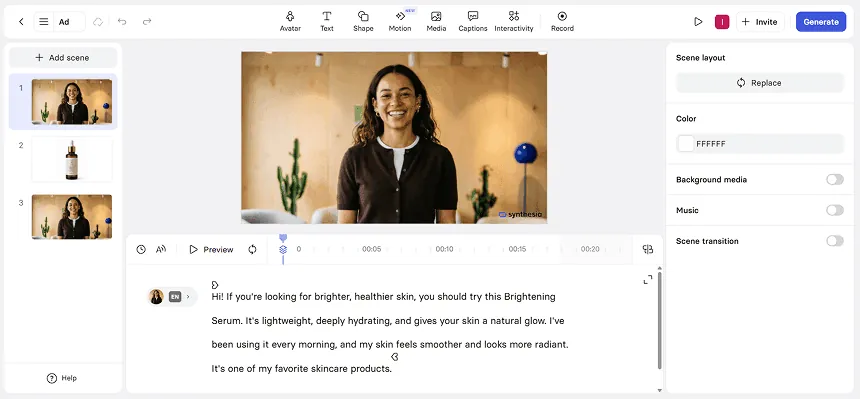
Professionelle AI Avatare
Strukturierter Multi-Szenen-Editor
Produktbilder als separate Szenen hinzugefügt
Synthesia ist die erste Wahl für Learning & Development-Teams, HR-Abteilungen und die interne Kommunikation. Es ist die ausgereifteste Plattform im Bereich Corporate Video, die von Unternehmen wie Zoom, Heineken und Bosch genutzt wird.
Das Kernversprechen: Verwandeln Sie ein Skript in ein professionelles Schulungsvideo – ganz ohne Kameras, Studios oder Terminplanung. Für diesen Anwendungsfall funktioniert es hervorragend. Die Avatar-Bibliothek bietet über 240 Optionen, die Template-Auswahl ist groß und die mehrsprachige Ausgabe (über 140 Sprachen) vereinfacht die Lokalisierung massiv.
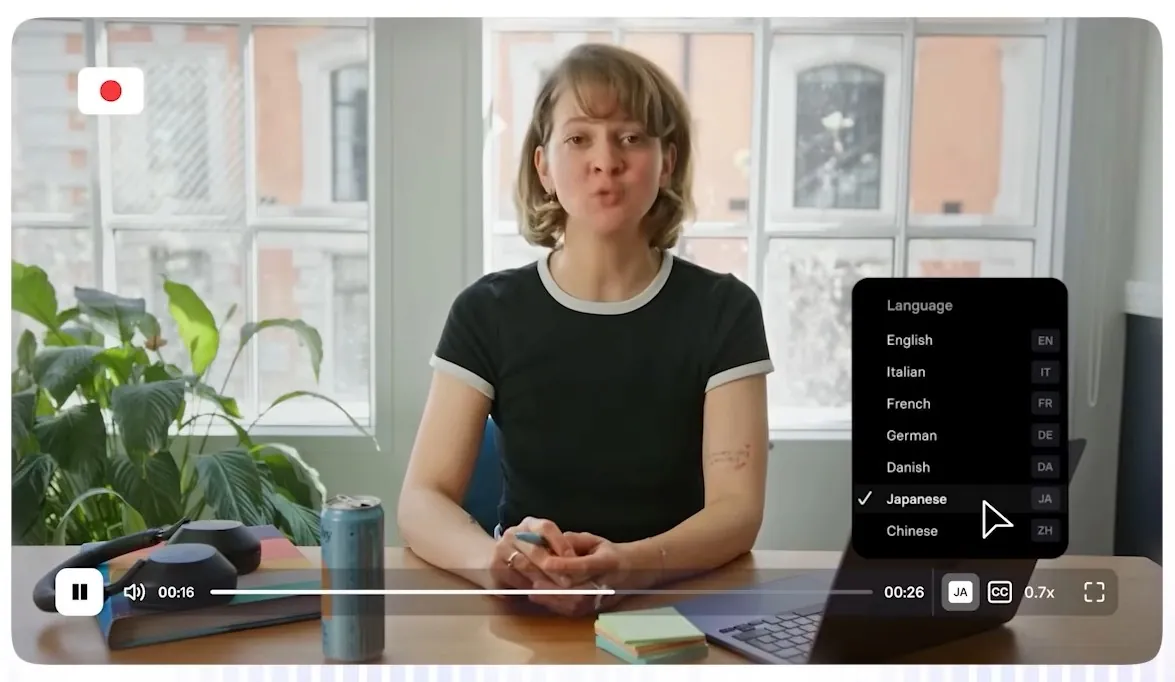
Wo Synthesia an seine Grenzen stößt, ist die Flexibilität. Die kreative Kontrolle ist im Vergleich zu vollwertigen Videoeditoren eingeschränkt, und erweiterte Funktionen wie 1-Klick-Übersetzung und SCORM-Export sind Enterprise-Kunden vorbehalten. Nutzer in günstigeren Tarifen berichten von Frustration über monatliche Limits bei den Videominuten. Bei längeren Videos zeigt sich zudem der Uncanny-Valley-Effekt: Kurze Schulungsclips wirken absolut solide, doch alles, was über 2–3 Minuten hinausgeht, kann bei den Gesichtsbewegungen leicht künstlich wirken.
Stärken:
Starke Template-Bibliothek für Unternehmens- und Bildungsinhalte
Über 140 Sprachen, solides KI-Dubbing
Übersichtliche Benutzeroberfläche, auch technisch nicht versierte Nutzer finden sich schnell zurecht
Zuverlässig für standardisierte Schulungsinhalte in hoher Stückzahl
Einschränkungen:
1-Klick-Übersetzung und SCORM sind dem Enterprise-Tarif vorbehalten
Monatliche Limits für Videominuten in günstigeren Tarifen
Eingeschränkte kreative Flexibilität für marketingorientierte Inhalte
Uncanny-Valley-Effekte bei längeren Videos
Preise: Kostenlos (begrenzt) | Starter $18/Monat | Creator $64/Monat | Enterprise: Individuell
Bestens geeignet für: L&D-Teams, HR, interne Kommunikation, Corporate Training
Auch lesen: Creatify vs Synthesia: Welcher KI-Marketing-Videoservice ist der beste?
2. Creatify – am besten für Ad Creatives und Performance Marketing
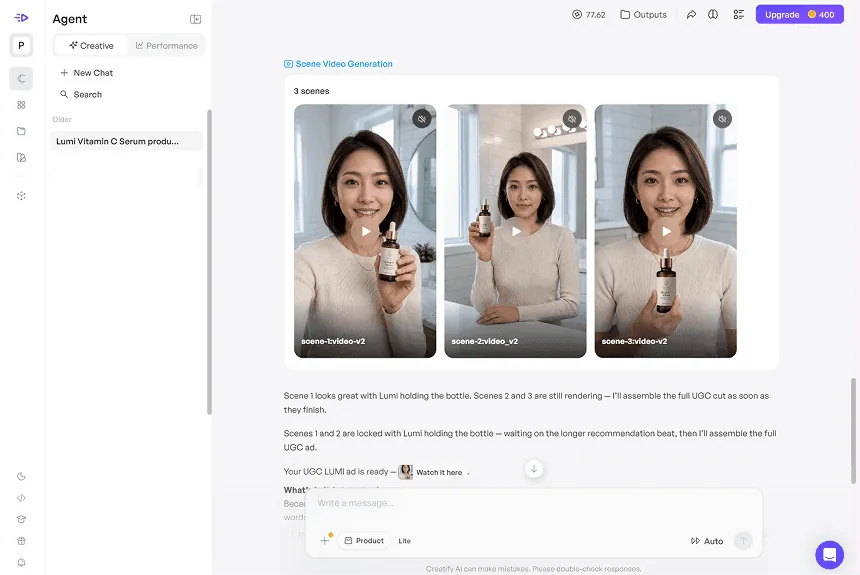
AI Avatare können Produkte natürlich präsentieren
Integrierte Produkt-Interaktionen
Über 1.500 realistische AI Avatare
Automatisch generierte Werbeskripte
Creatify ist speziell für eine Aufgabe gebaut: Video-Anzeigen zu erstellen, die konvertieren. Während die meisten KI-Videotools Allrounder sind, wurde Creatify gezielt für das Performance Marketing entwickelt – für E-Commerce-Brands, DTC-Marken, Agenturen und App-Studios, die bezahlte Kampagnen auf Meta, TikTok, YouTube und CTV schalten.
Das Flaggschiff-Feature ist der Creatify Agent: ein agentisches Kreativsystem, das die gesamte Pipeline der Anzeigenproduktion vom Briefing bis zum fertigen Video übernimmt. Fügen Sie einfach eine Produkt-URL ein oder beschreiben Sie Ihr Produkt im Chatfenster. Der Agent recherchiert die Marke, untersucht Wettbewerber sowie Trend-Inhalte in der Kategorie, schreibt Skripte, wählt Avatare aus, generiert Szenen parallel, unterlegt sie mit Musik und Audio und prüft alles in einem QA-Check gegen das Briefing, bevor etwas ausgeliefert wird. Er läuft in zwei Modi: Auto (chatbasiert, erledigt alles im Dialog) und Flow (canvasbasiert, gibt Ihnen Kontrolle über jeden Produktionsschritt auf Node-Ebene, ohne die Session zu verlassen).
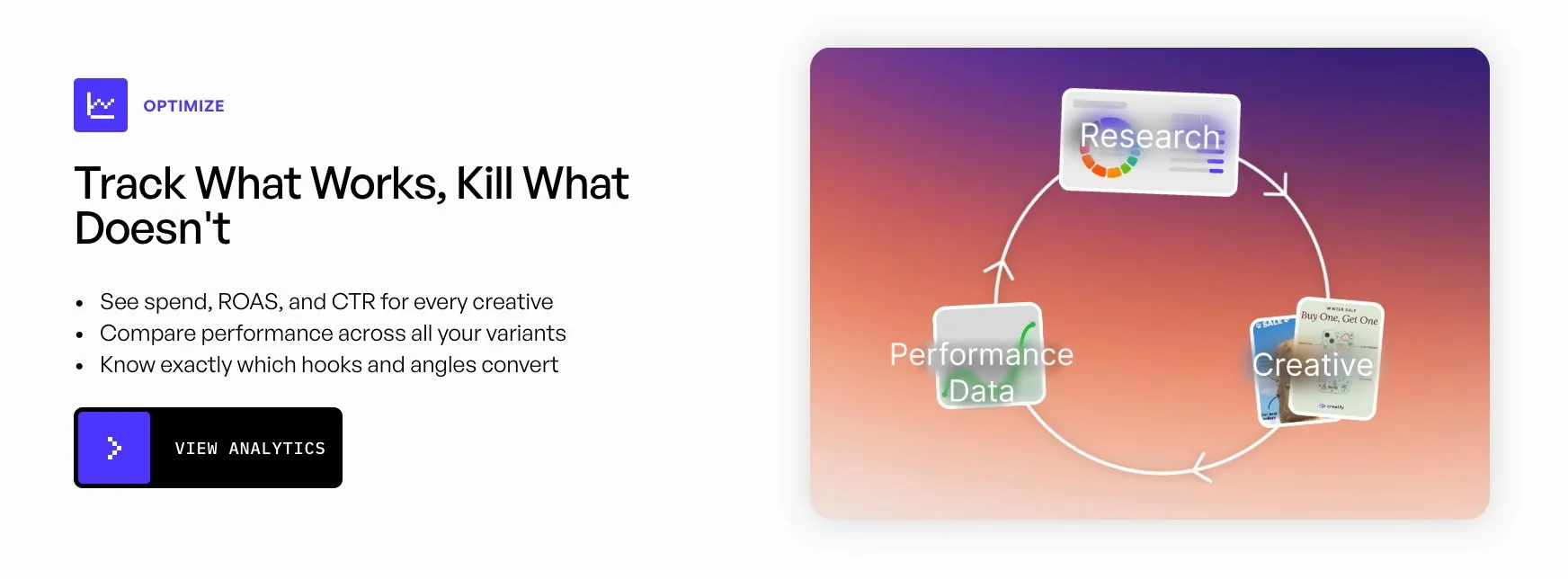
Im Benchmark VideoAdAgent Bench v1 erzielte der Creatify Agent eine Win-Rate von 94 % gegen den führenden KI-Ad-Agenten und 93 % gegen reine Videomodelle – mit einem Vorsprung von +43 % bei der Qualität der fertigen Anzeige über 20 Briefings, 16 Systeme und rund 1.400 paarweise Bewertungen hinweg.
Der URL-to-Video-Workflow ist der schnellste Einstieg: Kopieren Sie eine beliebige Produkt-URL von Amazon, Shopify, Etsy oder dem App Store hinein, und Creatify zieht sich die Produktdetails, generiert 5–10 Skript-Variationen und liefert in unter 60 Sekunden fertige Video-Anzeigen.
Die Ergebnisse aus echten Kampagnen sind belegt. 1MORE schaltete Avatar-Ads von Creatify gegen klassische Influencer-Videos und verzeichnete +200 % mehr Käufe, +158 % mehr Link-Klicks und einen um +14,74 % höheren ROAS. Tec-Do 2.0 senkte die Videoproduktionszeit um 97 % (von 3 Tagen auf 1 Stunde) und die Kosten um 90 % (von $20 auf $2 pro Video). Alibaba-Verkäufer generierten in 90 Tagen über 200.000 Videos, von denen mehr als 80 % in echten Paid-Kampagnen eingesetzt wurden.
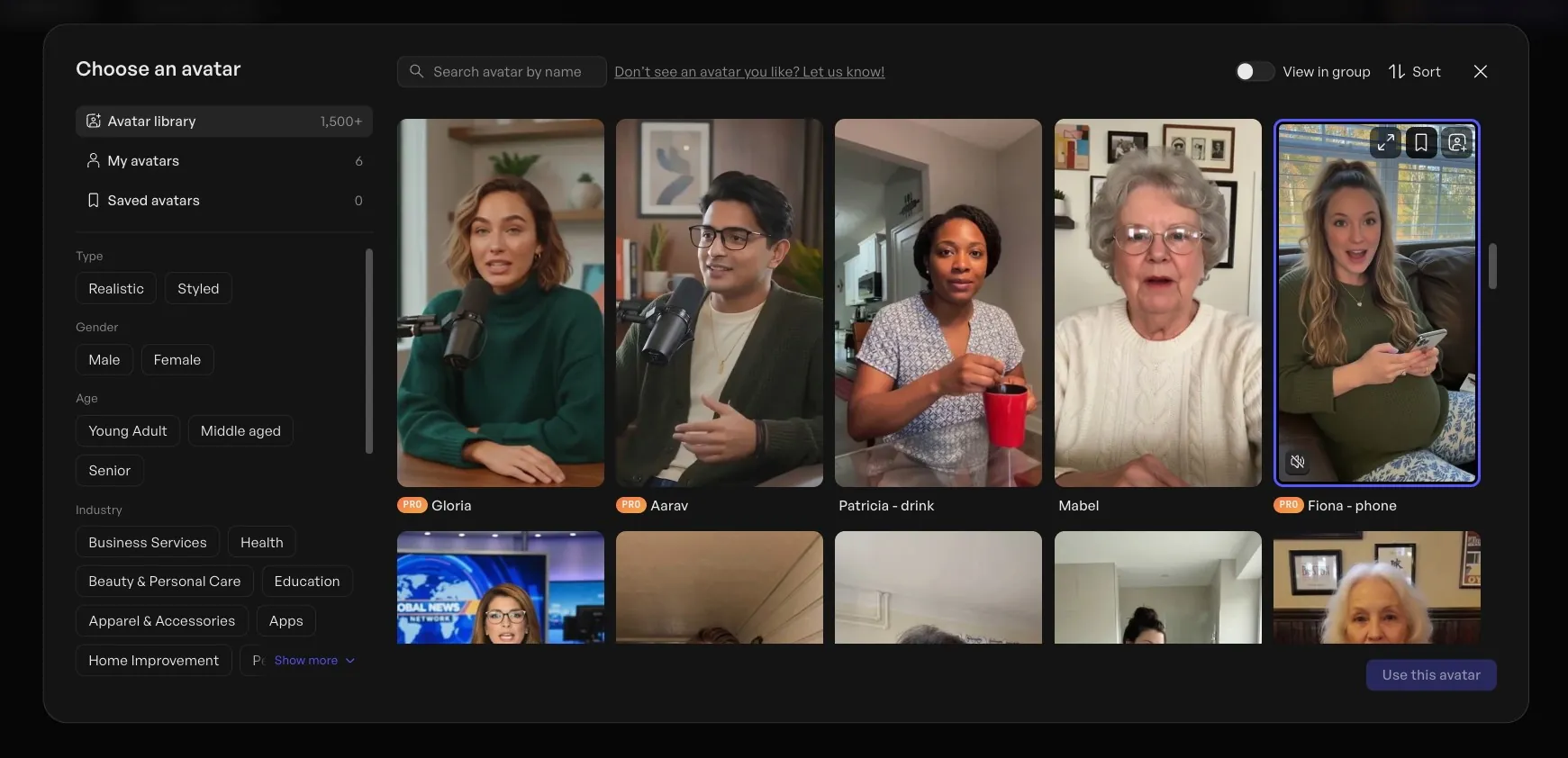
Die Avatar-Bibliothek umfasst über 1.500 Optionen, die auf Aurora basieren, dem proprietären Diffusion-Transformer-Modell von Creatify. Eigene Avatare lassen sich ganz einfach aus einem Foto-Upload oder einer Textbeschreibung erstellen. Der Asset Generator bindet zudem über 40 KI-Modelle ein – darunter Veo 3.1, Kling 3.0 und Seedance 2.0 –, um visuelle Assets abseits von Avatar-Videos zu generieren.
Stärken:
Der Creatify Agent übernimmt Recherche, Scripting, Casting, Produktion und QA über ein einziges Chat- oder Canvas-Interface
URL-to-Video erstellt 5–10 Ad-Variationen in unter 60 Sekunden
Das Aurora-Modell liefert realistische Avatare, die speziell für Paid Ads optimiert sind
Über 1.500 Avatare, Erstellung eigener Avatare via Foto-Upload oder Text-Prompt
Über 75 Sprachen mit nativer Lippensynchronität
Multi-Format-Ausgabe: 9:16, 16:9 und 1:1 in einem einzigen Durchlauf
Asset Generator: Über 40 KI-Modelle für Bild-, Video- und Audiogenerierung
SOC 2 Type II zertifiziert
Einschränkungen:
Weniger geeignet für lange Schulungsinhalte oder filmisches Storytelling
Aurora und AdFlow sind erst ab dem Pro-Tarif verfügbar
Preise: Kostenlos (10 Credits/Monat, ca. 2 Videos, mit Wasserzeichen) | Starter $33/Monat | Pro $49/Monat | Enterprise: Individuell
Bestens geeignet für: E-Commerce-Brands, DTC-Marketer, Agenturen, Performance-Marketer, App-Studios
Auch lesen: Warum Creatify.ai die beste AI-Avatar-Plattform ist – Kompletter Vergleich
3. HeyGen – am besten für mehrsprachige Business-Videos
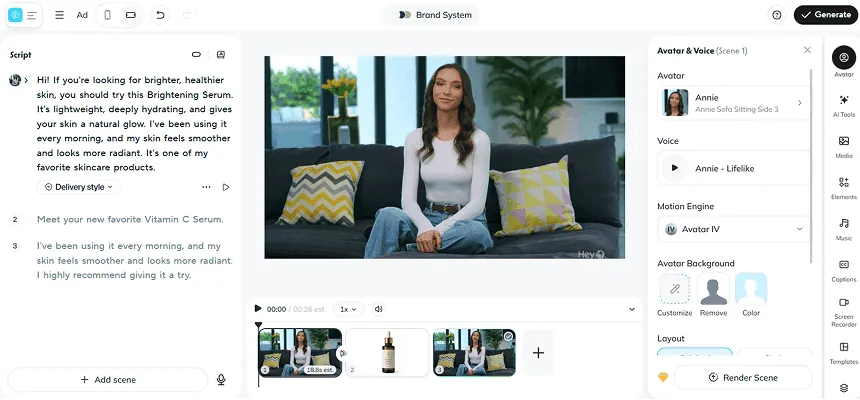
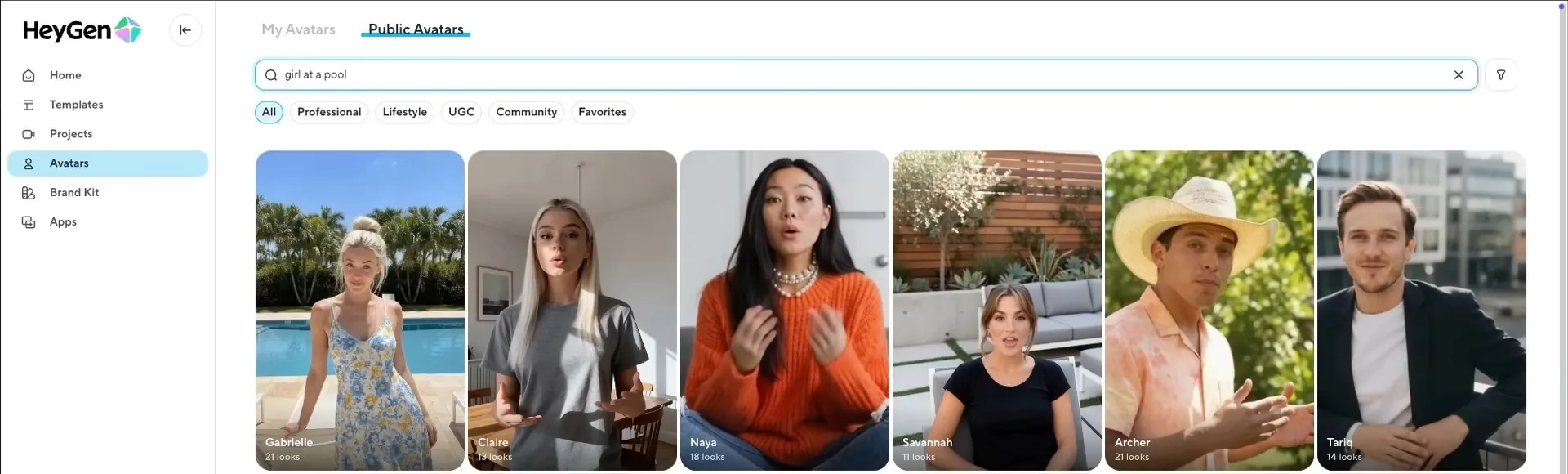
Natürlich wirkende AI Avatare
Flexibler Multi-Szenen-Editor
Produktaufnahmen als separate Szenen hinzugefügt
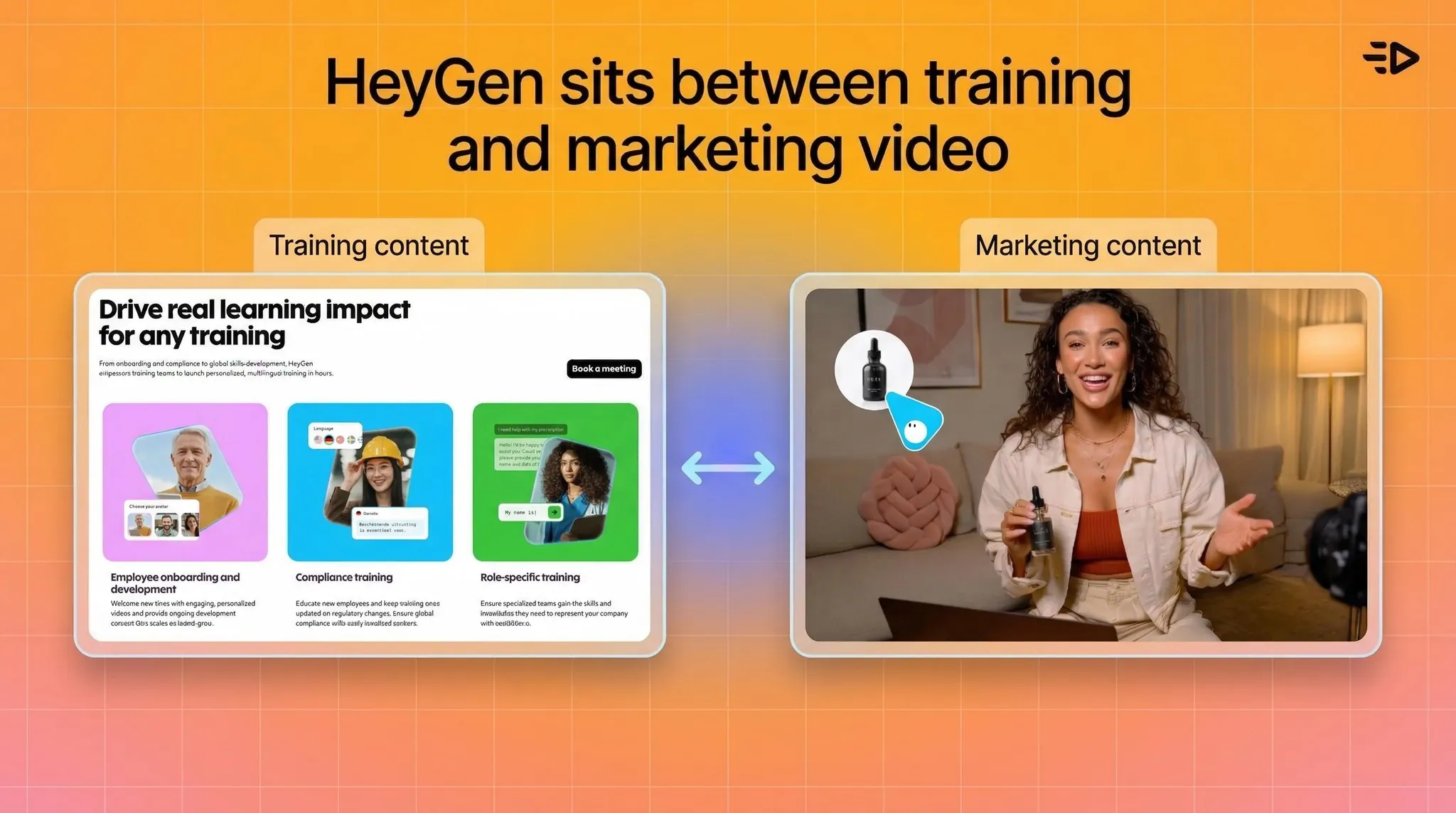
HeyGen positioniert sich zwischen Synthesia (Schwerpunkt Schulung) und Creatify (Schwerpunkt Ads). Die größte Stärke liegt in skalierbaren Videos im Präsentationsstil, insbesondere für mehrsprachige Inhalte und personalisierte Kundenansprache.
Die Plattform unterstützt über 175 Sprachen, wobei Übersetzungen in den kostenpflichtigen Tarifen enthalten sind – ein klarer Vorteil gegenüber Synthesia, das Übersetzungen hinter der Enterprise-Paywall sperrt. Für Teams, die lokalisierte Inhalte für verschiedene Märkte erstellen, ist das entscheidend. Der Creator-Tarif bietet unbegrenzte Videogenerierung für Standard-Avatare, was für regelmäßige Creator ein starkes Preis-Leistungs-Verhältnis bedeutet.
Der Haken: HeyGens realistischste Ausgabe (Avatar IV) ist an Credits gekoppelt, und das monatliche Kontingent von 200 Credits im Creator-Tarif reicht für gerade einmal ca. 10 Minuten Avatar-IV-Video. Beschwerden über den Kundensupport und schwankende Renderzeiten sind in Nutzerbewertungen ebenfalls ein wiederkehrendes Thema.
Stärken:
Übersetzungen bereits in günstigeren Tarifen enthalten (über 175 Sprachen)
Unbegrenzte Standard-Avatar-Videos in kostenpflichtigen Tarifen
API für automatisierte Workflows zur Videogenerierung
Übersichtliche und intuitive Benutzeroberfläche
Einschränkungen:
Avatar IV (Premium-Modell) ist stark credit-limitiert
Probleme beim Kundensupport in mehreren Bewertungen dokumentiert
Renderzeiten können bei hoher Serverauslastung stark schwanken
Der Business-Tarif ($149/Monat) ist ein großer Preissprung im Vergleich zum Creator-Tarif
Preise: Kostenlos (3 Videos/Monat) | Creator $29/Monat ($24 bei jährlicher Zahlung) | Business $149/Monat | Enterprise: Individuell
Bestens geeignet für: Marketing-Teams, mehrsprachige Content-Produktion, Business-Kommunikation
Auch lesen: Was ist HeyGen AI und was ist die beste HeyGen-Alternative?
4. Kling 3.0 – der beste filmische Allround-Generator
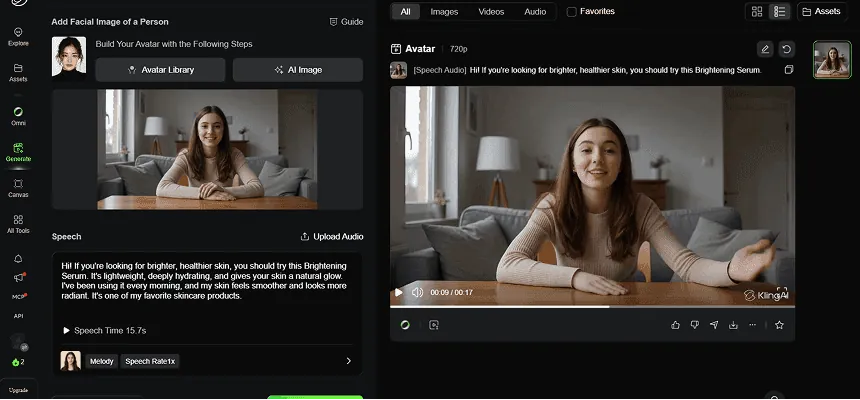
Natürliche Mimik
Keine dedizierten Produktszenen
Eingeschränkte Produktinteraktion
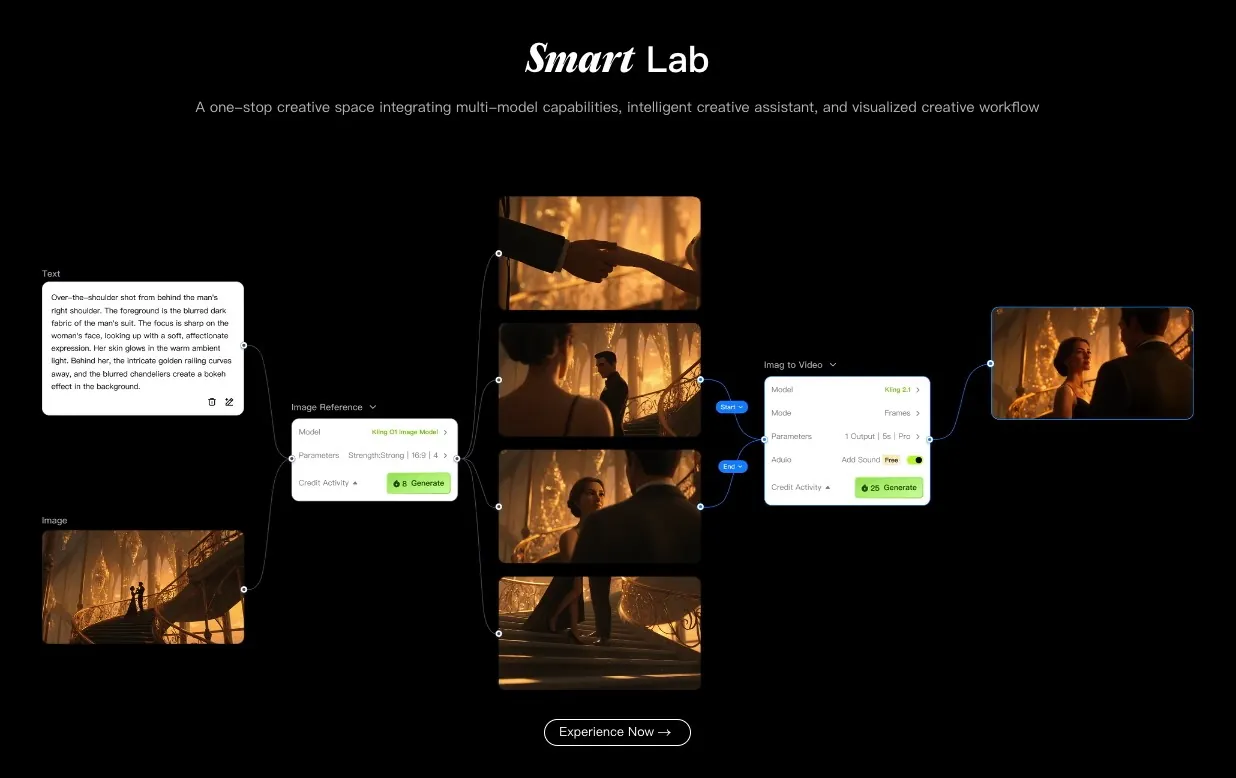
In puncto reiner Video-Generierungsqulität steht Kling 3.0 derzeit an der Spitze der Benchmark-Rankings. Im Test von Curious Refuge für das Jahr 2026 erreichte das Tool eine Gesamtwertung von 8,1/10, wobei die visuelle Wiedergabetreue mit 8,4 bewertet wurde – der Spitzenwert in diesem Bereich.
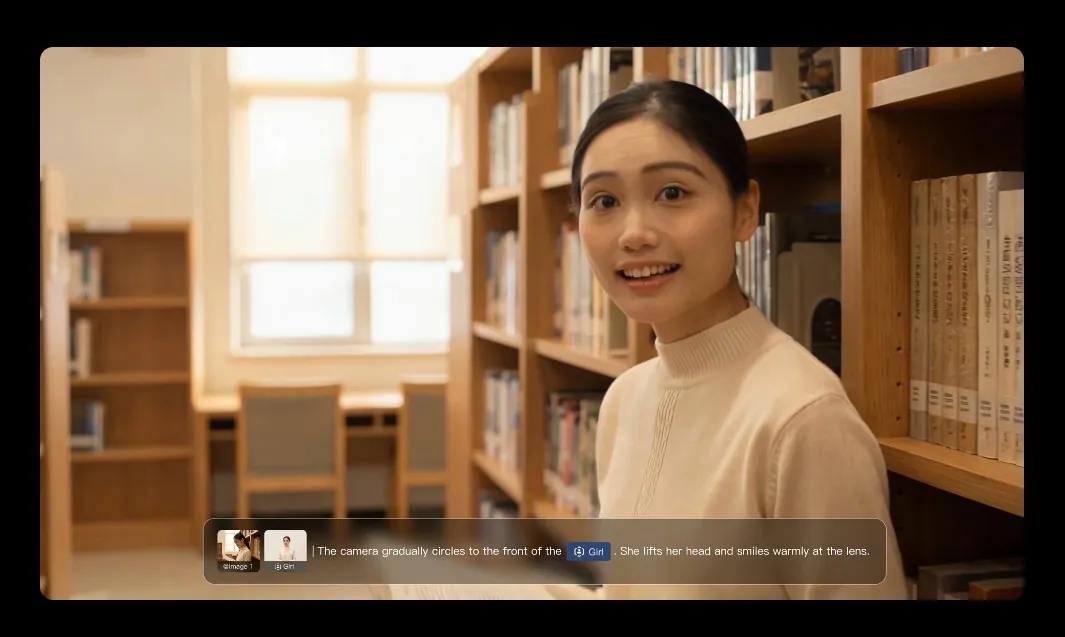
Die Ausgabe ist gestochen scharf, zeitlich konsistent und stellt menschliche Charaktere sowie Bewegungen realistischer dar als jedes andere getestete Prompt-Modell. Für das Erstellen von B-Rolls, kreative Kampagnen oder jeden Anwendungsfall, der fotorealistisches Material aus Text- oder Bild-Prompts erfordert, ist dies die stärkste Option.
Es handelt sich jedoch nicht um eine Avatar-Plattform. Es gibt hier keinen Script-to-Presenter-Workflow. Kling generiert Videomaterial, das aussieht, als wäre es real gedreht worden.
Stärken:
Beste Benchmark-Ergebnisse aller filmischen Generatoren (8,1/10, Curious Refuge 2026)
Herausragende visuelle Qualität und zeitliche Konsistenz
Starker Realismus bei menschlichen Charakteren und Bewegungen
Einschränkungen:
Die präzise Umsetzung komplexer Prompts kann manchmal fehlschlagen
Benutzeroberfläche für technisch weniger versierte Nutzer weniger intuitiv
Keine Funktionen für Avatare oder Präsentations-Inhalte
Preise: Kostenlose Option | Kostenpflichtige Tarife ab ca. $10/Monat
Bestens geeignet für: Creative Directors, Filmemacher, B-Roll-Generierung, filmische Werbe-Assets
5. Luma Ray 3.14 – am besten für schnelle kreative Iterationen
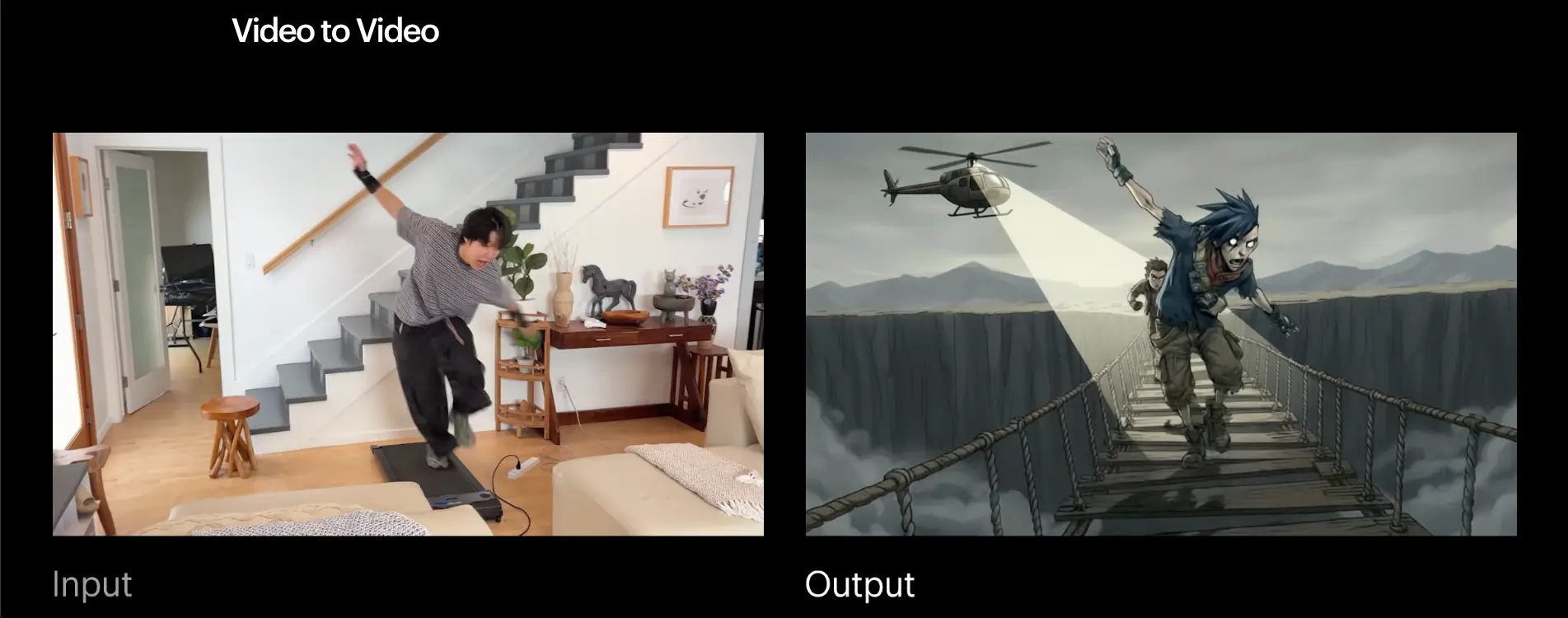
Luma Ray 3.14 erreichte im Benchmark-Test von Curious Refuge eine Wertung von 7,6/10, mit einer herausragenden visuellen Qualität (8,4), die das Tool vor dem Release von Kling 3.0 kurzzeitig an die Spitze der Rangliste brachte. Der Draft Mode ist extrem nützlich: Erstellen Sie eine Vorschau Ihrer Generierung, bevor Sie Credits verbrauchen. Für Teams, die schnell viele verschiedene Konzepte durchspielen, spart das spürbar Zeit und Budget.
Stärken:
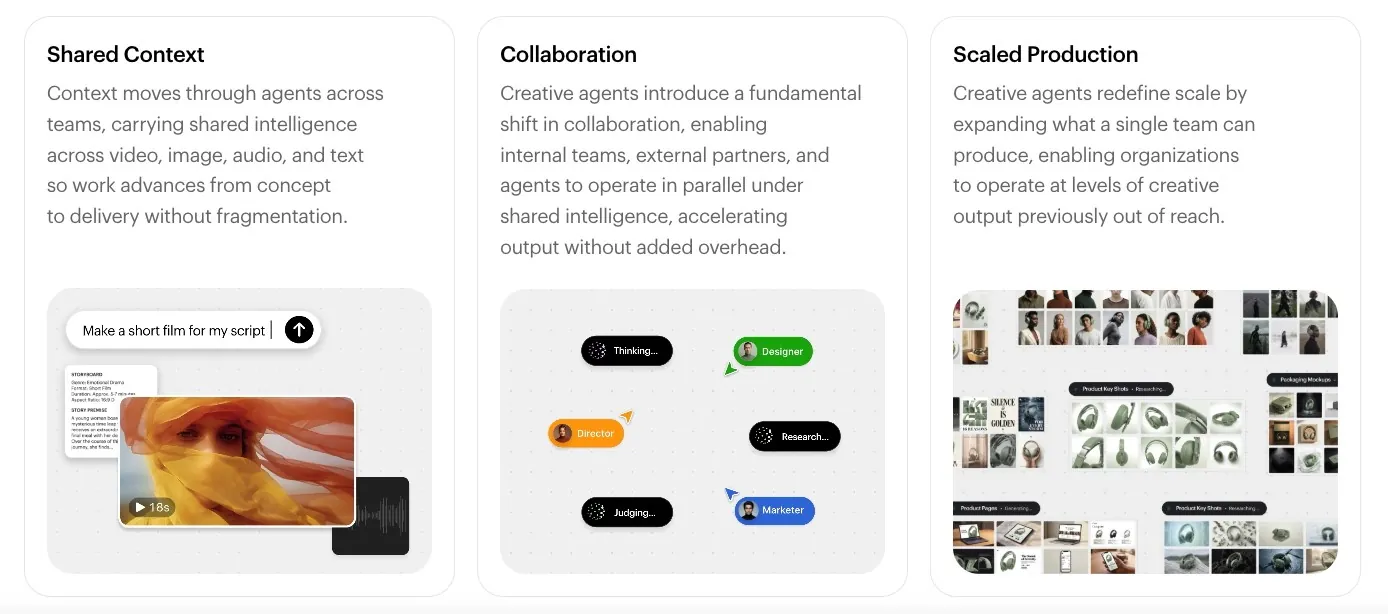
Draft Mode für creditfreie Previews
Hohe visuelle Qualität (8,4/10)
Schnelle Generierung für rasche Konzepttests
Günstiger Einstiegspreis
Einschränkungen:
Nicht für Videos im Präsentations- oder Erklärstil konzipiert
Etwas niedrigere Gesamtwertung als Kling 3.0
Preise: Kostenlose Option | Ab $9.99/Monat
Bestens geeignet für: Kreative Konzeption, B-Roll, Social-Content, schnelle visuelle Iteration
6. Minimax 2.3 – der beste Geheimtipp
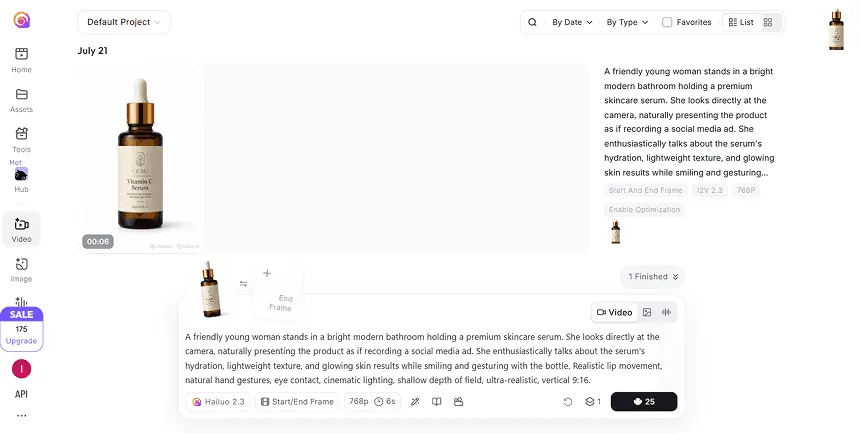
Keine integrierten AI Avatare
Hochwertige filmische Visuals
Ideal für eigenständige Videoclips
Minimax 2.3 erzielte eine Wertung von 7,49/10 – knapp hinter Luma – und gehört derzeit zu den am meisten unterschätzten KI-Videotools. Es belohnt präzises Prompting: Formulieren Sie Ihre Prompts wie Kameraanweisungen (Einstellung, Bewegung, Bildaufbau), und das Tool folgt ihnen präzise, um hochtexturiertes Bildmaterial mit minimalen KI-Fehlern (Halluzinationen) zu liefern.

Auf den ersten Blick vielleicht nicht die spektakulärste Optik, aber für professionelle Workflows, bei denen es mehr auf saubere, kontrollierte Bilder als auf rein visuelle Effekte ankommt, liefert das Tool überdurchschnittlich ab.
Stärken:
Starke Umsetzung von Prompts (8,0/10), wenn sie wie Kameraanweisungen formuliert sind
Hochtexturiertes Bildmaterial, minimale Halluzinationen
Sehr gutes Preis-Leistungs-Verhältnis im Verhältnis zur Ausgabequalität
Einschränkungen:
Die zeitliche Konsistenz (6,3/10) ist die größte Schwachstelle
Erfordert Disziplin beim Prompting, um die besten Ergebnisse zu erzielen
Preise: Kostenlose Option verfügbar
Bestens geeignet für: Professionelle Workflows, kontrolliertes Bildmaterial, Nutzer mit Vorliebe für präzise Prompts
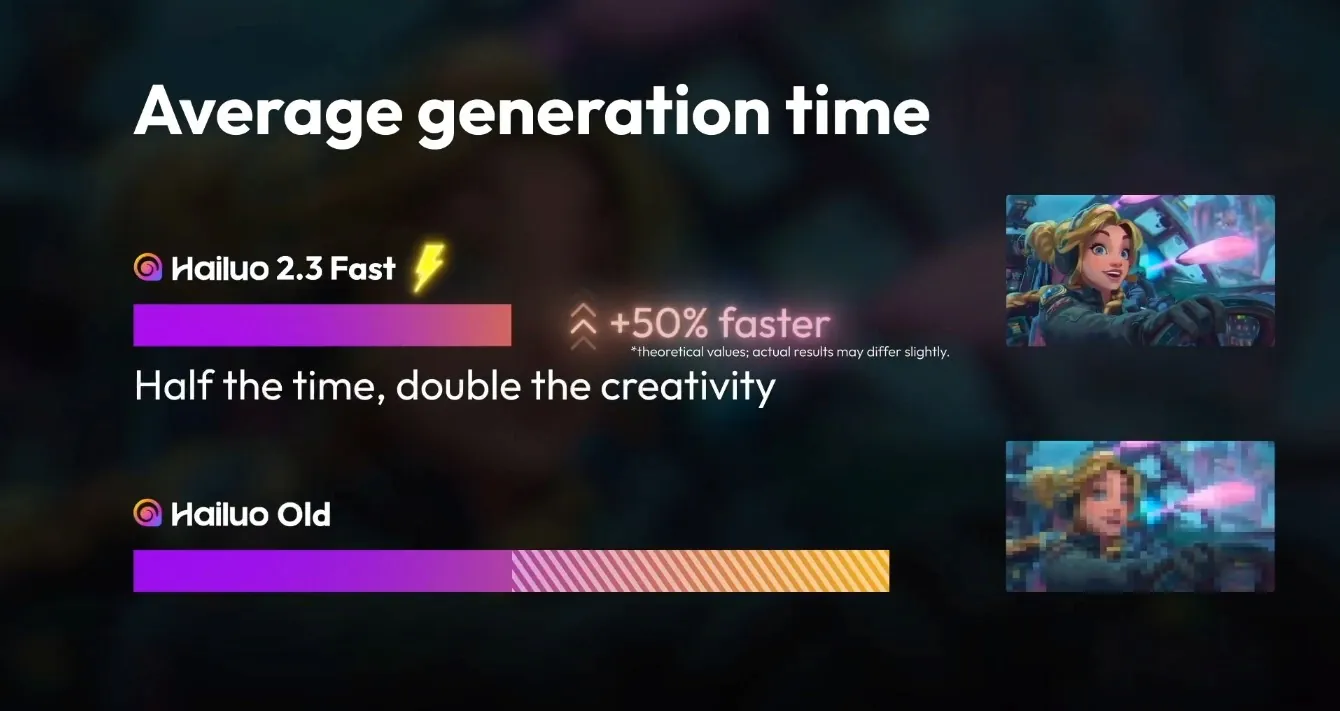
7. Seedance 2.0 – die beste günstige Option für filmische Videos
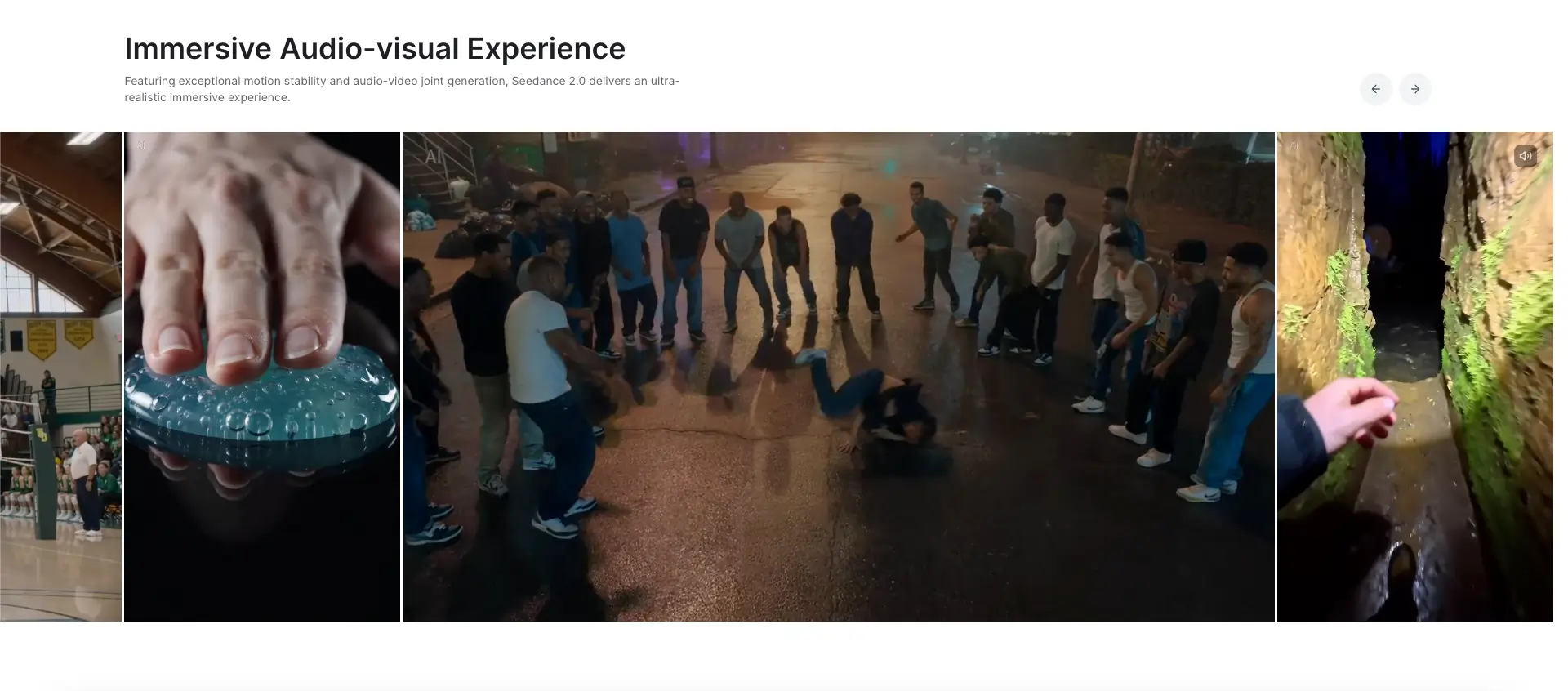
Seedance 2.0 ist die neueste Generation von ByteDance und ein deutlicher Fortschritt im Vergleich zu Version 1.5 Pro. Die wichtigste Neuerung ist eine einheitliche multimodale Architektur: Text, Bilder, Audio und Video-Referenzen fließen in eine einzige Generierungsanfrage ein, anstatt separate Tools für jeden Input-Typ nutzen zu müssen. Die Ausgabe erfolgt in 1080p bei einer um bis zu 30 % schnelleren Generierung als in früheren Versionen. Die Clips können bis zu 30 Sekunden lang sein, und das Tool generiert Audio und Video zusammen (Dialoge, Atmosphäre, SFX) – absolut lippensynchron und ohne nachträgliche Anpassung.
Stärken:
Einheitliche multimodale Inputs in einem einzigen Workflow
Native, bildsynchrone gemeinsame Generierung von Audio und Video
Bis zu 30-sekündige Clips – ideal für Short-Form-Content
Rund 30 % schnellere Generierung als Seedance 1.5 Pro
Bessere zeitliche Stabilität als die Vorgängerversion
Einschränkungen:
Erreicht in den Benchmarks im Vergleich zu Kling oder Luma bei keinem Einzelwert die absolute Spitze
Preise und API-Zugang befinden sich noch in der Entwicklung
Preise: Kostenloser Zugang verfügbar, günstige kostenpflichtige Tarife
Bestens geeignet für: Budgetbewusste Creator, Content-Teams, die audiosynchronisierte Ausgaben benötigen, und kommerzielle Kurzvideo-Produktion
8. Veo 3.1 (Google) – am besten für strukturierte Prompt-Kontrolle
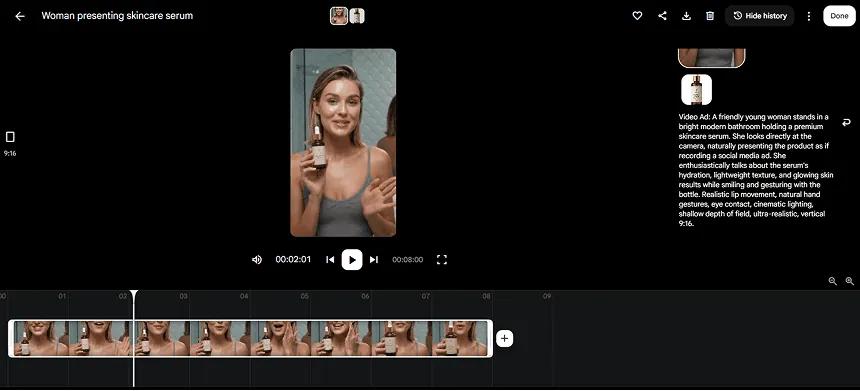
Image-to-Video-Generierung
Einfacher, promptbasierter Workflow
Hochgradig realistische Produktvideos
Googles Veo 3.1 erzielte eine Gesamtwertung von 7,2/10 mit einer starken Prompt-Umsetzung (7,8/10). Das auf Elementen basierende Prompting-System ermöglicht eine gestalterische Kontrolle, die die meisten anderen Modelle nicht bieten: Bestimmen Sie Bildelemente, Kameraposition und Bewegungen extrem präzise.
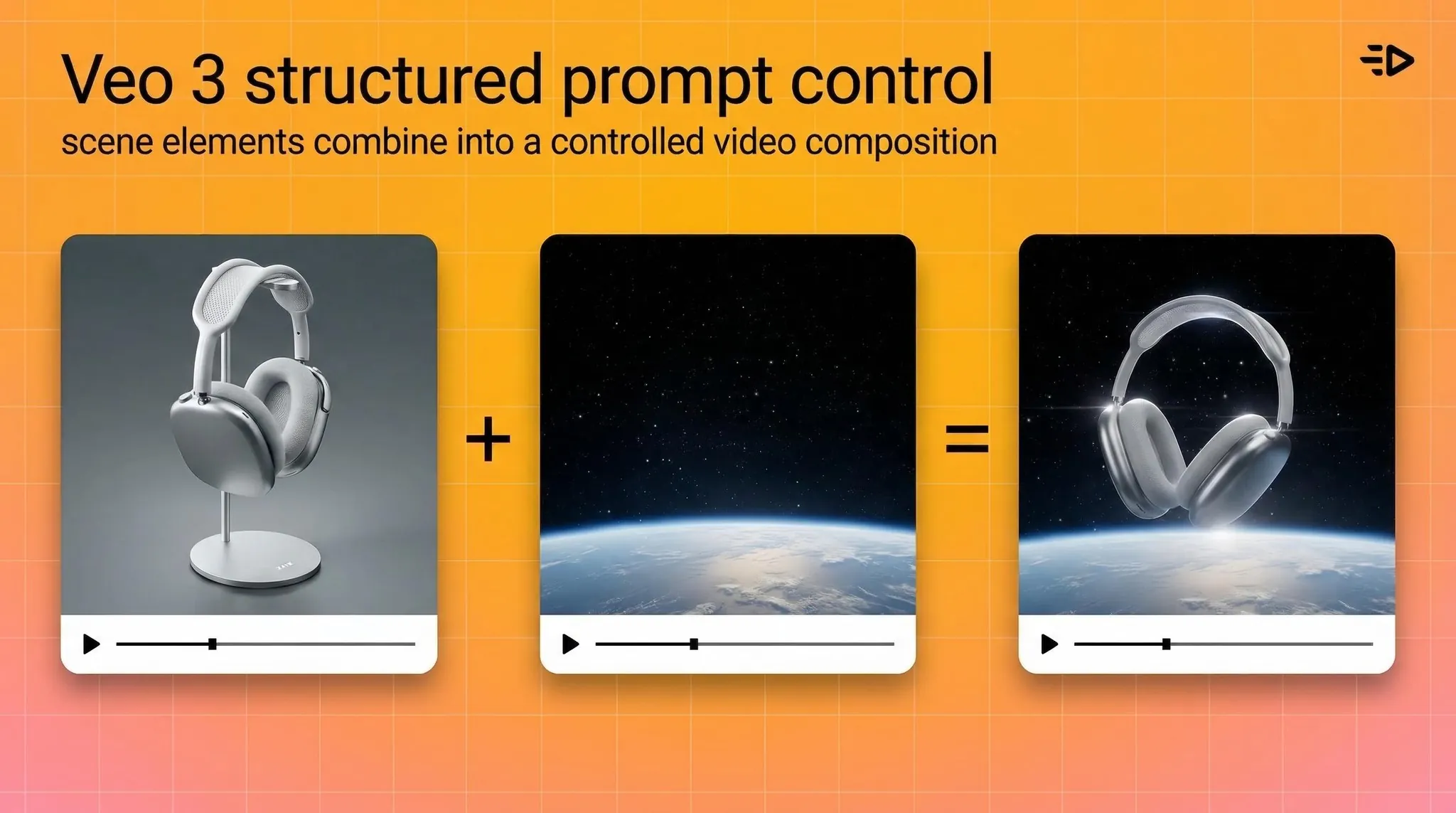
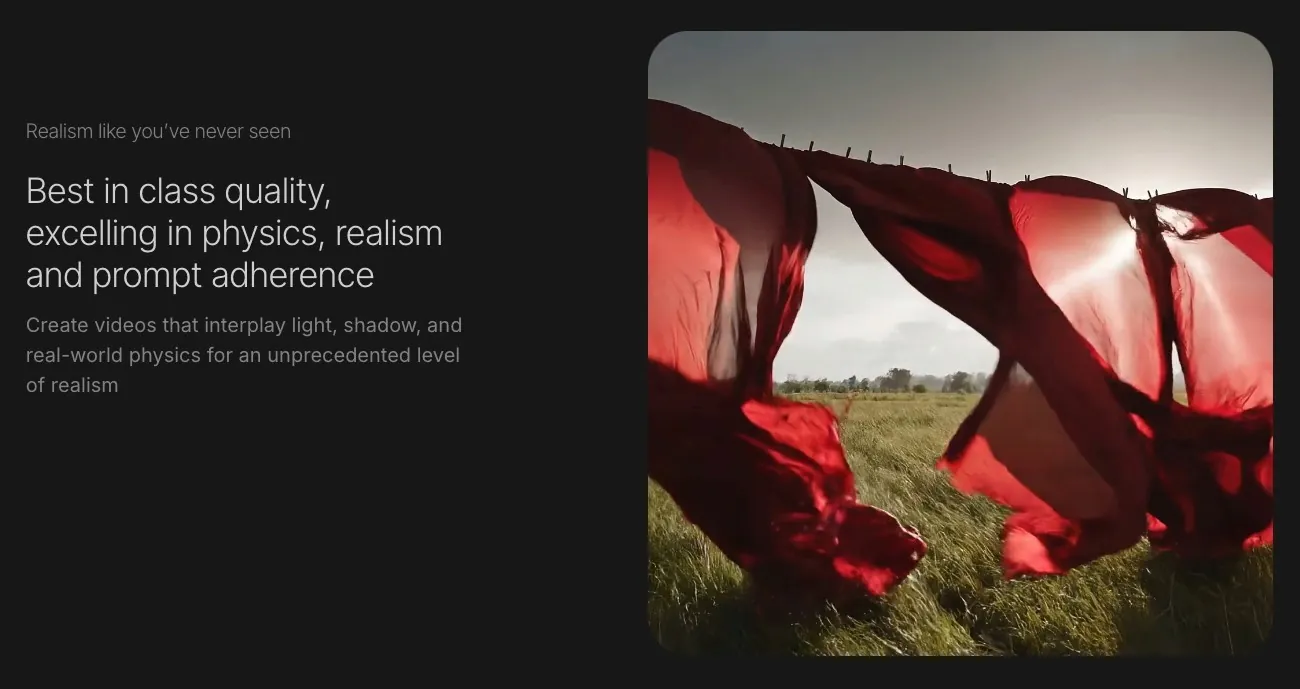
Bei einigen Generierungen ist der typische „KI-Look" noch sichtbar. Für Creator, denen Struktur und Kontrolle wichtiger sind als rein filmischer Glanz, ist es jedoch eine hervorragende Wahl. Verfügbar über die Google Gemini-Tarife, inklusive eines schnellen Modus (Veo 3.1 Fast, 6.9/10) für kostengünstigere Iterationen.
Stärken:
Starke gestalterische Kontrolle durch elementbasiertes Prompting
Mehrere Qualitätsstufen (Quality- und Fast-Modus)
Verlässlicher Google-Support und regelmäßige Updates
Einschränkungen:
Manche Ergebnisse behalten einen sichtbaren KI-Look
Zugangs- und Wasserzeichen-Regeln variieren je nach Tarif
Nicht als eigenständiges Produkt verfügbar – erfordert Gemini-Zugang
Preise: Kein kostenloser Tarif via API | Abrechnung pro Sekunde im kostenpflichtigen Gemini-API-Tarif – Veo 3.1 Standard: $0.40/Sekunde (720p/1080p), $0.60/Sekunde (4K); Veo 3.1 Fast: $0.15/Sekunde (720p/1080p), $0.35/Sekunde (4K)
Bestens geeignet für: Creator, die Wert auf präzise Prompts und strukturierte visuelle Ergebnisse legen
9. Runway 4.5 – am besten für Film- und Kreativ-Schnitt

Runway hat die Debatte um KI im Filmemachen überhaupt erst angestoßen und bleibt die stärkste Option für professionelle Video-Editoren, die KI in bestehende Workflows integrieren möchten. Gen 4.5 bietet Timeline- und Keyframe-ähnliche Steuerungen, die kein anderes Tool auf dieser Liste auf vergleichbarem Niveau bietet.
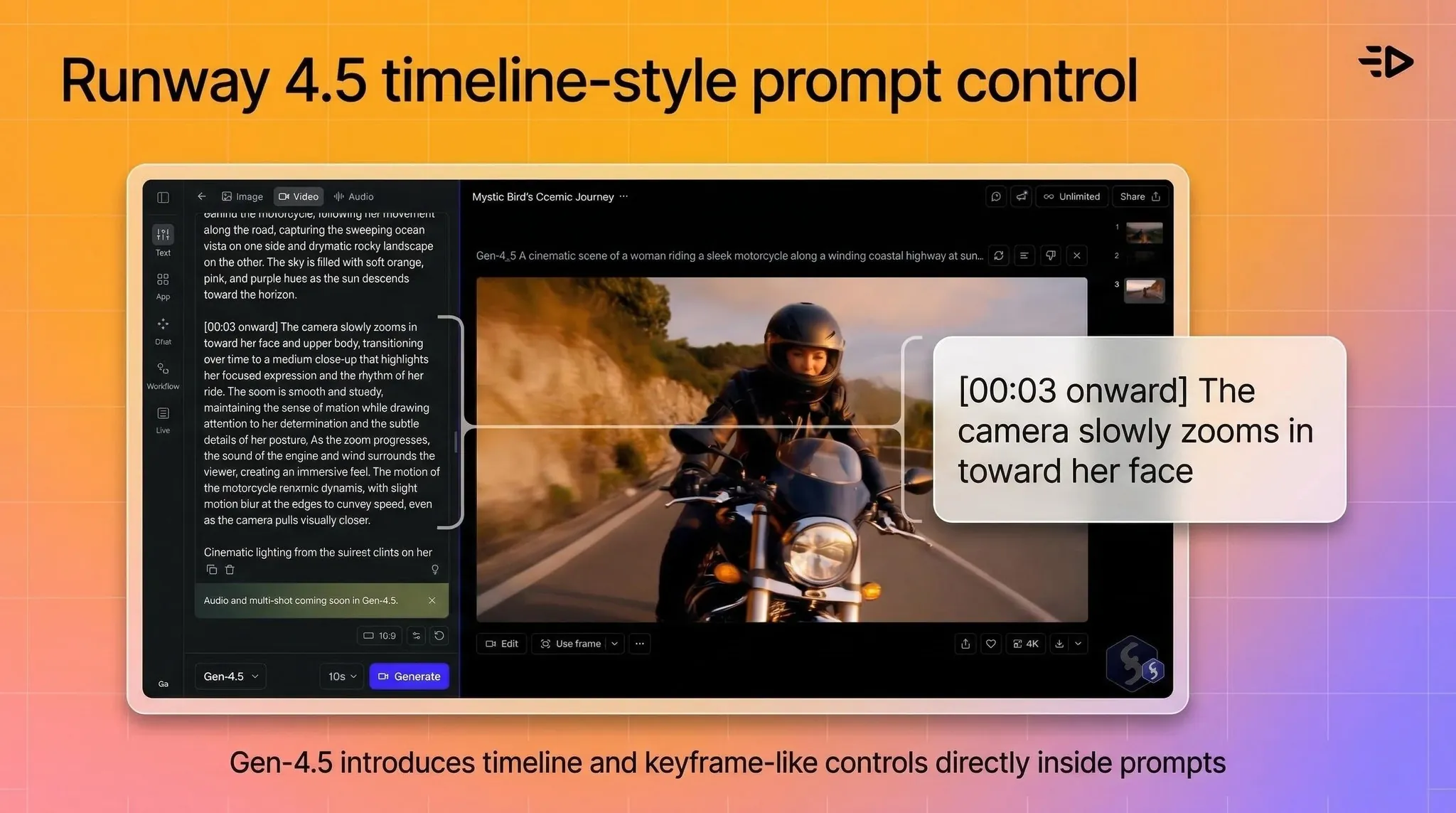
Dennoch sprechen die Benchmark-Ergebnisse eine klare Sprache: Curious Refuge bewertete Runway 4.5 mit 6,2/10 – hinter Kling, Luma, Minimax, Seedance und beiden Veo-Versionen. Runway behauptete zwar, Gen 4.5 sei das beste KI-Videomodell auf dem Markt; unabhängige Tests konnten das jedoch nicht bestätigen.
Stärken:
Fortschrittliche kreative Kontrolle: Timeline-Features, Keyframe-ähnliche Funktionen
Ideal für Editoren, die KI als Teil ihres Postproduktions-Workflows nutzen wollen
Starkes Ökosystem und große Community für Kreativschaffende
Einschränkungen:
Benchmark-Wertung von 6,2/10, niedriger als bei den meisten Konkurrenten hier
Steilere Lernkurve für Personen ohne Editing-Erfahrung
Erfordert bestehende Videoschnitt-Kenntnisse, um optimale Ergebnisse zu erzielen
Preise: Kostenlose Option | Ab $15/Monat
Bestens geeignet für: Professionelle Editoren, Filmemacher, Kreativagenturen, Postproduktions-Workflows
Kostenlose vs. kostenpflichtige Videogeneratoren: Was man wirklich bekommt
Jedes Tool auf dieser Liste bietet eine kostenlose Option, aber „kostenlos" bedeutet je nach Plattform etwas völlig anderes.
Bei filmischen Generatoren (Kling, Luma, Runway, Veo) beinhalten die kostenlosen Tarife Wasserzeichen auf den Videos, ein begrenztes Credit-Kontingent und schließen eine kommerzielle Nutzung aus. Gut zum Testen und Konzipieren, aber nicht für die Veröffentlichung geeignet.
Bei Avatar-Plattformen sind die Unterschiede noch gravierender. Der kostenlose Tarif von Synthesia ist im Grunde nur eine Demo. HeyGen limitiert auf 3 Videos im Monat. Der kostenlose Tarif von Creatify bietet 10 Credits (ca. 2 Videos) mit Wasserzeichen – ideal zum Testen, aber nicht für echte Kampagnen.
Wenn Sie echte Kampagnen fahren, sollten Sie die Kosten für einen bezahlten Tarif vom ersten Tag an einplanen. Am Ende ist die Produktion so immer noch um ein Vielfaches günstiger als traditionelle Videodrehs.
Auch lesen: Die 17 besten AI-Avatar-Generatoren und Tools im Test (2026)
Welches Tool sollten Sie nutzen?
Für Paid Ads, E-Commerce oder UGC-Kampagnen: Creatify. Speziell für Performance Marketing entwickelt, mit dem Creatify Agent für die gesamte Produktionspipeline und URL-to-Video für den schnellstmöglichen Start.
Für Corporate Training oder interne Kommunikation: Synthesia. Die beste Template-Auswahl, die ausgereifteste Plattform für L&D und das Vertrauen von Enterprise-Teams.
Für mehrsprachige Business-Videos in großem Stil: HeyGen. Übersetzung bereits in günstigeren Tarifen enthalten, unbegrenzte Standard-Videos, API für Automatisierungen.
Für filmische B-Rolls oder kreatives Bildmaterial: Kling 3.0 für maximale Qualität, Luma Ray 3.14 für schnelle Iterationen, Runway 4.5, wenn Sie bereits Videoeditor sind.
Für budgetbewusste filmische Arbeiten: Seedance 2.0 oder Minimax 2.3.
Häufig gestellte Fragen (FAQ)
Was ist der beste KI-Videogenerator im Jahr 2026?
Der beste KI-Videogenerator hängt ganz von Ihrem Anwendungsfall ab. Für Ad Creatives und Performance Marketing ist Creatify führend, da der Creatify Agent die gesamte Pipeline von der Recherche bis zur fertigen Anzeige übernimmt. Für Corporate Training ist Synthesia die ausgereifteste Plattform. Für filmische B-Rolls in Top-Qualität schneidet Kling 3.0 in unabhängigen Benchmarks am besten ab. Wählen Sie das Tool, das zu Ihrem konkreten Vorhaben passt.
Was sind die besten kostenlosen KI-Videogeneratoren im Jahr 2026?
Die meisten führenden KI-Videogeneratoren bieten kostenlose Tarife an: Creatify (10 Credits/Monat, ca. 2 Videos), HeyGen (3 Videos/Monat), Synthesia (begrenzte Demo) sowie Kling, Luma und Runway bieten alle einen kostenfreien Zugang. Alle Gratis-Optionen fügen jedoch Wasserzeichen hinzu und schließen die kommerzielle Nutzung aus. Sie eignen sich hervorragend zum Testen, aber nicht für Live-Kampagnen.
Was ist der beste kostenlose KI-Text-to-Video-Generator?
Für filmische Ergebnisse bieten sowohl Kling als auch Luma kostenlose Optionen mit sehr guter Qualität. Für werbefokussiertes Text-to-Video beinhaltet der kostenlose Tarif von Creatify (10 Credits/Monat) sowohl die URL-to-Video-Funktion als auch den Creatify Agent.
Welche KI-Videoplattform eignet sich am besten für E-Commerce?
Creatify ist speziell für den E-Commerce konzipiert. Die URL-to-Video-Funktion verwandelt jeden Produktlink in weniger als 60 Sekunden in 5–10 verschiedene Anzeigen-Variationen. Belegte Cases zeigen unter anderem +200 % mehr Käufe und +158 % mehr Link-Klicks bei den Avatar-Kampagnen von 1MORE im Vergleich zu statischen Bildern. Alibaba-Händler generierten über die integrierte Schnittstelle von Creatify mehr als 200.000 Videos in 90 Tagen.
Was ist der beste KI-Videogenerator für Social-Media-Ads?
Creatify liefert perfekt optimierte Ad Creatives für TikTok, Instagram und Meta. Der Creatify Agent übernimmt Recherche, Skripterstellung und Produktion, die Ausgaben sind nativ für das Format 9:16 optimiert und das Aurora-Modell liefert eine Avatar-Qualität, die auch in Paid-Kampagnen absolut überzeugt. Im VideoAdAgent Bench v1 erzielte das Tool eine Win-Rate von 94 % im Vergleich zur Konkurrenz.
Wie viel kosten KI-Videotools im Jahr 2026?
Kostenpflichtige Tarife starten bei den meisten Tools zwischen $9.99 und $33/Monat. Creatify startet bei $33/Monat (Starter), Synthesia bei $18/Monat, HeyGen bei $29/Monat, Runway bei $15/Monat und Luma bei $9.99/Monat. Enterprise-Preise werden auf allen Plattformen individuell berechnet. Alle Anbieter bieten kostenlose Testmöglichkeiten.
Was ist der Unterschied zwischen AI-Avatar-Plattformen und filmischen KI-Videogeneratoren?
Avatar-Plattformen (Creatify, Synthesia, HeyGen) verwandeln Skripte in von digitalen Menschen präsentierte Videos – ideal für Ads, Schulungen und Direktansprache. Filmische Generatoren (Kling, Luma, Runway, Veo) erstellen Videomaterial basierend auf Text- oder Bild-Prompts – ideal für B-Rolls, visuelles Storytelling und kreative Produktionen. Die meisten professionellen Workflows nutzen eine Kombination aus beiden Kategorien.
Welcher KI-Video-Maker eignet sich am besten für Anfänger?
Sowohl Creatify als auch HeyGen bieten Benutzeroberflächen, die keinerlei Vorkenntnisse in der Videoproduktion erfordern. Der URL-to-Video-Workflow von Creatify ist der schnellste Weg vom Produkt zur fertigen Anzeige: Produkt-URL einfügen, aus den generierten Optionen wählen, exportieren. Ganz ohne Editing-Skills.