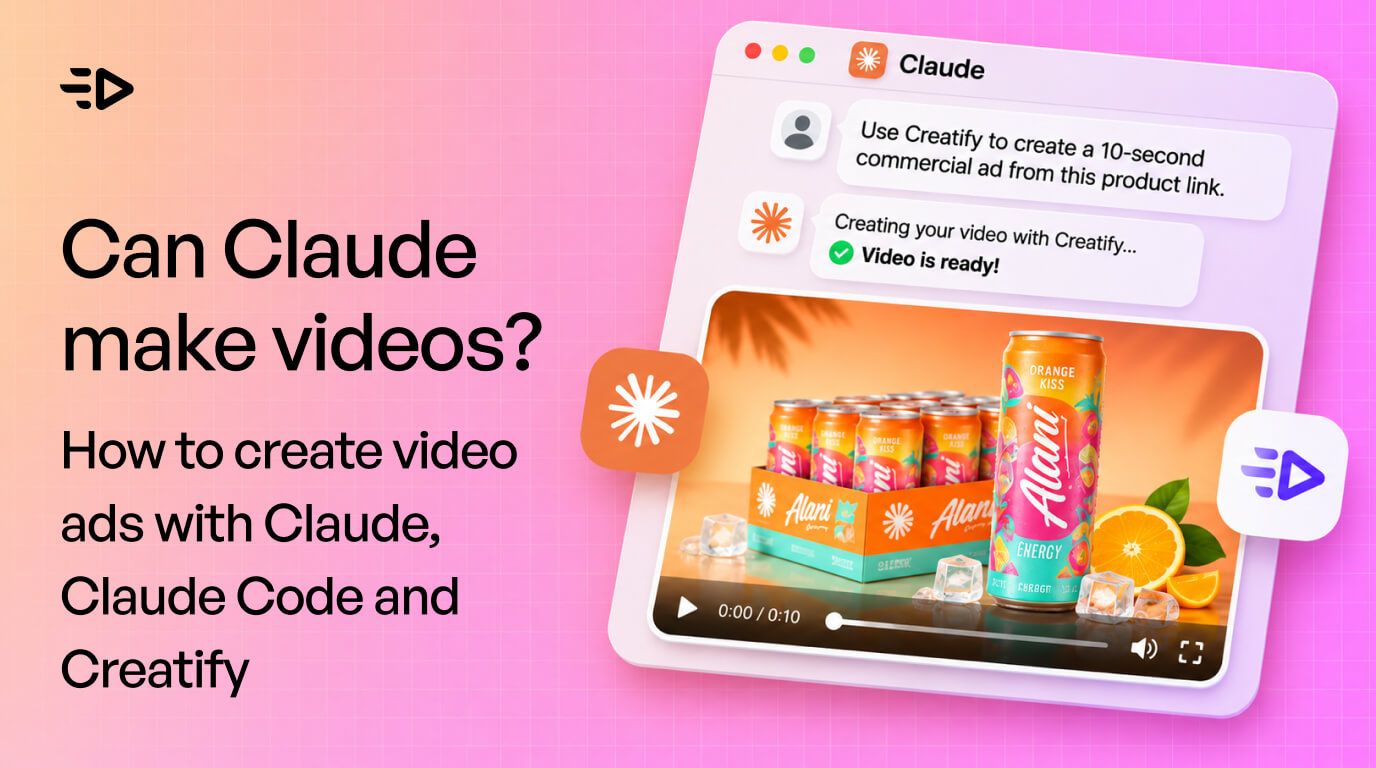

Paste an Amazon link for a 12-pack of orange energy drinks into Claude, ask for a 10-second commercial, and a few minutes later you're watching a finished ad with a voiceover ("A kiss of citrus, a jolt of energy"), music, and shots built from the product photo. That's the first workflow in the video below.
So, can Claude make videos? Yes, with one catch. Claude has no video generation model of its own. It makes videos in two ways: by writing code that renders animation, or by calling a video tool through a connector. For video ads with real product shots, AI avatars and voiceover, the connector route is the one you want.
This guide walks through the three workflows from the video: making an ad inside Claude, making several ad styles at once in Claude Code, and building your own ad generator app with the Creatify API.
Can Claude generate videos? The three routes
There are three routes to Claude video generation, and they produce very different things:
Route | What you get | Good for |
|---|---|---|
Claude Motion (beta, Team and Enterprise) | Code-rendered animation of text, charts, shapes and images, exported as MP4 | Animated explainers and data clips |
Code frameworks in Claude Code, like Remotion or HeyGen's HyperFrames | Videos built from HTML or React and rendered to MP4 | Motion graphics, title cards, captions |
MCP connectors to AI video tools, like Creatify | Generated footage, avatars, voiceover and music | Product ads and UGC-style video ads |
Anthropic is clear about the first route: Claude Motion "doesn't use a video generation model, so there's no generated footage and no AI-generated people," per its launch article. If you need a person holding your product, or a cinematic product shot, Claude has to hand that job to a video model through a connector.
What you need
A Claude account. Custom connectors work on every plan, including Free, though Free users are limited to one custom connector.
A Creatify account. The Creatify Ad Agent MCP signs in with your Creatify login, so there's no API key to manage, and it uses the same credits as the Creatify web app.
Claude Code, for workflows 2 and 3.
A Creatify API plan, for workflow 3 only.
Workflow 1: Make a video ad inside Claude with a custom connector
This is the fastest way to start. You add Creatify as a connector once, then ask for ads in plain English.
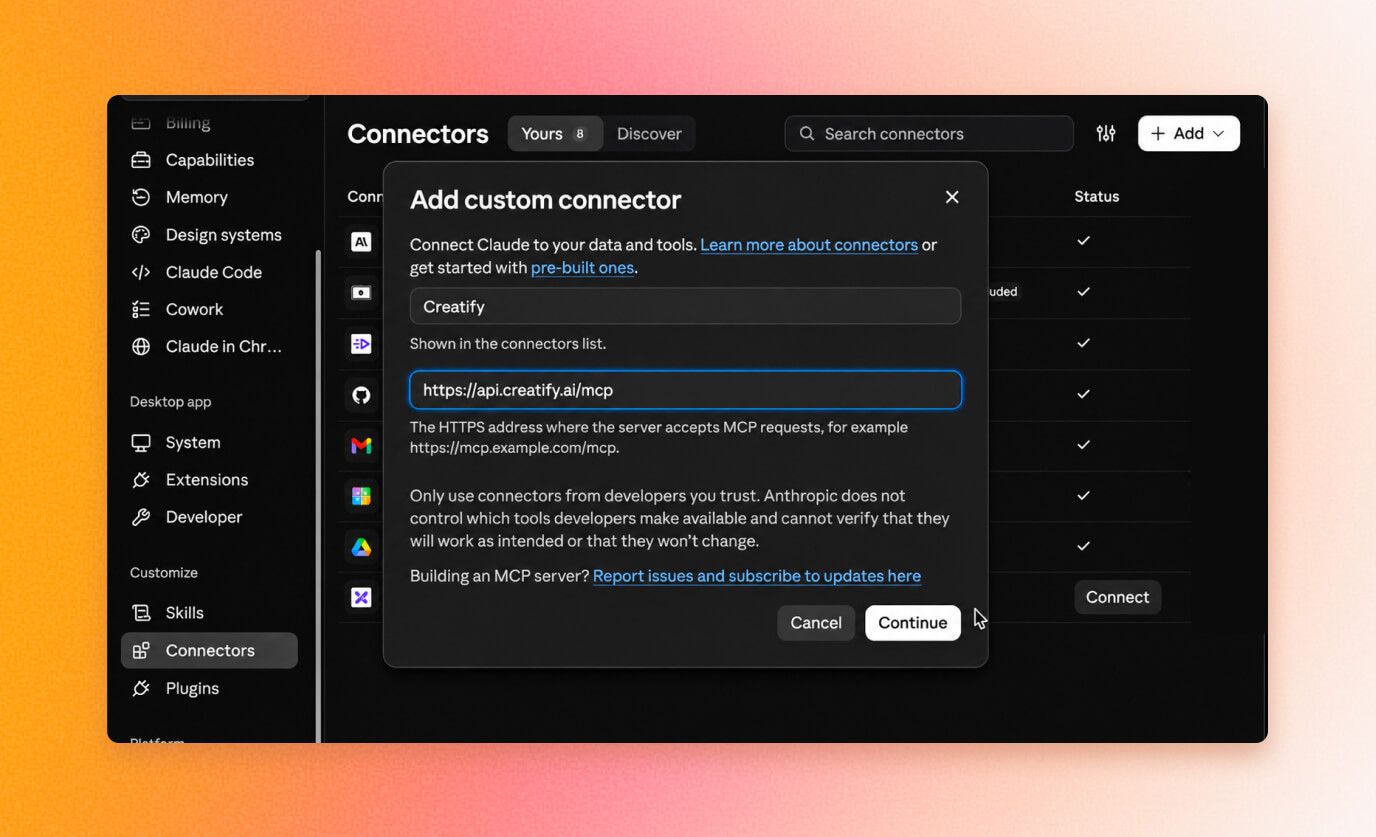
In Claude, go to Customize, then Connectors. Click "+ Add", then "Add custom connector".
Name it "Creatify Ad Agent" and paste the MCP server URL:
https://api.creatify.ai/ad_agent/mcp. You'll also find the URL in Creatify under API and MCP.Sign in to Creatify in the browser window that opens, so Claude can use your account.
Copy a product page URL, such as an Amazon listing, and send a prompt like this:
Use Creatify to create a 10-second hypermotion commercial ad using the following product URL: [paste URL]Claude calls the connector, pulls the product details and images from the page, and sends them to Creatify. Creatify writes the script, generates the shots, adds voiceover and music, and renders the ad. In the video, the energy drink ad came back with a tropical feel, voiceover and music that matched the brand's packaging.
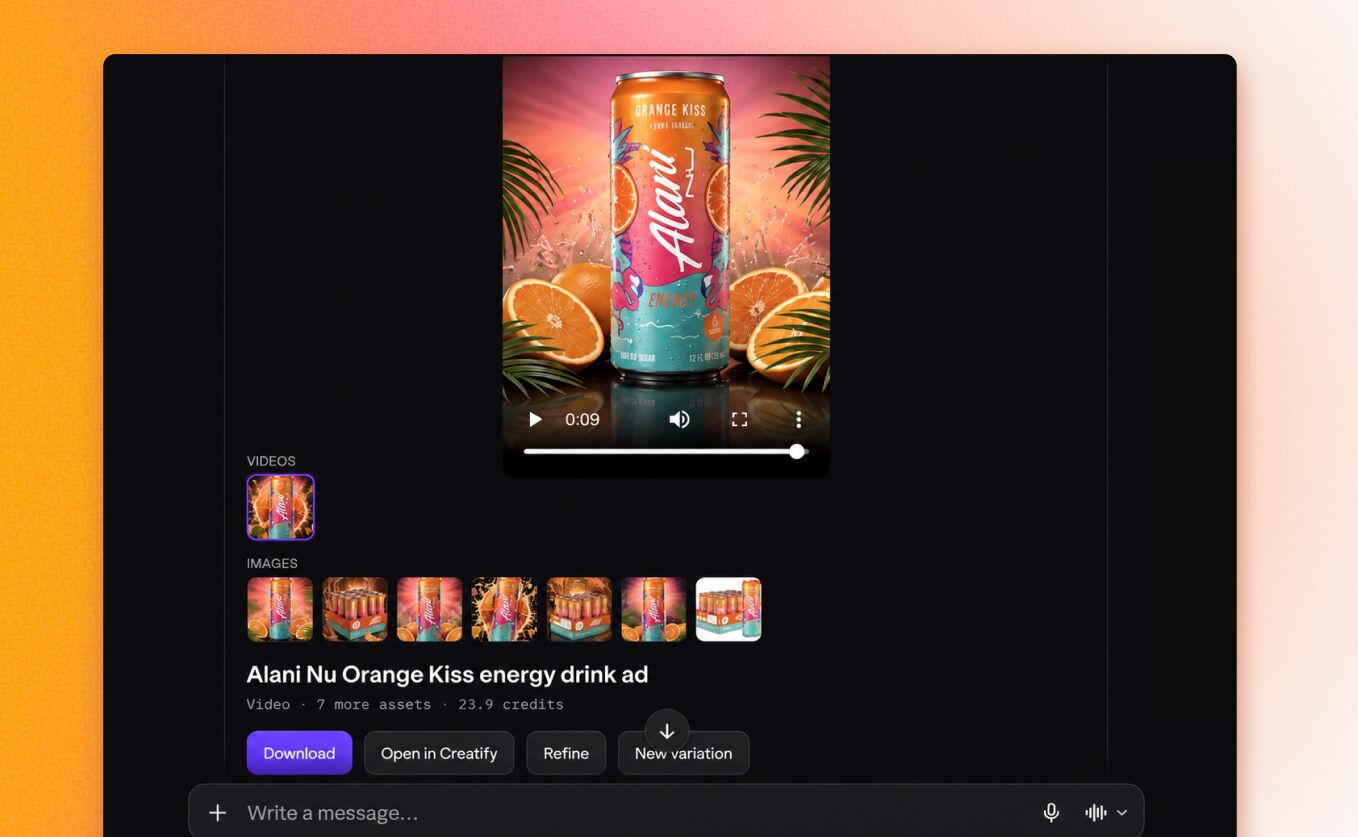
From there you can download the video, open it in Creatify, ask for changes in the same chat, or generate a new variation.
Workflow 2: make three ad styles at once in Claude Code
One ad is a test. Three different styles for the same product is the start of a creative test plan. Claude Code can do all three from a single prompt.
1. Install the Creatify plugin in Claude Code:
claude plugin marketplace add creatify-ai/creatify-ad-agent-skill
claude plugin install creatify-ad-agent@creatify-ad-agent
2. Restart Claude Code, run /mcp, choose creatify-ad-agent and authenticate.
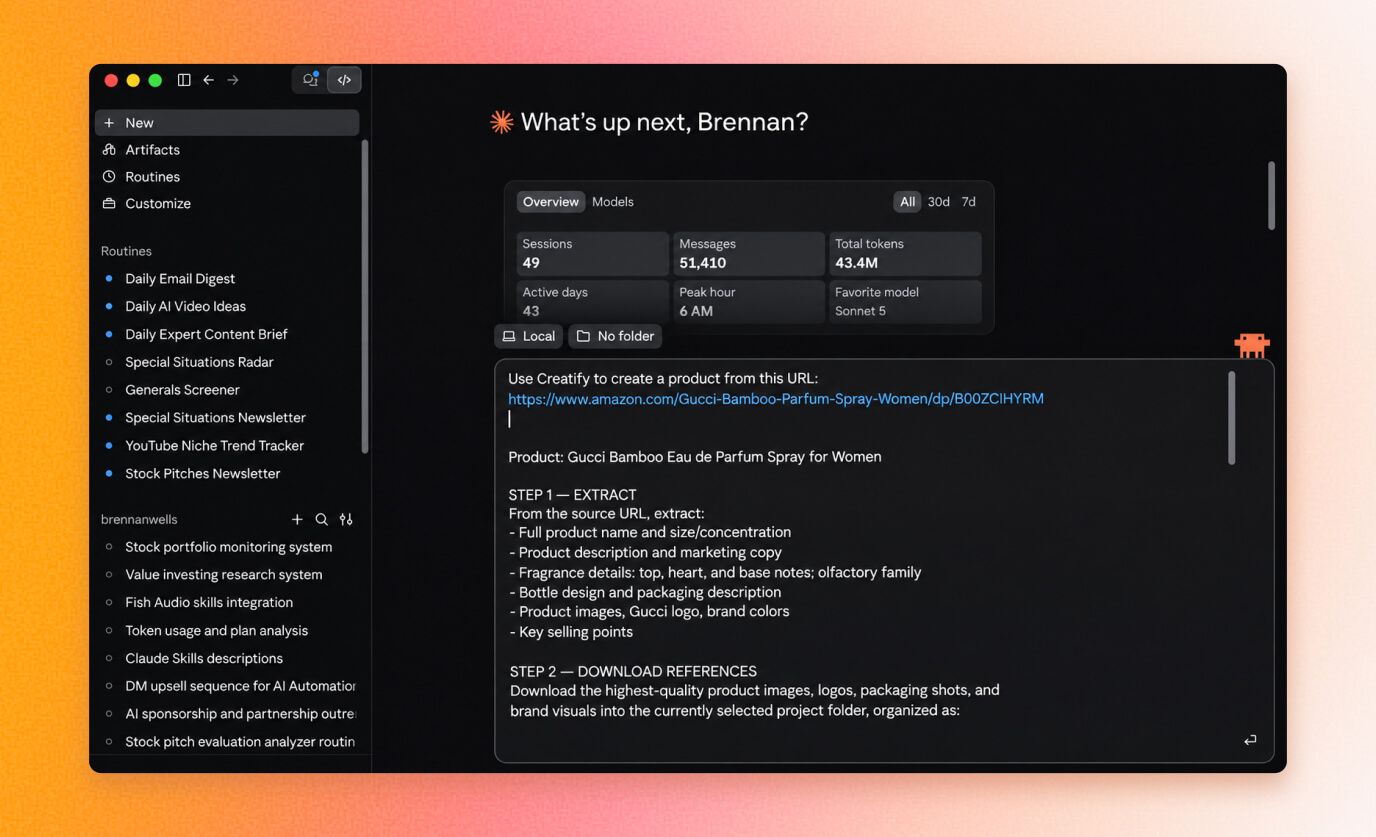
3. Paste a product URL with a prompt that asks for several formats. In the video, the prompt for a Gucci Bamboo perfume listing told Claude Code to create the product in Creatify, pull and download the product images, then make three ads: a fast-paced "hypermotion" product commercial, a UGC-style ad with an AI avatar talking about the product, and a clean, minimal luxury commercial.
The Claude Code ads show why it’s worth making more than one. The fast-paced cut was strong apart from one distracting bamboo motion. The UGC ad used an avatar picked to suit a perfume brand. The luxury spot had the most polish, with one piece of on-screen text overlapping the bottle. Each issue is a quick refine in the same chat.
If you'd rather add the server by hand, Claude Code's MCP docs cover claude mcp add --transport http for remote servers.
Workflow 3: build your own ad generator app with the Creatify API
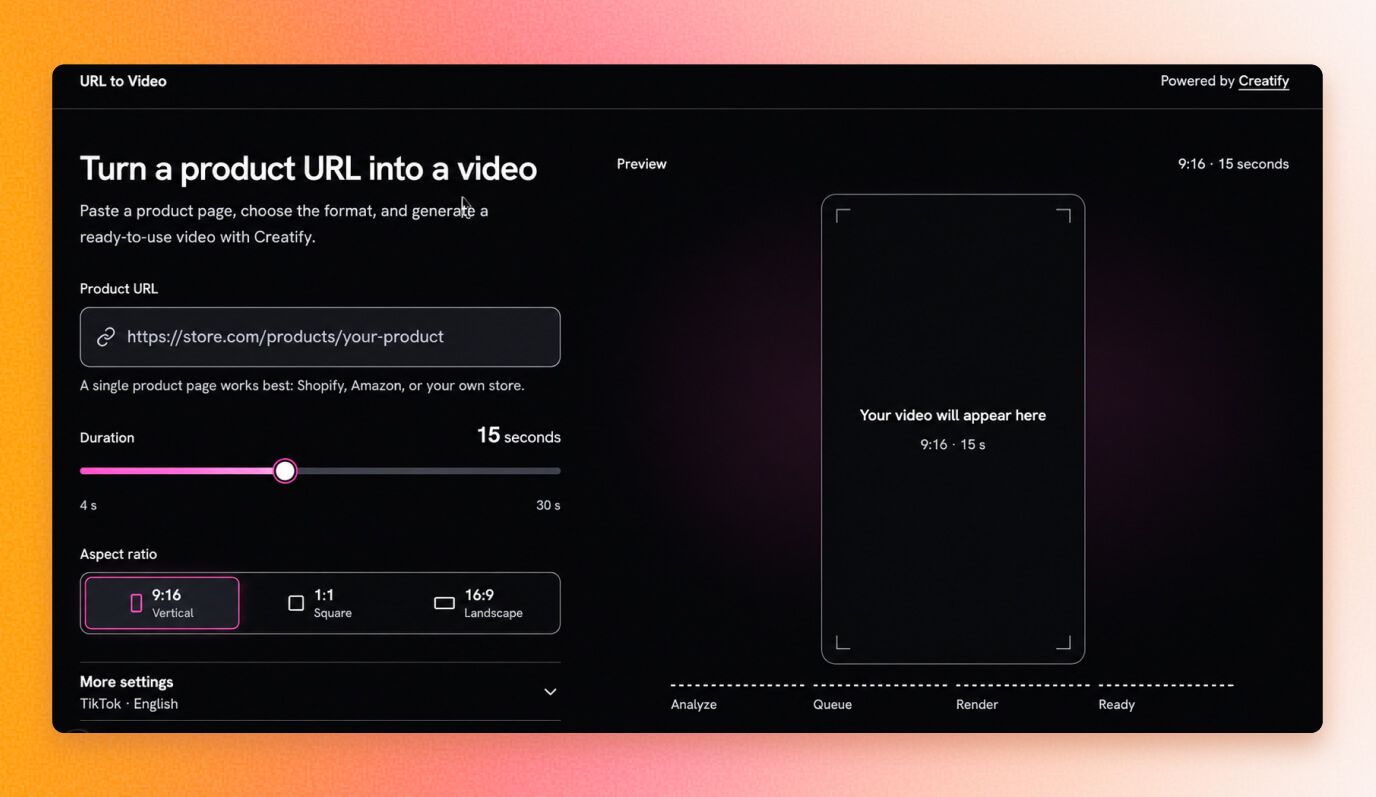
The third workflow turns this into a tool your team can use without opening Claude. In the video, Claude Code builds a small web app: paste a product URL, pick the duration, aspect ratio, visual style and script style, and the app asks Creatify to make the video.
1. Ask Claude Code to build a web app with a product URL field, duration and aspect ratio settings, and style options. Be specific about the screens and fields you want.
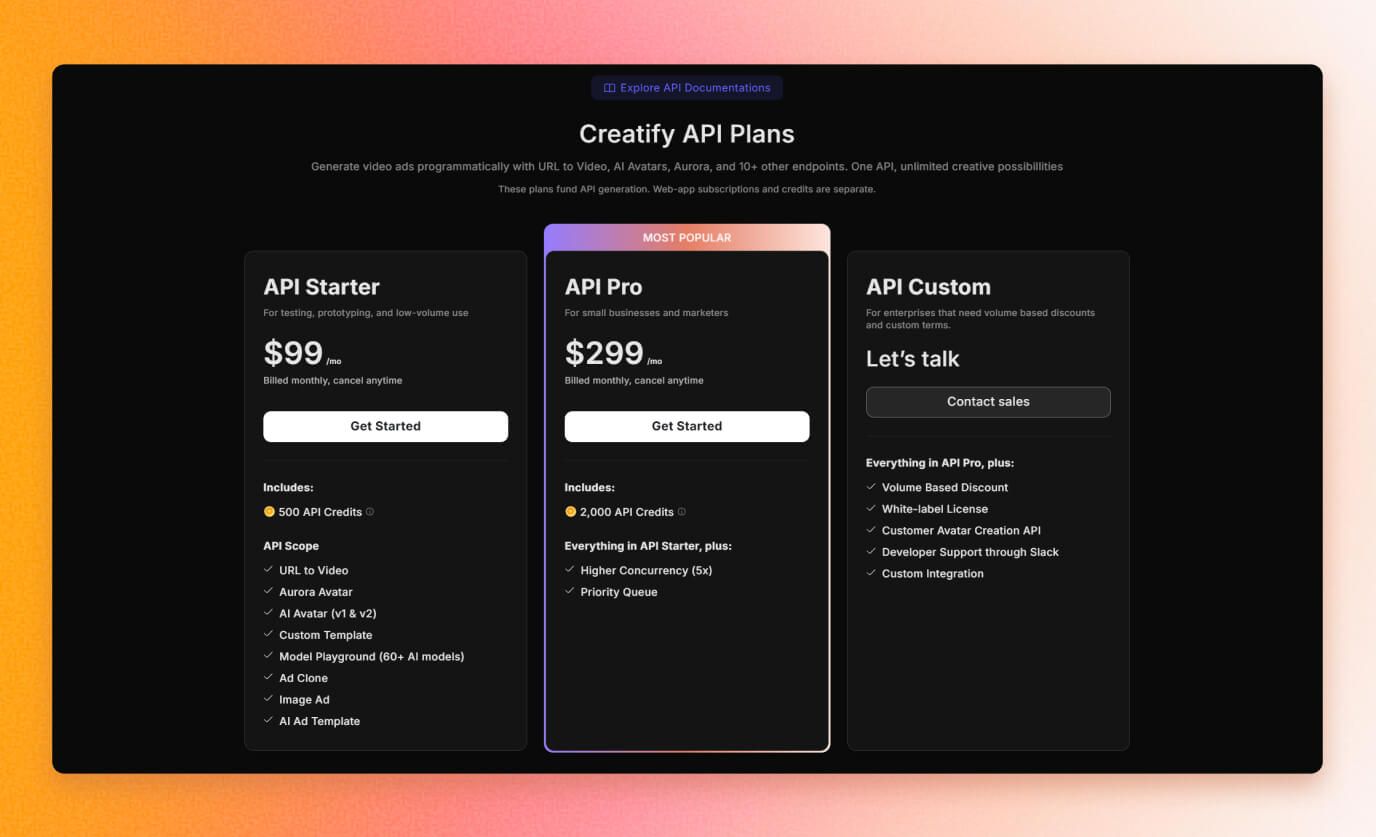
2. Get your API credentials in Creatify under Creatify API. The API needs an API plan, which starts at $99 a month for 500 credits.
3. Add the API ID and key to your app's .env file.
4. Have the app call Creatify's link to video endpoints: create a link from the product URL, request a video with your chosen style and aspect ratio (9:16, 16:9 or 1:1), then poll until the video is ready.
This is Claude Code for marketing at its most practical. This route makes the most sense for agencies and teams producing ads for many products, where a simple internal tool saves a lot of clicking.
Read more: How to Build an Entire Marketing Engine With Claude x Creatify
Or make the ads directly in Creatify
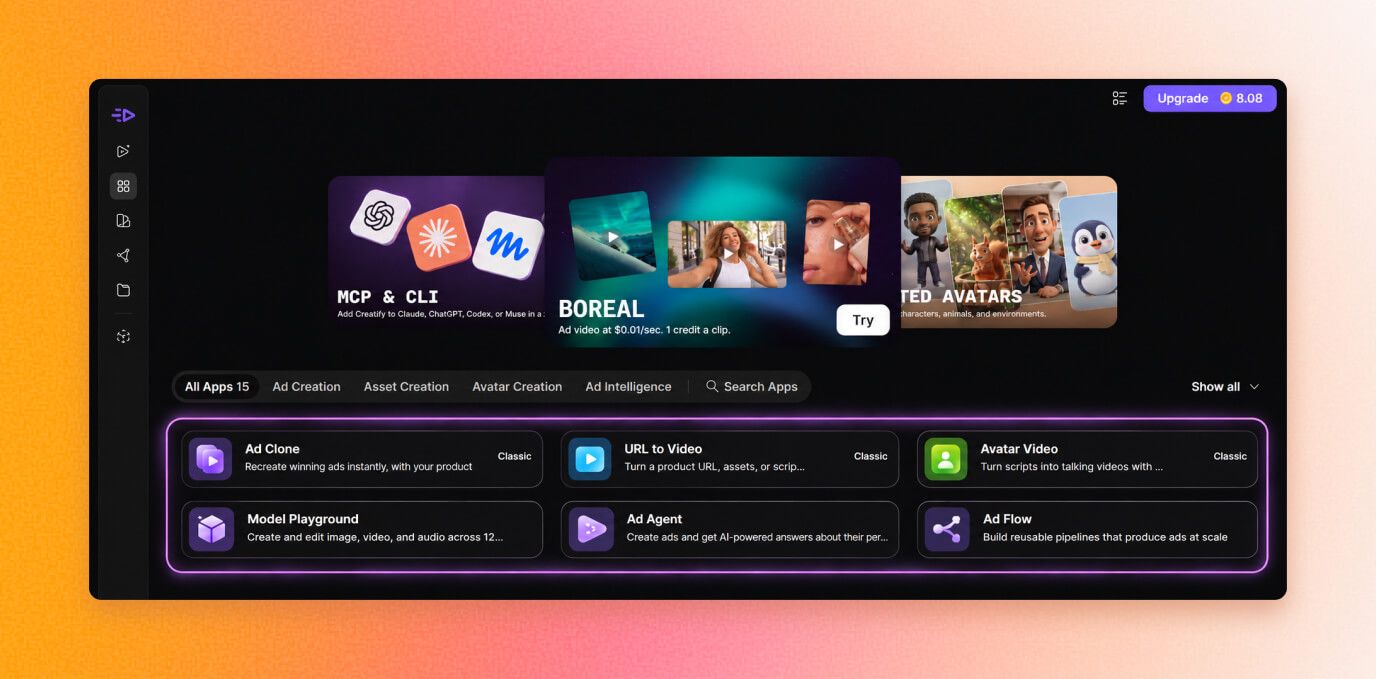
All three workflows run on Creatify, so you can also skip Claude and work in the Creatify web app:
URL to Video turns a product link into a video ad in under a minute.
An AI UGC video generator for AI avatar videos, including custom avatars made from text, an image or a video.
Image ads from a single product photo.
Model Playground for generating clips and images with models like Boreal-H3, Veo 3.1 and Kling.
AdFlow, where you describe an ad in plain text and Copilot builds the whole production pipeline on a canvas you can reuse.
Brand Space stores your brand details, products, assets, avatars and voices, so every ad stays on brand whether you make it in Creatify or through Claude.
Tips for better AI video ads from Claude
Start from the product page URL. That’s where URL to video AI does its best work: it gives Creatify the images, name and details to work from, which beats describing the product from scratch.
Name the style in your prompt: UGC, product demo, luxury, fast-paced. Vague prompts get generic ads.
Pick the avatar to fit the buyer. A perfume ad and a supplement ad need very different people on screen.
Watch every ad before it runs. The issues in the video (a distracting motion, text over the product) take seconds to spot and one message to fix.
Make several versions per product. Different hooks and styles give your ad platform something to test.
Ringkasannya
Connected to Creatify through MCP, Claude turns a product URL into a finished video ad. Workflow 1 does it inside the Claude app. Workflow 2 uses Claude Code to make several ad styles from one prompt. Workflow 3 uses Claude Code to build your own ad generator on the Creatify API.
One bonus thought: the connector setup takes a few minutes, and after that, Claude for marketing goes well beyond writing copy. Research, scripts and finished ads live in the same conversation. Ask it to check a competitor’s angle, write three hooks, and turn the best one into a video, all in one thread.
Not sure which tool does which job? Our Claude vs Creatify breakdown shows where Claude’s writing ends and Creatify’s video production begins, and how to use both on the same ad.
FAQ
Bisakah Claude membuat video?
Claude doesn't have its own video generation model. It makes videos by writing code that renders animation (Claude Motion, Remotion, HyperFrames) or by calling a video tool through an MCP connector. For product ads with generated footage, avatars and voiceover, connect it to a tool like Creatify.
Can Claude Code make videos?
Yes. Claude Code can build videos with code frameworks like Remotion and HyperFrames, and it can generate video ads through the Creatify plugin. It can also build an app that calls a video API for you.
How do I add an MCP connector to Claude?
Go to Customize, then Connectors, click "+ Add" and choose "Add custom connector". Enter a name and the MCP server URL, then sign in. Free plans can add one custom connector.
Do I need an API key to use Creatify with Claude?
No. The Creatify Ad Agent MCP uses your Creatify login and your regular Creatify credits. You only need an API key if you build your own app on the Creatify API.
How much does the Creatify API cost?
API plans start at $99 a month for 500 credits, with a $299 plan for 2,000 credits and custom enterprise pricing.
What kinds of video ads can Claude make with Creatify?
Product commercials, UGC-style ads with AI avatars, spokesperson videos and cinematic or luxury spots, in 9:16, 16:9 or 1:1.