
Equipo Creatify
COMPARTIR


EN ESTE ARTÍCULO
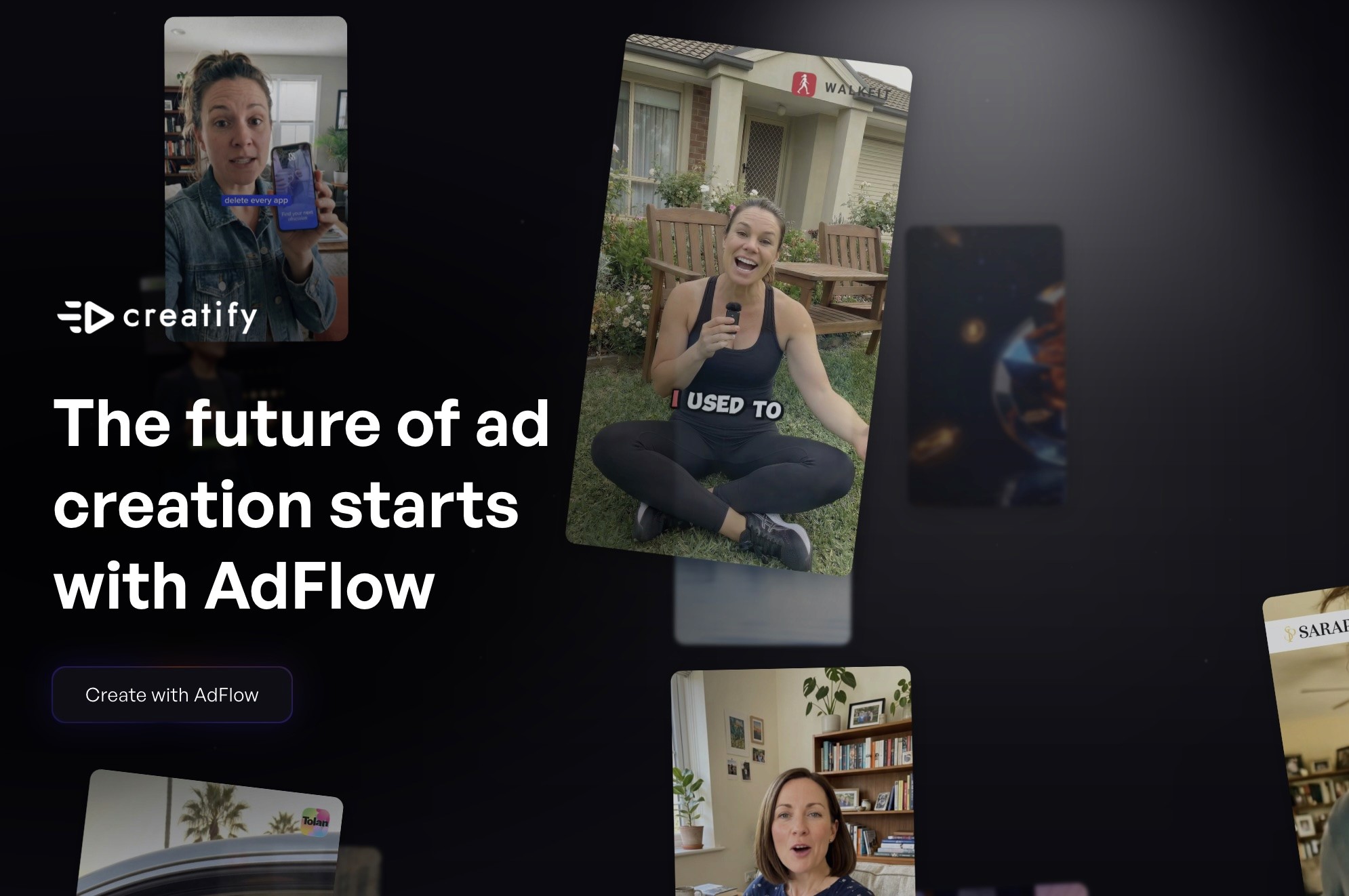
Si sabes exactamente lo que quieres que haga tu anuncio, necesitas herramientas que puedan seguir el ritmo de esa precisión. AdFlow está diseñado para eso.
Hoy lanzamos AdFlow, un editor visual de pipelines basado en nodos dentro de Creatify. Te brinda un control total sobre cada paso de la producción de anuncios, desde la foto del producto hasta el anuncio terminado, en un solo flujo de trabajo.
Qué es AdFlow
AdFlow es un lienzo basado en nodos donde cada paso de la producción de tus anuncios es visible, está conectado y es repetible. Creas vinculando nodos: la imagen de un producto alimenta a un generador de video, un nodo de guion alimenta a una voz en off, un gancho (hook) alimenta a una llamada a la acción (CTA). Cada pieza es modular. Cada conexión es deliberada.
La mayoría de los editores de nodos están creados para el trabajo creativo o de motion design general, y luego se adaptan para anuncios. La arquitectura de AdFlow nace del caso de uso publicitario y se desarrolla hacia atrás.
El resultado: puedes ver todo tu pipeline de producción a la vez, reproducir cada paso de la generación y realizar iteraciones en componentes individuales sin tener que reconstruir todo desde cero.
Qué puedes crear con él
Empieza con una foto de producto. Un nodo la convierte en video. Añade una voz en off. Conviértela en un gráfico en movimiento. Incorpora un guion. Desarrolla tu gancho. Para cuando llegues al final del lienzo, tendrás un anuncio completo.
Y haces todo esto sin salir del espacio de trabajo. AdFlow tiene un editor de video integrado, por lo que no hay necesidad de exportar assets a medio terminar a otra herramienta, no hay idas y vueltas entre aplicaciones, ni pérdida de contexto entre pasos. Un solo lienzo, de principio a fin.
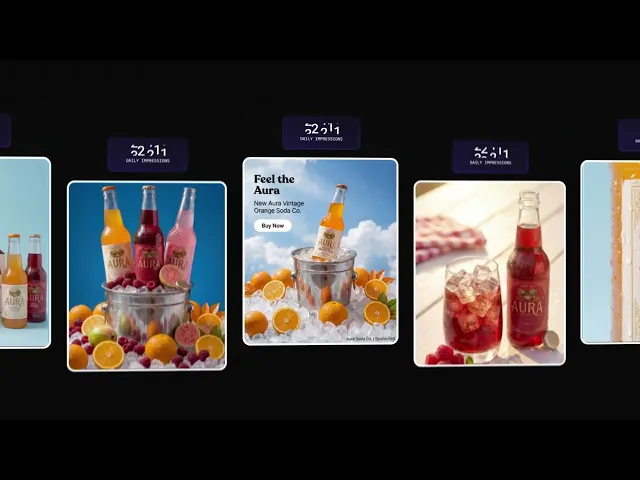
Cuando un anuncio funciona y quieres probar variaciones, no empiezas de cero. Cambia el gancho. Modifica el CTA. Ejecuta el mismo flujo de trabajo con una dirección creativa diferente. AdFlow genera cada versión a una velocidad hasta 2 veces superior a la generación estándar, por lo que escalar las variantes no se convertirá en un cuello de botella.
Control creativo modular
La estructura de nodos te ofrece algo que la mayoría de las herramientas de IA no tienen: control granular en cada etapa.
Puedes cambiar de modelo a mitad del flujo de trabajo. Cambia el modelo de generación de imágenes, prueba una voz diferente, introduce un enfoque de guion distinto; todo sin desconectar el resto del pipeline. El flujo de trabajo persiste. Solo se actualiza el nodo que estás cambiando.
Esto es crucial cuando estás probando direcciones creativas bajo la presión del tiempo. En lugar de ejecutar cinco proyectos independientes con cinco configuraciones distintas, creas ramas a partir de una base compartida y exploras cada dirección desde el mismo punto de partida.
Optimización del rendimiento y reproducción en equipo
AdFlow se conecta con los datos de rendimiento de tus anuncios, por lo que no tienes que adivinar qué dirección creativa funciona mejor. Los datos revelan qué variante convierte y puedes usar esa señal de vuelta en el flujo de trabajo para iterar.
Para los equipos, cada generación de contenido es reproducible paso a paso. Cualquier miembro del equipo puede abrir un flujo de trabajo y ver exactamente cómo se creó un anuncio, qué nodos se utilizaron, qué modelos se seleccionaron y qué decisiones creativas se tomaron. Sin pérdida de contexto, sin conversaciones de tipo "¿cómo hicimos ese?".
Esto es especialmente útil cuando se escala a través de múltiples productos o campañas. El flujo de trabajo en sí se convierte en un activo, no solo el resultado final.
Qué cambia realmente para la producción de anuncios
El flujo de trabajo antiguo: escribes un prompt, obtienes un resultado, lo llevas a un editor, corriges lo que no encaja y vuelves a exportar. Si el gancho no funciona, empiezas de cero. Si quieres probar un CTA diferente, lo reconstruyes todo. Cada iteración te cuesta tiempo.
AdFlow elimina ese ciclo por completo.
Imagina que el gancho no funciona. Cambia el nodo del gancho, vuelve a renderizar solo esa pieza. Todo lo que viene después permanece exactamente igual. Sin editores, sin exportaciones, sin tener que reconstruir.
¿Quieres cambiar de producto y probar el mismo formato de anuncio con un SKU diferente? Cambia el nodo del producto y vuelve a renderizar. La voz en off, el movimiento, la estructura de edición: todo se conserva.
¿Quieres probar tres variaciones de CTA? Crea ramas a partir de la misma base, cambia un nodo por rama y genera las tres. El resto de la configuración no se mueve.
También puedes ampliar la duración, cambiar el avatar, probar con otra voz o aplicar un enfoque de guion diferente; cada cambio se realiza en un solo nodo y mantiene todo lo demás intacto. El flujo de trabajo es el activo de valor. No estás reconstruyendo anuncios, los estás perfeccionando.
AdFlow ya está disponible en Creatify
AdFlow está disponible hoy mismo para los planes Pro y superiores. Entra en app.creatify.ai para empezar.
La mejor manera de empezar es con un solo producto y un solo flujo de trabajo. Crea un anuncio de principio a fin, observa cómo funciona el lienzo y luego comienza a crear ramas con variantes.
Preguntas Frecuentes
¿Qué es AdFlow? AdFlow es un editor visual de pipelines basado en nodos dentro de Creatify. Te permite crear anuncios de video completos en un solo lienzo, conectando cada paso de producción (generación de imágenes, guiones, voz en off, edición) como nodos modulares que puedes cambiar e iterar de forma independiente.
¿En qué se diferencia AdFlow de las herramientas actuales de Creatify? Las herramientas existentes de Creatify (URL a Video, AI Avatar, Generador de Assets) están optimizadas para ofrecer velocidad y volumen. AdFlow aporta a eso un control creativo granular: puedes ver el pipeline de producción completo, controlar cada paso individualmente y reproducir cualquier flujo de trabajo exactamente como fue creado.
¿Puede mi equipo colaborar en AdFlow? Sí. Cada generación de flujo de trabajo se puede reproducir paso a paso, de modo que los miembros del equipo pueden ver exactamente cómo se creó cualquier anuncio. Esto mantiene las decisiones creativas visibles y reproducibles para todo el equipo.
¿Qué plan necesito para acceder a AdFlow? AdFlow está disponible en los planes Pro y superiores. Puedes empezar en app.creatify.ai.
Si sabes exactamente lo que quieres que haga tu anuncio, necesitas herramientas que puedan seguir el ritmo de esa precisión. AdFlow está diseñado para eso.
Hoy lanzamos AdFlow, un editor visual de pipelines basado en nodos dentro de Creatify. Te brinda un control total sobre cada paso de la producción de anuncios, desde la foto del producto hasta el anuncio terminado, en un solo flujo de trabajo.
Qué es AdFlow
AdFlow es un lienzo basado en nodos donde cada paso de la producción de tus anuncios es visible, está conectado y es repetible. Creas vinculando nodos: la imagen de un producto alimenta a un generador de video, un nodo de guion alimenta a una voz en off, un gancho (hook) alimenta a una llamada a la acción (CTA). Cada pieza es modular. Cada conexión es deliberada.
La mayoría de los editores de nodos están creados para el trabajo creativo o de motion design general, y luego se adaptan para anuncios. La arquitectura de AdFlow nace del caso de uso publicitario y se desarrolla hacia atrás.
El resultado: puedes ver todo tu pipeline de producción a la vez, reproducir cada paso de la generación y realizar iteraciones en componentes individuales sin tener que reconstruir todo desde cero.
Qué puedes crear con él
Empieza con una foto de producto. Un nodo la convierte en video. Añade una voz en off. Conviértela en un gráfico en movimiento. Incorpora un guion. Desarrolla tu gancho. Para cuando llegues al final del lienzo, tendrás un anuncio completo.
Y haces todo esto sin salir del espacio de trabajo. AdFlow tiene un editor de video integrado, por lo que no hay necesidad de exportar assets a medio terminar a otra herramienta, no hay idas y vueltas entre aplicaciones, ni pérdida de contexto entre pasos. Un solo lienzo, de principio a fin.
Cuando un anuncio funciona y quieres probar variaciones, no empiezas de cero. Cambia el gancho. Modifica el CTA. Ejecuta el mismo flujo de trabajo con una dirección creativa diferente. AdFlow genera cada versión a una velocidad hasta 2 veces superior a la generación estándar, por lo que escalar las variantes no se convertirá en un cuello de botella.
Control creativo modular
La estructura de nodos te ofrece algo que la mayoría de las herramientas de IA no tienen: control granular en cada etapa.
Puedes cambiar de modelo a mitad del flujo de trabajo. Cambia el modelo de generación de imágenes, prueba una voz diferente, introduce un enfoque de guion distinto; todo sin desconectar el resto del pipeline. El flujo de trabajo persiste. Solo se actualiza el nodo que estás cambiando.
Esto es crucial cuando estás probando direcciones creativas bajo la presión del tiempo. En lugar de ejecutar cinco proyectos independientes con cinco configuraciones distintas, creas ramas a partir de una base compartida y exploras cada dirección desde el mismo punto de partida.
Optimización del rendimiento y reproducción en equipo
AdFlow se conecta con los datos de rendimiento de tus anuncios, por lo que no tienes que adivinar qué dirección creativa funciona mejor. Los datos revelan qué variante convierte y puedes usar esa señal de vuelta en el flujo de trabajo para iterar.
Para los equipos, cada generación de contenido es reproducible paso a paso. Cualquier miembro del equipo puede abrir un flujo de trabajo y ver exactamente cómo se creó un anuncio, qué nodos se utilizaron, qué modelos se seleccionaron y qué decisiones creativas se tomaron. Sin pérdida de contexto, sin conversaciones de tipo "¿cómo hicimos ese?".
Esto es especialmente útil cuando se escala a través de múltiples productos o campañas. El flujo de trabajo en sí se convierte en un activo, no solo el resultado final.
Qué cambia realmente para la producción de anuncios
El flujo de trabajo antiguo: escribes un prompt, obtienes un resultado, lo llevas a un editor, corriges lo que no encaja y vuelves a exportar. Si el gancho no funciona, empiezas de cero. Si quieres probar un CTA diferente, lo reconstruyes todo. Cada iteración te cuesta tiempo.
AdFlow elimina ese ciclo por completo.
Imagina que el gancho no funciona. Cambia el nodo del gancho, vuelve a renderizar solo esa pieza. Todo lo que viene después permanece exactamente igual. Sin editores, sin exportaciones, sin tener que reconstruir.
¿Quieres cambiar de producto y probar el mismo formato de anuncio con un SKU diferente? Cambia el nodo del producto y vuelve a renderizar. La voz en off, el movimiento, la estructura de edición: todo se conserva.
¿Quieres probar tres variaciones de CTA? Crea ramas a partir de la misma base, cambia un nodo por rama y genera las tres. El resto de la configuración no se mueve.
También puedes ampliar la duración, cambiar el avatar, probar con otra voz o aplicar un enfoque de guion diferente; cada cambio se realiza en un solo nodo y mantiene todo lo demás intacto. El flujo de trabajo es el activo de valor. No estás reconstruyendo anuncios, los estás perfeccionando.
AdFlow ya está disponible en Creatify
AdFlow está disponible hoy mismo para los planes Pro y superiores. Entra en app.creatify.ai para empezar.
La mejor manera de empezar es con un solo producto y un solo flujo de trabajo. Crea un anuncio de principio a fin, observa cómo funciona el lienzo y luego comienza a crear ramas con variantes.
Preguntas Frecuentes
¿Qué es AdFlow? AdFlow es un editor visual de pipelines basado en nodos dentro de Creatify. Te permite crear anuncios de video completos en un solo lienzo, conectando cada paso de producción (generación de imágenes, guiones, voz en off, edición) como nodos modulares que puedes cambiar e iterar de forma independiente.
¿En qué se diferencia AdFlow de las herramientas actuales de Creatify? Las herramientas existentes de Creatify (URL a Video, AI Avatar, Generador de Assets) están optimizadas para ofrecer velocidad y volumen. AdFlow aporta a eso un control creativo granular: puedes ver el pipeline de producción completo, controlar cada paso individualmente y reproducir cualquier flujo de trabajo exactamente como fue creado.
¿Puede mi equipo colaborar en AdFlow? Sí. Cada generación de flujo de trabajo se puede reproducir paso a paso, de modo que los miembros del equipo pueden ver exactamente cómo se creó cualquier anuncio. Esto mantiene las decisiones creativas visibles y reproducibles para todo el equipo.
¿Qué plan necesito para acceder a AdFlow? AdFlow está disponible en los planes Pro y superiores. Puedes empezar en app.creatify.ai.

¿Listo para convertir tu producto en un video atractivo?