

创意团队
2026年3月14日
分享
在本文中
Picking the best AI video generator in 2026 is harder than it sounds. There are more AI video generator tools than ever, the categories have split into distinct use cases, and the gap between the best and the rest is actually getting wider.
This guide cuts through it. We tested AI video creation tools across three main categories — AI avatar platforms, prompt-based cinematic generators, and hybrid platforms — and ranked them with honest pros, cons, and pricing.
One thing upfront: there's no single "best" AI video platform. The right pick depends entirely on what you're making. A platform built for corporate training videos will frustrate a performance marketer, and vice versa. We'll make sure you walk away knowing exactly which tool fits your situation.
What is an AI video generator?
An AI video generator is software that creates video content automatically from a text prompt, script, image, or URL, without a camera, studio, or production crew.
The output depends on what type of tool you're using. Avatar-based generators produce talking-head videos with digital presenters. Cinematic generators produce raw footage that looks like it was filmed. Some hybrid tools do both.
What they have in common: the time from input to finished video is measured in minutes, not weeks. And the cost is measured in dollars per video, not thousands.
How AI video generators work
Most AI tools fall into one of two camps.
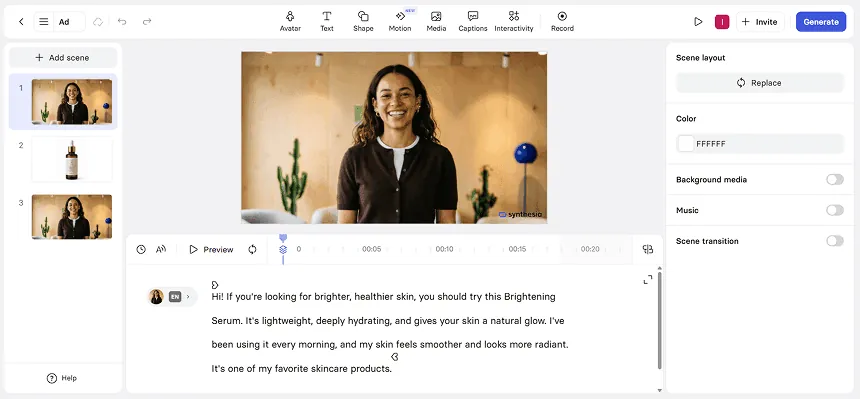
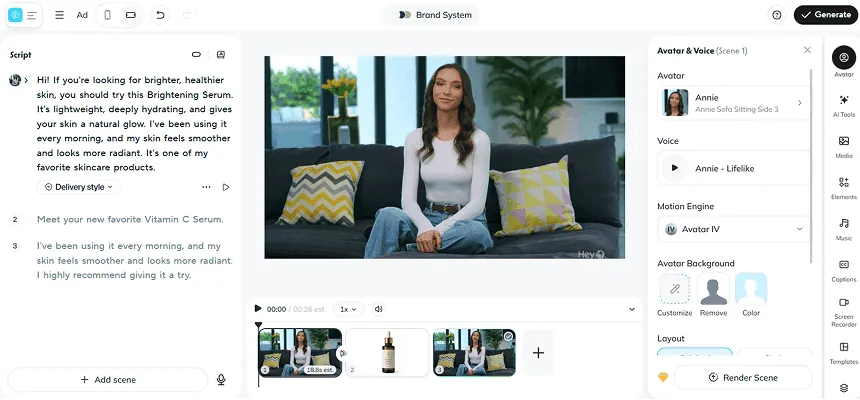
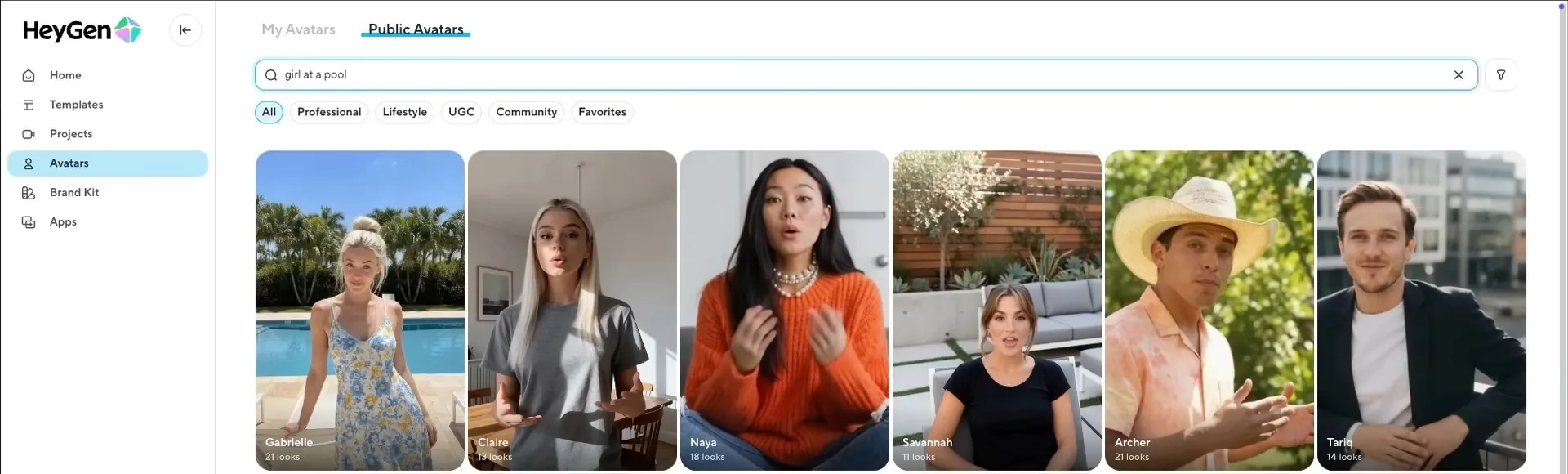
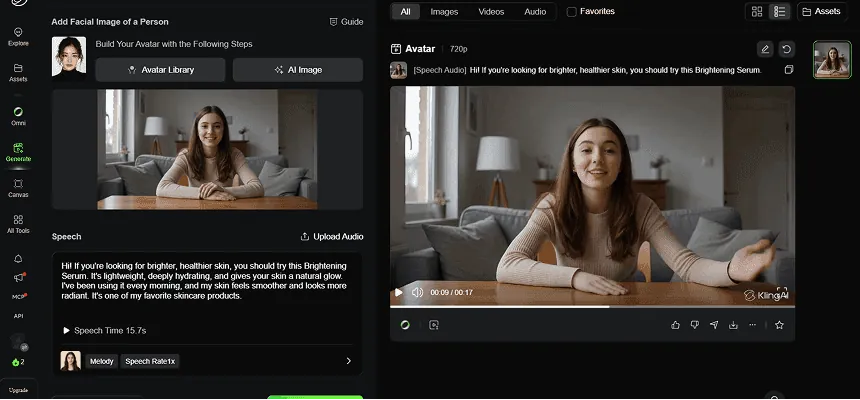
Avatar-based platforms (Creatify, Synthesia, HeyGen) take a script and produce a talking-head video with a digital human. They're optimized for message delivery — product demos, training, ads, tutorials. The pipeline is: script → avatar selection → voice → video.
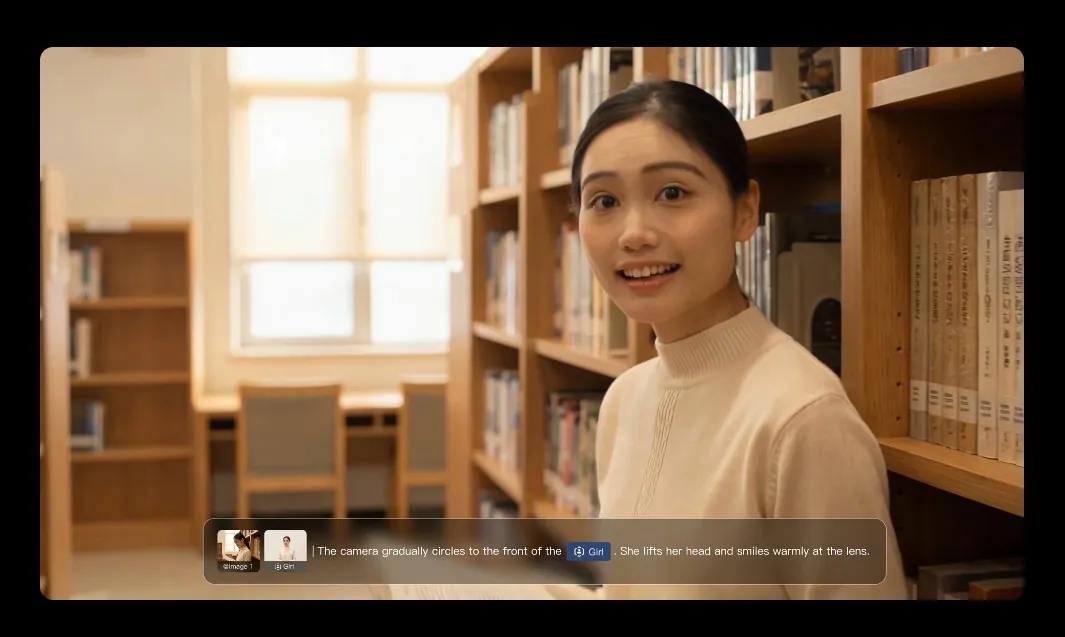
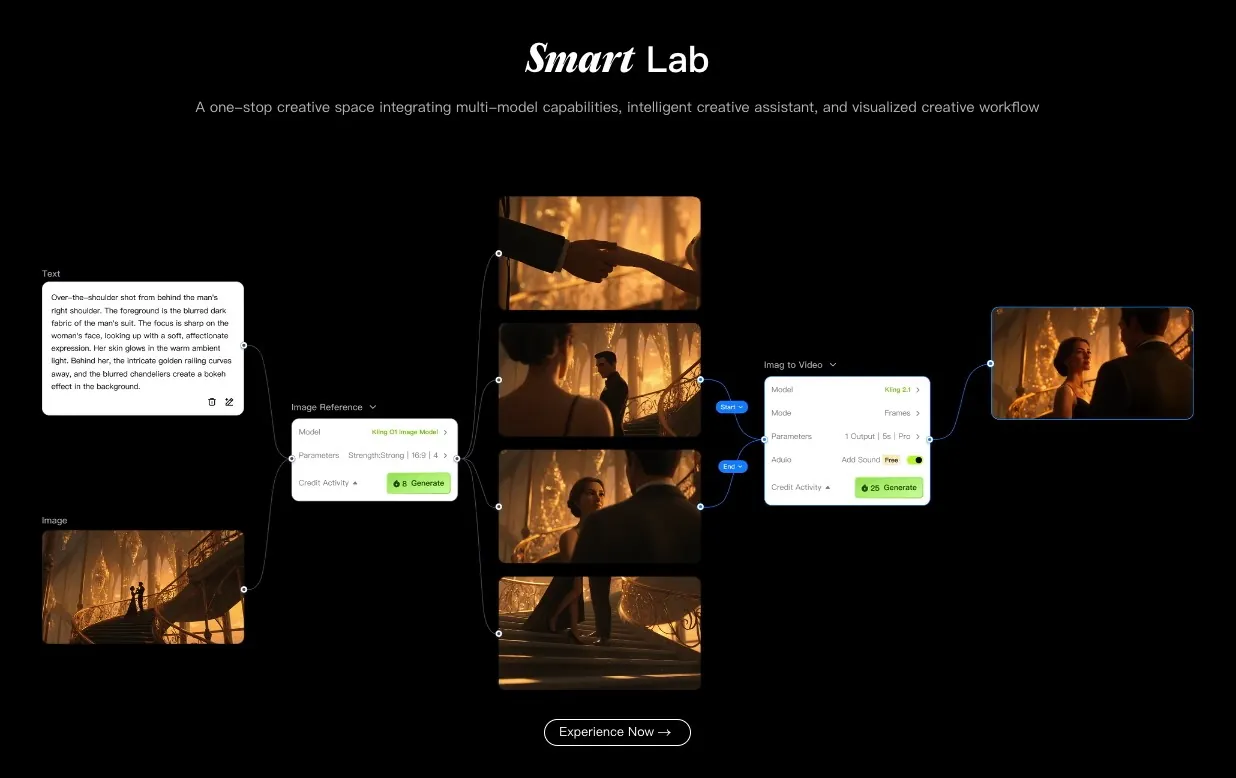
Prompt-based cinematic generators (Kling, Luma, Runway, Veo) take a text or image prompt and generate raw video footage. Think B-roll, creative scenes, visual storytelling. The pipeline is: prompt → generated clip.
Some platforms are starting to blend both. But in practice, most tools are still better at one than the other.

How we evaluated these tools
We scored every tool across these criteria:
Output quality: realism, lip-sync accuracy, motion fluidity, visual fidelity
Speed: time from input to usable output
Use case fit: does it actually serve the jobs people are hiring it for?
Pricing: value relative to what you get, including free tier usefulness
Limitations: what breaks down in real use
Quick comparison table
Tool | Best for | Free plan | Starting price |
|---|---|---|---|
Creatify | Ad creatives, UGC, ecommerce | Yes (10 credits/mo) | $19/mo |
Synthesia | L&D, corporate training | Yes (limited) | $18/mo |
HeyGen | Multilingual business video | Yes (3 videos/mo) | $24/mo |
Kling 3.0 | Cinematic B-roll, realism | Yes | ~$8/mo |
Luma Ray 3.14 | Fast iteration, creative shots | Yes | $9.99/mo |
Minimax 2.3 | High-texture prompt-based video | Yes | Free tier available |
Seedance 2.0 | Affordable cinematic with audio | Yes | Affordable tiers |
Veo 3.1 | Structured prompt-to-video | Via Gemini | Via Google plans |
Runway 4.5 | Creative editing, film work | Yes | $15/mo |
Sora 2 | Narrative storytelling | No | Via ChatGPT Plus |

Top 10 AI video generators: Detailed overviews
1. Creatify - best for ad creatives and performance marketing
Creatify is purpose-built for one job: creating video ads that convert. Where most AI video tools are general-purpose, Creatify is tuned specifically for performance marketing - ecommerce brands, DTC, agencies, and app studios running paid campaigns.

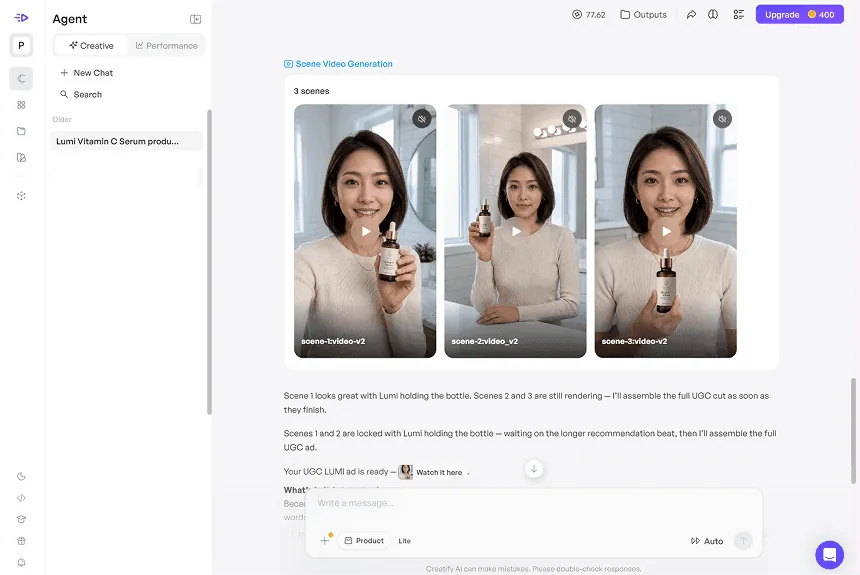
The fastest workflow is URL-to-video: paste any product URL from Amazon, Shopify, Etsy, or the App Store, and Creatify pulls product details, generates 5–10 script variations, and builds ready-to-run video ads. The whole process takes under 10 minutes.

For ecommerce brands specifically, the results are documented. 1MORE ran Creatify avatar ads against traditional influencer videos and saw +200% purchases, +158% link clicks, and +98% impressions. TEC-DO 2.0 cut video production time by 97% (3 days to 1 hour) and cost by 90% ($20 to $2 per video).
Strengths:
URL-to-video in under 10 minutes
Aurora model delivers the most realistic avatar output for paid ads
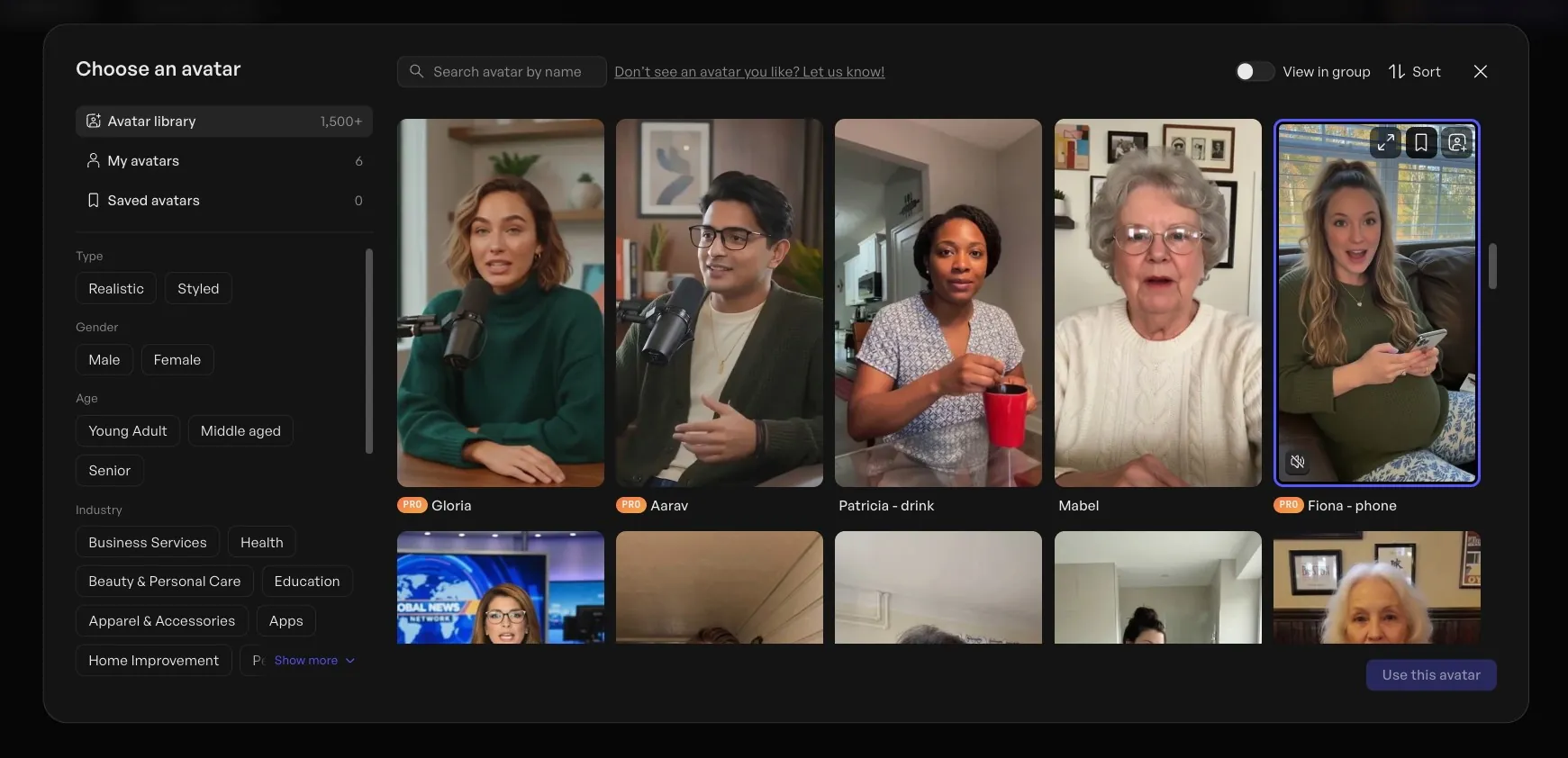
1,500+ avatars, custom avatar creation via BYOA (photo upload) or DYOA (text prompt)
AI script writer trained on thousands of high-performing social ads
Multi-format output: 9:16, 16:9, 1:1 in one pass
75+ languages with native lip-sync
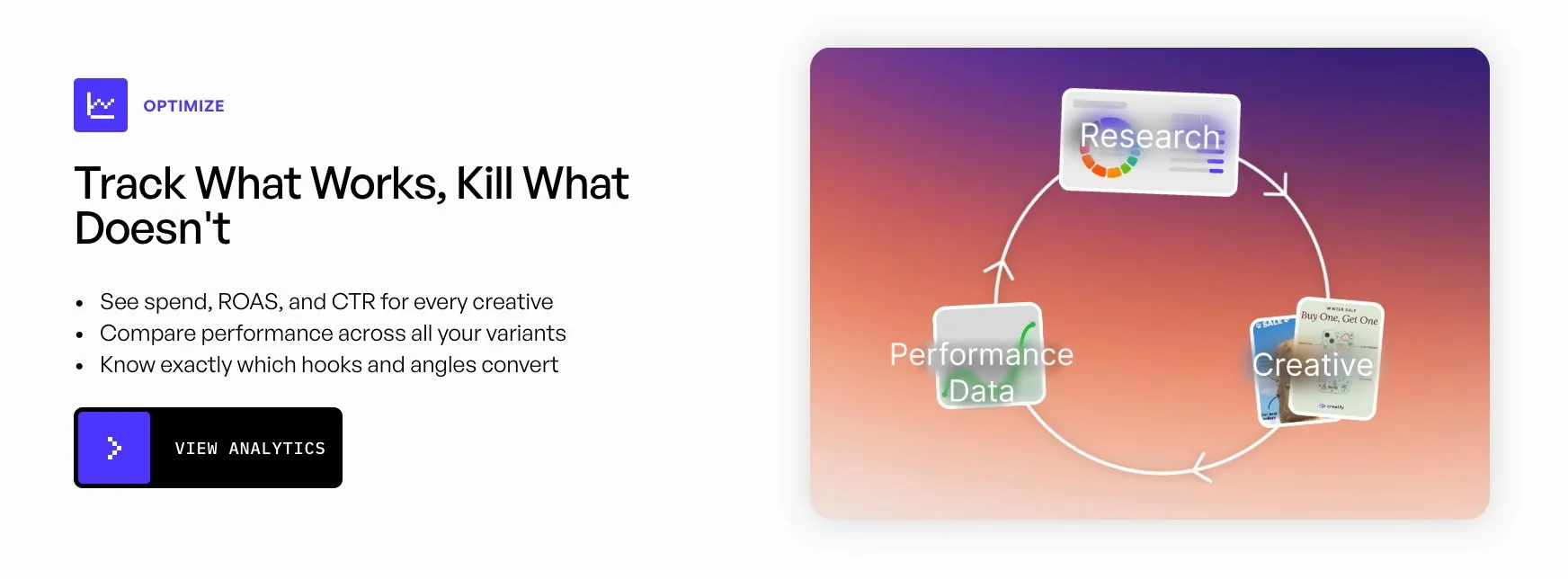
Enterprise: competitor tracking, creative testing, performance analytics
Read also: Why Creatify.ai is the Best AI Avatar Platform – Full Comparison
Limitations:
Less suited for long-form training content or cinematic storytelling
Aurora is Pro plan and above
Pricing: Free (10 credits/mo) | Starter $19/mo | Pro $49/mo | Enterprise: custom
Best for: Ecommerce brands, DTC marketers, agencies, performance marketers, app studios
2. Synthesia - best for corporate training and L&D
Synthesia is the go-to for learning and development teams, HR departments, and internal communications. It's the most mature AI video creation software in the corporate video space, used by companies like Zoom, Heineken, and Bosch.

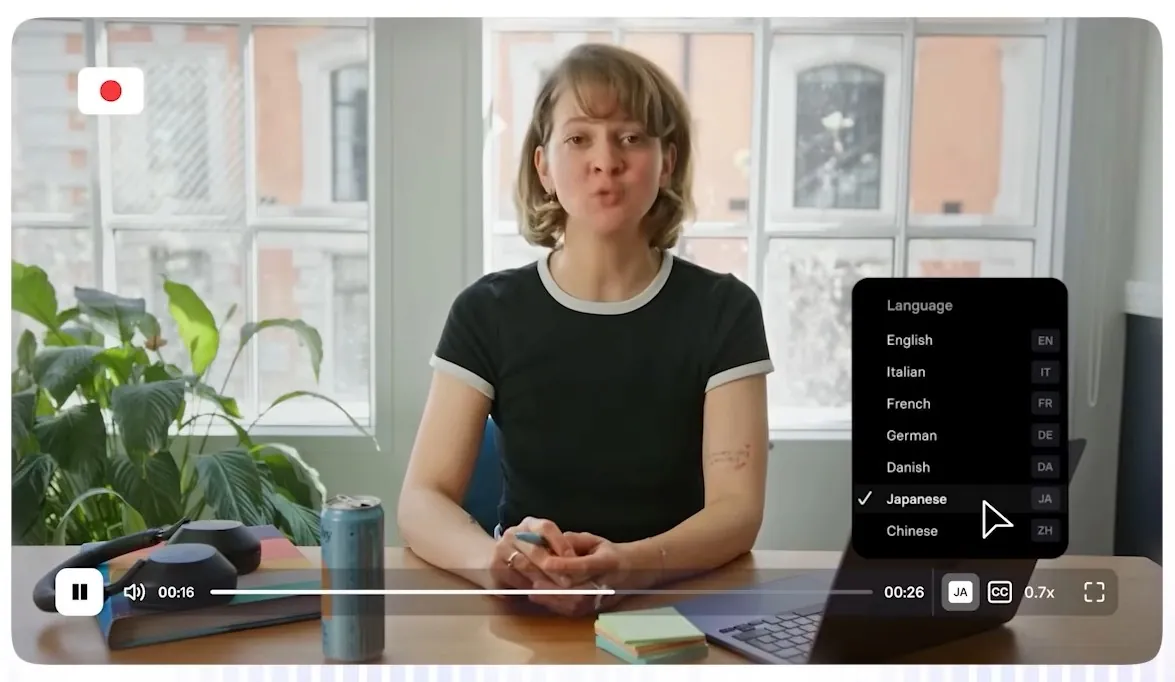
The core pitch: turn a script and a slide deck into a professional training video without cameras, studios, or scheduling. It works well for that specific use case. The avatar library has 240+ options, the template library is large, and the multilingual output (140+ languages) handles localization well.

Where Synthesia falls short is flexibility. Creative control is limited compared to full video editors, and some advanced features — including 1-click translation and SCORM export for LMS — are locked to the Enterprise tier. Users on lower plans also report frustration with the low monthly video minute caps on Starter.
The uncanny valley issue comes up in longer videos. Short training clips look solid; anything over 2–3 minutes can start to feel slightly off in facial movement.
Strengths:
Strong template library for corporate and educational content
140+ languages, solid AI dubbing
Clean interface — non-technical users get up to speed fast
Reliable for high-volume, standardized training content
Read also: Creatify vs Synthesia: Which AI Marketing Video Service is Best?
Limitations:
1-click translation and SCORM locked to Enterprise
Monthly video minute caps feel restrictive on lower plans
Limited creative flexibility for marketing-style content
Uncanny valley artifacts in longer videos
Pricing: Free (limited) | Starter $18/mo | Creator $64/mo | Enterprise: custom
Best for: L&D teams, HR, internal communications, corporate training
3. HeyGen - best for multilingual business video
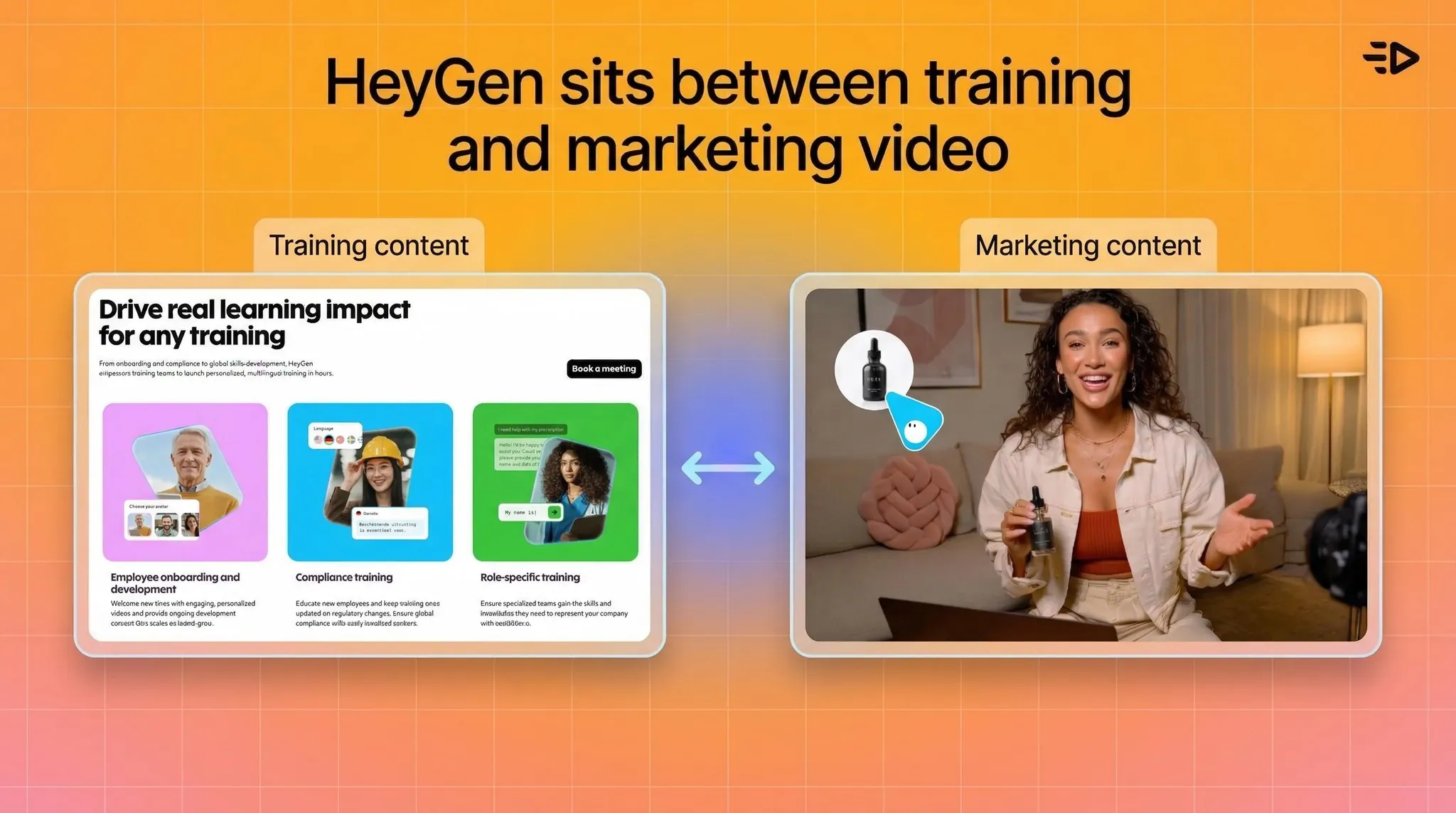
HeyGen sits between Synthesia (training-first) and Creatify (ads-first). Its strongest use case is scalable presenter-style video, particularly for multilingual content and personalized outreach.

The platform supports 175+ languages with translation included on paid plans, which is a meaningful advantage over Synthesia (which locks translation to Enterprise). For teams creating localized content across multiple markets, this matters.
The Creator plan at $24/month (annual) offers unlimited video generation for standard avatars, which represents solid value for consistent producers. The catch: advanced Avatar IV generation — HeyGen's most realistic output — is credit-gated and the 200 monthly credit allocation on Creator translates to roughly 10 minutes of Avatar IV video.

Customer support complaints are a recurring theme in user reviews. Processing time variability also shows up regularly at peak usage.
Strengths:
Translation included at lower tiers (175+ languages)
Unlimited standard avatar video on paid plans
API for programmatic video generation workflows
Clean, accessible interface
Read also: What is HeyGen AI and What is the Best HeyGen Alternative
Limitations:
Avatar IV (premium model) heavily credit-gated
Customer support issues documented in multiple reviews
Processing time can vary significantly
Business plan minimum ($149/mo) is a big jump from Creator
Pricing: Free (3 videos/mo) | Creator $29/mo ($24 annual) | Business $149/mo | Enterprise: custom
Best for: Marketing teams, multilingual content production, business communications
4. Kling 3.0 - best overall cinematic generator
When it comes to pure video generation quality, Kling 3.0 sits at the top of the benchmark rankings right now. Curious Refuge's 2026 testing scored it 8.1/10 overall, with visual fidelity at 8.4 — the highest in the field.

The output is crisp, temporally consistent, and handles realistic human characters and motion better than any other prompt-based model currently available. For B-roll generation, creative campaigns, or any use case where you need photorealistic footage from a text or image prompt, this is the strongest option among the best AI video tools currently available.
It's not an avatar platform. There's no script-to-presenter workflow here. It's for generating footage that looks like it could have been filmed.

Strengths:
Best benchmark scores of any cinematic generator (8.1/10, Curious Refuge 2026)
Visual fidelity and temporal consistency stand out
Strong human character and motion realism
Limitations:
Complex prompt adherence can still trip it up
Interface less polished for non-technical users
Not suitable for avatar/presenter-style content
Pricing: Free tier (no generation credits) | Paid plans from ~$10/mo (occasional first-month discounts and annual billing discounts available)
Best for: Creative directors, filmmakers, B-roll generation, cinematic ad assets
5. Luma Ray 3.14 - best for fast creative iteration

Luma Ray 3.14 scored 7.6/10 in Curious Refuge's benchmark testing, with standout visual fidelity (8.4) that briefly put it at the top of the rankings before Kling 3.0 dropped.
The Draft Mode is genuinely useful — preview your generation before spending credits. For teams that iterate quickly through a lot of concepts, this alone saves meaningful time and budget. The cinematic output is strong, and pricing is accessible at $9.99/month.

Strengths:
Draft Mode for credit-free previews
Strong visual fidelity (8.4/10)
Fast generation for rapid concept testing
Affordable entry price
Limitations:
Not designed for presenter-style or instructional content
Slightly lower overall score than Kling 3.0
Pricing: Free tier | From $9.99/mo
Best for: Creative concepting, B-roll, social content, fast visual iteration
6. Minimax 2.3 - best for overlooked value
Minimax 2.3 scored 7.49/10 — just behind Luma — and is genuinely one of the most underused AI video software tools right now. It rewards prompt craft: if you write prompts like camera directions (framing, motion, composition), it follows well and produces high-texture footage with minimal hallucination.

Not the most cinematic output at a surface level, but for professional workflows where clean, controlled imagery matters more than visual flair, it punches above its profile.
Strengths:
Strong prompt adherence (8.0/10) when prompted as shot directions
High-texture imagery, minimal hallucination
Good value relative to output quality
Limitations:
Temporal consistency (6.3/10) is the weakest link
Requires prompt discipline to get the best results
Pricing: Free tier available
Best for: Professional workflows, controlled imagery, precision prompt users

7. Seedance 2.0 - best budget cinematic option
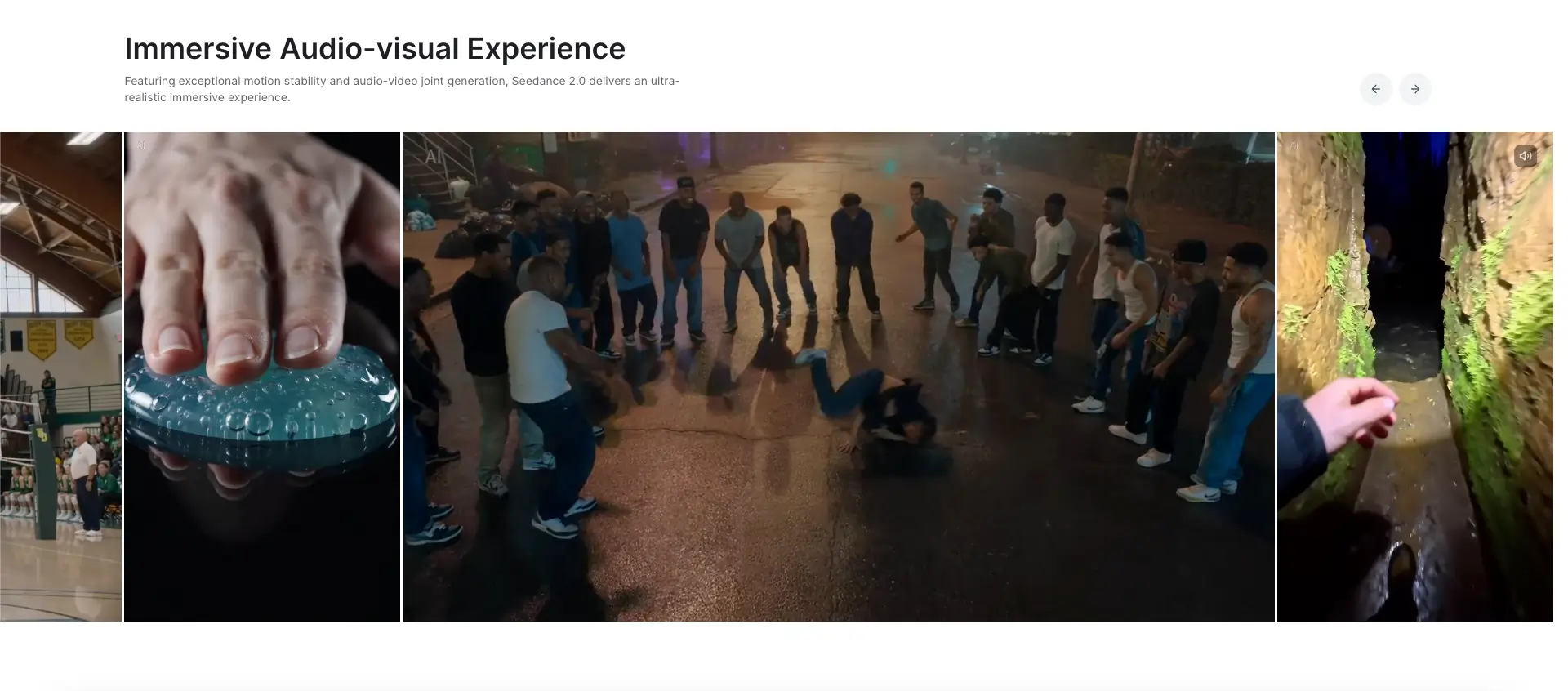
Seedance 2.0 is ByteDance's latest generation, and a meaningful step up from 1.5 Pro. The headline improvement is a unified multimodal architecture: you can feed text, images, audio, and video references into a single generation request, instead of managing separate tools for each input type.

Output is 1080p with up to 30% faster generation than previous versions, and clips extend up to 30 seconds — long enough for proper short-form content rather than just micro-shots. Like 1.5 Pro, it generates audio and video together (dialogue, ambience, SFX) frame-accurately, so there's no post-sync work. The temporal stability is noticeably better than its predecessor, with fewer artifacts and less time spent fixing glitches.

For budget-conscious creators who want production-ready output with native audio, it's the strongest value option in the cinematic category.
Strengths:
Unified multimodal inputs (text, image, audio, video reference in one flow)
Native joint audio-video generation, frame-accurate
Up to 30-second clips — proper short-form length
~30% faster generation than Seedance 1.5 Pro
Better temporal stability and fewer artifacts than previous version
Limitations:
Not at the top of the benchmark on any single metric vs. Kling or Luma
Pricing and API access still evolving
Pricing: Affordable tiers, free access available
Best for: Budget-conscious creators, content teams who need audio-synced output, commercial short-form production
8. Veo 3.1 (Google) - best for structured prompt control
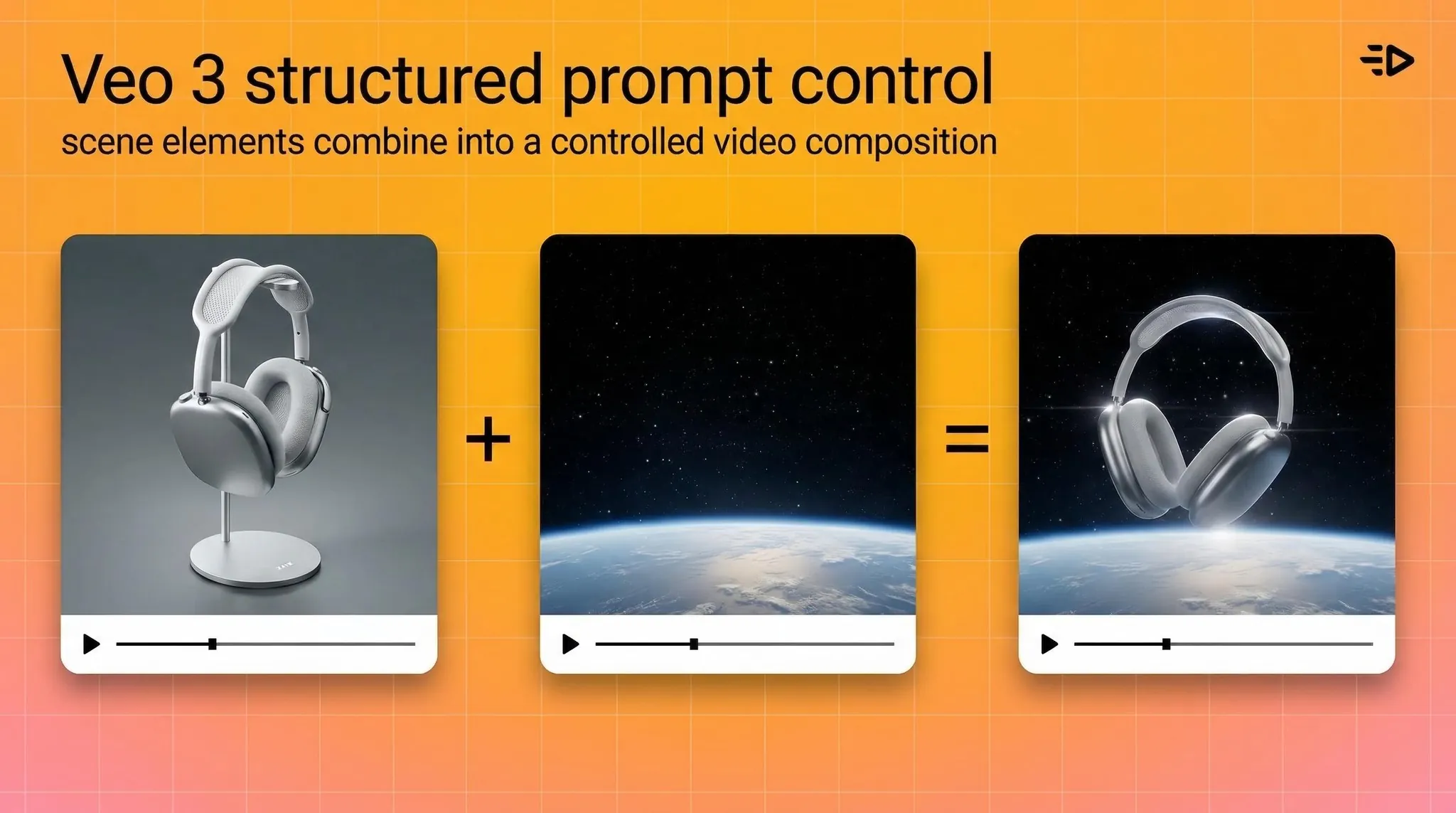
Google's Veo 3.1 scored 7.2/10 overall with strong prompt adherence (7.8/10). The "ingredient-based" prompting system gives you more compositional control than most models — specify elements, camera position, and movement with precision.

The "AI look" shows up in some generations, but for creators who prioritize structure and control over pure cinematic flair, it's a solid choice. Available via Google Gemini plans with a fast mode (Veo 3.1 Fast, 6.9/10) for cheaper iteration.

Strengths:
Strong compositional control with ingredient-based prompting
Multiple quality tiers (Quality and Fast modes)
Google-backed reliability and consistent updates
Limitations:
Some outputs retain a visible "AI look"
Access and watermark rules vary by tier
Not available as a standalone product — requires Gemini access
Pricing: No free tier via API | Pay-per-second on Gemini API paid tier — Veo 3.1 Standard: $0.40/s (720p/1080p), $0.60/s (4K); Veo 3.1 Fast: $0.15/s (720p/1080p), $0.35/s (4K)
Best for: Creators who value prompt precision, structured visual output
9. Runway 4.5 - best for film and creative editing

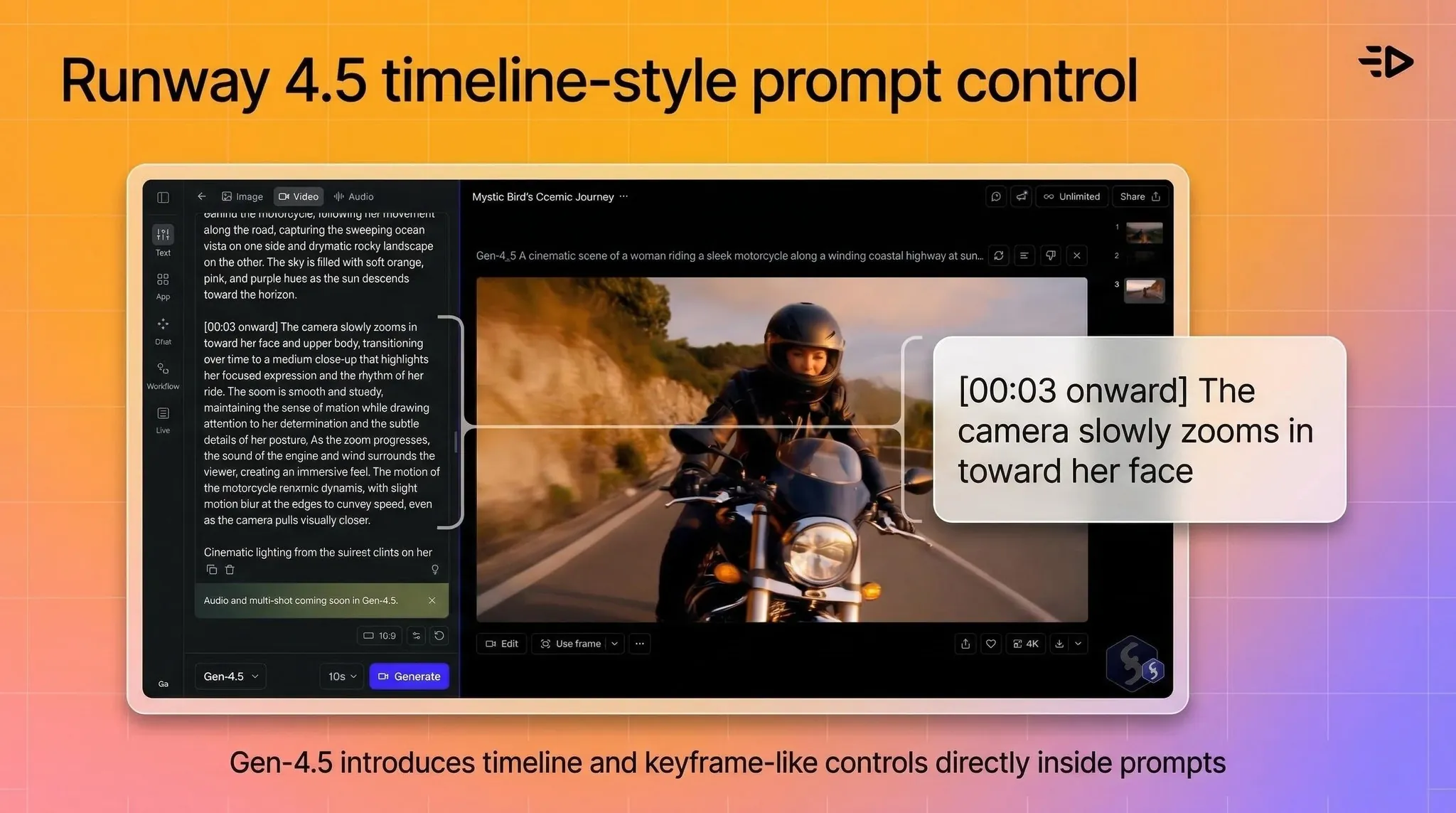
Runway started the AI filmmaking conversation and remains the strongest tool for professional video editors who want AI for video creation to extend their existing workflow. The Gen 4.5 model has timeline and keyframe-like controls that no other tool in this list offers at the same level.

That said, benchmark scores tell an honest story: Curious Refuge scored Runway 4.5 at 6.2/10 — behind Kling, Luma, Minimax, Seedance, and both Veo versions. Runway claimed Gen 4.5 was the world's best AI video model; independent testing didn't support that.
Strengths:
Advanced creative control: timeline features, keyframe-like capabilities
Best for editors who want AI as part of a post-production workflow
Strong ecosystem and community for creative professionals
Limitations:
6.2/10 benchmark score — lower than most competitors in this list
Steeper learning curve for non-editors
Requires video editing skills to get the best results
Pricing: Free tier | From $15/mo
Best for: Professional editors, filmmakers, creative agencies, post-production workflows
10. Sora 2 (OpenAI) - best for narrative video

Sora 2 is the strongest option for narrative storytelling and multi-shot coherence — generating clips that feel like scenes rather than isolated footage. Bundled with ChatGPT Plus, it's accessible to anyone already paying for OpenAI's ecosystem.

The limitations are real: quality caps and watermarks on cheaper plans, duration limits, and access constraints that vary by region and tier. It's also not optimized for the kind of rapid, commercial iteration that ad-focused best AI video generators handle well.
Strengths:
Multi-shot coherence — scenes feel connected, not isolated
Narrative storytelling is the clearest strength
Bundled with ChatGPT Plus for existing subscribers
Limitations:
Watermarks and output caps on non-premium tiers
Not optimized for commercial ad production or avatar-style content
Access still variable by region
Pricing: Via ChatGPT Plus ($20/mo) and Pro ($200/mo)
Best for: Storytellers, narrative content creators, OpenAI ecosystem users
Free vs. paid video generators: what you actually get
Every tool on this list has a free tier, but "free" means very different things depending on the platform.
For cinematic generators (Kling, Luma, Runway, Veo), free tiers typically include watermarked output, limited generation credits, and non-commercial usage rights. Good for testing and concepting — not for publishing.
For avatar platforms, the gaps are more significant. Synthesia's free plan is basically a demo. HeyGen caps you at 3 videos per month. Creatify's free plan gives you 10 credits (about 2 videos) with watermarks — useful for testing but not production.
If you're running actual campaigns, factor in paid plan costs from day one. The math usually still works out dramatically cheaper than traditional production.
Read also: 17 best AI avatar generators and tools we tested in 2026
Which tool should you use?
Running paid ads, ecommerce, or UGC campaigns: Creatify. Built specifically for performance marketing, with URL-to-video, Aurora model quality, and a full ad suite in one platform.
Corporate training or internal communications: Synthesia. Best template library, most mature platform for L&D, trusted by enterprise teams.
Multilingual business video at scale: HeyGen. Translation included at lower tiers, unlimited standard video, API for automation.
Cinematic B-roll or creative footage: Kling 3.0 for quality-first, Luma Ray 3.14 for fast iteration, Runway 4.5 if you're already a video editor.
Narrative storytelling: Sora 2.
Budget-conscious cinematic work: Seedance 2.0 or Minimax 2.3.

The future of AI video generators
The clearest trend in 2026: convergence. Avatar platforms are adding generative B-roll. Cinematic tools are adding voice and presenter workflows. The category lines are blurring.
Audio integration is becoming standard - Seedance 2.0 already has it baked in natively, and the other models will follow. Expect native audio to be table stakes by late 2026.
Realism is still improving fast. Kling 3.0's visual fidelity scores (8.4/10) would have been considered impossible two years ago. That trajectory isn't slowing down.
Frequently Asked Questions
What is the best AI video generator in 2026?
The best AI video generator depends on your use case. For ad creatives and performance marketing, Creatify leads. For corporate training, Synthesia is the most mature platform. For cinematic B-roll quality, Kling 3.0 scores highest in independent benchmarks. There's no single winner — pick the tool that matches what you're actually making.
What are the best free AI video generator tools?
Most top AI video generators offer free tiers: Creatify (10 credits/mo), HeyGen (3 videos/mo), Synthesia (limited), Kling, Luma, and Runway all have free access. All free tiers add watermarks and restrict commercial use. They're useful for testing, not for publishing in real campaigns.
What's the difference between AI video creation tools and cinematic AI video generators?
Avatar-based platforms (Creatify, Synthesia, HeyGen) turn scripts into presenter-led videos with digital humans — best for ads, training, and messaging. Cinematic generators (Kling, Luma, Runway, Veo) create footage from text or image prompts — best for B-roll, visual storytelling, and creative production. Most projects benefit from using both.
Which AI video platform is best for ecommerce?
Creatify is purpose-built for ecommerce. The URL-to-video feature converts any product link into 5–10 ad variations in under 10 minutes. Documented results include +200% purchases and +158% link clicks from 1MORE's avatar ad campaigns vs. static images.
What is the best AI text-to-video generator for social media ads?
Creatify for platform-optimized ad creatives (TikTok, Instagram, Meta). The AI script writer is trained on high-performing social ads, outputs are natively formatted for 9:16, and the Aurora model produces the avatar quality that holds up in paid placements.
How much do AI video software tools cost?
Paid plans start from $15–$29/month for most tools. Creatify starts at $19/month, Synthesia at $18/month, HeyGen at $24/month (annual), Runway at $15/month, and Luma at $9.99/month. Enterprise pricing is custom across all platforms. All offer free tiers for testing.
Can I use AI video creation software for commercial purposes?
Most tools allow commercial use on paid plans. Free tiers typically restrict commercial usage and include watermarks. Check your specific plan terms — some platforms (like Creatify) grant full commercial rights on all paid plans. Others vary by tier.
What's the best AI video maker for beginners?
Creatify and HeyGen both have clean interfaces that don't require prior video production experience. Creatify's URL-to-video workflow is the fastest path from zero to a finished ad — paste a product link, choose from generated options, export. No editing skills required.
Picking the best AI video generator in 2026 is harder than it sounds. There are more AI video generator tools than ever, the categories have split into distinct use cases, and the gap between the best and the rest is actually getting wider.
This guide cuts through it. We tested AI video creation tools across three main categories — AI avatar platforms, prompt-based cinematic generators, and hybrid platforms — and ranked them with honest pros, cons, and pricing.
One thing upfront: there's no single "best" AI video platform. The right pick depends entirely on what you're making. A platform built for corporate training videos will frustrate a performance marketer, and vice versa. We'll make sure you walk away knowing exactly which tool fits your situation.
What is an AI video generator?
An AI video generator is software that creates video content automatically from a text prompt, script, image, or URL, without a camera, studio, or production crew.
The output depends on what type of tool you're using. Avatar-based generators produce talking-head videos with digital presenters. Cinematic generators produce raw footage that looks like it was filmed. Some hybrid tools do both.
What they have in common: the time from input to finished video is measured in minutes, not weeks. And the cost is measured in dollars per video, not thousands.
How AI video generators work
Most AI tools fall into one of two camps.
Avatar-based platforms (Creatify, Synthesia, HeyGen) take a script and produce a talking-head video with a digital human. They're optimized for message delivery — product demos, training, ads, tutorials. The pipeline is: script → avatar selection → voice → video.
Prompt-based cinematic generators (Kling, Luma, Runway, Veo) take a text or image prompt and generate raw video footage. Think B-roll, creative scenes, visual storytelling. The pipeline is: prompt → generated clip.
Some platforms are starting to blend both. But in practice, most tools are still better at one than the other.

How we evaluated these tools
We scored every tool across these criteria:
Output quality: realism, lip-sync accuracy, motion fluidity, visual fidelity
Speed: time from input to usable output
Use case fit: does it actually serve the jobs people are hiring it for?
Pricing: value relative to what you get, including free tier usefulness
Limitations: what breaks down in real use
Quick comparison table
Tool | Best for | Free plan | Starting price |
|---|---|---|---|
Creatify | Ad creatives, UGC, ecommerce | Yes (10 credits/mo) | $19/mo |
Synthesia | L&D, corporate training | Yes (limited) | $18/mo |
HeyGen | Multilingual business video | Yes (3 videos/mo) | $24/mo |
Kling 3.0 | Cinematic B-roll, realism | Yes | ~$8/mo |
Luma Ray 3.14 | Fast iteration, creative shots | Yes | $9.99/mo |
Minimax 2.3 | High-texture prompt-based video | Yes | Free tier available |
Seedance 2.0 | Affordable cinematic with audio | Yes | Affordable tiers |
Veo 3.1 | Structured prompt-to-video | Via Gemini | Via Google plans |
Runway 4.5 | Creative editing, film work | Yes | $15/mo |
Sora 2 | Narrative storytelling | No | Via ChatGPT Plus |

Top 10 AI video generators: Detailed overviews
1. Creatify - best for ad creatives and performance marketing
Creatify is purpose-built for one job: creating video ads that convert. Where most AI video tools are general-purpose, Creatify is tuned specifically for performance marketing - ecommerce brands, DTC, agencies, and app studios running paid campaigns.

The fastest workflow is URL-to-video: paste any product URL from Amazon, Shopify, Etsy, or the App Store, and Creatify pulls product details, generates 5–10 script variations, and builds ready-to-run video ads. The whole process takes under 10 minutes.

For ecommerce brands specifically, the results are documented. 1MORE ran Creatify avatar ads against traditional influencer videos and saw +200% purchases, +158% link clicks, and +98% impressions. TEC-DO 2.0 cut video production time by 97% (3 days to 1 hour) and cost by 90% ($20 to $2 per video).
Strengths:
URL-to-video in under 10 minutes
Aurora model delivers the most realistic avatar output for paid ads
1,500+ avatars, custom avatar creation via BYOA (photo upload) or DYOA (text prompt)
AI script writer trained on thousands of high-performing social ads
Multi-format output: 9:16, 16:9, 1:1 in one pass
75+ languages with native lip-sync
Enterprise: competitor tracking, creative testing, performance analytics
Read also: Why Creatify.ai is the Best AI Avatar Platform – Full Comparison
Limitations:
Less suited for long-form training content or cinematic storytelling
Aurora is Pro plan and above
Pricing: Free (10 credits/mo) | Starter $19/mo | Pro $49/mo | Enterprise: custom
Best for: Ecommerce brands, DTC marketers, agencies, performance marketers, app studios
2. Synthesia - best for corporate training and L&D
Synthesia is the go-to for learning and development teams, HR departments, and internal communications. It's the most mature AI video creation software in the corporate video space, used by companies like Zoom, Heineken, and Bosch.

The core pitch: turn a script and a slide deck into a professional training video without cameras, studios, or scheduling. It works well for that specific use case. The avatar library has 240+ options, the template library is large, and the multilingual output (140+ languages) handles localization well.

Where Synthesia falls short is flexibility. Creative control is limited compared to full video editors, and some advanced features — including 1-click translation and SCORM export for LMS — are locked to the Enterprise tier. Users on lower plans also report frustration with the low monthly video minute caps on Starter.
The uncanny valley issue comes up in longer videos. Short training clips look solid; anything over 2–3 minutes can start to feel slightly off in facial movement.
Strengths:
Strong template library for corporate and educational content
140+ languages, solid AI dubbing
Clean interface — non-technical users get up to speed fast
Reliable for high-volume, standardized training content
Read also: Creatify vs Synthesia: Which AI Marketing Video Service is Best?
Limitations:
1-click translation and SCORM locked to Enterprise
Monthly video minute caps feel restrictive on lower plans
Limited creative flexibility for marketing-style content
Uncanny valley artifacts in longer videos
Pricing: Free (limited) | Starter $18/mo | Creator $64/mo | Enterprise: custom
Best for: L&D teams, HR, internal communications, corporate training
3. HeyGen - best for multilingual business video
HeyGen sits between Synthesia (training-first) and Creatify (ads-first). Its strongest use case is scalable presenter-style video, particularly for multilingual content and personalized outreach.

The platform supports 175+ languages with translation included on paid plans, which is a meaningful advantage over Synthesia (which locks translation to Enterprise). For teams creating localized content across multiple markets, this matters.
The Creator plan at $24/month (annual) offers unlimited video generation for standard avatars, which represents solid value for consistent producers. The catch: advanced Avatar IV generation — HeyGen's most realistic output — is credit-gated and the 200 monthly credit allocation on Creator translates to roughly 10 minutes of Avatar IV video.

Customer support complaints are a recurring theme in user reviews. Processing time variability also shows up regularly at peak usage.
Strengths:
Translation included at lower tiers (175+ languages)
Unlimited standard avatar video on paid plans
API for programmatic video generation workflows
Clean, accessible interface
Read also: What is HeyGen AI and What is the Best HeyGen Alternative
Limitations:
Avatar IV (premium model) heavily credit-gated
Customer support issues documented in multiple reviews
Processing time can vary significantly
Business plan minimum ($149/mo) is a big jump from Creator
Pricing: Free (3 videos/mo) | Creator $29/mo ($24 annual) | Business $149/mo | Enterprise: custom
Best for: Marketing teams, multilingual content production, business communications
4. Kling 3.0 - best overall cinematic generator
When it comes to pure video generation quality, Kling 3.0 sits at the top of the benchmark rankings right now. Curious Refuge's 2026 testing scored it 8.1/10 overall, with visual fidelity at 8.4 — the highest in the field.

The output is crisp, temporally consistent, and handles realistic human characters and motion better than any other prompt-based model currently available. For B-roll generation, creative campaigns, or any use case where you need photorealistic footage from a text or image prompt, this is the strongest option among the best AI video tools currently available.
It's not an avatar platform. There's no script-to-presenter workflow here. It's for generating footage that looks like it could have been filmed.

Strengths:
Best benchmark scores of any cinematic generator (8.1/10, Curious Refuge 2026)
Visual fidelity and temporal consistency stand out
Strong human character and motion realism
Limitations:
Complex prompt adherence can still trip it up
Interface less polished for non-technical users
Not suitable for avatar/presenter-style content
Pricing: Free tier (no generation credits) | Paid plans from ~$10/mo (occasional first-month discounts and annual billing discounts available)
Best for: Creative directors, filmmakers, B-roll generation, cinematic ad assets
5. Luma Ray 3.14 - best for fast creative iteration

Luma Ray 3.14 scored 7.6/10 in Curious Refuge's benchmark testing, with standout visual fidelity (8.4) that briefly put it at the top of the rankings before Kling 3.0 dropped.
The Draft Mode is genuinely useful — preview your generation before spending credits. For teams that iterate quickly through a lot of concepts, this alone saves meaningful time and budget. The cinematic output is strong, and pricing is accessible at $9.99/month.

Strengths:
Draft Mode for credit-free previews
Strong visual fidelity (8.4/10)
Fast generation for rapid concept testing
Affordable entry price
Limitations:
Not designed for presenter-style or instructional content
Slightly lower overall score than Kling 3.0
Pricing: Free tier | From $9.99/mo
Best for: Creative concepting, B-roll, social content, fast visual iteration
6. Minimax 2.3 - best for overlooked value
Minimax 2.3 scored 7.49/10 — just behind Luma — and is genuinely one of the most underused AI video software tools right now. It rewards prompt craft: if you write prompts like camera directions (framing, motion, composition), it follows well and produces high-texture footage with minimal hallucination.

Not the most cinematic output at a surface level, but for professional workflows where clean, controlled imagery matters more than visual flair, it punches above its profile.
Strengths:
Strong prompt adherence (8.0/10) when prompted as shot directions
High-texture imagery, minimal hallucination
Good value relative to output quality
Limitations:
Temporal consistency (6.3/10) is the weakest link
Requires prompt discipline to get the best results
Pricing: Free tier available
Best for: Professional workflows, controlled imagery, precision prompt users

7. Seedance 2.0 - best budget cinematic option
Seedance 2.0 is ByteDance's latest generation, and a meaningful step up from 1.5 Pro. The headline improvement is a unified multimodal architecture: you can feed text, images, audio, and video references into a single generation request, instead of managing separate tools for each input type.

Output is 1080p with up to 30% faster generation than previous versions, and clips extend up to 30 seconds — long enough for proper short-form content rather than just micro-shots. Like 1.5 Pro, it generates audio and video together (dialogue, ambience, SFX) frame-accurately, so there's no post-sync work. The temporal stability is noticeably better than its predecessor, with fewer artifacts and less time spent fixing glitches.

For budget-conscious creators who want production-ready output with native audio, it's the strongest value option in the cinematic category.
Strengths:
Unified multimodal inputs (text, image, audio, video reference in one flow)
Native joint audio-video generation, frame-accurate
Up to 30-second clips — proper short-form length
~30% faster generation than Seedance 1.5 Pro
Better temporal stability and fewer artifacts than previous version
Limitations:
Not at the top of the benchmark on any single metric vs. Kling or Luma
Pricing and API access still evolving
Pricing: Affordable tiers, free access available
Best for: Budget-conscious creators, content teams who need audio-synced output, commercial short-form production
8. Veo 3.1 (Google) - best for structured prompt control
Google's Veo 3.1 scored 7.2/10 overall with strong prompt adherence (7.8/10). The "ingredient-based" prompting system gives you more compositional control than most models — specify elements, camera position, and movement with precision.

The "AI look" shows up in some generations, but for creators who prioritize structure and control over pure cinematic flair, it's a solid choice. Available via Google Gemini plans with a fast mode (Veo 3.1 Fast, 6.9/10) for cheaper iteration.

Strengths:
Strong compositional control with ingredient-based prompting
Multiple quality tiers (Quality and Fast modes)
Google-backed reliability and consistent updates
Limitations:
Some outputs retain a visible "AI look"
Access and watermark rules vary by tier
Not available as a standalone product — requires Gemini access
Pricing: No free tier via API | Pay-per-second on Gemini API paid tier — Veo 3.1 Standard: $0.40/s (720p/1080p), $0.60/s (4K); Veo 3.1 Fast: $0.15/s (720p/1080p), $0.35/s (4K)
Best for: Creators who value prompt precision, structured visual output
9. Runway 4.5 - best for film and creative editing

Runway started the AI filmmaking conversation and remains the strongest tool for professional video editors who want AI for video creation to extend their existing workflow. The Gen 4.5 model has timeline and keyframe-like controls that no other tool in this list offers at the same level.

That said, benchmark scores tell an honest story: Curious Refuge scored Runway 4.5 at 6.2/10 — behind Kling, Luma, Minimax, Seedance, and both Veo versions. Runway claimed Gen 4.5 was the world's best AI video model; independent testing didn't support that.
Strengths:
Advanced creative control: timeline features, keyframe-like capabilities
Best for editors who want AI as part of a post-production workflow
Strong ecosystem and community for creative professionals
Limitations:
6.2/10 benchmark score — lower than most competitors in this list
Steeper learning curve for non-editors
Requires video editing skills to get the best results
Pricing: Free tier | From $15/mo
Best for: Professional editors, filmmakers, creative agencies, post-production workflows
10. Sora 2 (OpenAI) - best for narrative video

Sora 2 is the strongest option for narrative storytelling and multi-shot coherence — generating clips that feel like scenes rather than isolated footage. Bundled with ChatGPT Plus, it's accessible to anyone already paying for OpenAI's ecosystem.

The limitations are real: quality caps and watermarks on cheaper plans, duration limits, and access constraints that vary by region and tier. It's also not optimized for the kind of rapid, commercial iteration that ad-focused best AI video generators handle well.
Strengths:
Multi-shot coherence — scenes feel connected, not isolated
Narrative storytelling is the clearest strength
Bundled with ChatGPT Plus for existing subscribers
Limitations:
Watermarks and output caps on non-premium tiers
Not optimized for commercial ad production or avatar-style content
Access still variable by region
Pricing: Via ChatGPT Plus ($20/mo) and Pro ($200/mo)
Best for: Storytellers, narrative content creators, OpenAI ecosystem users
Free vs. paid video generators: what you actually get
Every tool on this list has a free tier, but "free" means very different things depending on the platform.
For cinematic generators (Kling, Luma, Runway, Veo), free tiers typically include watermarked output, limited generation credits, and non-commercial usage rights. Good for testing and concepting — not for publishing.
For avatar platforms, the gaps are more significant. Synthesia's free plan is basically a demo. HeyGen caps you at 3 videos per month. Creatify's free plan gives you 10 credits (about 2 videos) with watermarks — useful for testing but not production.
If you're running actual campaigns, factor in paid plan costs from day one. The math usually still works out dramatically cheaper than traditional production.
Read also: 17 best AI avatar generators and tools we tested in 2026
Which tool should you use?
Running paid ads, ecommerce, or UGC campaigns: Creatify. Built specifically for performance marketing, with URL-to-video, Aurora model quality, and a full ad suite in one platform.
Corporate training or internal communications: Synthesia. Best template library, most mature platform for L&D, trusted by enterprise teams.
Multilingual business video at scale: HeyGen. Translation included at lower tiers, unlimited standard video, API for automation.
Cinematic B-roll or creative footage: Kling 3.0 for quality-first, Luma Ray 3.14 for fast iteration, Runway 4.5 if you're already a video editor.
Narrative storytelling: Sora 2.
Budget-conscious cinematic work: Seedance 2.0 or Minimax 2.3.

The future of AI video generators
The clearest trend in 2026: convergence. Avatar platforms are adding generative B-roll. Cinematic tools are adding voice and presenter workflows. The category lines are blurring.
Audio integration is becoming standard - Seedance 2.0 already has it baked in natively, and the other models will follow. Expect native audio to be table stakes by late 2026.
Realism is still improving fast. Kling 3.0's visual fidelity scores (8.4/10) would have been considered impossible two years ago. That trajectory isn't slowing down.
Frequently Asked Questions
What is the best AI video generator in 2026?
The best AI video generator depends on your use case. For ad creatives and performance marketing, Creatify leads. For corporate training, Synthesia is the most mature platform. For cinematic B-roll quality, Kling 3.0 scores highest in independent benchmarks. There's no single winner — pick the tool that matches what you're actually making.
What are the best free AI video generator tools?
Most top AI video generators offer free tiers: Creatify (10 credits/mo), HeyGen (3 videos/mo), Synthesia (limited), Kling, Luma, and Runway all have free access. All free tiers add watermarks and restrict commercial use. They're useful for testing, not for publishing in real campaigns.
What's the difference between AI video creation tools and cinematic AI video generators?
Avatar-based platforms (Creatify, Synthesia, HeyGen) turn scripts into presenter-led videos with digital humans — best for ads, training, and messaging. Cinematic generators (Kling, Luma, Runway, Veo) create footage from text or image prompts — best for B-roll, visual storytelling, and creative production. Most projects benefit from using both.
Which AI video platform is best for ecommerce?
Creatify is purpose-built for ecommerce. The URL-to-video feature converts any product link into 5–10 ad variations in under 10 minutes. Documented results include +200% purchases and +158% link clicks from 1MORE's avatar ad campaigns vs. static images.
What is the best AI text-to-video generator for social media ads?
Creatify for platform-optimized ad creatives (TikTok, Instagram, Meta). The AI script writer is trained on high-performing social ads, outputs are natively formatted for 9:16, and the Aurora model produces the avatar quality that holds up in paid placements.
How much do AI video software tools cost?
Paid plans start from $15–$29/month for most tools. Creatify starts at $19/month, Synthesia at $18/month, HeyGen at $24/month (annual), Runway at $15/month, and Luma at $9.99/month. Enterprise pricing is custom across all platforms. All offer free tiers for testing.
Can I use AI video creation software for commercial purposes?
Most tools allow commercial use on paid plans. Free tiers typically restrict commercial usage and include watermarks. Check your specific plan terms — some platforms (like Creatify) grant full commercial rights on all paid plans. Others vary by tier.
What's the best AI video maker for beginners?
Creatify and HeyGen both have clean interfaces that don't require prior video production experience. Creatify's URL-to-video workflow is the fastest path from zero to a finished ad — paste a product link, choose from generated options, export. No editing skills required.