Creatify 团队
分享


在本文中
Yes, you can use AI to make a cartoon character move. The catch is that "AI animation" is not one tool or one market. It is at least five different jobs, and the AI animator that nails one of them is often useless for another. Runway's character tool animates a reference image at 5 credits per second; Viggle hands you 5 free animated videos a day; Cascadeur cleans up 3D motion with physics. Those are not really competitors, but rather they are answers to completely different questions.
This guide sorts AI animation tools by job, so you can jump to the one in front of you. For each tool you get a one-line "best at," whether there is a free tier, a rough 2026 price band, and if there's any catch worth knowing before you sign up. One thing up front: this is a list for animated and stylized characters, the 2D and 3D cartoon kind. It deliberately skips realistic talking-head avatar tools like HeyGen, Synthesia, and D-ID, which are built to make a lifelike spokesperson read a script, not to bring a cartoon to life.
How to read this list
The five jobs, in one line each: make editable 2D cartoon scenes; perform as a character through your webcam; create and move 3D characters; make an existing character image act; and generate short stylized clips from a prompt. There is also a sixth section for the best genuinely free options.
Prices move fast in this category, so treat every number as a starting point, current as of September 2026, and check the live pricing page before you commit. The rough bands used below: Free means a permanent free plan, usually with credit, export, or watermark limits; Low is around $5 to $15 a month; Mid is around $15 to $50; High is roughly $50 to $150 or more; and Usage-based means you mostly pay per credit, render second, or seat.
Job A: Make editable 2D cartoon and explainer scenes
This is the classic "animated explainer" job: template-led scenes with characters, props, text, and voiceover that you arrange and edit yourself. Best for marketing, training, and social explainers where you want control over the story rather than a surprise generated clip.

Animaker is the flexible pick for do-it-yourself 2D character explainers, with a big library of customizable characters and scenes. Free tier: yes, though limited and watermarked. Price band: low to mid, with paid plans starting around $15 to $25 a month billed annually and Pro tiers higher; published rates vary by source, so confirm on Animaker's pricing page. The catch is that you are hand-building scenes, not generating cinematic motion from a prompt.

Vyond is the strongest choice for polished business storytelling, training, and HR or internal comms videos. Free tier: a trial rather than a durable free plan. Price band: mid to high, with published annual tiers working out to roughly $58 to $167 per user each month, and the higher tiers carrying specific purchasing conditions. Its default look can read as "corporate explainer" unless you customize, but it belongs firmly in character animation, not in realistic-avatar software.

Steve.ai turns a script or blog-style text into an assembled cartoon draft quickly, so it is the pick when speed matters more than bespoke animation craft. Free tier: limited free or trial access, worth checking live. Price band: low to mid. It is more automated script-to-video assembly than a full animation studio.

Powtoon is built for presentation-style animated videos and quick, brand-editable scene sequences. Free tier: yes, limited. Price band: low to mid. It leans more toward slide-and-presentation than character-first, which is fine for fast marketing edits and weaker for sophisticated acting.
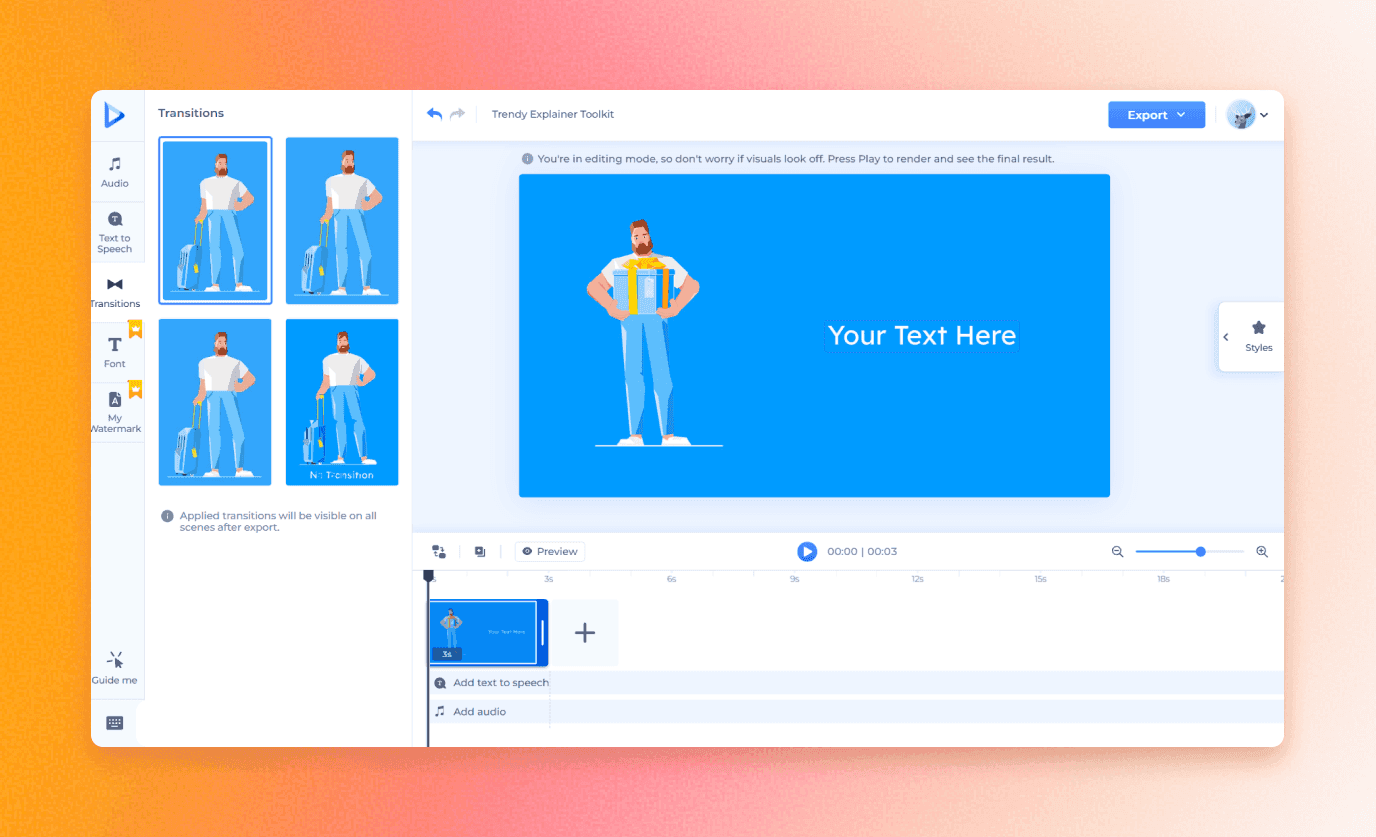
Renderforest is best for fast, browser-based animated intros, explainers, and stylized story drafts from templates. Free tier: yes, limited. Price band: low to mid. Character control is lighter here than in Animaker or Vyond, so it wins on speed rather than on maintaining one recurring character across a campaign.
Job B: Perform as a cartoon character through your webcam
This is the puppet job: you drive a character with your own face, voice, and movements. Best for anyone who thinks "I want to act through my mascot," whether live or recorded.

Adobe Character Animator is the clearest answer for live, expressive 2D puppets driven by webcam face tracking, body triggers, and lip sync. Free tier: no permanent standalone free plan; access comes through an Adobe subscription, landing in the mid band. It is desktop software with more of a learning curve than browser tools, but nothing else makes "perform as my cartoon in real time" this direct.

Reallusion Cartoon Animator is the more production-oriented 2D environment: turn artwork into animatable characters, add facial performance, lip sync, and motion capture, and reuse rigs across projects. Free tier: a 30-day trial rather than a lasting free plan. Price band: low to mid, available as either an annual subscription or a one-time perpetual purchase; Reallusion revised its licensing in early 2026, so check its current Cartoon Animator pricing page before you buy. Choose it over Character Animator when you want a broader asset and production workflow, not only live performance.
The workflow both share is worth picturing: draw or commission a mascot in layers, rig it, then record yourself delivering the script through a webcam and mic and export the performance for an ad or social clip. That is a fundamentally different thing from generating a synthetic talking head.
Job C: Create and move 3D characters, with mocap and physics
This is the 3D pipeline job: generating characters, capturing motion, and cleaning it up for games, film, or stylized 3D shorts. Best for people working toward a real 3D deliverable, not a quick prompt-to-clip.

Cascadeur is best for refining 3D character motion, with AI-assisted posing, inbetweening, and physics-aware cleanup. Free tier: yes, but non-commercial and export-limited to Cascadeur's native format, per its pricing page. Price band: low to mid, with Indie around $8 a month billed annually and Pro near $33. It is a tool for animators who need physically plausible motion, not a prompt-to-finished-cartoon generator, and the free plan cannot export FBX or DAE for commercial delivery.

DeepMotion (Animate 3D) is the accessible option for turning a performer's video into retargetable 3D animation. Free tier: yes, with up to 60 seconds a month for personal, non-commercial use, where one credit equals one second and face or hand tracking each add half a credit per second, according to DeepMotion. Price band: low to high, with Starter around $9 a month and Studio plans far higher. It is an unusually cheap way to test video-to-3D mocap.

Move AI handles higher-end markerless motion capture from recorded footage for professional game, film, and 3D pipelines. Free tier: not clearly offered as a public permanent plan. Price band: mixed; alongside quote-led team and enterprise paths, recent coverage reports a pay-as-you-go option from around a cent or so per processed second, so it is not purely enterprise-only. Either way it is a professional 3D mocap product, not a consumer cartoon-maker, so keep it on the list only if you are doing 3D production.

Meshy is the one to recategorize. It is primarily an AI 3D asset and character generation platform, not a mocap or advanced-animation tool, though it can auto-rig and apply basic motion to what it makes. Free tier: yes, with 100 credits a month, roughly five generations, since a full text-to-3D or image-to-3D generation costs 20 credits while rigging and animation currently cost nothing, per Meshy's own credits guide. Price band: mid, with Pro starting around $20 a month. Use it to create and rig a stylized character, then hand the serious motion work to Cascadeur, DeepMotion, or Move AI.
Job D: Make an existing character image act
This is motion transfer: take a character image and drive it with a source performance video. Best for a few expressive hero shots, dances, or meme-style AI animations rather than a whole animated series.

Viggle is the direct pick for putting a character image into a source video's body motion. Free tier: yes, with 5 relaxed-mode videos a day, though they are watermarked, capped at two concurrent tasks, stored for about 15 days, and not for commercial use, per current plan details. Price band: low, with a paid Pro tier that recent listings put around $8 to $10 a month depending on plan and billing (removing the watermark and adding credits), plus usage-priced API rendering. It is genuinely useful for testing the motion-transfer workflow before you pay.

Runway Act-Two is the tool to name correctly. If you have seen "Act-One" in older roundups, that is the legacy Gen-3 feature; Runway now points users to Act-Two, which transfers facial expression, mouth movement, and overall performance from a driving video onto a character reference. Free tier: a Runway account includes a one-time credit grant, but Act-Two itself runs on the Standard plan or higher, starting around $12 a month billed annually, at 5 credits per second with a three-second minimum, per Runway's documentation. It is character-performance transfer, not a corporate-avatar tool.
The caveat for both: motion transfer works best when the character design, framing, and the source performance's camera angle line up. Neither replaces a properly rigged 2D or 3D character when you need repeatable, exact, editable animation.
Job E: Generate short cartoon and stylized clips with an AI animation video generator
This is the generative-video job, the part of animation AI most people picture first: describe or upload something and get a short stylized clip. Best for cutaways, transitions, and visually ambitious shots. The shared weakness is character consistency, so test before you build a campaign on any of them.

Runway offers high-end generative video plus a wider toolkit for image-to-video, stylization, and editing in one place. Free tier: yes, a one-time 125-credit grant; paid plans run Standard around $12 a month, Pro near $28, and Max about $76 billed annually, per 2026 pricing writeups. It makes stylized clips well but does not guarantee perfect character continuity, so use it for individual shots.

Creatify is our own tool, so weigh this accordingly, but it earns a place here on cost. It turns a script or a product URL into short-form video, its AI Shorts styles include cartoonish and 3D looks, and Model Playground gives you 40-plus image and video models to generate with. The reason to reach for it in this section is our Boreal video model: it generates at about a cent per second of finished video, so a five-second animated clip is roughly $0.05 and a short one stays comfortably under 20 cents, well below what most generative tools here charge per clip, and it renders in about realtime. Price band: low, with plans starting around $19 a month and Boreal billed by the second. It will not rig a reusable mascot, but for cheap, fast animated or stylized clips headed into an ad, it is one of the strongest value picks on this list.

Kling produces high-quality text and image-to-video with strong motion. Free tier: yes, with limited credits. Price band: low to mid, credit-based. It is generative video, not a rigging system, and its consumer credit bundles shift often by region, so verify before committing.
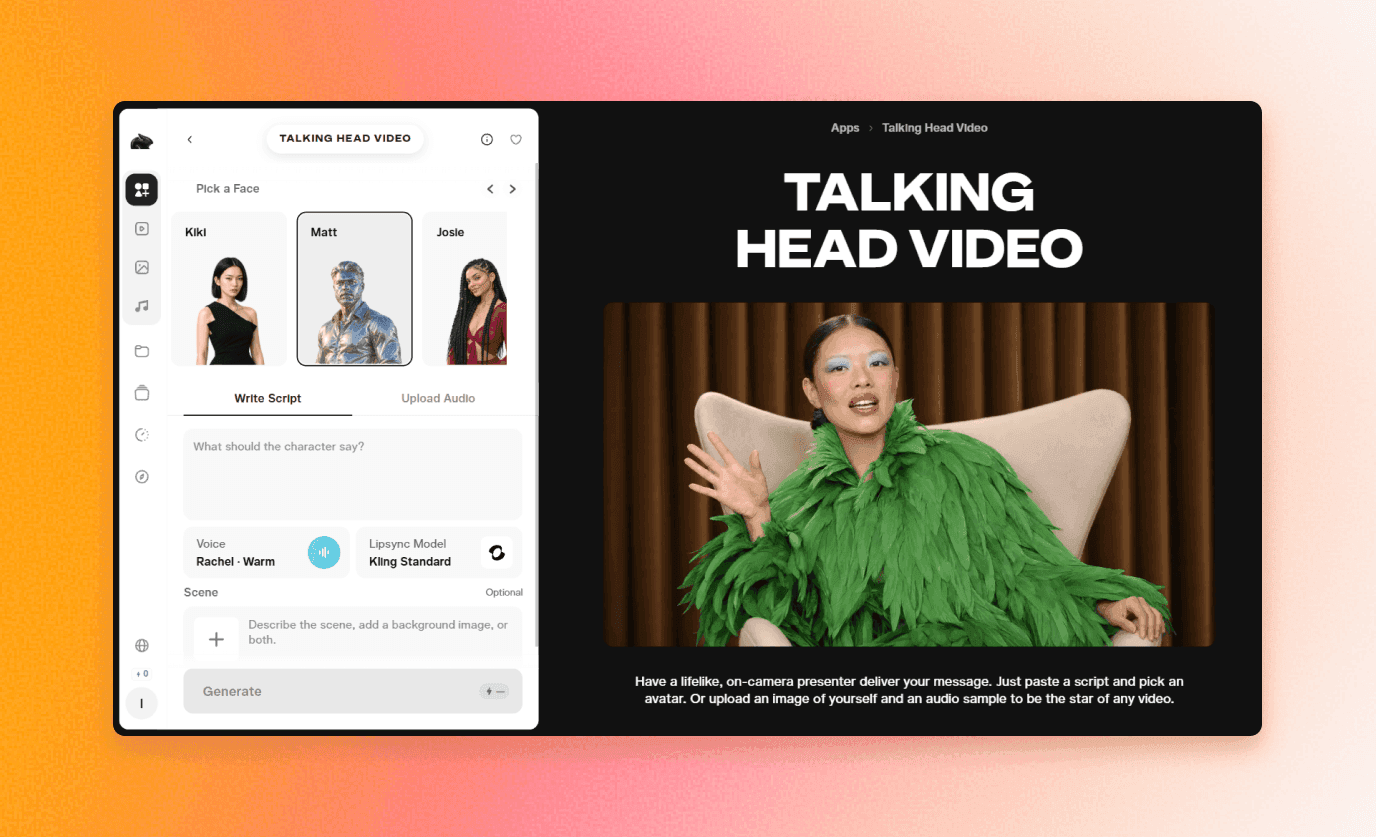
Pika is fast and social-friendly for short text or image-to-video experiments and playful effects. Free tier: yes, though the exact free-credit allowance is reported inconsistently across Pika's own pages, so check in-product. Price band: low to high, with paid tiers starting around $10 a month. Treat its free credits as volatile.

Luma Dream Machine is strong for cinematic generative motion and atmosphere from text or images. Free tier: limited free access; verify current availability. Price band: mid to high. It is less specifically character-focused than the others here, so I would avoid quoting a hard price without a last-minute check of its live pricing page.

DomoAI is very relevant for stylizing footage into anime and cartoon aesthetics and for video-to-video work. Free tier: yes, with a small starter-credit trial. Price band: low to mid, with DomoAI's Basic plan starting around $9 a month billed annually and higher tiers above that. It also has a talking-avatar mode, but that is outside this list, so lead with its stylization strengths instead.

Kaiber is built for music-synced, beat-driven stylized visuals. Free tier: not really; its current offer is a $5 five-day trial that converts to a paid plan unless canceled, so call it a trial, not a free tier. Price band: low to mid, with Starter around $10 a month. It suits music and video-art workflows more than maintaining one specific character shot to shot.
LTX Studio is a script and storyboard-led workspace for planning a character sequence, with shot generation and camera control. Free tier: yes, a one-time 800-credit grant for personal use that does not renew. Price band: low to high, roughly $15 to $125 a month. It is a good pick when you want to plan a character-led sequence rather than generate isolated clips.
Job F: The best genuinely free animation AI generator options
If you just want to make something without paying, these are the realistic starting points for a free AI animation generator, with their limits stated honestly.

Canva has a permanent free plan with animated templates, simple character scenes, and exports. The catch: it is not a specialist character-animation suite, and its free plan currently caps AI use at roughly 20 generations a month, per its pricing page.

Dreamina / CapCut is one of the better free-credit options for text-to-video and image-to-video drafts, with daily free credits. The allowance has varied across Dreamina's own materials, so treat it as "daily free credits that vary by account, model, and region" rather than a fixed number; paid entry has been listed around $15 a month.

Viggle gives you those 5 watermarked videos a day, which is unusually useful for testing motion transfer for free. DeepMotion offers 60 seconds a month of video-to-3D mocap for personal use. Cascadeur is free for learning and prototyping 3D motion, though the free plan cannot export commercial formats. Meshy provides 100 credits a month for testing 3D character assets. LTX Studio hands you 800 one-time credits to try a storyboard-to-video workspace. Across all of them, the pattern is the same: free is for drafts and tests, and commercial use usually means removing a watermark or moving to a paid plan.
The practical stack, and a note on character consistency
If you want one recurring branded mascot rather than a pile of one-off clips, know that generative video models are still less dependable than template or puppet software for keeping a character identical across shots. The stack that tends to work: build a reusable character in Animaker, Vyond, or Cartoon Animator; control its performance in Character Animator or Cartoon Animator when the acting has to be precise; use Viggle or Runway Act-Two for a few expressive, source-driven hero shots; and reach for Runway, Kling, DomoAI, Luma, or our own Creatify (the cheapest per clip, with Boreal) for cutaways, transitions, and visually ambitious moments where exact continuity matters less.
▶ Read also: How to create an AI character for ads, content & social
Frequently Asked Questions
Can I use AI to make a cartoon?
Yes, and the easiest path depends on what you mean. For editable 2D cartoon scenes, start with Canva or Animaker. To make one character image move, try Viggle. For 3D characters and motion, look at Cascadeur or DeepMotion. There is no single "make a cartoon" button; pick the tool that matches the job.
What is the best free AI animation generator?
It depends on the job. Canva and Dreamina are good for free drafts, Viggle is the standout for animating a character image, and DeepMotion gives you free video-to-3D mocap. Just remember that free tiers usually come with watermarks or non-commercial limits, so check the terms before you use anything for client work.
How are these different from AI avatar tools like HeyGen or Synthesia?
Those tools make a realistic human presenter read a script, which is a different job. The tools in this guide animate stylized characters and cartoons, whether 2D puppets, 3D models, or generated clips, not lifelike spokespeople.
Can AI keep the same character consistent across clips?
Template and puppet tools like Animaker, Vyond, and Cartoon Animator can, because you reuse the same rigged character. Generative video models are less reliable at this today, so for a recurring mascot, use the practical stack above rather than trusting one generator to stay on-model.
Do free tiers allow commercial use?
Often not. Viggle, DeepMotion, and Cascadeur free tiers are non-commercial or watermarked, and several generative tools grant only one-time credits or reserve commercial rights for paid plans. Always check the specific tool's license before publishing.
Yes, you can use AI to make a cartoon character move. The catch is that "AI animation" is not one tool or one market. It is at least five different jobs, and the AI animator that nails one of them is often useless for another. Runway's character tool animates a reference image at 5 credits per second; Viggle hands you 5 free animated videos a day; Cascadeur cleans up 3D motion with physics. Those are not really competitors, but rather they are answers to completely different questions.
This guide sorts AI animation tools by job, so you can jump to the one in front of you. For each tool you get a one-line "best at," whether there is a free tier, a rough 2026 price band, and if there's any catch worth knowing before you sign up. One thing up front: this is a list for animated and stylized characters, the 2D and 3D cartoon kind. It deliberately skips realistic talking-head avatar tools like HeyGen, Synthesia, and D-ID, which are built to make a lifelike spokesperson read a script, not to bring a cartoon to life.
How to read this list
The five jobs, in one line each: make editable 2D cartoon scenes; perform as a character through your webcam; create and move 3D characters; make an existing character image act; and generate short stylized clips from a prompt. There is also a sixth section for the best genuinely free options.
Prices move fast in this category, so treat every number as a starting point, current as of September 2026, and check the live pricing page before you commit. The rough bands used below: Free means a permanent free plan, usually with credit, export, or watermark limits; Low is around $5 to $15 a month; Mid is around $15 to $50; High is roughly $50 to $150 or more; and Usage-based means you mostly pay per credit, render second, or seat.
Job A: Make editable 2D cartoon and explainer scenes
This is the classic "animated explainer" job: template-led scenes with characters, props, text, and voiceover that you arrange and edit yourself. Best for marketing, training, and social explainers where you want control over the story rather than a surprise generated clip.
Animaker is the flexible pick for do-it-yourself 2D character explainers, with a big library of customizable characters and scenes. Free tier: yes, though limited and watermarked. Price band: low to mid, with paid plans starting around $15 to $25 a month billed annually and Pro tiers higher; published rates vary by source, so confirm on Animaker's pricing page. The catch is that you are hand-building scenes, not generating cinematic motion from a prompt.
Vyond is the strongest choice for polished business storytelling, training, and HR or internal comms videos. Free tier: a trial rather than a durable free plan. Price band: mid to high, with published annual tiers working out to roughly $58 to $167 per user each month, and the higher tiers carrying specific purchasing conditions. Its default look can read as "corporate explainer" unless you customize, but it belongs firmly in character animation, not in realistic-avatar software.
Steve.ai turns a script or blog-style text into an assembled cartoon draft quickly, so it is the pick when speed matters more than bespoke animation craft. Free tier: limited free or trial access, worth checking live. Price band: low to mid. It is more automated script-to-video assembly than a full animation studio.
Powtoon is built for presentation-style animated videos and quick, brand-editable scene sequences. Free tier: yes, limited. Price band: low to mid. It leans more toward slide-and-presentation than character-first, which is fine for fast marketing edits and weaker for sophisticated acting.
Renderforest is best for fast, browser-based animated intros, explainers, and stylized story drafts from templates. Free tier: yes, limited. Price band: low to mid. Character control is lighter here than in Animaker or Vyond, so it wins on speed rather than on maintaining one recurring character across a campaign.
Job B: Perform as a cartoon character through your webcam
This is the puppet job: you drive a character with your own face, voice, and movements. Best for anyone who thinks "I want to act through my mascot," whether live or recorded.
Adobe Character Animator is the clearest answer for live, expressive 2D puppets driven by webcam face tracking, body triggers, and lip sync. Free tier: no permanent standalone free plan; access comes through an Adobe subscription, landing in the mid band. It is desktop software with more of a learning curve than browser tools, but nothing else makes "perform as my cartoon in real time" this direct.
Reallusion Cartoon Animator is the more production-oriented 2D environment: turn artwork into animatable characters, add facial performance, lip sync, and motion capture, and reuse rigs across projects. Free tier: a 30-day trial rather than a lasting free plan. Price band: low to mid, available as either an annual subscription or a one-time perpetual purchase; Reallusion revised its licensing in early 2026, so check its current Cartoon Animator pricing page before you buy. Choose it over Character Animator when you want a broader asset and production workflow, not only live performance.
The workflow both share is worth picturing: draw or commission a mascot in layers, rig it, then record yourself delivering the script through a webcam and mic and export the performance for an ad or social clip. That is a fundamentally different thing from generating a synthetic talking head.
Job C: Create and move 3D characters, with mocap and physics
This is the 3D pipeline job: generating characters, capturing motion, and cleaning it up for games, film, or stylized 3D shorts. Best for people working toward a real 3D deliverable, not a quick prompt-to-clip.
Cascadeur is best for refining 3D character motion, with AI-assisted posing, inbetweening, and physics-aware cleanup. Free tier: yes, but non-commercial and export-limited to Cascadeur's native format, per its pricing page. Price band: low to mid, with Indie around $8 a month billed annually and Pro near $33. It is a tool for animators who need physically plausible motion, not a prompt-to-finished-cartoon generator, and the free plan cannot export FBX or DAE for commercial delivery.
DeepMotion (Animate 3D) is the accessible option for turning a performer's video into retargetable 3D animation. Free tier: yes, with up to 60 seconds a month for personal, non-commercial use, where one credit equals one second and face or hand tracking each add half a credit per second, according to DeepMotion. Price band: low to high, with Starter around $9 a month and Studio plans far higher. It is an unusually cheap way to test video-to-3D mocap.
Move AI handles higher-end markerless motion capture from recorded footage for professional game, film, and 3D pipelines. Free tier: not clearly offered as a public permanent plan. Price band: mixed; alongside quote-led team and enterprise paths, recent coverage reports a pay-as-you-go option from around a cent or so per processed second, so it is not purely enterprise-only. Either way it is a professional 3D mocap product, not a consumer cartoon-maker, so keep it on the list only if you are doing 3D production.
Meshy is the one to recategorize. It is primarily an AI 3D asset and character generation platform, not a mocap or advanced-animation tool, though it can auto-rig and apply basic motion to what it makes. Free tier: yes, with 100 credits a month, roughly five generations, since a full text-to-3D or image-to-3D generation costs 20 credits while rigging and animation currently cost nothing, per Meshy's own credits guide. Price band: mid, with Pro starting around $20 a month. Use it to create and rig a stylized character, then hand the serious motion work to Cascadeur, DeepMotion, or Move AI.
Job D: Make an existing character image act
This is motion transfer: take a character image and drive it with a source performance video. Best for a few expressive hero shots, dances, or meme-style AI animations rather than a whole animated series.
Viggle is the direct pick for putting a character image into a source video's body motion. Free tier: yes, with 5 relaxed-mode videos a day, though they are watermarked, capped at two concurrent tasks, stored for about 15 days, and not for commercial use, per current plan details. Price band: low, with a paid Pro tier that recent listings put around $8 to $10 a month depending on plan and billing (removing the watermark and adding credits), plus usage-priced API rendering. It is genuinely useful for testing the motion-transfer workflow before you pay.
Runway Act-Two is the tool to name correctly. If you have seen "Act-One" in older roundups, that is the legacy Gen-3 feature; Runway now points users to Act-Two, which transfers facial expression, mouth movement, and overall performance from a driving video onto a character reference. Free tier: a Runway account includes a one-time credit grant, but Act-Two itself runs on the Standard plan or higher, starting around $12 a month billed annually, at 5 credits per second with a three-second minimum, per Runway's documentation. It is character-performance transfer, not a corporate-avatar tool.
The caveat for both: motion transfer works best when the character design, framing, and the source performance's camera angle line up. Neither replaces a properly rigged 2D or 3D character when you need repeatable, exact, editable animation.
Job E: Generate short cartoon and stylized clips with an AI animation video generator
This is the generative-video job, the part of animation AI most people picture first: describe or upload something and get a short stylized clip. Best for cutaways, transitions, and visually ambitious shots. The shared weakness is character consistency, so test before you build a campaign on any of them.
Runway offers high-end generative video plus a wider toolkit for image-to-video, stylization, and editing in one place. Free tier: yes, a one-time 125-credit grant; paid plans run Standard around $12 a month, Pro near $28, and Max about $76 billed annually, per 2026 pricing writeups. It makes stylized clips well but does not guarantee perfect character continuity, so use it for individual shots.
Creatify is our own tool, so weigh this accordingly, but it earns a place here on cost. It turns a script or a product URL into short-form video, its AI Shorts styles include cartoonish and 3D looks, and Model Playground gives you 40-plus image and video models to generate with. The reason to reach for it in this section is our Boreal video model: it generates at about a cent per second of finished video, so a five-second animated clip is roughly $0.05 and a short one stays comfortably under 20 cents, well below what most generative tools here charge per clip, and it renders in about realtime. Price band: low, with plans starting around $19 a month and Boreal billed by the second. It will not rig a reusable mascot, but for cheap, fast animated or stylized clips headed into an ad, it is one of the strongest value picks on this list.
Kling produces high-quality text and image-to-video with strong motion. Free tier: yes, with limited credits. Price band: low to mid, credit-based. It is generative video, not a rigging system, and its consumer credit bundles shift often by region, so verify before committing.
Pika is fast and social-friendly for short text or image-to-video experiments and playful effects. Free tier: yes, though the exact free-credit allowance is reported inconsistently across Pika's own pages, so check in-product. Price band: low to high, with paid tiers starting around $10 a month. Treat its free credits as volatile.
Luma Dream Machine is strong for cinematic generative motion and atmosphere from text or images. Free tier: limited free access; verify current availability. Price band: mid to high. It is less specifically character-focused than the others here, so I would avoid quoting a hard price without a last-minute check of its live pricing page.
DomoAI is very relevant for stylizing footage into anime and cartoon aesthetics and for video-to-video work. Free tier: yes, with a small starter-credit trial. Price band: low to mid, with DomoAI's Basic plan starting around $9 a month billed annually and higher tiers above that. It also has a talking-avatar mode, but that is outside this list, so lead with its stylization strengths instead.
Kaiber is built for music-synced, beat-driven stylized visuals. Free tier: not really; its current offer is a $5 five-day trial that converts to a paid plan unless canceled, so call it a trial, not a free tier. Price band: low to mid, with Starter around $10 a month. It suits music and video-art workflows more than maintaining one specific character shot to shot.
LTX Studio is a script and storyboard-led workspace for planning a character sequence, with shot generation and camera control. Free tier: yes, a one-time 800-credit grant for personal use that does not renew. Price band: low to high, roughly $15 to $125 a month. It is a good pick when you want to plan a character-led sequence rather than generate isolated clips.
Job F: The best genuinely free animation AI generator options
If you just want to make something without paying, these are the realistic starting points for a free AI animation generator, with their limits stated honestly.
Canva has a permanent free plan with animated templates, simple character scenes, and exports. The catch: it is not a specialist character-animation suite, and its free plan currently caps AI use at roughly 20 generations a month, per its pricing page.
Dreamina / CapCut is one of the better free-credit options for text-to-video and image-to-video drafts, with daily free credits. The allowance has varied across Dreamina's own materials, so treat it as "daily free credits that vary by account, model, and region" rather than a fixed number; paid entry has been listed around $15 a month.
Viggle gives you those 5 watermarked videos a day, which is unusually useful for testing motion transfer for free. DeepMotion offers 60 seconds a month of video-to-3D mocap for personal use. Cascadeur is free for learning and prototyping 3D motion, though the free plan cannot export commercial formats. Meshy provides 100 credits a month for testing 3D character assets. LTX Studio hands you 800 one-time credits to try a storyboard-to-video workspace. Across all of them, the pattern is the same: free is for drafts and tests, and commercial use usually means removing a watermark or moving to a paid plan.
The practical stack, and a note on character consistency
If you want one recurring branded mascot rather than a pile of one-off clips, know that generative video models are still less dependable than template or puppet software for keeping a character identical across shots. The stack that tends to work: build a reusable character in Animaker, Vyond, or Cartoon Animator; control its performance in Character Animator or Cartoon Animator when the acting has to be precise; use Viggle or Runway Act-Two for a few expressive, source-driven hero shots; and reach for Runway, Kling, DomoAI, Luma, or our own Creatify (the cheapest per clip, with Boreal) for cutaways, transitions, and visually ambitious moments where exact continuity matters less.
▶ Read also: How to create an AI character for ads, content & social
Frequently Asked Questions
Can I use AI to make a cartoon?
Yes, and the easiest path depends on what you mean. For editable 2D cartoon scenes, start with Canva or Animaker. To make one character image move, try Viggle. For 3D characters and motion, look at Cascadeur or DeepMotion. There is no single "make a cartoon" button; pick the tool that matches the job.
What is the best free AI animation generator?
It depends on the job. Canva and Dreamina are good for free drafts, Viggle is the standout for animating a character image, and DeepMotion gives you free video-to-3D mocap. Just remember that free tiers usually come with watermarks or non-commercial limits, so check the terms before you use anything for client work.
How are these different from AI avatar tools like HeyGen or Synthesia?
Those tools make a realistic human presenter read a script, which is a different job. The tools in this guide animate stylized characters and cartoons, whether 2D puppets, 3D models, or generated clips, not lifelike spokespeople.
Can AI keep the same character consistent across clips?
Template and puppet tools like Animaker, Vyond, and Cartoon Animator can, because you reuse the same rigged character. Generative video models are less reliable at this today, so for a recurring mascot, use the practical stack above rather than trusting one generator to stay on-model.
Do free tiers allow commercial use?
Often not. Viggle, DeepMotion, and Cascadeur free tiers are non-commercial or watermarked, and several generative tools grant only one-time credits or reserve commercial rights for paid plans. Always check the specific tool's license before publishing.