

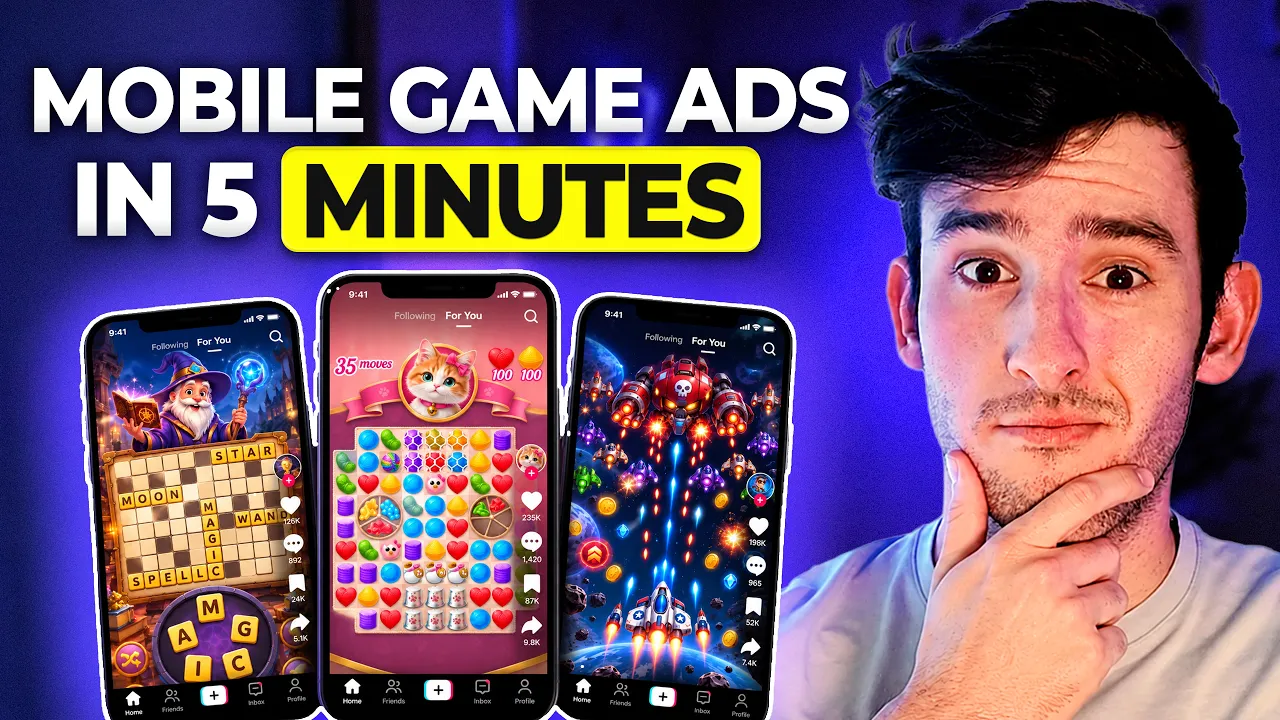
How to Make Mobile Game Ads with AI in 5 Minutes
How to Make Mobile Game Ads with AI in 5 Minutes


Tim Creatify
BAGIKAN


DALAM ARTIKEL INI
👉🏻 Try Creatify for free: https://creatify.ai/?utm_source=yt&utm_medium=sm_organic&utm_campaign=vs&utm_content=73
If you're a mobile game developer or a game studio running paid ads, this workflow fixes one of hardest parts: making enough fresh creative variations to keep testing different ad angles.
In this video I use Creatify's URL-to-video tool to create ready-to-run ads in less than 5 minutes. The workflow is simple: I feed a mobile game landing page into Creatify, it pulls the game's assets, writes scripts for different hooks (addictive gameplay, surprise factor, quick relaxation), and turns them into finished video ads with a realistic avatar and lip sync. I also break down what to check before you launch, and how to tweak the same creative for social ads vs. app store campaigns.
The approach:
1. Upload real gameplay screenshots or videos so your finished ads look exactly like the game
2. Generate multiple AI ad variations with different hooks, scripts, and avatars
3. Adapt the winners for social or app store campaigns and scale them with AdFlow
Great for indie mobile game developers, mobile app studios, and performance marketers running app install campaigns.
Thanks for watching!
— Joel
Timestamp:
0:00 – Intro
0:59 – URL to Video Setup
1:37 – Scripts and Avatars
2:06 – Rendering the Ads
2:34 – Final Ad Preview
4:34 – Case Study Results
5:18 – Scaling With AdFlow and Outro
#Creatify #MobileGameAds #GameMarketing
👉🏻 Try Creatify for free: https://creatify.ai/?utm_source=yt&utm_medium=sm_organic&utm_campaign=vs&utm_content=73
If you're a mobile game developer or a game studio running paid ads, this workflow fixes one of hardest parts: making enough fresh creative variations to keep testing different ad angles.
In this video I use Creatify's URL-to-video tool to create ready-to-run ads in less than 5 minutes. The workflow is simple: I feed a mobile game landing page into Creatify, it pulls the game's assets, writes scripts for different hooks (addictive gameplay, surprise factor, quick relaxation), and turns them into finished video ads with a realistic avatar and lip sync. I also break down what to check before you launch, and how to tweak the same creative for social ads vs. app store campaigns.
The approach:
1. Upload real gameplay screenshots or videos so your finished ads look exactly like the game
2. Generate multiple AI ad variations with different hooks, scripts, and avatars
3. Adapt the winners for social or app store campaigns and scale them with AdFlow
Great for indie mobile game developers, mobile app studios, and performance marketers running app install campaigns.
Thanks for watching!
— Joel
Timestamp:
0:00 – Intro
0:59 – URL to Video Setup
1:37 – Scripts and Avatars
2:06 – Rendering the Ads
2:34 – Final Ad Preview
4:34 – Case Study Results
5:18 – Scaling With AdFlow and Outro
#Creatify #MobileGameAds #GameMarketing

Anda mungkin juga menyukai




Siap mempercepat pemasaran Anda?
Uji ide produk baru Anda dalam hitungan menit dengan iklan video yang dihasilkan oleh AI


Siap mempercepat pemasaran Anda?
Uji ide produk baru Anda dalam hitungan menit dengan iklan video yang dihasilkan oleh AI
Siap mempercepat pemasaran Anda?
Uji ide produk baru Anda dalam hitungan menit dengan iklan video yang dihasilkan oleh AI
Siap mempercepat pemasaran Anda?
Uji ide produk baru Anda dalam hitungan menit dengan iklan video yang dihasilkan oleh AI

Buat iklan video yang menarik untuk produk Anda
dari URL apa pun



Creatify Lab • Hak Cipta © 2026
Bahasa
Indonesian (Indonesia)
Fitur
Alat
Kasus Penggunaan
Buat iklan video yang menarik untuk produk Anda
dari URL apa pun
Creatify Lab • Hak Cipta © 2026
Bahasa
Indonesian (Indonesia)
Fitur
Alat
Kasus Penggunaan
Buat iklan video yang menarik untuk produk Anda
dari URL apa pun
Creatify Lab • Hak Cipta © 2026
Bahasa
Indonesian (Indonesia)
Fitur
Alat
Kasus Penggunaan
YouTube
Snapchat
Shopify
Buat Avatar AI
OTT & CTV
Generasi Lead
Buat iklan video yang menarik untuk produk Anda
dari URL apa pun
Creatify Lab • Hak Cipta © 2026
Bahasa
Indonesian (Indonesia)
Fitur
Alat
Kasus Penggunaan

