

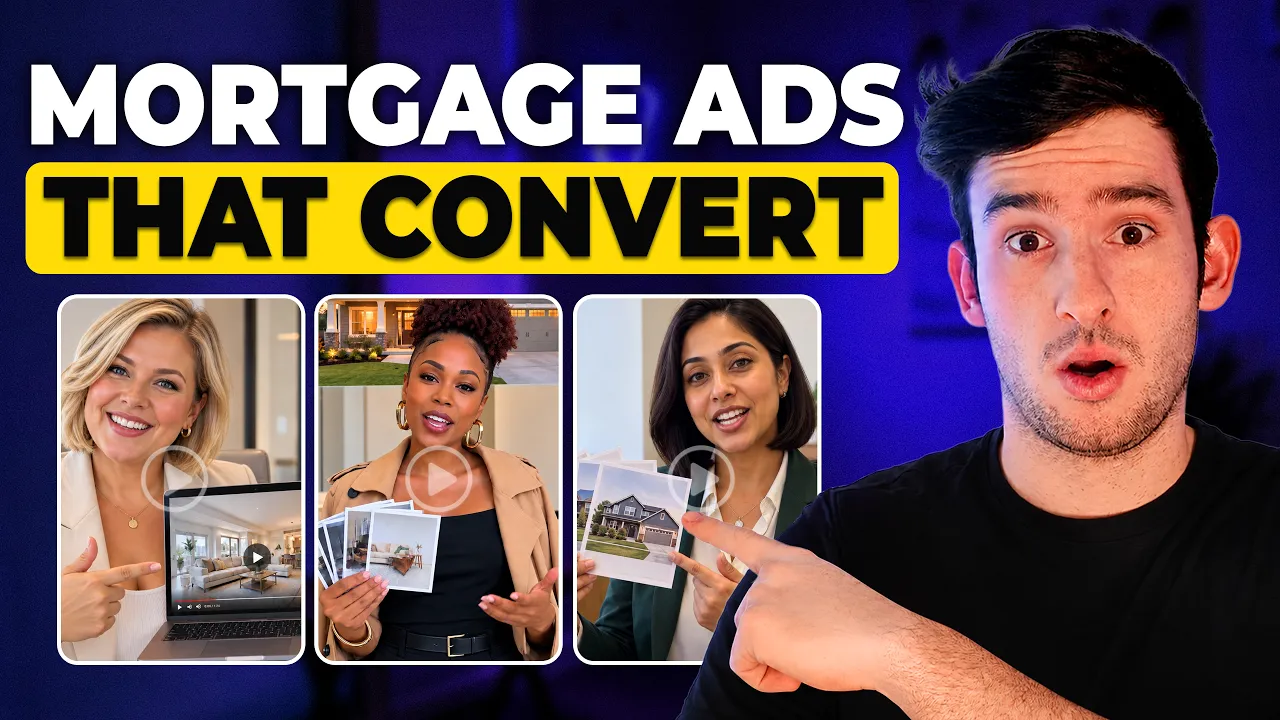
How to Make AI Ads for Mortgage Lead Generation
How to Make AI Ads for Mortgage Lead Generation


Tim Creatify
BAGIKAN


DALAM ARTIKEL INI
👉🏻 Try Creatify for free: https://creatify.ai/?utm_source=yt&utm_medium=sm_organic&utm_campaign=vs&utm_content=69
If you're running lead gen for a mortgage business and you're tired of guessing which ads actually pull leads and convert them to paying customers, this workflow fixes that. I take one mortgage offer as example, drop the website URL into Creatify's URL-to-video tool, pick the ad type and target audience, let the agent write the script, choose an avatar, and render a batch of ready-to-test ads. Then I show you how to spin one winning ad concept into multiple variations without rebuilding anything.
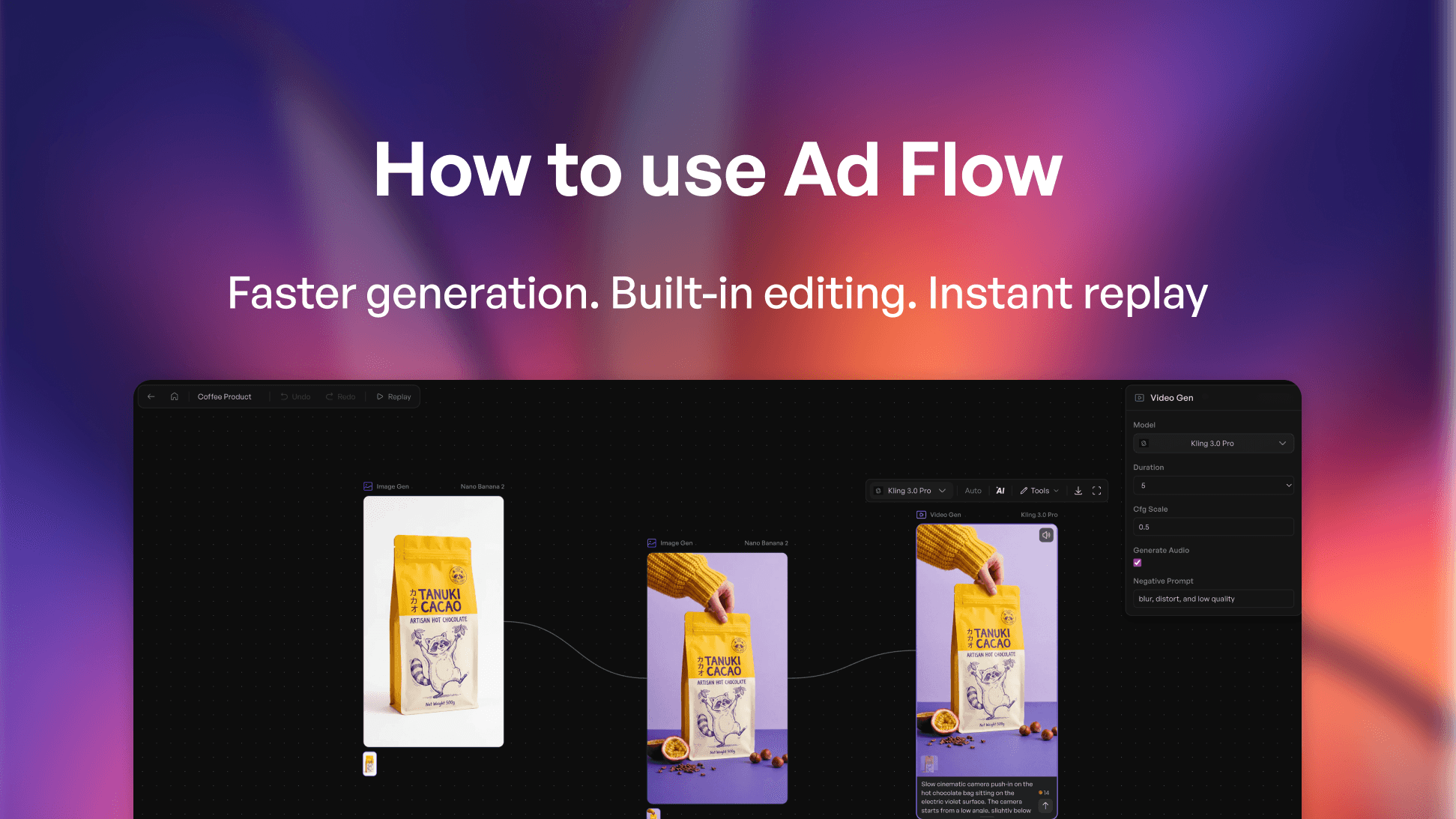
The tool I use is Creatify. I paste a link to the agent, it pulls the copy and images, generates ad scripts I can keep or rewrite with my own hook and CTA, matches it to an AI avatar, and renders finished video ads I can download and launch straight on platforms.
I also break down the part most people miss: how to take your best ad and create several test variations by swapping just the hook, the CTA, or the avatar in about two minutes each. Creatify is trained on more than 50 million ads and over a billion dollars in ad spend, so it's built around the patterns of what makes an ad convert.
One case study example is a carpet cleaning business that cut production time by 70%, and lowered cost per lead by 28% after adding this into their workflow. When you can only afford to test a handful of ads, you're basically guessing, so being able to produce and test way more variations is the fastest path I've found to hitting your target Cost-Per-Lead (CPL).
The workflow:
1. Find your offer and paste the business URL into Creatify's URL-to-video tool
2. Build the ad: pick the format, target audience, and script, then choose your avatar and render
3. Take the winning angle and create several variations by swapping the hook, CTA, or avatar to further test what converts
Great for mortgage brokers, insurance, and real estate teams running lead generation ads on Meta.
Thanks for watching!
- Joel
#Creatify #MortgageMarketing #LeadGeneration
Timestamp:
00:00 Intro
00:58 Case study: how one business scaled its creatives
01:55 Mortrage ad demo using URL-to-video
02:41 Reviewing the script and avatar
03:33 Reviewing the finished ad
04:56 Creating test variations (hook, CTA, avatar)
06:05 Workflow recap
06:17 Outro
👉🏻 Try Creatify for free: https://creatify.ai/?utm_source=yt&utm_medium=sm_organic&utm_campaign=vs&utm_content=69
If you're running lead gen for a mortgage business and you're tired of guessing which ads actually pull leads and convert them to paying customers, this workflow fixes that. I take one mortgage offer as example, drop the website URL into Creatify's URL-to-video tool, pick the ad type and target audience, let the agent write the script, choose an avatar, and render a batch of ready-to-test ads. Then I show you how to spin one winning ad concept into multiple variations without rebuilding anything.
The tool I use is Creatify. I paste a link to the agent, it pulls the copy and images, generates ad scripts I can keep or rewrite with my own hook and CTA, matches it to an AI avatar, and renders finished video ads I can download and launch straight on platforms.
I also break down the part most people miss: how to take your best ad and create several test variations by swapping just the hook, the CTA, or the avatar in about two minutes each. Creatify is trained on more than 50 million ads and over a billion dollars in ad spend, so it's built around the patterns of what makes an ad convert.
One case study example is a carpet cleaning business that cut production time by 70%, and lowered cost per lead by 28% after adding this into their workflow. When you can only afford to test a handful of ads, you're basically guessing, so being able to produce and test way more variations is the fastest path I've found to hitting your target Cost-Per-Lead (CPL).
The workflow:
1. Find your offer and paste the business URL into Creatify's URL-to-video tool
2. Build the ad: pick the format, target audience, and script, then choose your avatar and render
3. Take the winning angle and create several variations by swapping the hook, CTA, or avatar to further test what converts
Great for mortgage brokers, insurance, and real estate teams running lead generation ads on Meta.
Thanks for watching!
- Joel
#Creatify #MortgageMarketing #LeadGeneration
Timestamp:
00:00 Intro
00:58 Case study: how one business scaled its creatives
01:55 Mortrage ad demo using URL-to-video
02:41 Reviewing the script and avatar
03:33 Reviewing the finished ad
04:56 Creating test variations (hook, CTA, avatar)
06:05 Workflow recap
06:17 Outro

Anda mungkin juga menyukai


Siap mempercepat pemasaran Anda?
Uji ide produk baru Anda dalam hitungan menit dengan iklan video yang dihasilkan oleh AI


Siap mempercepat pemasaran Anda?
Uji ide produk baru Anda dalam hitungan menit dengan iklan video yang dihasilkan oleh AI
Siap mempercepat pemasaran Anda?
Uji ide produk baru Anda dalam hitungan menit dengan iklan video yang dihasilkan oleh AI
Siap mempercepat pemasaran Anda?
Uji ide produk baru Anda dalam hitungan menit dengan iklan video yang dihasilkan oleh AI

Buat iklan video yang menarik untuk produk Anda
dari URL apa pun



Creatify Lab • Hak Cipta © 2026
Bahasa
Indonesian (Indonesia)
Fitur
Alat
Kasus Penggunaan
Buat iklan video yang menarik untuk produk Anda
dari URL apa pun
Creatify Lab • Hak Cipta © 2026
Bahasa
Indonesian (Indonesia)
Fitur
Alat
Kasus Penggunaan
Buat iklan video yang menarik untuk produk Anda
dari URL apa pun
Creatify Lab • Hak Cipta © 2026
Bahasa
Indonesian (Indonesia)
Fitur
Alat
Kasus Penggunaan
YouTube
Snapchat
Shopify
Buat Avatar AI
OTT & CTV
Generasi Lead
Buat iklan video yang menarik untuk produk Anda
dari URL apa pun
Creatify Lab • Hak Cipta © 2026
Bahasa
Indonesian (Indonesia)
Fitur
Alat
Kasus Penggunaan

