

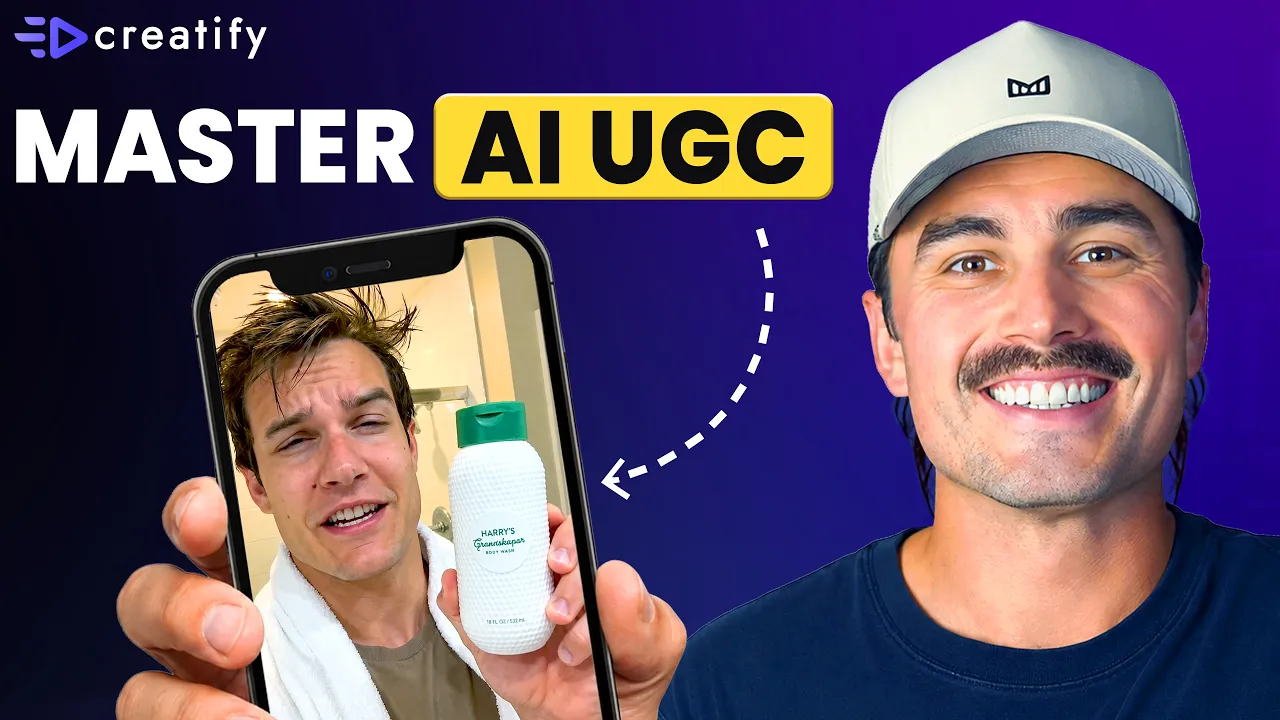
Cómo crear tu primer anuncio de video de UGC con IA (sin experiencia y sin presupuesto)
Cómo crear tu primer anuncio de video de UGC con IA (sin experiencia y sin presupuesto)


Equipo Creatify
COMPARTIR


EN ESTE ARTÍCULO
👉🏻 Prueba Creatify gratis: https://creatify.ai/?utm_source=yt&utm_medium=sm_organic&utm_campaign=vs&utm_content=42
Cómo crear tu primer anuncio de video UGC con IA a partir de un solo producto, en menos de 5 minutos, sin cámara, sin software de edición y sin necesidad de experiencia previa.
Si eres un fundador de e-commerce en solitario que sigue posponiendo el lanzamiento de anuncios porque no sabes cómo grabar, editar o no puedes permitirte un equipo de producción, este flujo de trabajo elimina cada uno de esos obstáculos. Te guiaré paso a paso sobre cómo usar una sola herramienta para pasar de la URL de un producto a un anuncio de video de estilo UGC terminado, sin necesidad de experiencia previa. Subes la URL de tu producto como recurso, describes lo que quieres en una frase y el Agente de IA redacta el plan creativo, organiza el pipeline de trabajo y te entrega un anuncio listo para publicar.
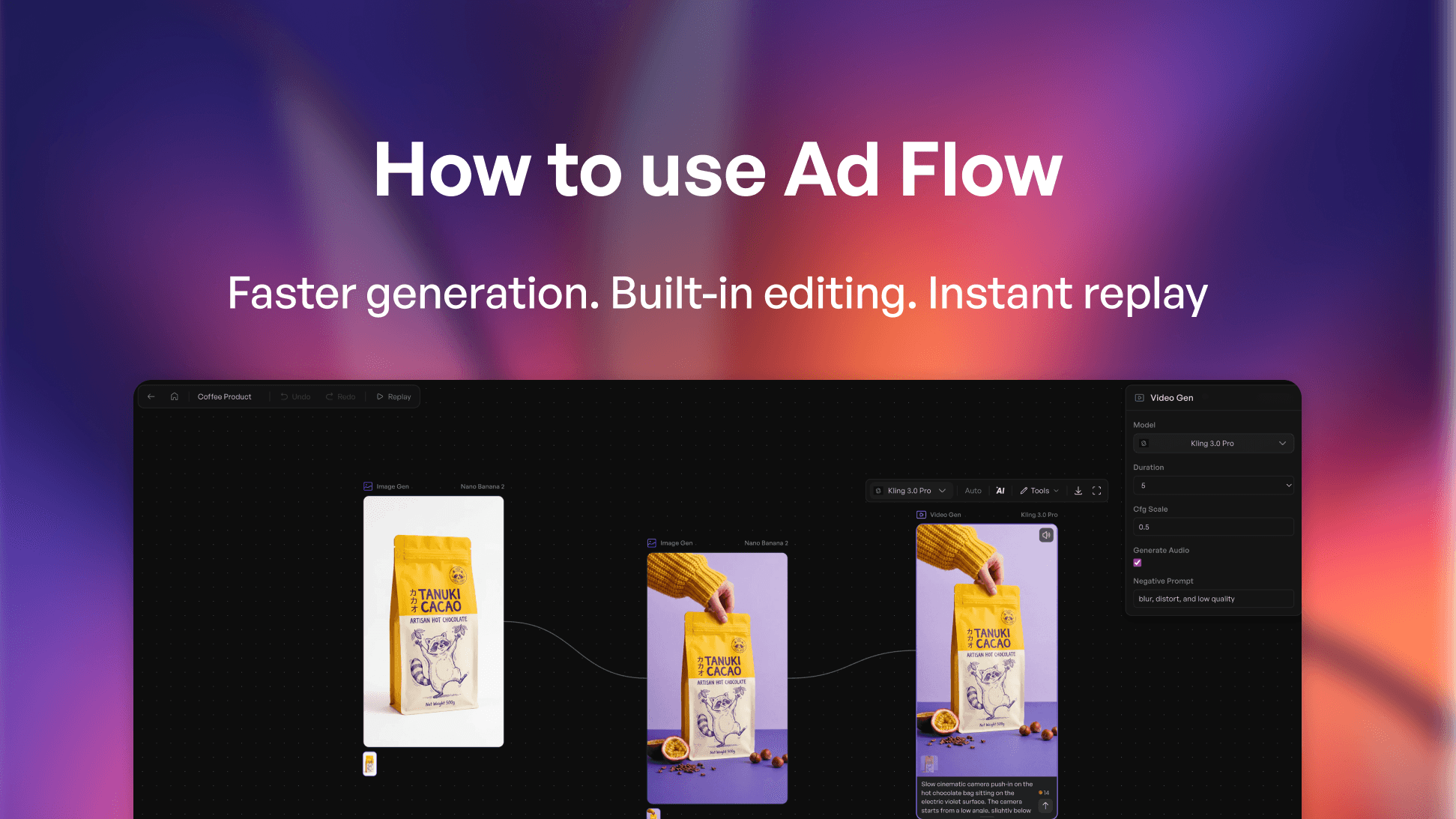
La herramienta que utilizo es Creatify — específicamente AdFlow Copilot, que toma la URL de tu producto, extrae automáticamente los detalles del mismo y luego propone una dirección creativa completa con un gancho, estructura de escenas y textos antes de que se construya nada. Revisas y apruebas el plan dentro del chat, luego haces clic en Confirmar y Construir, y Copilot ensambla todo el pipeline de nodos en el lienzo para ti.
También detallo los tres errores que cometen la mayoría de los principiantes: complicar demasiado el brief, aprobar el plan creativo sin leerlo realmente y saltarse el paso de ajuste fino después de que se construye el pipeline. Hacer esto bien es lo que separa un anuncio de IA perezoso de uno que realmente funciona y convierte.
Pasé de tener cero experiencia a un anuncio de video terminado y listo para exportar en menos de 5 minutos — sin cámara, sin creadores, sin presupuesto de producción, solo con la URL de un producto y un brief de una sola línea. Ese es el tipo de rendimiento que antes dejaba a los fundadores en solitario completamente fuera de los anuncios pagados. Si has estado postergando el lanzamiento de tu primer anuncio porque la parte de producción te parecía demasiado difícil, esta es la ruta más rápida que he encontrado.
El enfoque:
1. Pega la URL de tu producto en Creatify — extrae automáticamente los detalles del producto y los puntos de venta clave
2. Abre AdFlow, pega tu producto, describe el anuncio que quieres en una frase, revisa el plan creativo en el chat y luego haz clic en Confirmar y Construir
3. Revisa los nodos, prueba diferentes modelos con el uso estimado de créditos y exporta directamente a Meta, TikTok o Axon
Funciona para tiendas Shopify, marcas DTC, negocios de dropshipping, vendedores de Amazon — cualquier fundador en solitario que necesite un anuncio de video real sin presupuesto de producción.
¡Gracias por vernos!
-- Eric
Marcas de tiempo:
0:00 – Introducción
0:50 – Por qué la mayoría de los principiantes nunca crean su primer anuncio
1:25 – Qué estamos construyendo: Anuncio de video con IA de estilo UGC
1:39 – Primeros pasos con Creatify AdFlow
2:01 – Tutorial paso a paso de AdFlow Copilot
4:13 – Cómo funcionan los nodos de AdFlow
6:33 – Los 3 errores que cometen los principiantes con los anuncios de video con IA
7:33 – Conclusiones finales
#CreatifyAdFlow #AIVideoAds #UGCVideoAds
👉🏻 Prueba Creatify gratis: https://creatify.ai/?utm_source=yt&utm_medium=sm_organic&utm_campaign=vs&utm_content=42
Cómo crear tu primer anuncio de video UGC con IA a partir de un solo producto, en menos de 5 minutos, sin cámara, sin software de edición y sin necesidad de experiencia previa.
Si eres un fundador de e-commerce en solitario que sigue posponiendo el lanzamiento de anuncios porque no sabes cómo grabar, editar o no puedes permitirte un equipo de producción, este flujo de trabajo elimina cada uno de esos obstáculos. Te guiaré paso a paso sobre cómo usar una sola herramienta para pasar de la URL de un producto a un anuncio de video de estilo UGC terminado, sin necesidad de experiencia previa. Subes la URL de tu producto como recurso, describes lo que quieres en una frase y el Agente de IA redacta el plan creativo, organiza el pipeline de trabajo y te entrega un anuncio listo para publicar.
La herramienta que utilizo es Creatify — específicamente AdFlow Copilot, que toma la URL de tu producto, extrae automáticamente los detalles del mismo y luego propone una dirección creativa completa con un gancho, estructura de escenas y textos antes de que se construya nada. Revisas y apruebas el plan dentro del chat, luego haces clic en Confirmar y Construir, y Copilot ensambla todo el pipeline de nodos en el lienzo para ti.
También detallo los tres errores que cometen la mayoría de los principiantes: complicar demasiado el brief, aprobar el plan creativo sin leerlo realmente y saltarse el paso de ajuste fino después de que se construye el pipeline. Hacer esto bien es lo que separa un anuncio de IA perezoso de uno que realmente funciona y convierte.
Pasé de tener cero experiencia a un anuncio de video terminado y listo para exportar en menos de 5 minutos — sin cámara, sin creadores, sin presupuesto de producción, solo con la URL de un producto y un brief de una sola línea. Ese es el tipo de rendimiento que antes dejaba a los fundadores en solitario completamente fuera de los anuncios pagados. Si has estado postergando el lanzamiento de tu primer anuncio porque la parte de producción te parecía demasiado difícil, esta es la ruta más rápida que he encontrado.
El enfoque:
1. Pega la URL de tu producto en Creatify — extrae automáticamente los detalles del producto y los puntos de venta clave
2. Abre AdFlow, pega tu producto, describe el anuncio que quieres en una frase, revisa el plan creativo en el chat y luego haz clic en Confirmar y Construir
3. Revisa los nodos, prueba diferentes modelos con el uso estimado de créditos y exporta directamente a Meta, TikTok o Axon
Funciona para tiendas Shopify, marcas DTC, negocios de dropshipping, vendedores de Amazon — cualquier fundador en solitario que necesite un anuncio de video real sin presupuesto de producción.
¡Gracias por vernos!
-- Eric
Marcas de tiempo:
0:00 – Introducción
0:50 – Por qué la mayoría de los principiantes nunca crean su primer anuncio
1:25 – Qué estamos construyendo: Anuncio de video con IA de estilo UGC
1:39 – Primeros pasos con Creatify AdFlow
2:01 – Tutorial paso a paso de AdFlow Copilot
4:13 – Cómo funcionan los nodos de AdFlow
6:33 – Los 3 errores que cometen los principiantes con los anuncios de video con IA
7:33 – Conclusiones finales
#CreatifyAdFlow #AIVideoAds #UGCVideoAds

¿Listo para convertir tu producto en un video atractivo?
También te puede interesar




¿Listo para acelerar tu marketing?
Prueba tus nuevas ideas de producto en minutos con anuncios de video generados por IA


¿Listo para acelerar tu marketing?
Prueba tus nuevas ideas de producto en minutos con anuncios de video generados por IA
¿Listo para acelerar tu marketing?
Prueba tus nuevas ideas de producto en minutos con anuncios de video generados por IA
¿Listo para acelerar tu marketing?
Prueba tus nuevas ideas de producto en minutos con anuncios de video generados por IA

Genera anuncios de video atractivos para tus productos
desde cualquier URL



Creatify Lab • Copyright © 2026
Idioma
Spanish
Características
Herramientas
Casos de Uso
Genera anuncios de video atractivos para tus productos
desde cualquier URL
Creatify Lab • Copyright © 2026
Idioma
Spanish
Características
Herramientas
Casos de Uso
Genera anuncios de video atractivos para tus productos
desde cualquier URL
Creatify Lab • Copyright © 2026
Idioma
Spanish
Características
Herramientas
Casos de Uso
YouTube
Snapchat
Shopify
Crear Avatar de IA
OTT y CTV
Generación de Leads
Genera anuncios de video atractivos para tus productos
desde cualquier URL
Creatify Lab • Copyright © 2026
Idioma
Spanish
Características
Herramientas
Casos de Uso

