

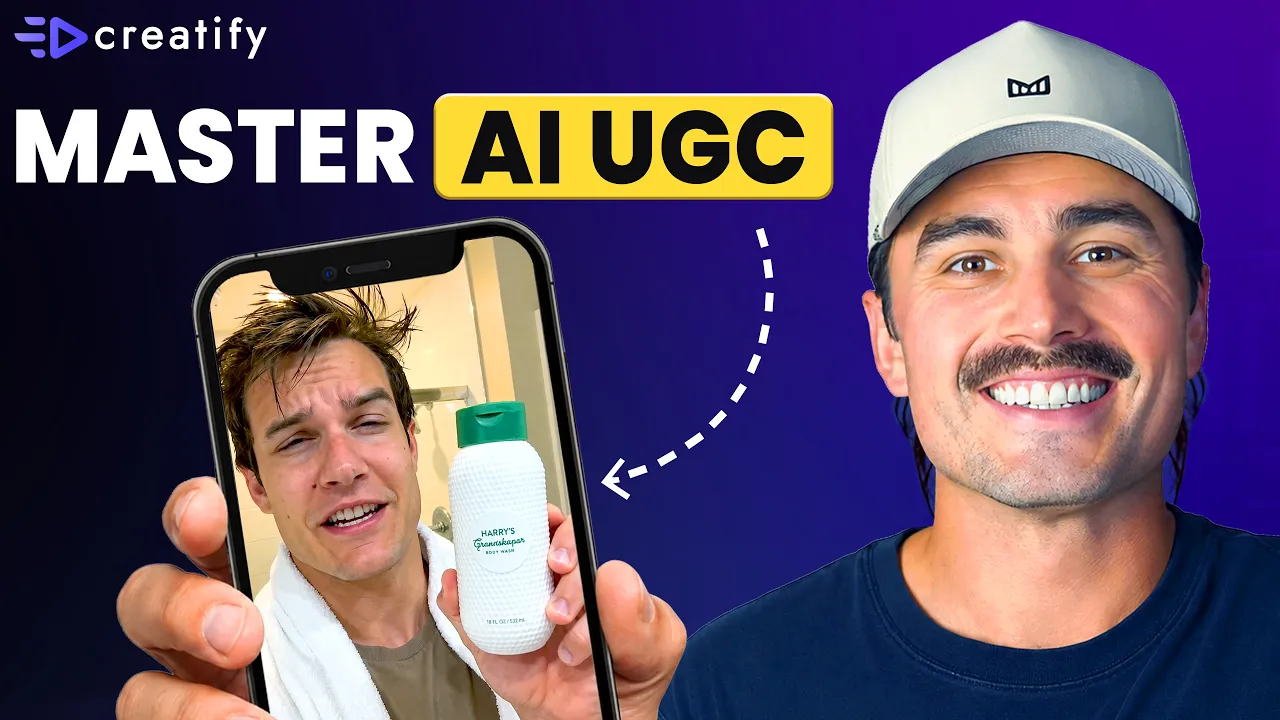
Wie Sie Ihre erste AI-UGC-Videoanzeige erstellen (keine Erfahrung, kein Budget erforderlich)
Wie Sie Ihre erste AI-UGC-Videoanzeige erstellen (keine Erfahrung, kein Budget erforderlich)


Creatify-Team
TEILEN


IN DIESEM ARTIKEL
👉🏻 Teste Creatify kostenlos: https://creatify.ai/?utm_source=yt&utm_medium=sm_organic&utm_campaign=vs&utm_content=42
Wie du deine erste KI-UGC-Videoanzeige aus einem einzigen Produkt erstellst – in unter 5 Minuten, ohne Kamera, ohne Bearbeitungssoftware und ohne Vorkenntnisse.
Wenn du ein Solo-E-Commerce-Gründer bist, der das Schalten von Ads immer wieder aufschiebt, weil du nicht weißt, wie man filmt, schneidet oder dir kein Produktionsteam leisten kannst, schafft dieser Workflow all diese Hürden aus dem Weg. Ich zeige dir Schritt für Schritt, wie du mit nur einem Tool von einer Produkt-URL zu einer fertigen Videoanzeige im UGC-Stil gelangst – ganz ohne Vorkenntnisse. Du lädst deine Produkt-URL als Asset hoch, beschreibst in einem Satz, was du willst, und der KI-Agent schreibt das kreative Konzept, baut die Pipeline auf und liefert dir eine startbereite Anzeige.
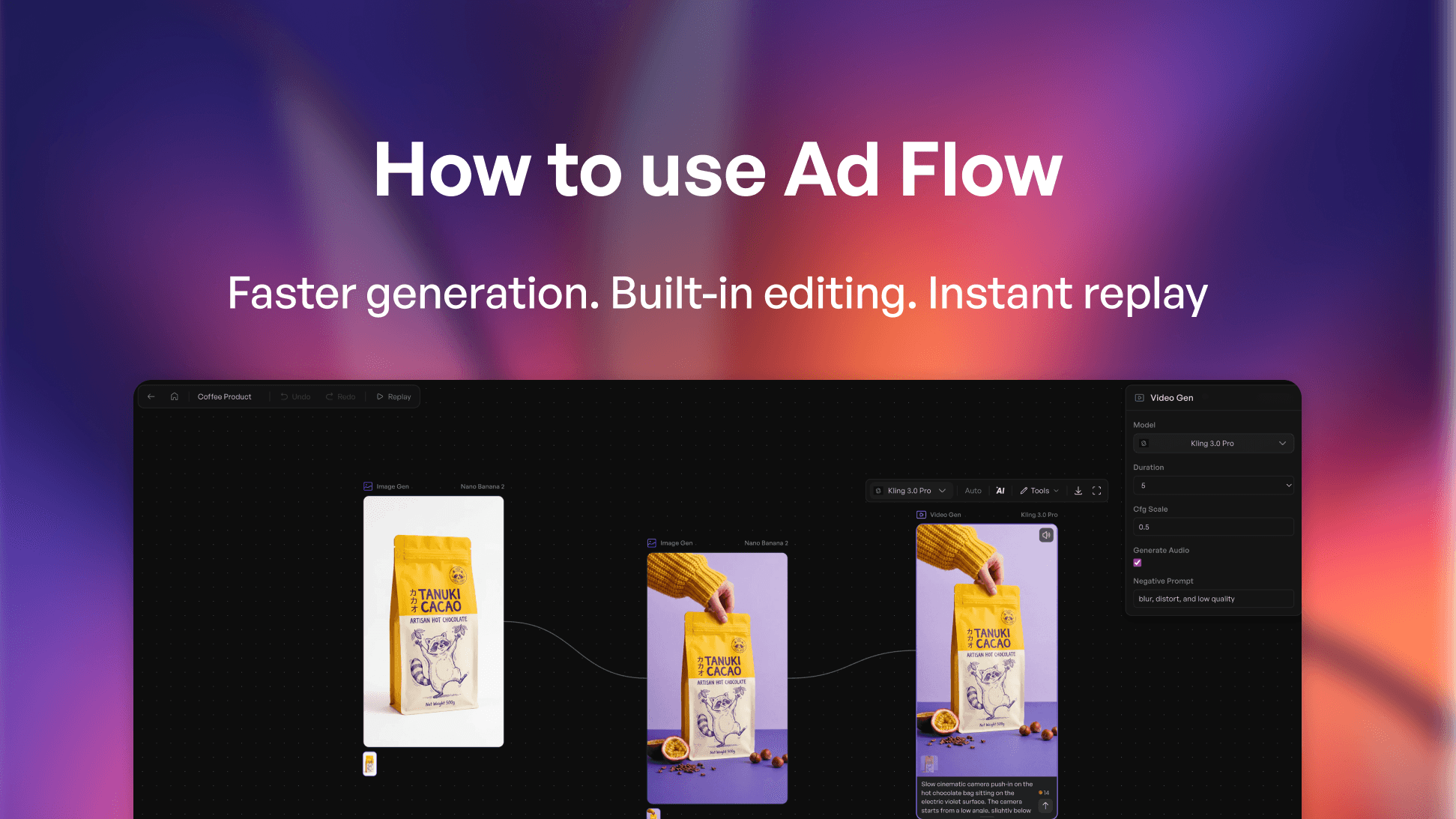
Das Tool, das ich verwende, ist Creatify – genauer gesagt der AdFlow Copilot. Er nimmt deine Produkt-URL, scrapt automatisch die Produktdetails und schlägt dann eine komplette kreative Richtung mit Hook, Szenenstruktur und Copy vor, noch bevor irgendetwas erstellt wird. Du überprüfst und genehmigst das Konzept direkt im Chat, klickst auf „Confirm and Build“ – und der Copilot baut die gesamte Node-Pipeline auf dem Canvas für dich zusammen.
Ich gehe auch auf die drei Fehler ein, die die meisten Anfänger machen: das Briefing zu kompliziert zu gestalten, das kreative Konzept abzusegnen, ohne es tatsächlich zu lesen, und den Schritt der Feinabstimmung zu überspringen, nachdem die Pipeline steht. Diese Punkte richtig zu machen, unterscheidet eine lieblose KI-Ad von einer, die tatsächlich performt und konvertiert.
Ich bin in unter 5 Minuten von null Erfahrung zu einer fertigen, exportbereiten Videoanzeige gelangt – ohne Kamera, ohne Creators, ohne Produktionsbudget, nur mit einer Produkt-URL und einem einzeiligen Briefing. Das ist genau der Output, der Solo-Gründer früher komplett von Paid Ads abgehalten hat. Wenn du mit deiner ersten Anzeige gezögert hast, weil dir die Produktion zu aufwendig erschien, ist dies der schnellste Weg, den ich kenne.
Der Ansatz:
1. Füge deine Produkt-URL in Creatify ein – die Produktdetails und Verkaufsargumente werden automatisch gescrapt
2. Öffne AdFlow, füge dein Produkt ein, beschreibe die gewünschte Ad in einem Satz, überprüfe das kreative Konzept im Chat und klicke dann auf „Confirm and Build“
3. Überprüfe die Nodes, teste verschiedene Modelle mit geschätztem Credit-Verbrauch und exportiere direkt zu Meta, TikTok oder Axon
Funktioniert für Shopify-Stores, DTC-Brands, Dropshipping-Businesses, Amazon-Seller – jeden Solo-Gründer, der eine echte Videoanzeige ohne Produktionsbudget braucht.
Vielen Dank fürs Zuschauen!
-- Eric
Timestamps:
0:00 – Einführung
0:50 – Warum die meisten Anfänger nie ihre erste Ad erstellen
1:25 – Was wir bauen: KI-Videoanzeige im UGC-Stil
1:39 – Erste Schritte mit Creatify AdFlow
2:01 – AdFlow Copilot Schritt-für-Schritt-Tutorial
4:13 – Wie AdFlow Nodes funktionieren
6:33 – 3 Fehler, die Anfänger bei KI-Videoanzeigen machen
7:33 – Fazit
#CreatifyAdFlow #AIVideoAds #UGCVideoAds
👉🏻 Teste Creatify kostenlos: https://creatify.ai/?utm_source=yt&utm_medium=sm_organic&utm_campaign=vs&utm_content=42
Wie du deine erste KI-UGC-Videoanzeige aus einem einzigen Produkt erstellst – in unter 5 Minuten, ohne Kamera, ohne Bearbeitungssoftware und ohne Vorkenntnisse.
Wenn du ein Solo-E-Commerce-Gründer bist, der das Schalten von Ads immer wieder aufschiebt, weil du nicht weißt, wie man filmt, schneidet oder dir kein Produktionsteam leisten kannst, schafft dieser Workflow all diese Hürden aus dem Weg. Ich zeige dir Schritt für Schritt, wie du mit nur einem Tool von einer Produkt-URL zu einer fertigen Videoanzeige im UGC-Stil gelangst – ganz ohne Vorkenntnisse. Du lädst deine Produkt-URL als Asset hoch, beschreibst in einem Satz, was du willst, und der KI-Agent schreibt das kreative Konzept, baut die Pipeline auf und liefert dir eine startbereite Anzeige.
Das Tool, das ich verwende, ist Creatify – genauer gesagt der AdFlow Copilot. Er nimmt deine Produkt-URL, scrapt automatisch die Produktdetails und schlägt dann eine komplette kreative Richtung mit Hook, Szenenstruktur und Copy vor, noch bevor irgendetwas erstellt wird. Du überprüfst und genehmigst das Konzept direkt im Chat, klickst auf „Confirm and Build“ – und der Copilot baut die gesamte Node-Pipeline auf dem Canvas für dich zusammen.
Ich gehe auch auf die drei Fehler ein, die die meisten Anfänger machen: das Briefing zu kompliziert zu gestalten, das kreative Konzept abzusegnen, ohne es tatsächlich zu lesen, und den Schritt der Feinabstimmung zu überspringen, nachdem die Pipeline steht. Diese Punkte richtig zu machen, unterscheidet eine lieblose KI-Ad von einer, die tatsächlich performt und konvertiert.
Ich bin in unter 5 Minuten von null Erfahrung zu einer fertigen, exportbereiten Videoanzeige gelangt – ohne Kamera, ohne Creators, ohne Produktionsbudget, nur mit einer Produkt-URL und einem einzeiligen Briefing. Das ist genau der Output, der Solo-Gründer früher komplett von Paid Ads abgehalten hat. Wenn du mit deiner ersten Anzeige gezögert hast, weil dir die Produktion zu aufwendig erschien, ist dies der schnellste Weg, den ich kenne.
Der Ansatz:
1. Füge deine Produkt-URL in Creatify ein – die Produktdetails und Verkaufsargumente werden automatisch gescrapt
2. Öffne AdFlow, füge dein Produkt ein, beschreibe die gewünschte Ad in einem Satz, überprüfe das kreative Konzept im Chat und klicke dann auf „Confirm and Build“
3. Überprüfe die Nodes, teste verschiedene Modelle mit geschätztem Credit-Verbrauch und exportiere direkt zu Meta, TikTok oder Axon
Funktioniert für Shopify-Stores, DTC-Brands, Dropshipping-Businesses, Amazon-Seller – jeden Solo-Gründer, der eine echte Videoanzeige ohne Produktionsbudget braucht.
Vielen Dank fürs Zuschauen!
-- Eric
Timestamps:
0:00 – Einführung
0:50 – Warum die meisten Anfänger nie ihre erste Ad erstellen
1:25 – Was wir bauen: KI-Videoanzeige im UGC-Stil
1:39 – Erste Schritte mit Creatify AdFlow
2:01 – AdFlow Copilot Schritt-für-Schritt-Tutorial
4:13 – Wie AdFlow Nodes funktionieren
6:33 – 3 Fehler, die Anfänger bei KI-Videoanzeigen machen
7:33 – Fazit
#CreatifyAdFlow #AIVideoAds #UGCVideoAds

Bereit, Ihr Produkt in ein fesselndes Video zu verwandeln?
Das könnte Ihnen auch gefallen




Bereit, Ihr Marketing zu beschleunigen?
Testen Sie Ihre neuen Produktideen innerhalb von Minuten mit KI-generierten Videoanzeigen

Bereit, Ihr Marketing zu beschleunigen?
Testen Sie Ihre neuen Produktideen innerhalb von Minuten mit KI-generierten Videoanzeigen
Bereit, Ihr Marketing zu beschleunigen?
Testen Sie Ihre neuen Produktideen innerhalb von Minuten mit KI-generierten Videoanzeigen
Bereit, Ihr Marketing zu beschleunigen?
Testen Sie Ihre neuen Produktideen innerhalb von Minuten mit KI-generierten Videoanzeigen

Erstellen Sie ansprechende Videoanzeigen für Ihre Produkte
von jeder URL



Creatify Lab • Urheberrecht © 2026
Sprache
German (Germany)
Features
Tools
Anwendungsfälle
Erstellen Sie ansprechende Videoanzeigen für Ihre Produkte
von jeder URL
Creatify Lab • Urheberrecht © 2026
Sprache
German (Germany)
Features
Tools
Anwendungsfälle
Erstellen Sie ansprechende Videoanzeigen für Ihre Produkte
von jeder URL
Creatify Lab • Urheberrecht © 2026
Sprache
German (Germany)
Features
Tools
Anwendungsfälle
YouTube
Snapchat
Shopify
Erstelle KI-Avatar
OTT & CTV
Lead-Generierung
Erstellen Sie ansprechende Videoanzeigen für Ihre Produkte
von jeder URL
Creatify Lab • Urheberrecht © 2026
Sprache
German (Germany)
Features
Tools
Anwendungsfälle

