

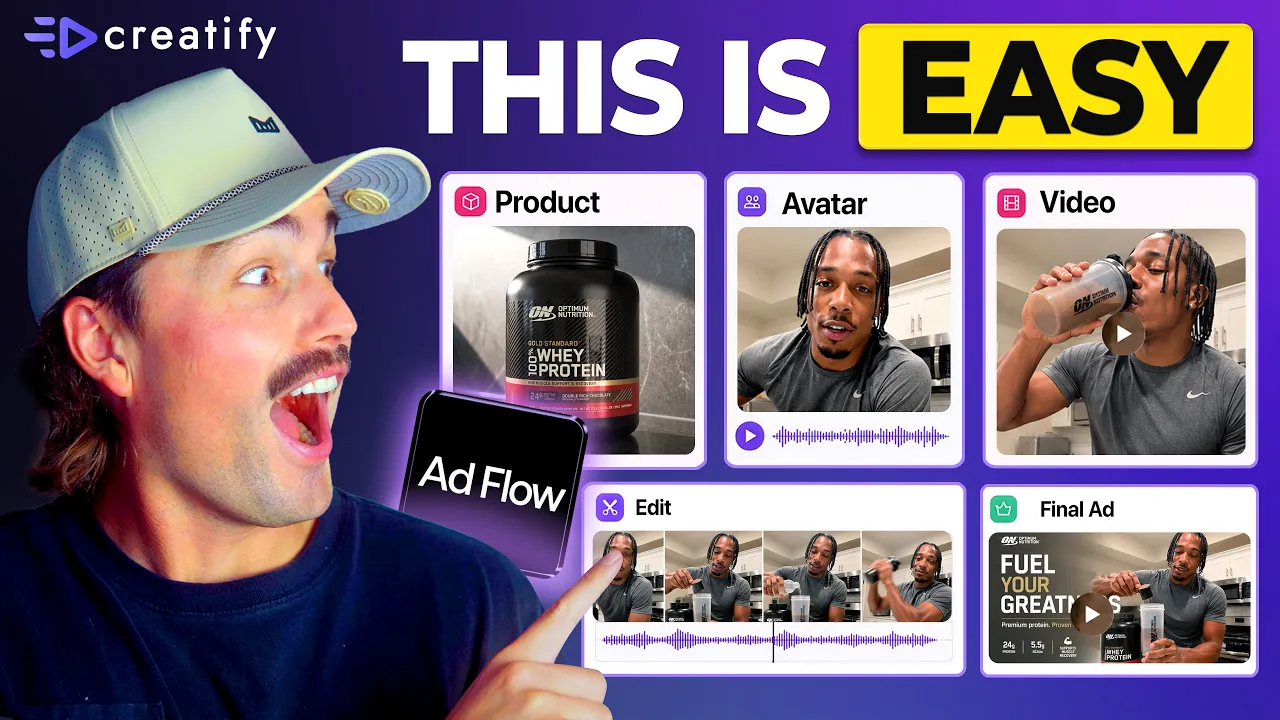
Toda marca está migrando para ferramentas de IA baseadas em nós. Aqui está o porquê (Workflow completo para iniciantes)
Toda marca está migrando para ferramentas de IA baseadas em nós. Aqui está o porquê (Workflow completo para iniciantes)


Equipe Creatify
COMPARTILHAR


NESTE ARTIGO
👉🏻 Experimente o Creatify gratuitamente: https://creatify.ai/?utm_source=yt&utm_medium=sm_organic&utm_campaign=vs&utm_content=41
Como criar e testar criativos de anúncios usando um fluxo de trabalho de IA baseado em nós — sem codificação e sem precisar reconstruir do zero toda vez.
Se você está veiculando anúncios e perdendo horas reconstruindo seu criativo toda vez que deseja testar um novo gancho ou ângulo, este fluxo de trabalho elimina esse gargalo completamente. Eu explico o que é um nó em termos simples, como cada parte do seu anúncio — roteiro, avatar, produto, CTA — se torna seu próprio bloco de Lego intercambiável e como uma ferramenta permite descrever o anúncio que você deseja e monta automaticamente todo o pipeline para você. Você revisa e aprova o plano criativo completo antes que qualquer coisa seja construída.
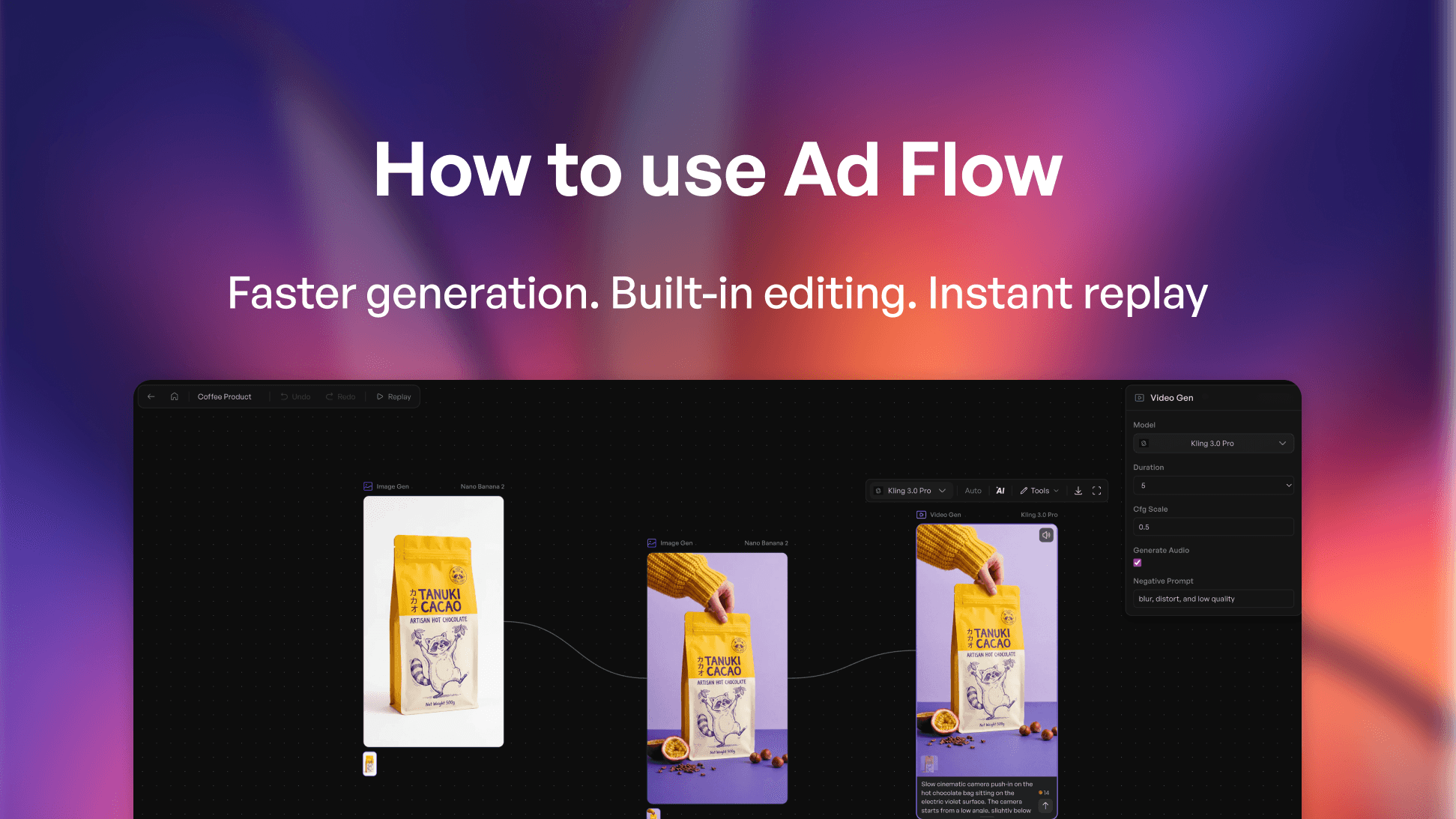
A ferramenta que utilizo é o Creatify — especificamente o AdFlow Copilot, que recebe uma descrição de uma linha, gera uma direção criativa completa com uma proposta de gancho, estrutura de cena e texto, e então constrói toda a tela de nós no momento em que você confirma. Sem fiação manual, sem posicionamento de nós, sem necessidade de configuração técnica.
Passei de gastar 2 a 3 horas reconstruindo um anúncio toda vez que queria testar um novo ângulo, para trocar um único nó e rodar uma nova versão em menos de 10 minutos — sem tocar no restante da estrutura. Isso é uma fração do tempo de produção e significa que posso testar de 10 a 15 variações em uma semana em vez de duas ou três. Se você está lidando com a fadiga de anúncios e precisa de um fluxo de trabalho de automação criativa que acompanhe o seu volume de testes, este é o caminho mais rápido que encontrei.
A abordagem:
1. Use o Copilot para gerar seu primeiro pipeline: descreva o anúncio, aprove o plano e deixe-o construir
2. Identifique o único nó que deseja testar: gancho, avatar ou CTA — e mude apenas isso
3. Execute iterações em uma única tela para descobrir o que converte sem começar do zero
Este fluxo de trabalho funciona para marcas de e-commerce, profissionais de marketing de DTC, lojas de dropshipping, compradores de mídia — qualquer anunciante que trabalhe com tráfego pago e precise de mais volume criativo sem aumentar o tempo de produção.
Obrigado por assistir!
-- Eric
Marcações de tempo:
0:00 – Introdução
0:42 – O que é um nó na criação de anúncios com IA?
1:30 – Por que as ferramentas de anúncios com IA baseadas em nós estão dominando
1:45 – Como funciona a criação de anúncios baseada em nós
2:57 – Criando um anúncio com o Creatify AdFlow Copilot
4:06 – Criando um anúncio de IA passo a passo
6:30 – Escolhendo o modelo de vídeo de IA ideal
8:06 – Como escalar os testes de criativos de anúncios
9:24 – Encerramento
#CreatifyAdFlow #NodeBasedAI #AIWorkflow
👉🏻 Experimente o Creatify gratuitamente: https://creatify.ai/?utm_source=yt&utm_medium=sm_organic&utm_campaign=vs&utm_content=41
Como criar e testar criativos de anúncios usando um fluxo de trabalho de IA baseado em nós — sem codificação e sem precisar reconstruir do zero toda vez.
Se você está veiculando anúncios e perdendo horas reconstruindo seu criativo toda vez que deseja testar um novo gancho ou ângulo, este fluxo de trabalho elimina esse gargalo completamente. Eu explico o que é um nó em termos simples, como cada parte do seu anúncio — roteiro, avatar, produto, CTA — se torna seu próprio bloco de Lego intercambiável e como uma ferramenta permite descrever o anúncio que você deseja e monta automaticamente todo o pipeline para você. Você revisa e aprova o plano criativo completo antes que qualquer coisa seja construída.
A ferramenta que utilizo é o Creatify — especificamente o AdFlow Copilot, que recebe uma descrição de uma linha, gera uma direção criativa completa com uma proposta de gancho, estrutura de cena e texto, e então constrói toda a tela de nós no momento em que você confirma. Sem fiação manual, sem posicionamento de nós, sem necessidade de configuração técnica.
Passei de gastar 2 a 3 horas reconstruindo um anúncio toda vez que queria testar um novo ângulo, para trocar um único nó e rodar uma nova versão em menos de 10 minutos — sem tocar no restante da estrutura. Isso é uma fração do tempo de produção e significa que posso testar de 10 a 15 variações em uma semana em vez de duas ou três. Se você está lidando com a fadiga de anúncios e precisa de um fluxo de trabalho de automação criativa que acompanhe o seu volume de testes, este é o caminho mais rápido que encontrei.
A abordagem:
1. Use o Copilot para gerar seu primeiro pipeline: descreva o anúncio, aprove o plano e deixe-o construir
2. Identifique o único nó que deseja testar: gancho, avatar ou CTA — e mude apenas isso
3. Execute iterações em uma única tela para descobrir o que converte sem começar do zero
Este fluxo de trabalho funciona para marcas de e-commerce, profissionais de marketing de DTC, lojas de dropshipping, compradores de mídia — qualquer anunciante que trabalhe com tráfego pago e precise de mais volume criativo sem aumentar o tempo de produção.
Obrigado por assistir!
-- Eric
Marcações de tempo:
0:00 – Introdução
0:42 – O que é um nó na criação de anúncios com IA?
1:30 – Por que as ferramentas de anúncios com IA baseadas em nós estão dominando
1:45 – Como funciona a criação de anúncios baseada em nós
2:57 – Criando um anúncio com o Creatify AdFlow Copilot
4:06 – Criando um anúncio de IA passo a passo
6:30 – Escolhendo o modelo de vídeo de IA ideal
8:06 – Como escalar os testes de criativos de anúncios
9:24 – Encerramento
#CreatifyAdFlow #NodeBasedAI #AIWorkflow

Pronto para transformar seu produto em um vídeo envolvente?
Você também pode gostar




Pronto para acelerar seu marketing?
Teste suas novas ideias de produto em minutos com anúncios em vídeo gerados por IA

Pronto para acelerar seu marketing?
Teste suas novas ideias de produto em minutos com anúncios em vídeo gerados por IA
Pronto para acelerar seu marketing?
Teste suas novas ideias de produto em minutos com anúncios em vídeo gerados por IA
Pronto para acelerar seu marketing?
Teste suas novas ideias de produto em minutos com anúncios em vídeo gerados por IA

Crie anúncios de vídeo envolventes para seus produtos
de qualquer URL



Creatify Lab • Copyright © 2026
Idioma
Portuguese
Recursos
Ferramentas
Casos de Uso
Crie anúncios de vídeo envolventes para seus produtos
de qualquer URL
Creatify Lab • Copyright © 2026
Idioma
Portuguese
Recursos
Ferramentas
Casos de Uso
Crie anúncios de vídeo envolventes para seus produtos
de qualquer URL
Creatify Lab • Copyright © 2026
Idioma
Portuguese
Recursos
Ferramentas
Casos de Uso
YouTube
Snapchat
Shopify
Criar Avatar de IA
OTT e CTV
Geração de Leads
Crie anúncios de vídeo envolventes para seus produtos
de qualquer URL
Creatify Lab • Copyright © 2026
Idioma
Portuguese
Recursos
Ferramentas
Casos de Uso

